Essentials Business Finance Templates
21 business finance spreadsheet templates in their fuller Essentials builds, with more worked out for you rather than typed. One-time $19 per template.
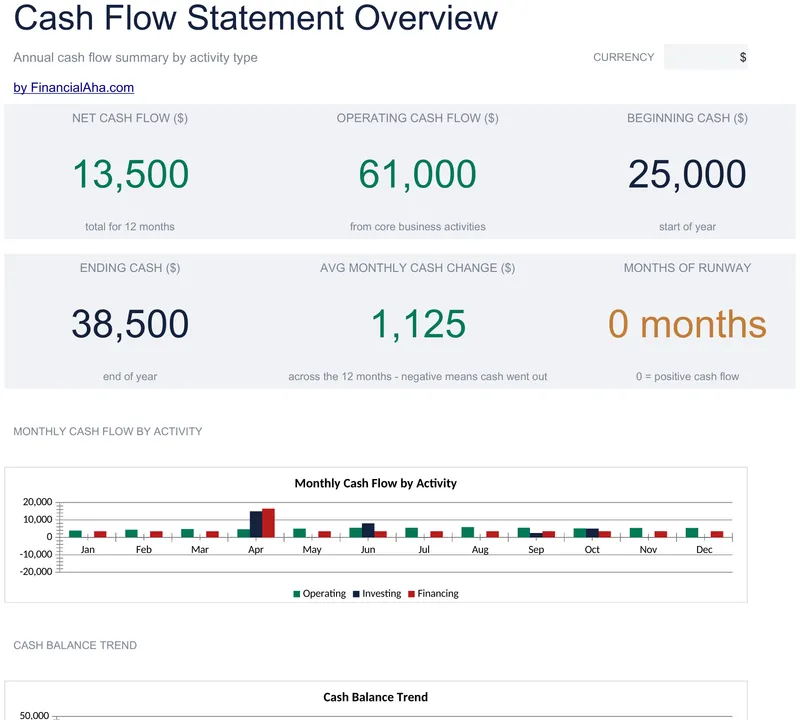
Cash Flow Statement
Twelve months across the page, with operating, investing and financing activities grouped into sections of their own and an annual total closing the grid. The Essentials Cash Flow Statement spreadsheet template carries the cash position month to month - you enter January's opening balance and the rest link forward - and follows the usual accounting convention on the working-capital lines. Three working sheets. Google Sheets and Excel. No macros, no VBA.
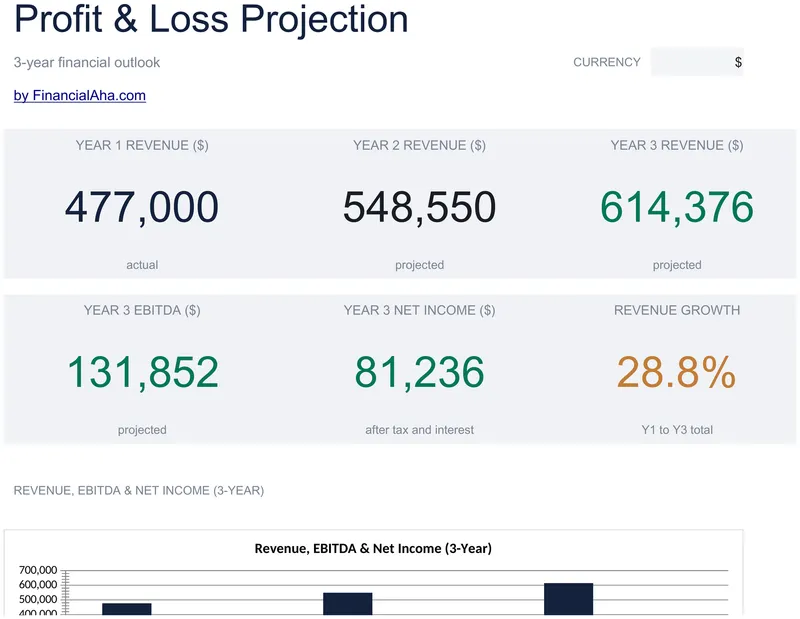
Profit & Loss Projection
Year one is what you enter; years two and three are worked out from six assumptions you set - revenue, cost of goods sold and operating expense growth, plus a tax rate. The Essentials Profit & Loss Projection spreadsheet template runs thirteen lines from revenue through gross profit and margin, operating income, EBITDA, interest and income before tax, down to net income, with a dashboard over the top. Google Sheets and Excel. No macros, no VBA.
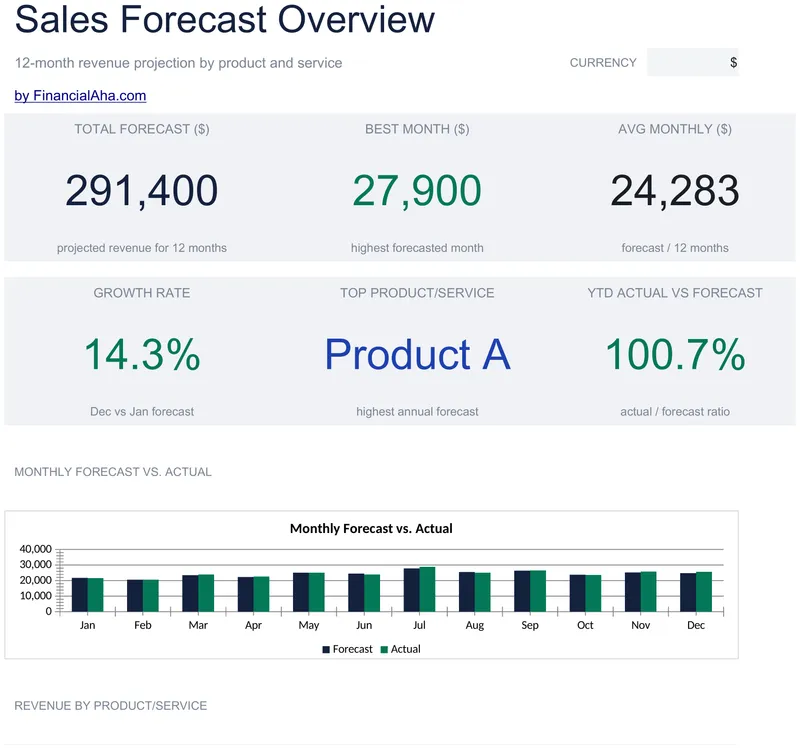
Sales Forecast
Ten product lines forecast across twelve months, then the same ten again recording what actually happened, with the variance worked out per month in money and as a percentage. The Essentials Sales Forecast spreadsheet template gives every line an annual total and a share-of-total figure, and reports the year total and the implied growth on a dashboard. Two working sheets, Google Sheets and Excel. No macros, no VBA.
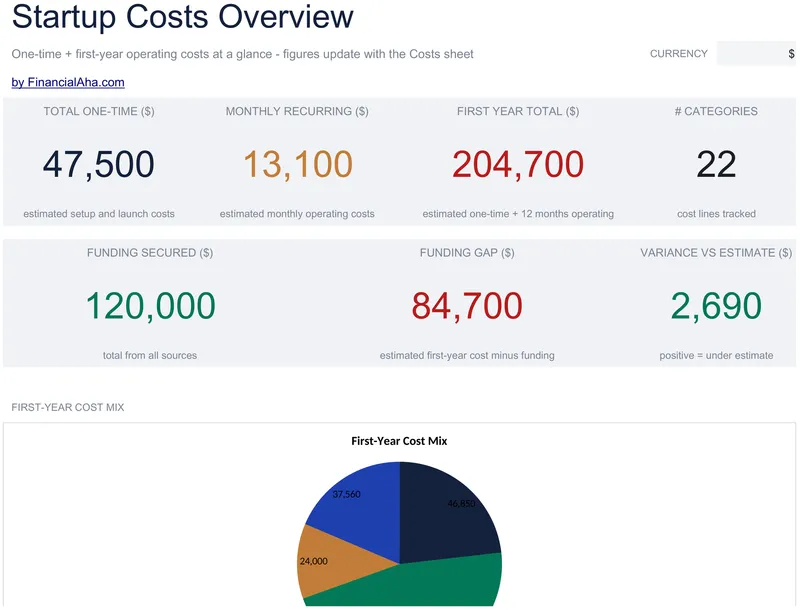
Startup Costs
Fourteen one-time costs and twelve monthly operating ones stay on lists of their own, each line carrying an estimate, an actual, the variance and a per-cent-spent figure. The Essentials Startup Costs spreadsheet template builds a first-year total from both, one-time plus twelve months of operating, and sets up to six funding sources against it. A notes column records what each figure assumes. Google Sheets and Excel. No macros, no VBA.
Business Plan Workbook
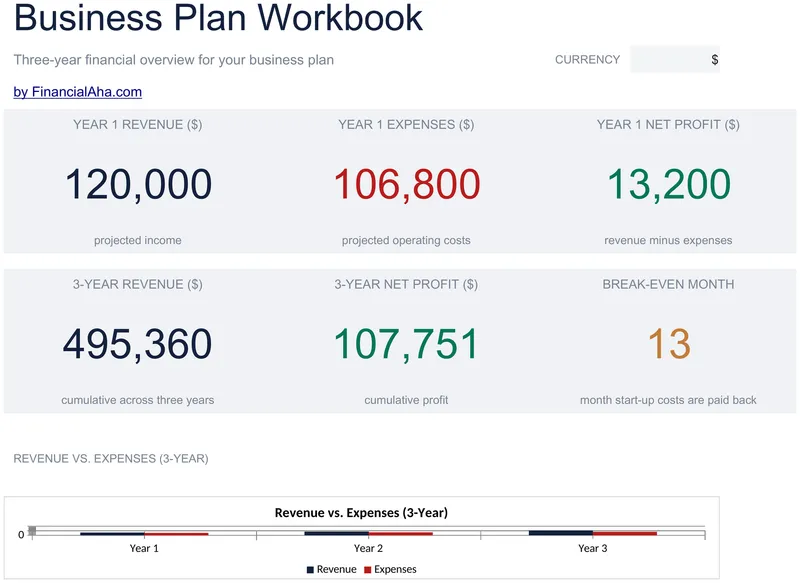
Revenue sources and expense categories projected across the same three years on sheets of their own, every figure entered positive - the sheets do the separating, not the sign. The Essentials Business Plan Workbook spreadsheet summarises both in a profit and loss that reads them rather than repeating them, and derives net profit with a margin for each of the three years. Four working sheets. Google Sheets and Excel. No macros, no VBA.
Depreciation Schedule
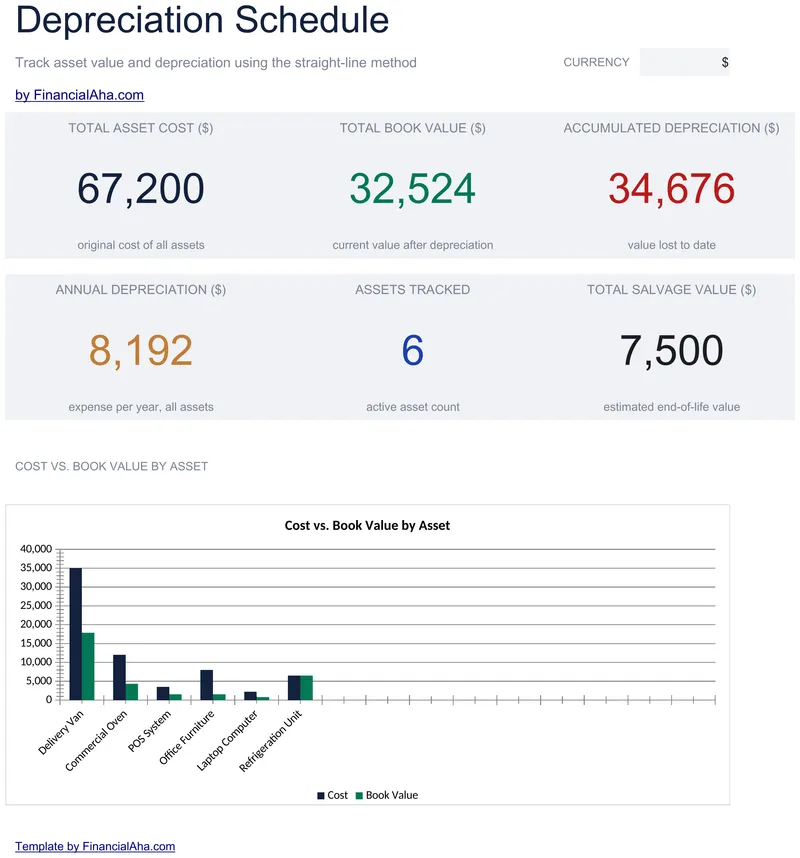
Salvage value joins cost, purchase date and useful life, so the annual charge comes off the depreciable amount rather than the full price. The Essentials Depreciation Schedule spreadsheet template counts accumulated depreciation in whole years since purchase, caps it at the asset's life, and carries book value on all fifteen asset rows against an as-of date you set. Two working sheets and a chart, in Google Sheets or Excel. No macros, no VBA.
Petty Cash Log
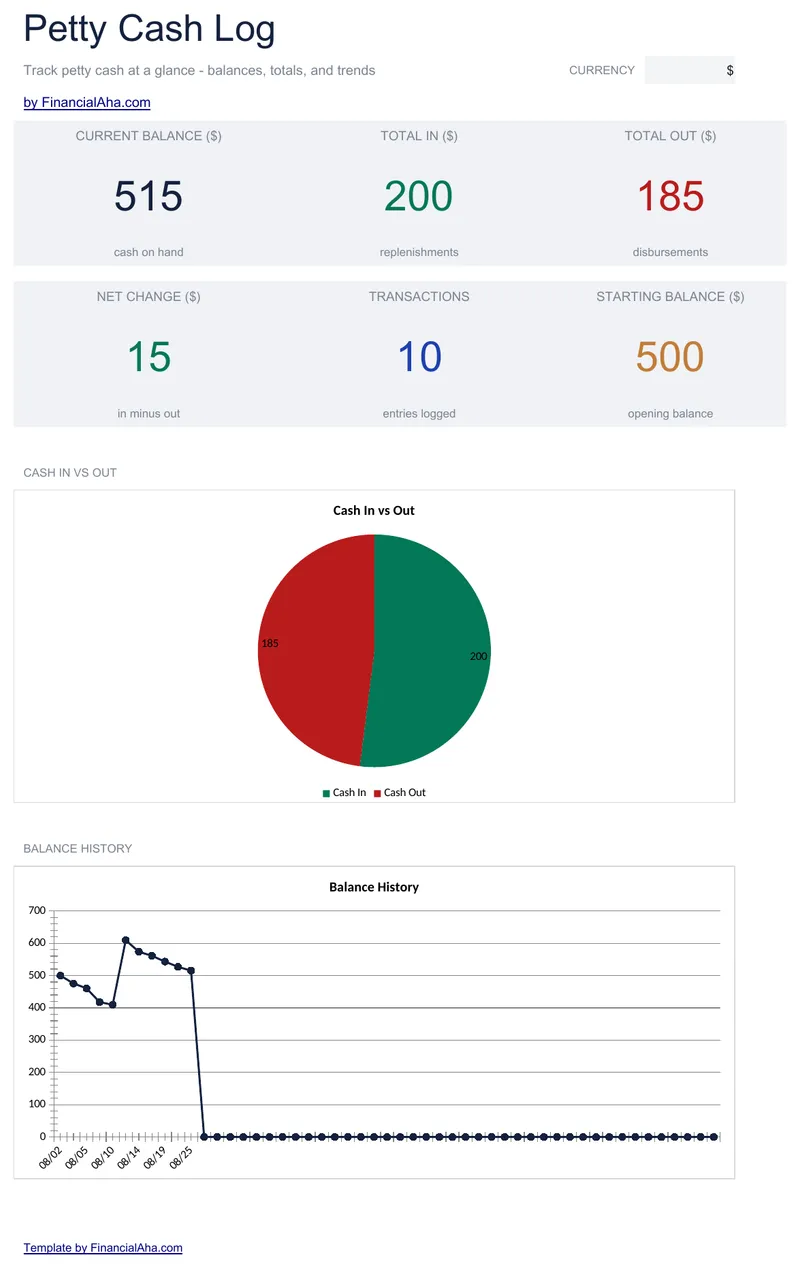
Fifty cash movements, each with an amount in or an amount out, a running balance and a reference column pointing at the voucher or receipt behind it. The Essentials Petty Cash Log spreadsheet template holds the starting balance as a labelled setting rather than a row in the log, and reports the current balance - what should physically be on hand - and the net change on a Dashboard. Two working sheets and two charts. Google Sheets and Excel. No macros, no VBA.
Expense Report
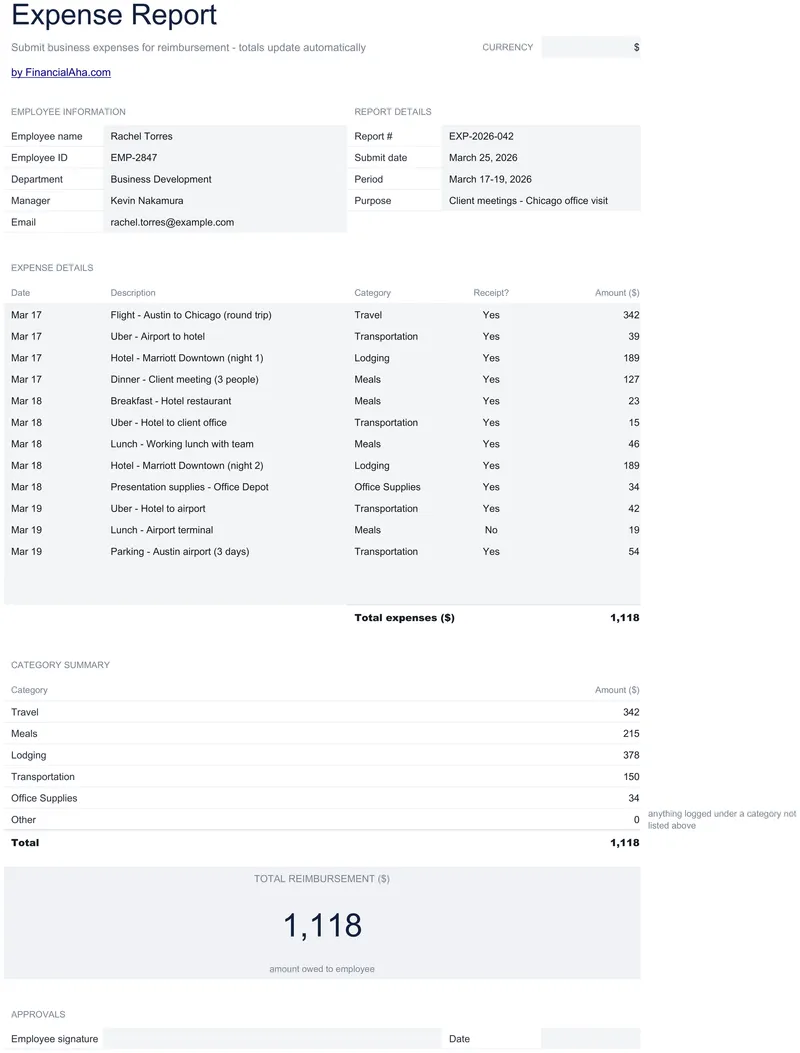
A report someone can actually submit: employee name, identifier, department, manager and email at the head, then the report number, submit date, period covered and the purpose of the trip. The Essentials Expense Report spreadsheet template takes fourteen expenses with a receipt-held marker on each and rolls them into a category summary a finance team can code from. Google Sheets and Excel, one file. No macros, no VBA.
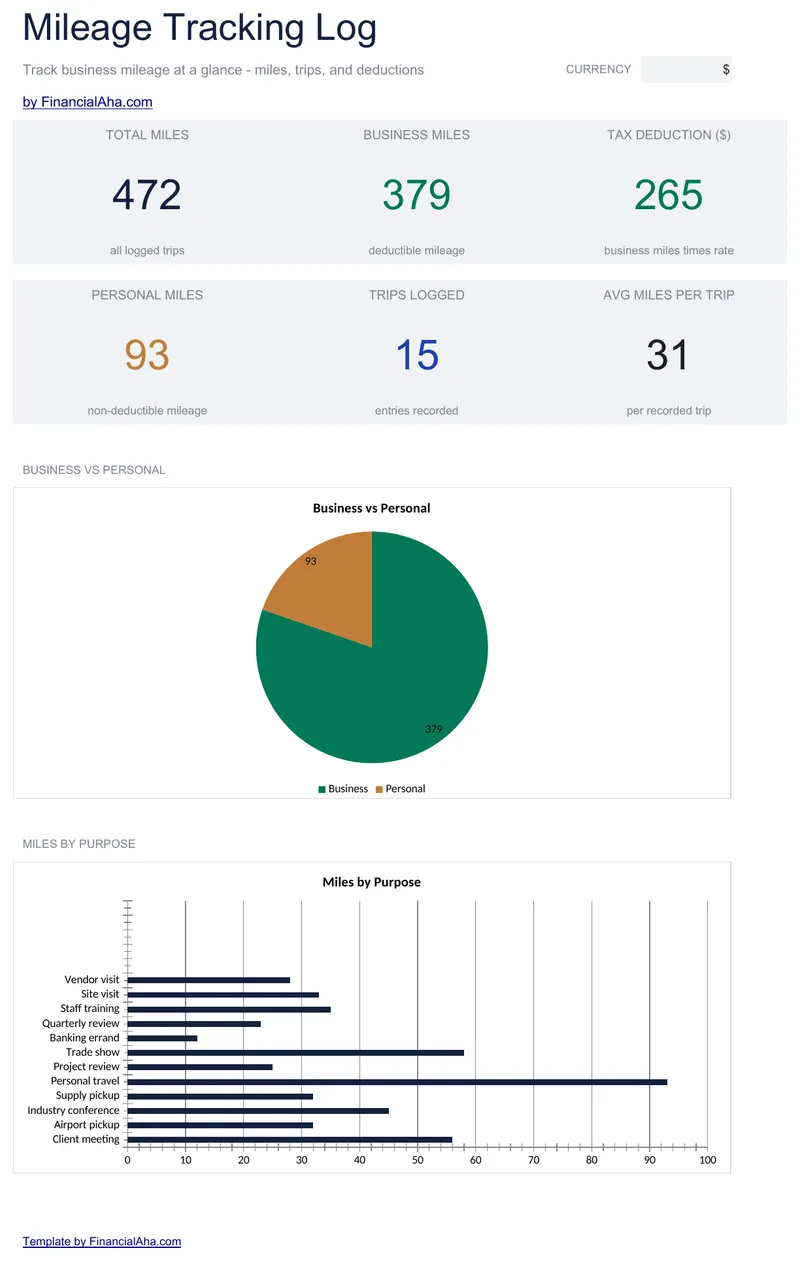
Mileage Tracking Log
Fifty trips with odometer readings at both ends, and distance and deduction both worked out for you. The Essentials Mileage Tracking Log spreadsheet template holds the rate per mile as a visible setting rather than burying it in a formula, marks each trip business or personal, and lets only the business ones reach the deduction. Dashboard, log and a How to Use guide in one file, Google Sheets and Excel. No macros, no VBA.
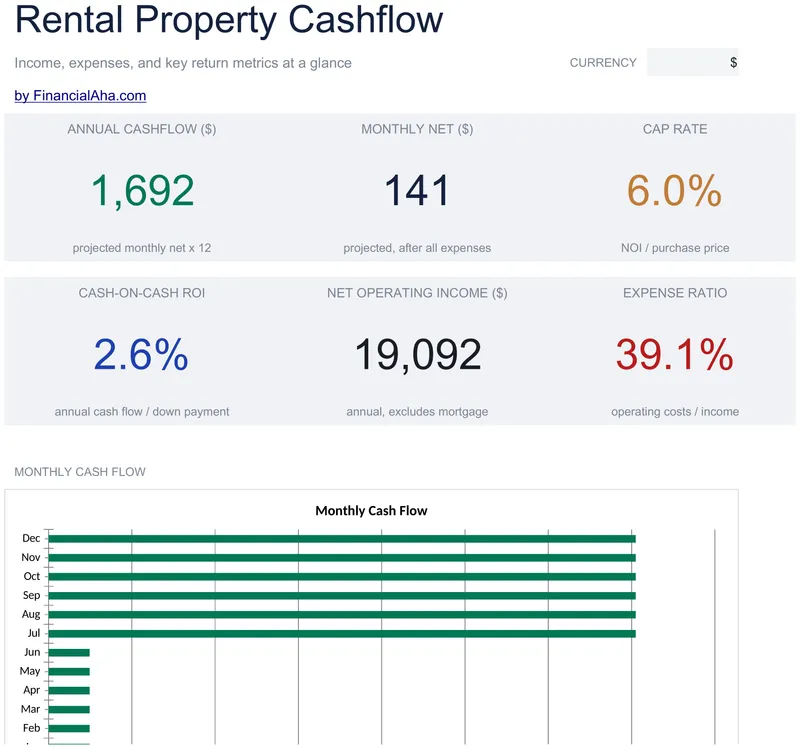
Rental Property Cashflow
Vacancy, maintenance reserve and management fee go in as percentages that scale with the rent, so effective rent and monthly expenses are worked out rather than guessed at. The Essentials Rental Property Cashflow spreadsheet template reports net operating income with the mortgage deliberately excluded, cap rate measured independent of how the purchase was financed, and cash-on-cash return on your own money. Google Sheets and Excel, one file. No macros, no VBA.
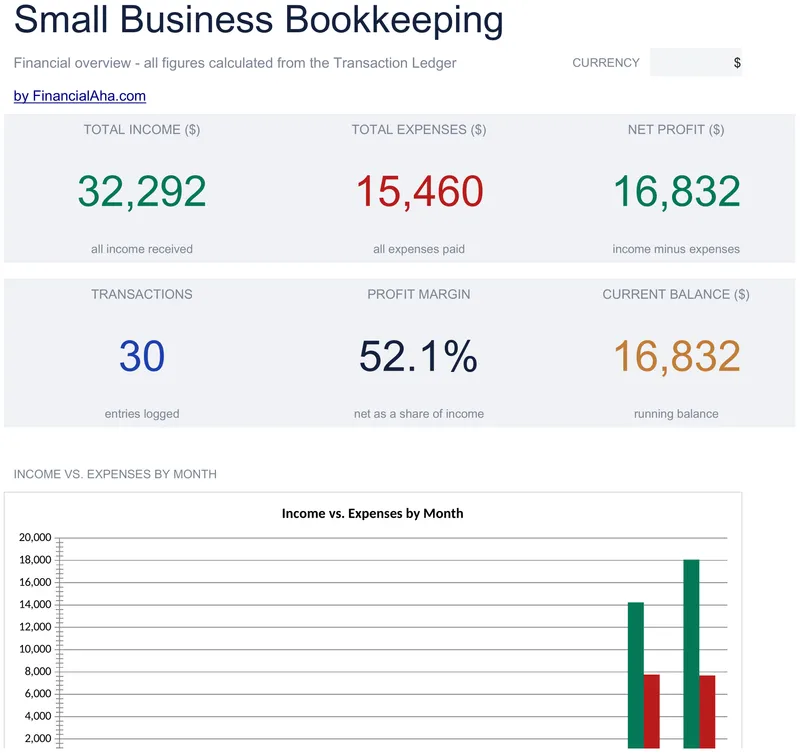
Small Business Bookkeeping
Fifty numbered entries with date, description and category, income and expense in their own columns, and a running balance carrying down the sheet - blank rows leave it blank rather than repeating the last figure. The Essentials Small Business Bookkeeping spreadsheet template totals income, expense and net under each of ten category headings, with a dashboard in front of the ledger. Google Sheets and Excel, one file. No macros, no VBA.
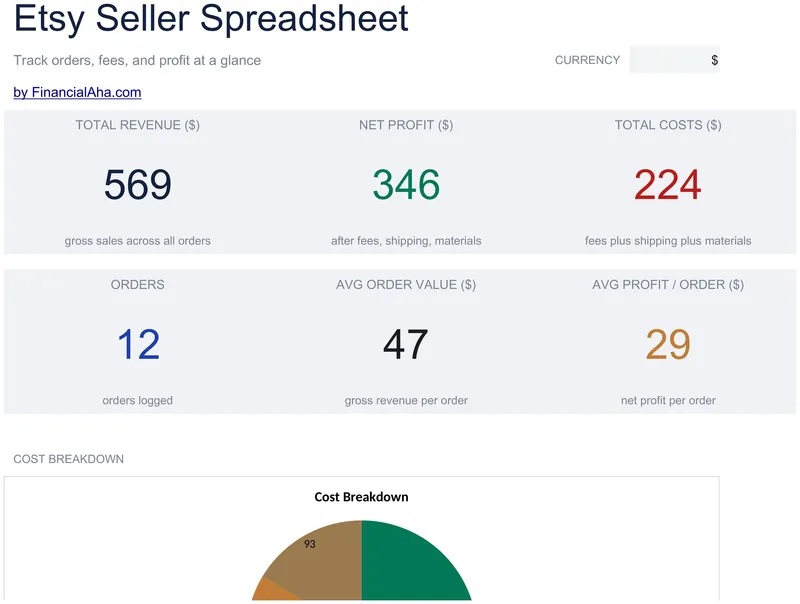
Etsy Seller Spreadsheet
Forty orders on one log, with Etsy fees, shipping and materials split into three columns, so the net reads as profit rather than residue. The Essentials Etsy Seller Spreadsheet template records a quantity and an order number on every line, which is what lets you find an order again weeks later, and sits a dashboard in front of the log. Google Sheets and Excel, one file. No macros, no VBA.
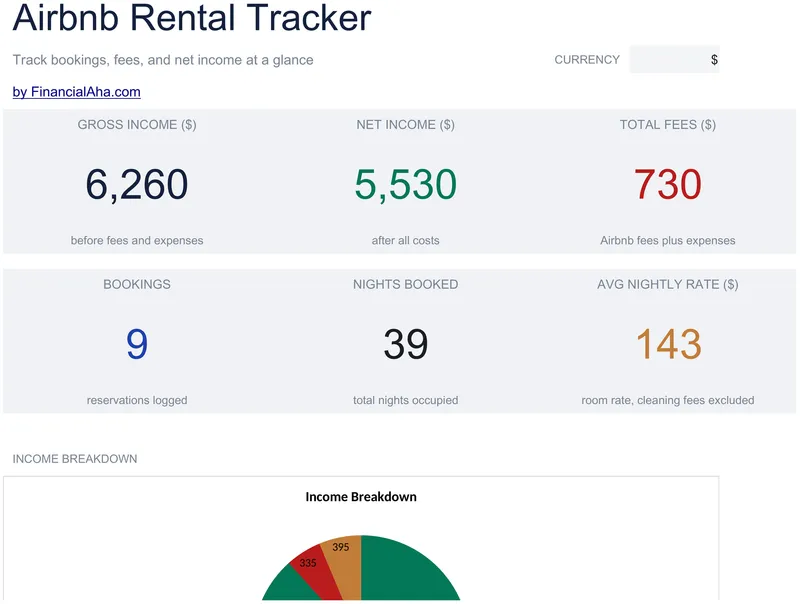
Airbnb Rental Tracker
Thirty stays with both dates recorded, and the money kept in the parts it actually arrives in: a nightly rate, a cleaning fee charged once per booking, the platform's cut, and whatever a particular guest cost you. The Essentials Airbnb Rental Tracker spreadsheet template builds gross income from the nights and the rate, then takes the fees and expenses off for the net. Three working sheets and a dashboard. Google Sheets and Excel. No macros, no VBA.
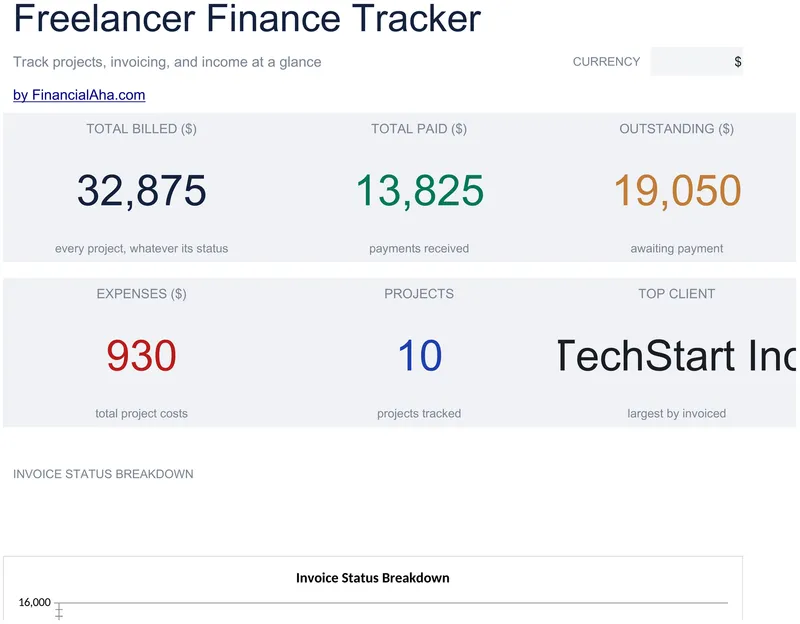
Freelancer Finance Tracker
Hours and an hourly rate sit behind every invoiced figure, expenses are recorded against the project they belong to, and net income is worked out once a project is marked Paid. The Essentials Freelancer Finance Tracker spreadsheet template logs thirty projects with client and project name on each row, marks whether payment has landed, and rolls the year into a Dashboard. Google Sheets and Excel, one file. No macros, no VBA.
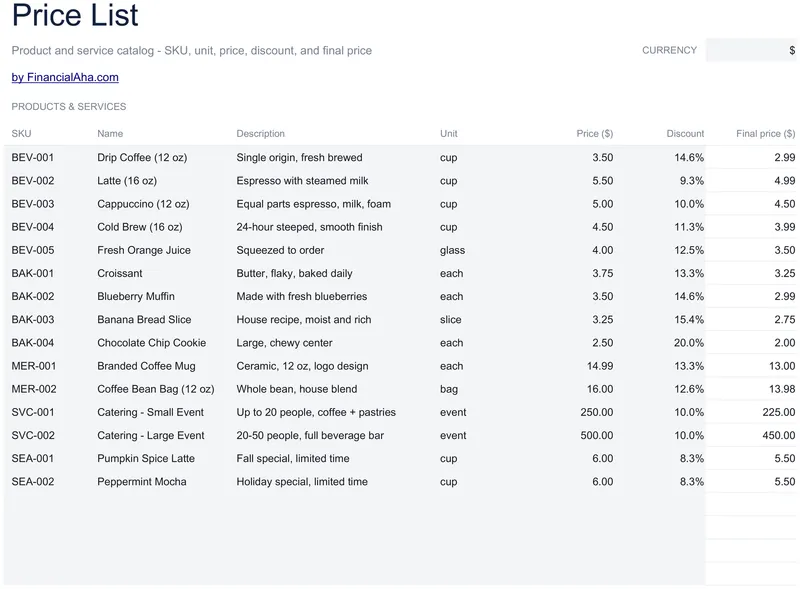
Price List Template
A stock code and a description on every product or service, a discount percentage per line, and the final price worked out from it - a blank discount simply counting as full price, so nothing needs special handling. The Essentials Price List Template also carries a unit column, so a price says what it actually buys, and documents four volume tiers with their order minimums and conditions. Google Sheets and Excel, one file. No macros, no VBA.
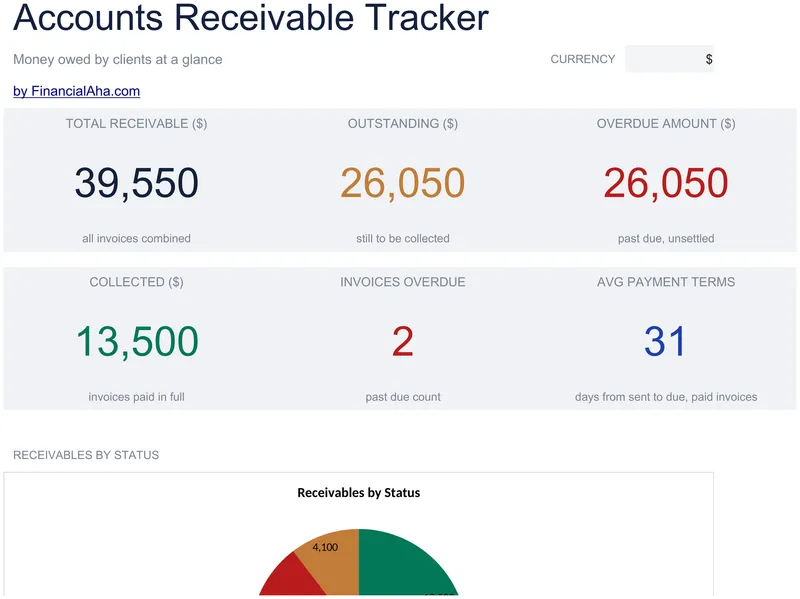
Accounts Receivable Tracker
Thirty invoices, each with the client, both dates, the amount and a status: paid, pending, partial, overdue or written off. The Essentials Accounts Receivable Tracker spreadsheet template works out the days overdue rather than asking you to, calculates what is genuinely past due per invoice, and leaves written-off invoices out of the overdue figures where they would otherwise flatter or distort them. A dashboard reports the outstanding total. Google Sheets and Excel. No macros, no VBA.
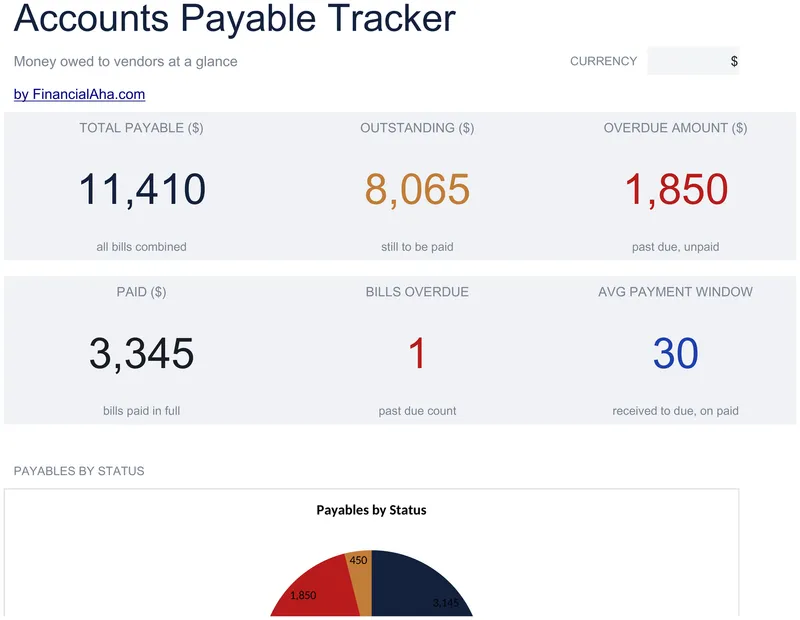
Accounts Payable Tracker
Thirty bills, each carrying the vendor, the invoice number, the amount, the date it arrived and the date it is due. The Essentials Accounts Payable Tracker spreadsheet template marks each one paid, unpaid, partial, overdue or disputed, counts the days remaining on anything still open, and keeps the unpaid balance per bill. A dashboard separates what is outstanding from what is already past due. Three working sheets. Google Sheets and Excel. No macros, no VBA.
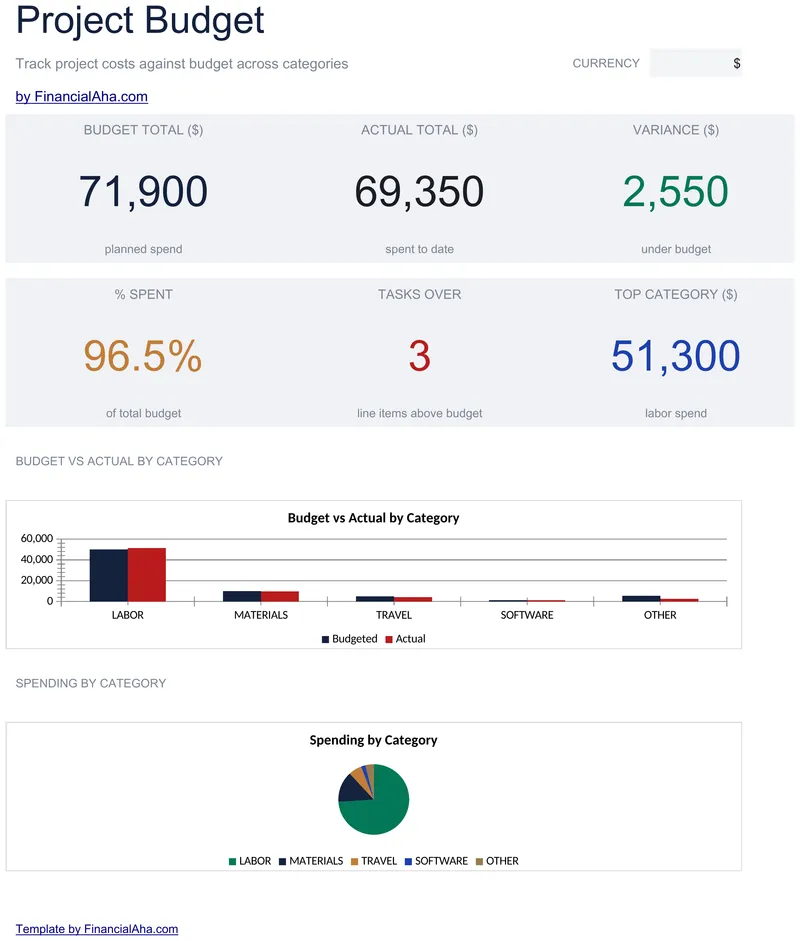
Project Budget
Five cost sections - labour, materials, travel, software and other - each with named lines, room left for the ones you add, and a subtotal of its own. The Essentials Project Budget spreadsheet template puts budgeted, actual, variance and per-cent-used on every line, then builds the project total from the five subtotals. Two working sheets, in Google Sheets or Excel. No macros, no VBA.
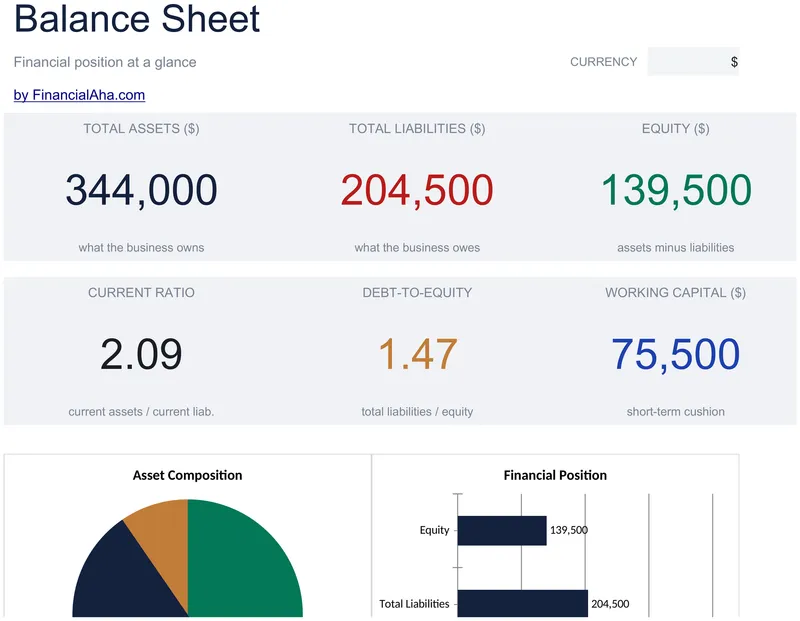
Balance Sheet
A proper statement, with a company name and a reporting date at the top. The Essentials Balance Sheet spreadsheet template classifies assets as current, fixed or other and subtotals each, shows gross fixed assets against accumulated depreciation and the net of the two, splits liabilities by when they fall due, and breaks equity into capital, paid-in, retained earnings, the current result and draws. Three working sheets. Google Sheets and Excel. No macros, no VBA.
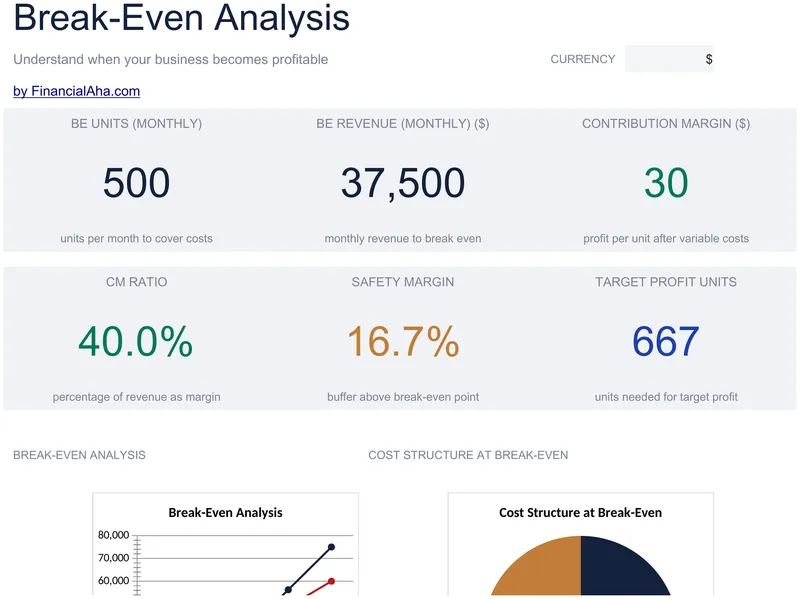
Break-Even Analysis
Fixed and variable costs itemised on named lines rather than arriving as two totals, which is what makes the result worth acting on. The Essentials Break-Even Analysis spreadsheet template returns the contribution margin per unit and as a ratio, the break-even point in both units and revenue, monthly and annually, and a safety margin at a target you set. Every result is guarded, so a break-even point reads N/A rather than an error. Google Sheets and Excel. No macros, no VBA.
Business Budget
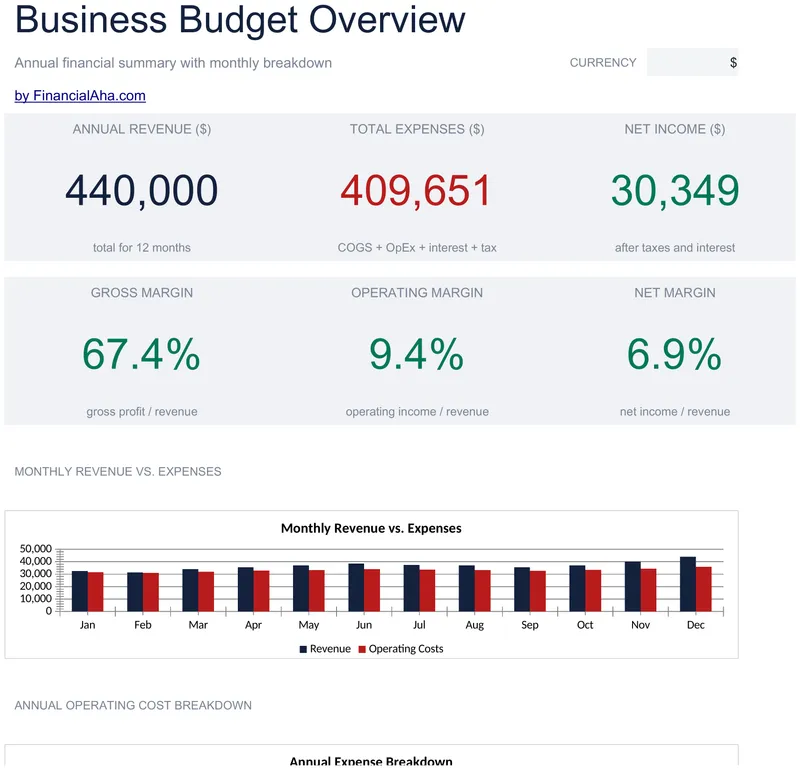
Twelve months planned in the shape of a profit and loss statement, with cost of goods sold separated from operating expenses and gross profit sitting between them. The Essentials Business Budget spreadsheet template groups operating costs under general and administrative, people and payroll, and sales and marketing, then puts gross, operating and net margin each directly under the figure it describes. Interest and a tax provision, with the rate as a labelled setting. Google Sheets and Excel.
Not sure which to pick?
Try the free version of any business finance template first. When you're ready for the dashboard and extra capacity, upgrade to Essentials - a one-time $19 purchase.