Mejor valor Paquete Todo-en-Uno de Planificación Financiera
✓ Planificación Financiera✓ Rastreador de Patrimonio Neto✓ Presupuesto Mensual✓ Planificador de Presupuesto de Viaje✓ Planificador de Presupuesto Anual✓ Rastreador de Gastos Mensuales✓ Planificador de Impuestos Anual✓ Planificación de Jubilación
Ver paquete →
Plantilla Essentials - Excel y Google Sheets

Expense Report Plantilla Essentials

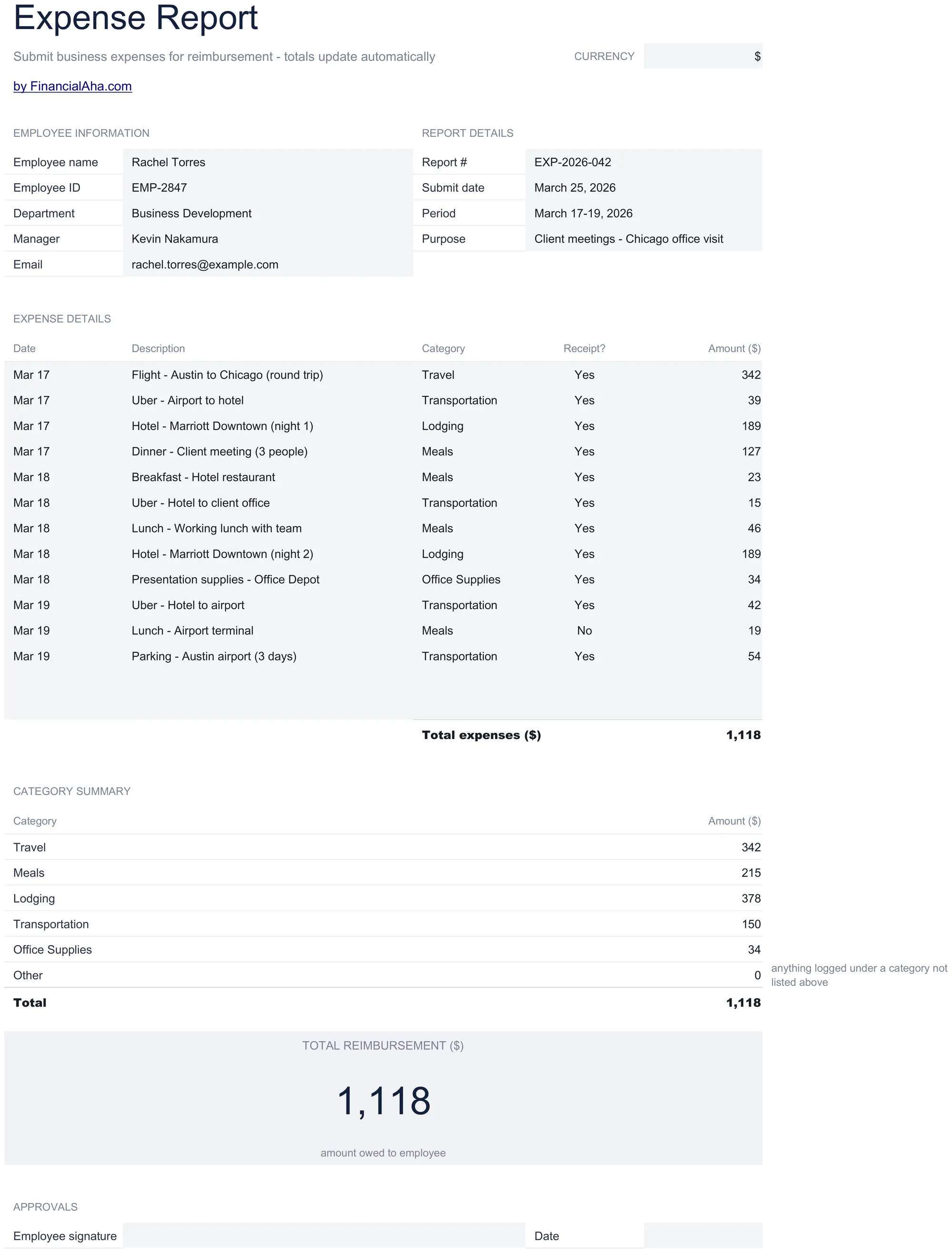
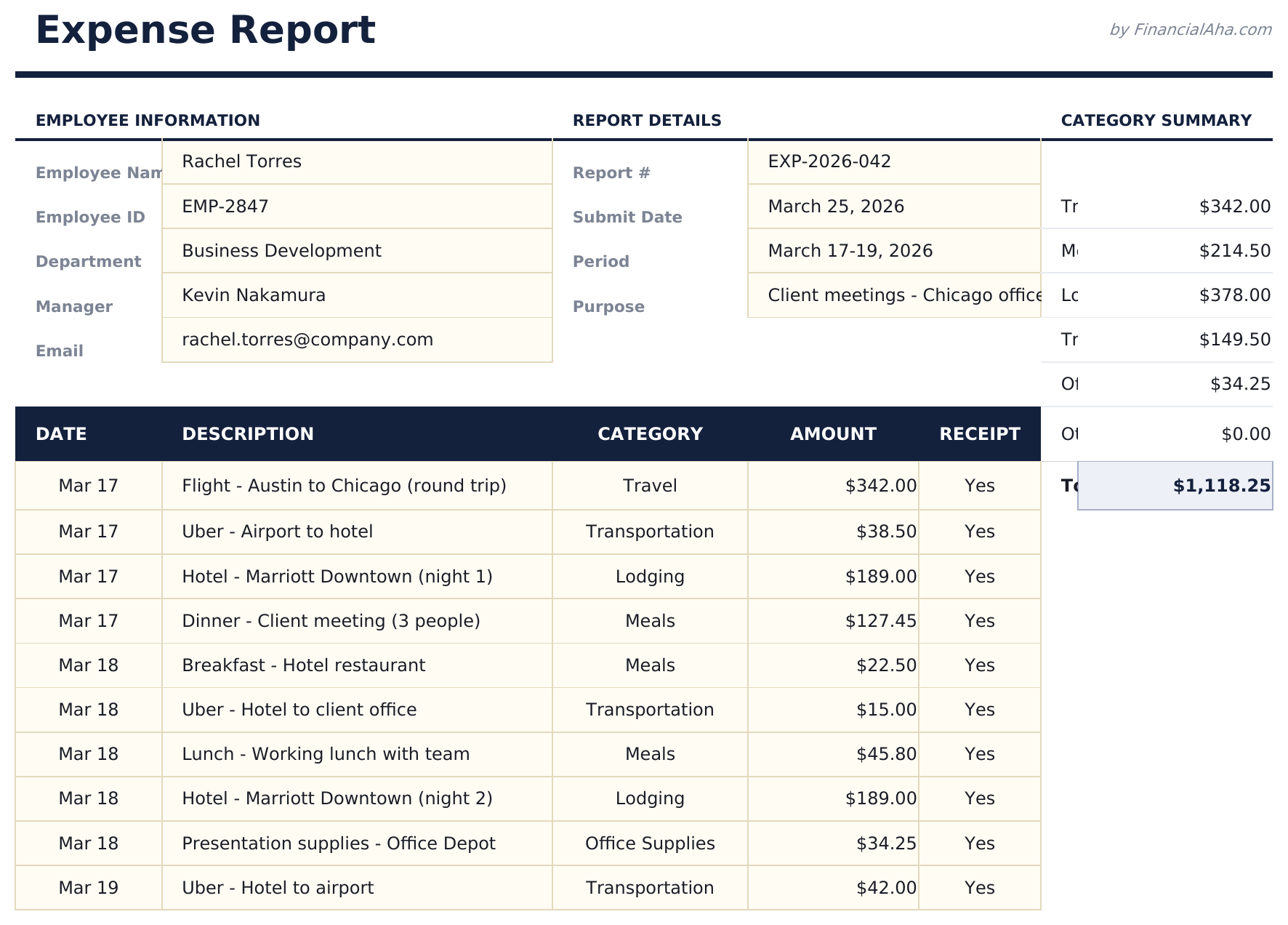
Submit business expenses with dates, categories, and receipts. Standard expense report format for employee reimbursement processing.

Expense Report preview

Qué incluye

  • Expense report in standard corporate format with employee name, department, reporting period, and manager fields
  • Date, category, description, and amount columns for itemizing each business expense with supporting details
  • Receipt reference fields for attaching or noting receipt numbers to support each line item for audit purposes
  • Automatic total calculations summing all expense line items with subtotals per category if grouped
  • Approval and signature sections with print-ready layout and color-coded input cells for easy form completion
  • Works in Microsoft Excel, Google Sheets, and LibreOffice Calc with no setup required

Cómo usar esta plantilla de Expense Report

1

Enter employee details

Fill in employee name, department, reporting period, and manager name at the top of the report.

2

Itemize each expense

Add each business expense with date, category, description, amount, and receipt reference number.

3

Attach receipts

Note the receipt number for each line item. Keep physical or digital receipts for audit documentation.

4

Submit for approval

Review the total, sign the report, and submit to your manager. The approval section is at the bottom.

Creadas por Claude AI. Perfeccionadas por nosotros.

Usamos Claude AI para crear el borrador de cada plantilla, después de una investigación profunda. Luego nuestro equipo interviene. Refinamos el diseño, probamos cada fórmula a fondo, corregimos casos especiales y pulimos el diseño hasta que se siente como algo que realmente usaríamos nosotros mismos. La IA nos lleva al 80%. El último 20% es criterio humano.

Preguntas frecuentes

What expense categories are standard?

Common categories include meals, travel, lodging, transportation, office supplies, and client entertainment. Use the categories your company requires.

Do I need receipts for every item?

Most companies require receipts above a threshold amount. The receipt reference field helps link each expense to its supporting documentation.

Can I submit for a partial month?

Yes. Enter the reporting period dates for whatever timeframe the expenses cover. There is no requirement to use a full month.

Where does the manager sign?

The approval section at the bottom includes signature lines for both the employee and the approving manager.

¿Cómo abro esto en Google Sheets?

Sube el archivo .xlsx a Google Drive y luego ábrelo con Google Sheets. Todas las fórmulas y el formato se conservarán.

Más plantillas Essentials de Business Finance

¿Buscas plantillas premium?

Nuestras plantillas de pago incluyen paneles avanzados con múltiples hojas, gráficos nativos de Excel y actualizaciones continuas.

Privado y seguro

Sus datos financieros permanecen en su dispositivo. Nunca los vemos.

Saber más →

¿Necesita ayuda?

Consulte nuestras guías o contáctenos con preguntas.

Ver FAQ →