Beste waarde All-in-One Financieel Planningspakket
✓ Financiële Planning✓ Vermogenstracker✓ Maandelijks Budgetteren✓ Reisbudget Planner✓ Jaarlijkse Budgetplanner✓ Maandelijkse Uitgaventracker✓ Jaarlijkse Belastingplanner✓ Pensioenplanning
Bekijk bundel →
Ultimate Ultimate-versie beschikbaar - Beleggingsportefeuilletracker Ultimate
Essentials-sjabloon - Excel & Google Sheets

Investment Portfolio Tracker Essentials-sjabloon

Track investment holdings across stocks, bonds, and funds. Monitor portfolio value, allocation, and performance in one dashboard.

Bekijk de Ultimate-versie →
Investment Portfolio Tracker preview

Wat zit erin

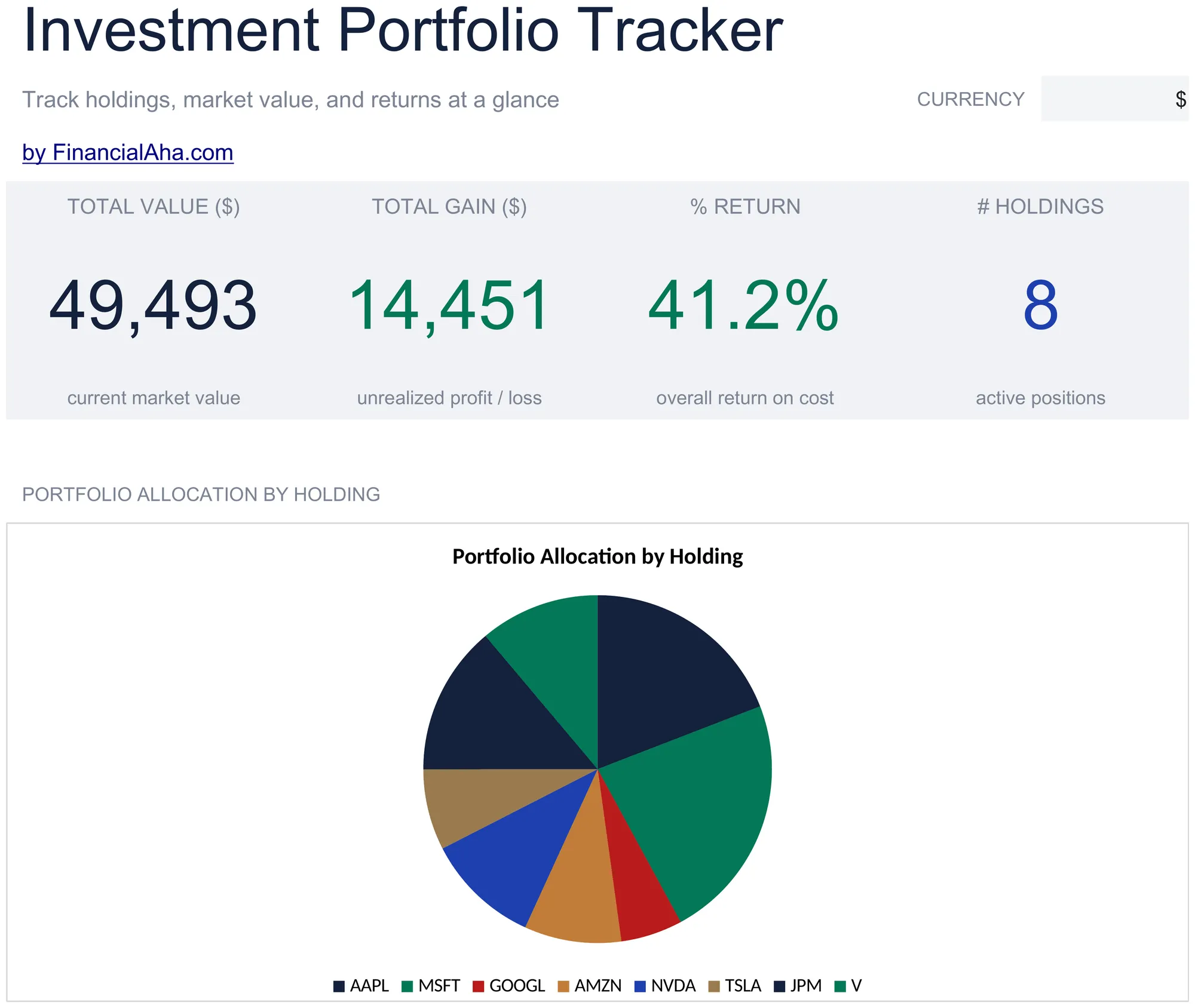
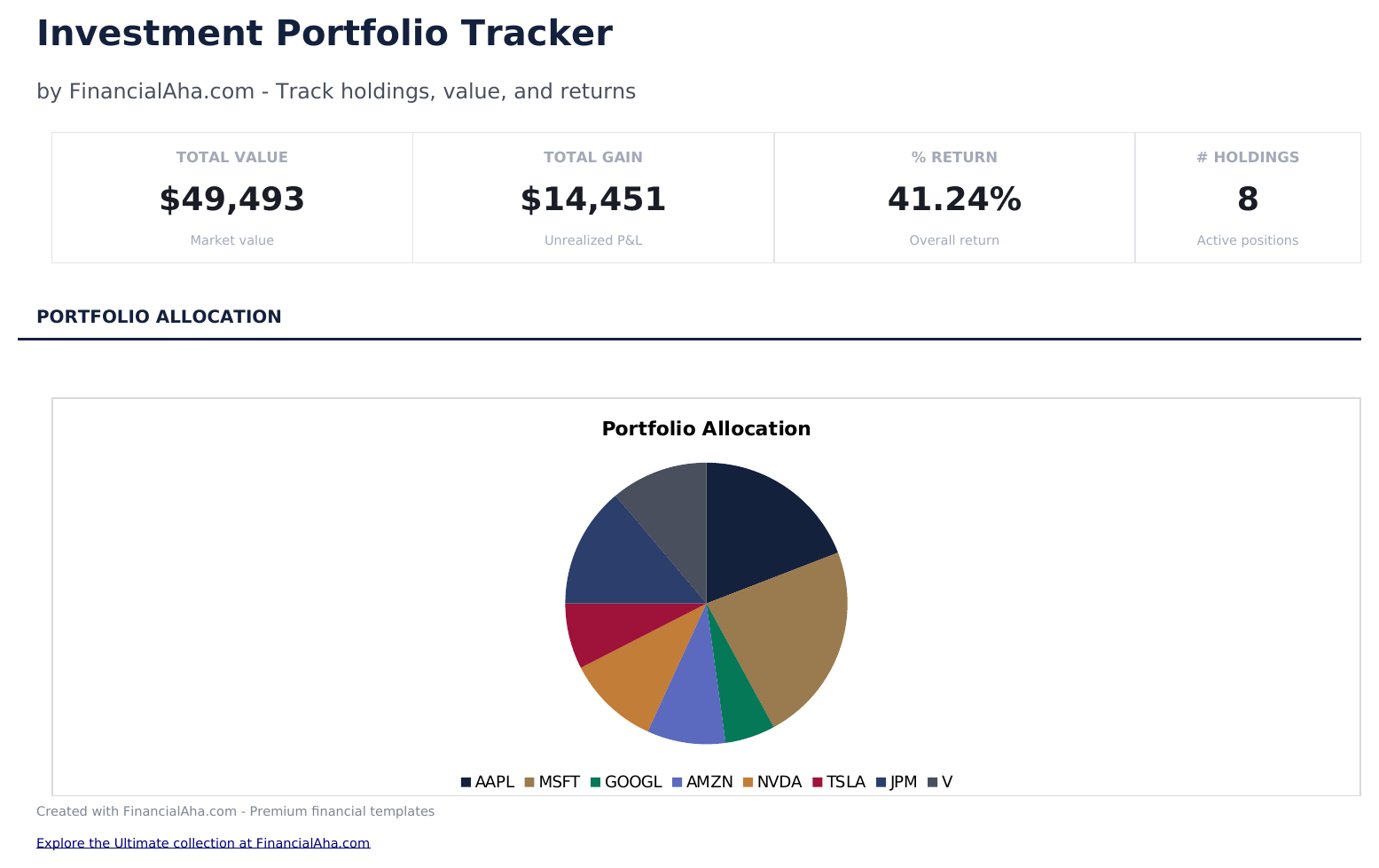
  • Dashboard with portfolio overview showing total market value, total cost basis, total gain or loss, and return percentage
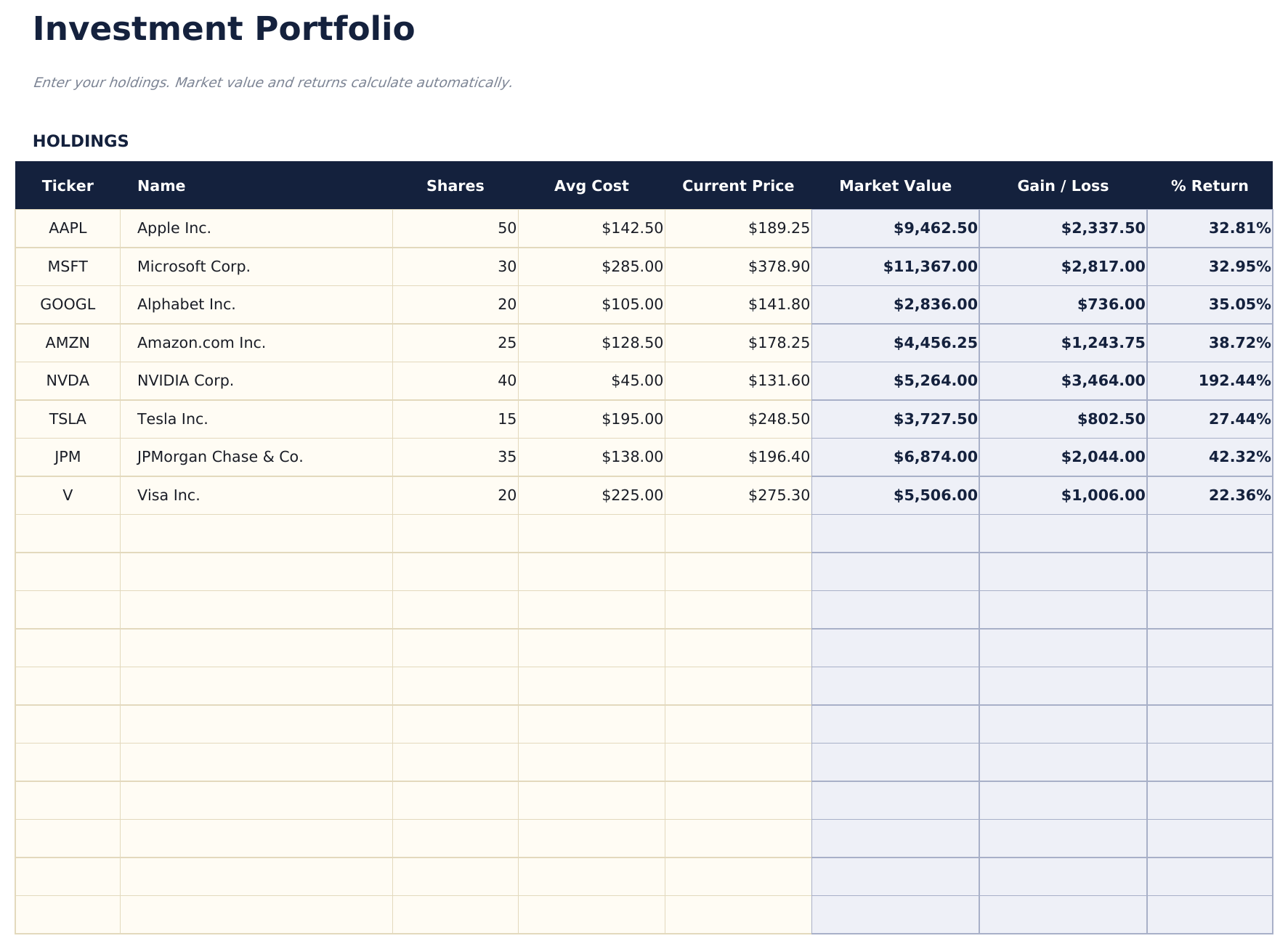
  • Holdings list with ticker symbol, shares owned, purchase price, current price, and automatic gain or loss per position
  • Asset allocation breakdown displaying percentage weight of stocks, bonds, ETFs, and cash across the portfolio
  • Gain and loss tracking with unrealized and realized columns showing dollar amount and percentage return per holding
  • Performance summary by holding with color-coded input cells (yellow) and auto-calculated portfolio metrics (blue)
  • Works in Microsoft Excel, Google Sheets, and LibreOffice Calc with no setup required
Ultimate Version Available

Need more from this template?

The Essentials version covers everyday tracking. Ultimate goes further with multi-entity support, scenario analysis, and ultimate-grade reporting.

Essentials - $12
  • Dashboard with portfolio overview showing total market value, total cost basis, total gain or loss, and return percentage
  • Holdings list with ticker symbol, shares owned, purchase price, current price, and automatic gain or loss per position
  • Asset allocation breakdown displaying percentage weight of stocks, bonds, ETFs, and cash across the portfolio
  • Gain and loss tracking with unrealized and realized columns showing dollar amount and percentage return per holding
Ultimate - $19
  • Volg tot 50 posities met ticker, sector, aandelen, kostprijs, huidige koers en jaarlijks dividend per aandeel
  • Dashboard met 6 KPI-kaarten: totale waarde, totale winst, procentueel rendement, aantal posities, dividendinkomsten en portefeuillerendement
  • Dividendinkomstentracker die automatisch gegevens haalt uit Posities - toont jaarlijkse inkomsten, rendement en inkomensgewicht per positie
  • Allocatieanalyse die doel- versus werkelijke sectorwegingen vergelijkt met afwijking en herbalanceringsaanbevelingen (Bijkopen, Afbouwen, Vasthouden)
  • Jaar-op-jaar prestaties per sector over 3 jaar met dollarverandering, procentuele verandering, groeipercentage en geannualiseerd rendement
See what's in the Ultimate version One-time purchase. No subscription.

Hoe gebruik je dit Investment Portfolio Tracker sjabloon

1

Enter holdings

List each investment with the ticker symbol, number of shares, purchase price, and current price.

2

Review gain and loss

The template calculates unrealized gain or loss per position in both dollar amount and percentage return.

3

Check allocation

The asset allocation breakdown shows the percentage weight of each holding and asset class in your total portfolio.

4

Monitor on the dashboard

The dashboard shows total portfolio value, total cost basis, overall return, and top holdings at a glance.

Gebouwd door Claude AI. Verfijnd door ons.

We gebruiken Claude AI om elk sjabloon te ontwerpen, na uitgebreid onderzoek. Daarna neemt ons team het over. We verfijnen de indeling, testen elke formule grondig, lossen randgevallen op en polijsten het ontwerp totdat het iets is dat we zelf ook echt zouden gebruiken. De AI brengt ons 80% van de weg. De laatste 20% is puur menselijk oordeel.

Bekijk de Ultimate-versie →

Veelgestelde vragen

Do I need to update prices manually?

Yes. Enter the current price for each holding when you want to update the portfolio. Google Sheets users can use GOOGLEFINANCE for automatic price updates.

Does it track dividends?

The template focuses on holdings and price-based returns. For dividend tracking, use the Dividend Tracker template alongside this one.

Can I track multiple account types?

Yes. Add an account column (brokerage, IRA, 401k) to see which holdings are in which account. The totals work across all accounts.

What is cost basis?

Cost basis is the total amount you paid for the shares (shares multiplied by purchase price). Gain or loss is current value minus cost basis.

Hoe open ik dit in Google Sheets?

Upload het .xlsx-bestand naar Google Drive en open het vervolgens met Google Sheets. Alle formules en opmaak blijven behouden.

Meer Essentials-sjablonen voor Investing & Trading

Op zoek naar premium spreadsheet-sjablonen?

Onze betaalde sjablonen bevatten geavanceerde dashboards met meerdere werkbladen, ingebouwde Excel-grafieken en doorlopende updates.

Privé & veilig

Uw financiële gegevens blijven op uw apparaat. Wij zien ze nooit.

Meer informatie →

Hulp nodig?

Bekijk onze handleidingen of neem contact op met vragen.

Bekijk FAQ →