Miglior valore Pacchetto Completo di Pianificazione Finanziaria
✓ Pianificazione Finanziaria✓ Tracker Patrimonio Netto✓ Budget Mensile✓ Pianificatore Budget Viaggio✓ Pianificatore Budget Annuale✓ Tracker Spese Mensili✓ Pianificatore Fiscale Annuale✓ Pianificazione Pensione
Vedi pacchetto →
Modello Essentials - Excel e Google Sheets

Mortgage Refinance Calculator Modello Essentials

Compare current mortgage costs with refinance options. Calculate break-even point and total savings from refinancing.

Mortgage Refinance Calculator preview

Cosa include

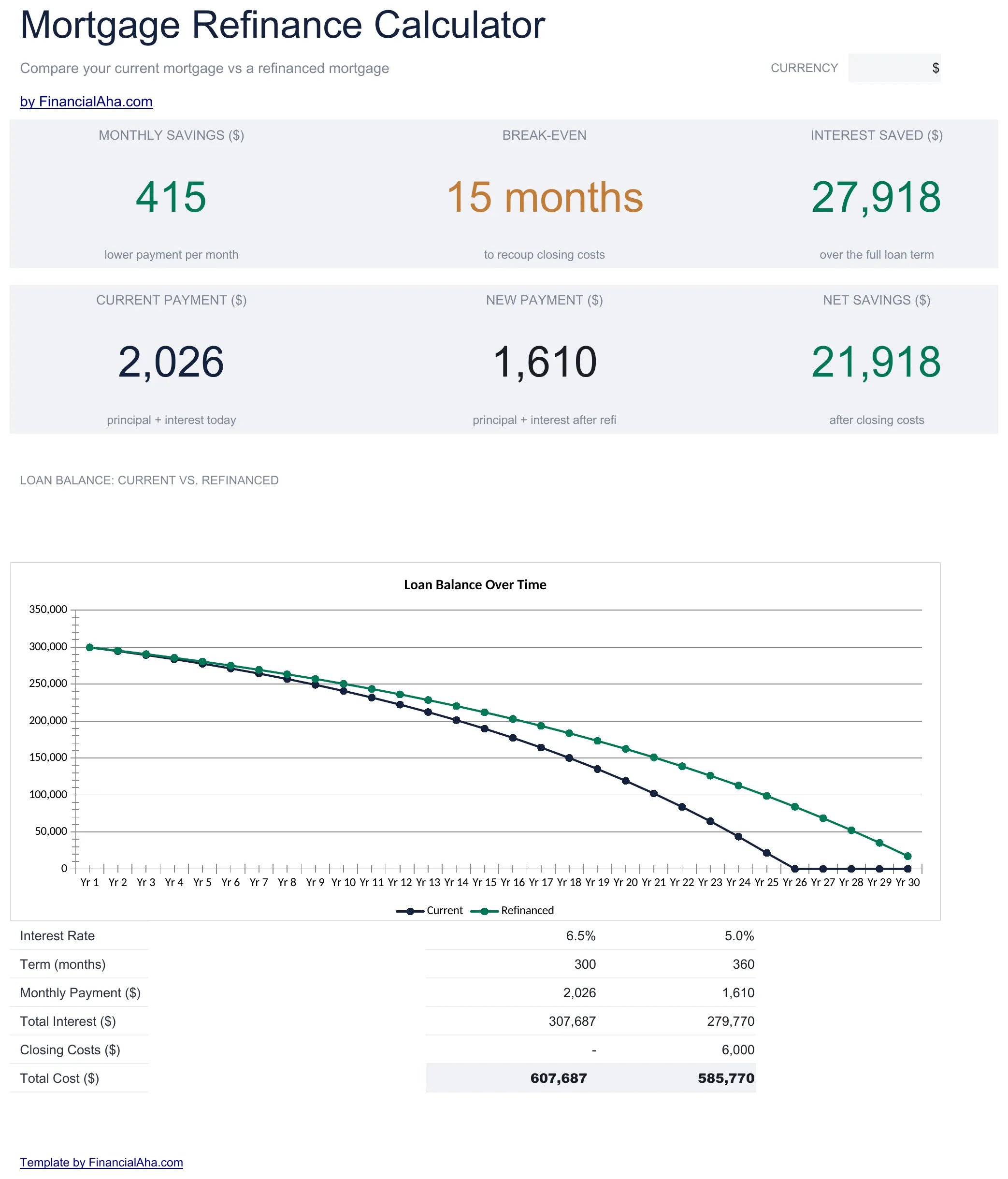
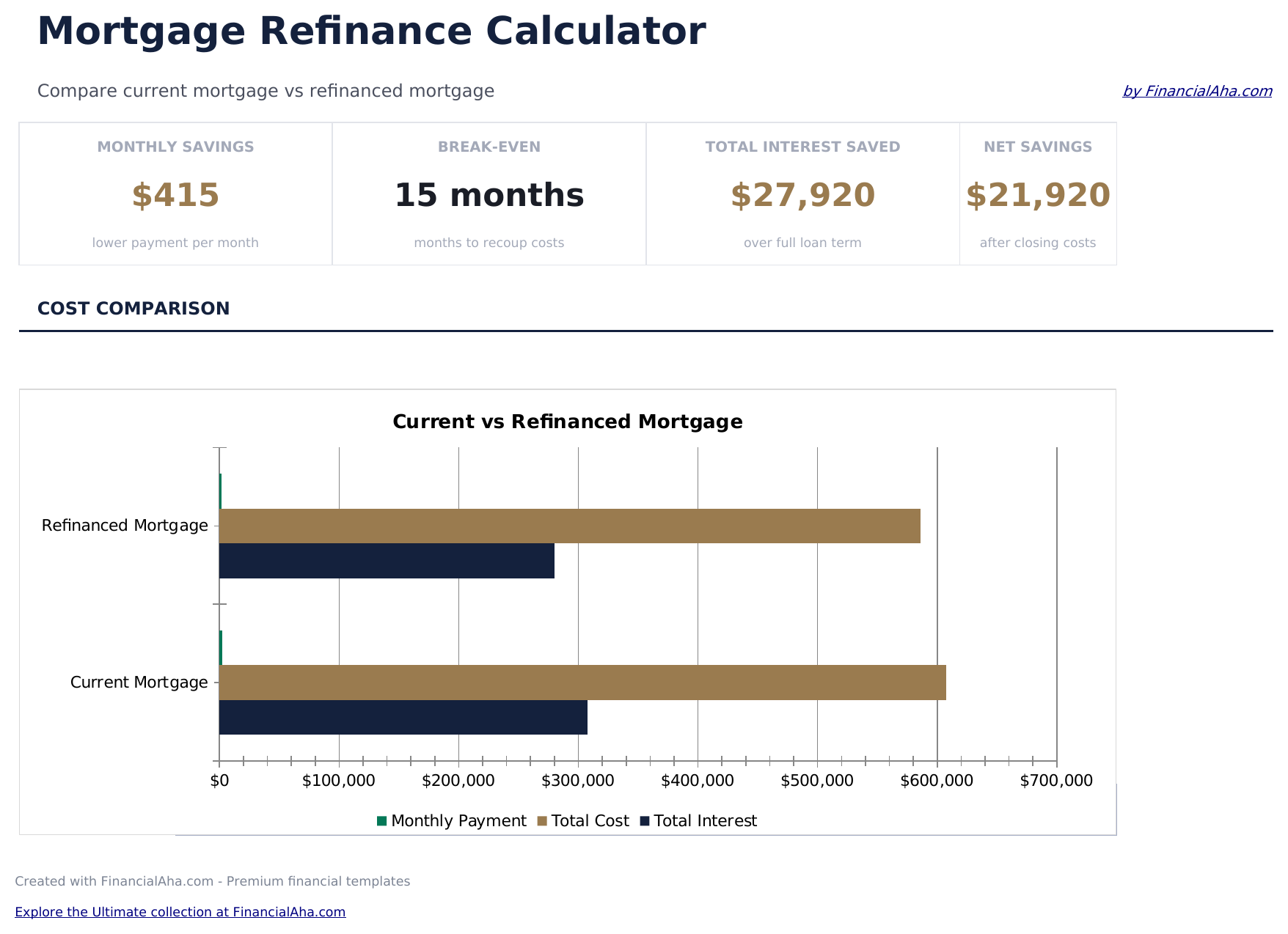
  • Dashboard with refinance comparison showing current vs. new monthly payment, total interest, and net savings
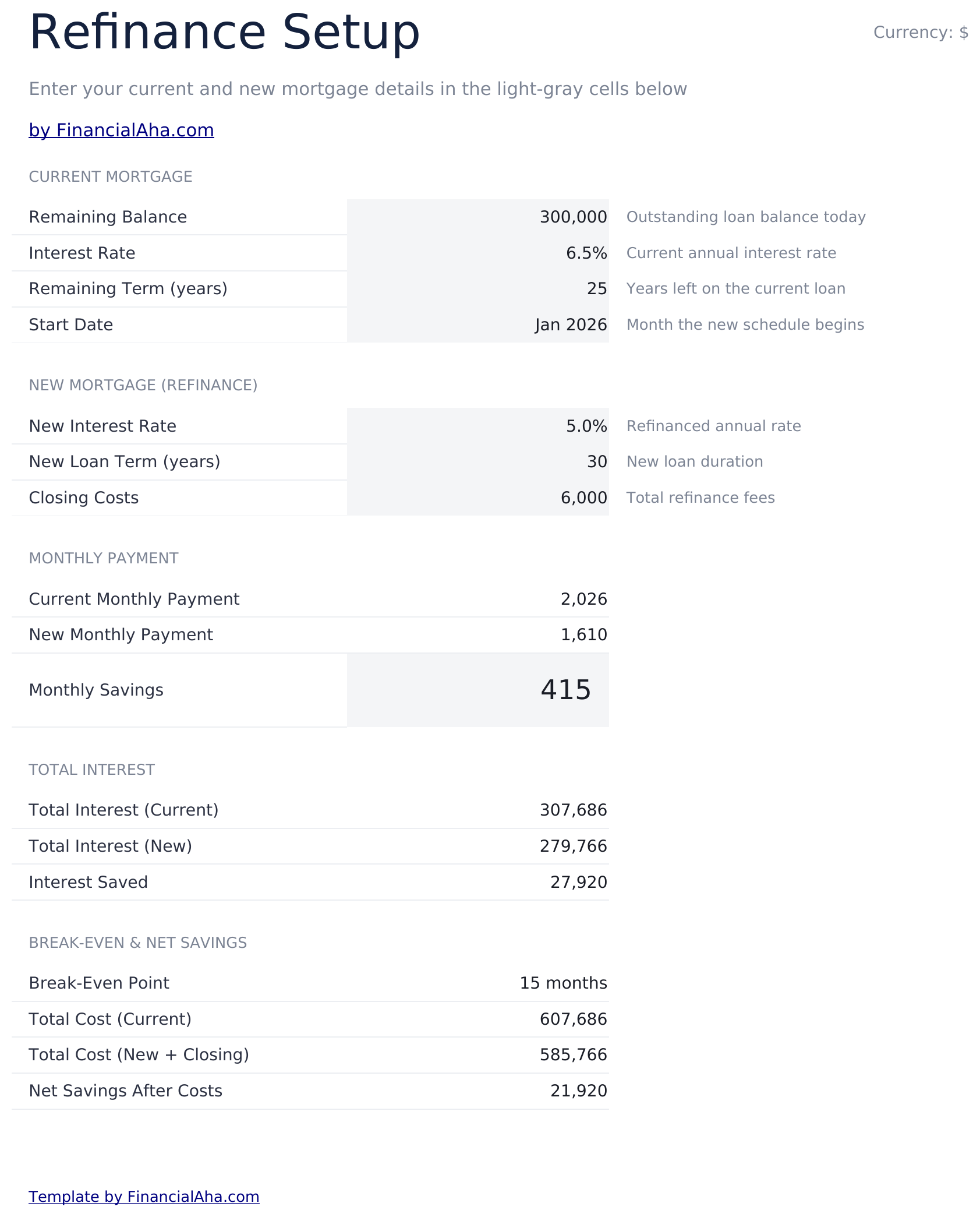
  • Calculator with current loan details and proposed refinance terms including new rate, term, and closing costs
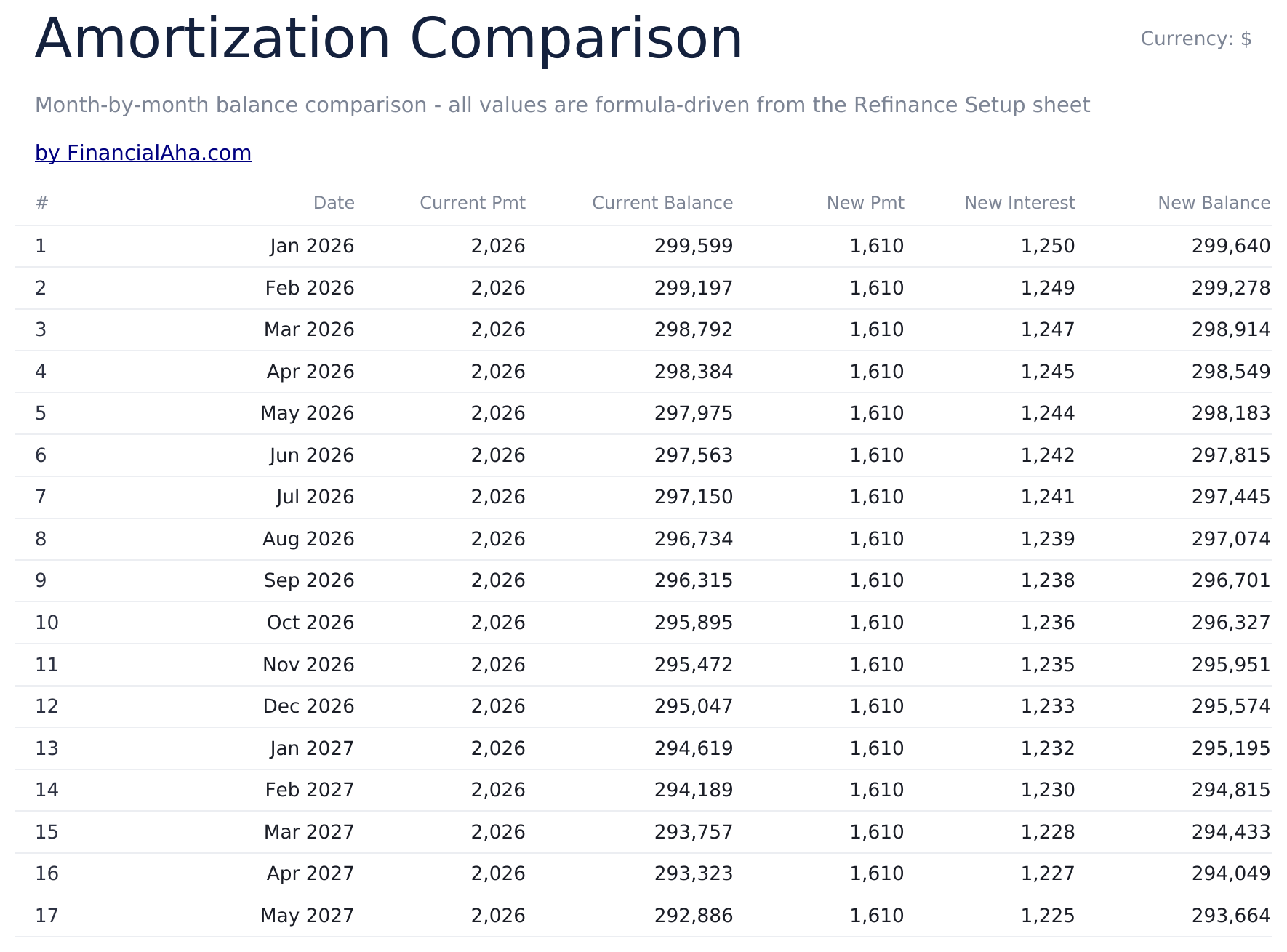
  • Break-even timeline showing the exact month when cumulative payment savings exceed the refinance closing costs
  • Monthly payment difference displayed as dollar savings per month between the old and new mortgage terms
  • Total cost comparison over the full loan life with color-coded input cells for clear scenario modeling
  • Works in Microsoft Excel, Google Sheets, and LibreOffice Calc with no setup required

Come usare questo modello Mortgage Refinance Calculator

1

Enter current loan details

Input your current balance, rate, remaining term, and monthly payment on the calculator sheet.

2

Enter refinance terms

Add the proposed new rate, new term, and estimated closing costs for the refinance option.

3

Review monthly savings

The dashboard shows the new monthly payment alongside the current one, with the dollar difference per month.

4

Check the break-even point

The break-even timeline shows exactly when cumulative monthly savings exceed the closing costs of refinancing.

Creati da Claude AI. Perfezionati da noi.

Utilizziamo Claude AI per creare ogni modello, dopo una ricerca approfondita. Poi interviene il nostro team. Miglioriamo il layout, testiamo ogni formula, correggiamo i casi limite e rifiniamo il design fino a ottenere qualcosa che useremmo noi stessi. L'AI ci porta all'80%. L'ultimo 20% è tutto giudizio umano.

Domande frequenti

How is the break-even calculated?

Break-even divides closing costs by the monthly savings. The result is the number of months until the refinance pays for itself.

Does it include closing costs in the new loan?

You can model closing costs as an upfront expense or rolled into the new loan balance. Adjust the new balance to include them if you prefer to finance the costs.

Should I refinance for a longer term?

The calculator shows total cost for both scenarios. A longer term may lower the monthly payment but increase total interest paid over the life of the loan.

Does it compare total cost over the full term?

Yes. The comparison shows total payments and total interest for both the current loan and the refinance option through the end of each loan.

Come posso aprirlo in Google Sheets?

Carica il file .xlsx su Google Drive, poi aprilo con Google Sheets. Tutte le formule e la formattazione saranno conservate.

Altri modelli Essentials Mortgage & Home

Cerchi modelli di fogli di calcolo premium?

I nostri modelli a pagamento includono dashboard multi-foglio avanzate, grafici nativi Excel e aggiornamenti continui.

Privato e sicuro

I tuoi dati finanziari restano sul tuo dispositivo. Non li vediamo mai.

Scopri di piu →

Hai bisogno di aiuto?

Consulta le nostre guide o contattaci per domande.

Vedi FAQ →