Meilleur rapport qualité-prix Pack Complet de Planification Financière
✓ Planification Financière✓ Suivi du Patrimoine Net✓ Budget Mensuel✓ Planificateur de Budget Voyage✓ Planificateur de Budget Annuel✓ Suivi des Dépenses Mensuelles✓ Planificateur Fiscal Annuel✓ Planification de Retraite
Voir le pack →
Modèle Essentials - Excel et Google Sheets

Simple Budget Worksheet Modèle Essentials

A minimal, beginner-friendly budget worksheet. List income and expenses, see the balance - nothing more, nothing less.

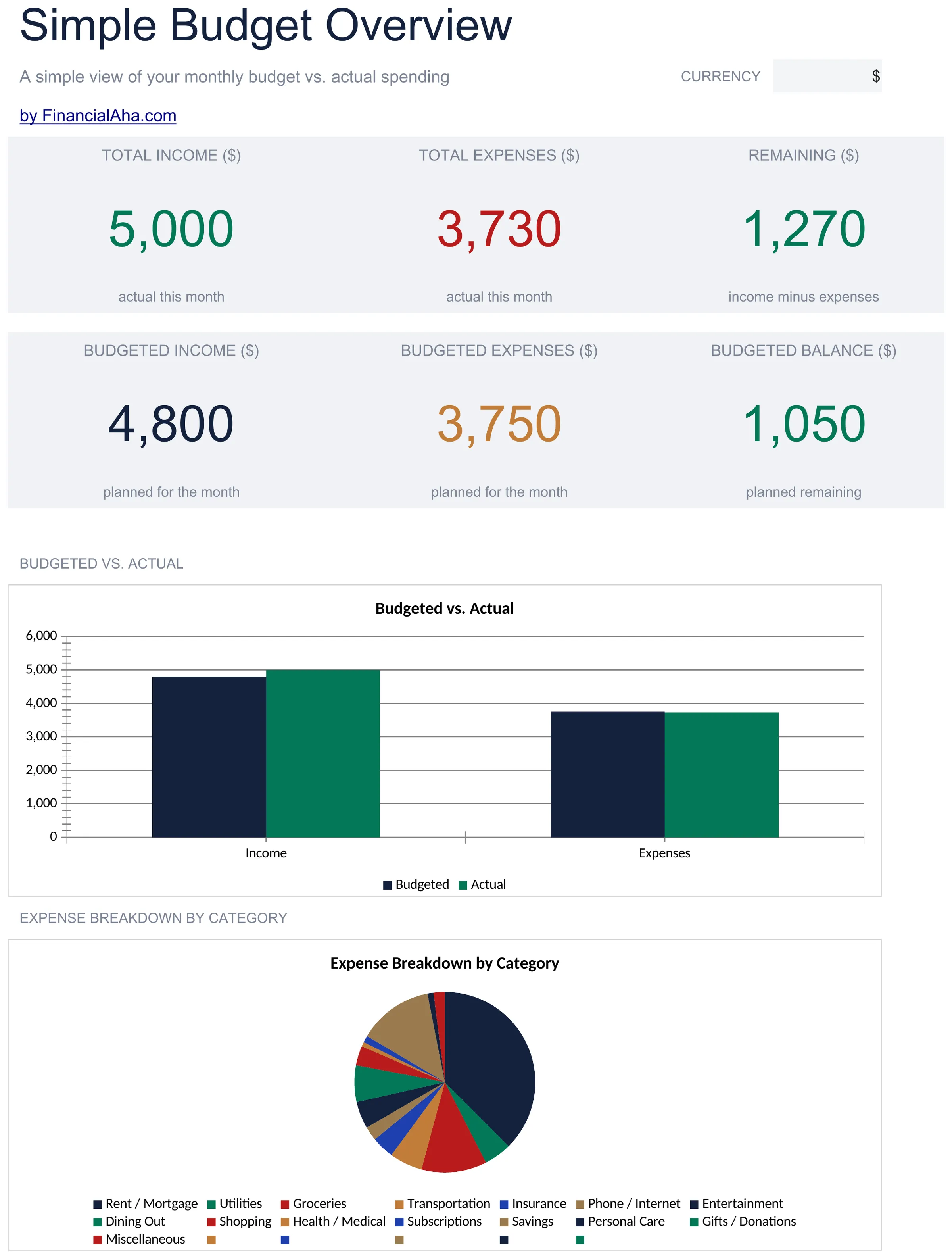
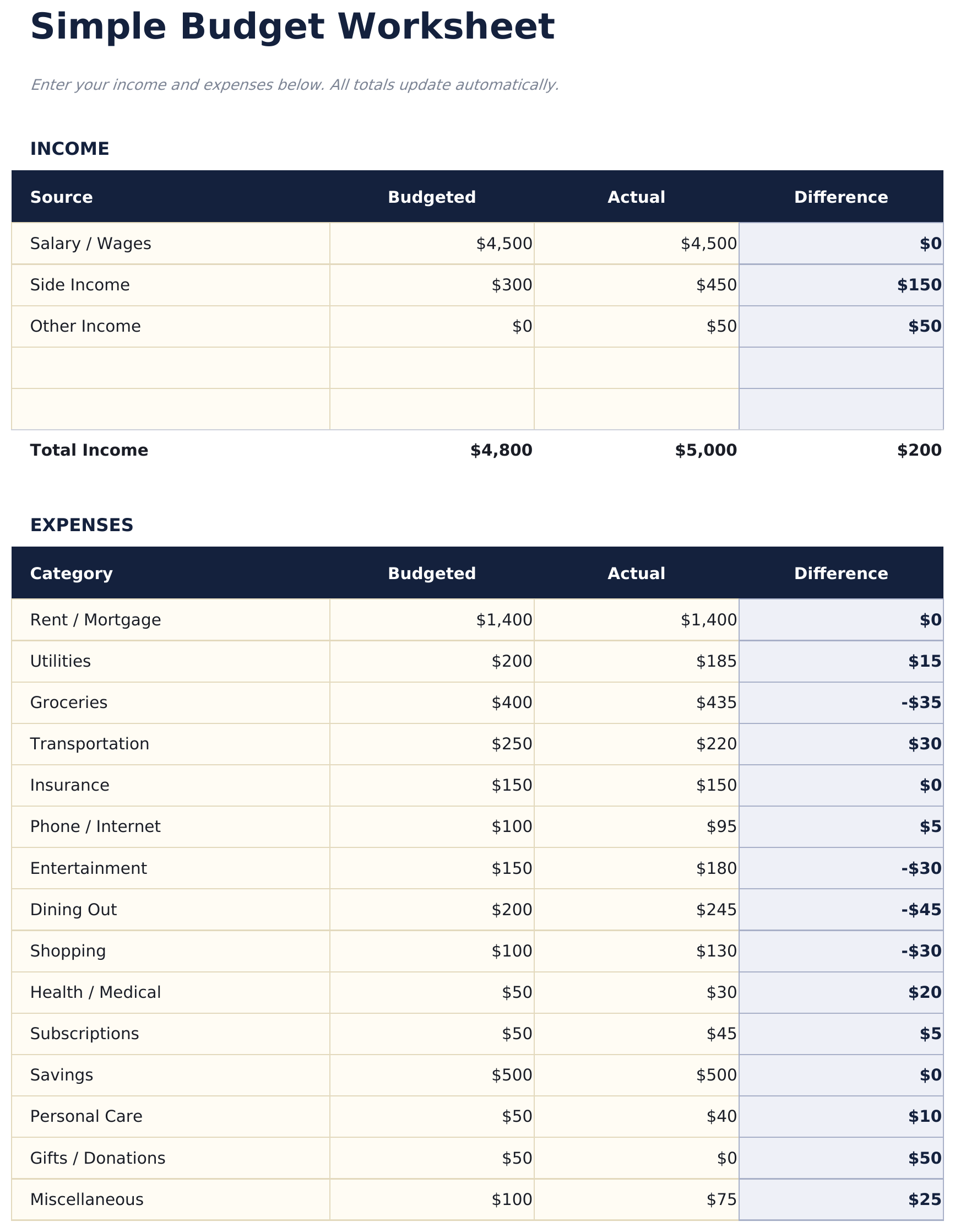
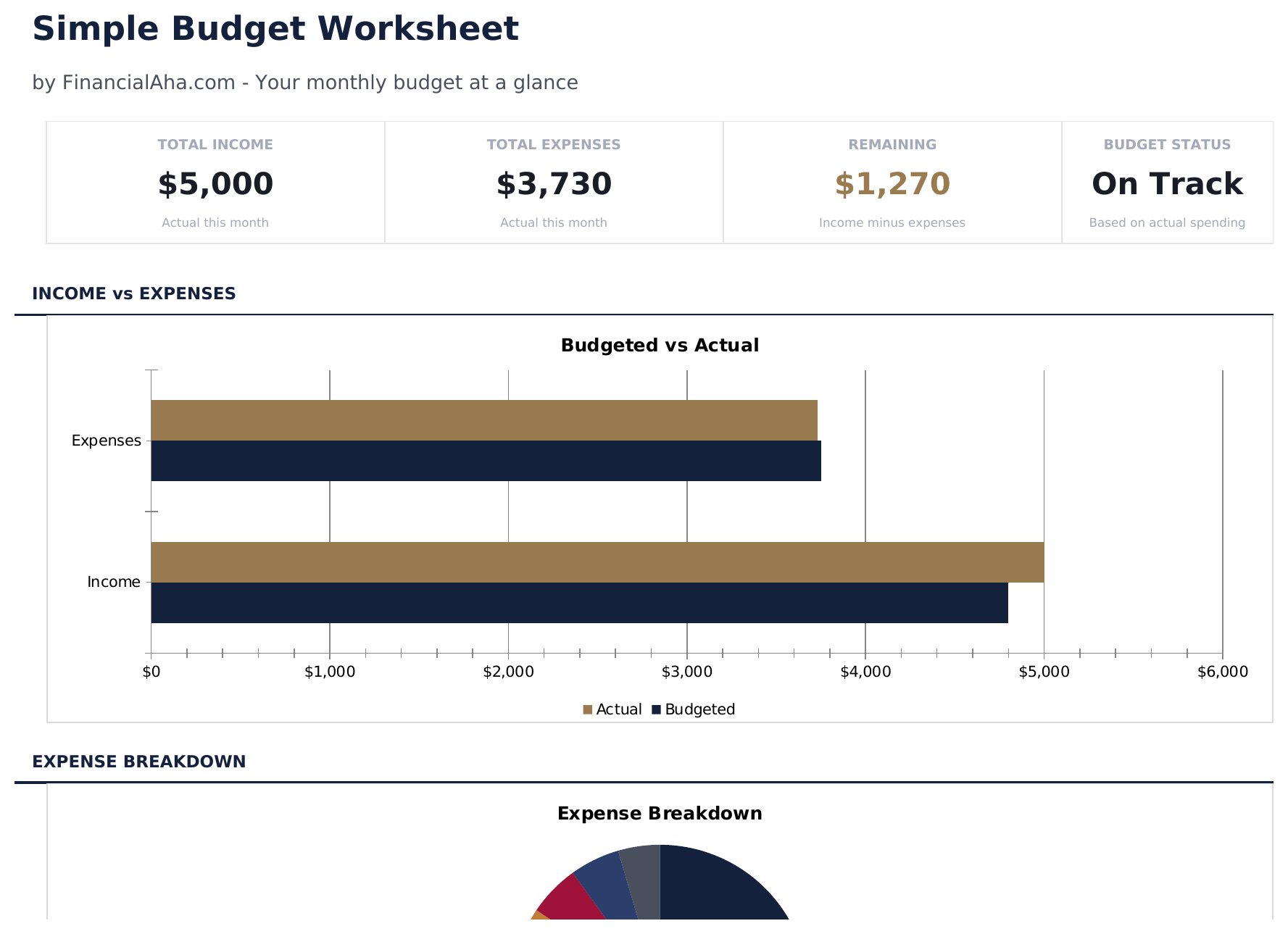
Simple Budget Worksheet preview

Ce qui est inclus

  • Dashboard with simple income vs. expense view showing total income, total spending, and net balance
  • Minimal budget worksheet with just two sections - income sources and expense categories
  • Pre-filled common categories including rent, utilities, groceries, insurance, and transportation
  • Automatic balance calculation that shows whether monthly income covers all listed expenses
  • Color-coded input cells (yellow) and auto-calculated result cells (blue) for beginner-friendly entry
  • Works in Microsoft Excel, Google Sheets, and LibreOffice Calc with no setup required

Comment utiliser ce modèle Simple Budget Worksheet

1

List your income

Enter all income sources - salary, side income, or any other earnings. The template keeps it to one simple section.

2

List your expenses

Fill in the pre-built expense categories with your monthly amounts. Common items like rent, groceries, and utilities are already listed.

3

Check the balance

The net balance at the bottom shows income minus expenses. A positive number means surplus; negative means overspending.

4

Adjust as needed

If the balance is negative, review expenses to find areas where spending could be reduced. All totals update automatically.

Créés par Claude AI. Perfectionnés par nos soins.

Nous utilisons Claude AI pour rédiger chaque modèle, après une recherche approfondie. Puis notre équipe prend le relais. Nous affinons la mise en page, testons chaque formule en conditions réelles, corrigeons les cas limites et peaufinons le design jusqu'à obtenir un résultat que nous utiliserions nous-mêmes. L'IA nous amène à 80 %. Les 20 % restants, c'est du jugement humain.

Questions fréquentes

How is this different from other budget templates?

This is the most minimal option - just income, expenses, and a balance. No dashboards, no charts, no percentages. It is a starting point for people who want simplicity.

Can I add more expense categories?

Yes. Insert new rows above the totals row and enter your additional categories. The SUM formulas adjust to include new rows automatically.

Does it track monthly or weekly?

The template is set up for monthly tracking. You can use it weekly by entering weekly amounts - just be consistent with the time period across all entries.

Is there a savings category?

There is a savings row in the expense section. Treating savings as an expense ensures it is accounted for before discretionary spending.

Comment ouvrir ce fichier dans Google Sheets ?

Importez le fichier .xlsx dans Google Drive, puis ouvrez-le avec Google Sheets. Toutes les formules et la mise en forme seront conservées.

Plus de modèles Essentials Personal Budgeting

Vous recherchez des modèles de tableurs premium ?

Nos modèles payants incluent des tableaux de bord multi-feuilles avancés, des graphiques Excel natifs et des mises à jour régulières.

Privé et sécurisé

Vos données financières restent sur votre appareil. Nous ne les voyons jamais.

En savoir plus →

Besoin d'aide?

Consultez nos guides ou contactez-nous pour toute question.

Voir FAQ →