Home Affordability Calculator Essentials Template
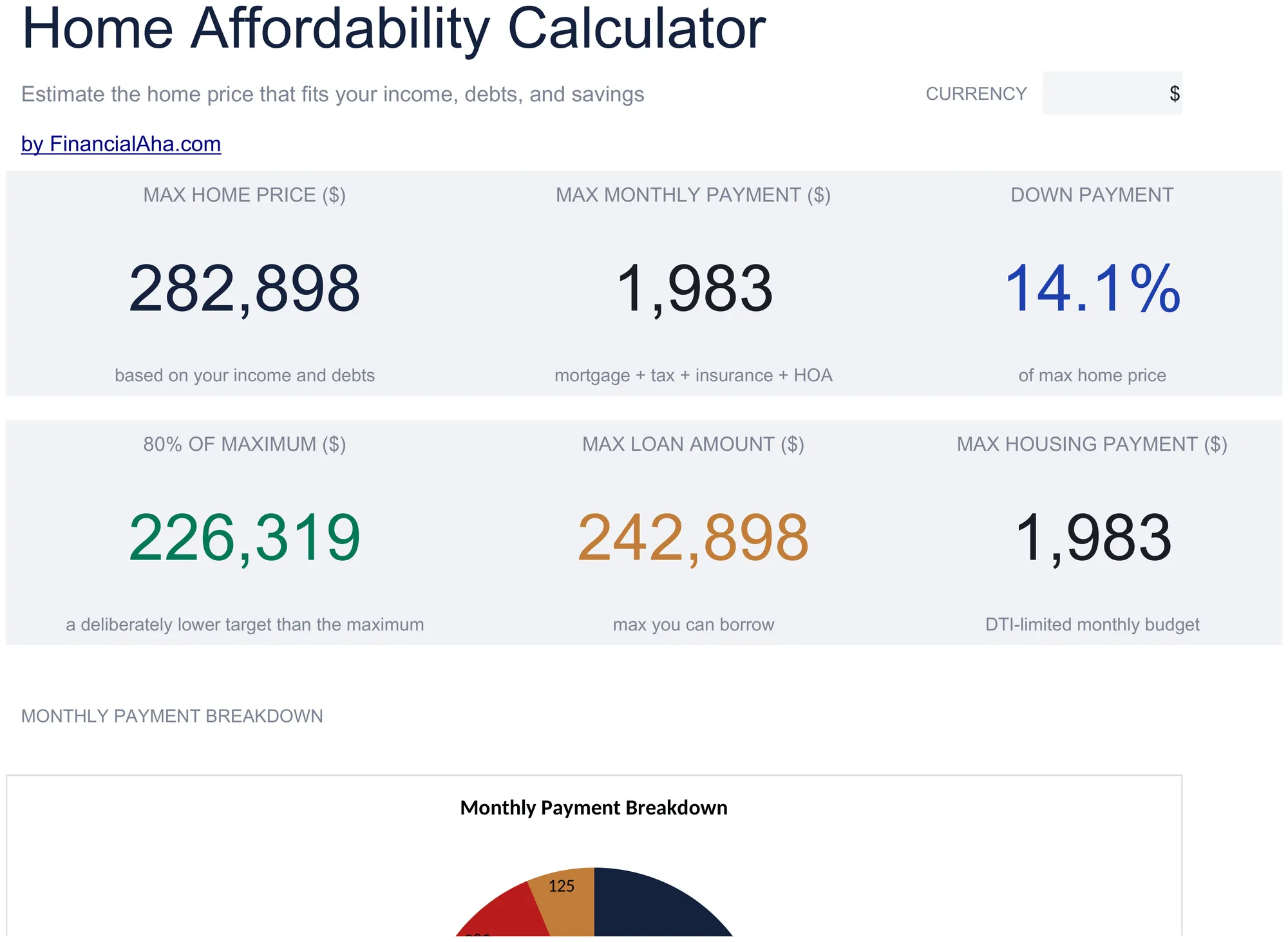
Estimate how much home may be affordable based on income, debts, and down payment. Factor in taxes, insurance, and other housing costs.
What's Included
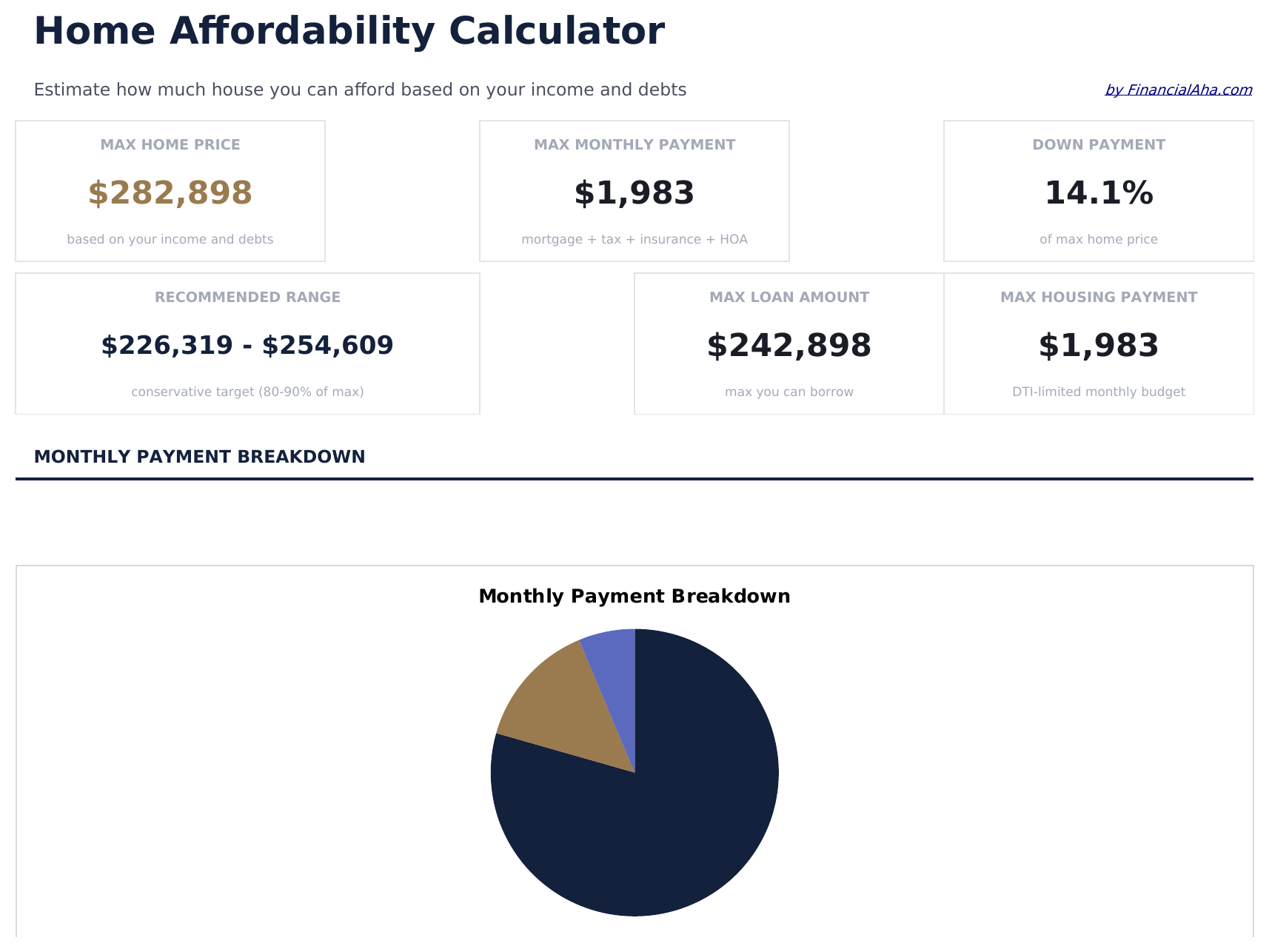
- Dashboard with affordability estimate showing maximum home price, monthly payment, and required down payment
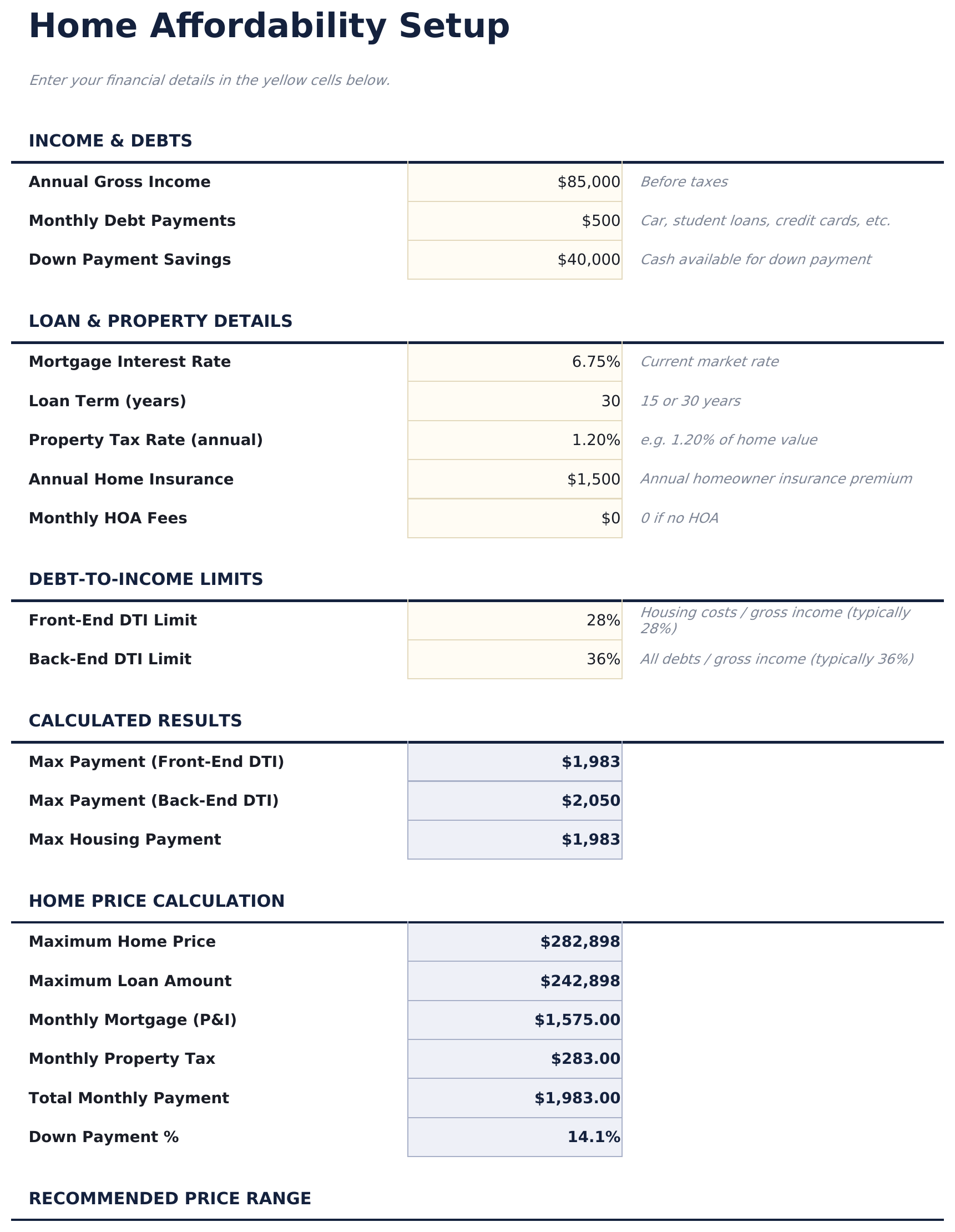
- Affordability setup with gross monthly income, existing monthly debts, and available down payment inputs
- Monthly payment breakdown including principal, interest, property taxes, insurance, and PMI if applicable
- Down payment scenarios showing how different percentages - 5%, 10%, 15%, 20% - change the affordable price
- Debt-to-income ratio display with color-coded indicators comparing your ratio to common lender thresholds
- Works in Microsoft Excel, Google Sheets, and LibreOffice Calc with no setup required
Preview
See what's inside this template


How to Use This Home Affordability Calculator Template
Enter income and debts
Input your gross monthly income and total monthly debt payments. These determine the maximum payment a lender might approve.
Set down payment
Enter your available down payment amount or percentage. The calculator adjusts the affordable home price accordingly.
Review affordability
The dashboard shows the estimated maximum home price, monthly payment, and how the payment breaks down into principal, interest, taxes, and insurance.
Compare down payment scenarios
See how different down payment amounts - 5%, 10%, 15%, 20% - change the affordable price and monthly payment.
Built by Claude AI. Perfected by us.
We use Claude AI to draft each template, after a deep research. Then our team steps in. We refine the layout, stress-test every formula, fix edge cases, and polish the design until it feels like something we would actually use ourselves. The AI gets us 80% there. The last 20% is all human judgment.
Frequently Asked Questions
How is the maximum price calculated?
The calculator uses your income, debts, and common DTI thresholds (typically 28% front-end, 36% back-end) to estimate the largest mortgage you could qualify for.
Does it include PMI?
Yes. If the down payment is less than 20%, the calculator factors in private mortgage insurance as part of the monthly payment estimate.
What interest rate does it use?
Enter a current mortgage rate on the setup sheet. The calculator uses this rate for all payment and affordability calculations.
Are property taxes included?
Yes. The monthly payment breakdown includes estimated property taxes and homeowners insurance alongside principal and interest.
How do I open this in Google Sheets?
Upload the .xlsx file to Google Drive, then open it with Google Sheets. All formulas and formatting will be preserved.
More Essentials Mortgage & Home Templates
Home Mortgage Calculator
Calculate monthly mortgage payments and view a full amortization schedule. Enter loan amount, rate, and term to see payment breakdowns over the life of the loan.
$12Loan Amortization
Generate an amortization schedule for any fixed-rate loan. See each payment split between principal and interest across the full loan term.
$12Mortgage Payoff Calculator
See how extra payments accelerate mortgage payoff. Compare original vs. accelerated schedules to view time and interest saved.
$12Home Equity Loan Calculator
Calculate home equity loan payments and see a full amortization schedule. Enter home value, mortgage balance, and desired loan amount.
$12Looking for premium spreadsheet templates?
Our paid templates include advanced multi-sheet dashboards, native Excel charts, and ongoing updates.