Best Value All-in-One Financial Planning Bundle
✓ Financial Planning✓ Net Worth Tracker✓ Monthly Budgeting✓ Travel Budget Planner✓ Annual Budgeting Planner✓ Monthly Expense Tracker✓ Annual Tax Planner✓ Retirement Planning
View Bundle →
Ultimate Ultimate version available - Home Mortgage Calculator Ultimate
Essentials Template - Excel & Google Sheets

Home Mortgage Calculator Essentials Template

Calculate monthly mortgage payments and view a full amortization schedule. Enter loan amount, rate, and term to see payment breakdowns over the life of the loan.

See Ultimate version →
Home Mortgage Calculator preview

What's Included

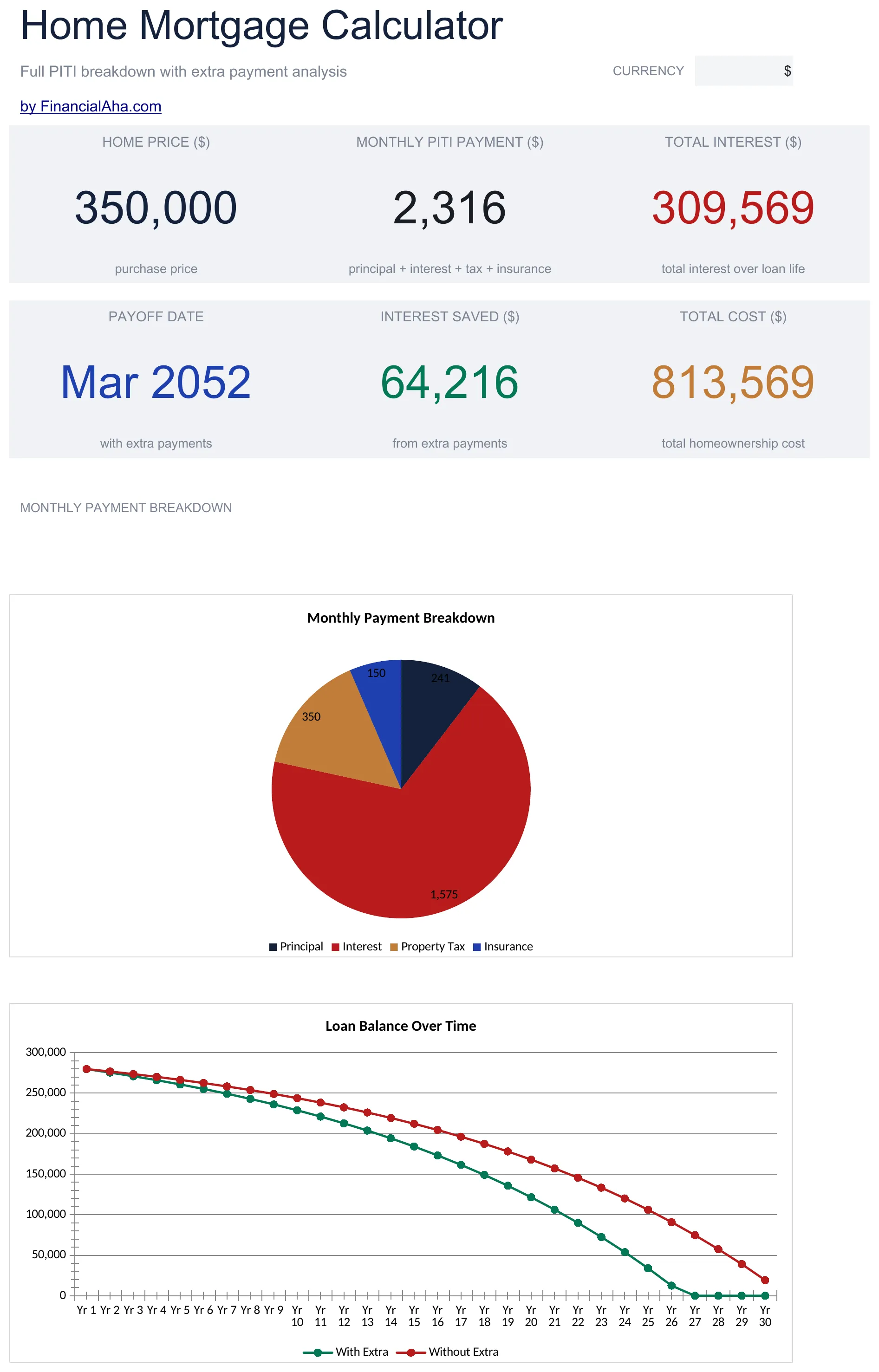
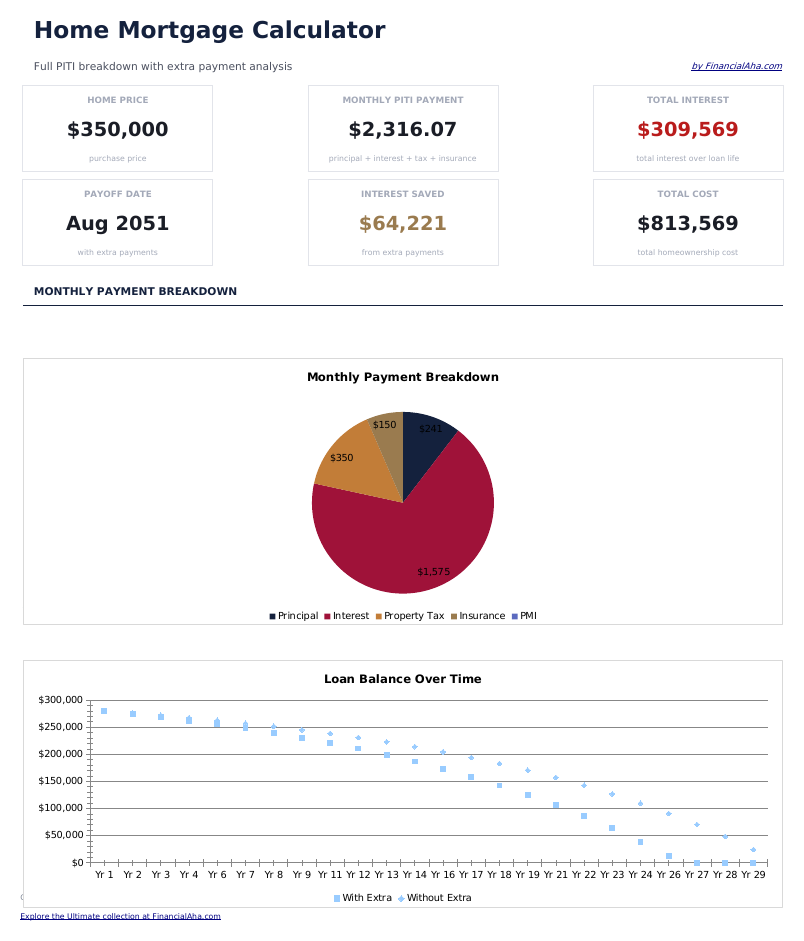
  • Dashboard with payment summary showing monthly payment amount, total interest, and total cost of the loan
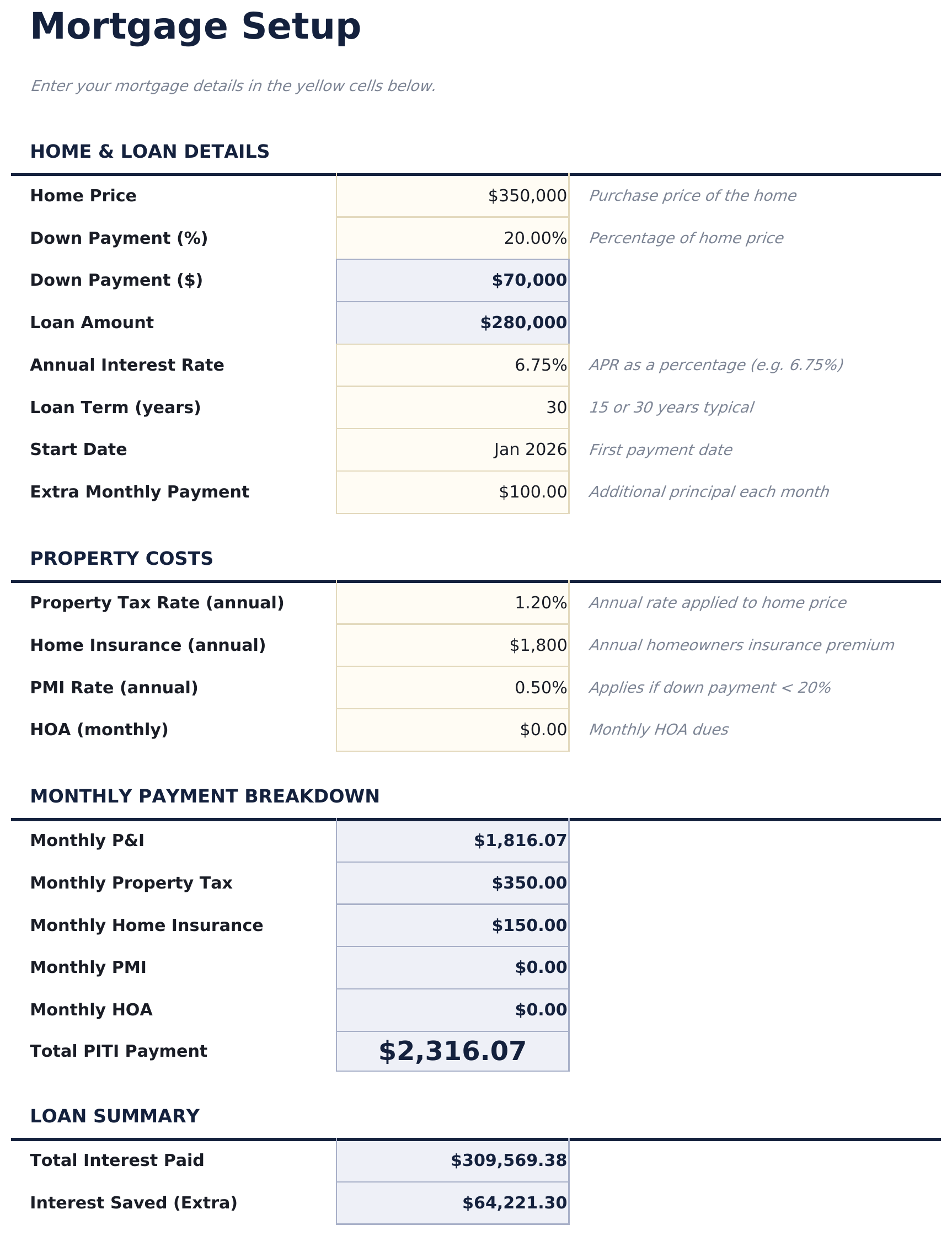
  • Mortgage setup sheet with inputs for loan amount, annual interest rate, loan term in years, and start date
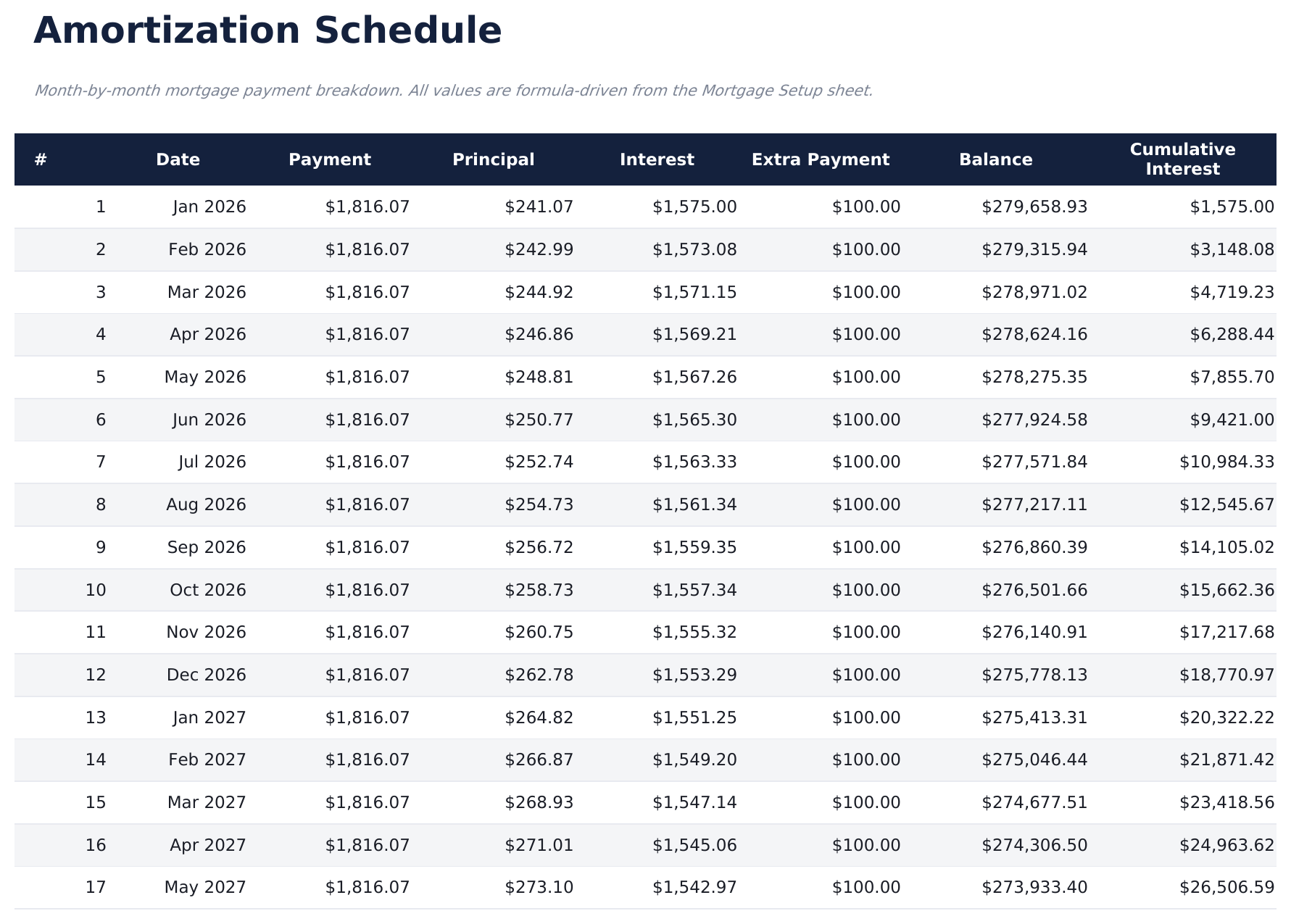
  • Full amortization schedule displaying each monthly payment with principal, interest, and remaining balance
  • Principal vs. interest breakdown per payment showing how the split shifts over the life of the mortgage
  • Total interest over loan life with color-coded input cells (yellow) and auto-calculated schedule (blue)
  • Works in Microsoft Excel, Google Sheets, and LibreOffice Calc with no setup required
Ultimate Version Available

Need more from this template?

The Essentials version covers everyday tracking. Ultimate goes further with multi-entity support, scenario analysis, and ultimate-grade reporting.

Essentials - $12
  • Dashboard with payment summary showing monthly payment amount, total interest, and total cost of the loan
  • Mortgage setup sheet with inputs for loan amount, annual interest rate, loan term in years, and start date
  • Full amortization schedule displaying each monthly payment with principal, interest, and remaining balance
  • Principal vs. interest breakdown per payment showing how the split shifts over the life of the mortgage
Ultimate - $19
  • Set up and compare 3 loan scenarios side by side with loan amount, interest rate, term, and start date
  • Dashboard with 6 KPI cards: best monthly payment, best total interest, loan count, total amount borrowed, lowest rate, and best term
  • Full amortization schedule for each scenario with payment number, date, payment amount, principal, interest, and remaining balance
  • Scenario comparison sheet ranking all 3 loans by monthly payment, total interest, total cost, and break-even analysis
  • Extra payment analysis showing how additional monthly, annual, or one-time payments reduce interest and shorten the loan term
See what's in the Ultimate version One-time purchase. No subscription.

How to Use This Home Mortgage Calculator Template

1

Enter loan details

Input the loan amount, annual interest rate, loan term in years, and start date on the mortgage setup sheet.

2

Review monthly payment

The calculator displays your monthly payment amount including principal and interest. Taxes and insurance are not included.

3

Explore the amortization

The full schedule shows every monthly payment split between principal, interest, and remaining balance from first to last.

4

Check total interest

The dashboard shows total interest over the life of the loan alongside the total amount paid (principal plus interest).

Built by Claude AI. Perfected by us.

We use Claude AI to draft each template, after a deep research. Then our team steps in. We refine the layout, stress-test every formula, fix edge cases, and polish the design until it feels like something we would actually use ourselves. The AI gets us 80% there. The last 20% is all human judgment.

See Ultimate version →

Frequently Asked Questions

Does it include taxes and insurance?

No. The calculator covers principal and interest only. Property taxes, insurance, and PMI are separate costs not included in this calculation.

Can I enter a 15-year term?

Yes. Enter any loan term in years. Common options are 15 and 30 years, but the calculator works with any term you input.

How is the monthly payment calculated?

The calculator uses the standard amortization formula. It divides the loan into equal monthly payments that cover both principal and interest over the full term.

Can I see how much interest I pay in year one?

Yes. The amortization schedule shows each monthly payment. Sum the interest column for the first 12 rows to see your first-year interest total.

How do I open this in Google Sheets?

Upload the .xlsx file to Google Drive, then open it with Google Sheets. All formulas and formatting will be preserved.

More Essentials Mortgage & Home Templates

Looking for premium spreadsheet templates?

Our paid templates include advanced multi-sheet dashboards, native Excel charts, and ongoing updates.

Private & secure

Your financial data stays on your device. We never see it.

Learn more →

Need help?

Check our guides or reach out with questions.

View FAQ →