Accounts Receivable Tracker Plantilla Essentials
Track money owed to the business by clients. Monitor invoice status, aging, and total outstanding receivables.
Qué incluye
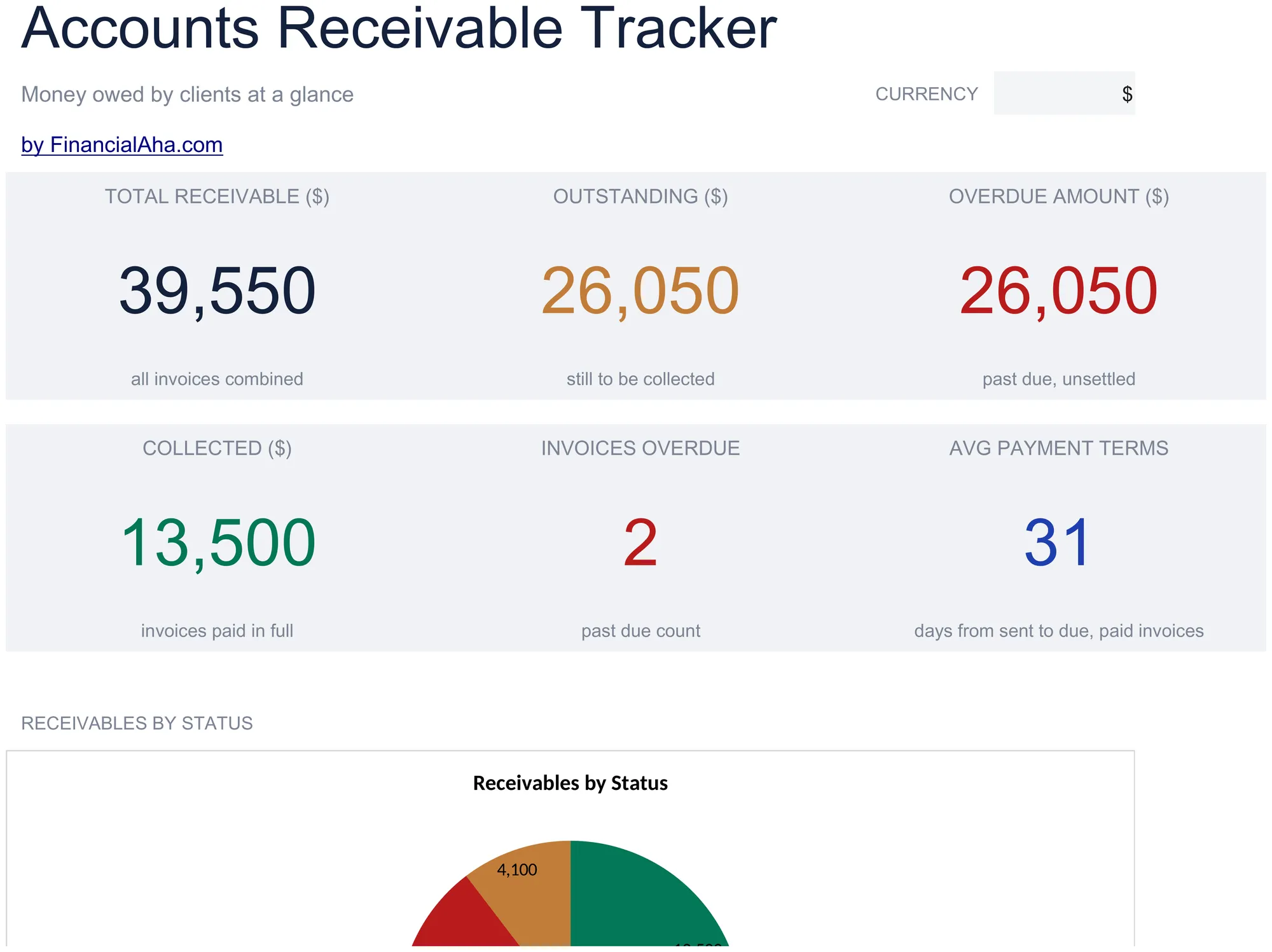
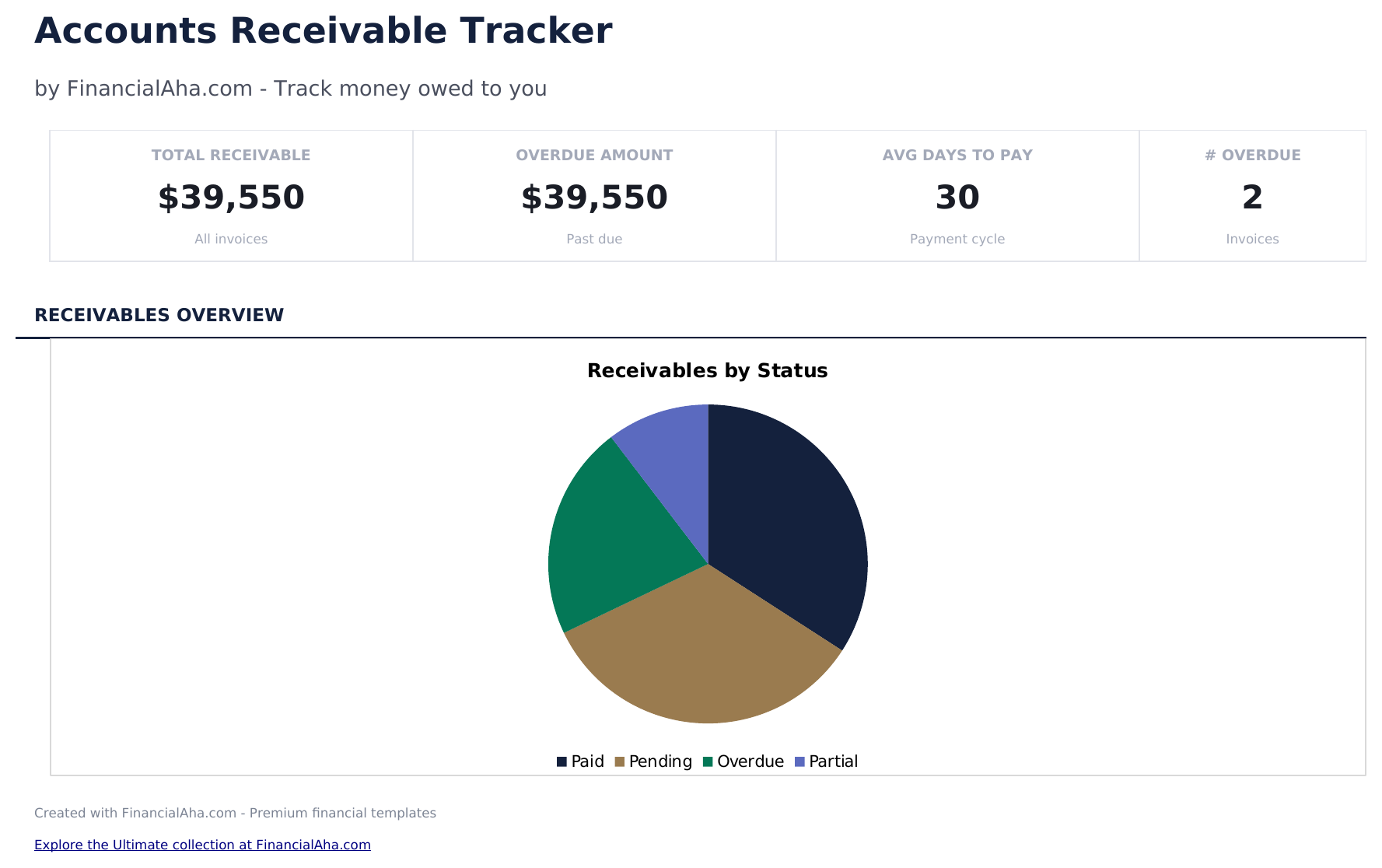
- Dashboard with receivables summary showing total outstanding, total collected, overdue amount, and client count
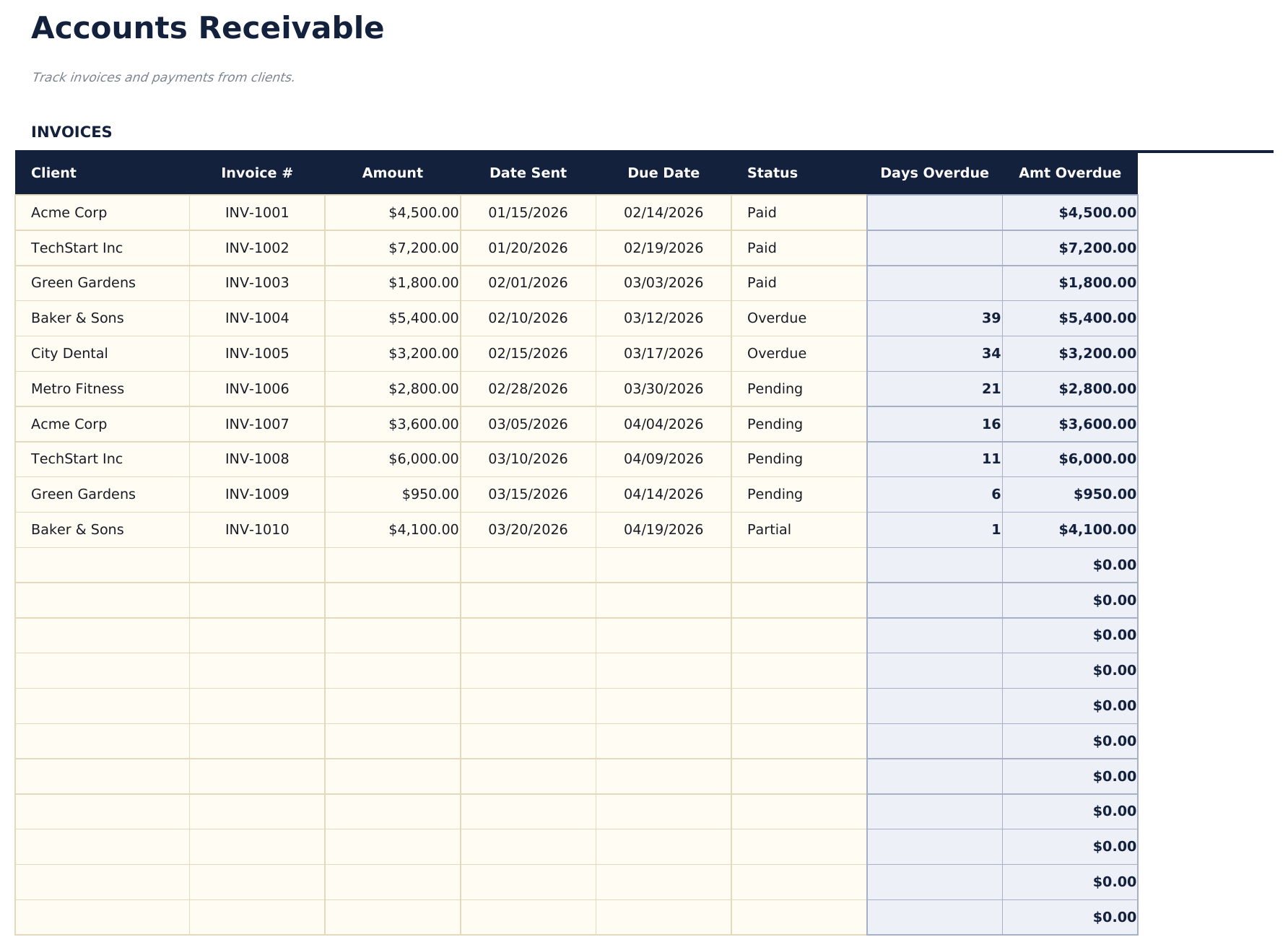
- Receivables log with client name, invoice number, amount, issue date, due date, and payment status columns
- Aging categories for overdue accounts grouping outstanding invoices into current, 30, 60, and 90-plus day buckets
- Payment status tracking with fields to mark each receivable as pending, partial, paid, or written off
- Automatic outstanding balance totals with color-coded aging indicators for quick overdue identification
- Works in Microsoft Excel, Google Sheets, and LibreOffice Calc with no setup required
Vista previa
Mira qué contiene esta plantilla


Cómo usar esta plantilla de Accounts Receivable Tracker
Enter each receivable
Add client name, invoice number, amount, issue date, and due date for every outstanding invoice or payment owed.
Update payment status
Mark each entry as pending, partial, paid, or written off as payments come in. The totals update automatically.
Monitor aging buckets
The aging categories show how long invoices have been outstanding - current, 30 days, 60 days, and 90-plus days.
Review the dashboard
Check total outstanding, total collected, overdue amount, and client count on the dashboard for a receivables overview.
Creadas por Claude AI. Perfeccionadas por nosotros.
Usamos Claude AI para crear el borrador de cada plantilla, después de una investigación profunda. Luego nuestro equipo interviene. Refinamos el diseño, probamos cada fórmula a fondo, corregimos casos especiales y pulimos el diseño hasta que se siente como algo que realmente usaríamos nosotros mismos. La IA nos lleva al 80%. El último 20% es criterio humano.
Preguntas frecuentes
How does aging work?
The template groups unpaid invoices by how many days past due they are. This helps prioritize collection efforts on the oldest outstanding amounts.
Can I track partial payments?
Yes. Enter the amount received and mark the status as partial. The remaining balance is the original amount minus payments received.
Does it show totals per client?
Yes. Filter or sort by client name to see each client total outstanding amount. The dashboard also shows total receivables across all clients.
When should I write off a receivable?
The template lets you mark items as written off. This is an accounting decision based on your business policies and how long the amount has been outstanding.
¿Cómo abro esto en Google Sheets?
Sube el archivo .xlsx a Google Drive y luego ábrelo con Google Sheets. Todas las fórmulas y el formato se conservarán.
Más plantillas Essentials de Business Finance
Cash Flow Statement
Prepare a cash flow statement with operating, investing, and financing activities. Track cash inflows and outflows to see net cash position.
$12Profit and Loss Projection
Project revenue, costs, and profit over a specified period. Useful for business planning, forecasting, and evaluating financial scenarios.
$12Sales Forecast
Project future sales by product, service, or channel. Build revenue forecasts with growth assumptions and seasonal adjustments.
$12Startup Costs
Estimate one-time and recurring costs for launching a new business. Categorize expenses and calculate total funding needed.
$12¿Buscas plantillas premium?
Nuestras plantillas de pago incluyen paneles avanzados con múltiples hojas, gráficos nativos de Excel y actualizaciones continuas.