Beste waarde All-in-One Financieel Planningspakket
✓ Financiële Planning✓ Vermogenstracker✓ Maandelijks Budgetteren✓ Reisbudget Planner✓ Jaarlijkse Budgetplanner✓ Maandelijkse Uitgaventracker✓ Jaarlijkse Belastingplanner✓ Pensioenplanning
Bekijk bundel →
Essentials-sjabloon - Excel & Google Sheets

Petty Cash Log Essentials-sjabloon

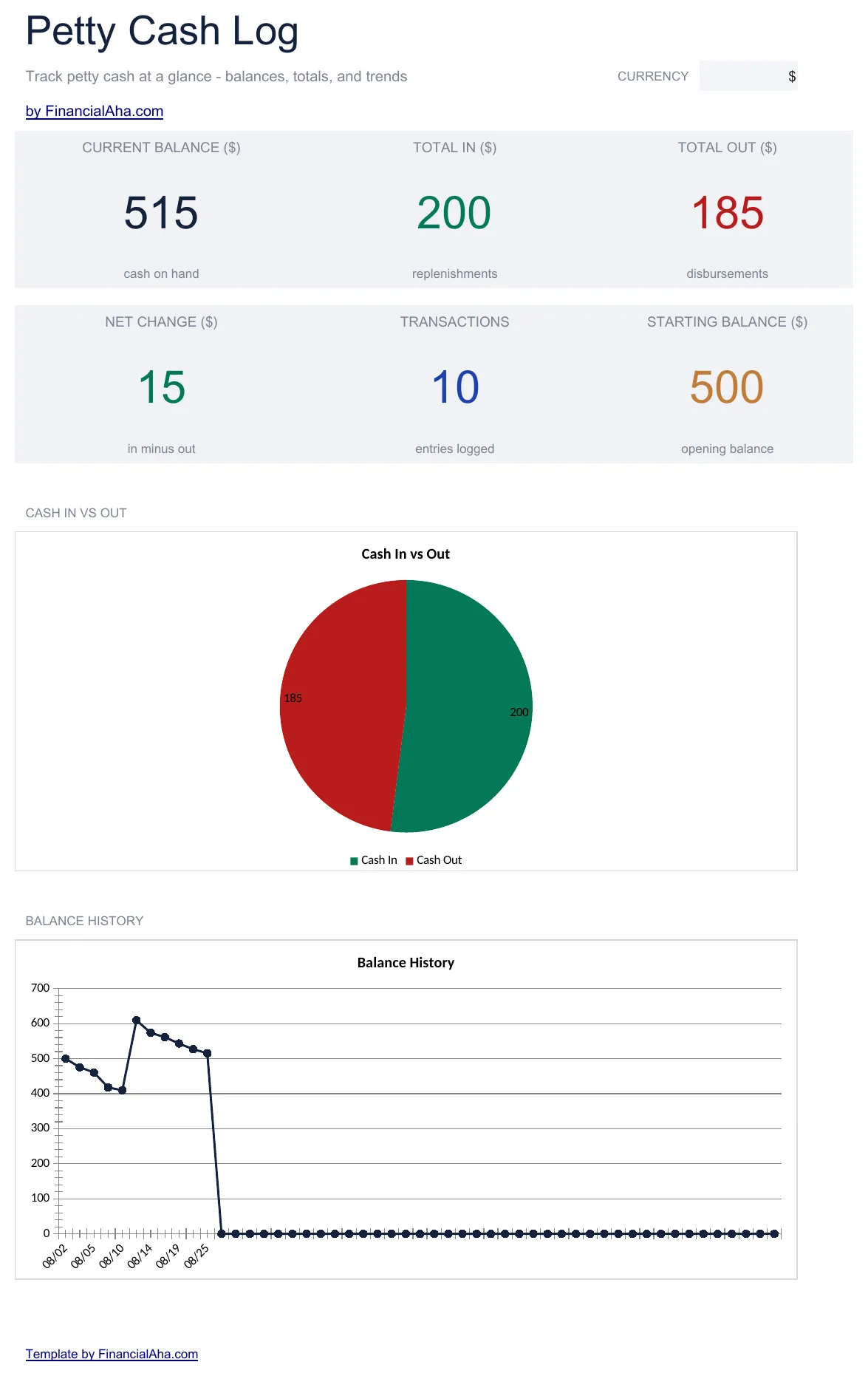
Track small cash transactions with date, description, and amount. Maintain a running balance and reconcile the petty cash fund.

Petty Cash Log preview

Wat zit erin

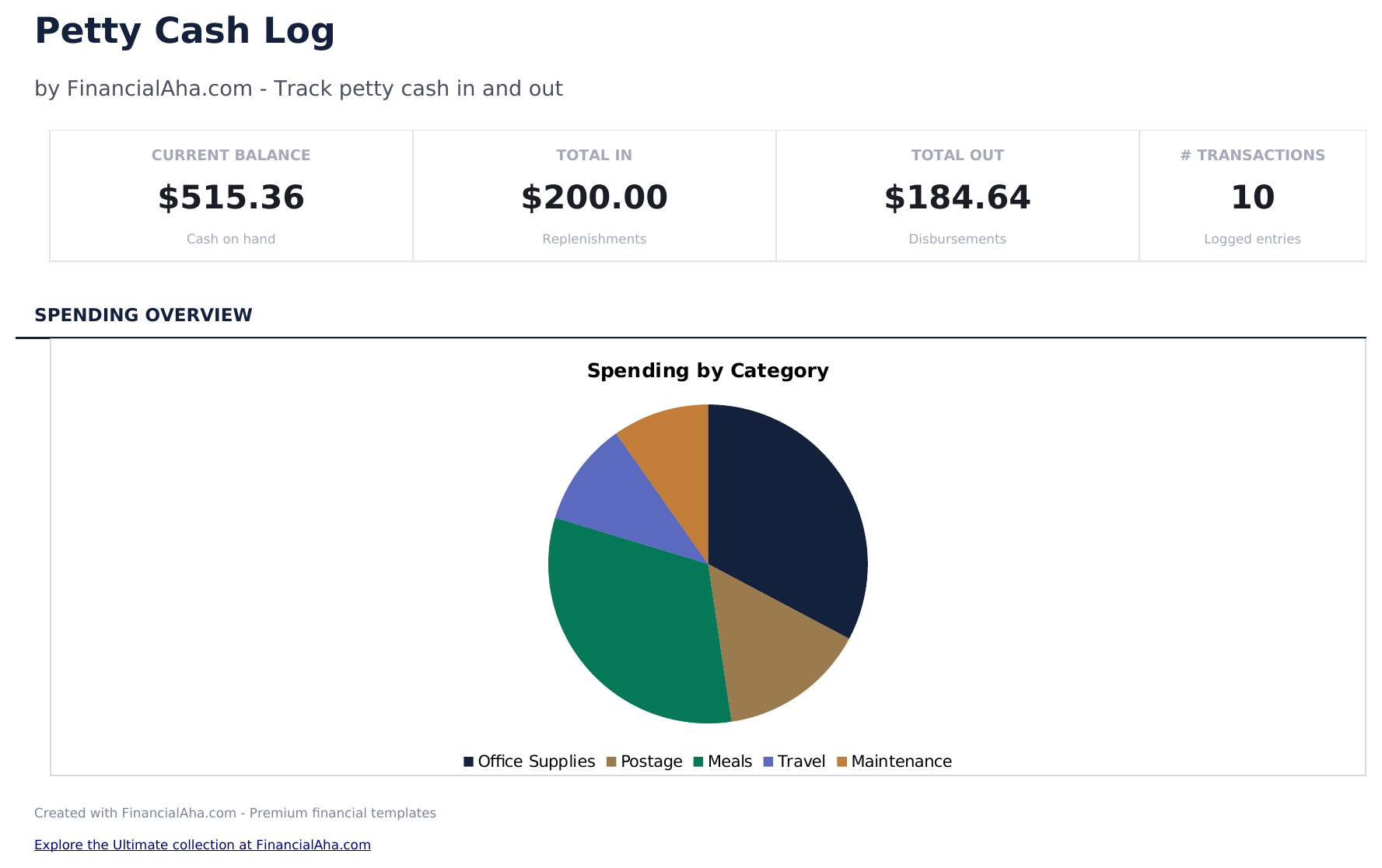
  • Dashboard with petty cash fund summary showing starting balance, total disbursed, and remaining fund amount
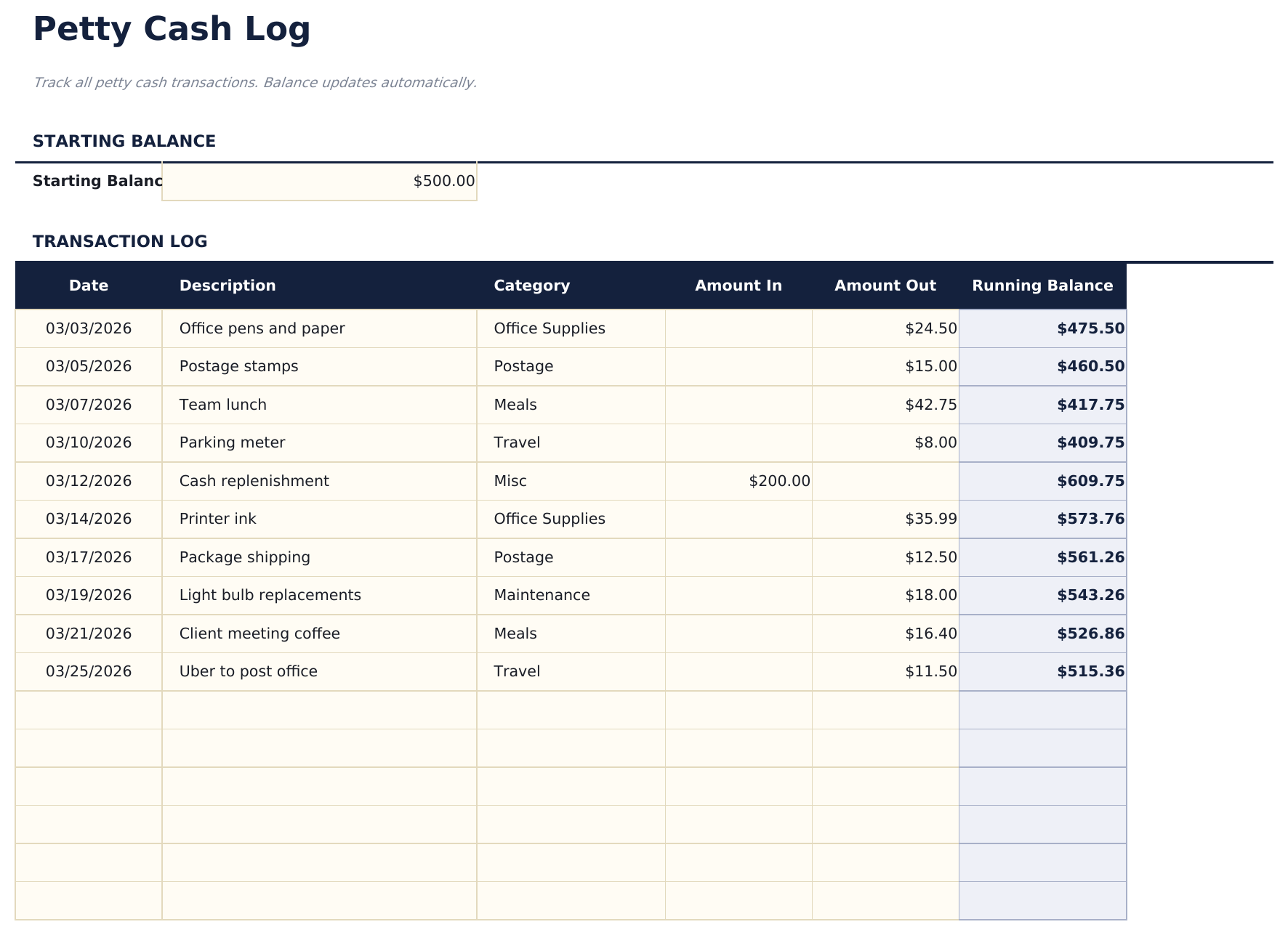
  • Cash log with date, payee, description, and amount columns plus an automatic running balance after each entry
  • Category tracking for each disbursement so petty cash spending can be grouped by office supplies, travel, meals
  • Fund reconciliation support with replenishment entries to reset the cash balance to the original fund amount
  • Color-coded input cells (yellow) and auto-calculated running balance (blue) for accurate cash tracking
  • Works in Microsoft Excel, Google Sheets, and LibreOffice Calc with no setup required

Hoe gebruik je dit Petty Cash Log sjabloon

1

Set the fund amount

Enter the starting petty cash fund balance at the top. This is the amount initially placed in the cash box.

2

Log each disbursement

Record every cash payment with date, payee, description, amount, and category in the cash log.

3

Monitor the balance

The running balance updates after each entry. Check it against the actual cash in the box to verify accuracy.

4

Replenish the fund

When the balance gets low, add a replenishment entry to bring the fund back to the original amount.

Gebouwd door Claude AI. Verfijnd door ons.

We gebruiken Claude AI om elk sjabloon te ontwerpen, na uitgebreid onderzoek. Daarna neemt ons team het over. We verfijnen de indeling, testen elke formule grondig, lossen randgevallen op en polijsten het ontwerp totdat het iets is dat we zelf ook echt zouden gebruiken. De AI brengt ons 80% van de weg. De laatste 20% is puur menselijk oordeel.

Veelgestelde vragen

How do I reconcile the fund?

Count the physical cash, add up outstanding receipts, and compare to the expected balance in the log. Any difference is a variance to investigate.

What categories should I use?

Common categories include office supplies, postage, meals, parking, and miscellaneous. Use whatever matches your typical small cash expenses.

How often should I replenish?

Replenish when the fund balance gets low - typically when 50% to 75% has been disbursed. The log entry restores the balance to the original amount.

Can I track multiple petty cash funds?

This template covers one fund. Duplicate the file if you maintain separate petty cash funds at different locations or departments.

Hoe open ik dit in Google Sheets?

Upload het .xlsx-bestand naar Google Drive en open het vervolgens met Google Sheets. Alle formules en opmaak blijven behouden.

Meer Essentials-sjablonen voor Business Finance

Op zoek naar premium spreadsheet-sjablonen?

Onze betaalde sjablonen bevatten geavanceerde dashboards met meerdere werkbladen, ingebouwde Excel-grafieken en doorlopende updates.

Privé & veilig

Uw financiële gegevens blijven op uw apparaat. Wij zien ze nooit.

Meer informatie →

Hulp nodig?

Bekijk onze handleidingen of neem contact op met vragen.

Bekijk FAQ →