Bester Wert All-in-One Finanzplanungs-Bundle
✓ Finanzplanung✓ Vermögens-Tracker✓ Monatliches Budget✓ Reisebudget-Planer✓ Jahresbudget-Planer✓ Monatlicher Ausgaben-Tracker✓ Jährlicher Steuerplaner✓ Altersvorsorgeplanung
Bundle ansehen →
Ultimate Ultimate-Version verfügbar - Rechnungsverfolgung Ultimate
Essentials-Vorlage - Excel & Google Sheets

Invoice Tracker Essentials-Vorlage

Track all outstanding and paid invoices in one place. Monitor payment status, aging, and total receivables across clients.

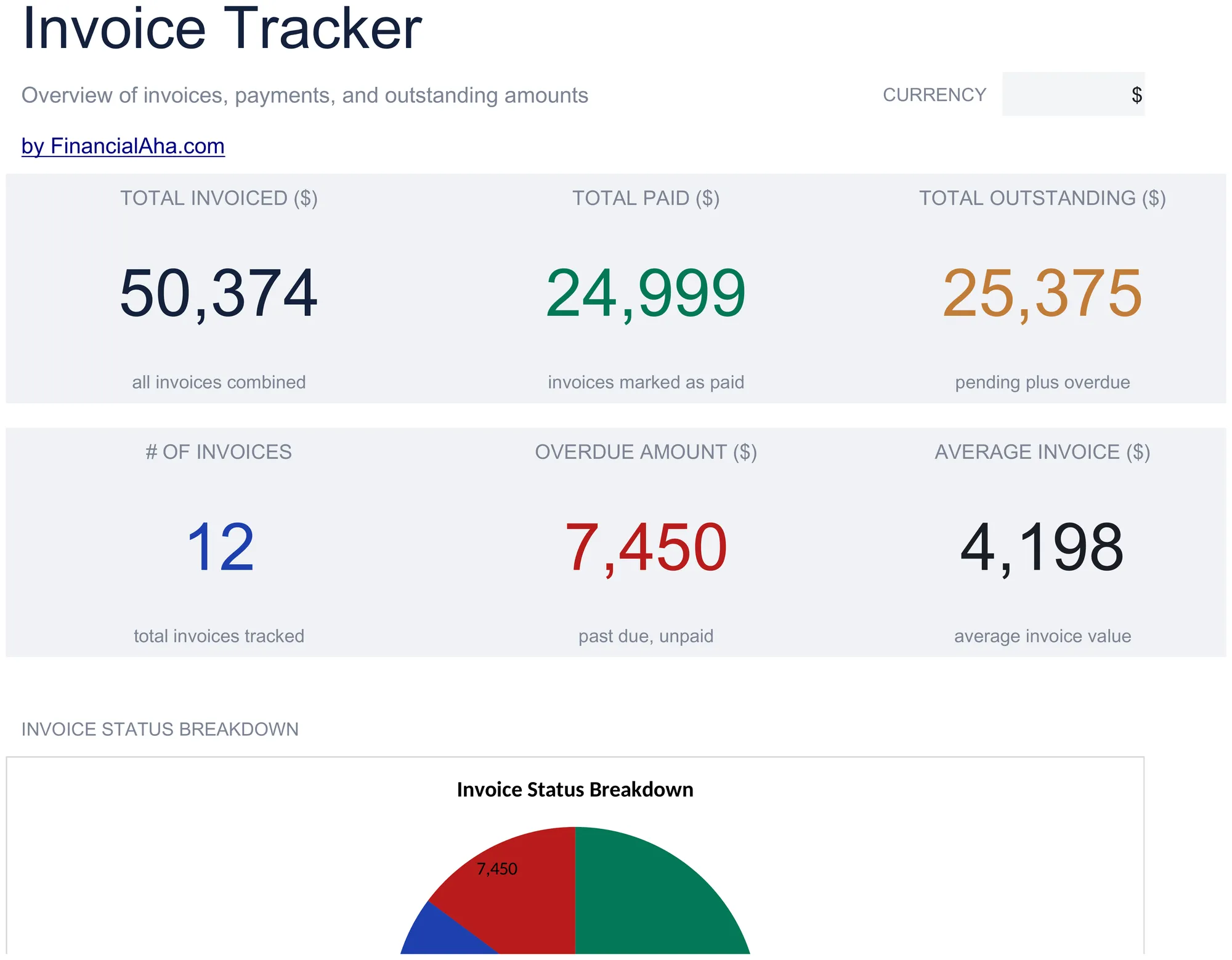
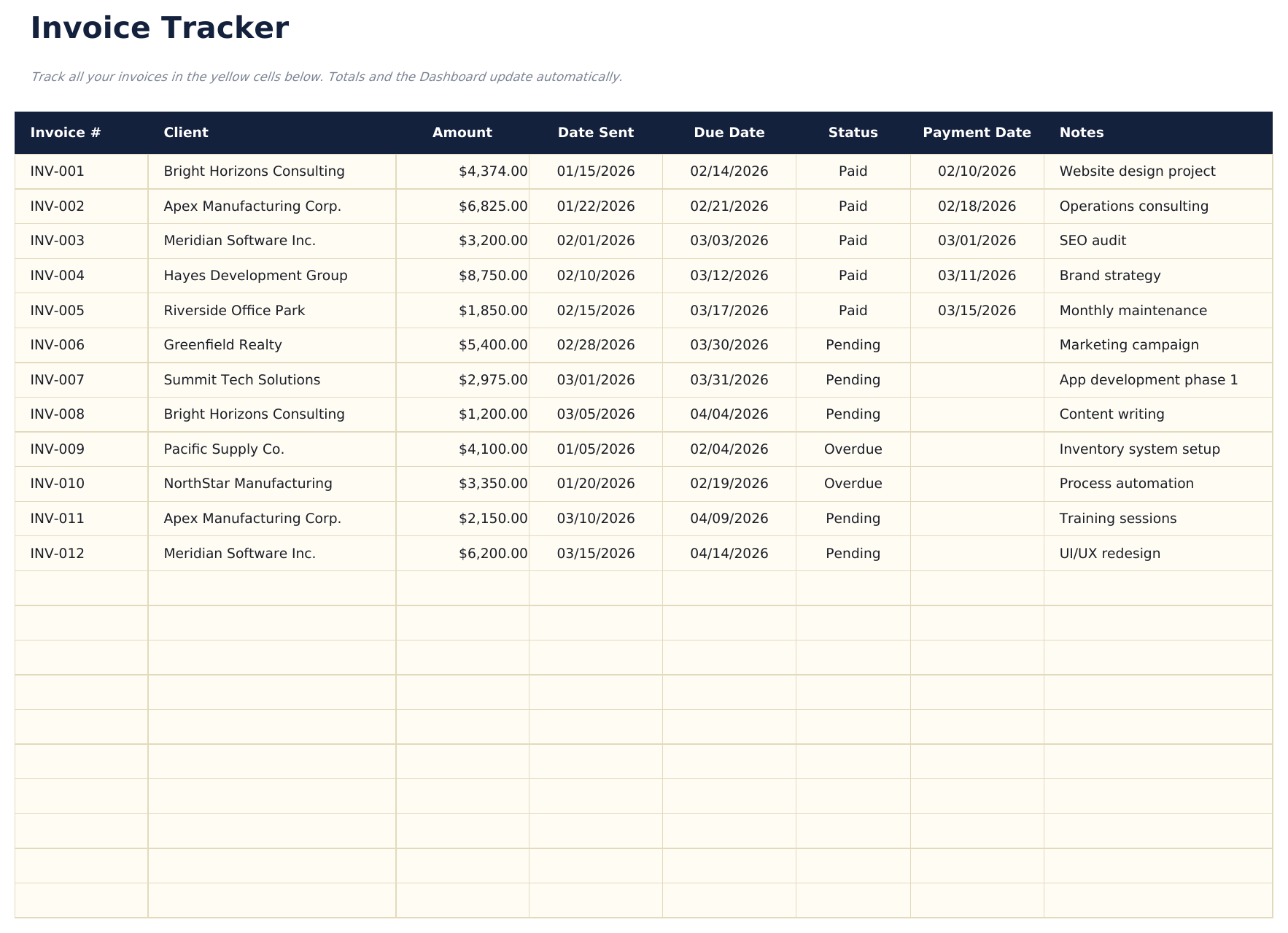
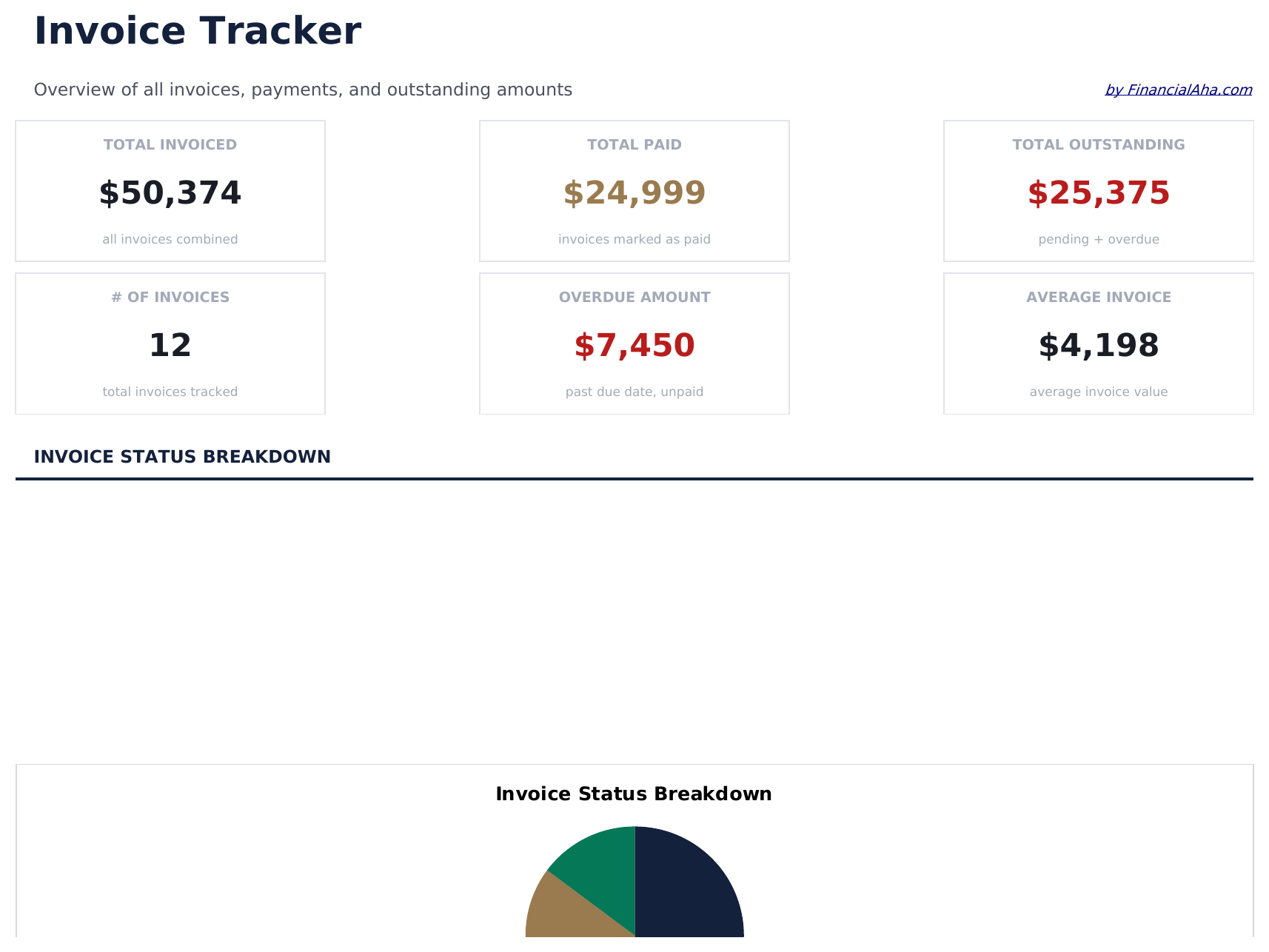
Invoice Tracker preview

Was enthalten ist

  • Dashboard with receivables overview showing total outstanding, total collected, and overdue invoice count
  • Invoice tracker with columns for invoice number, client name, amount, issue date, due date, and status
  • Payment status monitoring with fields to mark each invoice as draft, sent, paid, or overdue
  • Aging report by invoice categorizing outstanding amounts into current, 30-day, 60-day, and 90-plus buckets
  • Client-level totals with color-coded status indicators and automatic outstanding balance calculations
  • Works in Microsoft Excel, Google Sheets, and LibreOffice Calc with no setup required
Ultimate Version Available

Need more from this template?

The Essentials version covers everyday tracking. Ultimate goes further with multi-entity support, scenario analysis, and ultimate-grade reporting.

Essentials - $12
  • Dashboard with receivables overview showing total outstanding, total collected, and overdue invoice count
  • Invoice tracker with columns for invoice number, client name, amount, issue date, due date, and status
  • Payment status monitoring with fields to mark each invoice as draft, sent, paid, or overdue
  • Aging report by invoice categorizing outstanding amounts into current, 30-day, 60-day, and 90-plus buckets
Ultimate - $19
  • Erfassen Sie bis zu 100 Rechnungen mit Rechnungsnummer, Kundenname, Ausstellungsdatum, Fälligkeitsdatum, Betrag, Status (Dropdown) und Zahlungsdatum
  • Dashboard mit 6 KPI-Karten: Gesamtrechnungsbetrag, Gesamteingänge, Gesamtausstände, überfällige Beträge, Rechnungsanzahl und durchschnittliche Zahlungsdauer
  • Kundenübersichtsblatt mit Gesamtrechnungsbetrag, Gesamtbezahlt, Gesamtausstände, Rechnungsanzahl und durchschnittlichem Rechnungswert pro Kunde
  • Fälligkeitsbericht ordnet offene Rechnungen in Aktuell, 1-30 Tage, 31-60 Tage, 61-90 Tage und Über 90 Tage Spalten
  • Monatliches Umsatzblatt zeigt Rechnungs- und Eingangsbeträge nach Monat über 12 Monate mit laufenden Summen
See what's in the Ultimate version One-time purchase. No subscription.

So verwenden Sie diese Invoice Tracker-Vorlage

1

Log each invoice

Enter the invoice number, client name, amount, date sent, and due date for every invoice you issue.

2

Track payment status

Update the status column as invoices move from Pending to Paid or Overdue. The dashboard totals update automatically.

3

Monitor outstanding amounts

Check the dashboard for total receivable, overdue invoices, and average days to payment.

4

Follow up on overdue

Use the overdue amount and days overdue columns to prioritize which clients need a payment reminder.

Erstellt von Claude AI. Verfeinert von uns.

Wir verwenden Claude AI, um jede Vorlage nach gründlicher Recherche zu entwerfen. Dann greift unser Team ein. Wir verfeinern das Layout, testen jede Formel auf Herz und Nieren, beheben Grenzfälle und polieren das Design, bis es sich anfühlt wie etwas, das wir selbst verwenden würden. Die KI bringt uns 80 % ans Ziel. Die letzten 20 % sind rein menschliches Urteilsvermögen.

Häufig gestellte Fragen

How does aging work?

The tracker groups outstanding invoices into current, 30-day, 60-day, and 90-plus day aging buckets based on how long past the due date each invoice is.

Can I track invoices for multiple clients?

Yes. Every invoice row has a client name field. Sort or filter by client to see outstanding amounts per customer.

Does it calculate days overdue?

Yes. The template computes the number of days between the due date and today for each unpaid invoice.

Can I mark partial payments?

Record partial payments in the paid amount column. The remaining balance calculates automatically as the invoice amount minus the paid amount.

Wie öffne ich diese Vorlage in Google Sheets?

Laden Sie die .xlsx-Datei auf Google Drive hoch und öffnen Sie sie mit Google Sheets. Alle Formeln und Formatierungen bleiben erhalten.

Weitere Essentials-Vorlagen: Invoicing & Billing

Auf der Suche nach Premium-Tabellenvorlagen?

Unsere kostenpflichtigen Vorlagen umfassen erweiterte mehrseitige Dashboards, native Excel-Diagramme und laufende Aktualisierungen.

Privat & sicher

Ihre Finanzdaten bleiben auf Ihrem Gerät. Wir sehen sie nie.

Mehr erfahren →

Brauchen Sie Hilfe?

Schauen Sie in unsere Anleitungen oder kontaktieren Sie uns.

FAQ ansehen →