Miglior valore Pacchetto Completo di Pianificazione Finanziaria
✓ Pianificazione Finanziaria✓ Tracker Patrimonio Netto✓ Budget Mensile✓ Pianificatore Budget Viaggio✓ Pianificatore Budget Annuale✓ Tracker Spese Mensili✓ Pianificatore Fiscale Annuale✓ Pianificazione Pensione
Vedi pacchetto →
Ultimate Versione Ultimate disponibile - Tracker Fatture Ultimate
Modello Essentials - Excel e Google Sheets

Invoice Tracker Modello Essentials

Track all outstanding and paid invoices in one place. Monitor payment status, aging, and total receivables across clients.

Vedi la versione Ultimate →
Invoice Tracker preview

Cosa include

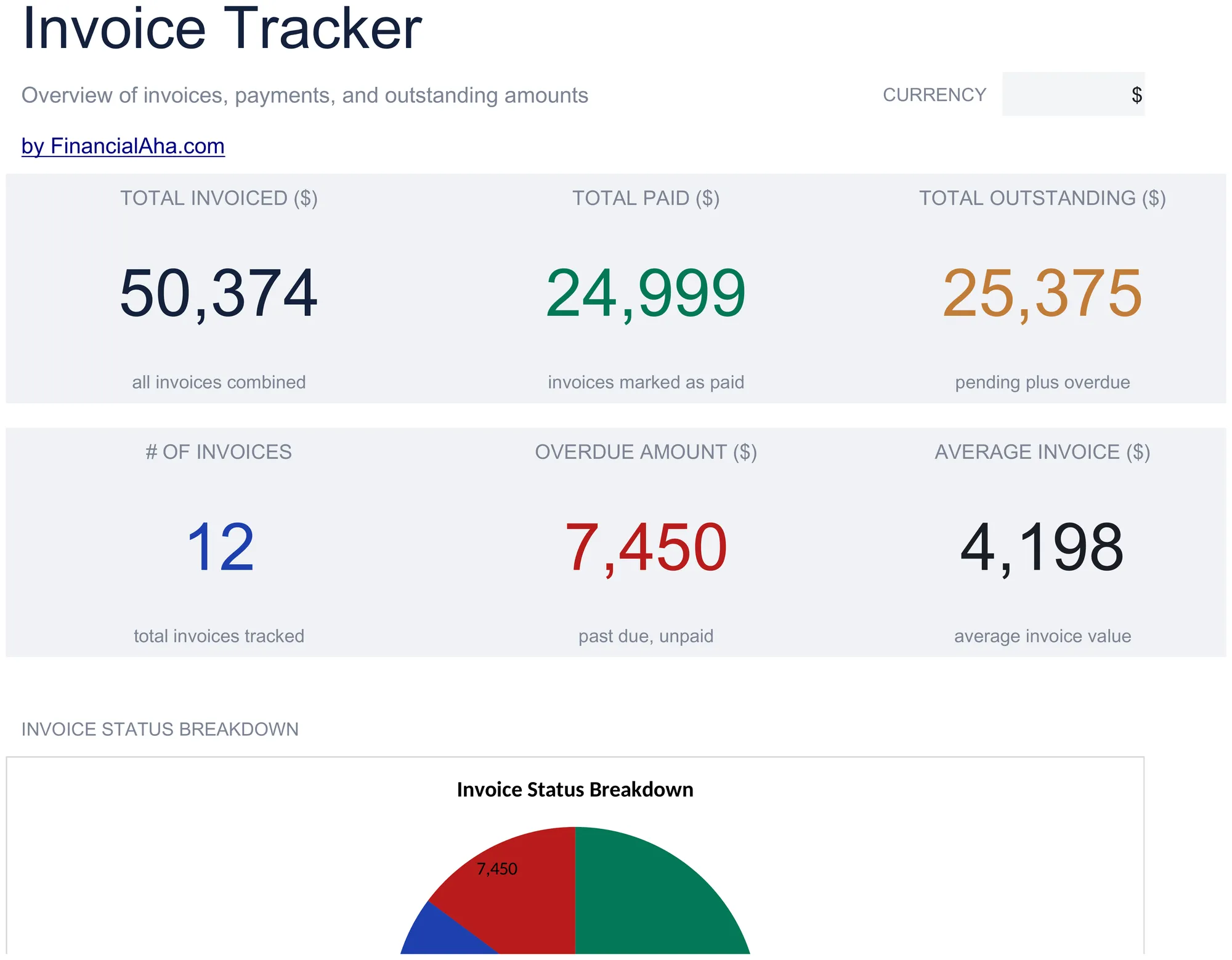
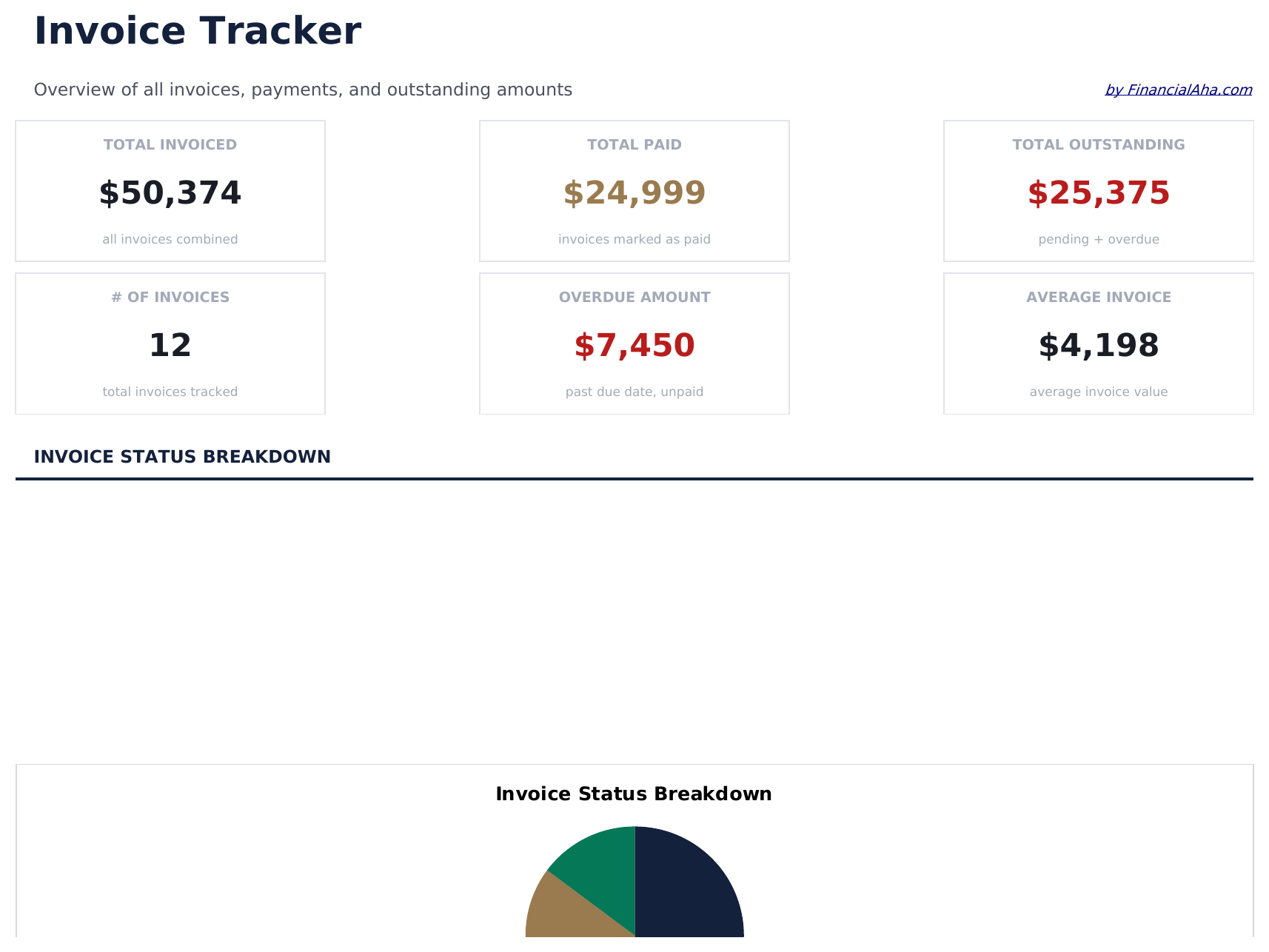
  • Dashboard with receivables overview showing total outstanding, total collected, and overdue invoice count
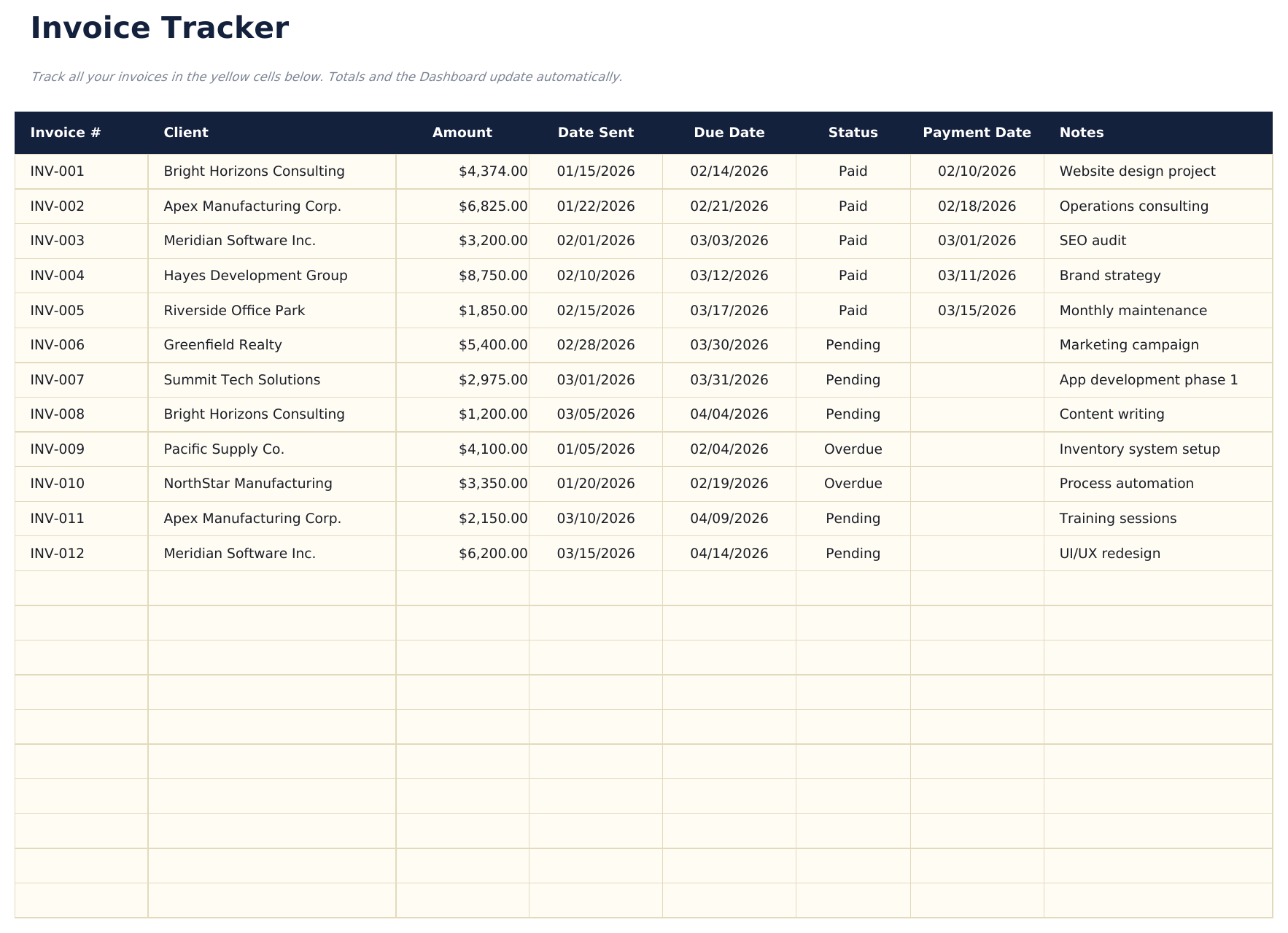
  • Invoice tracker with columns for invoice number, client name, amount, issue date, due date, and status
  • Payment status monitoring with fields to mark each invoice as draft, sent, paid, or overdue
  • Aging report by invoice categorizing outstanding amounts into current, 30-day, 60-day, and 90-plus buckets
  • Client-level totals with color-coded status indicators and automatic outstanding balance calculations
  • Works in Microsoft Excel, Google Sheets, and LibreOffice Calc with no setup required
Ultimate Version Available

Need more from this template?

The Essentials version covers everyday tracking. Ultimate goes further with multi-entity support, scenario analysis, and ultimate-grade reporting.

Essentials - $12
  • Dashboard with receivables overview showing total outstanding, total collected, and overdue invoice count
  • Invoice tracker with columns for invoice number, client name, amount, issue date, due date, and status
  • Payment status monitoring with fields to mark each invoice as draft, sent, paid, or overdue
  • Aging report by invoice categorizing outstanding amounts into current, 30-day, 60-day, and 90-plus buckets
Ultimate - $19
  • Registra fino a 100 fatture con numero fattura, nome cliente, data di emissione, data di scadenza, importo, stato (menu a tendina) e data di pagamento
  • Dashboard con 6 schede KPI: totale fatturato, totale incassato, totale da incassare, importo scaduto, numero fatture e media giorni per il pagamento
  • Foglio riepilogo clienti che mostra totale fatturato, totale pagato, totale da incassare, numero fatture e valore medio per fattura per ogni cliente
  • Report di scaduto che raggruppa le fatture in sospeso in colonne: Corrente, 1-30 giorni, 31-60 giorni, 61-90 giorni e Oltre 90 giorni
  • Foglio ricavi mensili che mostra importi fatturati e incassati per mese su 12 mesi con totali progressivi
See what's in the Ultimate version One-time purchase. No subscription.

Come usare questo modello Invoice Tracker

1

Log each invoice

Enter the invoice number, client name, amount, date sent, and due date for every invoice you issue.

2

Track payment status

Update the status column as invoices move from Pending to Paid or Overdue. The dashboard totals update automatically.

3

Monitor outstanding amounts

Check the dashboard for total receivable, overdue invoices, and average days to payment.

4

Follow up on overdue

Use the overdue amount and days overdue columns to prioritize which clients need a payment reminder.

Creati da Claude AI. Perfezionati da noi.

Utilizziamo Claude AI per creare ogni modello, dopo una ricerca approfondita. Poi interviene il nostro team. Miglioriamo il layout, testiamo ogni formula, correggiamo i casi limite e rifiniamo il design fino a ottenere qualcosa che useremmo noi stessi. L'AI ci porta all'80%. L'ultimo 20% è tutto giudizio umano.

Vedi la versione Ultimate →

Domande frequenti

How does aging work?

The tracker groups outstanding invoices into current, 30-day, 60-day, and 90-plus day aging buckets based on how long past the due date each invoice is.

Can I track invoices for multiple clients?

Yes. Every invoice row has a client name field. Sort or filter by client to see outstanding amounts per customer.

Does it calculate days overdue?

Yes. The template computes the number of days between the due date and today for each unpaid invoice.

Can I mark partial payments?

Record partial payments in the paid amount column. The remaining balance calculates automatically as the invoice amount minus the paid amount.

Come posso aprirlo in Google Sheets?

Carica il file .xlsx su Google Drive, poi aprilo con Google Sheets. Tutte le formule e la formattazione saranno conservate.

Altri modelli Essentials Invoicing & Billing

Cerchi modelli di fogli di calcolo premium?

I nostri modelli a pagamento includono dashboard multi-foglio avanzate, grafici nativi Excel e aggiornamenti continui.

Privato e sicuro

I tuoi dati finanziari restano sul tuo dispositivo. Non li vediamo mai.

Scopri di piu →

Hai bisogno di aiuto?

Consulta le nostre guide o contattaci per domande.

Vedi FAQ →