Bester Wert All-in-One Finanzplanungs-Bundle
✓ Finanzplanung✓ Vermögens-Tracker✓ Monatliches Budget✓ Reisebudget-Planer✓ Jahresbudget-Planer✓ Monatlicher Ausgaben-Tracker✓ Jährlicher Steuerplaner✓ Altersvorsorgeplanung
Bundle ansehen →
Essentials-Vorlage - Excel & Google Sheets

Simple Invoice Essentials-Vorlage

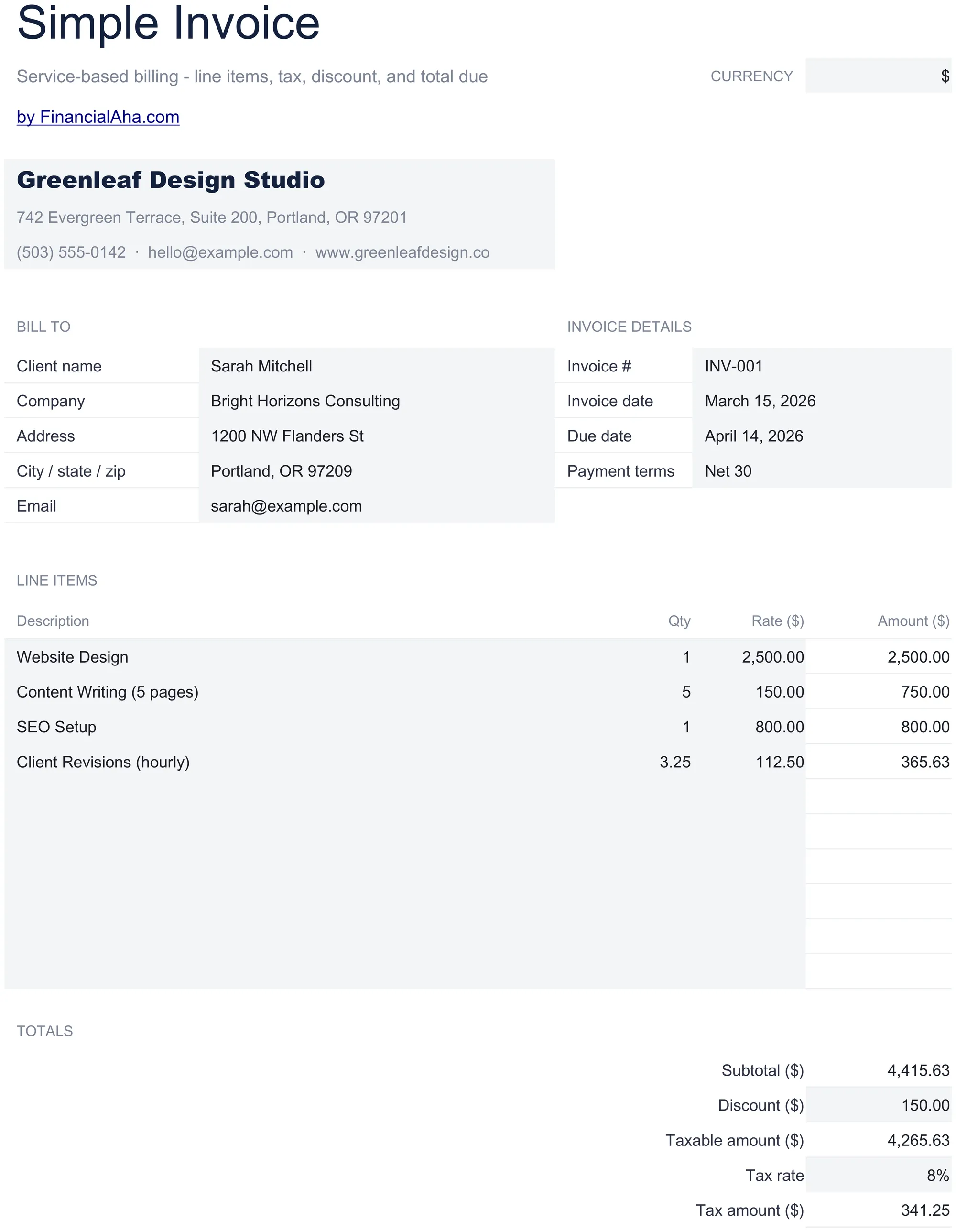
A clean, minimal invoice template with standard fields. Fill in line items, quantities, and rates - totals calculate automatically.

Simple Invoice preview

Was enthalten ist

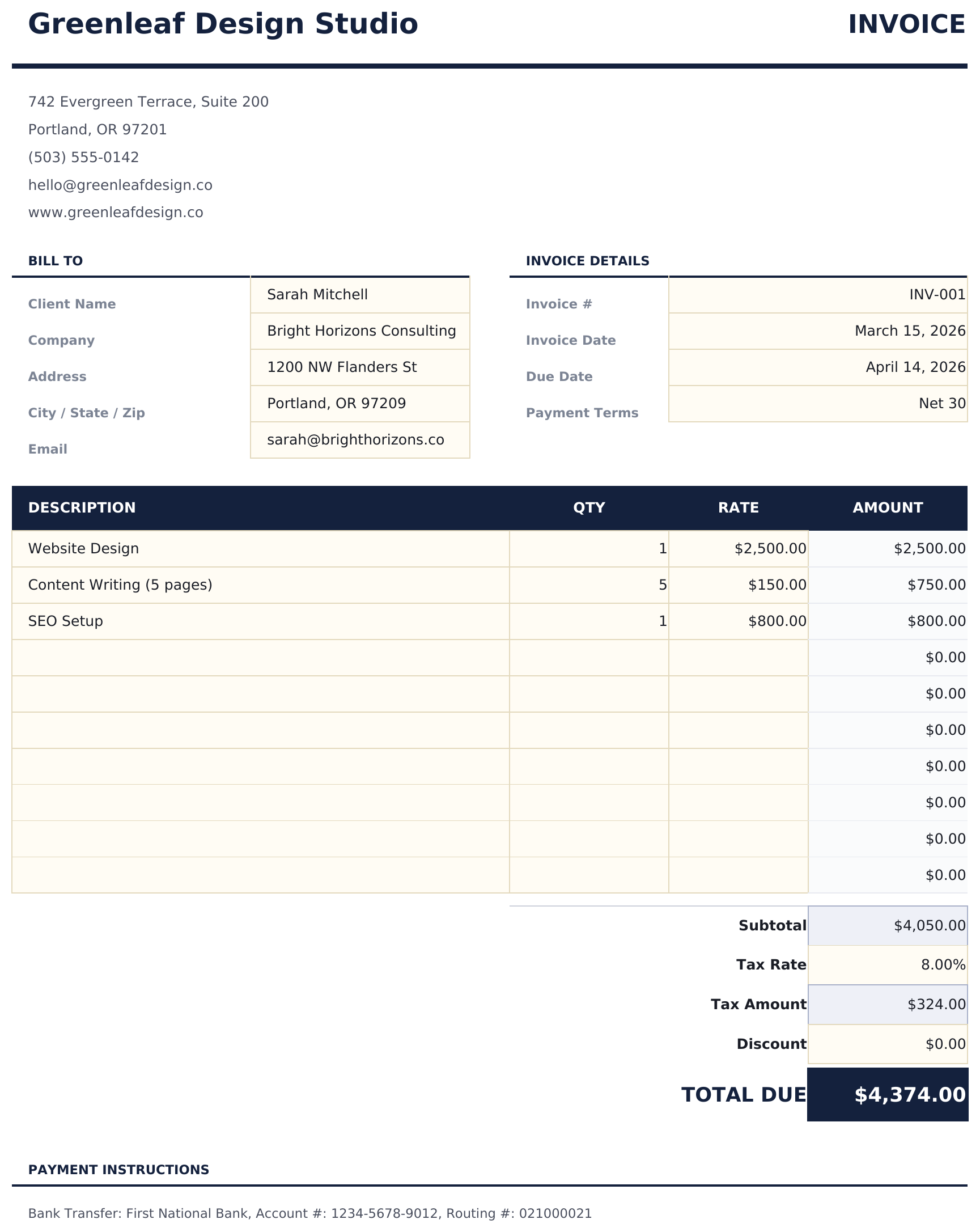
  • Professional invoice layout with company logo area, invoice number, date, and payment terms fields
  • Line item entry with description, quantity, and unit rate columns - add as many rows as needed
  • Automatic subtotal, tax, and grand total calculations that update whenever you change a line item
  • Tax calculation field with customizable tax rate percentage applied automatically to the subtotal
  • Print-ready format with company and client info sections and color-coded input cells for data entry
  • Works in Microsoft Excel, Google Sheets, and LibreOffice Calc with no setup required

So verwenden Sie diese Simple Invoice-Vorlage

1

Add your business info

Enter your company name, address, contact details, and logo in the header section of the invoice.

2

Enter client details

Fill in the client name, address, and contact information. Add the invoice number, date, and payment terms.

3

Add line items

Enter each product or service with a description, quantity, and unit rate. Line totals calculate automatically.

4

Review and send

Check the subtotal, tax, and grand total at the bottom. Print or export as PDF to send to your client.

Erstellt von Claude AI. Verfeinert von uns.

Wir verwenden Claude AI, um jede Vorlage nach gründlicher Recherche zu entwerfen. Dann greift unser Team ein. Wir verfeinern das Layout, testen jede Formel auf Herz und Nieren, beheben Grenzfälle und polieren das Design, bis es sich anfühlt wie etwas, das wir selbst verwenden würden. Die KI bringt uns 80 % ans Ziel. Die letzten 20 % sind rein menschliches Urteilsvermögen.

Häufig gestellte Fragen

Can I add my company logo?

Yes. There is a designated logo area in the header. Insert your logo image into that cell or area in Excel or Google Sheets.

How many line items can I add?

Add as many rows as needed. Insert new rows above the subtotal row and the formulas will include them in the totals automatically.

Does it calculate tax?

Yes. Enter your tax rate percentage and the template applies it to the subtotal. The grand total includes the tax amount.

Can I save it as a PDF?

Yes. Use File > Save As or Export to PDF in Excel, or File > Download as PDF in Google Sheets to create a professional PDF invoice.

Wie öffne ich diese Vorlage in Google Sheets?

Laden Sie die .xlsx-Datei auf Google Drive hoch und öffnen Sie sie mit Google Sheets. Alle Formeln und Formatierungen bleiben erhalten.

Weitere Essentials-Vorlagen: Invoicing & Billing

Auf der Suche nach Premium-Tabellenvorlagen?

Unsere kostenpflichtigen Vorlagen umfassen erweiterte mehrseitige Dashboards, native Excel-Diagramme und laufende Aktualisierungen.

Privat & sicher

Ihre Finanzdaten bleiben auf Ihrem Gerät. Wir sehen sie nie.

Mehr erfahren →

Brauchen Sie Hilfe?

Schauen Sie in unsere Anleitungen oder kontaktieren Sie uns.

FAQ ansehen →