Bester Wert All-in-One Finanzplanungs-Bundle
✓ Finanzplanung✓ Vermögens-Tracker✓ Monatliches Budget✓ Reisebudget-Planer✓ Jahresbudget-Planer✓ Monatlicher Ausgaben-Tracker✓ Jährlicher Steuerplaner✓ Altersvorsorgeplanung
Bundle ansehen →
Essentials-Vorlage - Excel & Google Sheets

Freelancer Invoice Essentials-Vorlage

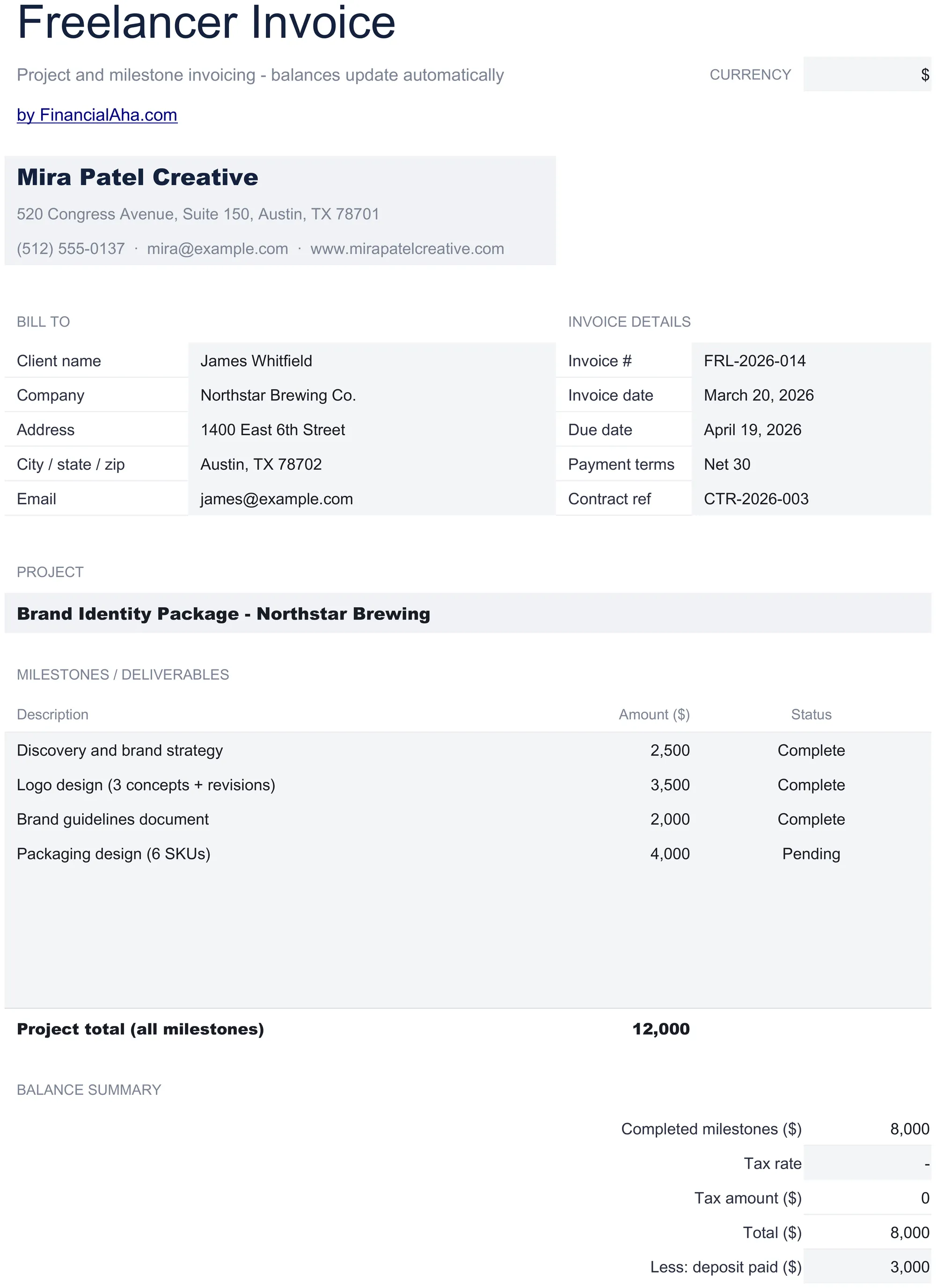
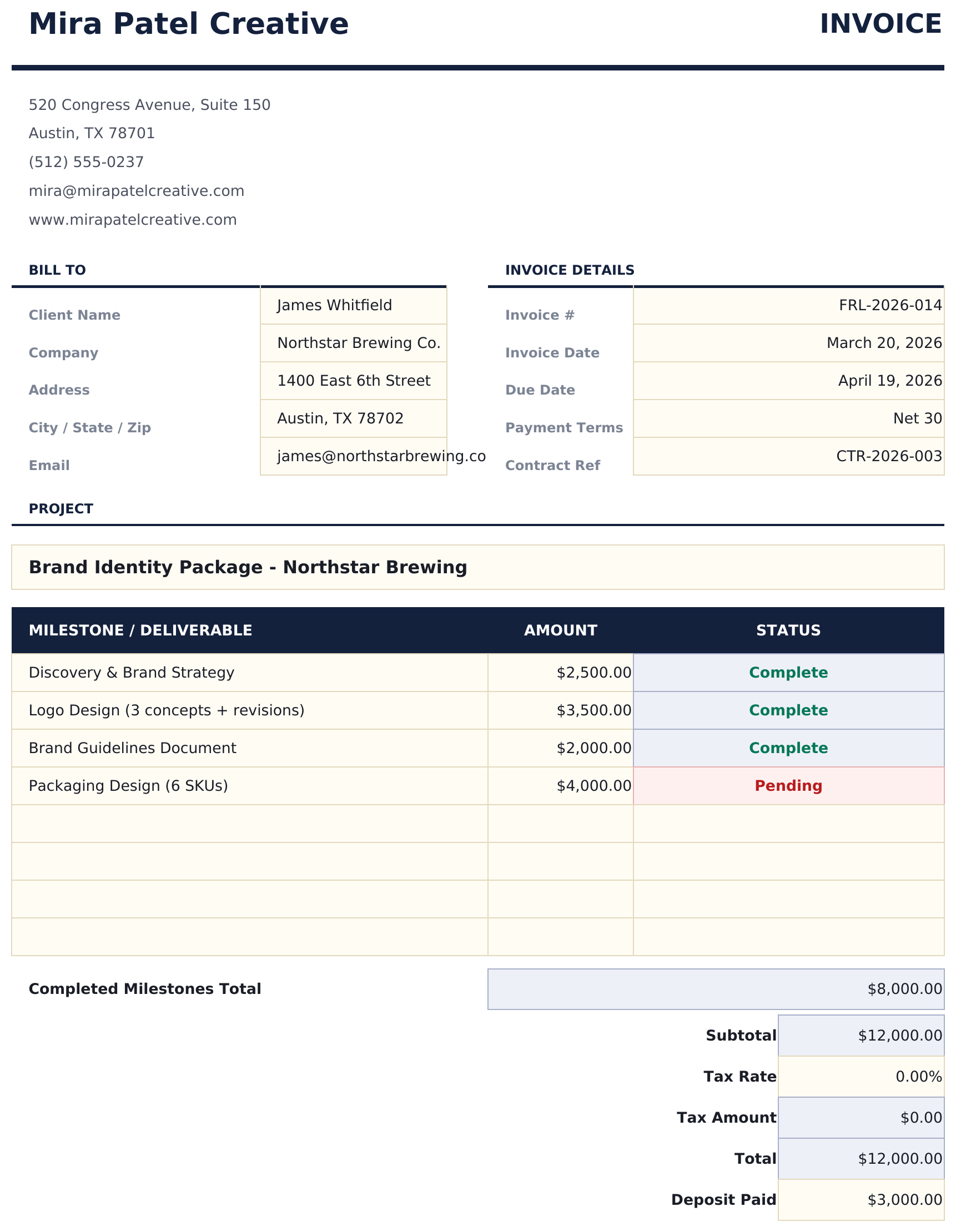
Invoice template for freelance work with support for milestone and project-based billing. Clean layout with flexible line item descriptions.

Freelancer Invoice preview

Was enthalten ist

  • Freelancer-friendly invoice layout supporting both hourly billing and flat-rate project-based pricing
  • Project and milestone billing support with description fields for deliverables, phases, and completion status
  • Flexible rate and amount fields - enter hourly rate with hours or a flat project fee per line item
  • Payment terms and due date section with fields for payment method, late fee policy, and notes to client
  • Automatic total calculations with print-ready formatting and color-coded input cells for quick invoicing
  • Works in Microsoft Excel, Google Sheets, and LibreOffice Calc with no setup required

So verwenden Sie diese Freelancer Invoice-Vorlage

1

Add your details

Enter your name or business name, address, and contact information in the header. Add invoice number and date.

2

Enter project details

Describe each deliverable or milestone with a description and amount. Use hourly rate with hours or a flat project fee.

3

Set payment terms

Fill in the due date, accepted payment methods, and any late fee policy in the payment terms section.

4

Send to client

Review the total, add any notes, and export to PDF or print for the client.

Erstellt von Claude AI. Verfeinert von uns.

Wir verwenden Claude AI, um jede Vorlage nach gründlicher Recherche zu entwerfen. Dann greift unser Team ein. Wir verfeinern das Layout, testen jede Formel auf Herz und Nieren, beheben Grenzfälle und polieren das Design, bis es sich anfühlt wie etwas, das wir selbst verwenden würden. Die KI bringt uns 80 % ans Ziel. Die letzten 20 % sind rein menschliches Urteilsvermögen.

Häufig gestellte Fragen

Can I bill by milestone instead of hours?

Yes. Enter each milestone as a line item with a flat fee. Leave the hours column blank or enter 1 with the full milestone price as the rate.

How do I handle partial payments?

Create separate invoices for each payment milestone, or note the partial payment terms in the notes section of a single invoice.

Can I add a late fee notice?

Yes. The payment terms section includes a field for late fee policy. Common approaches include a percentage per month on overdue balances.

Does it work for recurring clients?

Yes. Create a new invoice for each billing period or project. Increment the invoice number and update the dates and line items.

Wie öffne ich diese Vorlage in Google Sheets?

Laden Sie die .xlsx-Datei auf Google Drive hoch und öffnen Sie sie mit Google Sheets. Alle Formeln und Formatierungen bleiben erhalten.

Weitere Essentials-Vorlagen: Invoicing & Billing

Auf der Suche nach Premium-Tabellenvorlagen?

Unsere kostenpflichtigen Vorlagen umfassen erweiterte mehrseitige Dashboards, native Excel-Diagramme und laufende Aktualisierungen.

Privat & sicher

Ihre Finanzdaten bleiben auf Ihrem Gerät. Wir sehen sie nie.

Mehr erfahren →

Brauchen Sie Hilfe?

Schauen Sie in unsere Anleitungen oder kontaktieren Sie uns.

FAQ ansehen →