Expense Tracker Essentials 模板
Log daily expenses and see monthly summaries by category. Focused purely on tracking spending - no budgeting targets required.
包含内容
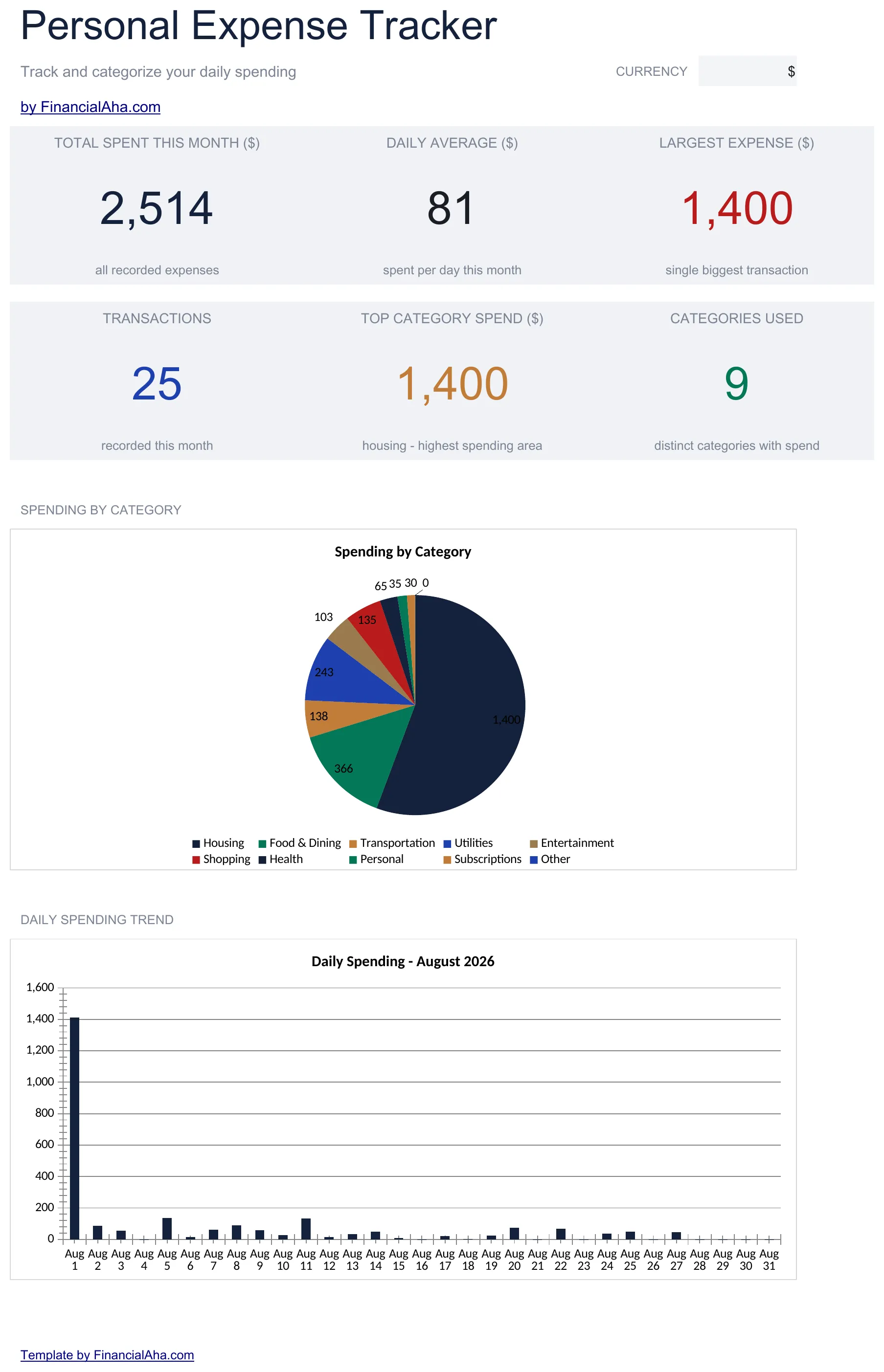
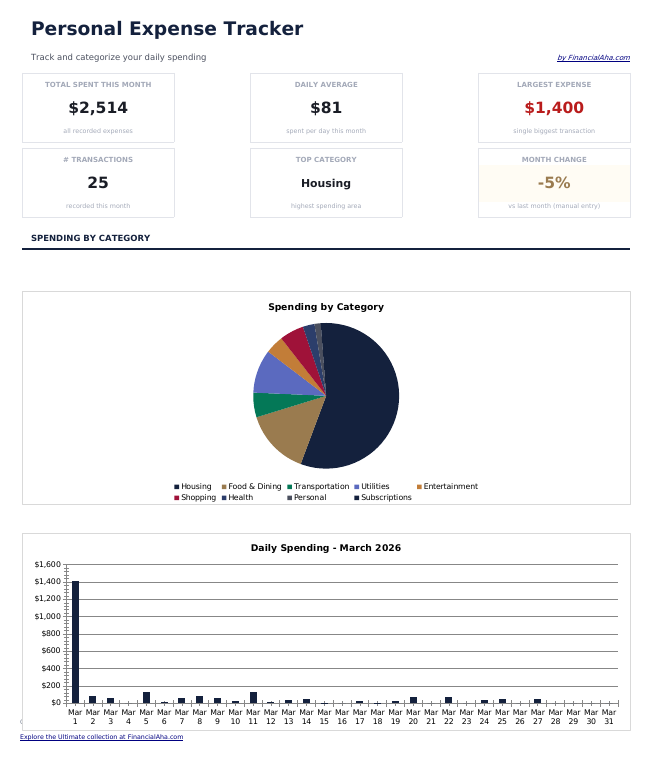
- Dashboard with spending overview displaying total expenses, top categories, and monthly trends
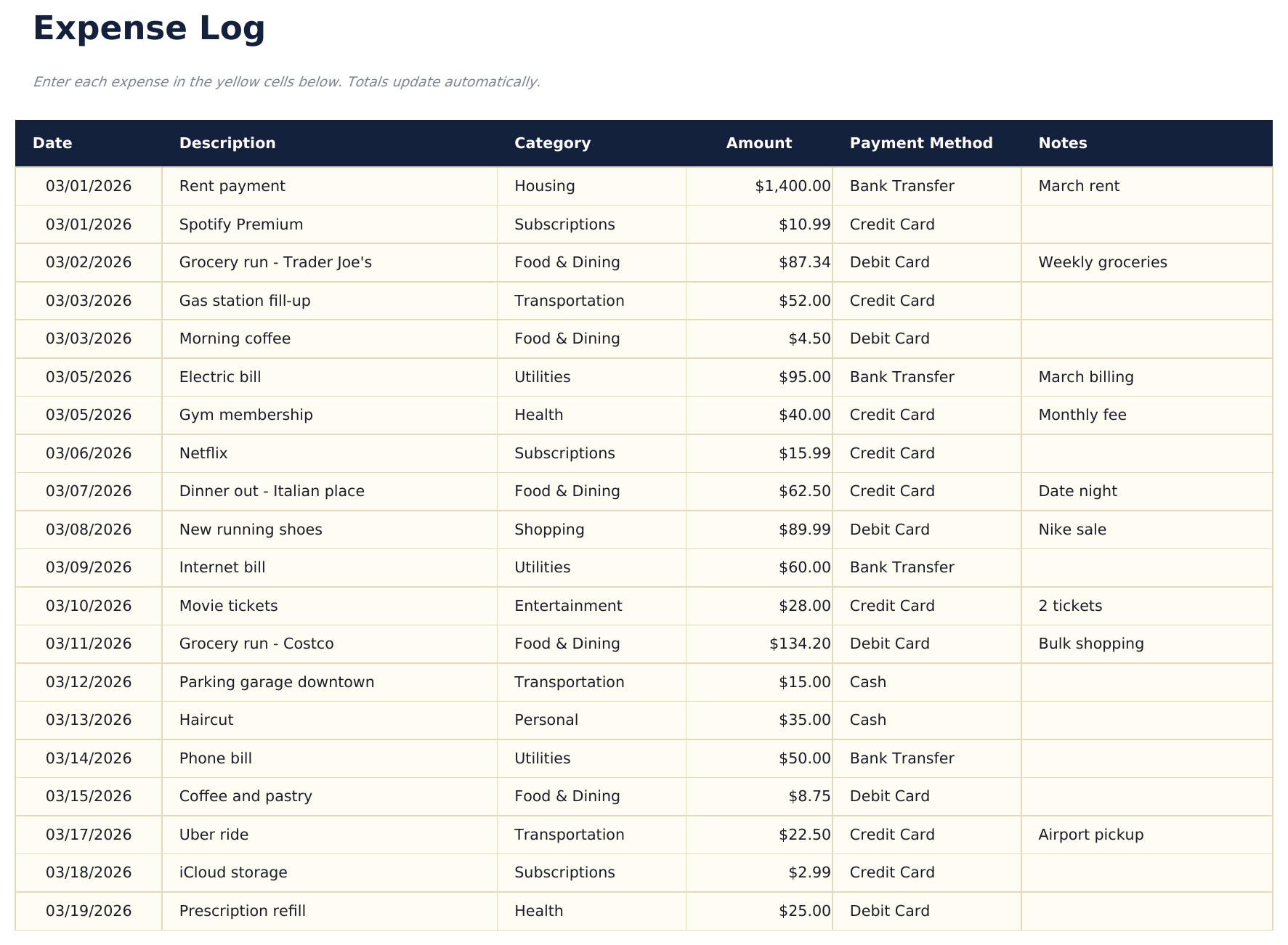
- Detailed expense log with columns for date, description, category, payment method, and amount
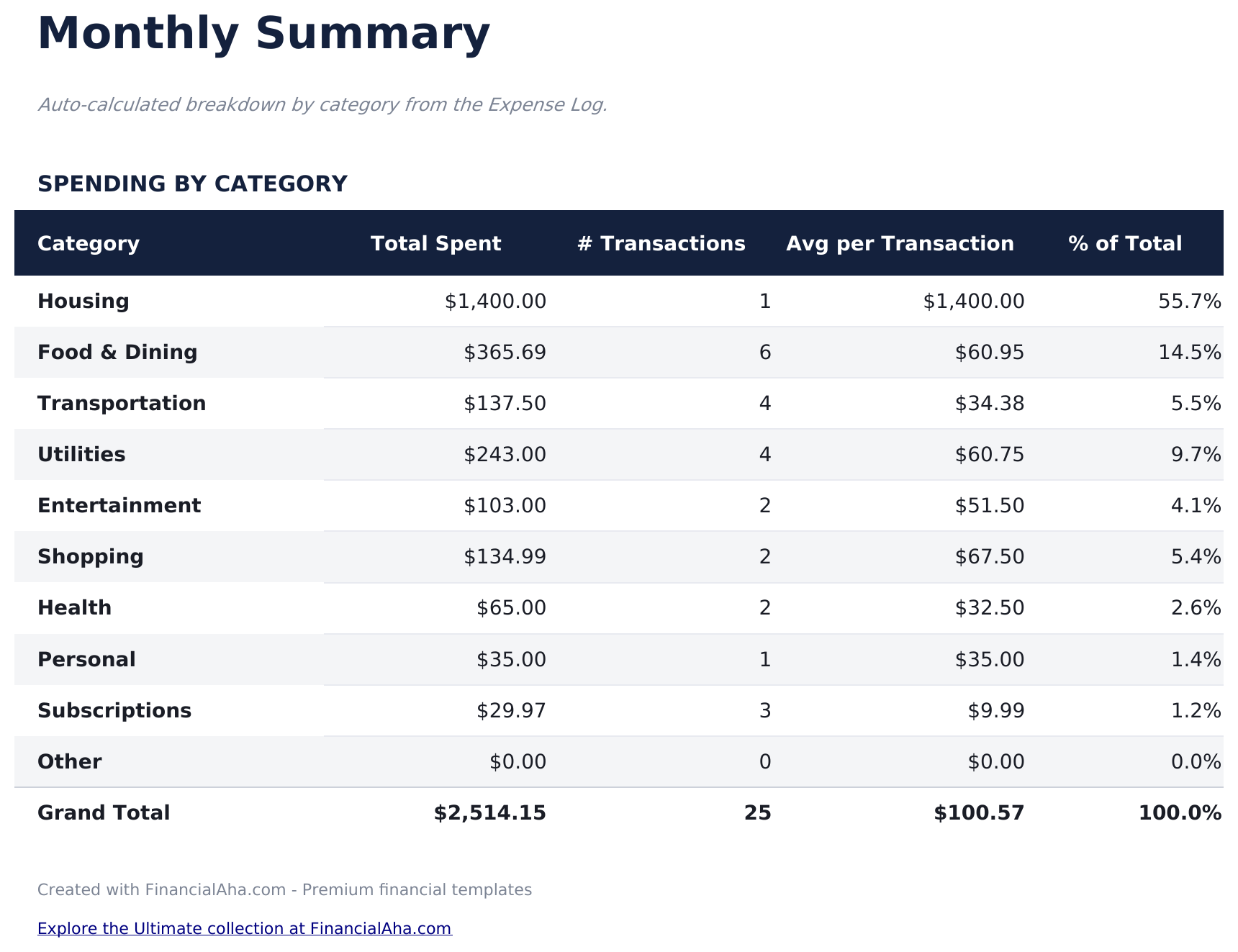
- Monthly summary sheet that automatically groups expenses by category with subtotals and percentages
- Date-based entry tracking that supports daily logging with automatic chronological sorting
- Color-coded input cells (yellow) and auto-calculated summary cells (blue) for organized tracking
- Works in Microsoft Excel, Google Sheets, and LibreOffice Calc with no setup required
Need more from this template?
The Essentials version covers everyday tracking. Ultimate goes further with multi-entity support, scenario analysis, and ultimate-grade reporting.
- Dashboard with spending overview displaying total expenses, top categories, and monthly trends
- Detailed expense log with columns for date, description, category, payment method, and amount
- Monthly summary sheet that automatically groups expenses by category with subtotals and percentages
- Date-based entry tracking that supports daily logging with automatic chronological sorting
- 每月记录多达200笔支出,包含日期、描述、类别(13个选项)、金额、支付方式和备注
- 仪表板包含6个关键指标卡片:总支出、日均支出、最大单笔支出、预算剩余、交易笔数和支出最高类别
- 预算与实际差异分析 - 按类别设置月度预算目标,用彩色标记追踪超支/节省情况
- 12个月支出概览网格,显示所有12个月中各类别的支出,包含年度总计和月均值
- 支出趋势工作表按总支出对类别进行排名,并按支付方式细分交易笔数
预览
查看此模板的内容


如何使用这个Expense Tracker模板
Log each expense
Enter the date, description, category, payment method, and amount for every purchase or payment you make.
Categorize spending
Assign each expense to a category like food, transportation, or entertainment. Consistent categorization makes summaries more useful.
Review monthly summaries
The monthly summary sheet groups expenses by category with subtotals and percentages, showing where the most money goes.
Check the dashboard
The dashboard displays total spending, top categories, and monthly trends so you can spot patterns over time.
由 Claude AI 构建,经我们精心打磨。
我们使用 Claude AI 在深入研究后起草每个模板。然后由团队接手,优化布局、全面测试每个公式、修复边界情况,并打磨设计,直到达到我们自己愿意使用的标准。AI 完成了 80% 的工作,最后 20% 靠的是人工判断。
常见问题
How is this different from a budget template?
This template focuses purely on tracking what you spend - no budget targets or income tracking. It is for people who want to see where money goes before setting budgets.
What categories are included?
Pre-built categories include food, transportation, housing, utilities, entertainment, shopping, health, and miscellaneous. You can rename or add categories to fit your spending.
Can I track cash and card expenses together?
Yes. The payment method column lets you record cash, debit, credit, or any other method alongside each expense entry.
How far back can I log expenses?
There is no date restriction. Log as many entries as you need - the monthly summary will group them by category regardless of the time period.
如何在 Google Sheets 中打开?
将 .xlsx 文件上传到 Google Drive,然后使用 Google Sheets 打开。所有公式和格式都会保留。
更多 Personal Budgeting Essentials 模板
Monthly Budget
Track monthly income and expenses across categories. A straightforward starting point for anyone looking to get a clear picture of where money goes each month.
$1250/30/20 Budget
Organize spending into needs, wants, and savings using the 50/30/20 framework. Useful for those who prefer a percentage-based approach to budgeting.
$12Zero-Based Budget
Assign every dollar of income to a specific category until the balance reaches zero. Designed for people who want full control over each dollar.
$12Household Budget
Track household income and expenses for families or shared living situations. Covers dual incomes, shared bills, and household-specific categories.
$12