50/30/20 Budget Essentials 模板
Organize spending into needs, wants, and savings using the 50/30/20 framework. Useful for those who prefer a percentage-based approach to budgeting.
包含内容
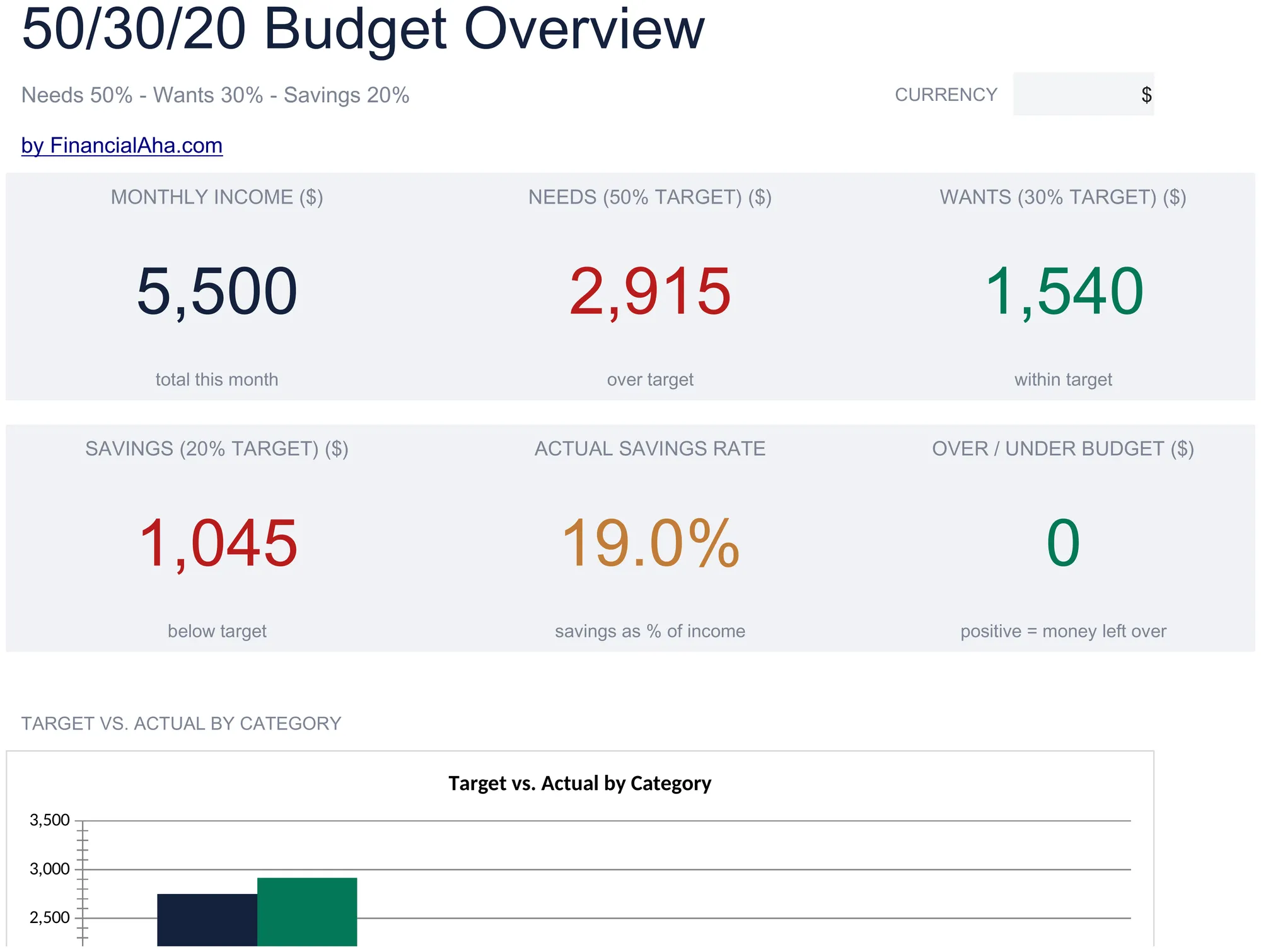
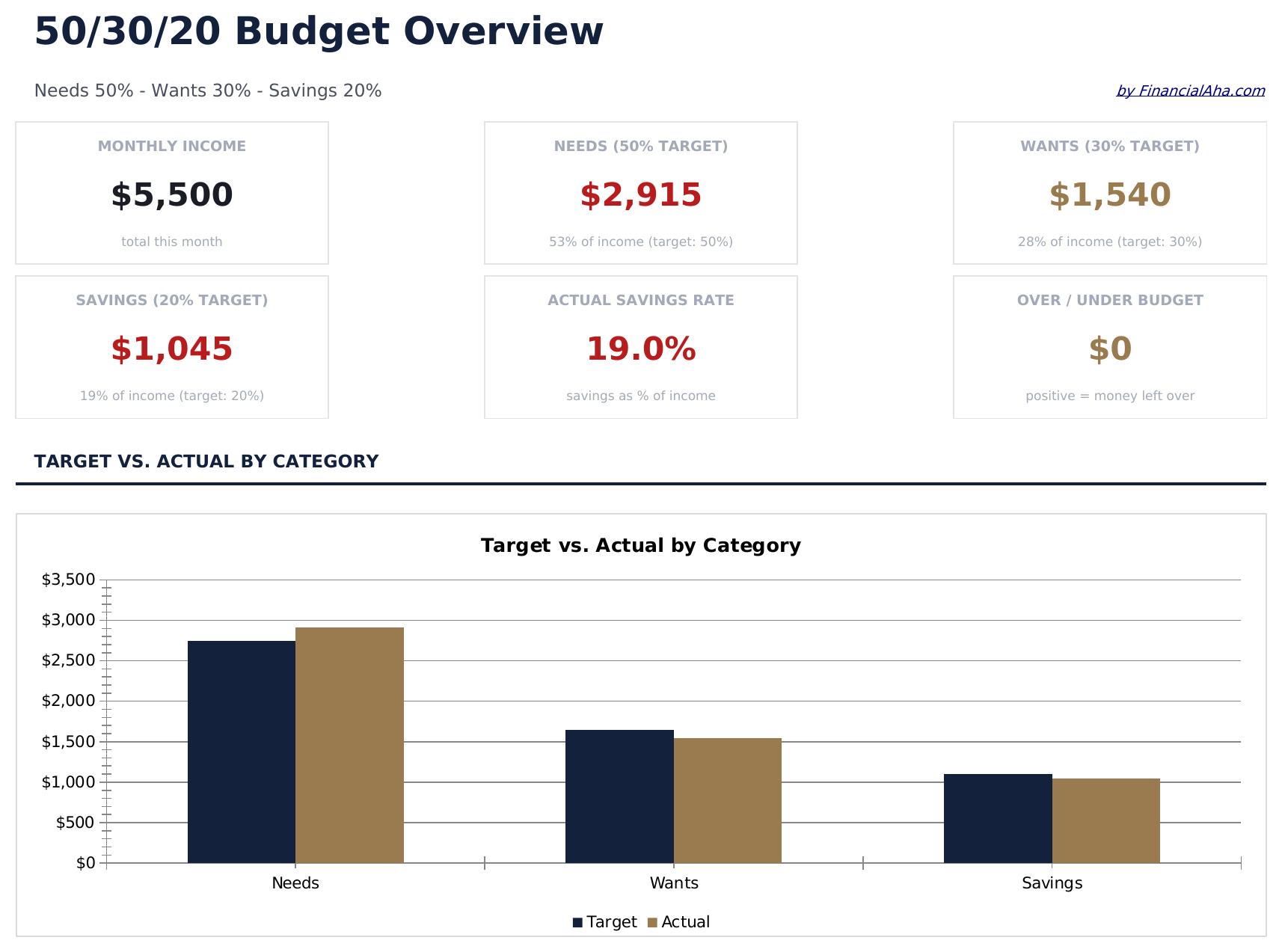
- Dashboard with visual 50/30/20 split showing needs, wants, and savings as percentage of income
- Automatic percentage calculations that update target amounts based on your total income entry
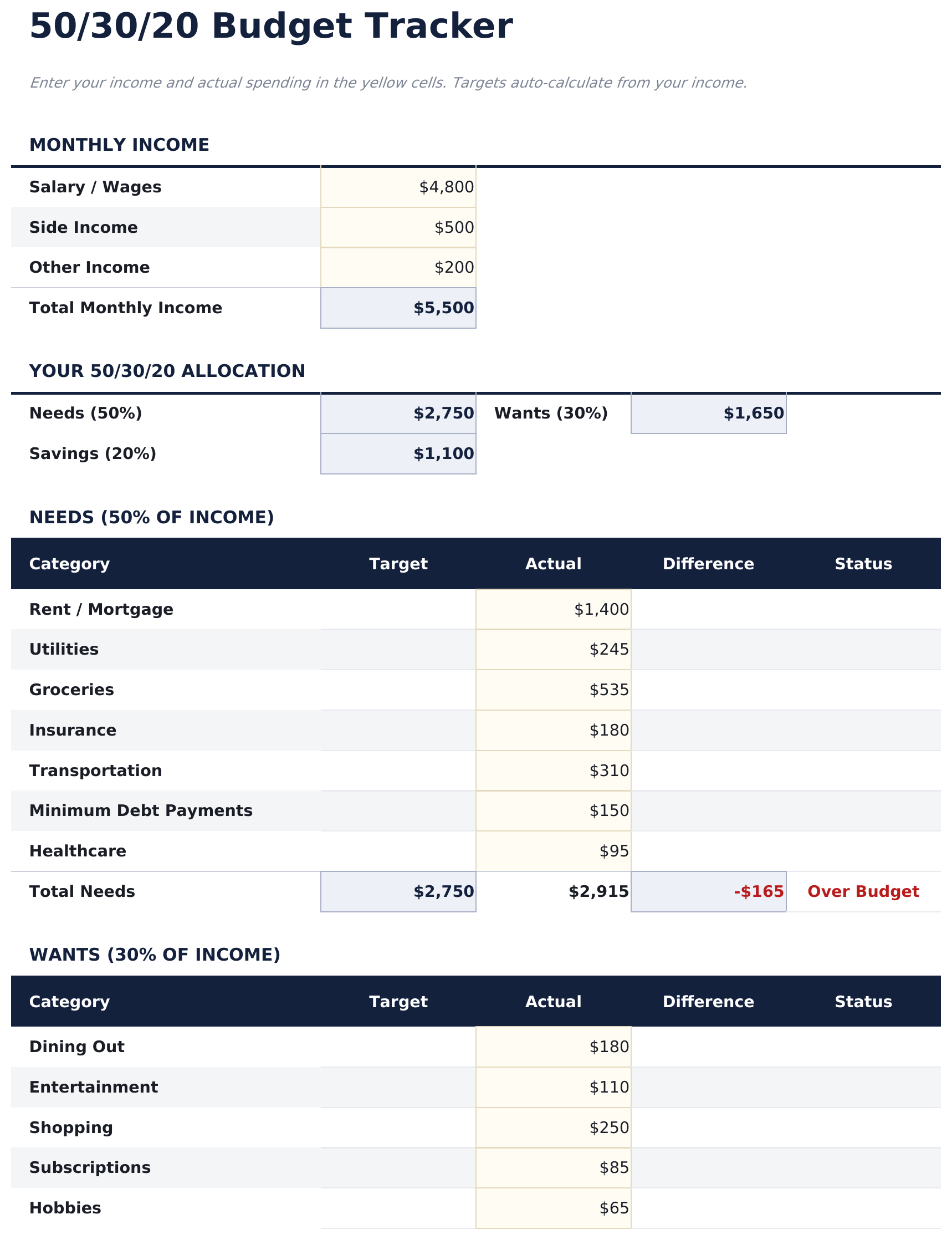
- Category-level budget tracker with pre-filled items for housing, groceries, insurance, and entertainment
- Income-based target amounts with real-time variance showing over or under budget per category
- Color-coded input cells and formatted result areas for a clean, easy-to-read budget layout
- Works in Microsoft Excel, Google Sheets, and LibreOffice Calc with no setup required
Need more from this template?
The Essentials version covers everyday tracking. Ultimate goes further with multi-entity support, scenario analysis, and ultimate-grade reporting.
- Dashboard with visual 50/30/20 split showing needs, wants, and savings as percentage of income
- Automatic percentage calculations that update target amounts based on your total income entry
- Category-level budget tracker with pre-filled items for housing, groceries, insurance, and entertainment
- Income-based target amounts with real-time variance showing over or under budget per category
- 收入目标工作表设置月收入,自动计算需求、想要和储蓄的 50/30/20 金额目标
- 需求工作表用于记录所有必要支出 - 住房、水电、杂货、保险、交通 - 包含类别小计和50%目标对比
- 想要工作表用于可自由支配的消费 - 餐饮、娱乐、购物、订阅 - 包含类别小计和30%目标对比
- 储蓄工作表追踪应急基金、退休、投资和储蓄目标的存入,与20%目标对比
- 仪表板包含6个关键指标卡片:总收入、需求总额、想要总额、储蓄总额、总预算余额和当月储蓄率
预览
查看此模板的内容


如何使用这个50/30/20 Budget模板
Enter total income
Type your monthly after-tax income at the top. The template calculates 50%, 30%, and 20% target amounts automatically.
Categorize your spending
Assign each expense to needs, wants, or savings. The pre-filled categories give you a starting point you can customize.
Check your split
The dashboard shows how your actual spending compares to the 50/30/20 targets with percentage breakdowns per bucket.
Rebalance as needed
If one bucket is over target, look for expenses to shift or reduce. The variance columns highlight where adjustments may help.
由 Claude AI 构建,经我们精心打磨。
我们使用 Claude AI 在深入研究后起草每个模板。然后由团队接手,优化布局、全面测试每个公式、修复边界情况,并打磨设计,直到达到我们自己愿意使用的标准。AI 完成了 80% 的工作,最后 20% 靠的是人工判断。
常见问题
What counts as needs vs wants?
Needs are essentials like housing, groceries, insurance, and minimum debt payments. Wants are non-essentials like dining out, entertainment, and subscriptions. The template includes pre-filled examples in each category.
Is the split based on gross or net income?
The template is designed for after-tax (net) income. Enter the amount you actually receive in your paycheck or bank account.
Can I change the percentage split?
Yes. The percentage cells are editable, so you can adjust to 60/20/20 or any other ratio that fits your situation.
What if my needs exceed 50%?
The template still tracks everything accurately. The variance column shows how far over or under you are, which is useful for seeing where your money goes even if the split differs.
如何在 Google Sheets 中打开?
将 .xlsx 文件上传到 Google Drive,然后使用 Google Sheets 打开。所有公式和格式都会保留。
更多 Personal Budgeting Essentials 模板
Monthly Budget
Track monthly income and expenses across categories. A straightforward starting point for anyone looking to get a clear picture of where money goes each month.
$12Zero-Based Budget
Assign every dollar of income to a specific category until the balance reaches zero. Designed for people who want full control over each dollar.
$12Household Budget
Track household income and expenses for families or shared living situations. Covers dual incomes, shared bills, and household-specific categories.
$12Weekly Budget
Plan and track spending on a week-by-week basis. Works well for those paid weekly or who prefer a shorter budgeting cycle.
$12