أفضل قيمة حزمة التخطيط المالي الشاملة
✓ التخطيط المالي✓ متتبع صافي الثروة✓ الميزانية الشهرية✓ مخطط ميزانية السفر✓ مخطط الميزانية السنوية✓ متتبع النفقات الشهرية✓ مخطط الضرائب السنوي✓ تخطيط التقاعد
عرض الحزمة →
احترافي النسخة الاحترافية متوفرة - ميزانية 50/30/20 Ultimate
قالب احترافي - Excel و Google Sheets

50/30/20 Budget قالب Essentials

Organize spending into needs, wants, and savings using the 50/30/20 framework. Useful for those who prefer a percentage-based approach to budgeting.

عرض نسخة Ultimate ←
50/30/20 Budget preview

ماذا يتضمن

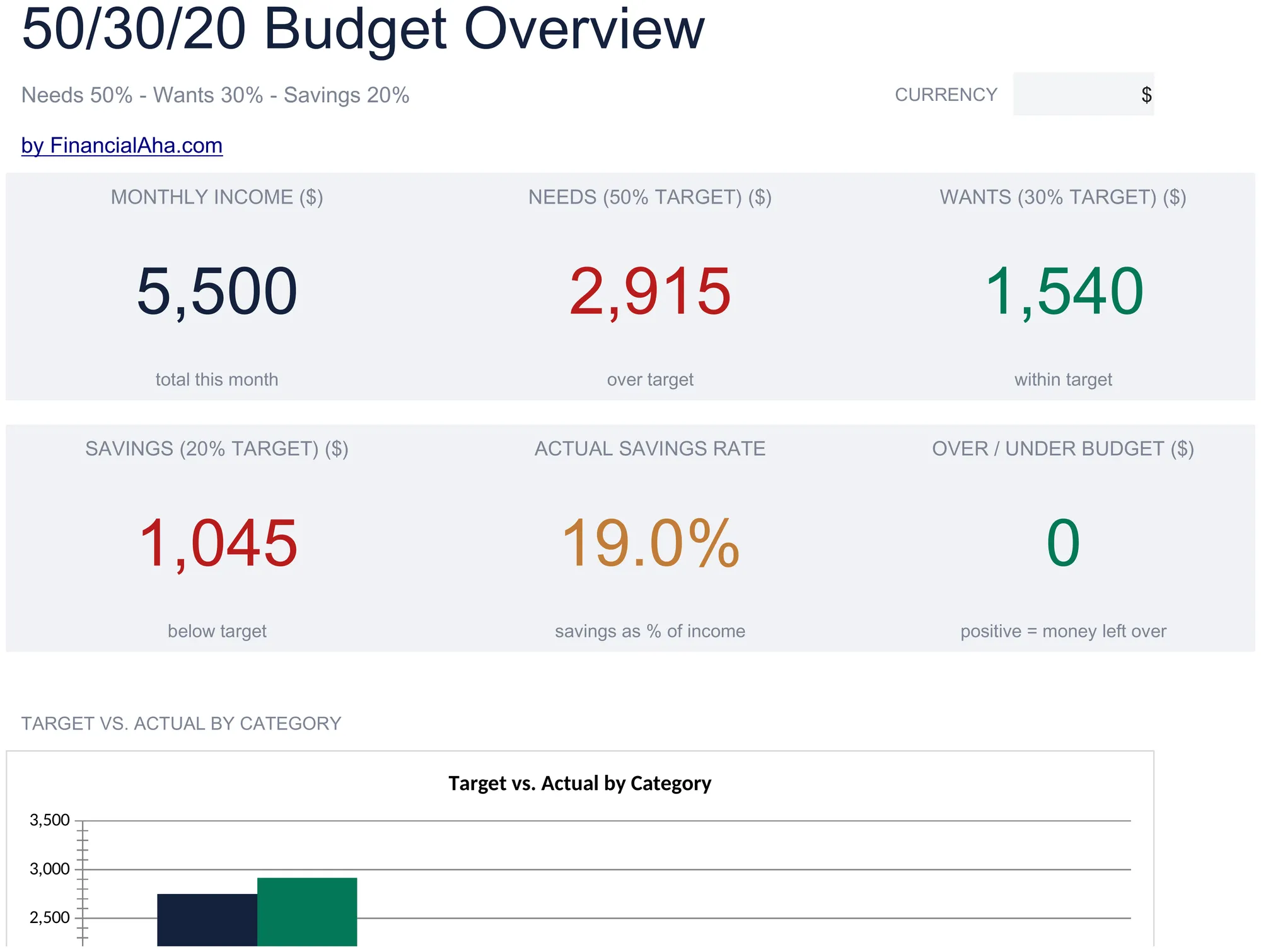
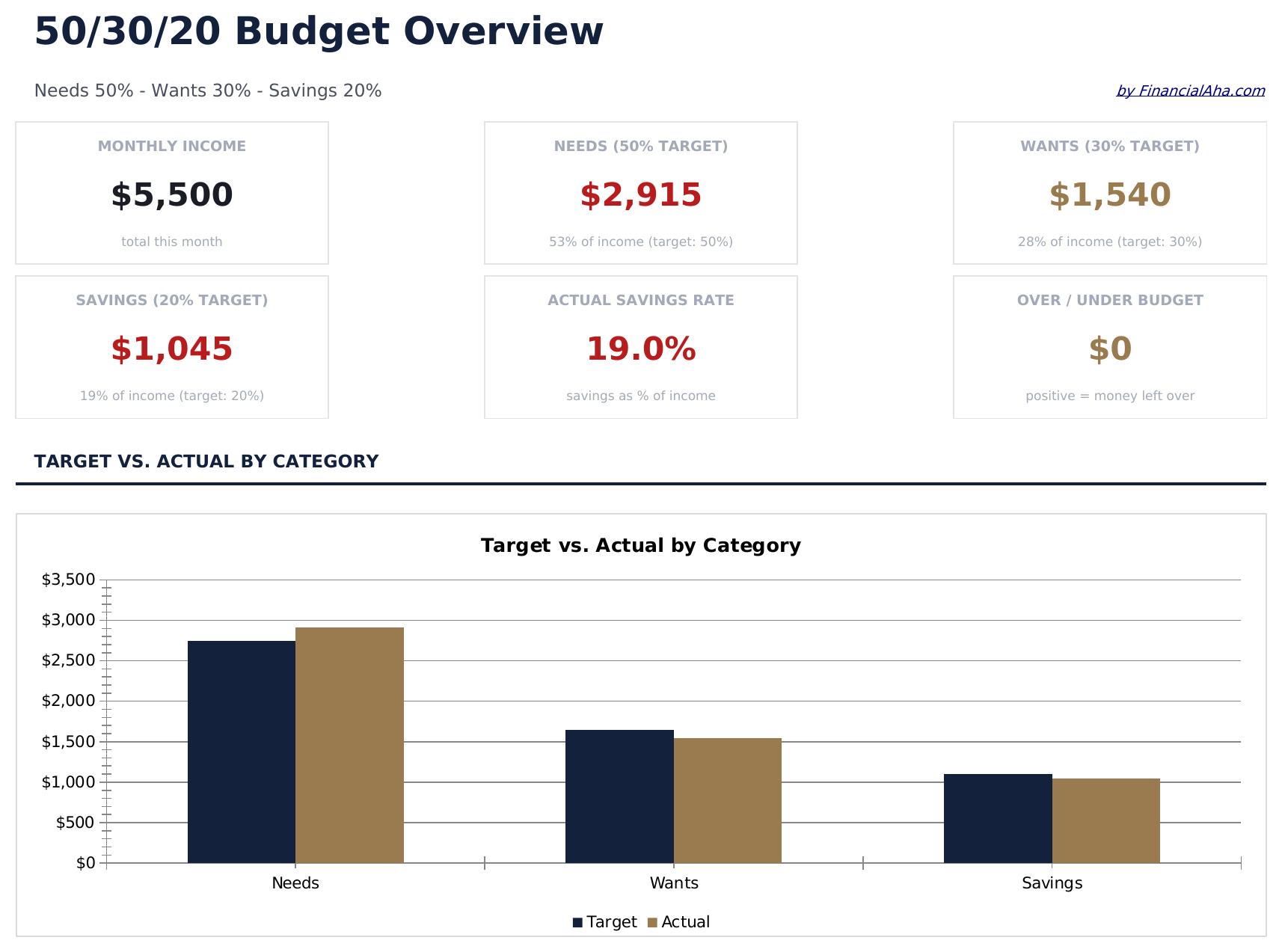
  • Dashboard with visual 50/30/20 split showing needs, wants, and savings as percentage of income
  • Automatic percentage calculations that update target amounts based on your total income entry
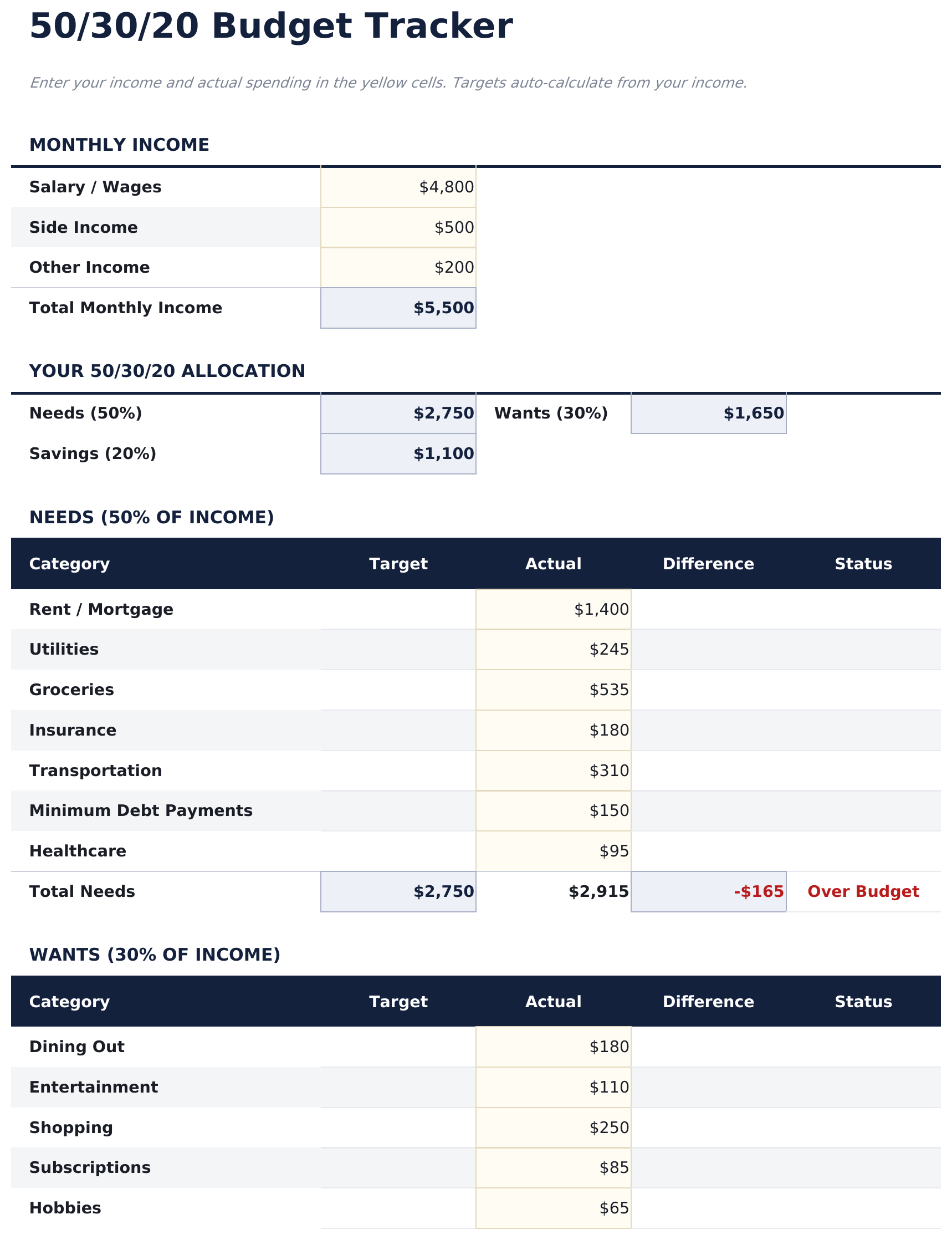
  • Category-level budget tracker with pre-filled items for housing, groceries, insurance, and entertainment
  • Income-based target amounts with real-time variance showing over or under budget per category
  • Color-coded input cells and formatted result areas for a clean, easy-to-read budget layout
  • Works in Microsoft Excel, Google Sheets, and LibreOffice Calc with no setup required
Ultimate Version Available

Need more from this template?

The Essentials version covers everyday tracking. Ultimate goes further with multi-entity support, scenario analysis, and ultimate-grade reporting.

Essentials - $12
  • Dashboard with visual 50/30/20 split showing needs, wants, and savings as percentage of income
  • Automatic percentage calculations that update target amounts based on your total income entry
  • Category-level budget tracker with pre-filled items for housing, groceries, insurance, and entertainment
  • Income-based target amounts with real-time variance showing over or under budget per category
Ultimate - $19
  • ورقة أهداف الدخل تحدد الدخل الشهري وتحسب أهداف 50/30/20 بالدولار للاحتياجات والرغبات والادخار تلقائياً
  • ورقة الاحتياجات لتسجيل جميع المصروفات الأساسية - السكن والمرافق والبقالة والتأمين والمواصلات - مع إجماليات الفئات ومقارنة هدف 50%
  • ورقة الرغبات للإنفاق التقديري - المطاعم والترفيه والتسوق والاشتراكات - مع إجماليات الفئات ومقارنة هدف 30%
  • ورقة الادخار لتتبع المساهمات في صندوق الطوارئ والتقاعد والاستثمارات وأهداف الادخار مع مقارنة هدف 20%
  • لوحة معلومات مع 6 بطاقات KPI: إجمالي الدخل، إجمالي الاحتياجات، إجمالي الرغبات، إجمالي الادخار، رصيد الميزانية الإجمالي، ومعدل الادخار للشهر الحالي
See what's in the Ultimate version One-time purchase. No subscription.

كيفية استخدام قالب 50/30/20 Budget هذا

1

Enter total income

Type your monthly after-tax income at the top. The template calculates 50%, 30%, and 20% target amounts automatically.

2

Categorize your spending

Assign each expense to needs, wants, or savings. The pre-filled categories give you a starting point you can customize.

3

Check your split

The dashboard shows how your actual spending compares to the 50/30/20 targets with percentage breakdowns per bucket.

4

Rebalance as needed

If one bucket is over target, look for expenses to shift or reduce. The variance columns highlight where adjustments may help.

صُممت بواسطة Claude AI. أتقنّاها نحن.

نستخدم Claude AI لصياغة كل قالب بعد بحث معمّق. ثم يتدخل فريقنا. نحسّن التصميم، ونختبر كل صيغة، ونعالج الحالات الاستثنائية، وننقّح التصميم حتى يصبح شيئاً نستخدمه نحن فعلاً. الذكاء الاصطناعي يوصلنا إلى 80%. الـ 20% المتبقية هي حكم بشري بالكامل.

عرض نسخة Ultimate ←

الأسئلة الشائعة

What counts as needs vs wants?

Needs are essentials like housing, groceries, insurance, and minimum debt payments. Wants are non-essentials like dining out, entertainment, and subscriptions. The template includes pre-filled examples in each category.

Is the split based on gross or net income?

The template is designed for after-tax (net) income. Enter the amount you actually receive in your paycheck or bank account.

Can I change the percentage split?

Yes. The percentage cells are editable, so you can adjust to 60/20/20 or any other ratio that fits your situation.

What if my needs exceed 50%?

The template still tracks everything accurately. The variance column shows how far over or under you are, which is useful for seeing where your money goes even if the split differs.

كيف أفتح هذا في Google Sheets؟

ارفع ملف .xlsx إلى Google Drive، ثم افتحه باستخدام Google Sheets. جميع الصيغ والتنسيقات ستبقى محفوظة.

المزيد من قوالب Essentials في Personal Budgeting

تبحث عن قوالب جداول بيانات احترافية؟

القوالب المدفوعة تشمل لوحات معلومات متعددة الأوراق متقدمة، ورسوم بيانية أصلية في Excel، وتحديثات مستمرة.

خاص وآمن

بياناتك المالية تبقى على جهازك. نحن لا نراها أبداً.

تعرف على المزيد →

هل تحتاج مساعدة؟

راجع أدلتنا أو تواصل معنا لأي أسئلة.

عرض الأسئلة الشائعة →