أفضل قيمة حزمة التخطيط المالي الشاملة
✓ التخطيط المالي✓ متتبع صافي الثروة✓ الميزانية الشهرية✓ مخطط ميزانية السفر✓ مخطط الميزانية السنوية✓ متتبع النفقات الشهرية✓ مخطط الضرائب السنوي✓ تخطيط التقاعد
عرض الحزمة →
احترافي النسخة الاحترافية متوفرة - ميزانية الصفر Ultimate
قالب احترافي - Excel و Google Sheets

Zero-Based Budget قالب Essentials

Assign every dollar of income to a specific category until the balance reaches zero. Designed for people who want full control over each dollar.

عرض نسخة Ultimate ←
Zero-Based Budget preview

ماذا يتضمن

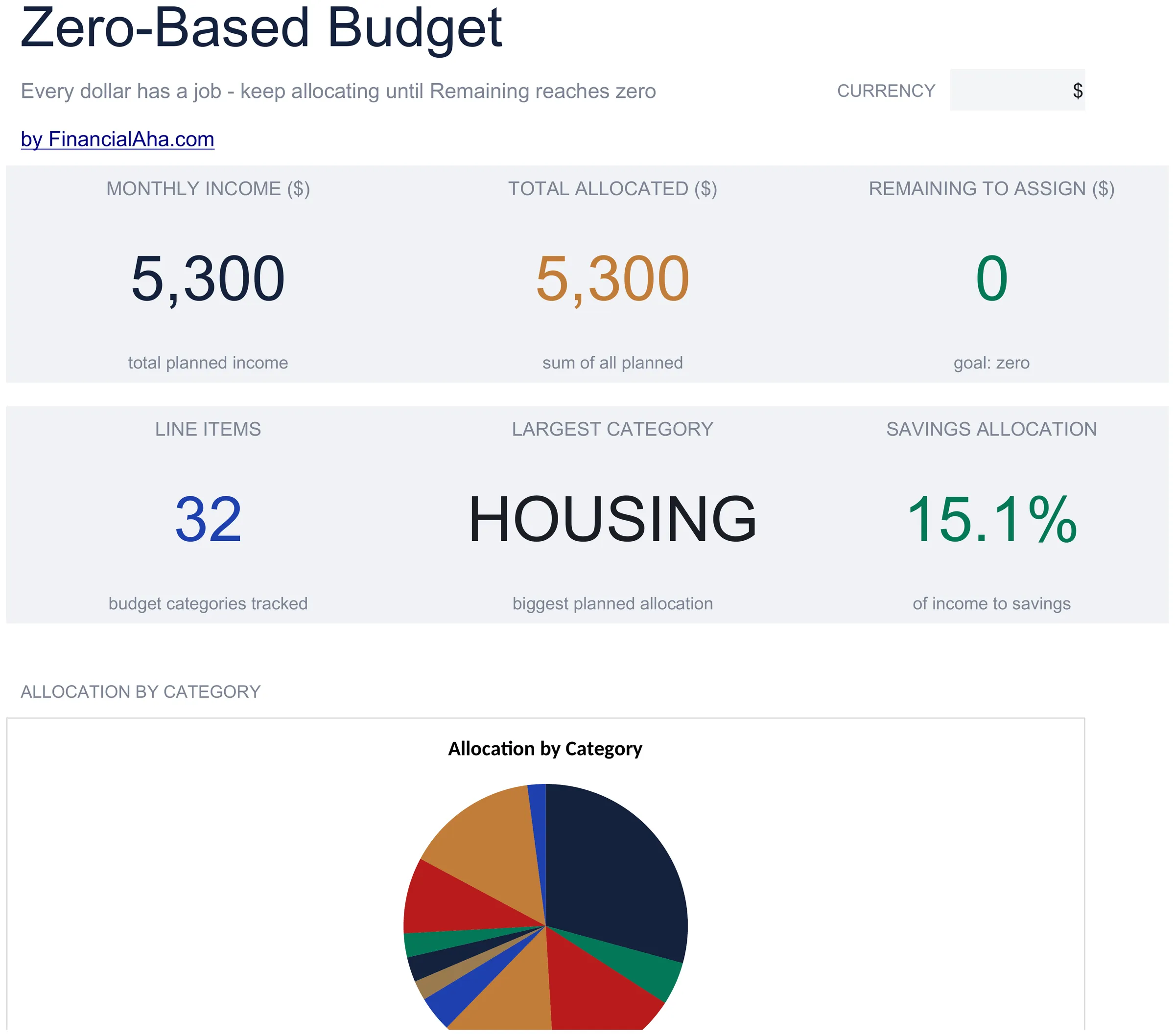
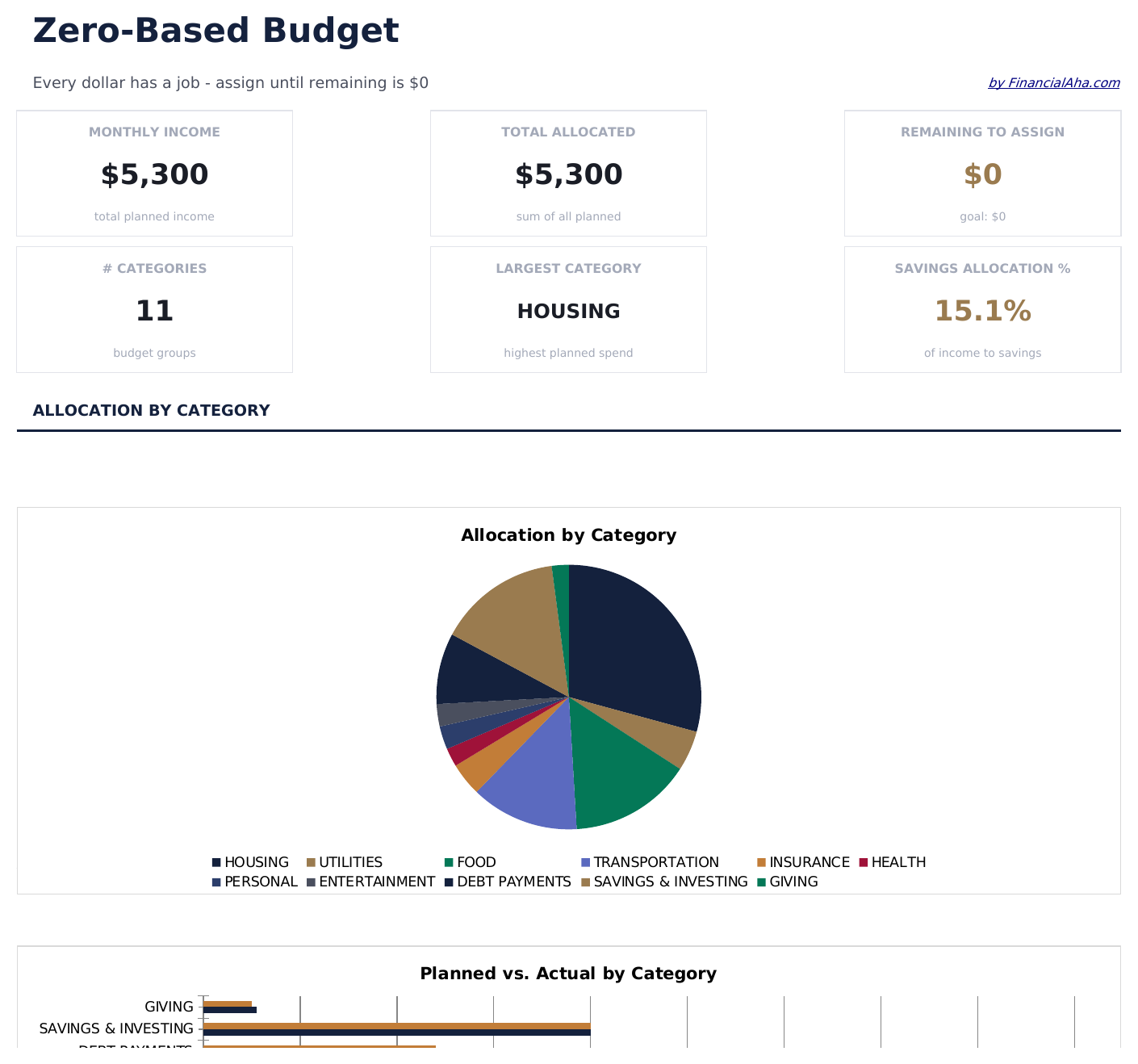
  • Dashboard with remaining-to-assign balance that counts down to zero as you allocate each dollar
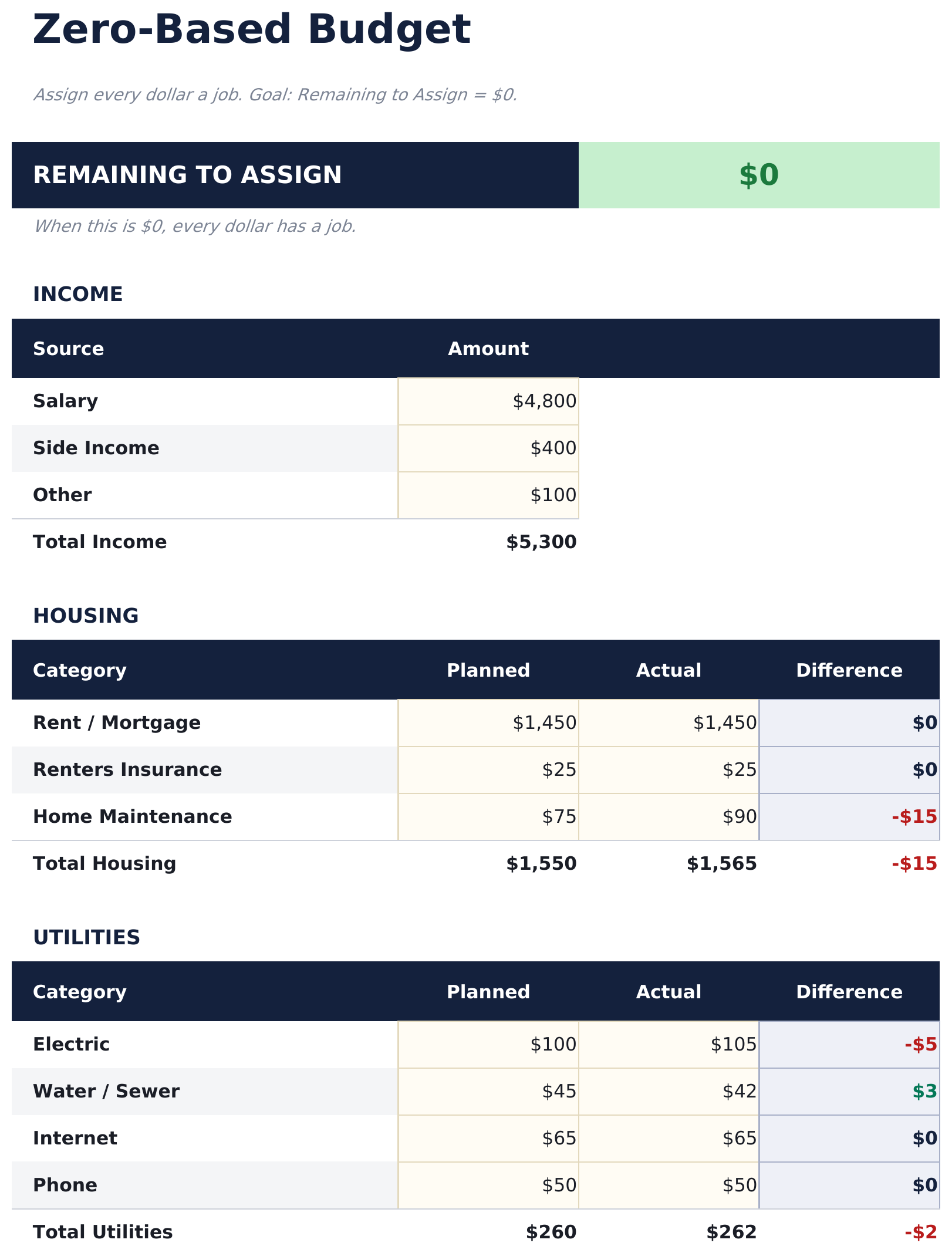
  • Zero-based budget worksheet with income at the top and category assignments flowing downward
  • Income allocation section covering fixed expenses, variable spending, savings, and debt payments
  • Automatic running balance that recalculates after each category so you can track every dollar
  • Color-coded input cells (yellow) and formula-driven result cells (blue) for clear data entry
  • Works in Microsoft Excel, Google Sheets, and LibreOffice Calc with no setup required
Ultimate Version Available

Need more from this template?

The Essentials version covers everyday tracking. Ultimate goes further with multi-entity support, scenario analysis, and ultimate-grade reporting.

Essentials - $12
  • Dashboard with remaining-to-assign balance that counts down to zero as you allocate each dollar
  • Zero-based budget worksheet with income at the top and category assignments flowing downward
  • Income allocation section covering fixed expenses, variable spending, savings, and debt payments
  • Automatic running balance that recalculates after each category so you can track every dollar
Ultimate - $19
  • ورقة الدخل لإدخال جميع مصادر الدخل مع إجماليات شهرية تغذي التخصيص على أساس الصفر
  • ورقة تخصيص الميزانية تخصص كل دولار عبر 16 فئة - يتحدث الرصيد غير المخصص مع كل تخصيص حتى ترى الرصيد غير المخصص يقترب من الصفر
  • سجل الإنفاق لتسجيل المعاملات الفعلية مع التاريخ والفئة والوصف والمبلغ - يدعم حتى 150 إدخالاً شهرياً
  • لوحة معلومات مع 6 بطاقات KPI: إجمالي الدخل، إجمالي المخصص، المتبقي للتخصيص، إجمالي الإنفاق، الانحراف عن الميزانية، وعدد المعاملات
  • ورقة السجل الشهري تسجل التخصيصات المخططة مقابل إجماليات الإنفاق الفعلي لكل شهر من 12 شهراً
See what's in the Ultimate version One-time purchase. No subscription.

كيفية استخدام قالب Zero-Based Budget هذا

1

Enter your income

Add all income sources at the top. The remaining-to-assign balance starts at your total income and counts down as you allocate.

2

Assign every dollar

Distribute income across fixed expenses, variable spending, savings, and debt payments until the remaining balance reaches zero.

3

Track the balance

Watch the remaining-to-assign field. When it hits zero, every dollar has a purpose. A negative number means you have over-allocated.

4

Reconcile at month end

Compare planned allocations to actual spending. Adjust next month based on where you overspent or underspent.

صُممت بواسطة Claude AI. أتقنّاها نحن.

نستخدم Claude AI لصياغة كل قالب بعد بحث معمّق. ثم يتدخل فريقنا. نحسّن التصميم، ونختبر كل صيغة، ونعالج الحالات الاستثنائية، وننقّح التصميم حتى يصبح شيئاً نستخدمه نحن فعلاً. الذكاء الاصطناعي يوصلنا إلى 80%. الـ 20% المتبقية هي حكم بشري بالكامل.

عرض نسخة Ultimate ←

الأسئلة الشائعة

What does zero-based mean?

Zero-based budgeting means assigning every dollar of income to a category - spending, saving, or debt - so the unallocated balance reaches exactly zero. No money is left without a purpose.

What if I have leftover income?

Assign the remaining amount to savings, an emergency fund, or extra debt payments. The goal is for the remaining-to-assign field to show zero.

Can I use this for irregular income?

Yes. Enter your expected income for the month and allocate from there. If income varies, update the total when you know the actual amount and reassign categories.

How do I handle unexpected expenses?

Add a miscellaneous or buffer category in your allocations. When surprise expenses come up, deduct from that category to keep the budget balanced.

كيف أفتح هذا في Google Sheets؟

ارفع ملف .xlsx إلى Google Drive، ثم افتحه باستخدام Google Sheets. جميع الصيغ والتنسيقات ستبقى محفوظة.

المزيد من قوالب Essentials في Personal Budgeting

تبحث عن قوالب جداول بيانات احترافية؟

القوالب المدفوعة تشمل لوحات معلومات متعددة الأوراق متقدمة، ورسوم بيانية أصلية في Excel، وتحديثات مستمرة.

خاص وآمن

بياناتك المالية تبقى على جهازك. نحن لا نراها أبداً.

تعرف على المزيد →

هل تحتاج مساعدة؟

راجع أدلتنا أو تواصل معنا لأي أسئلة.

عرض الأسئلة الشائعة →