College Savings Calculator Ultimate
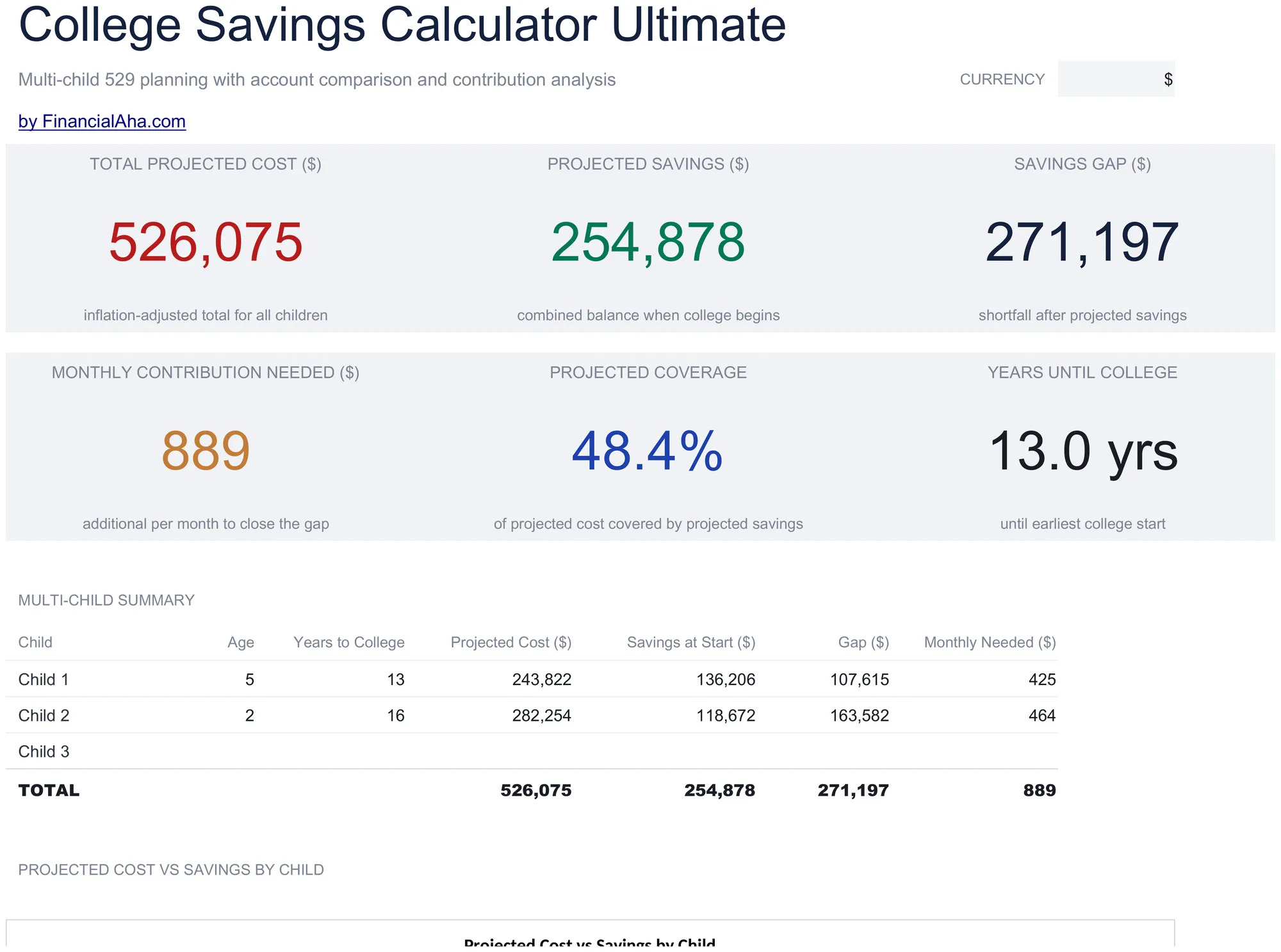
Multi-child education savings planning with tuition inflation projections, 529 vs taxable account comparison, year-by-year cost and savings projections, and contribution sensitivity grids.
What's Included
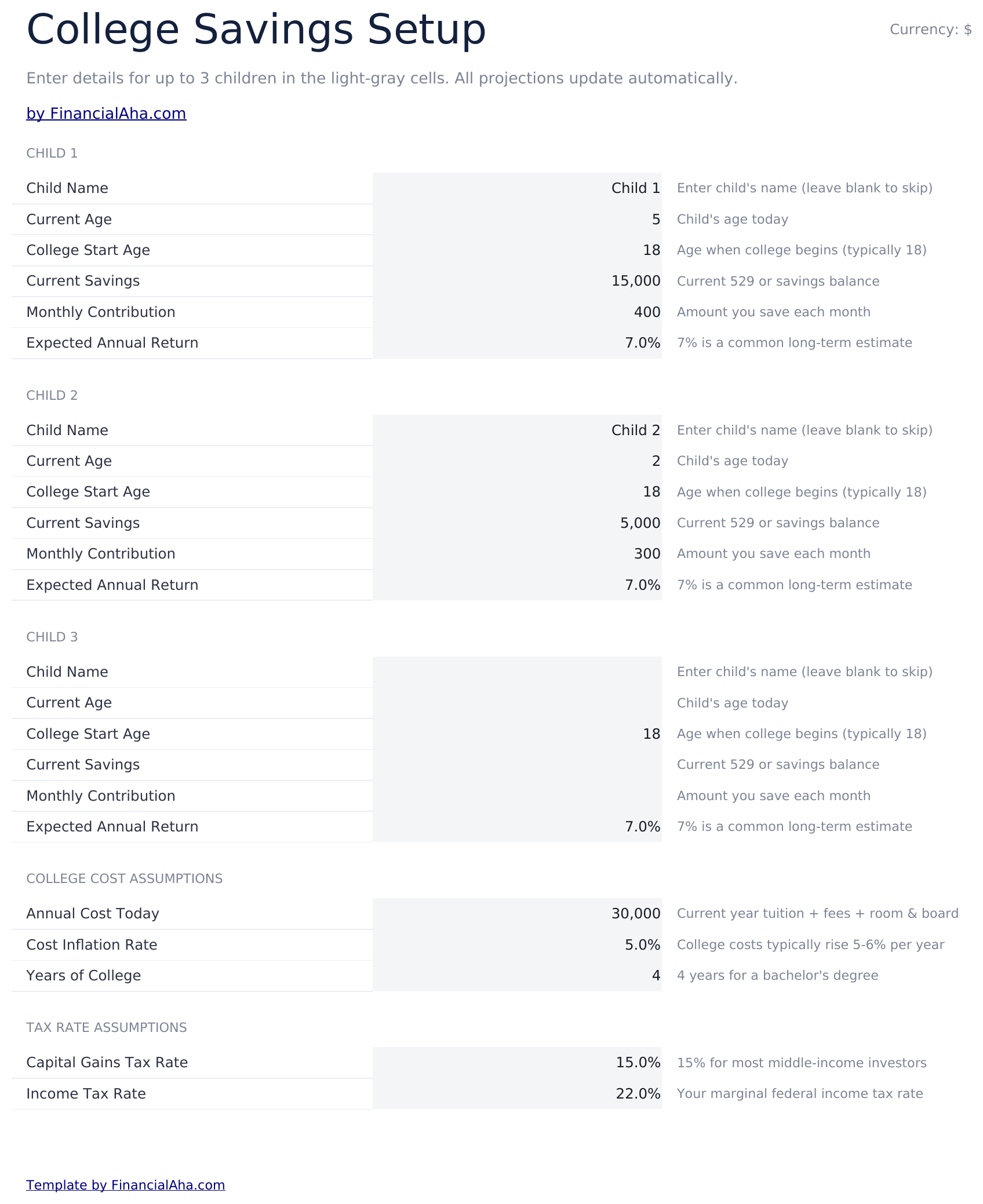
- Setup sheet for multiple children with current age, expected enrollment year, tuition cost, and savings target inputs
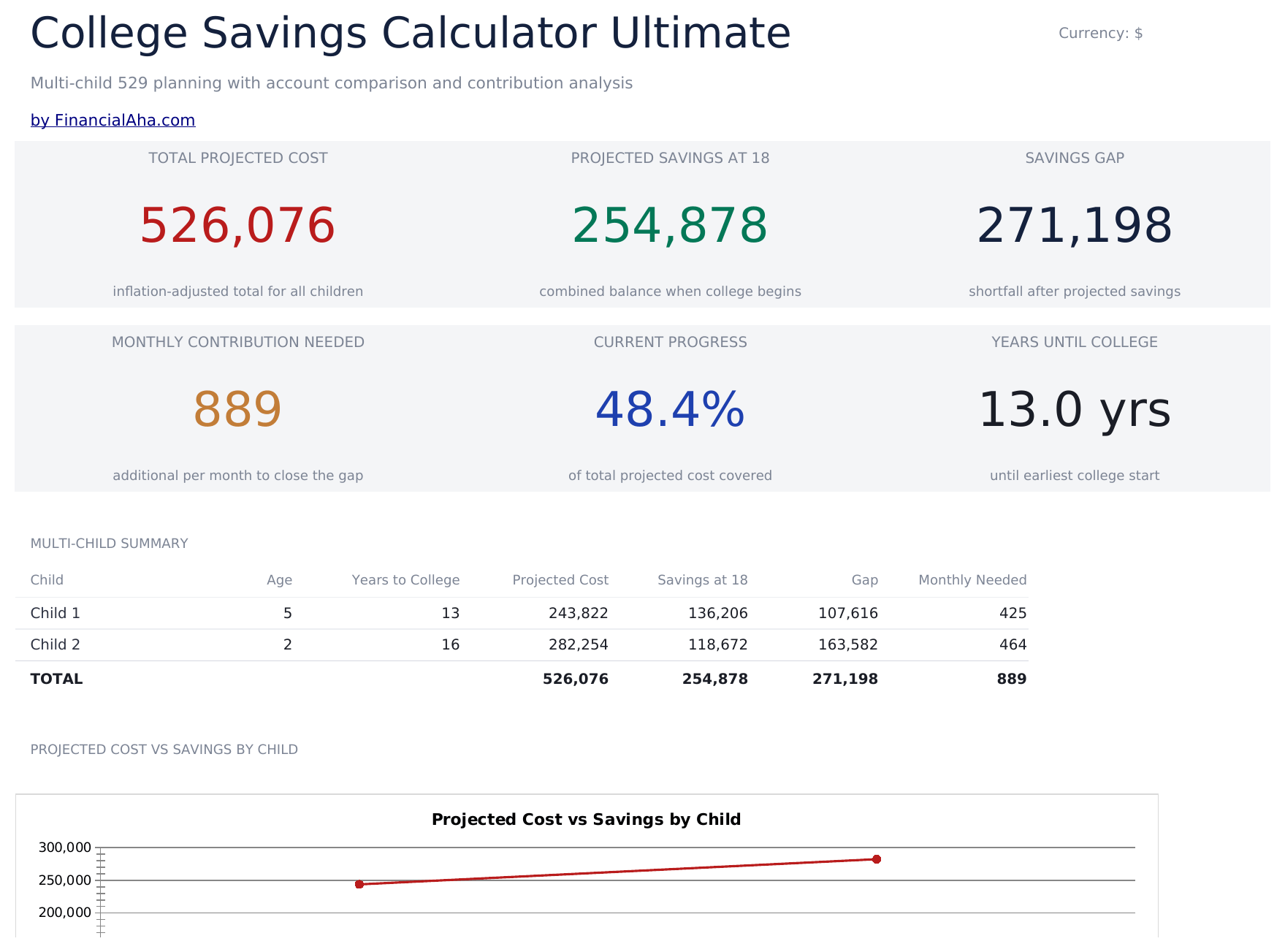
- Dashboard with 6 KPIs covering total target, current savings, monthly contribution needed, projected shortfall, years to enrollment, and progress percent
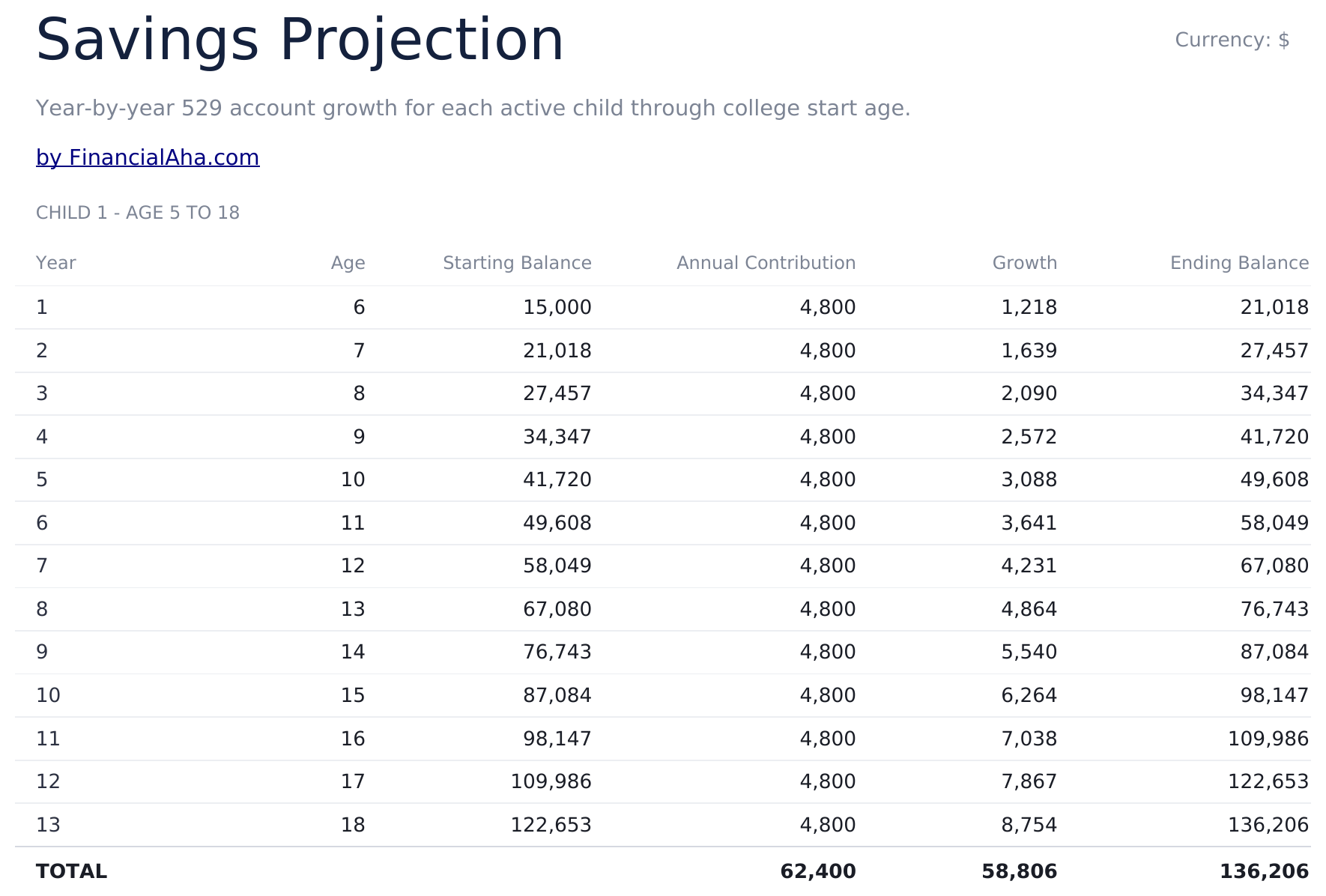
- Savings Projection sheet showing year-by-year balance growth with contributions and investment returns
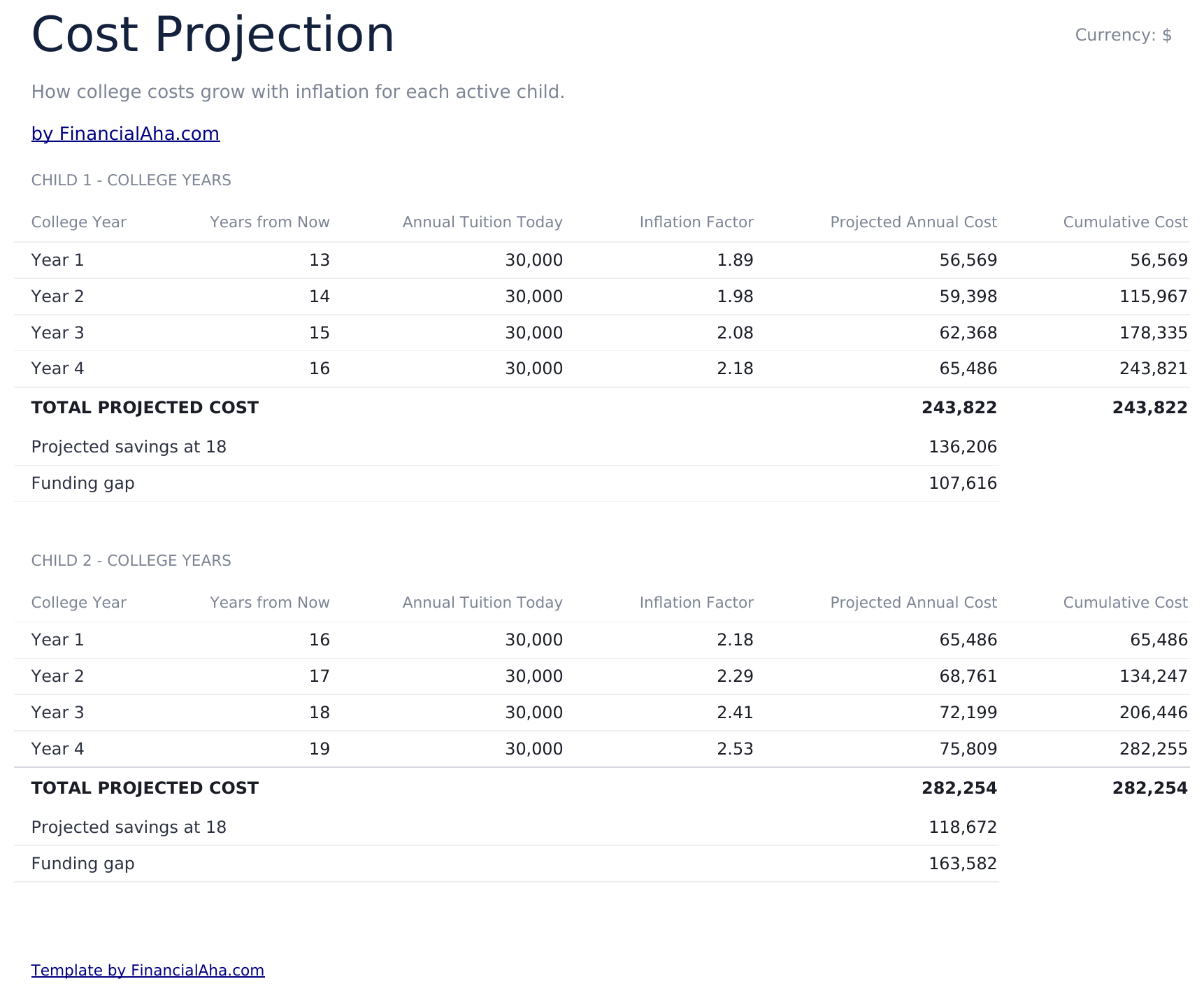
- Cost Projection sheet adjusting future tuition cost by a customizable inflation rate over the years to enrollment
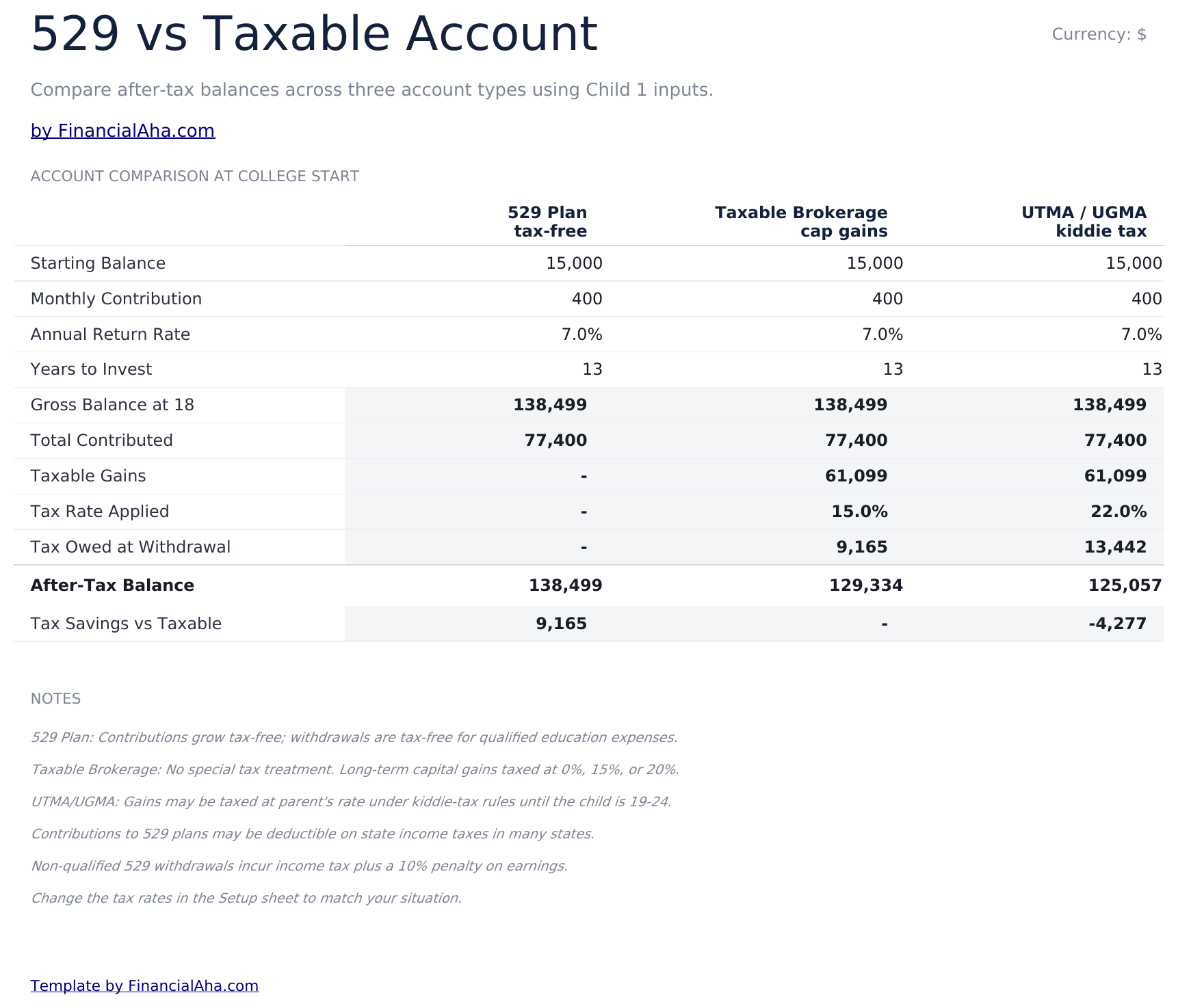
- 529 vs Taxable comparison contrasting tax-advantaged growth, withdrawal rules, and after-tax balances side by side
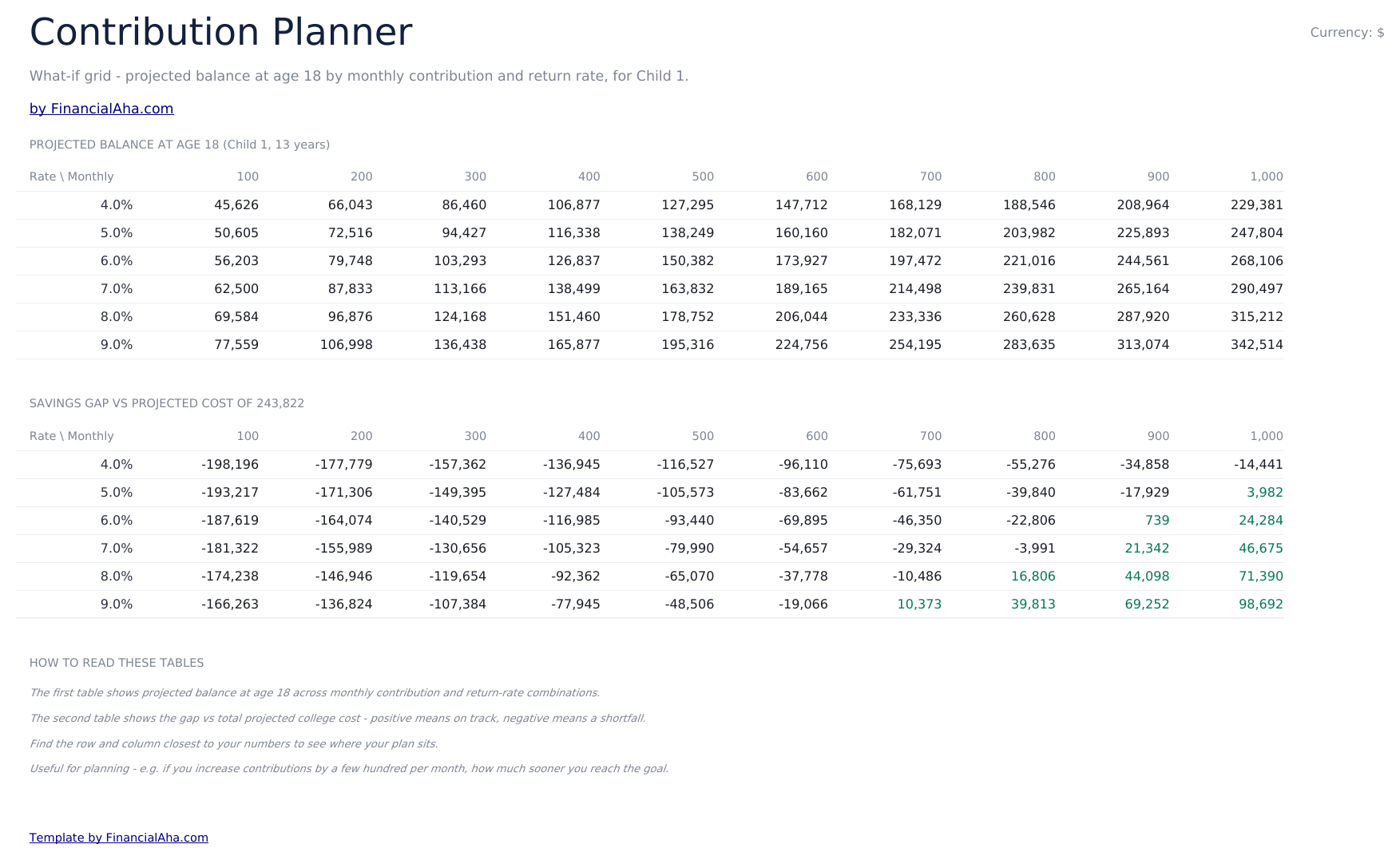
- Contribution Planner sensitivity grid showing how monthly contribution and return rate combinations change the final balance
- Conditional formatting highlights on-track vs behind-schedule savings progress across the dashboard
- Works in Microsoft Excel, Google Sheets, and LibreOffice Calc with no macros required
Preview
See what's inside this template


How to Use This Template
Enter child and goal details
In the Setup sheet, add the child name, current age, expected enrollment year, current tuition cost, and your savings target.
Adjust assumptions
Set the tuition inflation rate, expected investment return, and monthly contribution. The dashboard updates automatically.
Compare 529 vs taxable
Review the 529 vs Taxable sheet to see how tax treatment changes the balance available at enrollment.
Tune contributions
Use the Contribution Planner sensitivity grid to find a combination of monthly contribution and return rate that hits your target.
Built by Claude AI. Perfected by us.
We use Claude AI to draft each template, after a deep research. Then our team steps in. We refine the layout, stress-test every formula, fix edge cases, and polish the design until it feels like something we would actually use ourselves. The AI gets us 80% there. The last 20% is all human judgment.
One-time purchase. No subscription. Works in Excel & Google Sheets.
Frequently Asked Questions
How many children can I track?
The Ultimate template supports planning for multiple children. Use one row per child in the Setup sheet and the projections update for each.
What tuition inflation rate should I use?
College costs have historically risen 5% to 8% per year, faster than general inflation. Adjust the inflation input based on whether you are targeting in-state, out-of-state, or private institutions.
What does the 529 vs Taxable sheet compare?
It models the same contribution growing in a tax-advantaged 529 plan versus a taxable brokerage account, accounting for ongoing tax drag and the eventual after-tax balance available for tuition.
How does the contribution planner help?
The sensitivity grid shows the projected final balance across a matrix of monthly contributions and expected return rates, so you can see how a small change to either side moves the outcome.
Can I plan for graduate school?
Yes - extend the enrollment year and target cost to cover graduate years, or duplicate the file to model undergrad and graduate plans separately.
What do I get after purchase?
You receive an Excel file (.xlsx) that works in Microsoft Excel, Google Sheets, and LibreOffice Calc. Download it immediately after purchase - no signup or account required.
Is there a free version?
Yes. The free version of this template is available with basic features. The Ultimate version adds advanced analysis, more capacity, and additional sheets.
What if it does not work for me?
Contact us and we will help troubleshoot. The template works in Microsoft Excel, Google Sheets, and LibreOffice Calc with no macros required.
Looking for more Ultimate templates?
We offer Ultimate versions of our most popular spreadsheet templates with advanced features, more capacity, and deeper analysis.