Melhor valor Pacote Completo de Planejamento Financeiro
✓ Planejamento Financeiro✓ Rastreador de Patrimonio Liquido✓ Orcamento Mensal✓ Planejador de Orcamento de Viagem✓ Planejador de Orcamento Anual✓ Rastreador de Despesas Mensais✓ Planejador Anual de Impostos✓ Planejamento de Aposentadoria
Ver pacote →
Planilha Ultimate - Excel e Google Sheets

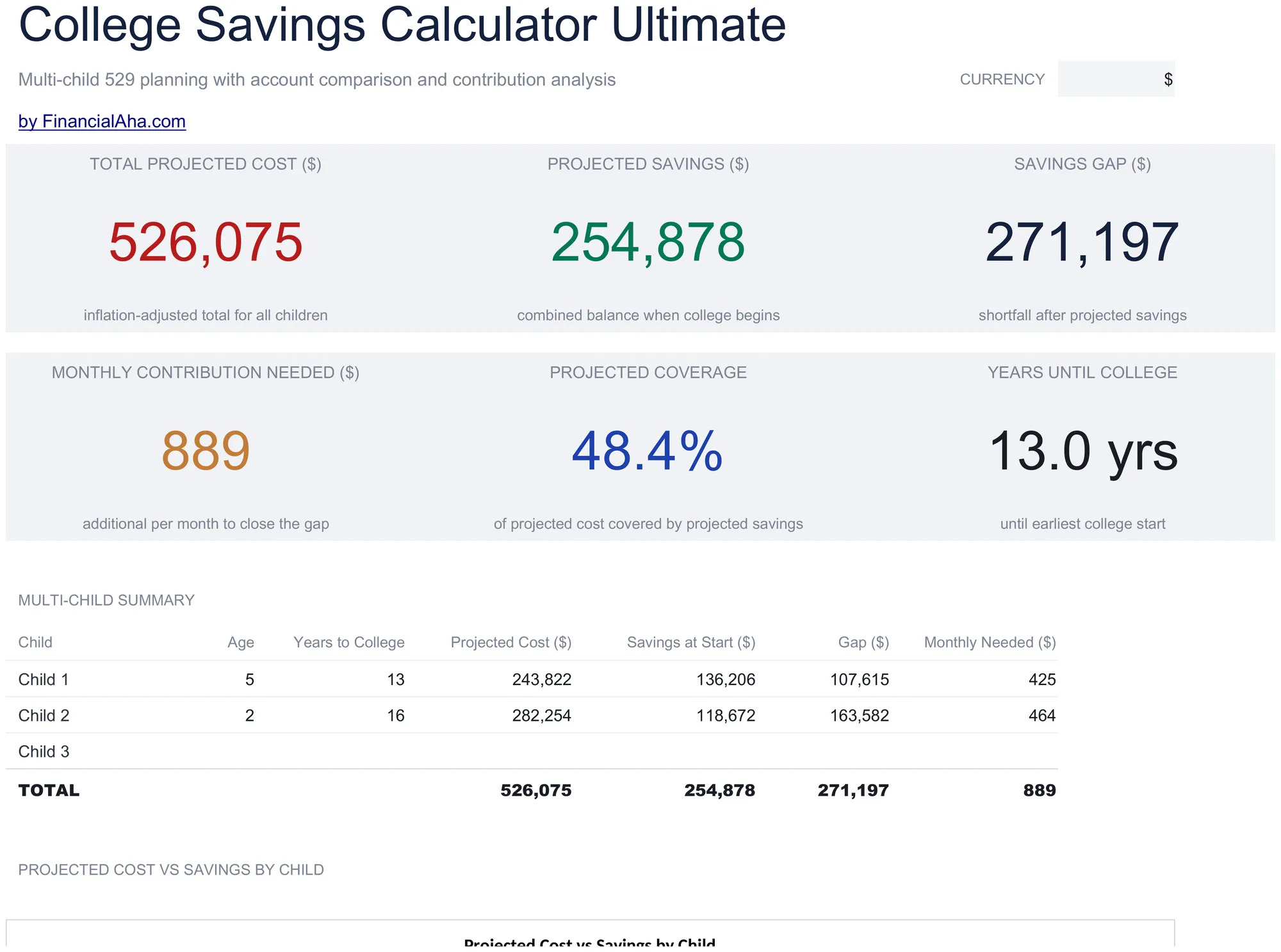
College Savings Calculator Ultimate

Multi-child education savings planning with tuition inflation projections, 529 vs taxable account comparison, year-by-year cost and savings projections, and contribution sensitivity grids.

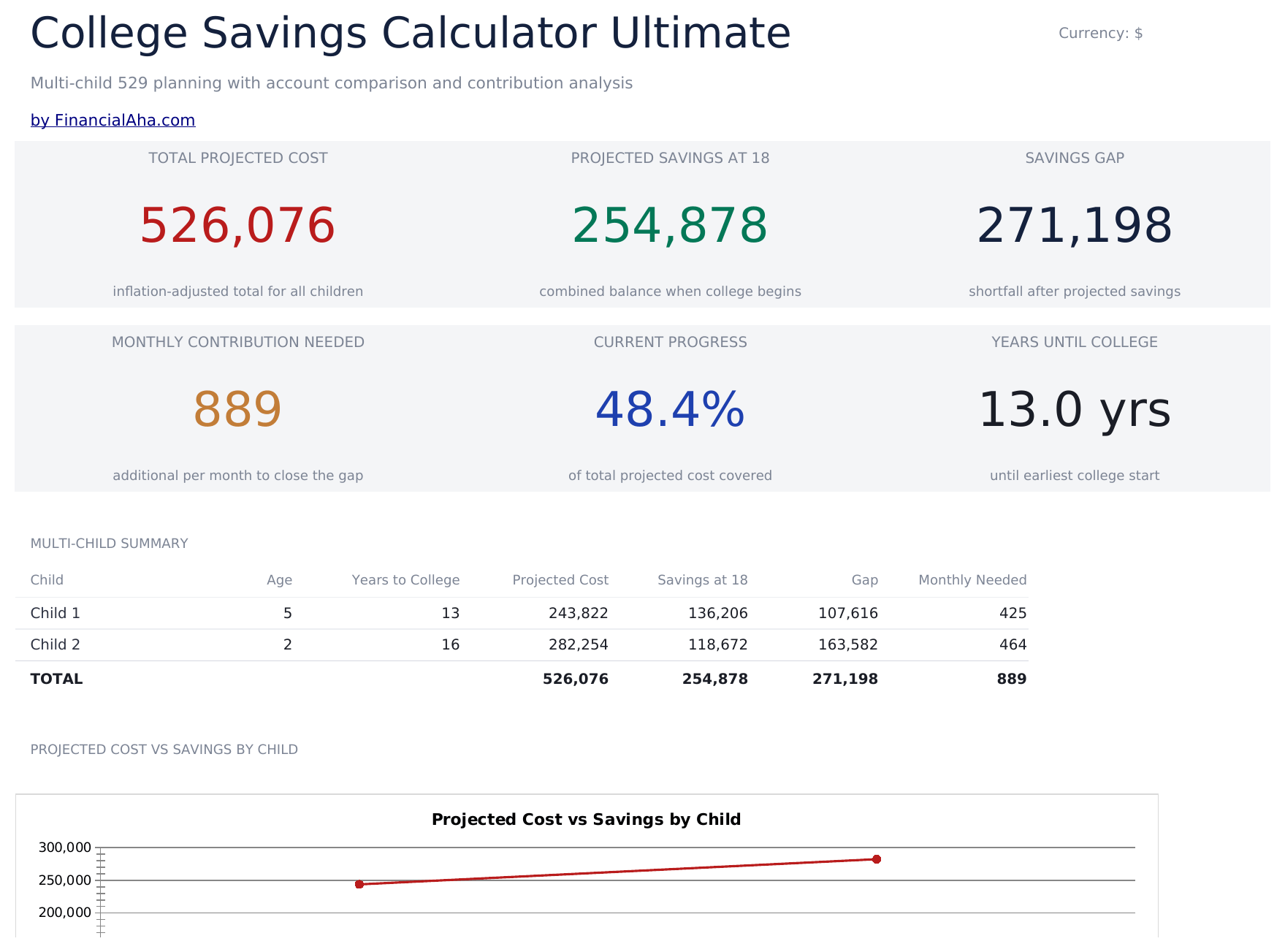
College Savings Calculator Ultimate preview

O que está incluído

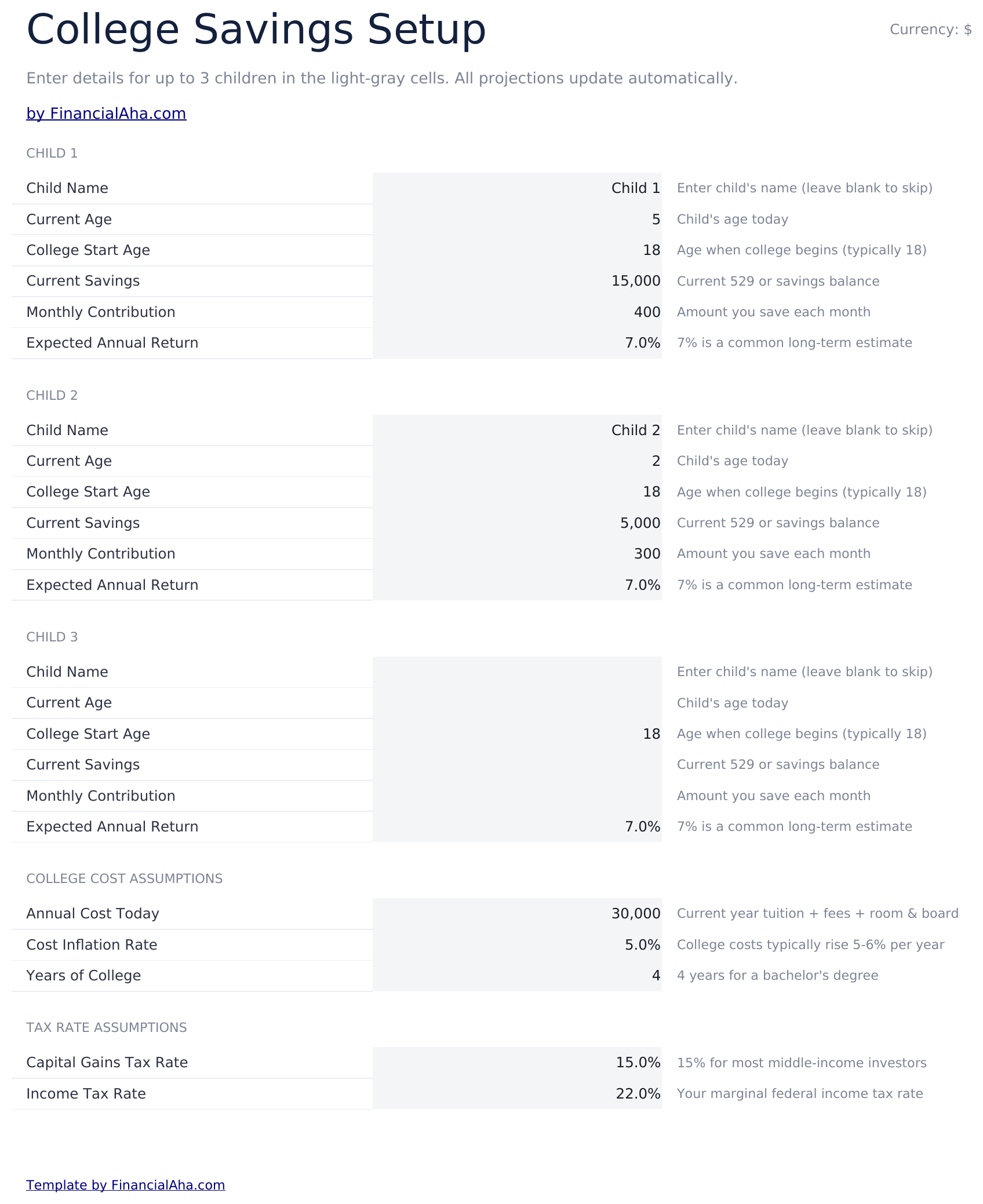
  • Setup sheet for multiple children with current age, expected enrollment year, tuition cost, and savings target inputs
  • Dashboard with 6 KPIs covering total target, current savings, monthly contribution needed, projected shortfall, years to enrollment, and progress percent
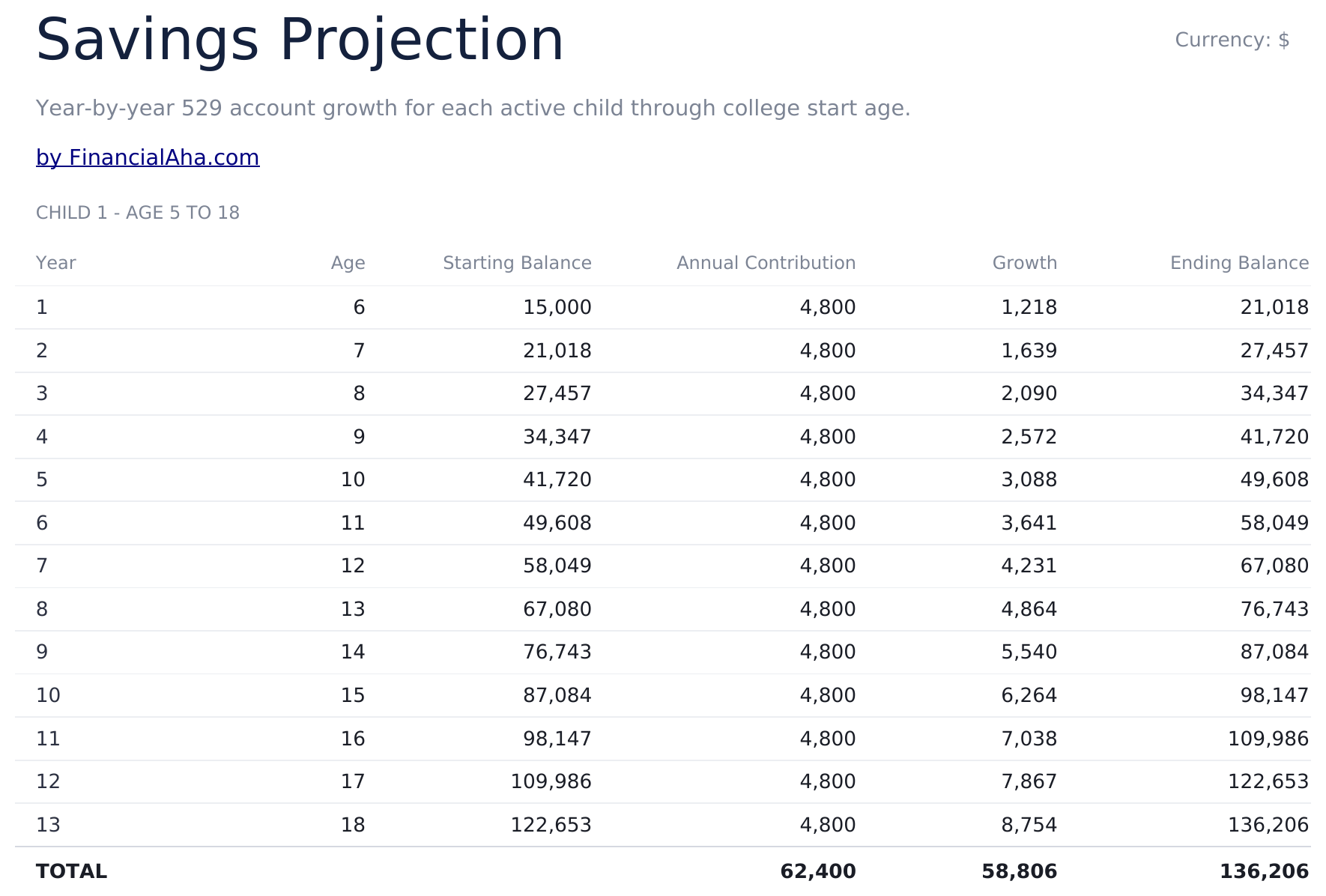
  • Savings Projection sheet showing year-by-year balance growth with contributions and investment returns
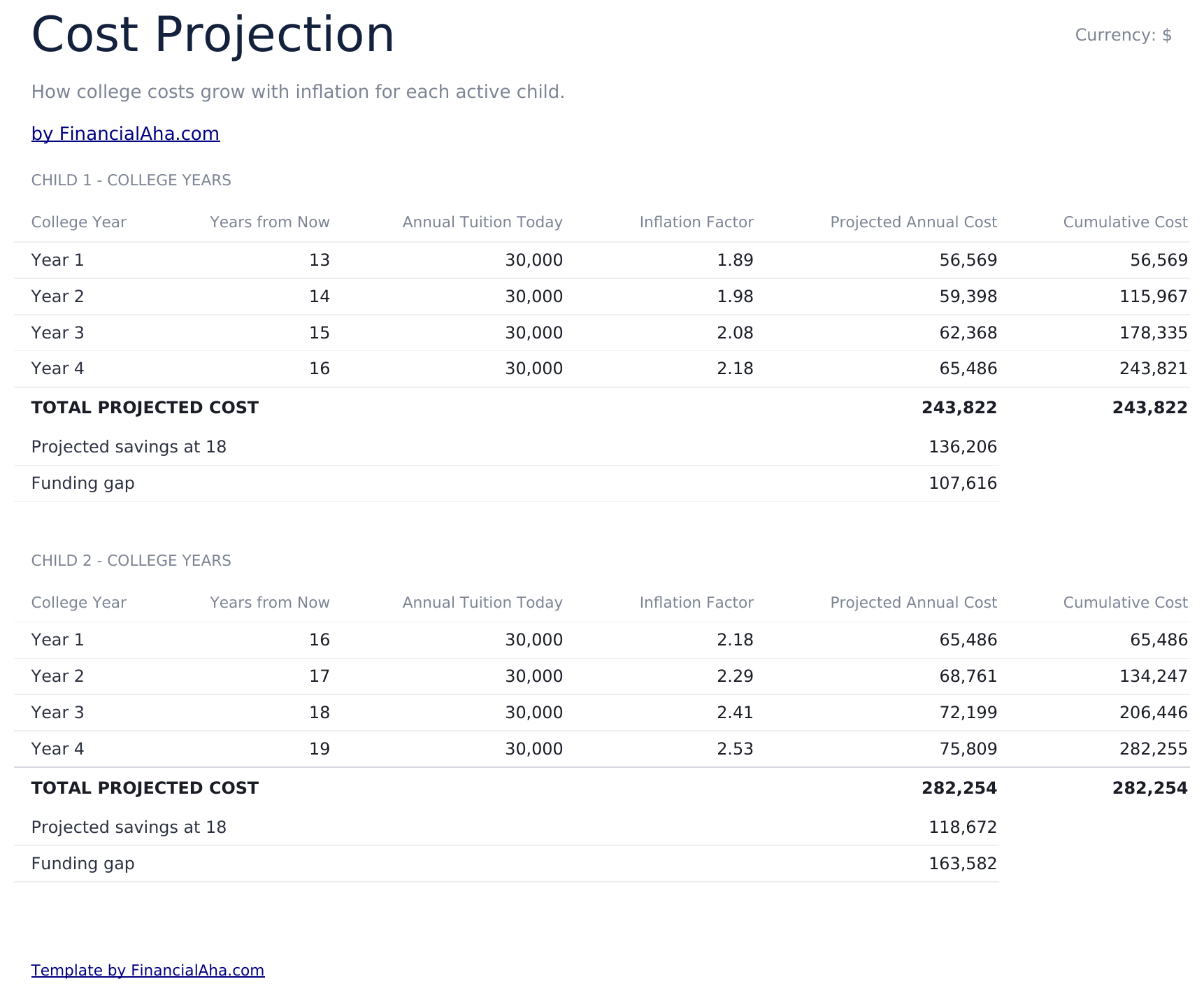
  • Cost Projection sheet adjusting future tuition cost by a customizable inflation rate over the years to enrollment
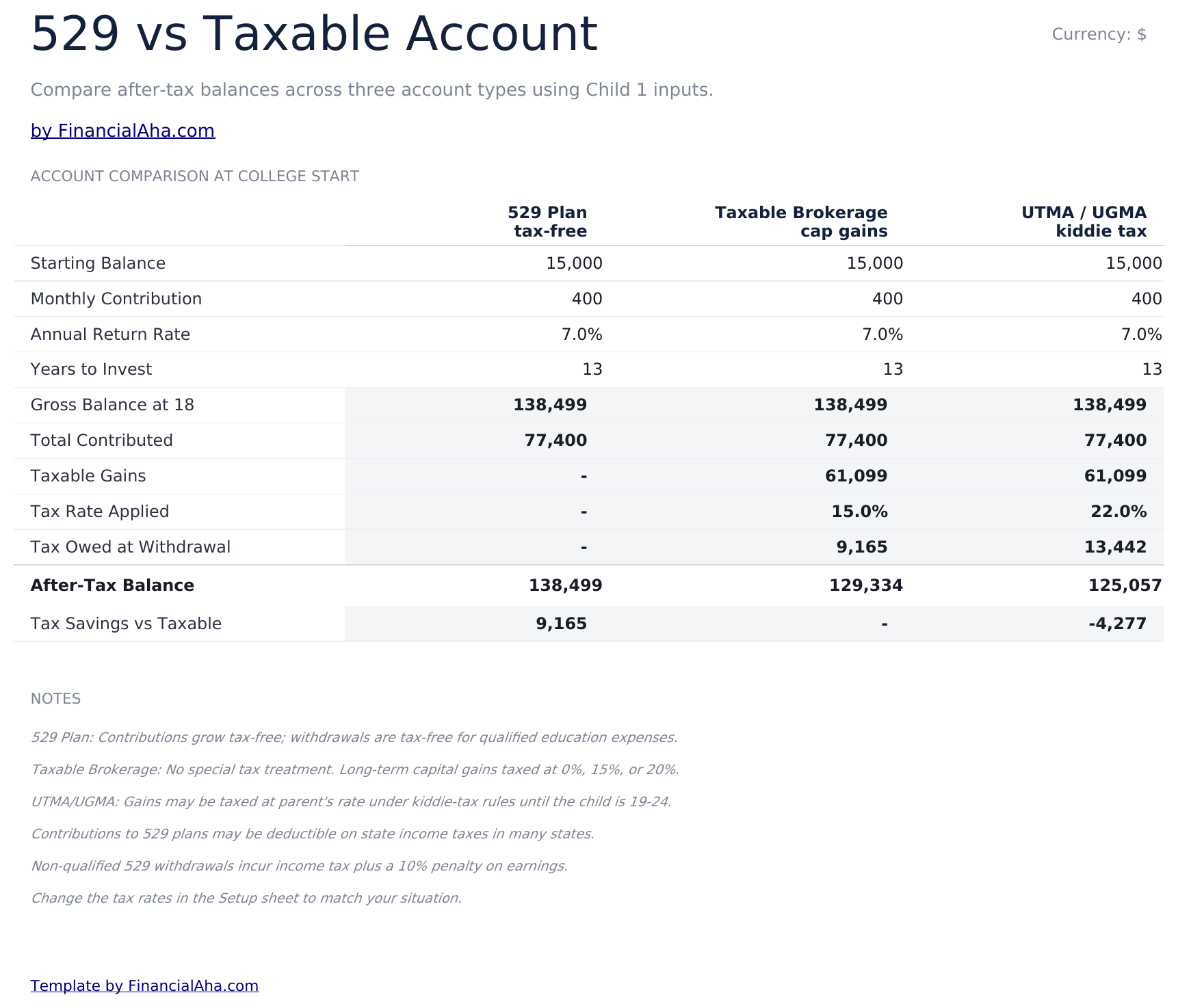
  • 529 vs Taxable comparison contrasting tax-advantaged growth, withdrawal rules, and after-tax balances side by side
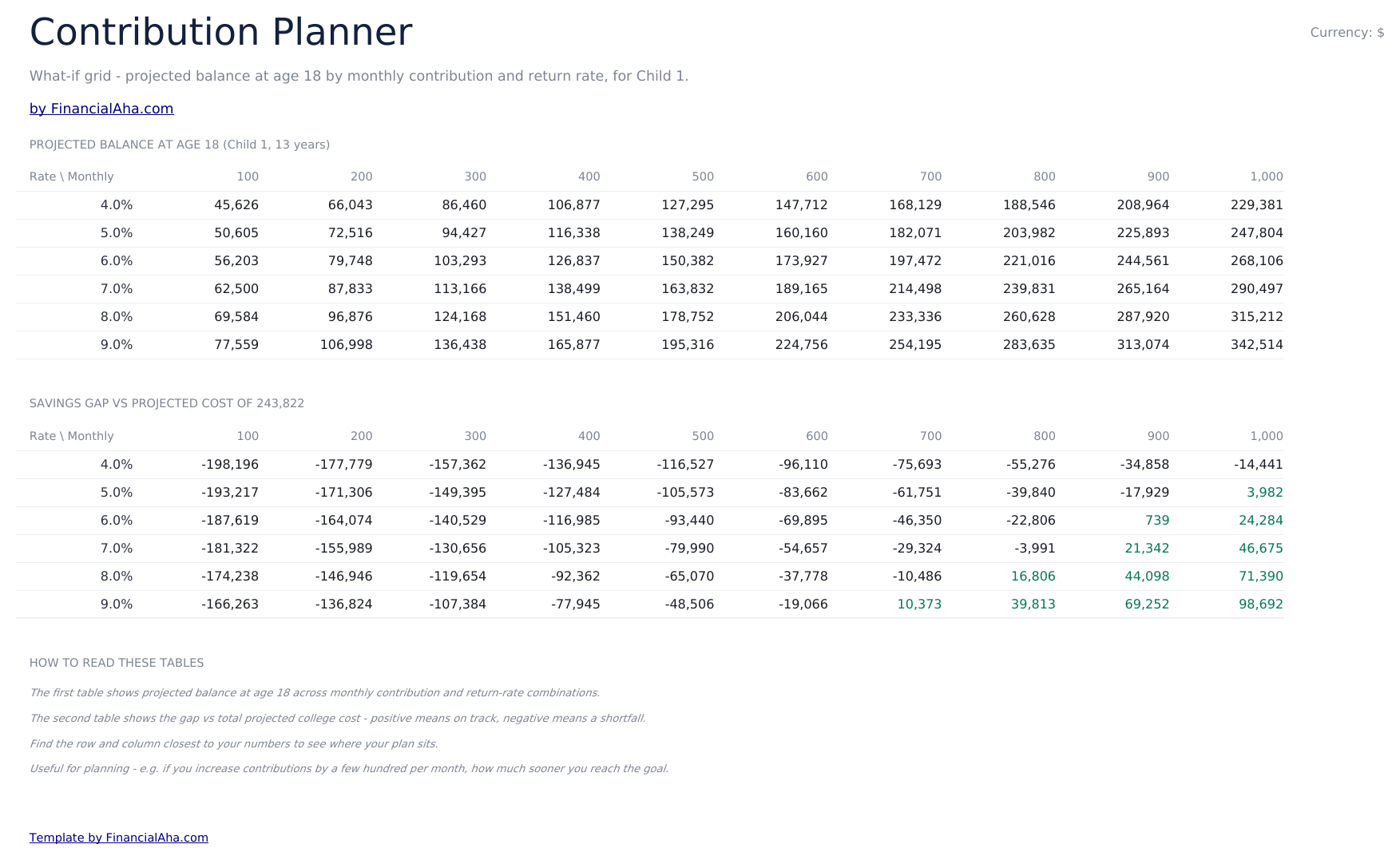
  • Contribution Planner sensitivity grid showing how monthly contribution and return rate combinations change the final balance
  • Conditional formatting highlights on-track vs behind-schedule savings progress across the dashboard
  • Works in Microsoft Excel, Google Sheets, and LibreOffice Calc with no macros required

Como Usar Esta Planilha

1

Enter child and goal details

In the Setup sheet, add the child name, current age, expected enrollment year, current tuition cost, and your savings target.

2

Adjust assumptions

Set the tuition inflation rate, expected investment return, and monthly contribution. The dashboard updates automatically.

3

Compare 529 vs taxable

Review the 529 vs Taxable sheet to see how tax treatment changes the balance available at enrollment.

4

Tune contributions

Use the Contribution Planner sensitivity grid to find a combination of monthly contribution and return rate that hits your target.

Customer Reviews

What Our Customers Say

"If I get half as good at handling my finances as you are at customer service, this'll be the best $26 I've spent lately."

J Jenny Verified Buyer

"Great tool! Simplifies financial planning without the hassle of complex spreadsheets."

F Fazia Search Marketing Manager

"I recently purchased your super convenient spreadsheet, it really helps me!"

J John Verified Buyer

"They're great and super intuitive. Thank you!"

M Mira Verified Buyer

Criadas com Claude AI. Aperfeiçoadas por nós.

Usamos Claude AI para criar cada planilha, após uma pesquisa aprofundada. Depois, nossa equipe entra em ação. Refinamos o layout, testamos exaustivamente cada fórmula, corrigimos casos extremos e polimos o design até que pareça algo que nós mesmos usaríamos. A IA nos leva 80% do caminho. Os últimos 20% são puro julgamento humano.

Compra única. Sem assinatura. Funciona no Excel e Google Sheets.

Perguntas Frequentes

How many children can I track?

The Ultimate template supports planning for multiple children. Use one row per child in the Setup sheet and the projections update for each.

What tuition inflation rate should I use?

College costs have historically risen 5% to 8% per year, faster than general inflation. Adjust the inflation input based on whether you are targeting in-state, out-of-state, or private institutions.

What does the 529 vs Taxable sheet compare?

It models the same contribution growing in a tax-advantaged 529 plan versus a taxable brokerage account, accounting for ongoing tax drag and the eventual after-tax balance available for tuition.

How does the contribution planner help?

The sensitivity grid shows the projected final balance across a matrix of monthly contributions and expected return rates, so you can see how a small change to either side moves the outcome.

Can I plan for graduate school?

Yes - extend the enrollment year and target cost to cover graduate years, or duplicate the file to model undergrad and graduate plans separately.

O que eu recebo após a compra?

Você recebe um arquivo Excel (.xlsx) que funciona no Microsoft Excel, Google Sheets e LibreOffice Calc. Baixe imediatamente após a compra - sem cadastro ou conta necessários.

Existe uma versão gratuita?

Sim. A versão gratuita desta planilha está disponível com recursos básicos. A versão Ultimate adiciona análises avançadas, mais capacidade e abas adicionais.

E se não funcionar para mim?

Entre em contato conosco e ajudaremos a resolver. A planilha funciona no Microsoft Excel, Google Sheets e LibreOffice Calc sem macros necessárias.

Ultimate 34% off
$29 $19
Visualizar

Compra única

Obter a Planilha

Destaques:

Download imediato após a compra
Funciona no Excel e Google Sheets
Sem macros ou VBA necessários
Todas as fórmulas calculam automaticamente
Sem assinatura necessária

Procurando mais planilhas Ultimate?

Oferecemos versões Ultimate das nossas planilhas mais populares com recursos avançados, mais capacidade e análises mais profundas.

Privado e seguro

Seus dados financeiros ficam no seu dispositivo. Nos nunca os vemos.

Saiba mais →

Precisa de ajuda?

Consulte nossos guias ou entre em contato com perguntas.

Ver FAQ →