College Savings Calculator Ultimate
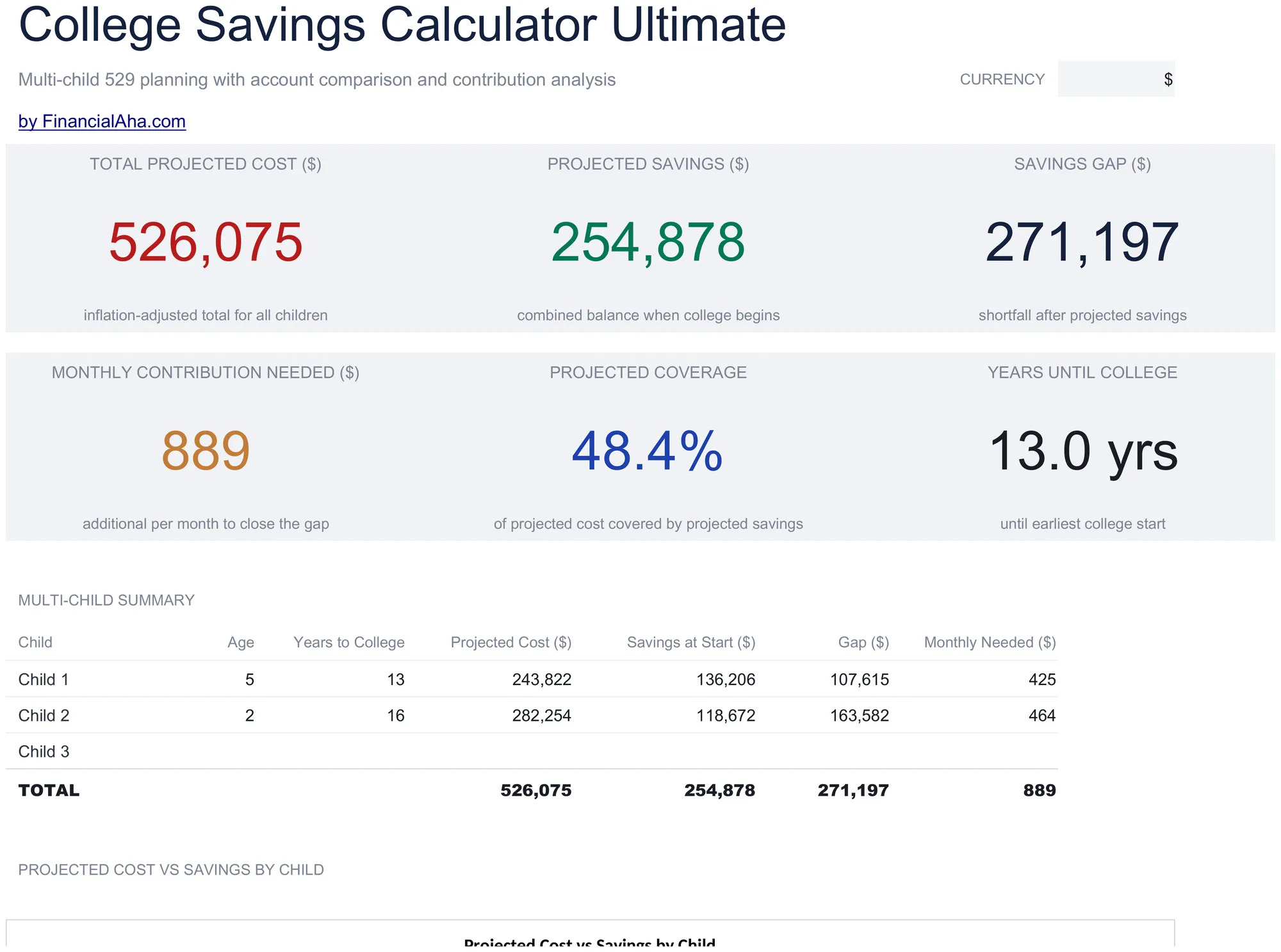
Multi-child education savings planning with tuition inflation projections, 529 vs taxable account comparison, year-by-year cost and savings projections, and contribution sensitivity grids.
Was enthalten ist
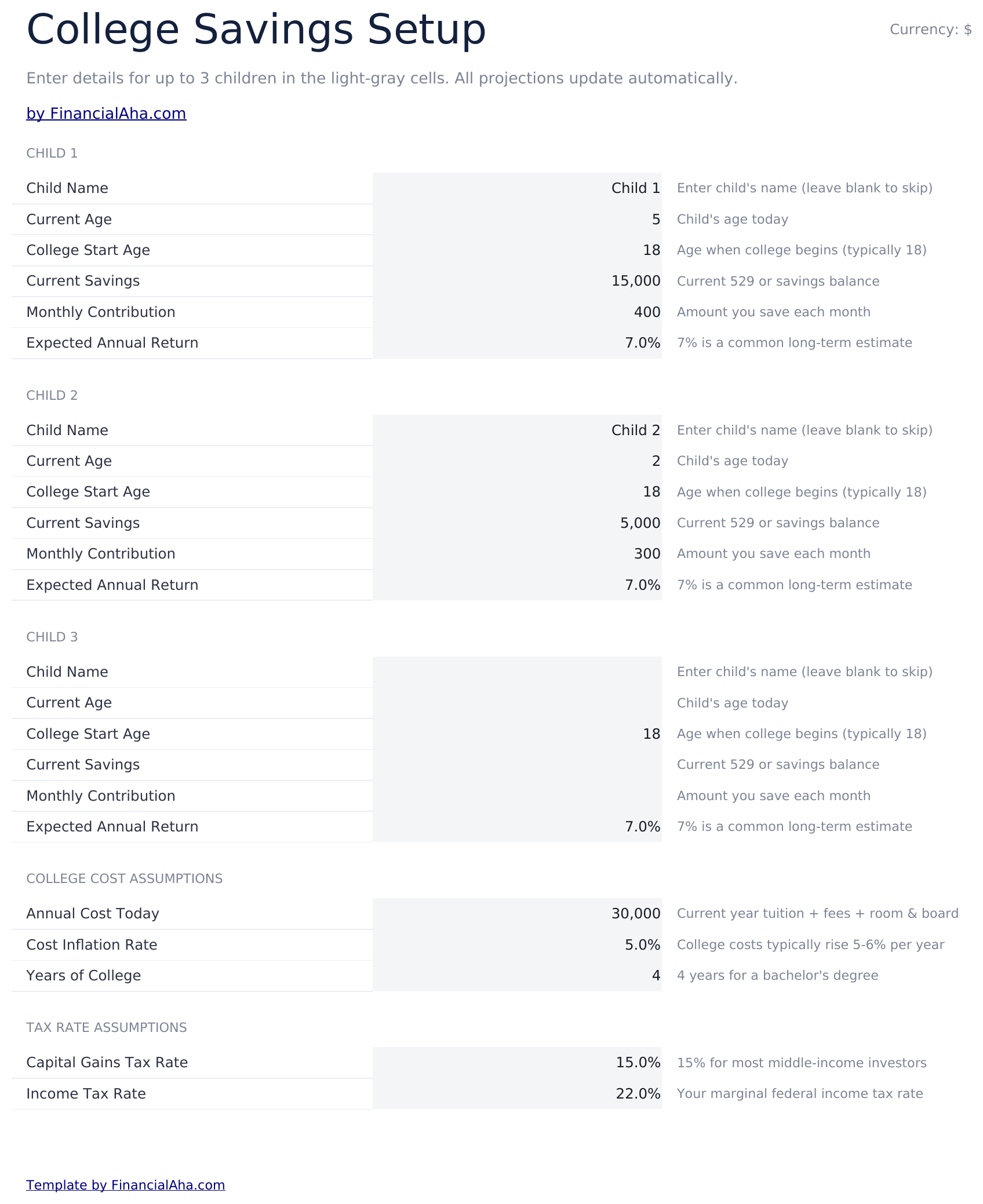
- Setup sheet for multiple children with current age, expected enrollment year, tuition cost, and savings target inputs
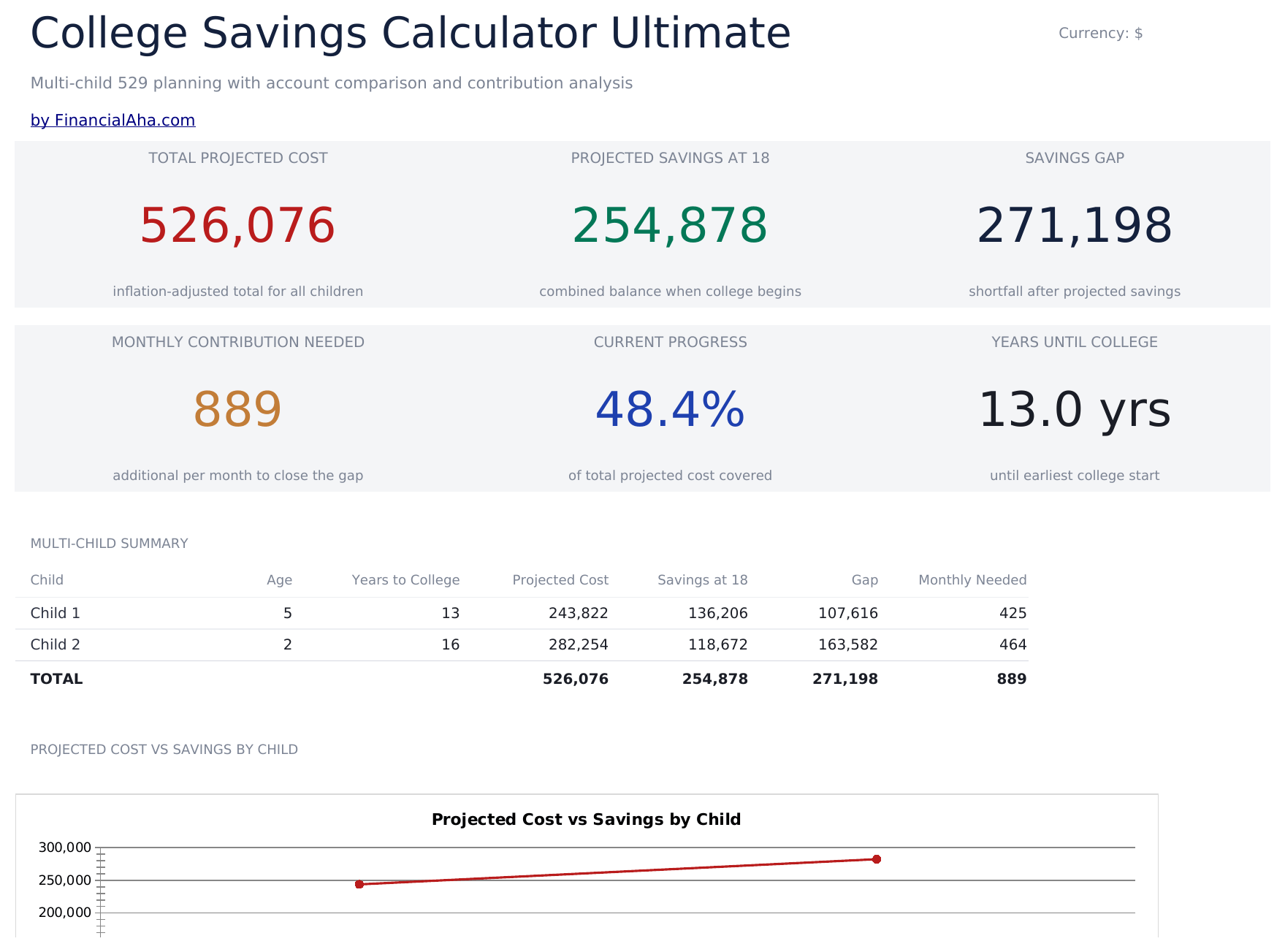
- Dashboard with 6 KPIs covering total target, current savings, monthly contribution needed, projected shortfall, years to enrollment, and progress percent
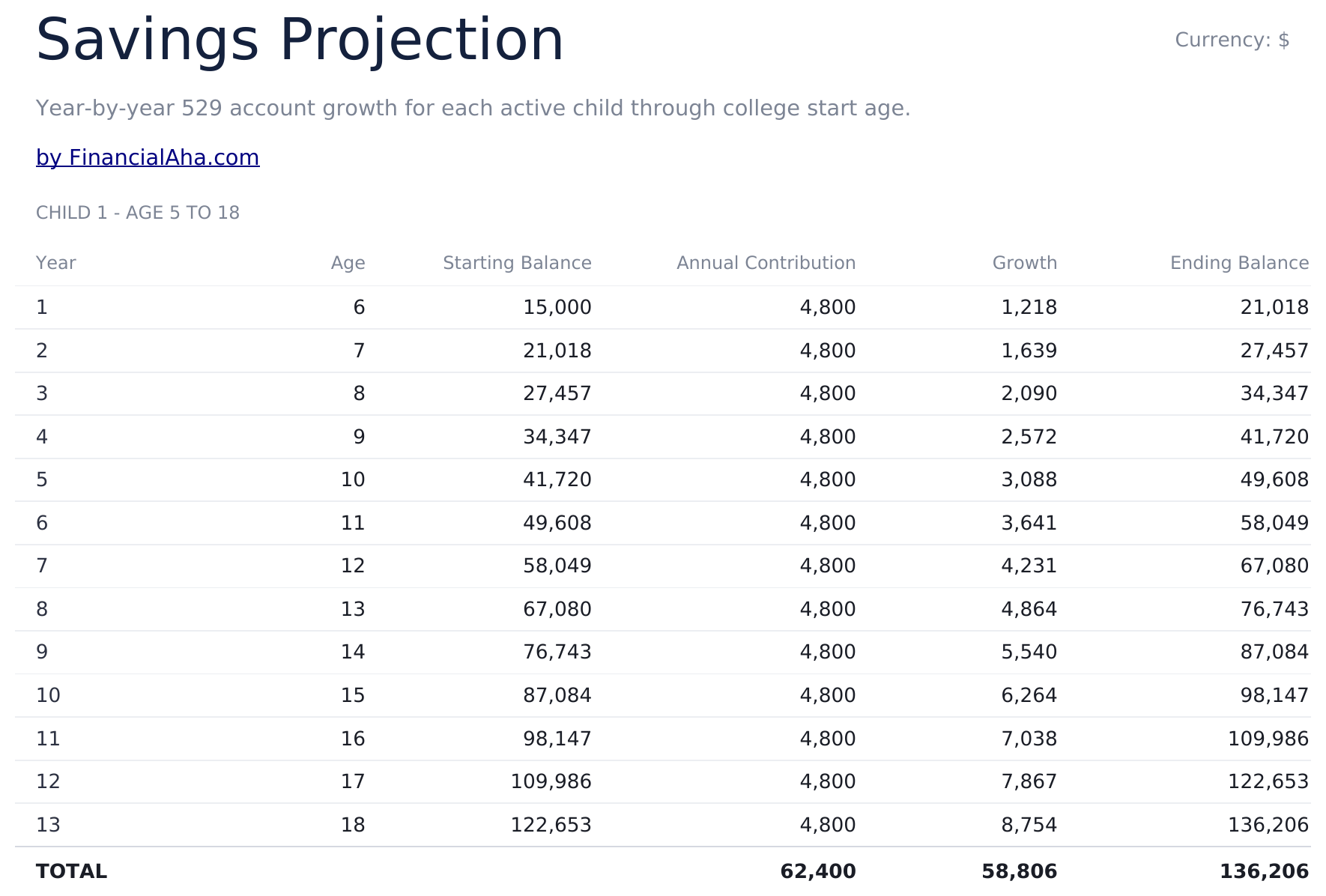
- Savings Projection sheet showing year-by-year balance growth with contributions and investment returns
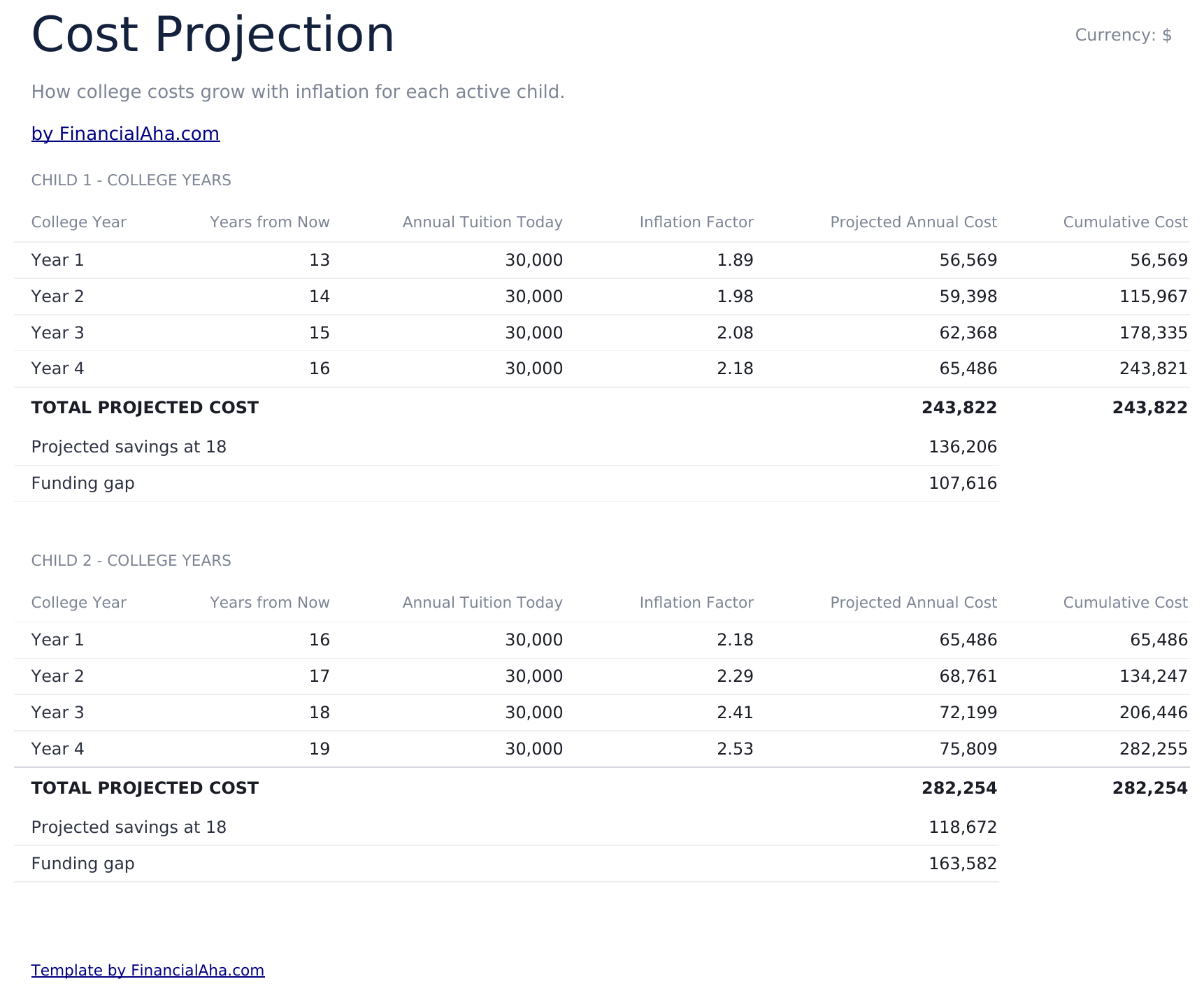
- Cost Projection sheet adjusting future tuition cost by a customizable inflation rate over the years to enrollment
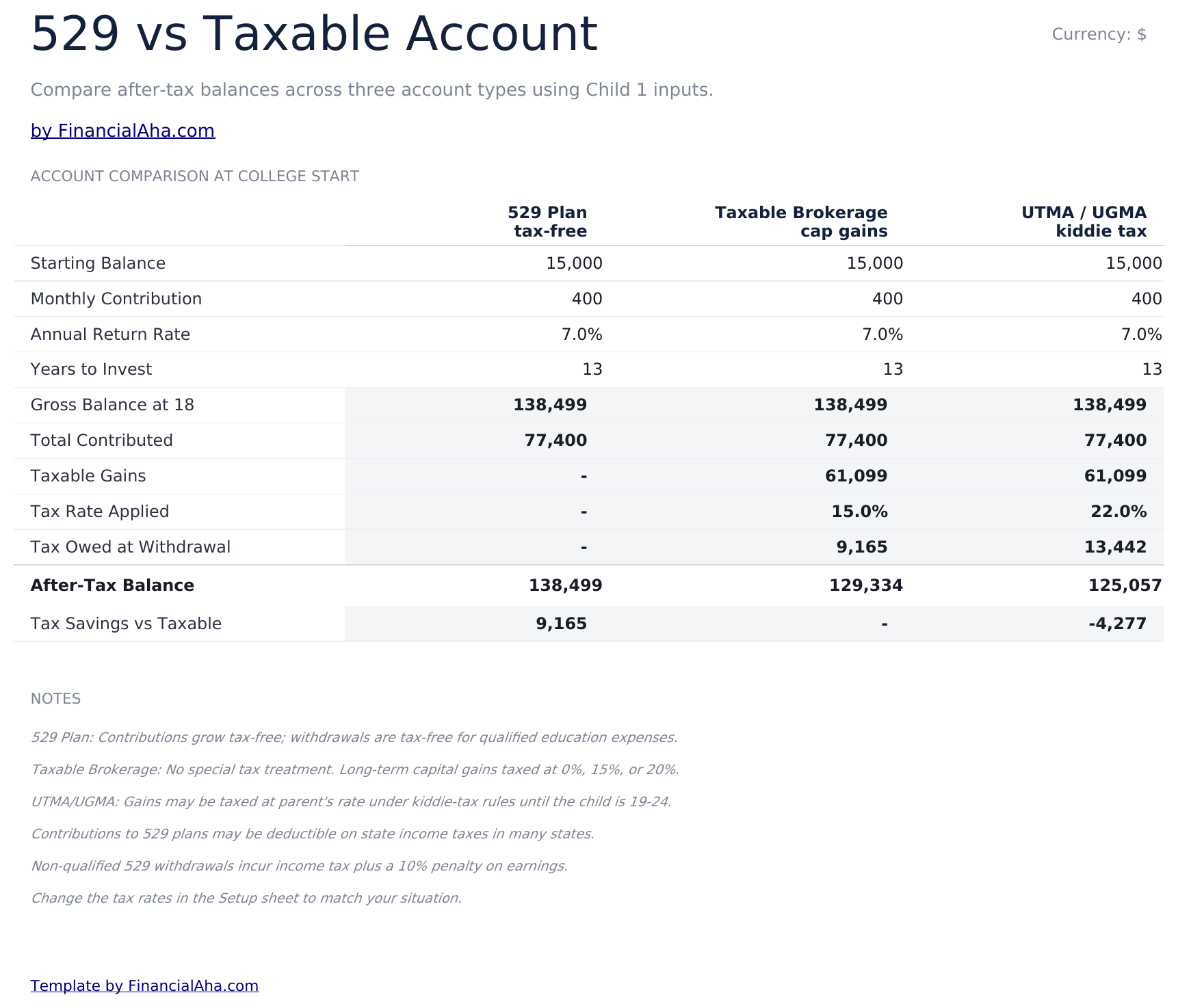
- 529 vs Taxable comparison contrasting tax-advantaged growth, withdrawal rules, and after-tax balances side by side
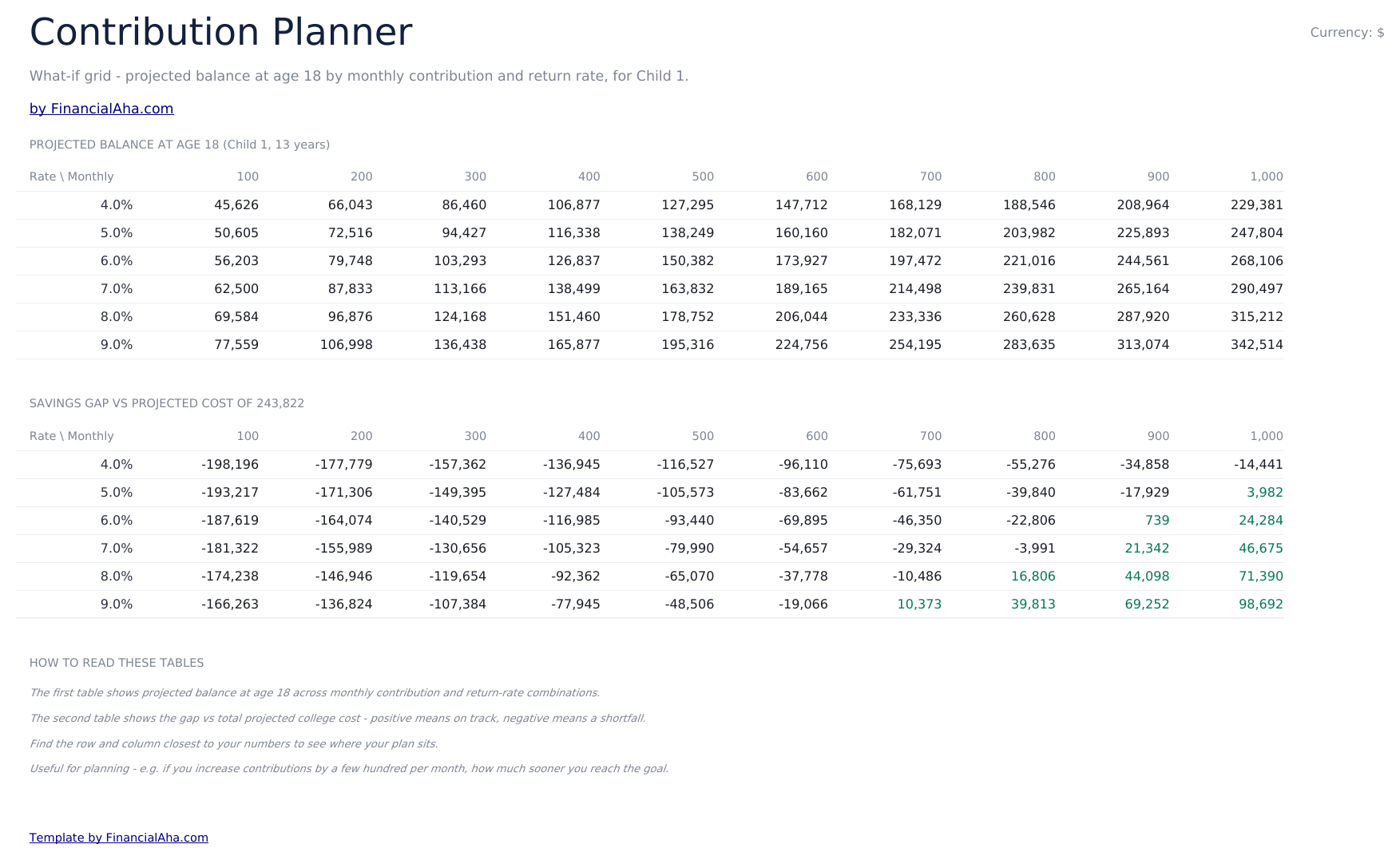
- Contribution Planner sensitivity grid showing how monthly contribution and return rate combinations change the final balance
- Conditional formatting highlights on-track vs behind-schedule savings progress across the dashboard
- Works in Microsoft Excel, Google Sheets, and LibreOffice Calc with no macros required
Vorschau
Sehen Sie, was in dieser Vorlage enthalten ist


So verwenden Sie diese Vorlage
Enter child and goal details
In the Setup sheet, add the child name, current age, expected enrollment year, current tuition cost, and your savings target.
Adjust assumptions
Set the tuition inflation rate, expected investment return, and monthly contribution. The dashboard updates automatically.
Compare 529 vs taxable
Review the 529 vs Taxable sheet to see how tax treatment changes the balance available at enrollment.
Tune contributions
Use the Contribution Planner sensitivity grid to find a combination of monthly contribution and return rate that hits your target.
Customer Reviews
What Our Customers Say
"If I get half as good at handling my finances as you are at customer service, this'll be the best $26 I've spent lately."
"Great tool! Simplifies financial planning without the hassle of complex spreadsheets."
"I recently purchased your super convenient spreadsheet, it really helps me!"
"They're great and super intuitive. Thank you!"
Erstellt von Claude AI. Verfeinert von uns.
Wir verwenden Claude AI, um jede Vorlage nach gründlicher Recherche zu entwerfen. Dann greift unser Team ein. Wir verfeinern das Layout, testen jede Formel auf Herz und Nieren, beheben Grenzfälle und polieren das Design, bis es sich anfühlt wie etwas, das wir selbst verwenden würden. Die KI bringt uns 80 % ans Ziel. Die letzten 20 % sind rein menschliches Urteilsvermögen.
Einmaliger Kauf. Kein Abonnement. Funktioniert in Excel & Google Sheets.
Häufig gestellte Fragen
How many children can I track?
The Ultimate template supports planning for multiple children. Use one row per child in the Setup sheet and the projections update for each.
What tuition inflation rate should I use?
College costs have historically risen 5% to 8% per year, faster than general inflation. Adjust the inflation input based on whether you are targeting in-state, out-of-state, or private institutions.
What does the 529 vs Taxable sheet compare?
It models the same contribution growing in a tax-advantaged 529 plan versus a taxable brokerage account, accounting for ongoing tax drag and the eventual after-tax balance available for tuition.
How does the contribution planner help?
The sensitivity grid shows the projected final balance across a matrix of monthly contributions and expected return rates, so you can see how a small change to either side moves the outcome.
Can I plan for graduate school?
Yes - extend the enrollment year and target cost to cover graduate years, or duplicate the file to model undergrad and graduate plans separately.
Was erhalte ich nach dem Kauf?
Sie erhalten eine Excel-Datei (.xlsx), die in Microsoft Excel, Google Sheets und LibreOffice Calc funktioniert. Laden Sie sie sofort nach dem Kauf herunter - keine Anmeldung oder Kontoerstellung erforderlich.
Gibt es eine kostenlose Version?
Ja. Die kostenlose Version dieser Vorlage ist mit grundlegenden Funktionen verfügbar. Die Ultimate-Version bietet erweiterte Analysen, mehr Kapazität und zusätzliche Tabellenblätter.
Was ist, wenn es bei mir nicht funktioniert?
Kontaktieren Sie uns und wir helfen bei der Fehlerbehebung. Die Vorlage funktioniert in Microsoft Excel, Google Sheets und LibreOffice Calc ohne Makros.
Highlights:
Auf der Suche nach weiteren Ultimate-Vorlagen?
Wir bieten Ultimate-Versionen unserer beliebtesten Tabellenvorlagen mit erweiterten Funktionen, mehr Kapazität und tieferer Analyse.