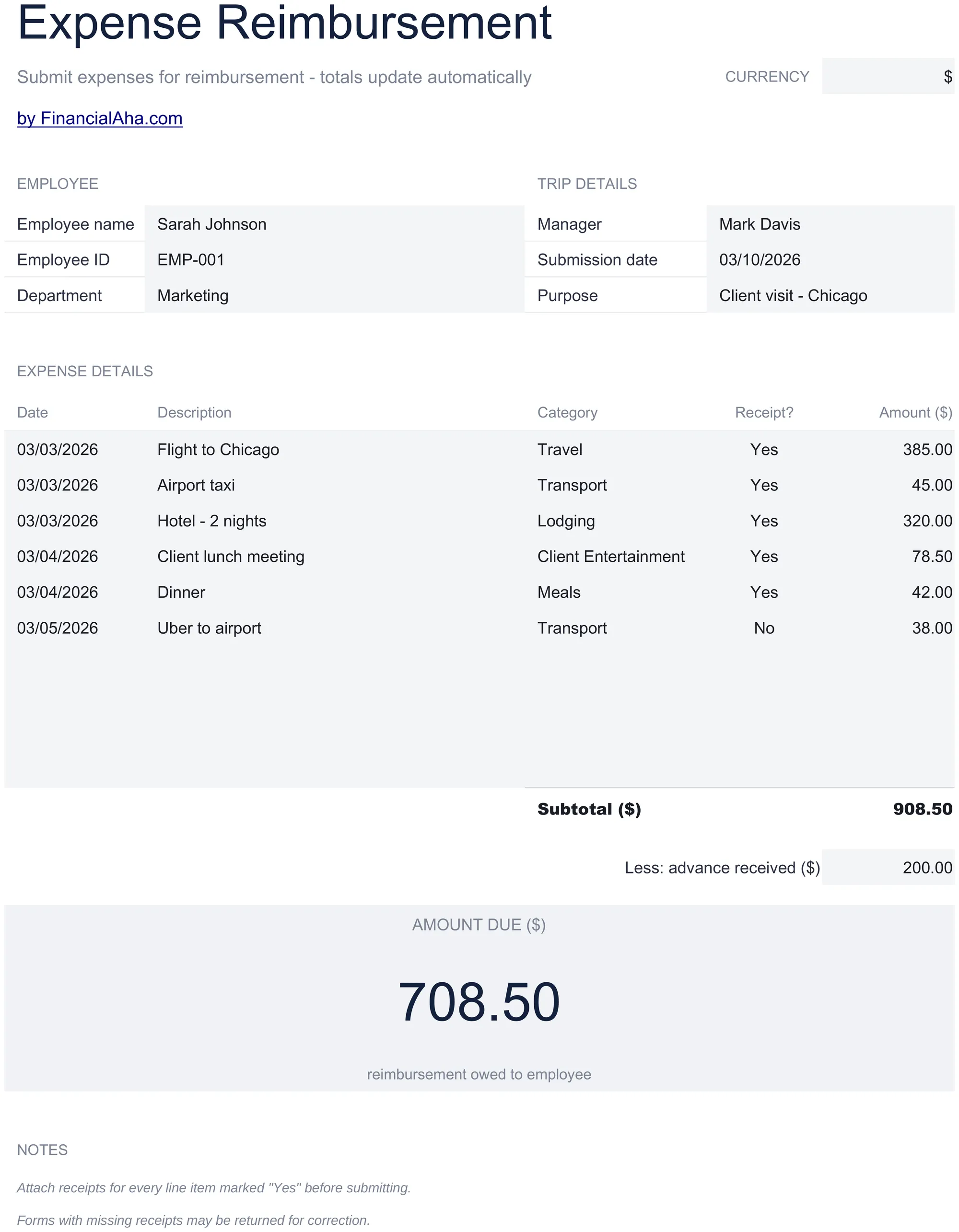
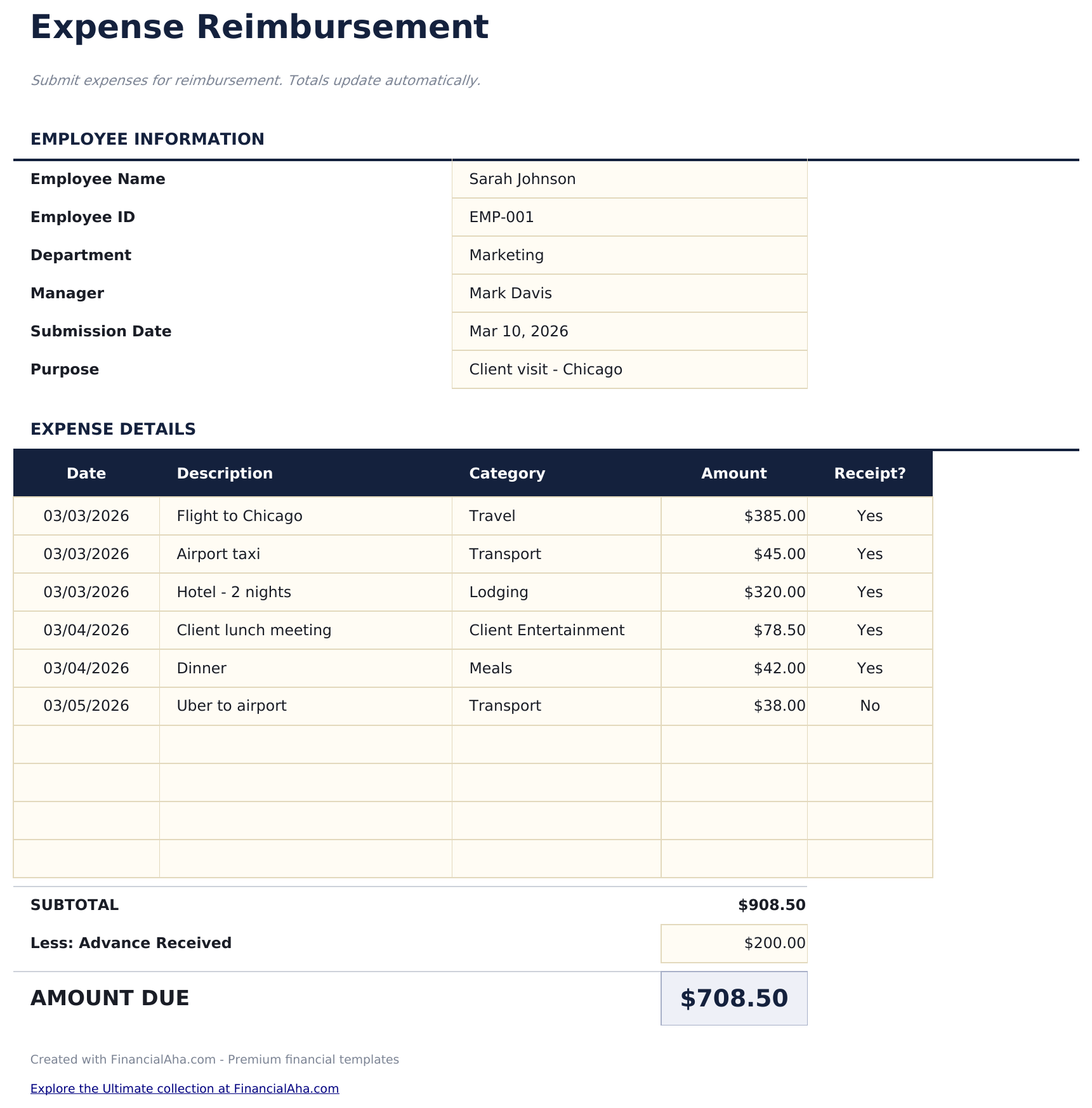
Expense Reimbursement Form Essentials-sjabloon
Submit employee expense claims with itemized entries. Standard reimbursement form with approval fields and automatic totals.
Wat zit erin
- Expense reimbursement form layout with employee name, department, submission date, and manager approval fields
- Itemized expense entries with columns for date, vendor, description, category, and amount for each claim
- Category options including meals, travel, lodging, office supplies, mileage, and professional development
- Receipt reference fields for attaching or noting receipt numbers alongside each expense line item
- Automatic total calculation with approval and signature section in a print-ready professional format
- Works in Microsoft Excel, Google Sheets, and LibreOffice Calc with no setup required
Voorbeeld
Bekijk wat er in dit sjabloon zit

Hoe gebruik je dit Expense Reimbursement Form sjabloon
Enter employee details
Fill in your name, department, submission date, and manager name at the top of the form.
Itemize expenses
Add each expense with the date, vendor, description, category, and amount. Attach or note receipt references.
Review the total
The form totals all expense line items automatically. Check that every entry has supporting documentation.
Submit for approval
Print the form and submit with receipts. The approval section at the bottom includes manager signature fields.
Gebouwd door Claude AI. Verfijnd door ons.
We gebruiken Claude AI om elk sjabloon te ontwerpen, na uitgebreid onderzoek. Daarna neemt ons team het over. We verfijnen de indeling, testen elke formule grondig, lossen randgevallen op en polijsten het ontwerp totdat het iets is dat we zelf ook echt zouden gebruiken. De AI brengt ons 80% van de weg. De laatste 20% is puur menselijk oordeel.
Veelgestelde vragen
What categories can I use?
Standard categories include meals, travel, lodging, office supplies, mileage, and professional development. Use the categories your company policy requires.
Do I need a receipt for every expense?
Most companies require receipts above a minimum threshold. The receipt reference field links each expense to its documentation.
Can I submit digitally?
Fill out the form electronically and email the file along with digital copies of receipts. Export to PDF for a clean submission.
How is this different from an expense report?
They serve the same purpose. This template is formatted as a single-page reimbursement form, while the expense report template has more room for detailed entries.
Hoe open ik dit in Google Sheets?
Upload het .xlsx-bestand naar Google Drive en open het vervolgens met Google Sheets. Alle formules en opmaak blijven behouden.
Meer Essentials-sjablonen voor Payroll & HR
Employee Payroll
Calculate employee pay with deductions, taxes, and net pay. Process payroll for multiple employees with automatic calculations.
$12Payslip Template
Generate individual pay stubs showing earnings, deductions, and net pay. Standard payslip format for employee pay documentation.
$12Timesheet - Weekly
Track employee hours worked on a weekly basis. Log daily start and end times with automatic total hour calculations.
$12Time Card Calculator
Calculate work hours from clock-in and clock-out times. Handles breaks, overtime, and weekly totals with automatic pay calculations.
$12Op zoek naar premium spreadsheet-sjablonen?
Onze betaalde sjablonen bevatten geavanceerde dashboards met meerdere werkbladen, ingebouwde Excel-grafieken en doorlopende updates.