Beste waarde All-in-One Financieel Planningspakket
✓ Financiële Planning✓ Vermogenstracker✓ Maandelijks Budgetteren✓ Reisbudget Planner✓ Jaarlijkse Budgetplanner✓ Maandelijkse Uitgaventracker✓ Jaarlijkse Belastingplanner✓ Pensioenplanning
Bekijk bundel →
Essentials-sjabloon - Excel & Google Sheets

Quote Template Essentials-sjabloon

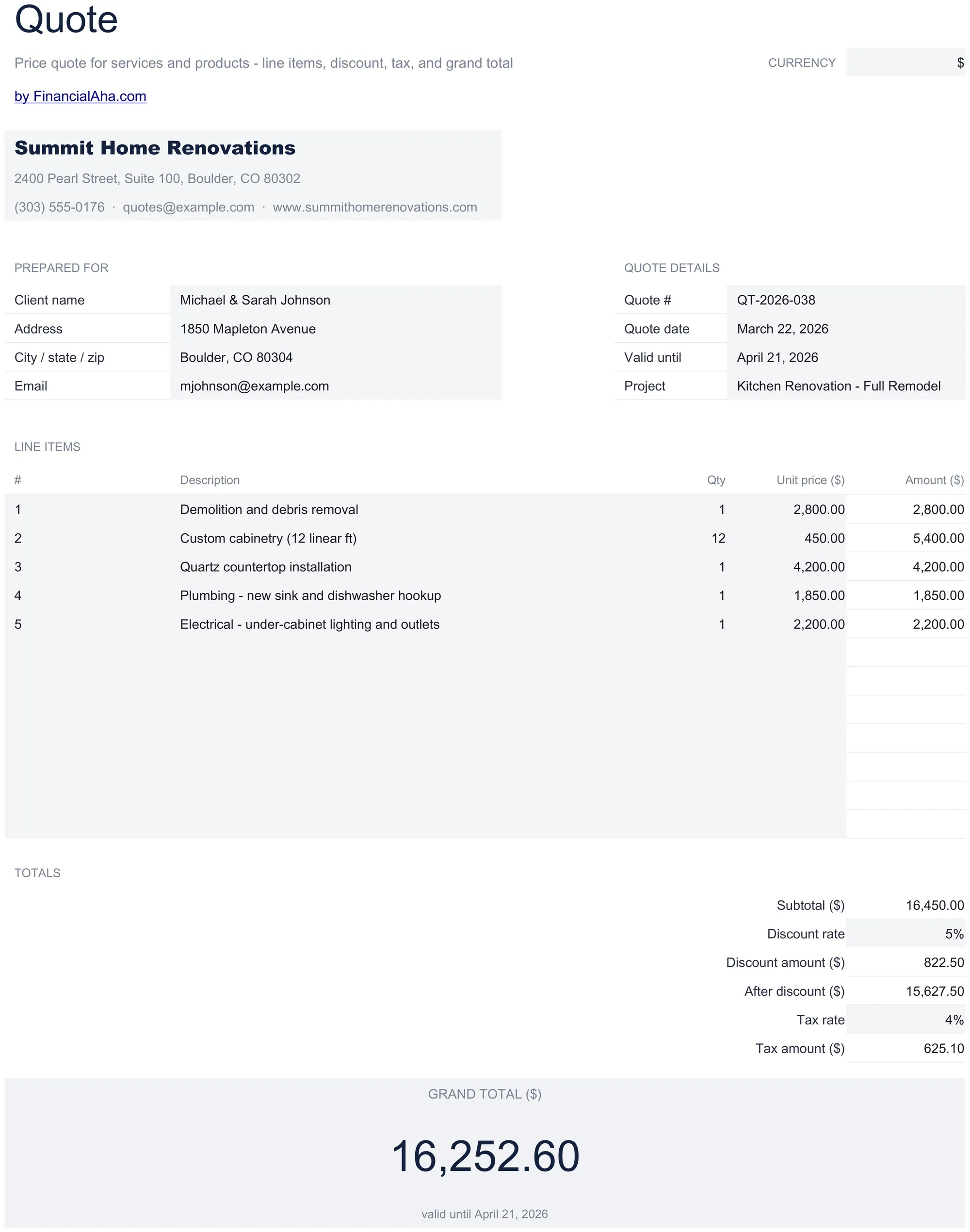
Create price quotes and estimates for prospective clients. List services or products with pricing - easy to convert to an invoice later.

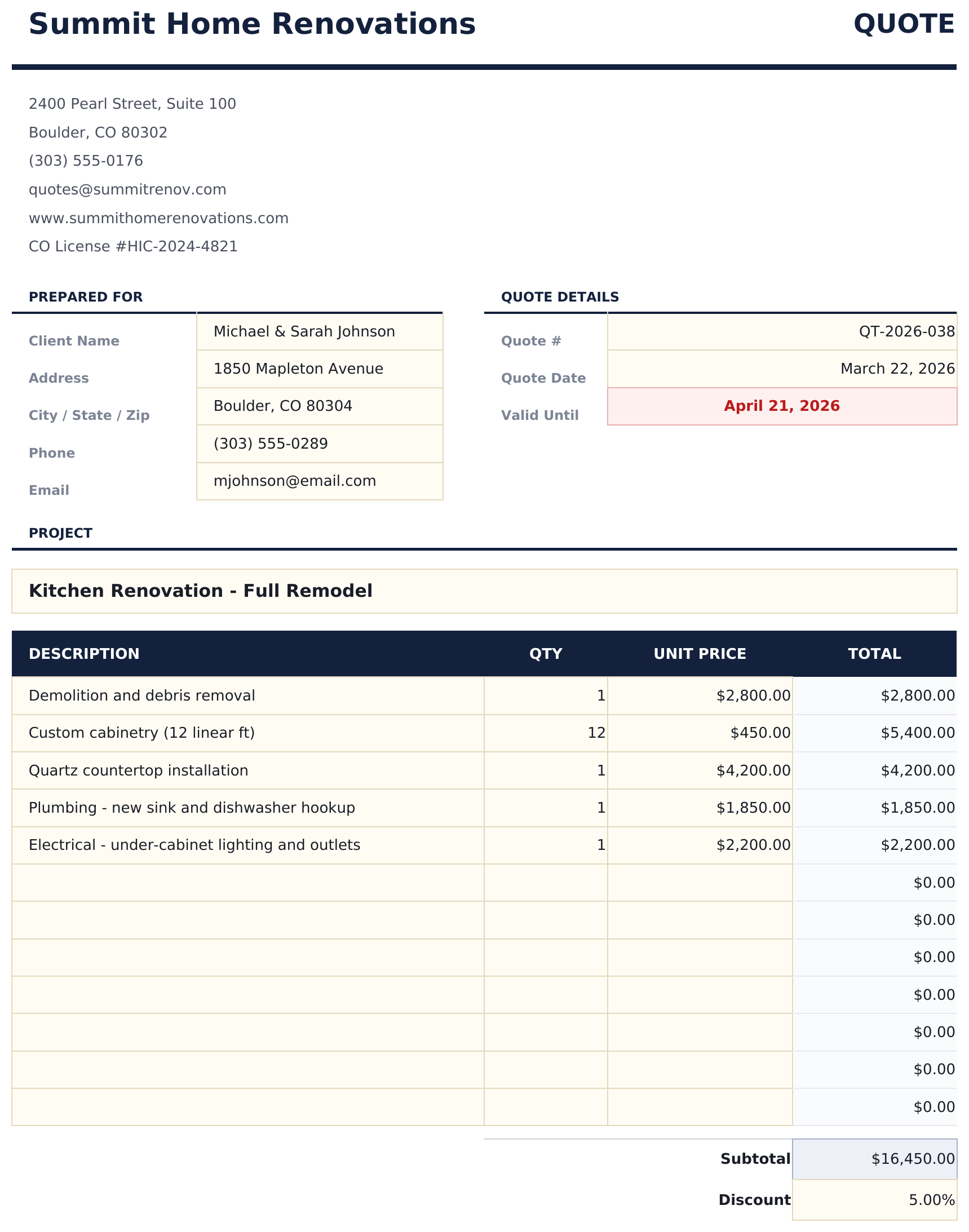
Quote Template preview

Wat zit erin

  • Professional quote layout with company branding area, quote number, date, and client contact fields
  • Line items with description, quantity, rate, and total columns for listing products or services quoted
  • Validity period field showing how long the quote remains active before pricing or terms may change
  • Terms and conditions section with space for payment terms, delivery timelines, and scope limitations
  • Automatic total calculations with print-ready formatting and color-coded input cells for quick quoting
  • Works in Microsoft Excel, Google Sheets, and LibreOffice Calc with no setup required

Hoe gebruik je dit Quote Template sjabloon

1

Enter your business info

Add your company name, address, and contact details in the header. Include the quote number and date.

2

Add client details

Fill in the prospective client name, address, and contact information.

3

List quoted items

Enter each product or service with description, quantity, rate, and line total. Add terms and validity period.

4

Send the quote

Review totals, add any conditions or notes, and export to PDF or print for the client.

Gebouwd door Claude AI. Verfijnd door ons.

We gebruiken Claude AI om elk sjabloon te ontwerpen, na uitgebreid onderzoek. Daarna neemt ons team het over. We verfijnen de indeling, testen elke formule grondig, lossen randgevallen op en polijsten het ontwerp totdat het iets is dat we zelf ook echt zouden gebruiken. De AI brengt ons 80% van de weg. De laatste 20% is puur menselijk oordeel.

Veelgestelde vragen

How long should a quote be valid?

Common validity periods are 15, 30, or 60 days. Enter the expiration date in the validity field so the client knows the deadline.

Can I convert a quote to an invoice?

Yes. Copy the quote details into an invoice template when the client accepts. Update the document type, add an invoice number, and set the due date.

Can I add terms and conditions?

Yes. The terms section at the bottom has space for payment terms, delivery timelines, scope limitations, and other conditions.

Does it calculate tax?

Yes. Enter a tax rate and the template applies it to the subtotal, showing the tax amount and grand total.

Hoe open ik dit in Google Sheets?

Upload het .xlsx-bestand naar Google Drive en open het vervolgens met Google Sheets. Alle formules en opmaak blijven behouden.

Meer Essentials-sjablonen voor Invoicing & Billing

Op zoek naar premium spreadsheet-sjablonen?

Onze betaalde sjablonen bevatten geavanceerde dashboards met meerdere werkbladen, ingebouwde Excel-grafieken en doorlopende updates.

Privé & veilig

Uw financiële gegevens blijven op uw apparaat. Wij zien ze nooit.

Meer informatie →

Hulp nodig?

Bekijk onze handleidingen of neem contact op met vragen.

Bekijk FAQ →