Beste waarde All-in-One Financieel Planningspakket
✓ Financiële Planning✓ Vermogenstracker✓ Maandelijks Budgetteren✓ Reisbudget Planner✓ Jaarlijkse Budgetplanner✓ Maandelijkse Uitgaventracker✓ Jaarlijkse Belastingplanner✓ Pensioenplanning
Bekijk bundel →
Essentials-sjabloon - Excel & Google Sheets

Debt-to-Income Calculator Essentials-sjabloon

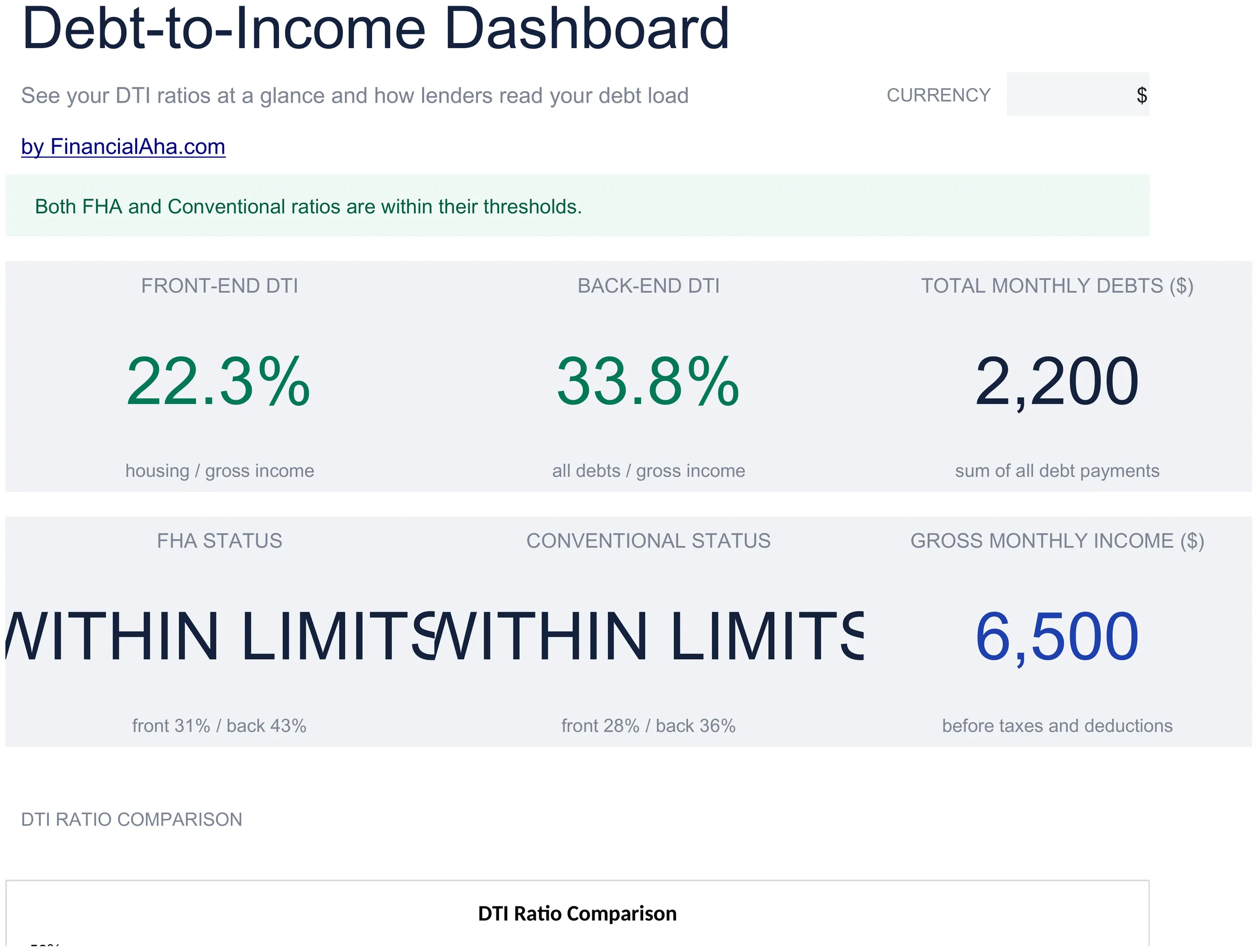
Calculate your debt-to-income ratio by listing monthly debts and income. Commonly used when evaluating mortgage or loan qualification thresholds.

Debt-to-Income Calculator preview

Wat zit erin

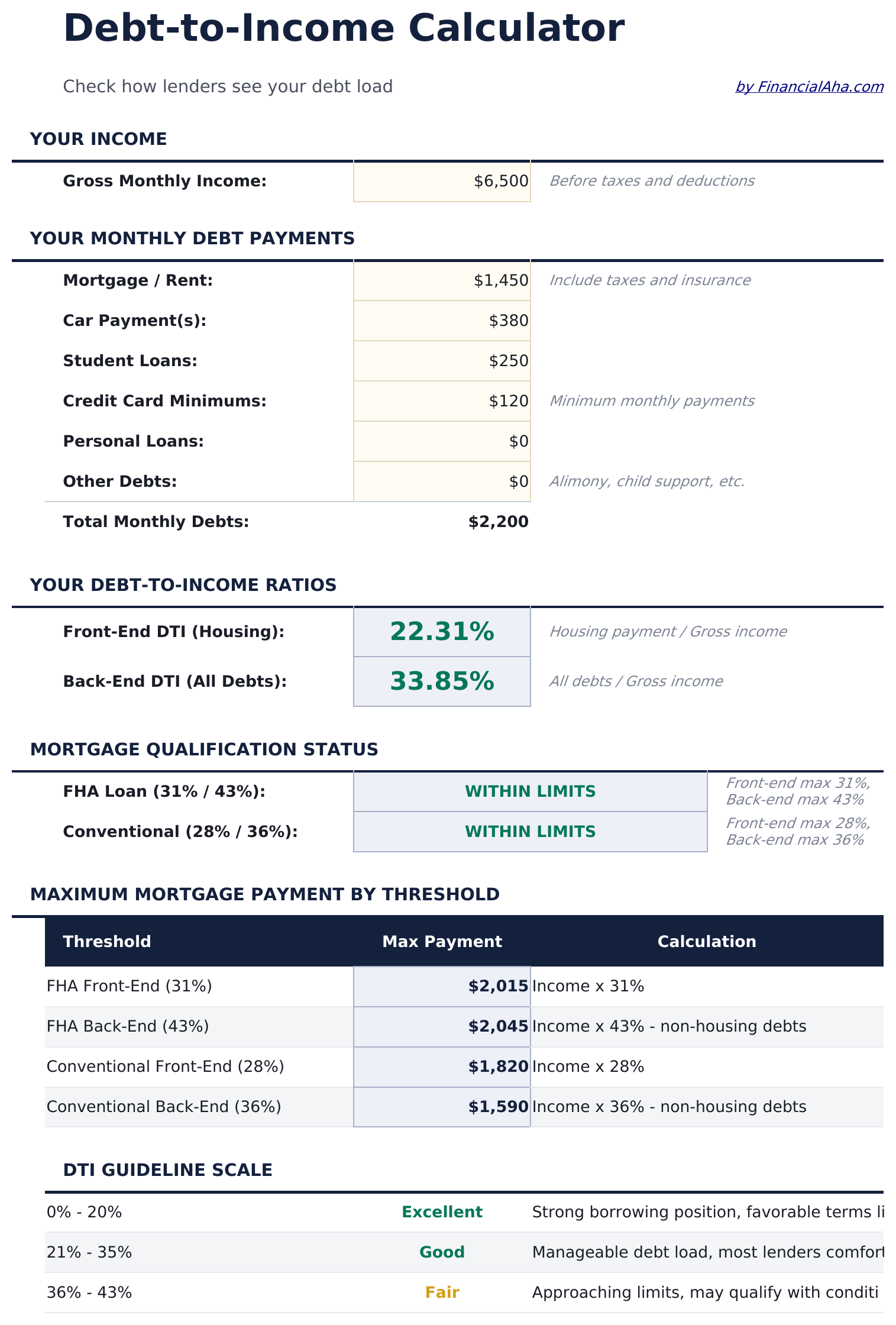
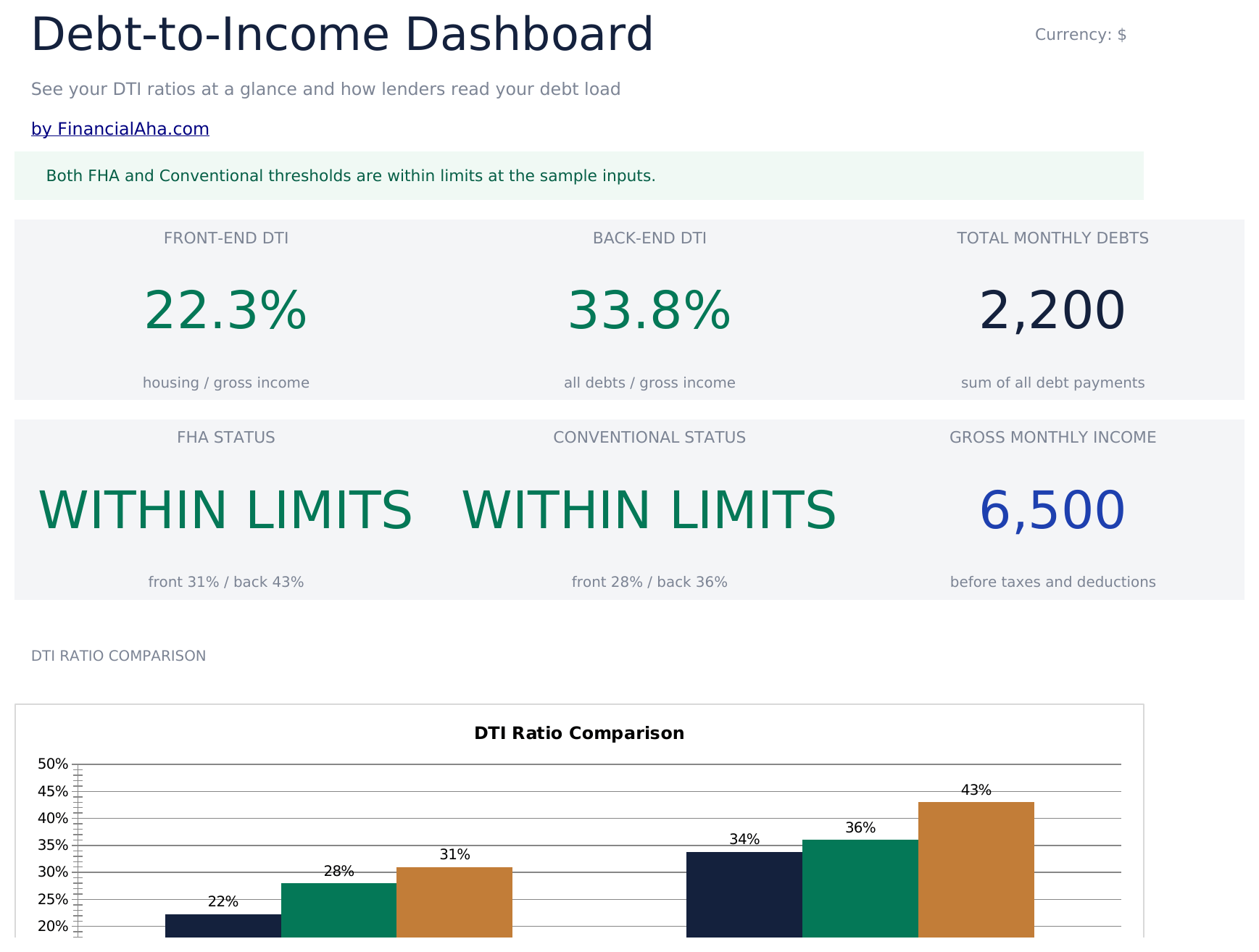
  • Calculator with DTI ratio output displaying front-end and back-end percentages based on your entries
  • Monthly debt entry section for mortgage, car payments, student loans, credit cards, and other obligations
  • Gross income input fields for salary, wages, rental income, and other sources of monthly earnings
  • Front-end and back-end ratio display with common lender threshold reference values for comparison
  • Color-coded result indicators that flag whether your DTI ratio falls within typical qualification ranges
  • Works in Microsoft Excel, Google Sheets, and LibreOffice Calc with no setup required

Hoe gebruik je dit Debt-to-Income Calculator sjabloon

1

Enter monthly debts

List all monthly debt payments - mortgage, car loan, student loans, credit cards, and any other obligations.

2

Enter gross income

Add all sources of monthly gross income including salary, wages, rental income, and other earnings before taxes.

3

Read your DTI ratio

The calculator displays your front-end and back-end debt-to-income ratios as percentages. Lower is generally preferable.

4

Compare to thresholds

Reference values for common lender thresholds are shown alongside your ratio so you can see how your DTI compares.

Gebouwd door Claude AI. Verfijnd door ons.

We gebruiken Claude AI om elk sjabloon te ontwerpen, na uitgebreid onderzoek. Daarna neemt ons team het over. We verfijnen de indeling, testen elke formule grondig, lossen randgevallen op en polijsten het ontwerp totdat het iets is dat we zelf ook echt zouden gebruiken. De AI brengt ons 80% van de weg. De laatste 20% is puur menselijk oordeel.

Veelgestelde vragen

What is front-end vs back-end DTI?

Front-end includes only housing costs (mortgage, taxes, insurance). Back-end includes all monthly debt obligations. Lenders typically look at both ratios.

What DTI ratio do lenders prefer?

Common thresholds are 28% front-end and 36% back-end, though requirements vary by lender and loan type. The template shows these reference values for comparison.

Do I use gross or net income?

Debt-to-income ratios use gross (pre-tax) income. Enter your monthly earnings before any deductions or withholdings.

What debts should I include?

Include minimum monthly payments for mortgages, car loans, student loans, credit cards, personal loans, and any other recurring debt obligations.

Hoe open ik dit in Google Sheets?

Upload het .xlsx-bestand naar Google Drive en open het vervolgens met Google Sheets. Alle formules en opmaak blijven behouden.

Meer Essentials-sjablonen voor Debt Management

Op zoek naar premium spreadsheet-sjablonen?

Onze betaalde sjablonen bevatten geavanceerde dashboards met meerdere werkbladen, ingebouwde Excel-grafieken en doorlopende updates.

Privé & veilig

Uw financiële gegevens blijven op uw apparaat. Wij zien ze nooit.

Meer informatie →

Hulp nodig?

Bekijk onze handleidingen of neem contact op met vragen.

Bekijk FAQ →