Beste waarde All-in-One Financieel Planningspakket
✓ Financiële Planning✓ Vermogenstracker✓ Maandelijks Budgetteren✓ Reisbudget Planner✓ Jaarlijkse Budgetplanner✓ Maandelijkse Uitgaventracker✓ Jaarlijkse Belastingplanner✓ Pensioenplanning
Bekijk bundel →
Ultimate Ultimate-versie beschikbaar - Schulden Sneeuwbal Ultimate
Essentials-sjabloon - Excel & Google Sheets

Debt Snowball Essentials-sjabloon

Plan debt payoff using the snowball method - pay off smallest balances first. Track progress as each debt is eliminated and payments roll into the next.

Bekijk de Ultimate-versie →
Debt Snowball preview

Wat zit erin

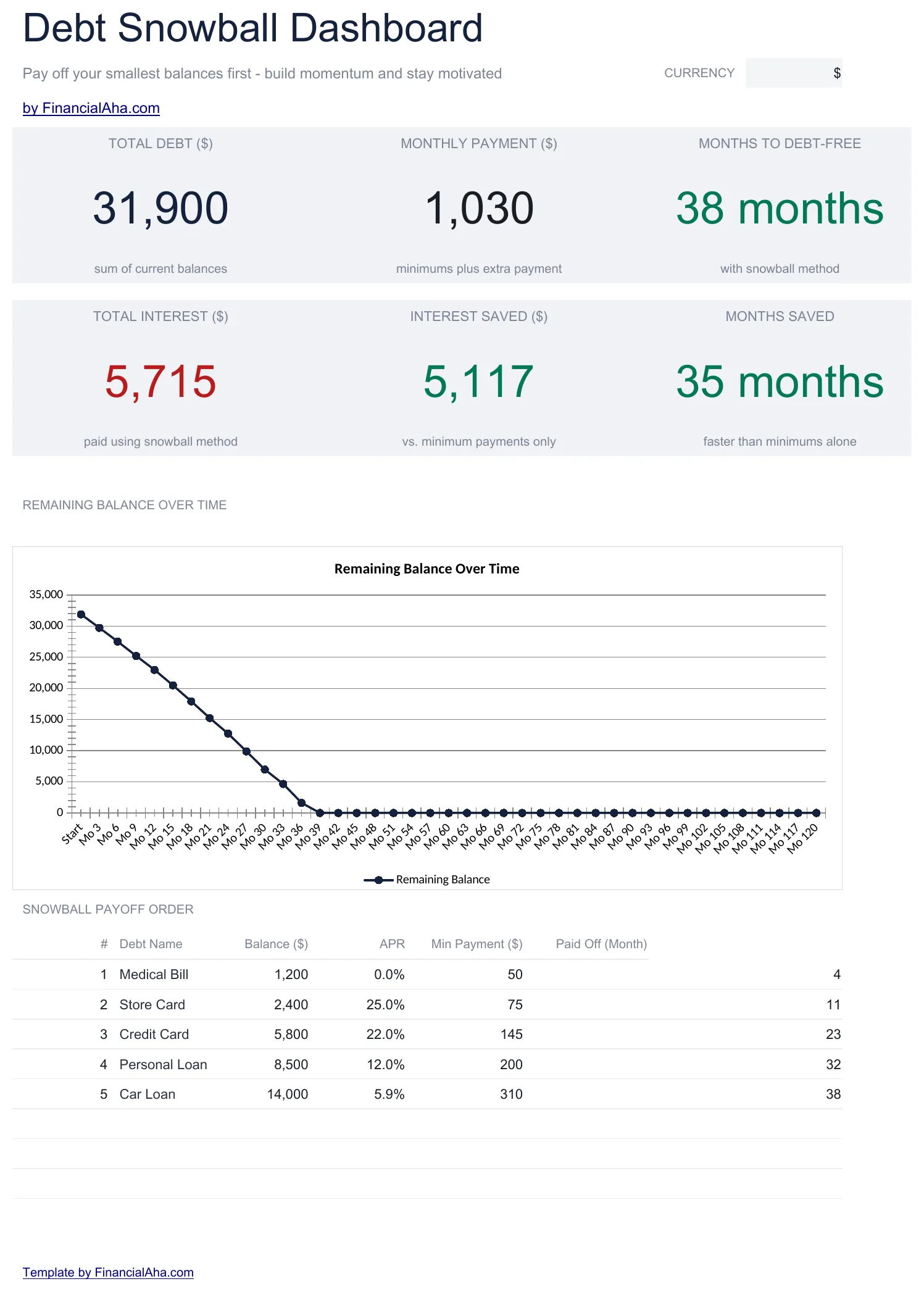
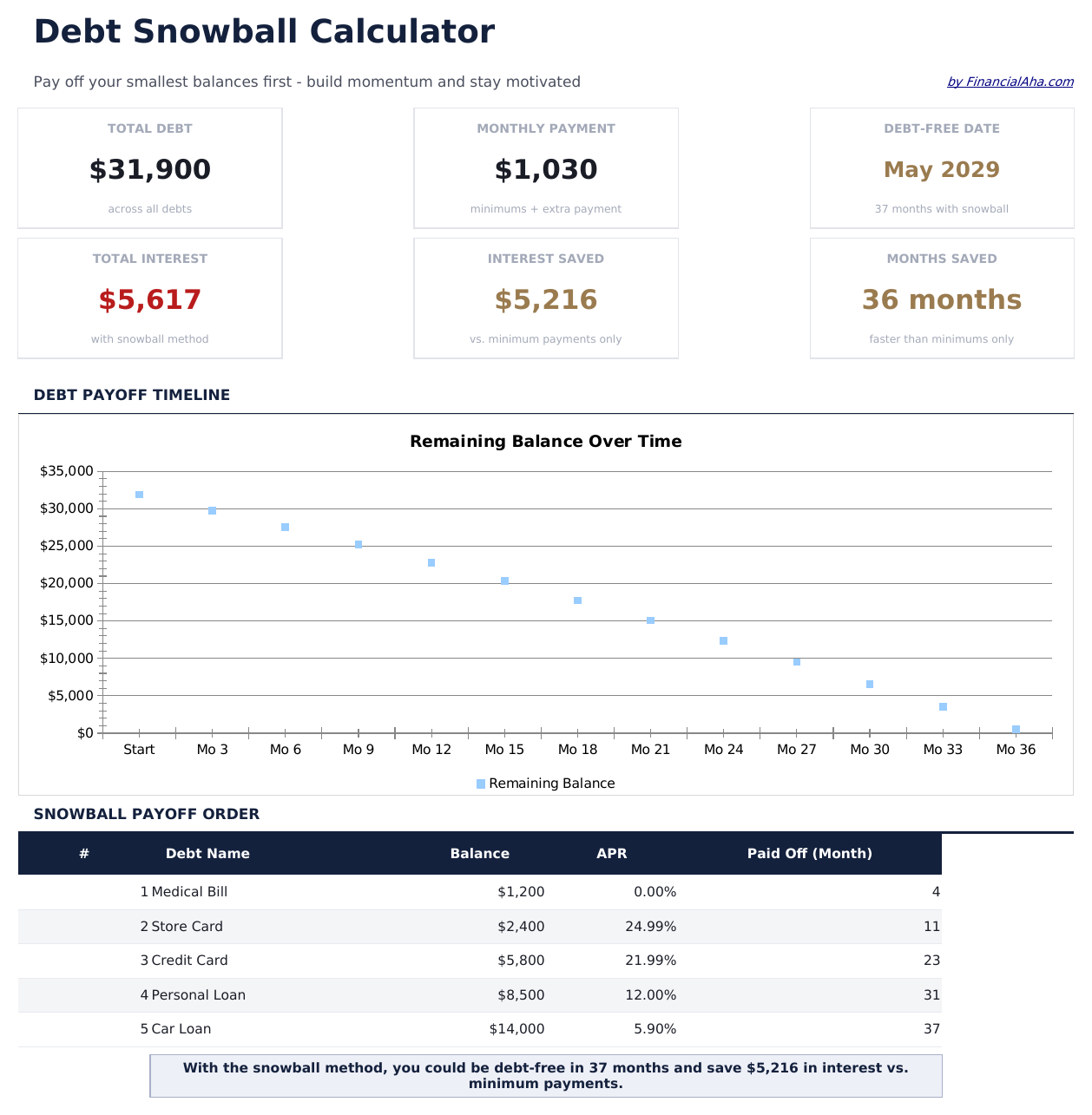
  • Dashboard with snowball progress showing debts eliminated, current target, and projected freedom date
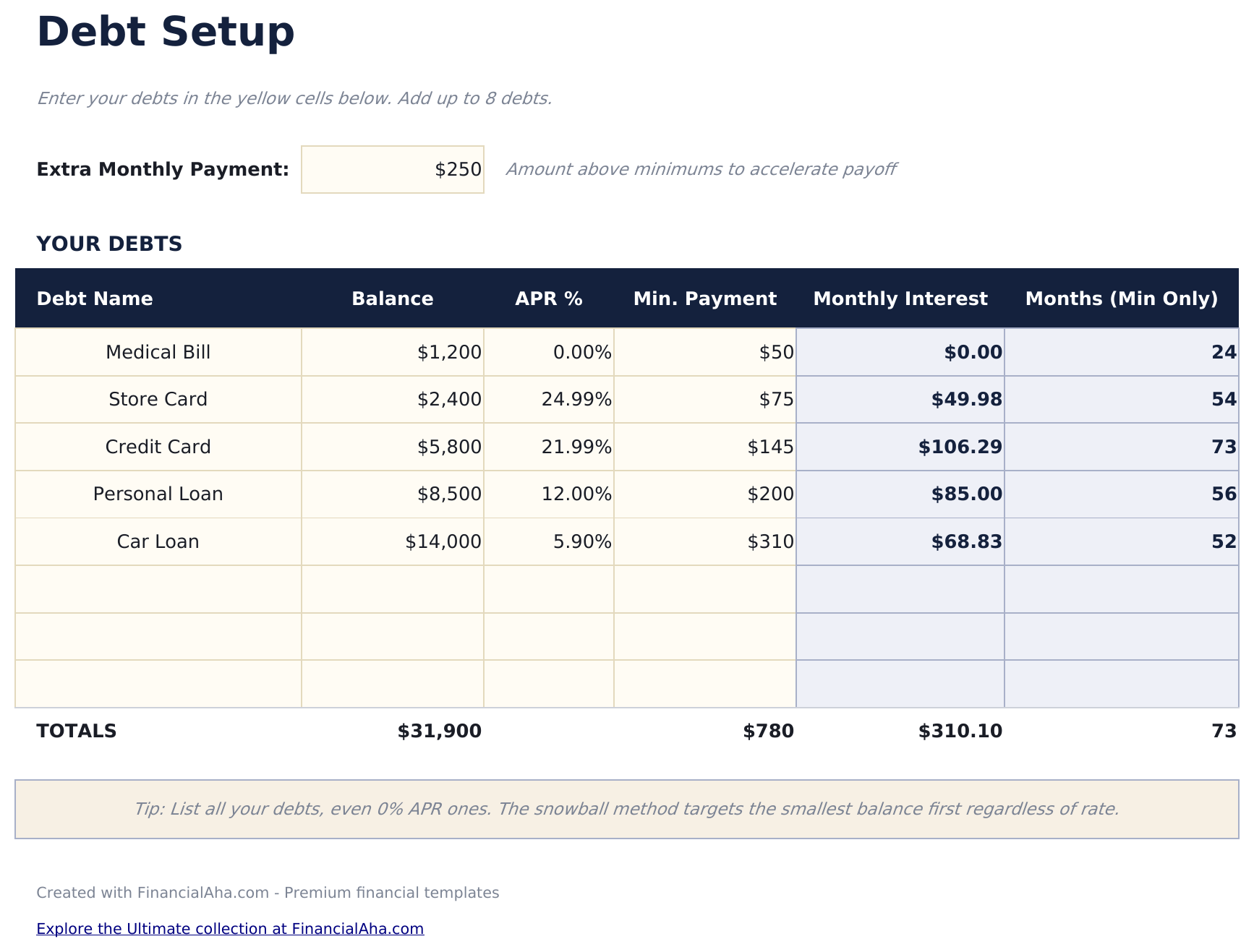
  • Debt setup sheet sorted by balance from smallest to largest with rate and minimum payment fields
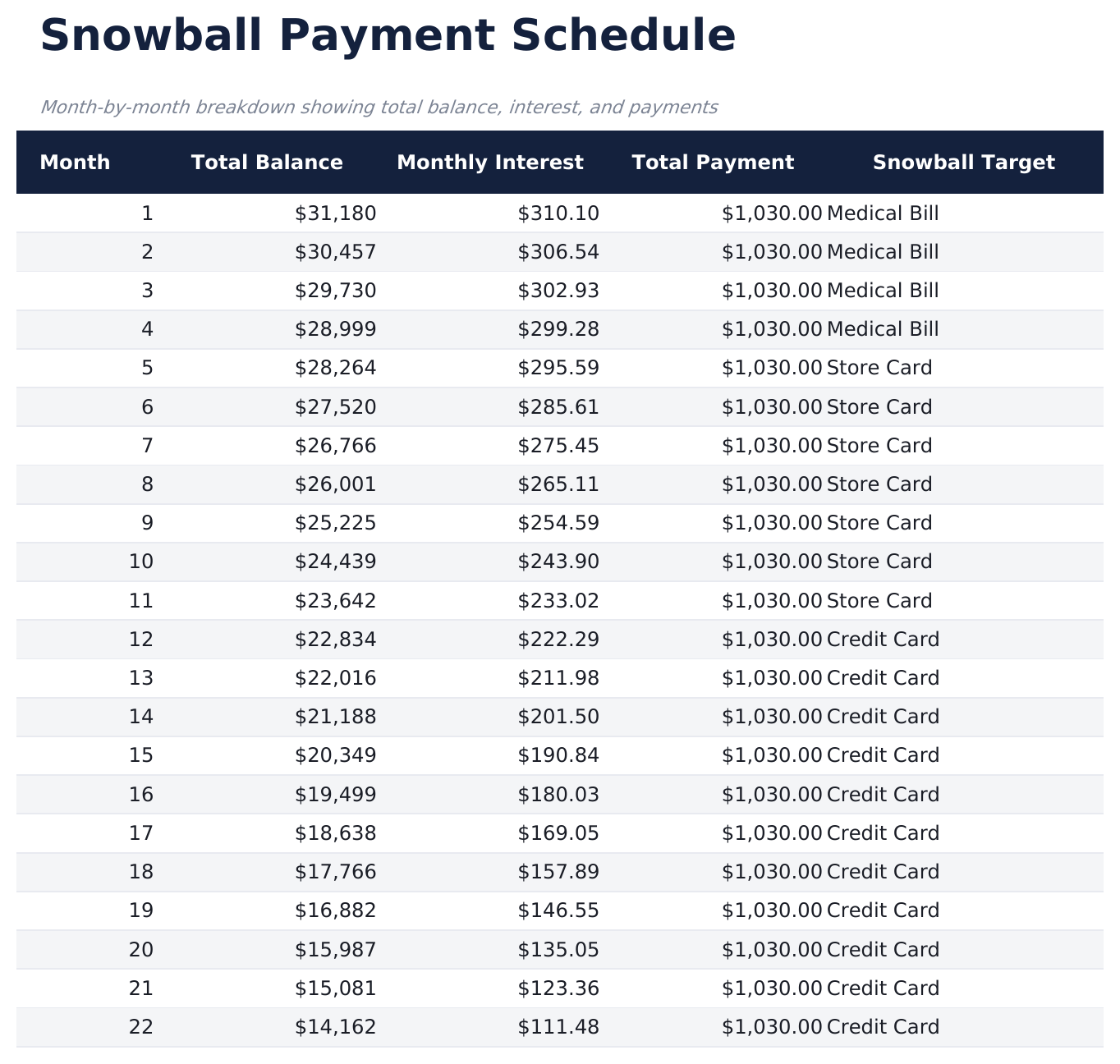
  • Snowball schedule with rollover payments that automatically redirect freed-up funds to the next debt
  • Payoff date projections per debt showing exactly when each individual account reaches a zero balance
  • Color-coded input cells and formatted schedule with total interest and timeline summary at the top
  • Works in Microsoft Excel, Google Sheets, and LibreOffice Calc with no setup required
Ultimate Version Available

Need more from this template?

The Essentials version covers everyday tracking. Ultimate goes further with multi-entity support, scenario analysis, and ultimate-grade reporting.

Essentials - $12
  • Dashboard with snowball progress showing debts eliminated, current target, and projected freedom date
  • Debt setup sheet sorted by balance from smallest to largest with rate and minimum payment fields
  • Snowball schedule with rollover payments that automatically redirect freed-up funds to the next debt
  • Payoff date projections per debt showing exactly when each individual account reaches a zero balance
Ultimate - $19
  • Volg tot 15 schulden gesorteerd op saldo van laagste naar hoogste met tarief, minimale betaling en crediteurgegevens
  • Dashboard met 6 KPI's: totale schuld, resterende schulden, geëlimineerde schulden, volgende doelschuld, verwachte vrijheidsdatum en sneeuwbalbetalingsbedrag
  • Doorrolbetalingstracking die toont hoe vrijgekomen betalingen van afbetaalde schulden doorstromen naar het volgende doel
  • Maand-voor-maand eliminatieschema met individuele schuldtijdlijnen en lopende sneeuwbalbetalingstotalen
  • Mijlpaaltracker die elke schuldeliminatie markeert met datum, cumulatief vrijgekomen betalingsbedrag en voortgangspercentage
See what's in the Ultimate version One-time purchase. No subscription.

Hoe gebruik je dit Debt Snowball sjabloon

1

List debts by balance

Enter each debt from smallest to largest balance. Include the interest rate and minimum payment for each account.

2

Set your extra payment

Enter the additional monthly amount beyond minimums. This extra goes to the smallest debt first in the snowball method.

3

Watch the rollover

As each debt is paid off, its payment rolls into the next debt. The snowball schedule shows these cascading payments automatically.

4

Track elimination dates

The dashboard shows when each debt reaches zero and the projected date when all debts are fully paid off.

Gebouwd door Claude AI. Verfijnd door ons.

We gebruiken Claude AI om elk sjabloon te ontwerpen, na uitgebreid onderzoek. Daarna neemt ons team het over. We verfijnen de indeling, testen elke formule grondig, lossen randgevallen op en polijsten het ontwerp totdat het iets is dat we zelf ook echt zouden gebruiken. De AI brengt ons 80% van de weg. De laatste 20% is puur menselijk oordeel.

Bekijk de Ultimate-versie →

Veelgestelde vragen

How does the snowball rollover work?

When the smallest debt is paid off, its payment amount (minimum plus extra) is added to the next smallest debt. This creates a growing "snowball" of payments.

What if two debts have the same balance?

List either one first - the snowball method does not have a strict rule for ties. Some people put the higher interest rate debt first when balances match.

Can I pause extra payments temporarily?

Yes. Set the extra payment to zero for those months. The schedule recalculates showing only minimum payments until you increase it again.

Does this track actual payments?

The template is a projection tool showing the planned schedule. Update balances periodically to keep the projections aligned with reality.

Hoe open ik dit in Google Sheets?

Upload het .xlsx-bestand naar Google Drive en open het vervolgens met Google Sheets. Alle formules en opmaak blijven behouden.

Meer Essentials-sjablonen voor Debt Management

Op zoek naar premium spreadsheet-sjablonen?

Onze betaalde sjablonen bevatten geavanceerde dashboards met meerdere werkbladen, ingebouwde Excel-grafieken en doorlopende updates.

Privé & veilig

Uw financiële gegevens blijven op uw apparaat. Wij zien ze nooit.

Meer informatie →

Hulp nodig?

Bekijk onze handleidingen of neem contact op met vragen.

Bekijk FAQ →