Beste waarde All-in-One Financieel Planningspakket
✓ Financiële Planning✓ Vermogenstracker✓ Maandelijks Budgetteren✓ Reisbudget Planner✓ Jaarlijkse Budgetplanner✓ Maandelijkse Uitgaventracker✓ Jaarlijkse Belastingplanner✓ Pensioenplanning
Bekijk bundel →
Essentials-sjabloon - Excel & Google Sheets

Balance Transfer Calculator Essentials-sjabloon

Compare the cost of keeping current credit card debt versus transferring to a lower-rate card. Factor in transfer fees, promotional rates, and payoff timelines.

Balance Transfer Calculator preview

Wat zit erin

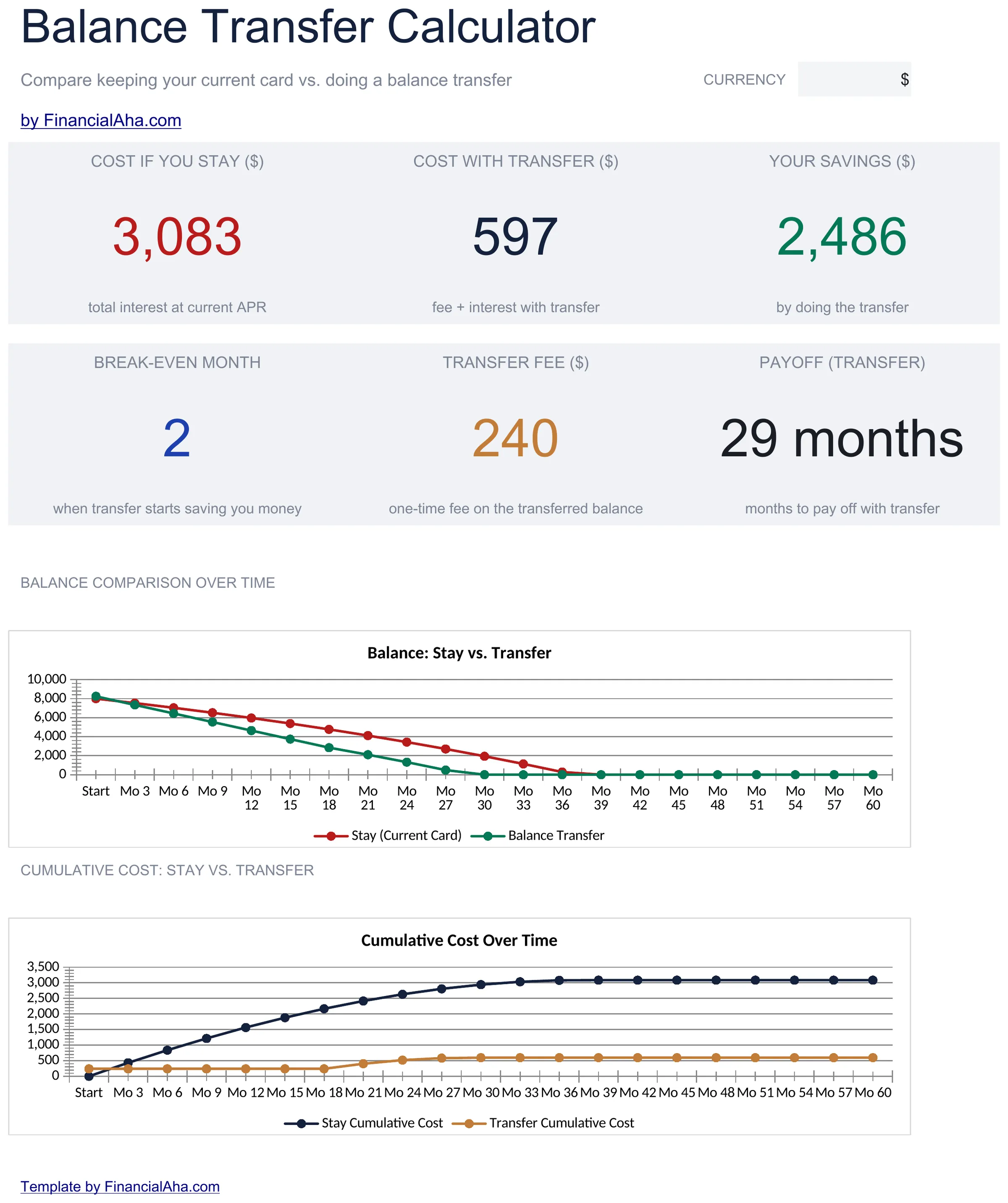
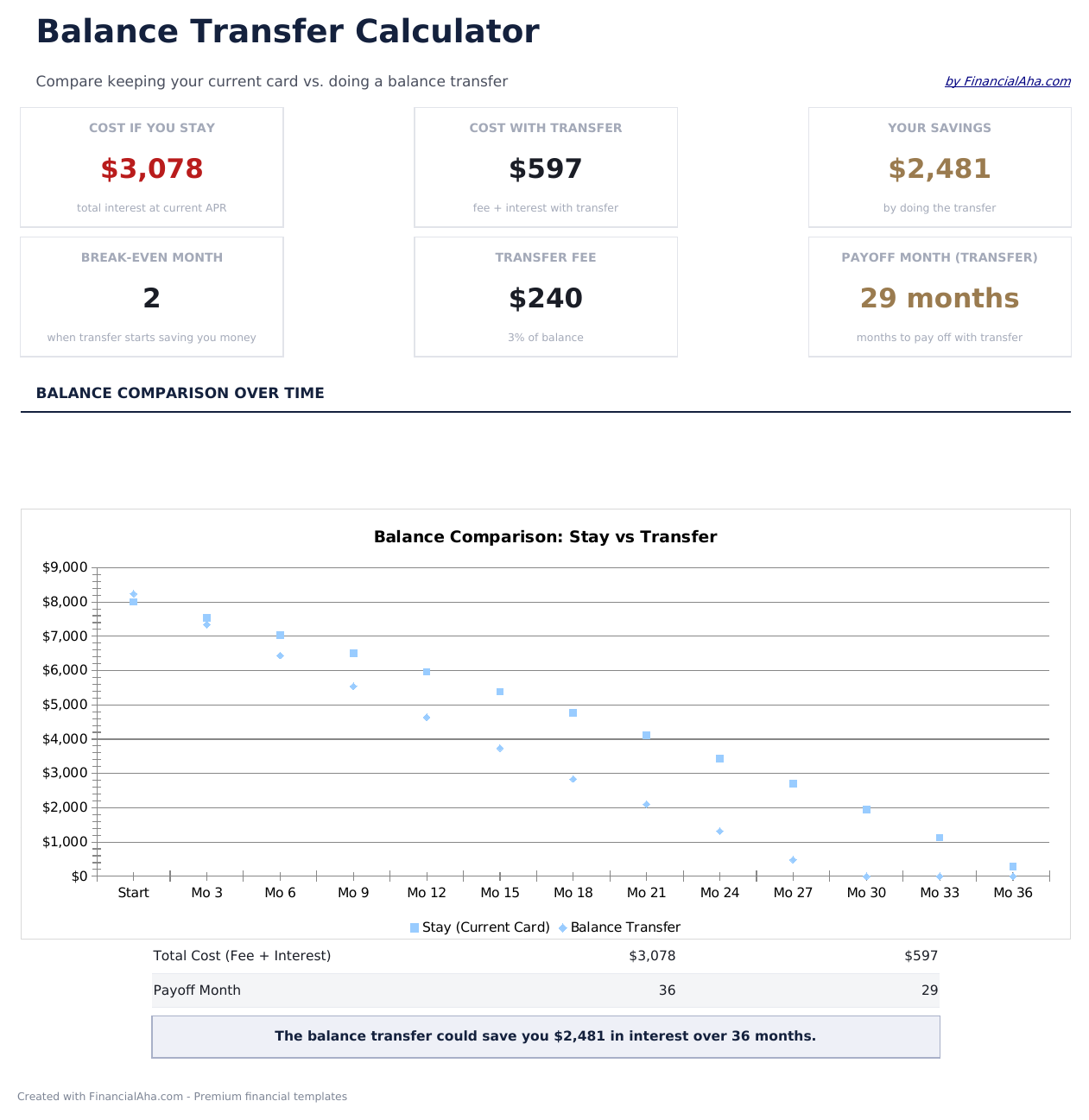
  • Dashboard with transfer savings summary showing total interest saved, fee cost, and net benefit
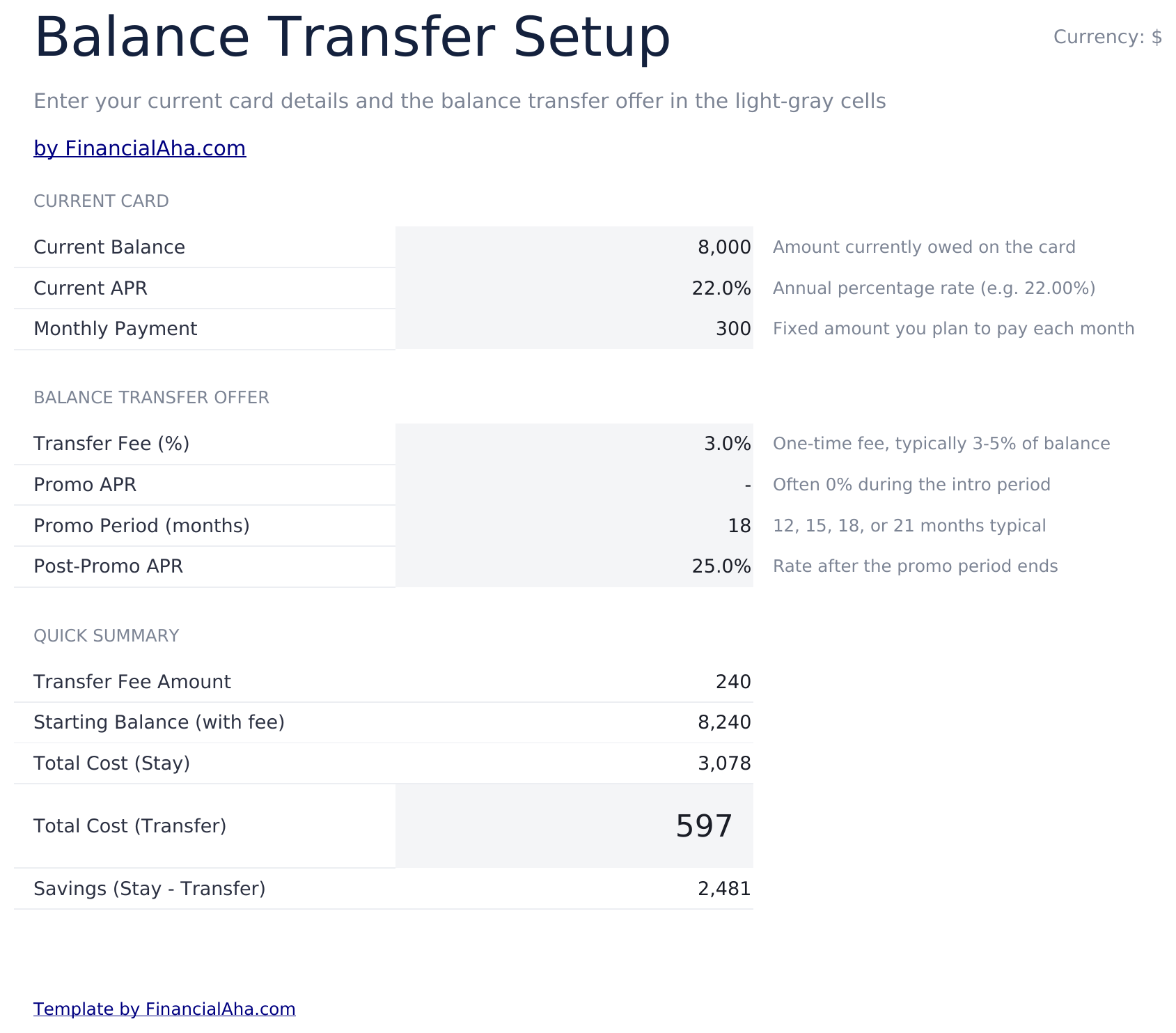
  • Current vs. transfer setup inputs for entering existing APR, new promotional rate, and balance amount
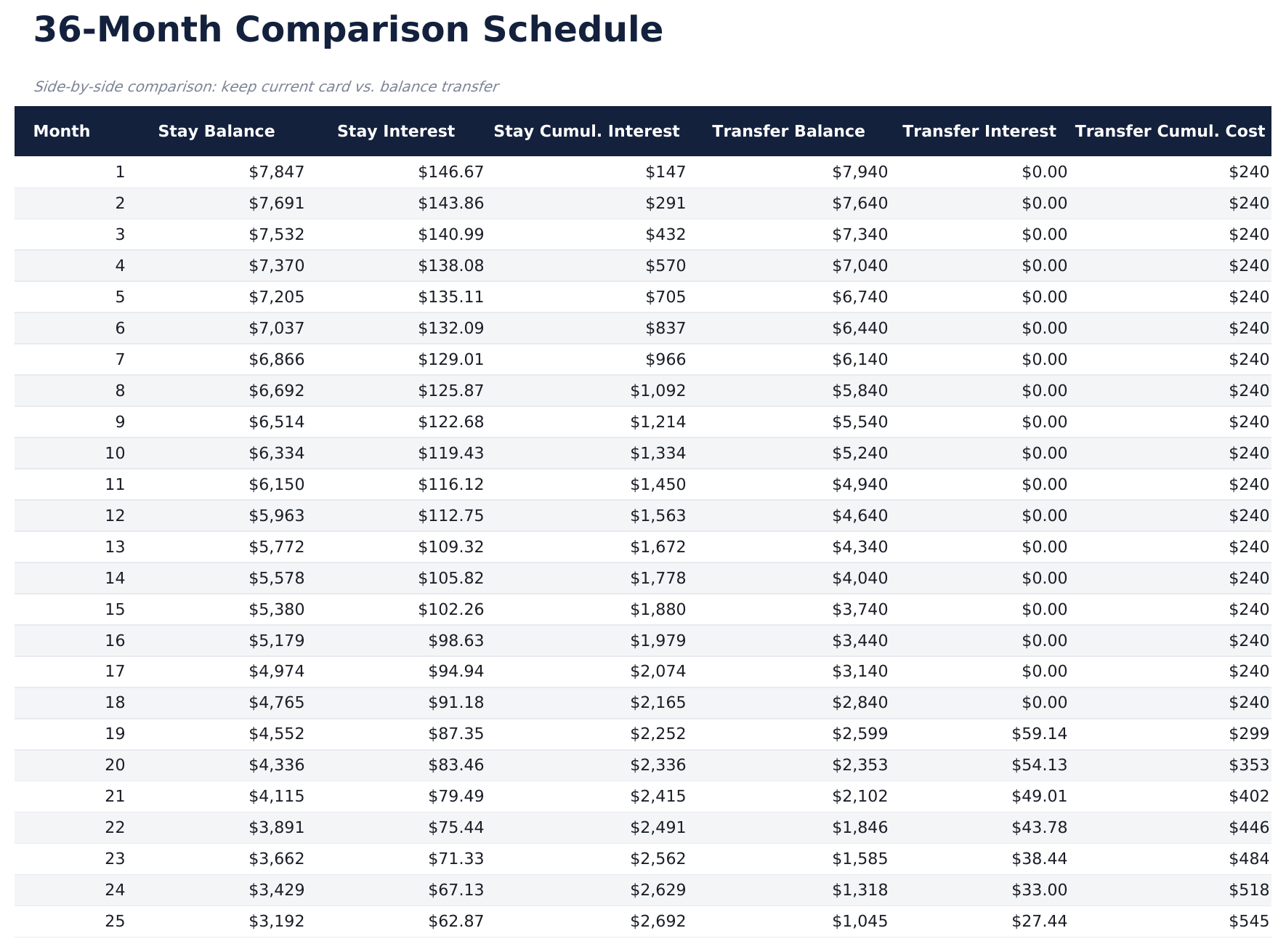
  • Comparison schedule with monthly costs for both scenarios displayed side by side over the payoff term
  • Transfer fee calculations that factor in the percentage-based fee and subtract it from total savings
  • Break-even timeline showing the exact month when transfer savings exceed the upfront fee cost
  • Works in Microsoft Excel, Google Sheets, and LibreOffice Calc with no setup required

Hoe gebruik je dit Balance Transfer Calculator sjabloon

1

Enter current card details

Input your existing card balance, APR, and monthly payment amount on the setup sheet.

2

Enter transfer terms

Add the promotional rate, promotional period length, regular rate after promo, and transfer fee percentage.

3

Review the comparison

The schedule shows monthly costs side by side for keeping the current card vs transferring to the new one.

4

Check the break-even point

The dashboard shows the exact month when transfer savings exceed the fee, so you can see if the transfer is worthwhile.

Gebouwd door Claude AI. Verfijnd door ons.

We gebruiken Claude AI om elk sjabloon te ontwerpen, na uitgebreid onderzoek. Daarna neemt ons team het over. We verfijnen de indeling, testen elke formule grondig, lossen randgevallen op en polijsten het ontwerp totdat het iets is dat we zelf ook echt zouden gebruiken. De AI brengt ons 80% van de weg. De laatste 20% is puur menselijk oordeel.

Veelgestelde vragen

How is the transfer fee calculated?

The calculator multiplies your balance by the transfer fee percentage (typically 3% to 5%) and adds it to the transferred balance or shows it as an upfront cost.

What happens after the promotional rate ends?

The schedule shows payments at the regular rate after the promotional period expires. Total interest includes both the promo and post-promo periods.

Does it compare total cost over the full payoff?

Yes. The comparison runs until the balance is fully paid off, showing total interest and total payments for both the current card and the transfer option.

Can I compare multiple transfer offers?

The template compares one transfer offer against your current card. Duplicate the sheet to compare additional offers side by side.

Hoe open ik dit in Google Sheets?

Upload het .xlsx-bestand naar Google Drive en open het vervolgens met Google Sheets. Alle formules en opmaak blijven behouden.

Meer Essentials-sjablonen voor Debt Management

Op zoek naar premium spreadsheet-sjablonen?

Onze betaalde sjablonen bevatten geavanceerde dashboards met meerdere werkbladen, ingebouwde Excel-grafieken en doorlopende updates.

Privé & veilig

Uw financiële gegevens blijven op uw apparaat. Wij zien ze nooit.

Meer informatie →

Hulp nodig?

Bekijk onze handleidingen of neem contact op met vragen.

Bekijk FAQ →