أفضل قيمة حزمة التخطيط المالي الشاملة
✓ التخطيط المالي✓ متتبع صافي الثروة✓ الميزانية الشهرية✓ مخطط ميزانية السفر✓ مخطط الميزانية السنوية✓ متتبع النفقات الشهرية✓ مخطط الضرائب السنوي✓ تخطيط التقاعد
عرض الحزمة →
قالب احترافي - Excel و Google Sheets

Balance Transfer Calculator قالب Essentials

Compare the cost of keeping current credit card debt versus transferring to a lower-rate card. Factor in transfer fees, promotional rates, and payoff timelines.

Balance Transfer Calculator preview

ماذا يتضمن

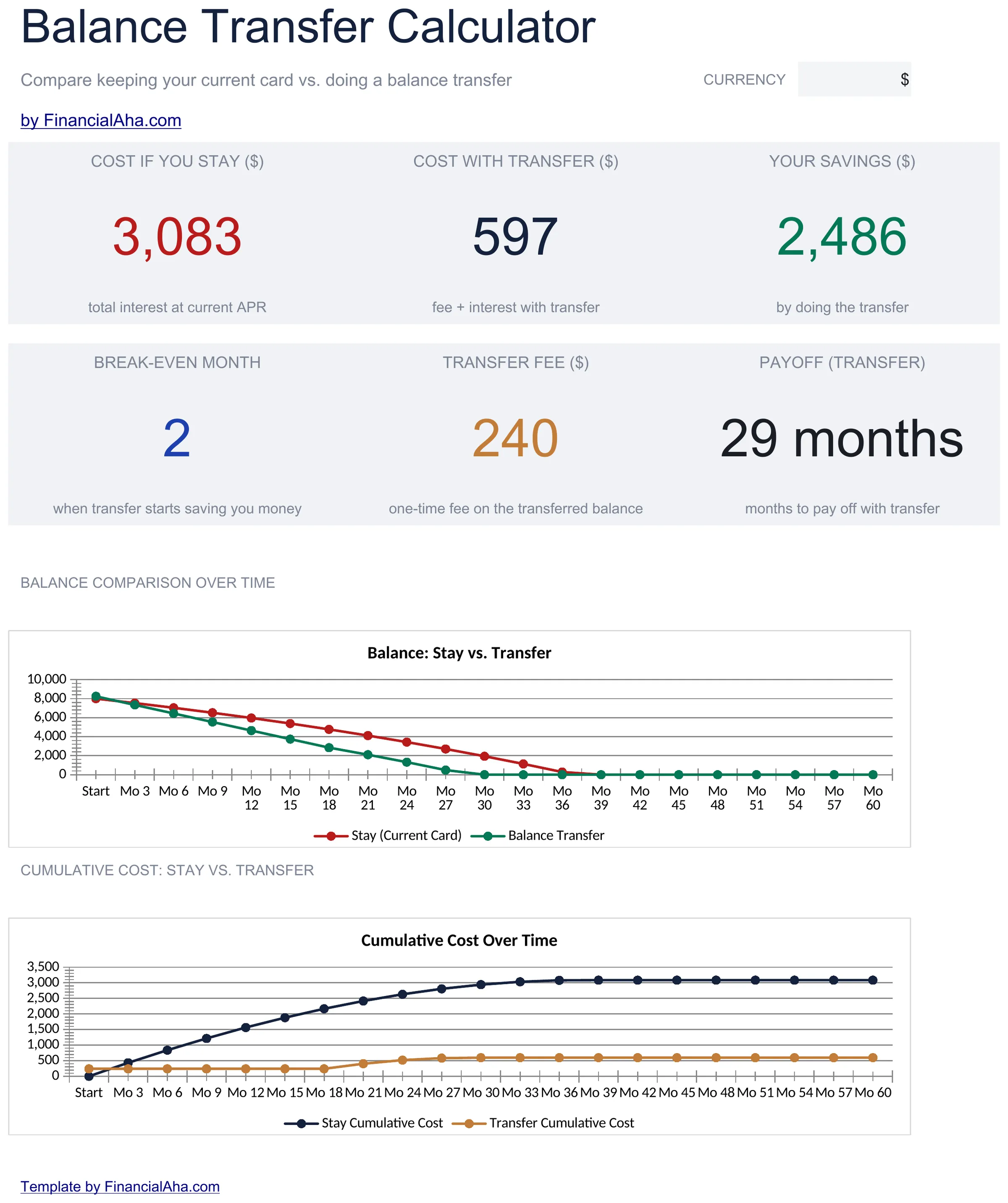
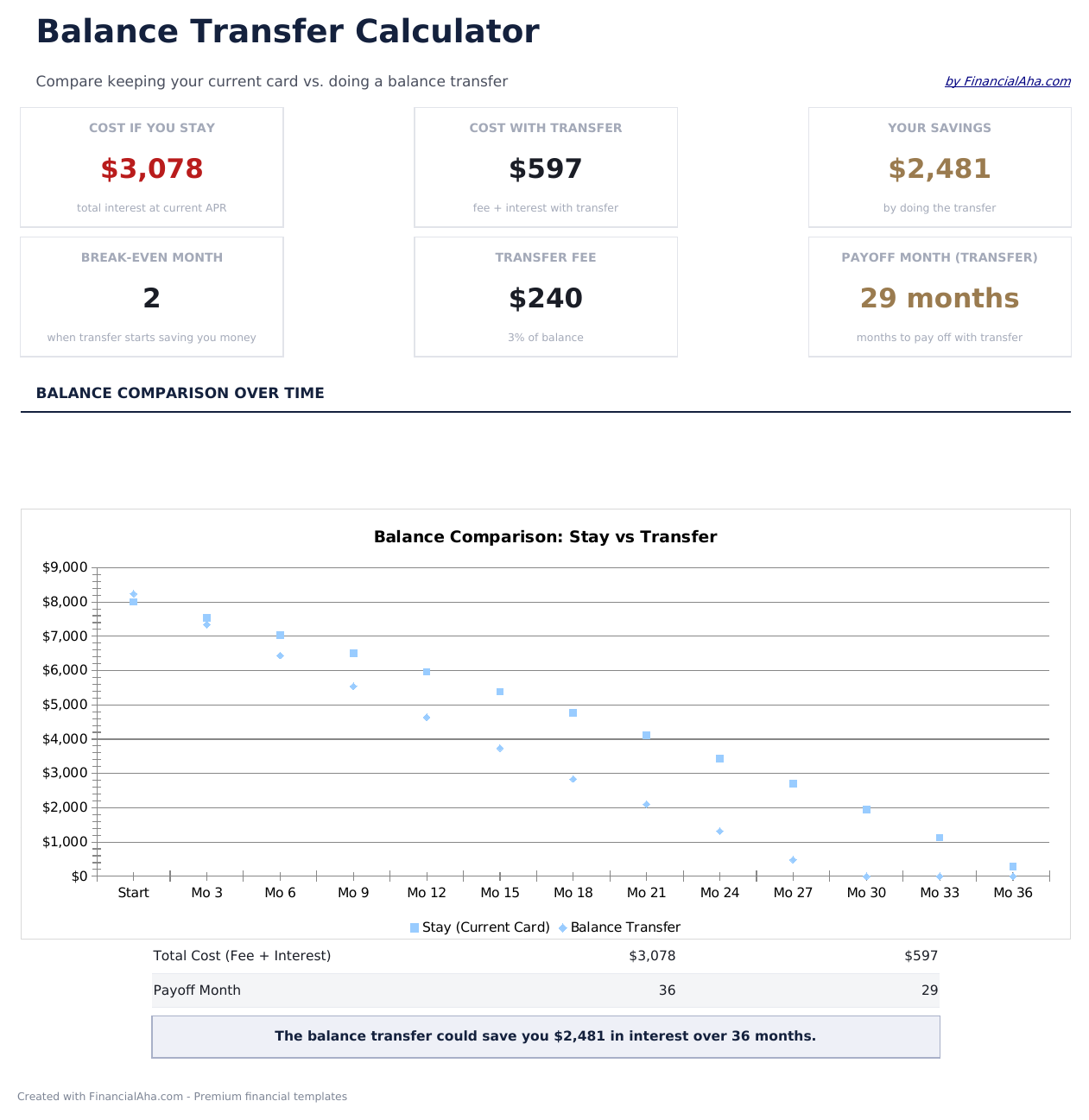
  • Dashboard with transfer savings summary showing total interest saved, fee cost, and net benefit
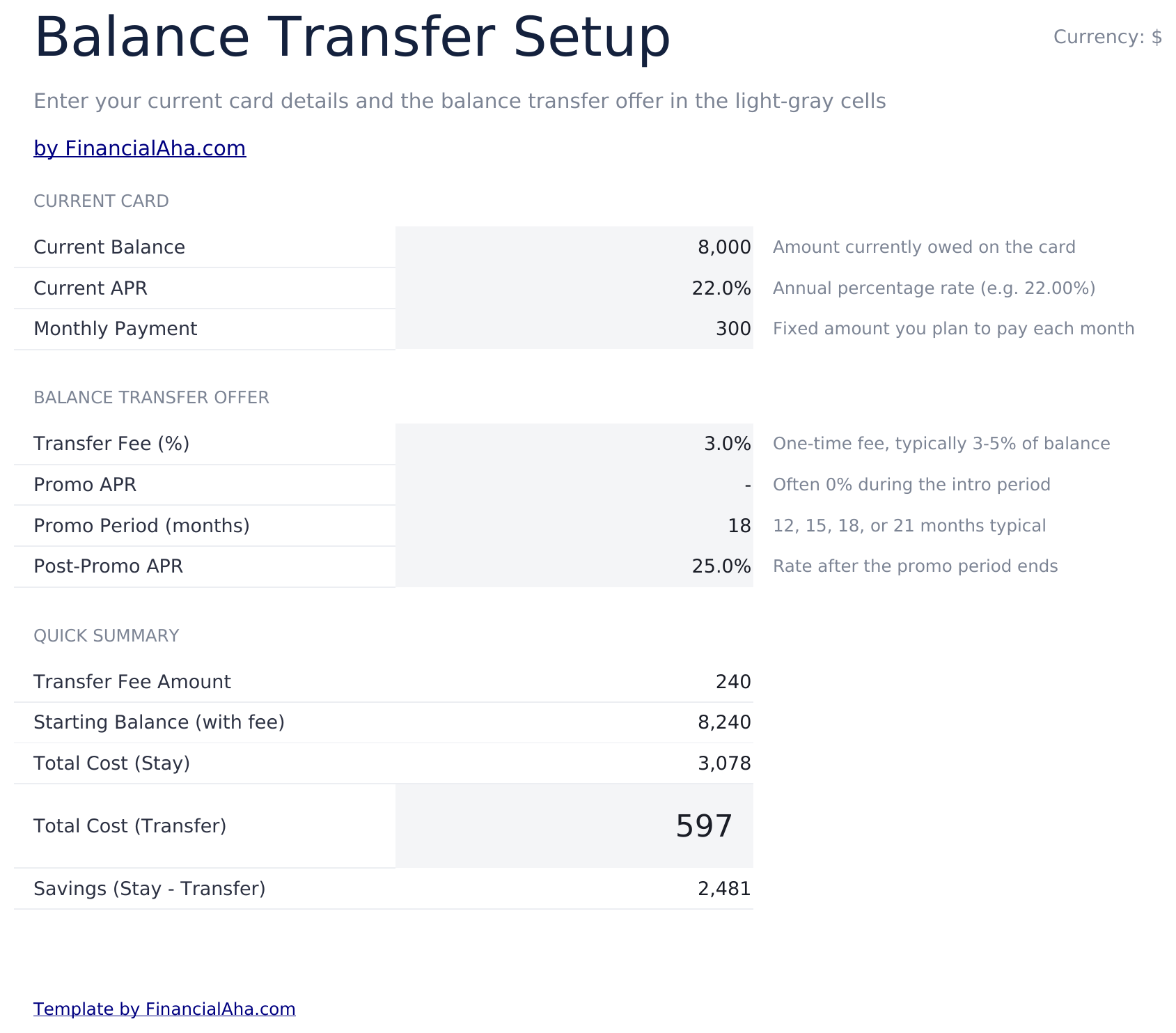
  • Current vs. transfer setup inputs for entering existing APR, new promotional rate, and balance amount
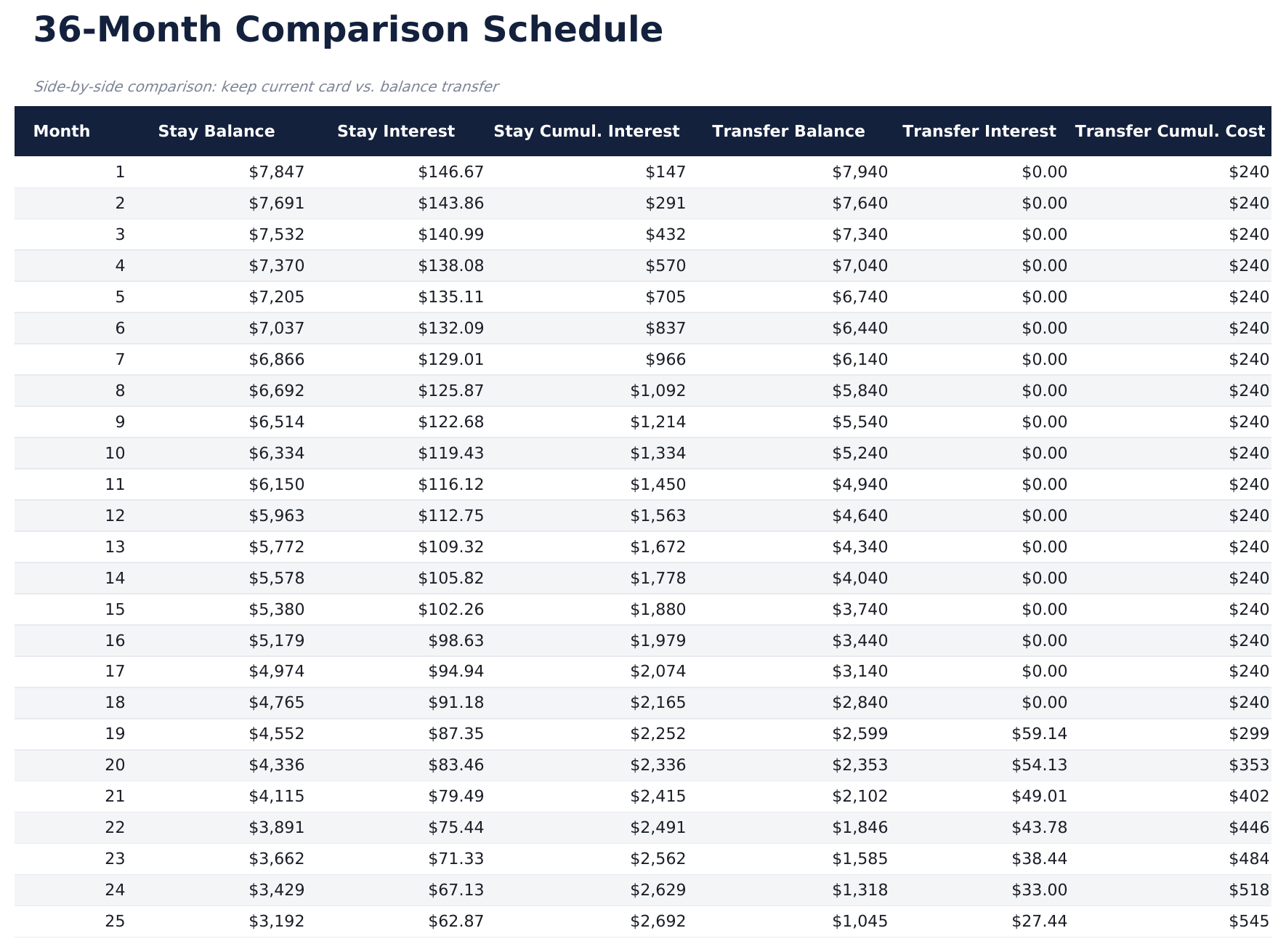
  • Comparison schedule with monthly costs for both scenarios displayed side by side over the payoff term
  • Transfer fee calculations that factor in the percentage-based fee and subtract it from total savings
  • Break-even timeline showing the exact month when transfer savings exceed the upfront fee cost
  • Works in Microsoft Excel, Google Sheets, and LibreOffice Calc with no setup required

كيفية استخدام قالب Balance Transfer Calculator هذا

1

Enter current card details

Input your existing card balance, APR, and monthly payment amount on the setup sheet.

2

Enter transfer terms

Add the promotional rate, promotional period length, regular rate after promo, and transfer fee percentage.

3

Review the comparison

The schedule shows monthly costs side by side for keeping the current card vs transferring to the new one.

4

Check the break-even point

The dashboard shows the exact month when transfer savings exceed the fee, so you can see if the transfer is worthwhile.

صُممت بواسطة Claude AI. أتقنّاها نحن.

نستخدم Claude AI لصياغة كل قالب بعد بحث معمّق. ثم يتدخل فريقنا. نحسّن التصميم، ونختبر كل صيغة، ونعالج الحالات الاستثنائية، وننقّح التصميم حتى يصبح شيئاً نستخدمه نحن فعلاً. الذكاء الاصطناعي يوصلنا إلى 80%. الـ 20% المتبقية هي حكم بشري بالكامل.

الأسئلة الشائعة

How is the transfer fee calculated?

The calculator multiplies your balance by the transfer fee percentage (typically 3% to 5%) and adds it to the transferred balance or shows it as an upfront cost.

What happens after the promotional rate ends?

The schedule shows payments at the regular rate after the promotional period expires. Total interest includes both the promo and post-promo periods.

Does it compare total cost over the full payoff?

Yes. The comparison runs until the balance is fully paid off, showing total interest and total payments for both the current card and the transfer option.

Can I compare multiple transfer offers?

The template compares one transfer offer against your current card. Duplicate the sheet to compare additional offers side by side.

كيف أفتح هذا في Google Sheets؟

ارفع ملف .xlsx إلى Google Drive، ثم افتحه باستخدام Google Sheets. جميع الصيغ والتنسيقات ستبقى محفوظة.

المزيد من قوالب Essentials في Debt Management

تبحث عن قوالب جداول بيانات احترافية؟

القوالب المدفوعة تشمل لوحات معلومات متعددة الأوراق متقدمة، ورسوم بيانية أصلية في Excel، وتحديثات مستمرة.

خاص وآمن

بياناتك المالية تبقى على جهازك. نحن لا نراها أبداً.

تعرف على المزيد →

هل تحتاج مساعدة؟

راجع أدلتنا أو تواصل معنا لأي أسئلة.

عرض الأسئلة الشائعة →