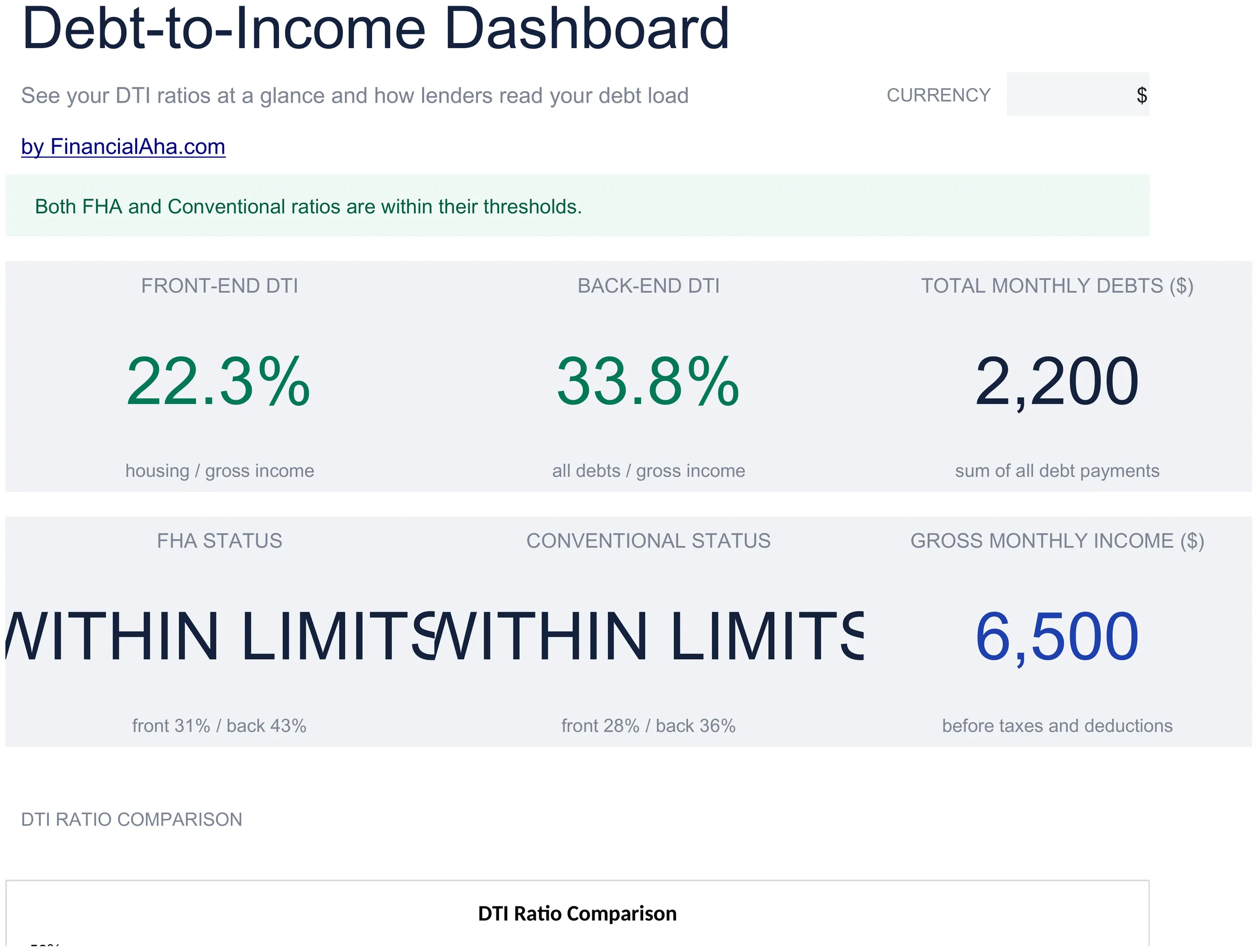
Mejor valor Paquete Todo-en-Uno de Planificación Financiera
✓ Planificación Financiera✓ Rastreador de Patrimonio Neto✓ Presupuesto Mensual✓ Planificador de Presupuesto de Viaje✓ Planificador de Presupuesto Anual✓ Rastreador de Gastos Mensuales✓ Planificador de Impuestos Anual✓ Planificación de Jubilación
Ver paquete →
Plantilla Essentials - Excel y Google Sheets

Debt-to-Income Calculator Plantilla Essentials

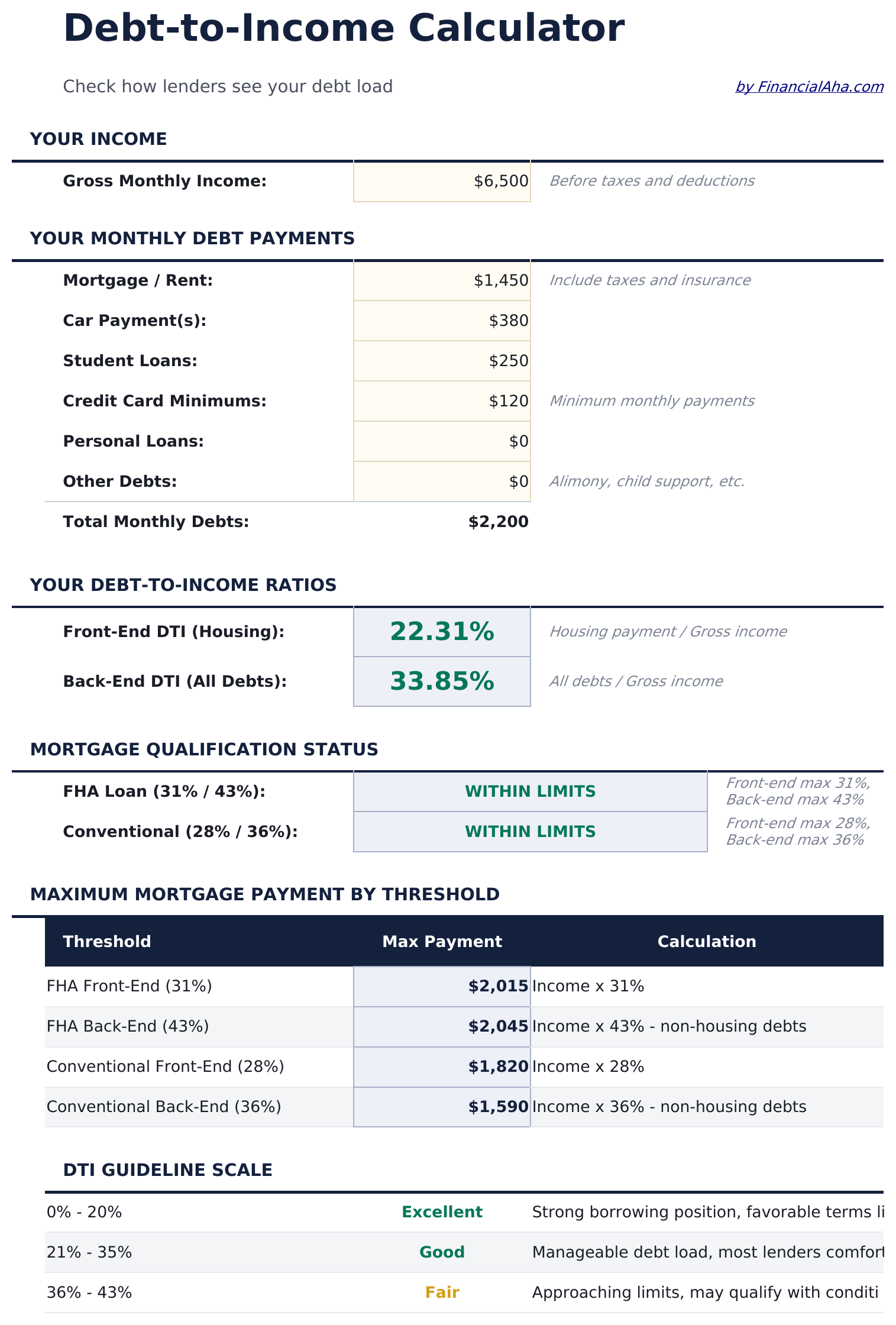
Calculate your debt-to-income ratio by listing monthly debts and income. Commonly used when evaluating mortgage or loan qualification thresholds.

Debt-to-Income Calculator preview

Qué incluye

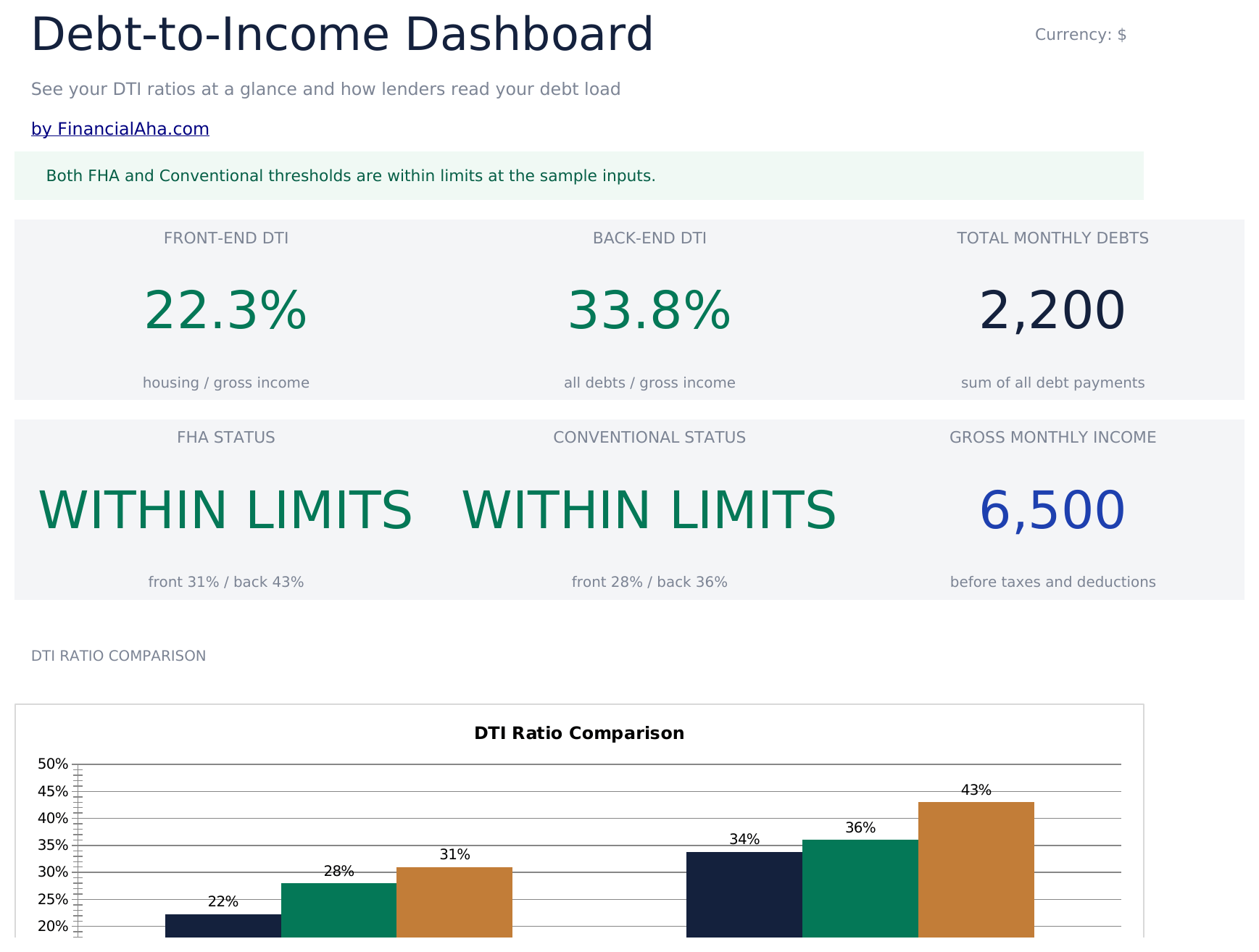
  • Calculator with DTI ratio output displaying front-end and back-end percentages based on your entries
  • Monthly debt entry section for mortgage, car payments, student loans, credit cards, and other obligations
  • Gross income input fields for salary, wages, rental income, and other sources of monthly earnings
  • Front-end and back-end ratio display with common lender threshold reference values for comparison
  • Color-coded result indicators that flag whether your DTI ratio falls within typical qualification ranges
  • Works in Microsoft Excel, Google Sheets, and LibreOffice Calc with no setup required

Cómo usar esta plantilla de Debt-to-Income Calculator

1

Enter monthly debts

List all monthly debt payments - mortgage, car loan, student loans, credit cards, and any other obligations.

2

Enter gross income

Add all sources of monthly gross income including salary, wages, rental income, and other earnings before taxes.

3

Read your DTI ratio

The calculator displays your front-end and back-end debt-to-income ratios as percentages. Lower is generally preferable.

4

Compare to thresholds

Reference values for common lender thresholds are shown alongside your ratio so you can see how your DTI compares.

Creadas por Claude AI. Perfeccionadas por nosotros.

Usamos Claude AI para crear el borrador de cada plantilla, después de una investigación profunda. Luego nuestro equipo interviene. Refinamos el diseño, probamos cada fórmula a fondo, corregimos casos especiales y pulimos el diseño hasta que se siente como algo que realmente usaríamos nosotros mismos. La IA nos lleva al 80%. El último 20% es criterio humano.

Preguntas frecuentes

What is front-end vs back-end DTI?

Front-end includes only housing costs (mortgage, taxes, insurance). Back-end includes all monthly debt obligations. Lenders typically look at both ratios.

What DTI ratio do lenders prefer?

Common thresholds are 28% front-end and 36% back-end, though requirements vary by lender and loan type. The template shows these reference values for comparison.

Do I use gross or net income?

Debt-to-income ratios use gross (pre-tax) income. Enter your monthly earnings before any deductions or withholdings.

What debts should I include?

Include minimum monthly payments for mortgages, car loans, student loans, credit cards, personal loans, and any other recurring debt obligations.

¿Cómo abro esto en Google Sheets?

Sube el archivo .xlsx a Google Drive y luego ábrelo con Google Sheets. Todas las fórmulas y el formato se conservarán.

Más plantillas Essentials de Debt Management

¿Buscas plantillas premium?

Nuestras plantillas de pago incluyen paneles avanzados con múltiples hojas, gráficos nativos de Excel y actualizaciones continuas.

Privado y seguro

Sus datos financieros permanecen en su dispositivo. Nunca los vemos.

Saber más →

¿Necesita ayuda?

Consulte nuestras guías o contáctenos con preguntas.

Ver FAQ →