Free Work Order Spreadsheet Template for Google Sheets & Excel
Ten line items covering labour, parts, supplies and fees, with a category on each so labour is tellable from parts when the job is costed. The Free Work Order spreadsheet template records a work order number, a date, a priority and a status, along with the name of whoever the job is assigned to. One working sheet, a How to Use tab beside it. Google Sheets or Excel. No macros, no VBA.
The FinancialAha Free Work Order Spreadsheet Template is a one-sheet workbook for Google Sheets and Excel, with a How to Use guide on a second tab. It works as a Free Work Order Excel template and a Free Work Order Google Sheets template from the same download. Line items covering labour, parts, supplies and fees, with a priority, a status and the name of whoever the job is assigned to. No macros, no VBA.
Inside the workbook
What's inside the FinancialAha Free Work Order spreadsheet template
The FinancialAha Free Work Order Spreadsheet Template runs on a single working sheet, with the instructions on a tab of their own. It works in both Microsoft Excel and Google Sheets and here is what the Free Work Order spreadsheet holds.
01of 01
Work Order
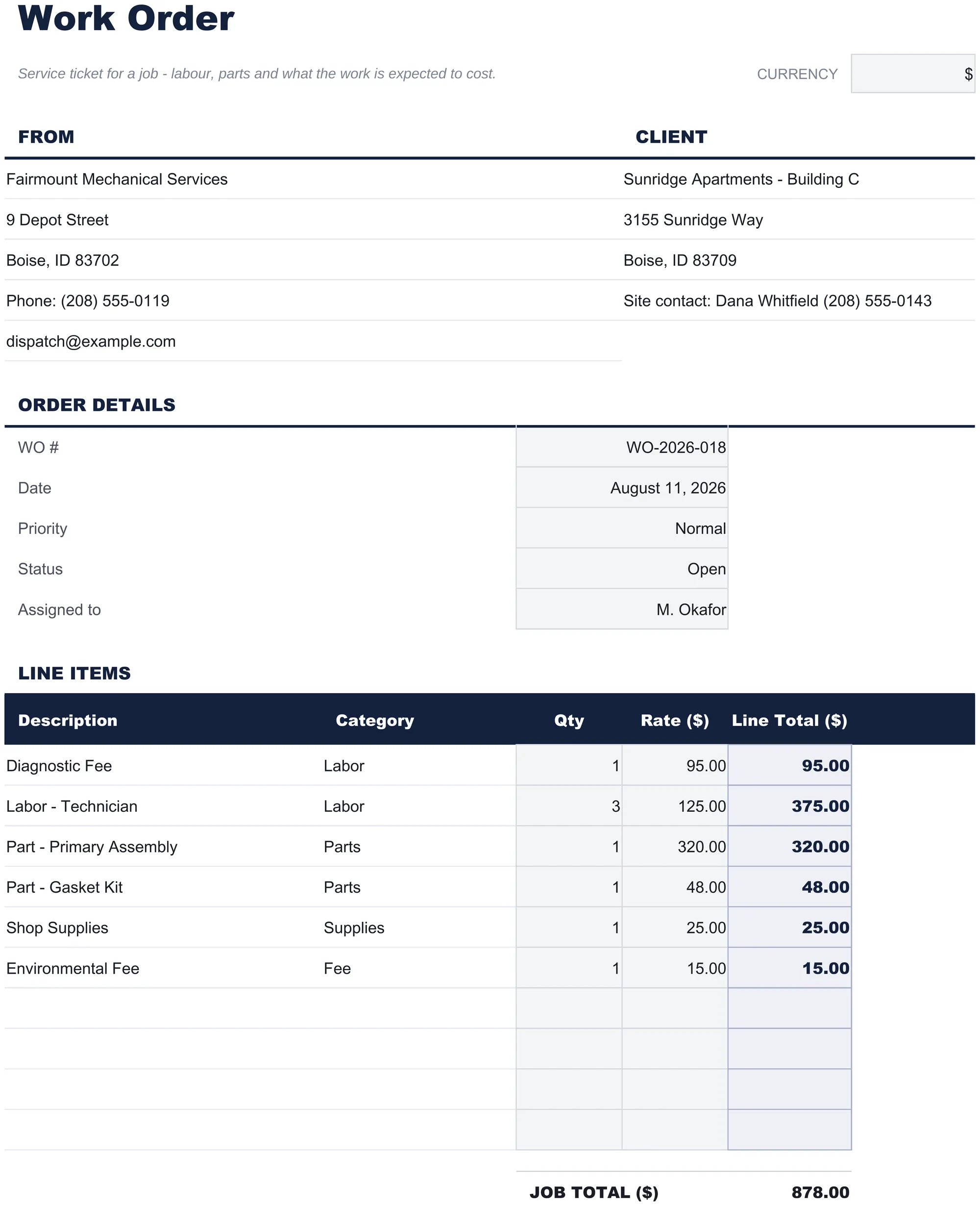
Your business at the top, the customer beside it, and the order's own details underneath: a work order number, the date, a priority, a status, and who the job is assigned to. Those last three are what make a stack of these usable - a pile of work orders with no status is a pile of paper, and a pile with one is a queue.
Then the line items, each carrying a description, a category, a quantity and a rate, with each line total worked out and the job total at the foot. The category column is what keeps labour, parts, supplies and fees apart, which is the split that matters when a job is costed afterwards or when a customer asks what they are paying for.
What is deliberately not here is a due date, payment terms or an amount due. A work order authorises work and records what it took; the invoice is written from it later. Putting Net 30 on a document that goes to a technician is how a job ticket ends up being treated as a bill.
Work Order
Included guide
How to Use
A step-by-step guide on its own tab, covering how to replace the sample values, what the category column is for, and how to change the currency. Because it ships inside the file, the instructions travel with the template wherever it is opened.
Works in both Google Sheets and Excel
Free Work Order Spreadsheet template for Google Sheets
Upload the Free Work Order Spreadsheet Template to Drive, right-click it, and choose "Open with Google Sheets". This Free Work Order Google Sheets template needs no conversion step and the totals recalculate exactly as they do in Excel.
Free Work Order Google Sheets template setup
A shared copy of the Free Work Order Google Sheets template suits a business where someone dispatches and someone else does the work, since the status and the assignee are on the same page both are reading.
Running the Free Work Order Google Sheet
The Free Work Order Google Sheet is opened per job. The status field is what turns a folder of them into something you can work through.
The Free Work Order spreadsheet Excel download is a plain .xlsx. Excel opens this Free Work Order Excel template directly, with no import step and no compatibility prompt. There are no macros and no VBA in the file.
Free Work Order Excel template setup
The same Free Work Order Excel template opens in Excel on Windows, Excel on Mac, and Excel for the web. It is also the identical file you would upload to Drive, so there is no separate Free Work Order spreadsheet download to choose between.
Free Work Order spreadsheet Excel notes
The Free Work Order spreadsheet Excel file carries no macros and no VBA, so Excel opens it without a trust prompt.
Opening the Free Work Order spreadsheet Excel file
Nothing in the Free Work Order Excel template is version-specific, so this Free Work Order spreadsheet Excel workbook behaves identically in Excel on Windows, Excel on Mac, and older builds.
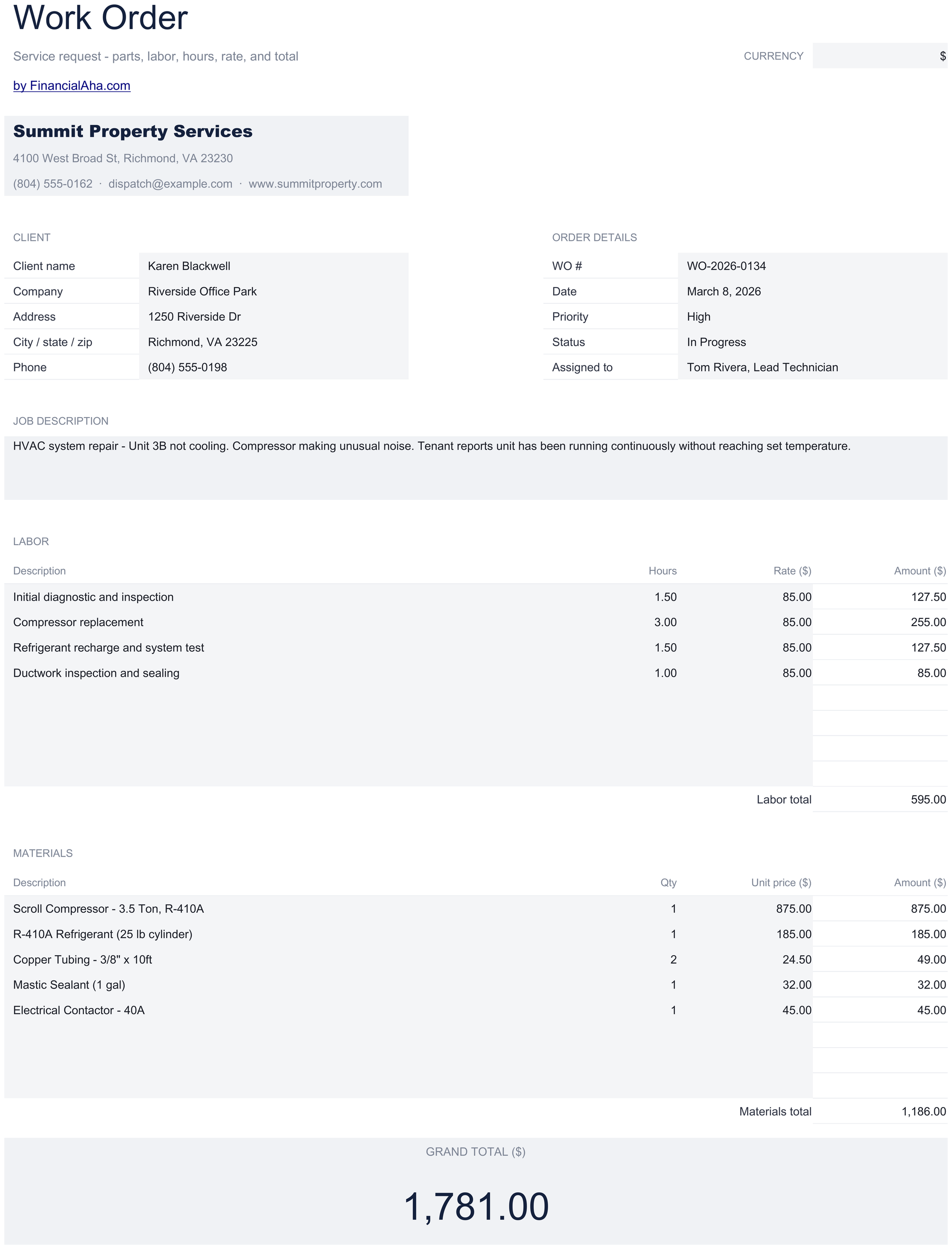
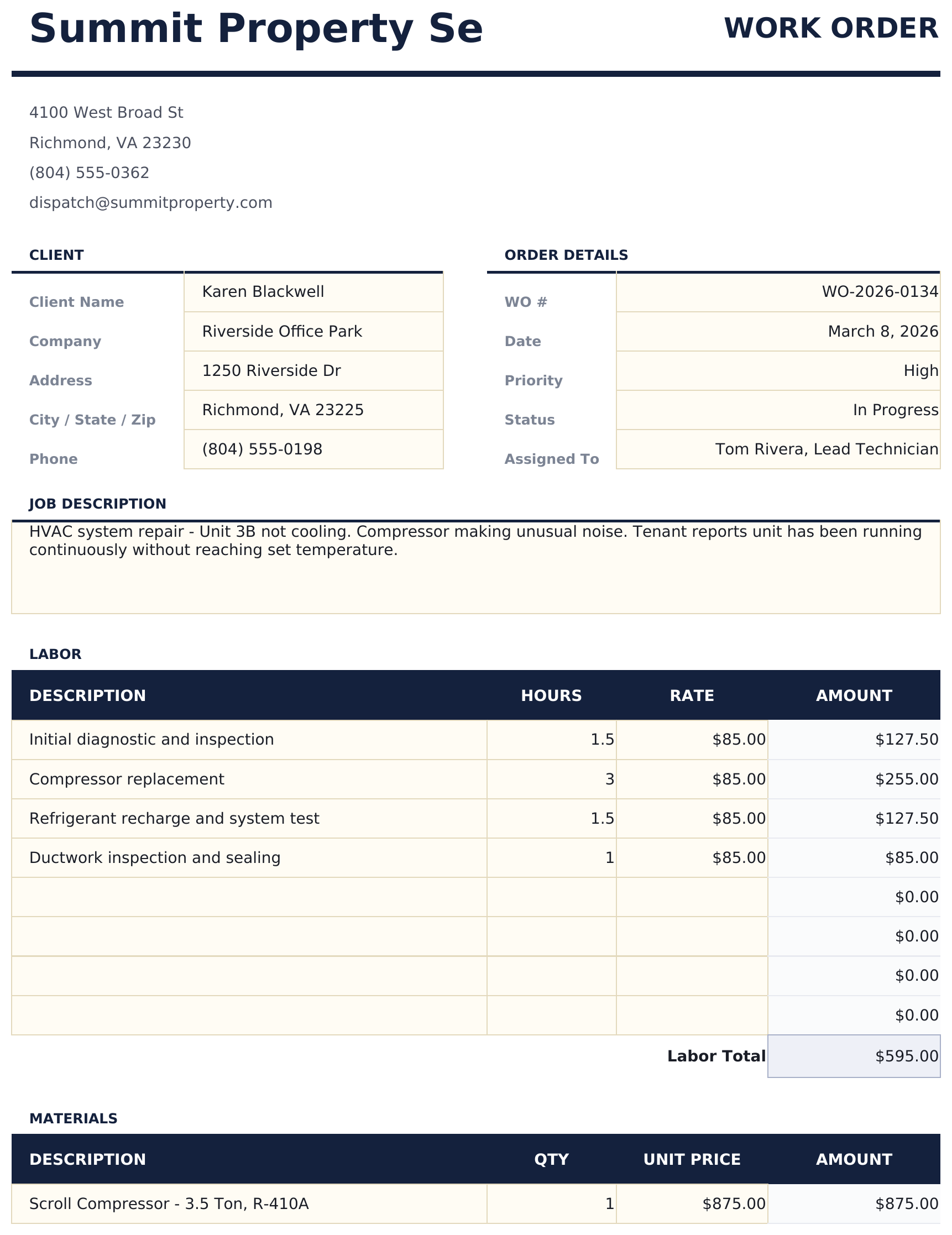
The FinancialAha Free Work Order Spreadsheet Template puts labour, parts and fees on the same lines, told apart by a category. The Essentials Work Order Spreadsheet Template for Google Sheets and Excel separates them: labour lines priced in hours and material lines priced per unit, each subtotalled on its own, with a job description block, completion notes and a signature line.
Notes on working in the Free Work Order spreadsheet template
The order details block carries a work order number, the date, a priority, a status and who the job is assigned to.
Line totals are quantity times rate, with the job total at the foot of them.
The category column keeps labour, parts, supplies and fees apart on the same order.
There is no due date, no payment terms and no amount due - a work order authorises work, and the invoice is written from it later.
Separate labour and materials sections, a job description block and a signature line start at the Essentials build.
The dropdown beside the title relabels the rate and total columns. It changes the label and nothing else.
How the Work Order template works
The Free Work Order Spreadsheet Template authorises a job and records what it took. Your business sits at the top, the customer beside it, and the order details underneath - a number, the date, a priority, a status, and who the job is assigned to. The line items follow with a description, a category, a quantity and a rate, ending on the job total. There is no due date and no payment terms, because a work order is what an invoice is written from rather than a bill itself.
When this template helps
01
You dispatch jobs and need one document per job that a technician can carry.
02
You want labour, parts and fees priced on the same ticket.
03
You need a status and an assignee on the paperwork rather than in someone's head.
04
You need a print-ready layout that works the same in Excel and Google Sheets.
Tips to get the most out of it
Status and assignee are what turn a stack of these from a pile of paper into a queue.
Hours go in the quantity column the same way units do, at the rate for that line, so labour and parts sit on one order.
Filling the category column while the job is fresh is what makes it costable afterwards.
Common mistakes to avoid
Treating a work order as a bill. Nothing on it is owed until an invoice is raised from it.
Leaving the status blank, which turns a stack of orders back into a pile of paper.
Reusing a work order number, which makes a later job impossible to find.
Recording parts without quantities, so a job cannot be costed afterwards.
How to Use the Free Work Order Spreadsheet Template
1
Add your details
Your business name and contact details at the top.
2
Name the customer
The Client block, with the site the work is at.
3
Open the order
Number, date, priority, status and who it is assigned to.
Every template starts with deep research into how people actually track the topic. We design the layout, build the formulas, and polish the design until it feels like something we would use ourselves. Along the way, we use AI to stress-test the calculations: unusual inputs, edge cases, and formula behavior, checked until the numbers hold.
Excel
Sheets
Privacy by default
Your numbers stay in your own file
Formula-driven
All calculations update automatically
Dual compatible
Works in Excel and Google Sheets
Sample data included
See the template in action right away
Frequently Asked Questions
What is the difference between the free and Essentials Free Work Order spreadsheet template?
Free is a single-sheet starter template with sample data and a How to Use guide. Essentials ($19) is the fuller build, with more worked out for you rather than typed. This template has no Ultimate build. What each tier holds differs by template - the comparison table on every template page lists it exactly.
Which Free Work Order spreadsheet template should I download?
Essentials is the fuller build of this template for ongoing use, and the comparison table on this page lists exactly what it adds. The Free version is a good fit for one-off planning or trying out the layout.
Can I upgrade the Free Work Order spreadsheet template later?
Yes. Essentials is a one-time $19 purchase with no subscription. What it adds depends on the template: some builds gain capacity and a dashboard, others richer detail in the same layout. The comparison table on this page lists the differences exactly.
Is the FinancialAha Free Work Order Spreadsheet Template a Google Sheets template?
Yes. Upload the file to Drive and choose "Open with Google Sheets". Nothing needs rewriting in the Free Work Order Google Sheets template, and the totals recalculate exactly as they do in Excel.
Is the FinancialAha Free Work Order Spreadsheet Template an Excel template?
Yes. The download is a plain .xlsx, so the Free Work Order Excel template opens directly in Excel with no import step. There are no macros and no VBA in the file.
Will the FinancialAha Free Work Order spreadsheet Excel file open in older versions of Excel?
Yes. The Free Work Order spreadsheet Excel workbook ships as a plain .xlsx, so it opens identically in current Excel and in builds that predate dynamic arrays.
What is the difference between a work order and an invoice?
A work order authorises work and records what it took; an invoice asks to be paid for it. That is why there is no due date, no payment terms and no amount due on this sheet - the invoice is written from it afterwards.
Why does the Free Work Order spreadsheet have a priority and a status?
Because a stack of work orders with no status is a pile of paper and a stack with one is a queue. The assignee field does the same job for who is doing what.
How do I bill labour and parts on the same Free Work Order spreadsheet?
On the same lines, with the category set to labour or parts. Hours go in the quantity column the same way units do, at the rate for that line.
Is there a tax row in the Free Work Order spreadsheet template?
No, on purpose. A work order prices a job rather than charging for it, so tax belongs on the invoice that follows rather than here.
Does the FinancialAha Free Work Order spreadsheet separate labour from materials?
Only by the category column. Separate labour and material sections, each subtotalled on its own, plus a job description block and a signature line, are on the Essentials build.
How do I open the Free Work Order spreadsheet template in Google Sheets?
Upload the .xlsx file to Google Drive, then open it with Google Sheets. All formulas and formatting will be preserved.
Can I use the Free Work Order spreadsheet template for commercial work?
All free templates are released under CC BY 4.0 (Creative Commons Attribution). You can use, modify, and share them freely - including for commercial purposes - as long as you credit FinancialAha.com. They are provided as-is and do not constitute financial advice.