Meilleur rapport qualité-prix Pack Complet de Planification Financière
✓ Planification Financière✓ Suivi du Patrimoine Net✓ Budget Mensuel✓ Planificateur de Budget Voyage✓ Planificateur de Budget Annuel✓ Suivi des Dépenses Mensuelles✓ Planificateur Fiscal Annuel✓ Planification de Retraite
Voir le pack →
Modèle Essentials - Excel et Google Sheets

Traditional vs Roth Calculator Modèle Essentials

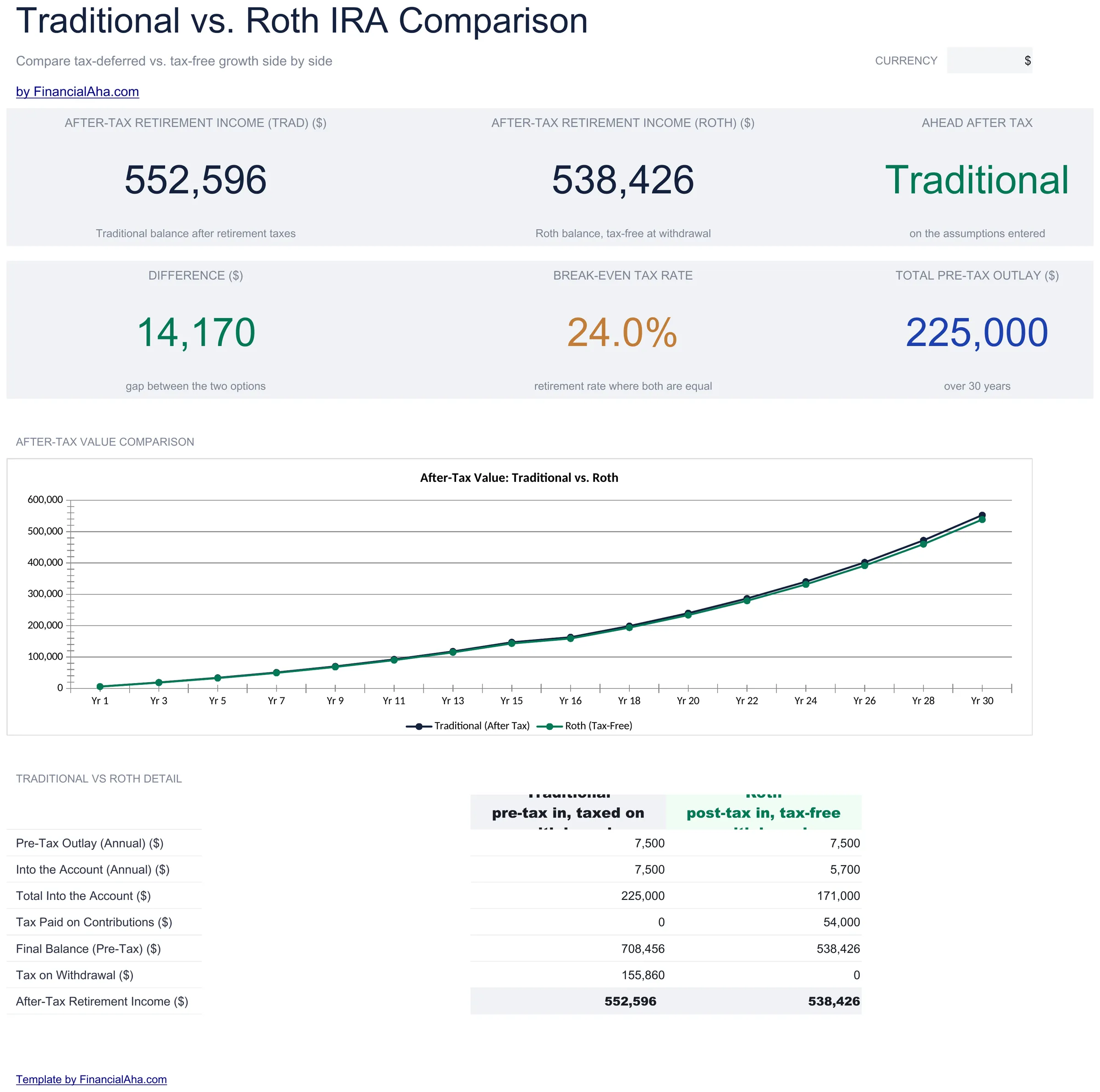
Compare Traditional and Roth IRA outcomes side by side. Factor in current and projected tax rates to see which account type may result in more after-tax retirement income.

Traditional vs Roth Calculator preview

Ce qui est inclus

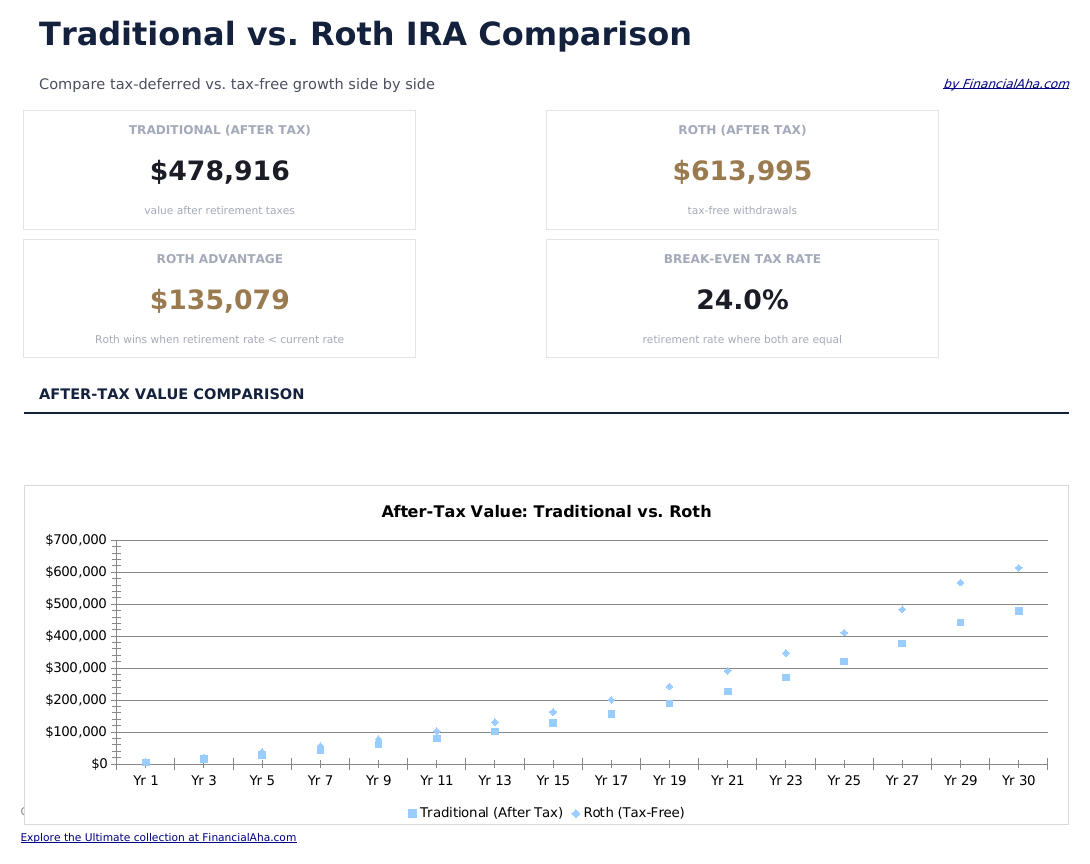
  • Dashboard with side-by-side comparison of Traditional and Roth IRA projected after-tax balances
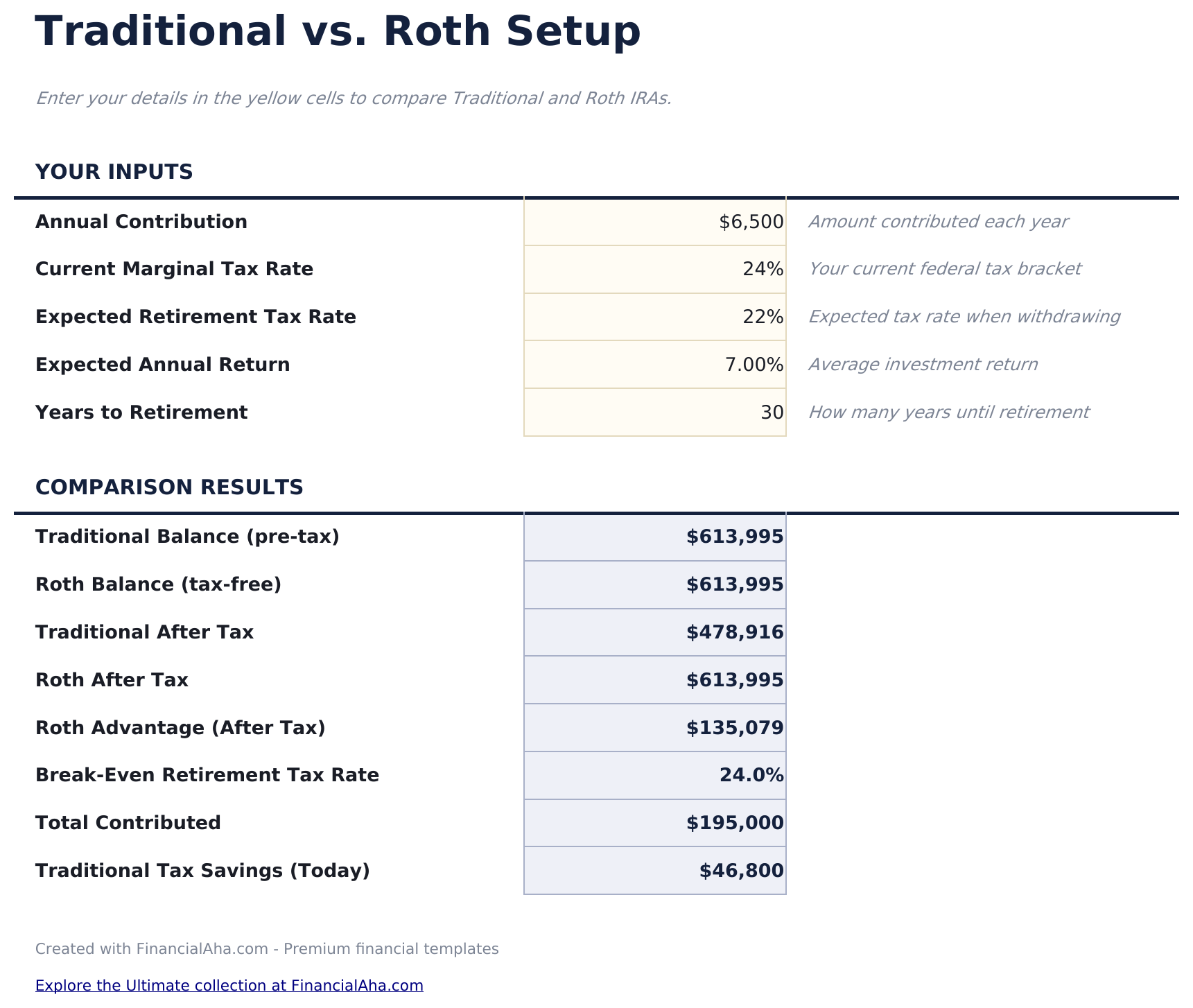
  • Comparison setup with current tax rate, expected retirement tax rate, contribution amount, and time horizon
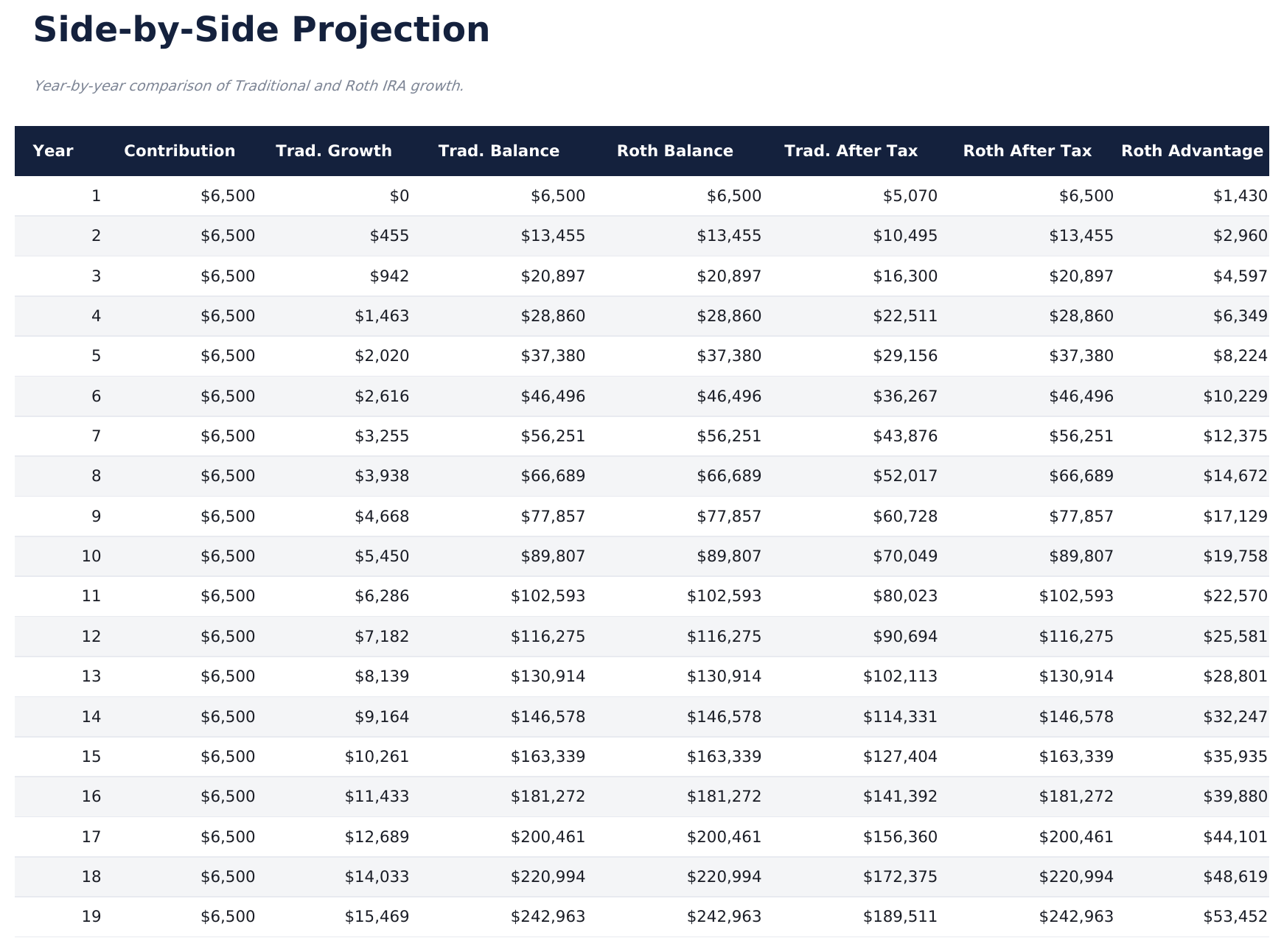
  • Year-by-year projection table showing pre-tax and after-tax growth for both account types in parallel
  • After-tax value comparison highlighting the net difference between Traditional and Roth outcomes at retirement
  • Tax bracket impact analysis showing how changes in current or future tax rates shift the outcome
  • Works in Microsoft Excel, Google Sheets, and LibreOffice Calc with no setup required

Comment utiliser ce modèle Traditional vs Roth Calculator

1

Enter your tax rates

Input your current marginal tax rate and your expected tax rate in retirement. These drive the comparison results.

2

Set contribution details

Enter the annual contribution amount, expected return rate, and number of years until retirement.

3

Review the projections

The year-by-year table shows pre-tax and after-tax growth for both Traditional and Roth accounts in parallel.

4

Compare after-tax results

The dashboard highlights which account type produces more after-tax income based on your current vs retirement tax rates.

Créés par Claude AI. Perfectionnés par nos soins.

Nous utilisons Claude AI pour rédiger chaque modèle, après une recherche approfondie. Puis notre équipe prend le relais. Nous affinons la mise en page, testons chaque formule en conditions réelles, corrigeons les cas limites et peaufinons le design jusqu'à obtenir un résultat que nous utiliserions nous-mêmes. L'IA nous amène à 80 %. Les 20 % restants, c'est du jugement humain.

Questions fréquentes

When is Roth typically better?

Roth accounts tend to produce better after-tax results when your retirement tax rate is higher than your current rate. The calculator shows the exact difference for your inputs.

When is Traditional typically better?

Traditional accounts tend to produce better results when your retirement tax rate is lower than your current rate, since withdrawals are taxed at the lower future rate.

Does it account for the tax deduction?

Yes. The Traditional column factors in the upfront tax deduction and taxes withdrawals in retirement. The Roth column shows after-tax contributions growing tax-free.

Can I change the return rate?

Yes. The return rate field is adjustable. Both account projections use the same rate so the comparison isolates the tax treatment difference.

Comment ouvrir ce fichier dans Google Sheets ?

Importez le fichier .xlsx dans Google Drive, puis ouvrez-le avec Google Sheets. Toutes les formules et la mise en forme seront conservées.

Plus de modèles Essentials Savings & Retirement

Vous recherchez des modèles de tableurs premium ?

Nos modèles payants incluent des tableaux de bord multi-feuilles avancés, des graphiques Excel natifs et des mises à jour régulières.

Privé et sécurisé

Vos données financières restent sur votre appareil. Nous ne les voyons jamais.

En savoir plus →

Besoin d'aide?

Consultez nos guides ou contactez-nous pour toute question.

Voir FAQ →