Mejor valor Paquete Todo-en-Uno de Planificación Financiera
✓ Planificación Financiera✓ Rastreador de Patrimonio Neto✓ Presupuesto Mensual✓ Planificador de Presupuesto de Viaje✓ Planificador de Presupuesto Anual✓ Rastreador de Gastos Mensuales✓ Planificador de Impuestos Anual✓ Planificación de Jubilación
Ver paquete →
Plantilla Essentials - Excel y Google Sheets

Break-Even Analysis Plantilla Essentials

Calculate the break-even point where revenue covers all costs. Enter fixed costs, variable costs, and pricing to see the required sales volume.

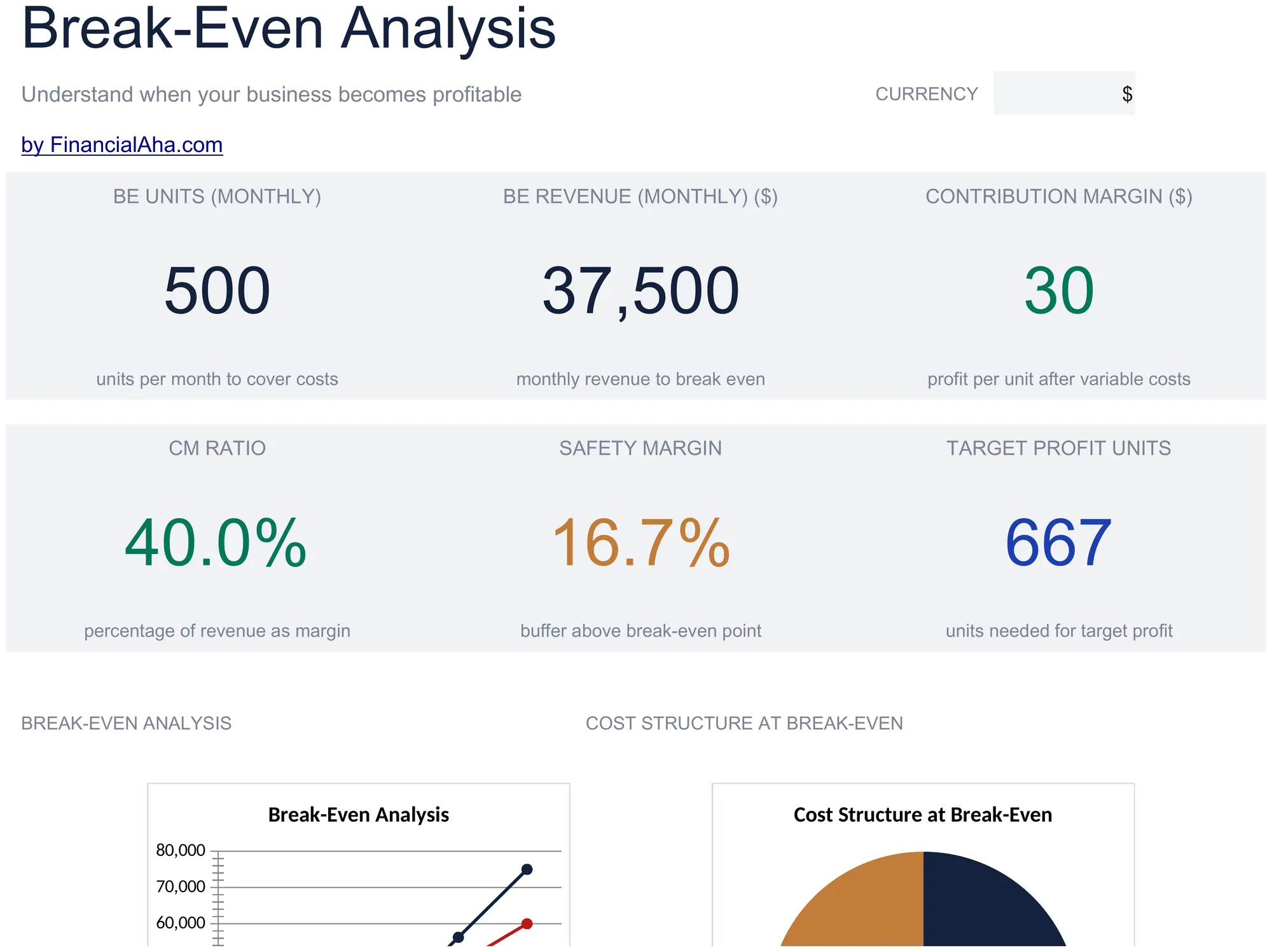
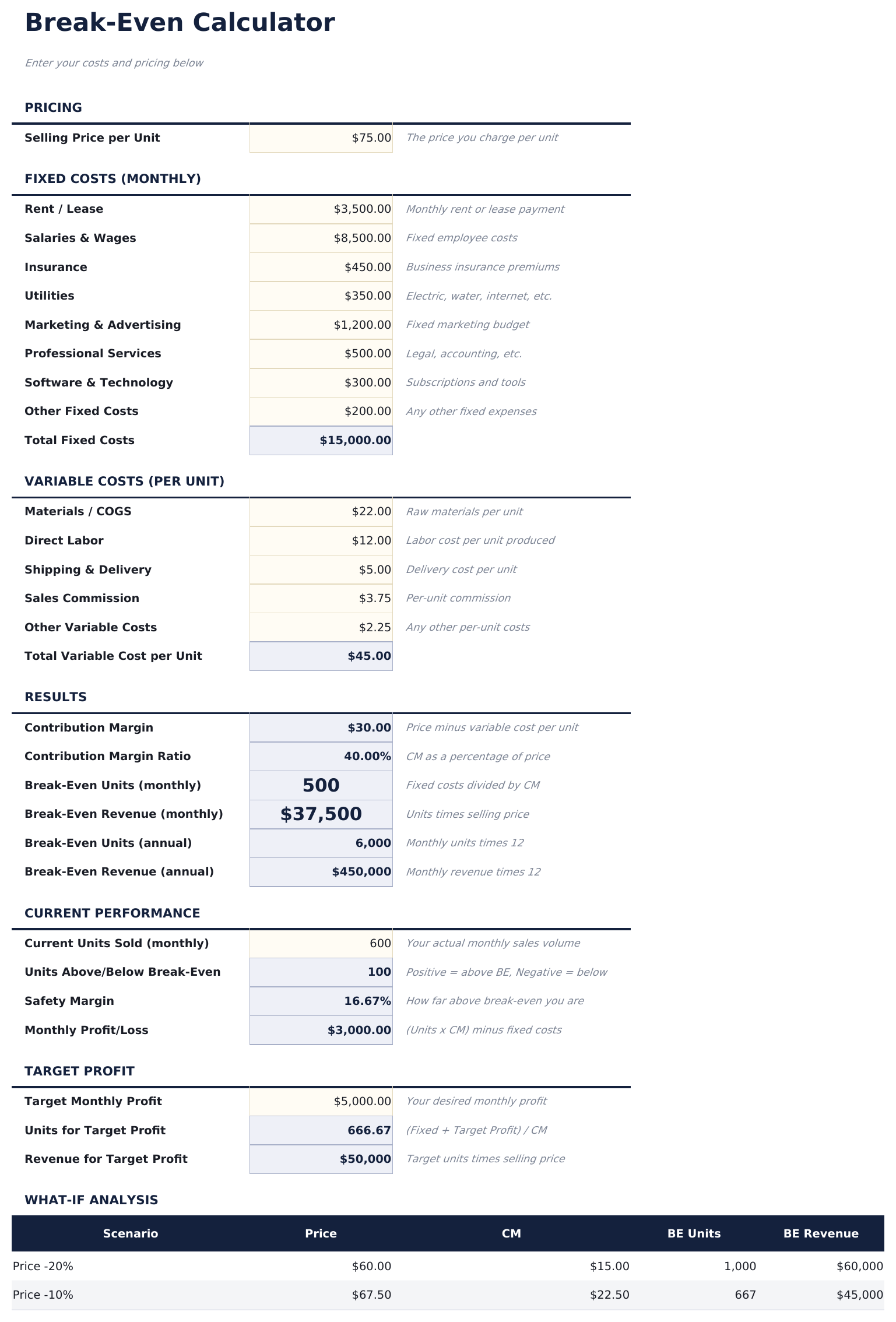
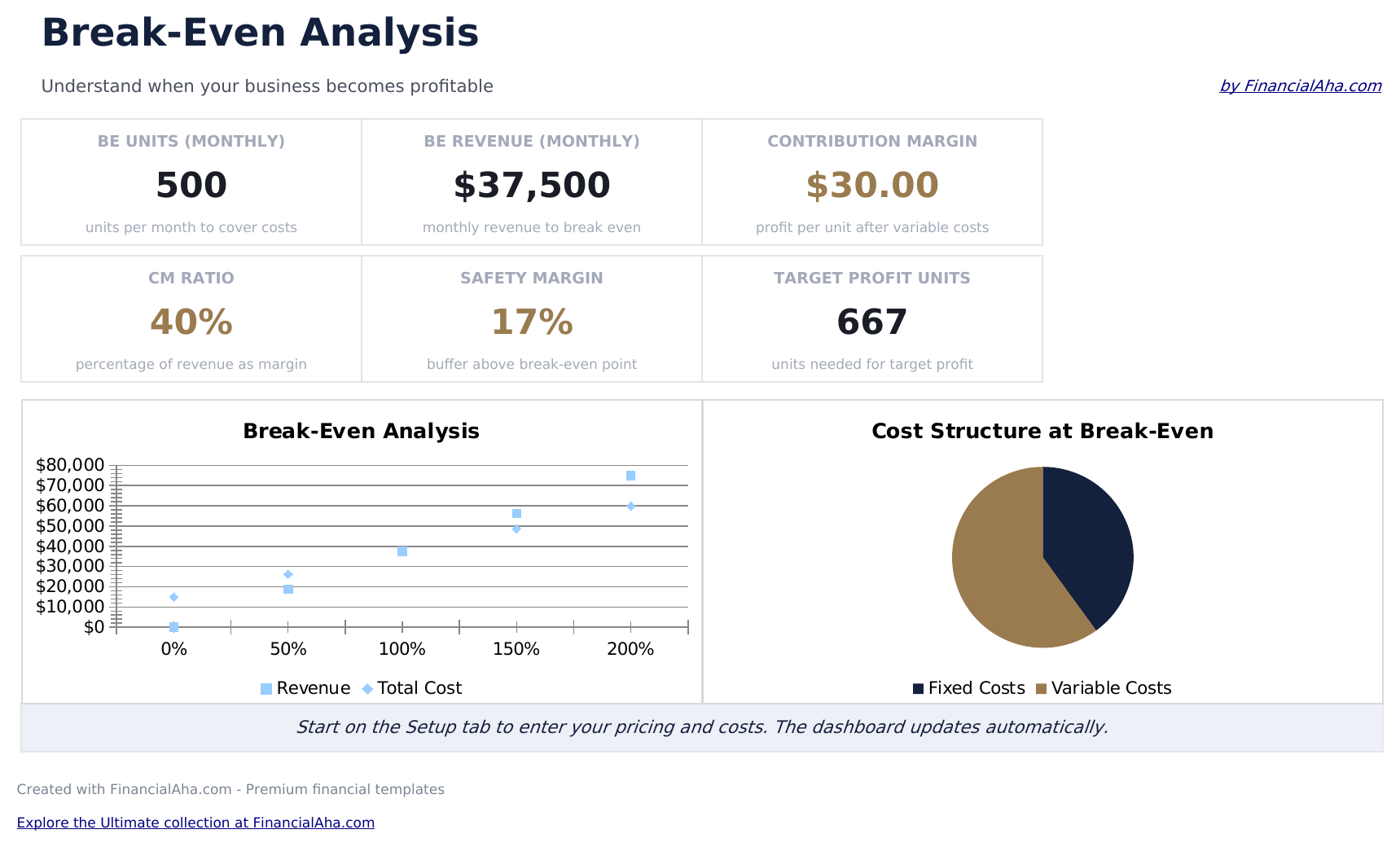
Break-Even Analysis preview

Qué incluye

  • Dashboard with break-even point display showing the exact number of units and dollar amount needed to cover all costs
  • Setup sheet with inputs for total fixed costs, variable cost per unit, and selling price per unit
  • Break-even unit and revenue calculations that update automatically whenever you adjust cost or pricing inputs
  • Contribution margin analysis showing the per-unit margin and how each sale contributes to covering fixed costs
  • Sensitivity analysis for price changes with color-coded input cells showing break-even at different price points
  • Works in Microsoft Excel, Google Sheets, and LibreOffice Calc with no setup required

Cómo usar esta plantilla de Break-Even Analysis

1

Enter fixed costs

Input total fixed costs - rent, salaries, insurance, and other expenses that do not change with sales volume.

2

Enter variable costs

Add the variable cost per unit - materials, labor, and other costs that increase with each unit sold.

3

Set selling price

Enter the selling price per unit. The contribution margin (price minus variable cost) calculates automatically.

4

Read the break-even point

The dashboard shows the break-even in units and dollars - the exact sales volume needed to cover all fixed and variable costs.

Creadas por Claude AI. Perfeccionadas por nosotros.

Usamos Claude AI para crear el borrador de cada plantilla, después de una investigación profunda. Luego nuestro equipo interviene. Refinamos el diseño, probamos cada fórmula a fondo, corregimos casos especiales y pulimos el diseño hasta que se siente como algo que realmente usaríamos nosotros mismos. La IA nos lleva al 80%. El último 20% es criterio humano.

Preguntas frecuentes

What is the contribution margin?

Contribution margin is selling price minus variable cost per unit. It represents how much each sale contributes toward covering fixed costs.

What if I sell multiple products?

Use a weighted average selling price and variable cost across your product mix. The break-even point applies to the blended product.

How do I use the sensitivity analysis?

Change the selling price input to see how the break-even point shifts at different price levels. Lower prices require more units to break even.

Does this account for taxes?

No. Break-even analysis covers costs only. The break-even point is where revenue equals total costs before any tax considerations.

¿Cómo abro esto en Google Sheets?

Sube el archivo .xlsx a Google Drive y luego ábrelo con Google Sheets. Todas las fórmulas y el formato se conservarán.

Más plantillas Essentials de Business Finance

¿Buscas plantillas premium?

Nuestras plantillas de pago incluyen paneles avanzados con múltiples hojas, gráficos nativos de Excel y actualizaciones continuas.

Privado y seguro

Sus datos financieros permanecen en su dispositivo. Nunca los vemos.

Saber más →

¿Necesita ayuda?

Consulte nuestras guías o contáctenos con preguntas.

Ver FAQ →