免费 简易发票 电子表格模板
简洁的发票模板,包含标准字段。填写项目、数量和单价 - 合计自动计算。
Upgrade your template
Here is how you unlock a better version.
- Full-featured Simple Invoice with dashboard and detailed analytics
- Pre-filled subcategories, sample scenarios, and helper calculations
- Larger data capacity for real-world usage
包含内容
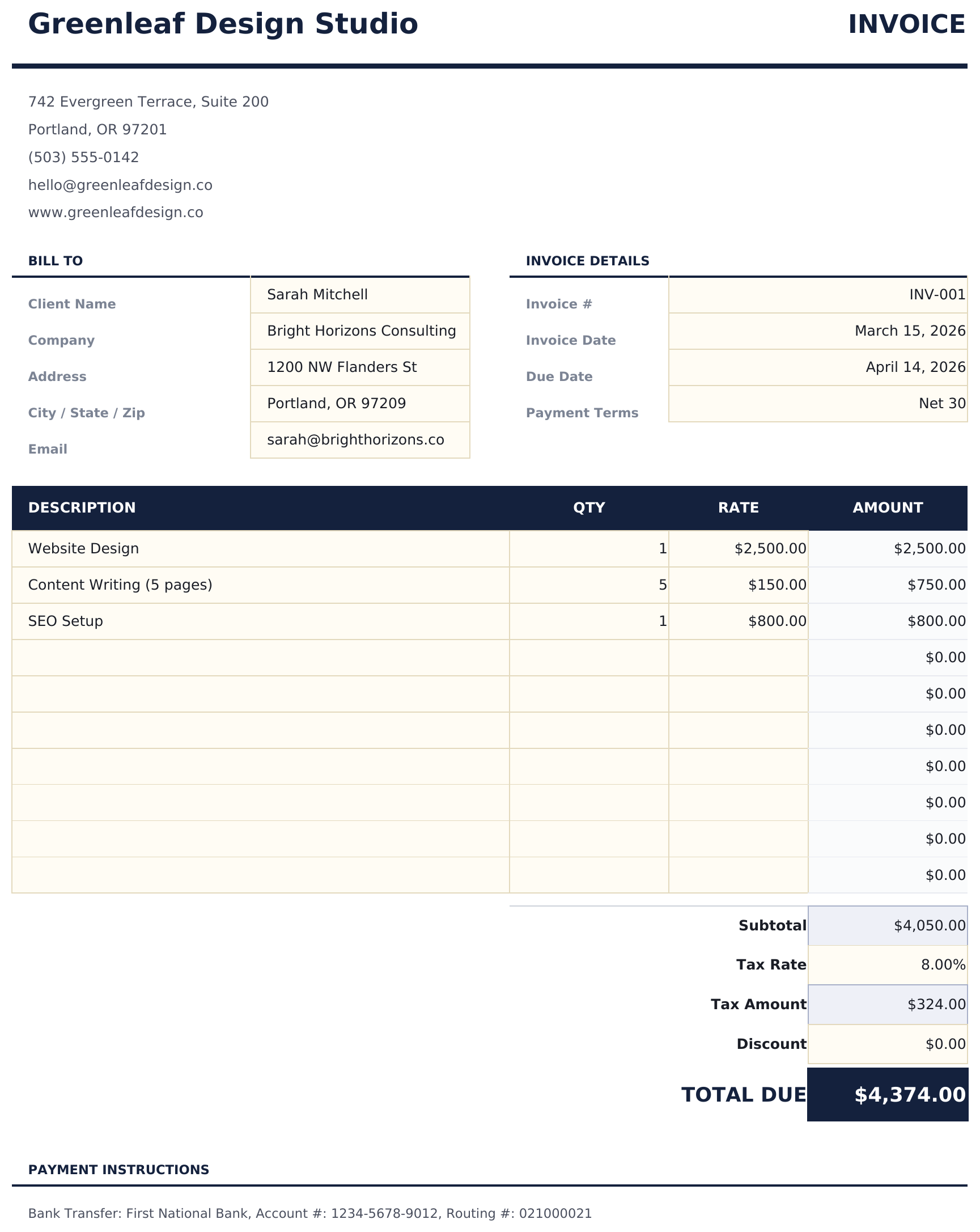
- 专业发票布局,包含公司标志区域、发票编号、日期和付款条款字段
- 项目录入,包含描述、数量和单价列 - 可添加任意数量的行
- 自动计算小计、税额和总计,更改任何项目时即时更新
- 税额计算字段,可自定义税率百分比,自动应用于小计
- 适合打印的格式,包含公司和客户信息部分,带色彩编码的输入单元格用于数据录入
- 适用于 Microsoft Excel、Google Sheets 和 LibreOffice Calc,无需任何设置
Free 与 Essentials - 有什么区别?
- "Invoice" sheet with a professional layout for client, line items, and totals
- Automatic subtotal, tax, and grand-total calculation
- Print-friendly page setup - fits on a single page
- Step-by-step "How to Use" guide included in a second sheet
- Works in Microsoft Excel, Google Sheets, and LibreOffice Calc - no setup or sign-up
- 包含 Free 的全部
- Full-featured Simple Invoice with dashboard and detailed analytics
- Pre-filled subcategories, sample scenarios, and helper calculations
- Larger data capacity for real-world usage
- $12 one-time purchase, lifetime access
简易发票 模板的工作原理
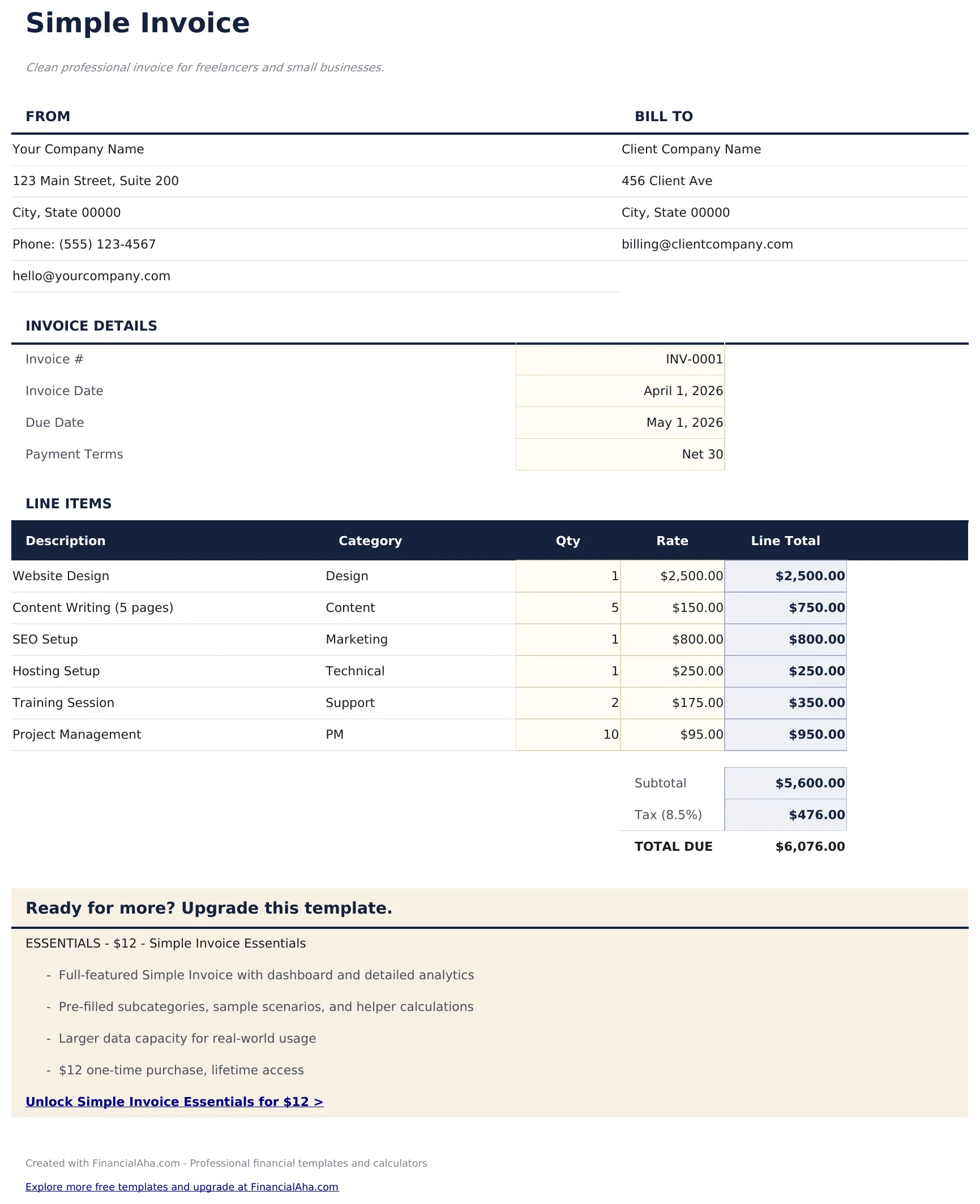
Clean professional invoice for freelancers and small businesses. Replace the sample data with your own client and line items. The totals recalc automatically.
此模板何时有用
- You bill clients occasionally and want a clean, printable document.
- You need a template you can customize with your own branding.
- You want to avoid subscription invoicing apps for simple jobs.
- You need a PDF-ready layout that works in Excel and Google Sheets.
充分利用的小贴士
- Save a copy per client to reuse their details.
- Print or export as PDF - the layout is print-ready.
需要避免的常见错误
- Forgetting to update the invoice number on each send. Duplicate numbers cause accounting headaches.
- Leaving the sample company details in place. Always replace the header before sending.
- Not saving a copy per client. Keep a folder of sent invoices for your records.
如何使用这个简易发票模板
添加企业信息
在发票标题部分输入公司名称、地址、联系方式和标志。
输入客户信息
填写客户名称、地址和联系方式。添加发票编号、日期和付款条款。
添加项目
输入每项产品或服务的描述、数量和单价。每行合计自动计算。
审核并发送
检查底部的小计、税额和总计。打印或导出为 PDF 发送给客户。
由 Claude AI 构建,经我们精心打磨。
我们使用 Claude AI 在深入研究后起草每个模板。然后由团队接手,优化布局、全面测试每个公式、修复边界情况,并打磨设计,直到达到我们自己愿意使用的标准。AI 完成了 80% 的工作,最后 20% 靠的是人工判断。
Upgrade your template
Here is how you unlock a better version.
- Full-featured Simple Invoice with dashboard and detailed analytics
- Pre-filled subcategories, sample scenarios, and helper calculations
- Larger data capacity for real-world usage
常见问题
可以添加公司标志吗?
可以。标题中有专门的标志区域。在 Excel 或 Google Sheets 中将标志图片插入该单元格或区域。
可以添加多少个项目?
可添加任意数量的行。在小计行上方插入新行,公式会自动将其包含在合计中。
是否计算税额?
是的。输入税率百分比,模板将其应用于小计。总计包含税额。
可以保存为 PDF 吗?
可以。在 Excel 中使用"文件 > 另存为"或“导出为 PDF",或在 Google Sheets 中使用"文件 > 下载为 PDF"来创建专业的 PDF 发票。
如何在 Google Sheets 中打开?
将 .xlsx 文件上传到 Google Drive,然后使用 Google Sheets 打开。所有公式和格式都会保留。
此模板使用什么许可证?
所有免费模板均采用 CC BY 4.0(知识共享署名)许可证发布。您可以自由使用、修改和分享,包括用于商业用途,只需注明来源为 FinancialAha.com。模板按原样提供,不构成财务建议。