免费 小企业记账 电子表格模板
以简单的分类账格式记录业务交易。包含类别汇总和仪表板,用于小企业财务跟踪。
Upgrade your spreadsheet
Here is how you unlock a better version.
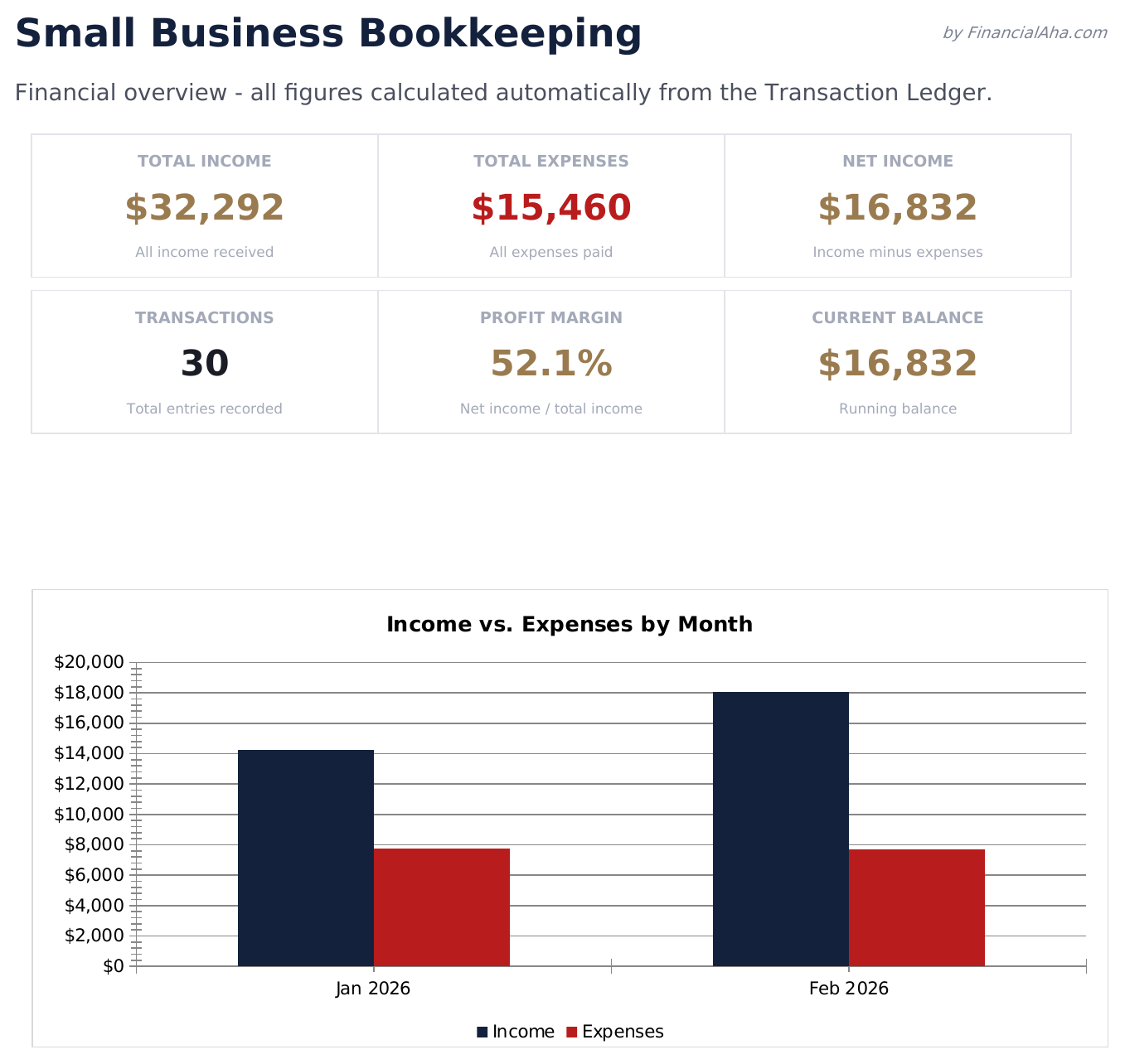
- Full-featured Small Business Bookkeeping with dashboard and detailed analytics
- Pre-filled subcategories, sample scenarios, and helper calculations
- Larger data capacity for real-world usage
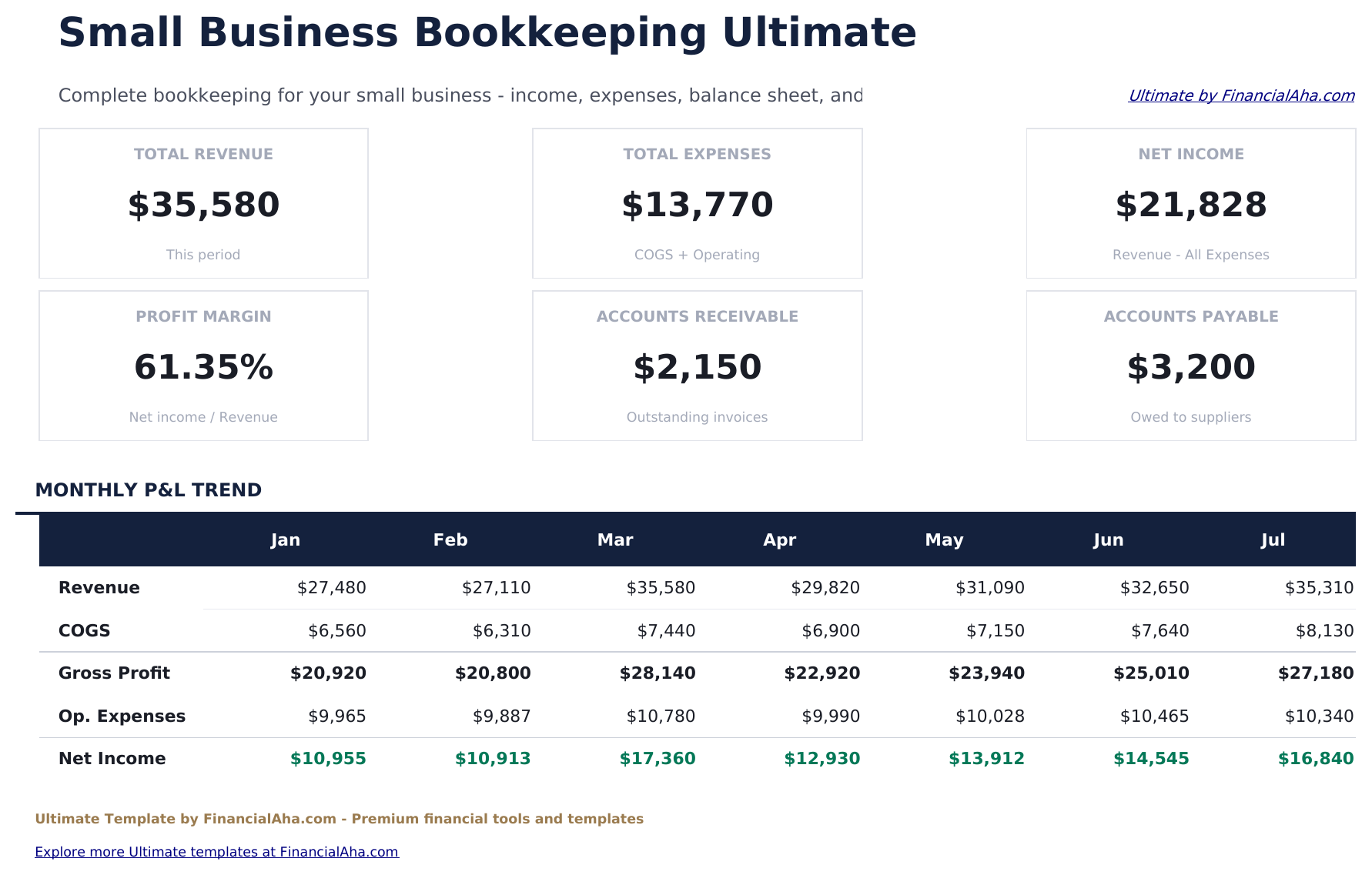
- Log up to 200 transactions per month with date, description, account, type, debit, credit, and memo fields
- Chart of Accounts with assets, liabilities, equity, revenue, and expense account codes - fully editable to match your business
- Dashboard with 6 KPI cards: total revenue, total expenses, net income, total assets, total liabilities, and current cash balance
包含内容
- 仪表板包含财务概览,显示总收入、总支出、净利润和交易笔数
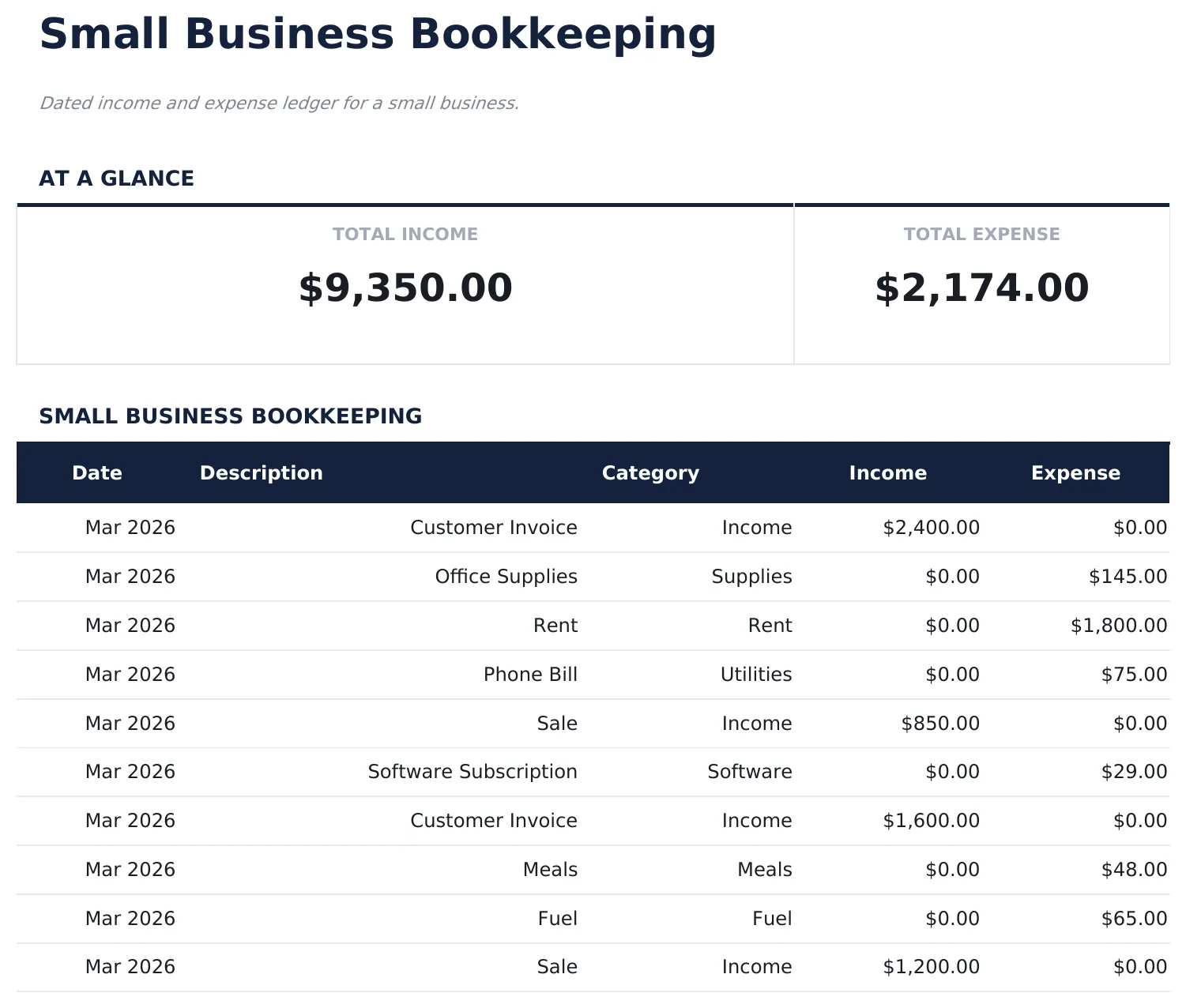
- 交易分类账包含日期、描述、类别、收入和支出列,记录每笔条目
- 类别汇总工作表自动分组交易,显示每种收入和支出类型的小计
- 收入和支出分离,清晰的列标签使在一个分类账中记录收入和成本变得简单
- 流水余额跟踪,彩色标记的输入单元格(黄色)和自动计算的汇总合计(蓝色)
- 适用于 Microsoft Excel、Google Sheets 和 LibreOffice Calc,无需任何设置
Free、Essentials 与 Ultimate - 有什么区别?
- "Bookkeeping" sheet with labeled columns and pre-filled sample rows you can overwrite
- Column totals update automatically as you log new entries
- Consistent layout - no setup, no pivot tables, no macros
- Step-by-step "How to Use" guide included in a second sheet
- Works in Microsoft Excel, Google Sheets, and LibreOffice Calc - no setup or sign-up
- 包含 Free 的全部
- Full-featured Small Business Bookkeeping with dashboard and detailed analytics
- Pre-filled subcategories, sample scenarios, and helper calculations
- Larger data capacity for real-world usage
- $12 one-time purchase, lifetime access
- 包含 Essentials 的全部
- Log up to 200 transactions per month with date, description, account, type, debit, credit, and memo fields
- Chart of Accounts with assets, liabilities, equity, revenue, and expense account codes - fully editable to match your business
- Dashboard with 6 KPI cards: total revenue, total expenses, net income, total assets, total liabilities, and current cash balance
- Monthly P&L statement with revenue and expense accounts grouped by category, gross profit, and net income line
小企业记账 模板的工作原理
Dated income and expense ledger for a small business. Open the spreadsheet, enter your own numbers, and let the formulas do the math.
此模板何时有用
- You want a simple log of bookkeeping without connecting accounts or learning a new app.
- You need a record for taxes, reimbursement, or a quarterly review.
- You prefer one row per entry so you can sort, filter, and total later.
- You want something that opens in Excel, Google Sheets, or LibreOffice with no setup.
充分利用的小贴士
- Keep the column labels simple - the formulas work best when categories are consistent month to month.
- Reconcile weekly regularly - once a week is a good rhythm for most people.
需要避免的常见错误
- Logging sporadically. A tracker only works if entries are consistent - weekly at minimum for most categories.
- Changing column labels after entering data. The formulas reference columns by position; renaming is fine, but moving columns breaks the totals.
- Letting the sheet balloon. When the row count gets unwieldy, archive older entries to a second file.
如何使用这个小企业记账模板
记录交易
在分类账中输入每笔业务交易的日期、描述、类别和收入或支出金额。
分类条目
为每笔交易分配类别 - 销售收入、物料、租金、公用事业或其他业务账户类型。
查看类别汇总
类别汇总工作表按类型分组所有交易,显示每个收入和支出类别的小计。
查看仪表板
在仪表板上查看总收入、总支出、净利润和交易笔数,快速了解业务概况。
由 Claude AI 构建,经我们精心打磨。
我们使用 Claude AI 在深入研究后起草每个模板。然后由团队接手,优化布局、全面测试每个公式、修复边界情况,并打磨设计,直到达到我们自己愿意使用的标准。AI 完成了 80% 的工作,最后 20% 靠的是人工判断。
Upgrade your spreadsheet
Here is how you unlock a better version.
- Full-featured Small Business Bookkeeping with dashboard and detailed analytics
- Pre-filled subcategories, sample scenarios, and helper calculations
- Larger data capacity for real-world usage
- Log up to 200 transactions per month with date, description, account, type, debit, credit, and memo fields
- Chart of Accounts with assets, liabilities, equity, revenue, and expense account codes - fully editable to match your business
- Dashboard with 6 KPI cards: total revenue, total expenses, net income, total assets, total liabilities, and current cash balance
常见问题
这是单式记账还是复式记账?
这是单式记账系统。每笔交易在分类账中记录一次 - 适合小企业和个体经营者。
预设了哪些类别?
常见类别包括销售、服务、物料、租金、公用事业、保险、营销和杂项。添加或重命名类别以匹配您的业务。
可以用于报税准备吗?
可以。类别汇总以与小企业常见税表行项目对齐的方式组织收入和支出。
应该多久记录一次交易?
每日或每周录入可保持分类账的时效性。记录交易越频繁,越容易发现错误并保持有序。
如何在 Google Sheets 中打开?
将 .xlsx 文件上传到 Google Drive,然后使用 Google Sheets 打开。所有公式和格式都会保留。
此模板使用什么许可证?
所有免费模板均采用 CC BY 4.0(知识共享署名)许可证发布。您可以自由使用、修改和分享,包括用于商业用途,只需注明来源为 FinancialAha.com。模板按原样提供,不构成财务建议。