Annual Budget Planner Essentials 模板
Plan and review finances across all 12 months in one view. Helpful for spotting seasonal patterns and planning ahead.
包含内容
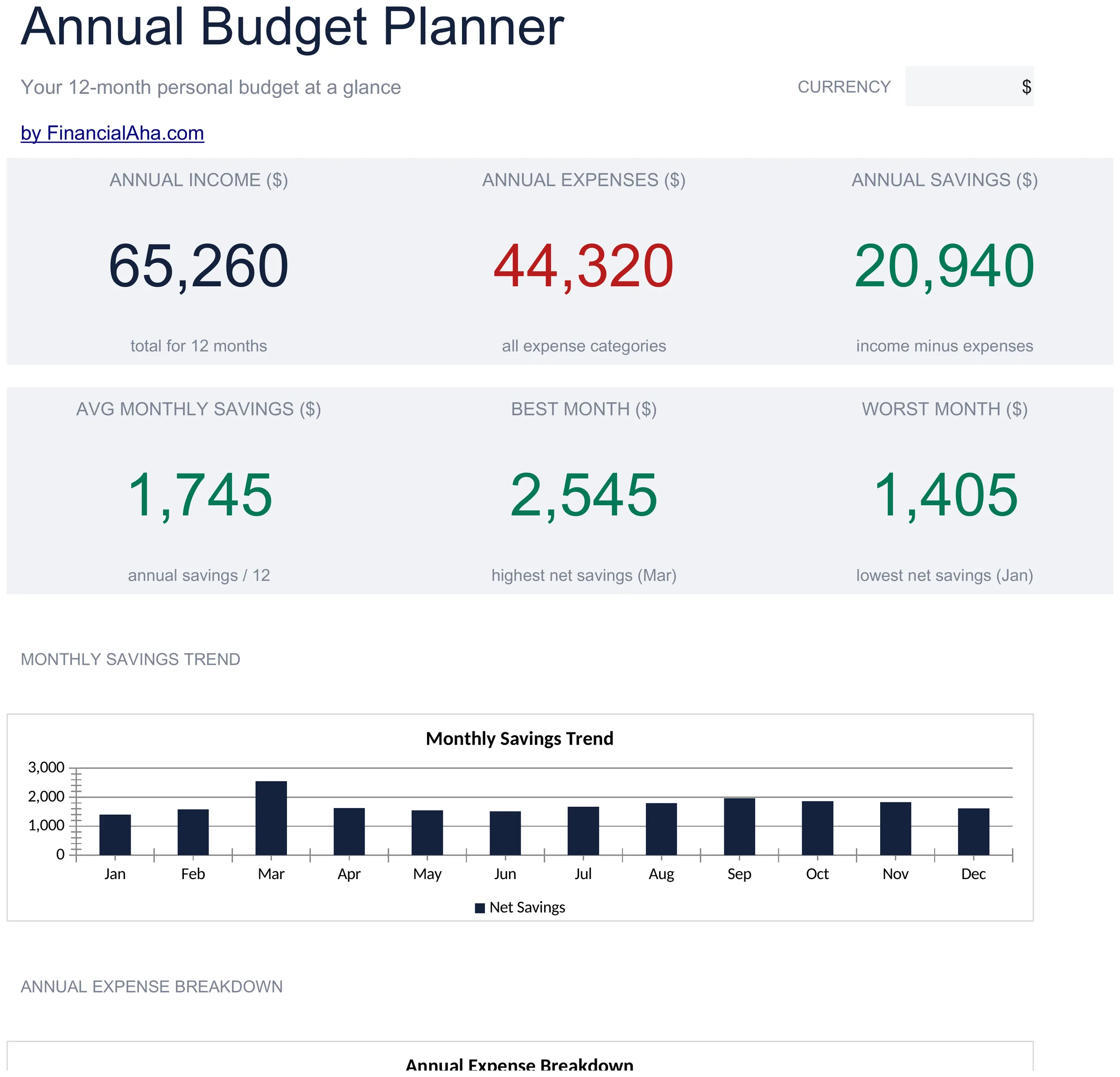
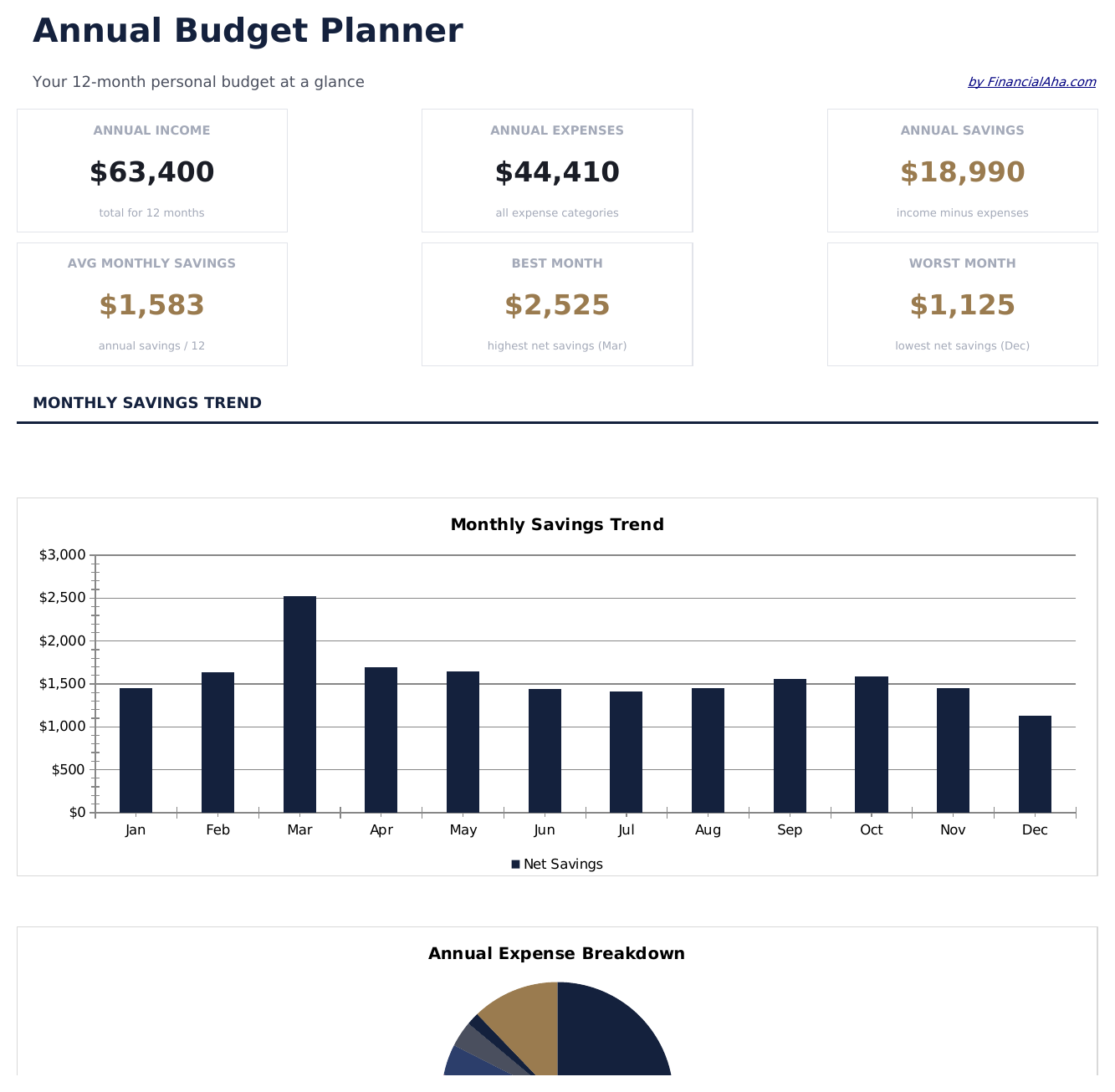
- Dashboard with year-at-a-glance summary showing total annual income, expenses, and net savings
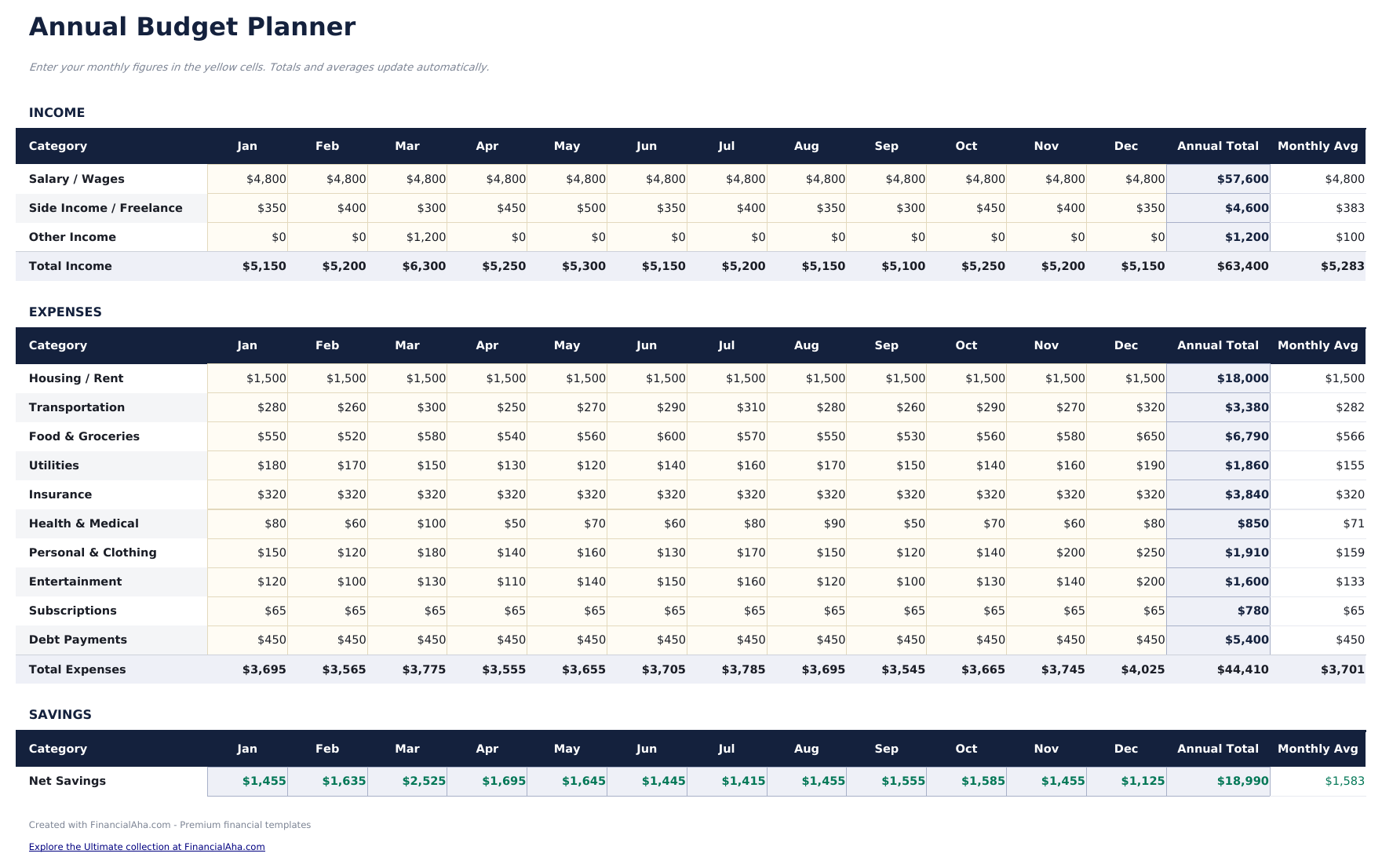
- All 12 months displayed on one sheet with columns for each month and automatic annual totals
- Annual budget worksheet with row-by-row categories for income, housing, food, transport, and more
- Year-over-year comparison support with monthly averages and annual total calculations built in
- Color-coded input cells (yellow) and formula-driven result cells (blue) for guided data entry
- Works in Microsoft Excel, Google Sheets, and LibreOffice Calc with no setup required
预览
查看此模板的内容


如何使用这个Annual Budget Planner模板
Set up categories
Review the pre-filled income and expense categories. Rename or add rows to match your actual financial picture for the year.
Enter monthly amounts
Fill in each month column with income and expenses. The annual totals and monthly averages calculate automatically.
Spot seasonal patterns
Look across all 12 months for spending spikes - holidays, insurance renewals, or back-to-school costs become visible in the yearly view.
Review year-end totals
The dashboard summarizes annual income, expenses, and net savings so you can see the full-year picture in one place.
由 Claude AI 构建,经我们精心打磨。
我们使用 Claude AI 在深入研究后起草每个模板。然后由团队接手,优化布局、全面测试每个公式、修复边界情况,并打磨设计,直到达到我们自己愿意使用的标准。AI 完成了 80% 的工作,最后 20% 靠的是人工判断。
常见问题
Can I plan future months in advance?
Yes. Enter estimated amounts for upcoming months and replace them with actual figures as each month passes. The annual totals update either way.
How are the annual averages calculated?
The template divides each category total by 12 to show the monthly average. This is useful for smoothing out seasonal variations in spending.
Can I track multiple years?
This template covers one calendar year. For multi-year planning, duplicate the file for each year or use our premium Annual Budget Template.
What categories are pre-filled?
Categories include housing, food, transportation, utilities, entertainment, insurance, savings, and debt payments. You can modify any of them to fit your needs.
如何在 Google Sheets 中打开?
将 .xlsx 文件上传到 Google Drive,然后使用 Google Sheets 打开。所有公式和格式都会保留。
更多 Personal Budgeting Essentials 模板
Monthly Budget
Track monthly income and expenses across categories. A straightforward starting point for anyone looking to get a clear picture of where money goes each month.
$1250/30/20 Budget
Organize spending into needs, wants, and savings using the 50/30/20 framework. Useful for those who prefer a percentage-based approach to budgeting.
$12Zero-Based Budget
Assign every dollar of income to a specific category until the balance reaches zero. Designed for people who want full control over each dollar.
$12Household Budget
Track household income and expenses for families or shared living situations. Covers dual incomes, shared bills, and household-specific categories.
$12