أفضل قيمة حزمة التخطيط المالي الشاملة
✓ التخطيط المالي✓ متتبع صافي الثروة✓ الميزانية الشهرية✓ مخطط ميزانية السفر✓ مخطط الميزانية السنوية✓ متتبع النفقات الشهرية✓ مخطط الضرائب السنوي✓ تخطيط التقاعد
عرض الحزمة →
قالب احترافي - Excel و Google Sheets

Annual Budget Planner قالب Essentials

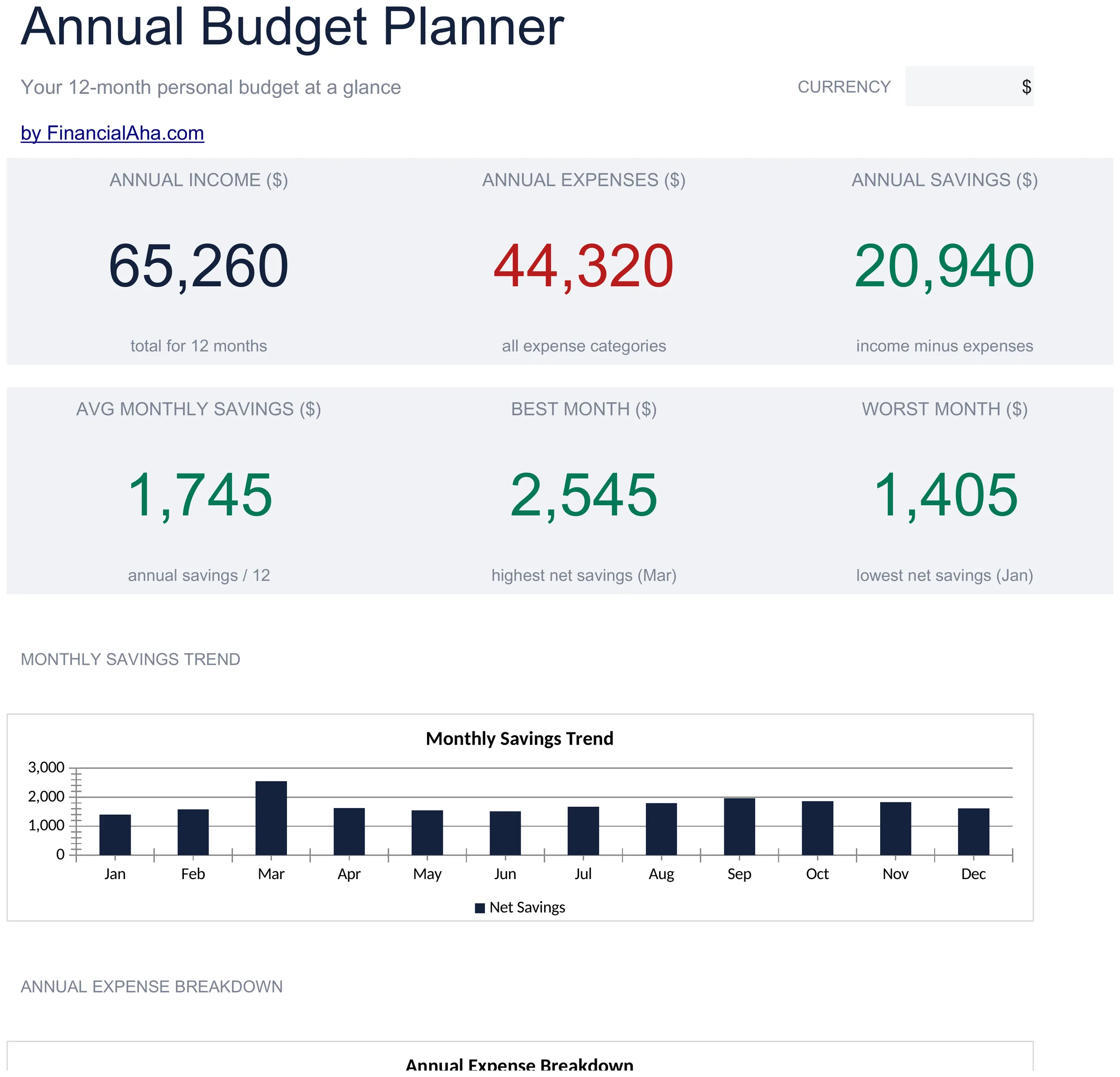
Plan and review finances across all 12 months in one view. Helpful for spotting seasonal patterns and planning ahead.

Annual Budget Planner preview

ماذا يتضمن

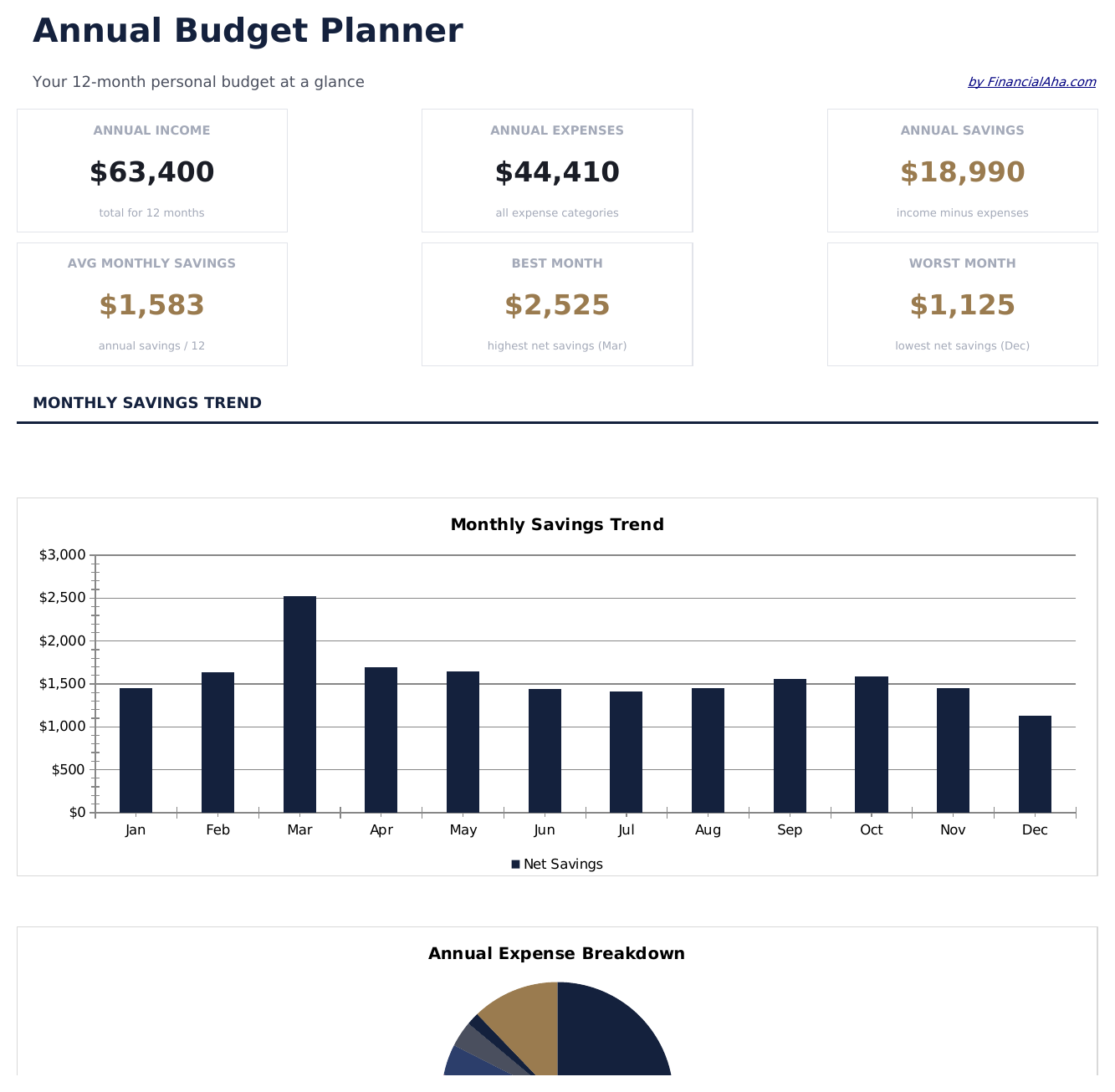
  • Dashboard with year-at-a-glance summary showing total annual income, expenses, and net savings
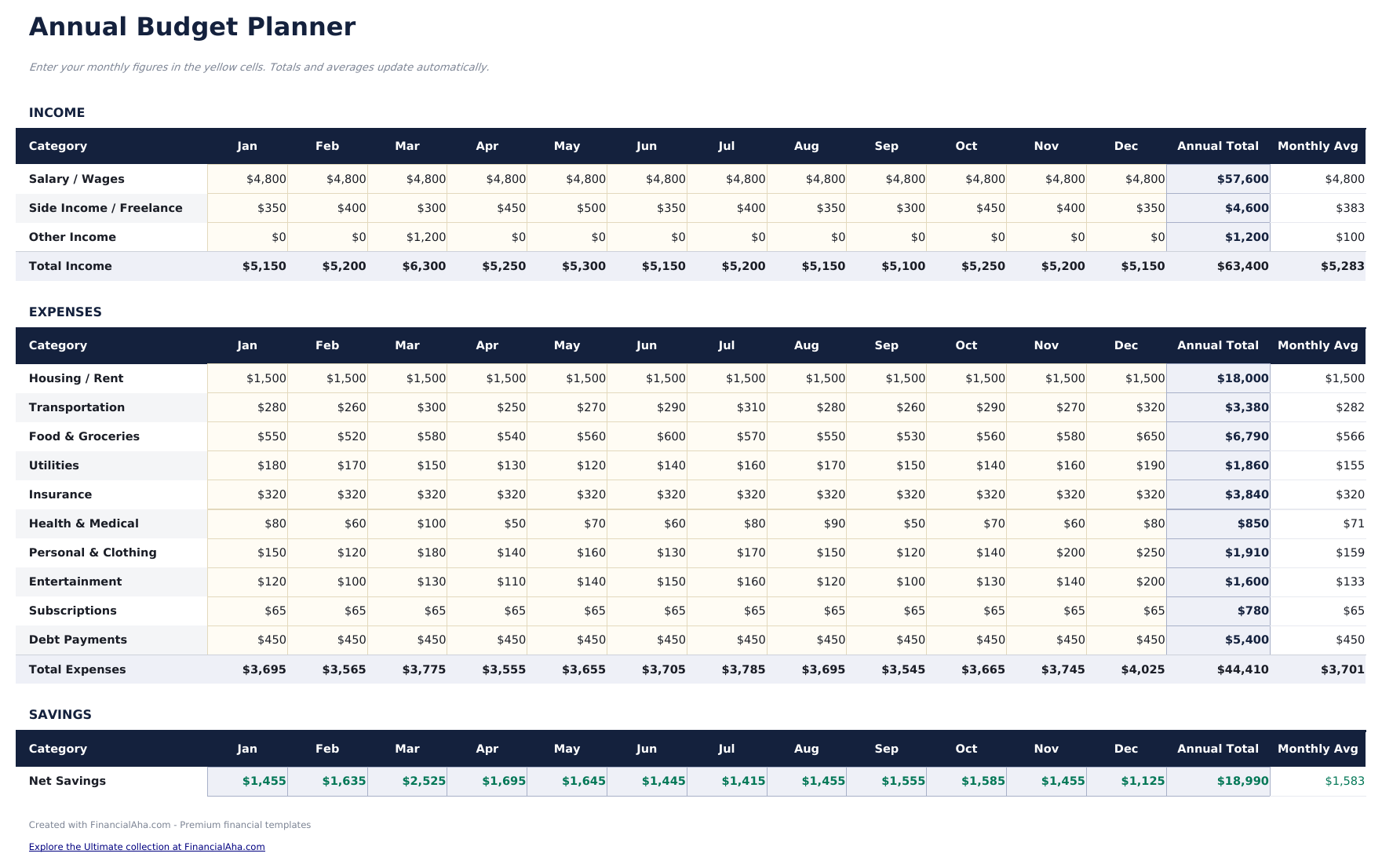
  • All 12 months displayed on one sheet with columns for each month and automatic annual totals
  • Annual budget worksheet with row-by-row categories for income, housing, food, transport, and more
  • Year-over-year comparison support with monthly averages and annual total calculations built in
  • Color-coded input cells (yellow) and formula-driven result cells (blue) for guided data entry
  • Works in Microsoft Excel, Google Sheets, and LibreOffice Calc with no setup required

كيفية استخدام قالب Annual Budget Planner هذا

1

Set up categories

Review the pre-filled income and expense categories. Rename or add rows to match your actual financial picture for the year.

2

Enter monthly amounts

Fill in each month column with income and expenses. The annual totals and monthly averages calculate automatically.

3

Spot seasonal patterns

Look across all 12 months for spending spikes - holidays, insurance renewals, or back-to-school costs become visible in the yearly view.

4

Review year-end totals

The dashboard summarizes annual income, expenses, and net savings so you can see the full-year picture in one place.

صُممت بواسطة Claude AI. أتقنّاها نحن.

نستخدم Claude AI لصياغة كل قالب بعد بحث معمّق. ثم يتدخل فريقنا. نحسّن التصميم، ونختبر كل صيغة، ونعالج الحالات الاستثنائية، وننقّح التصميم حتى يصبح شيئاً نستخدمه نحن فعلاً. الذكاء الاصطناعي يوصلنا إلى 80%. الـ 20% المتبقية هي حكم بشري بالكامل.

الأسئلة الشائعة

Can I plan future months in advance?

Yes. Enter estimated amounts for upcoming months and replace them with actual figures as each month passes. The annual totals update either way.

How are the annual averages calculated?

The template divides each category total by 12 to show the monthly average. This is useful for smoothing out seasonal variations in spending.

Can I track multiple years?

This template covers one calendar year. For multi-year planning, duplicate the file for each year or use our premium Annual Budget Template.

What categories are pre-filled?

Categories include housing, food, transportation, utilities, entertainment, insurance, savings, and debt payments. You can modify any of them to fit your needs.

كيف أفتح هذا في Google Sheets؟

ارفع ملف .xlsx إلى Google Drive، ثم افتحه باستخدام Google Sheets. جميع الصيغ والتنسيقات ستبقى محفوظة.

المزيد من قوالب Essentials في Personal Budgeting

تبحث عن قوالب جداول بيانات احترافية؟

القوالب المدفوعة تشمل لوحات معلومات متعددة الأوراق متقدمة، ورسوم بيانية أصلية في Excel، وتحديثات مستمرة.

خاص وآمن

بياناتك المالية تبقى على جهازك. نحن لا نراها أبداً.

تعرف على المزيد →

هل تحتاج مساعدة؟

راجع أدلتنا أو تواصل معنا لأي أسئلة.

عرض الأسئلة الشائعة →