Project Budget Modelo Essentials
Plan and track costs for a specific project. Break down the budget by task, phase, or category with actual vs. planned comparisons.
O Que Está Incluído
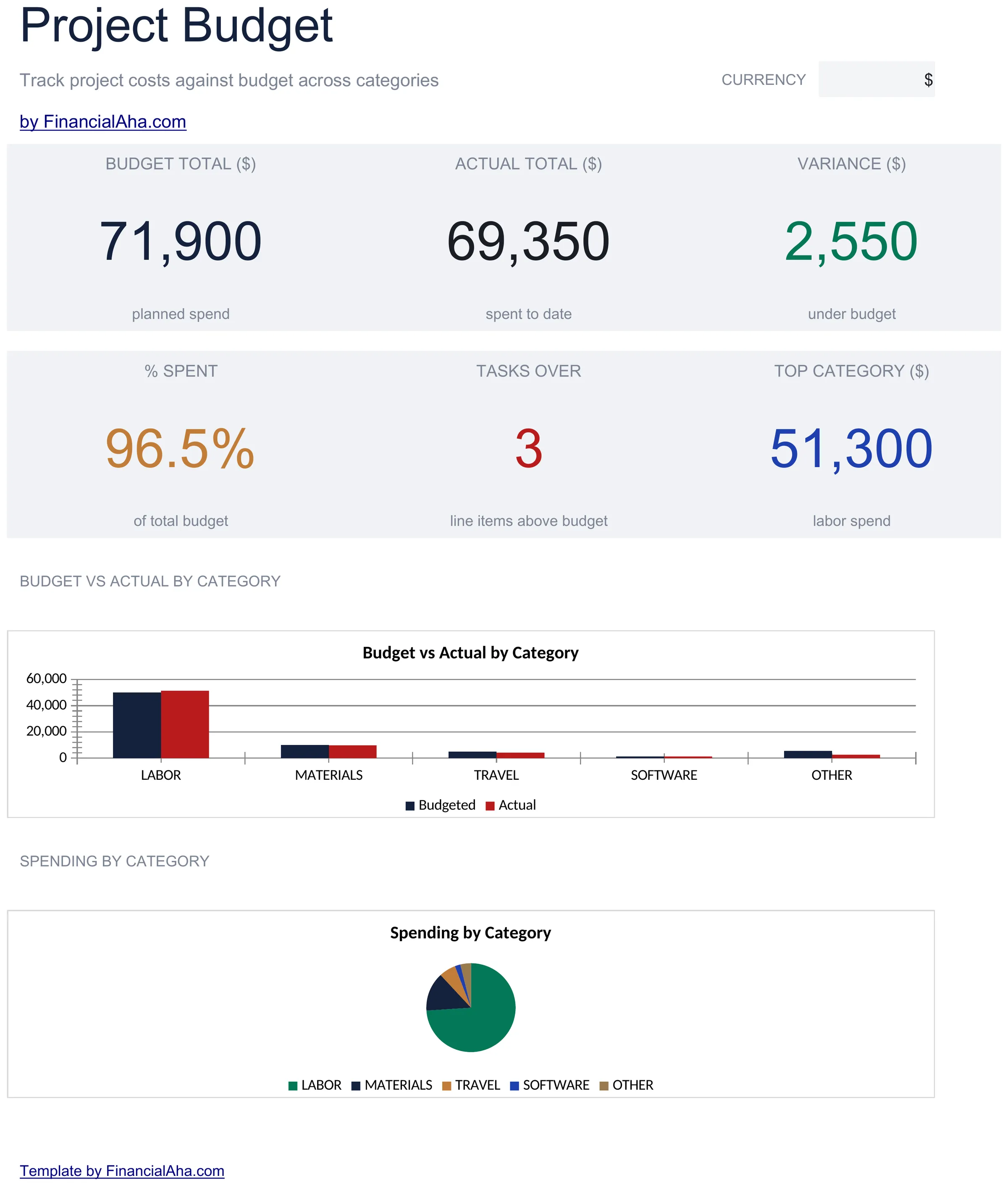
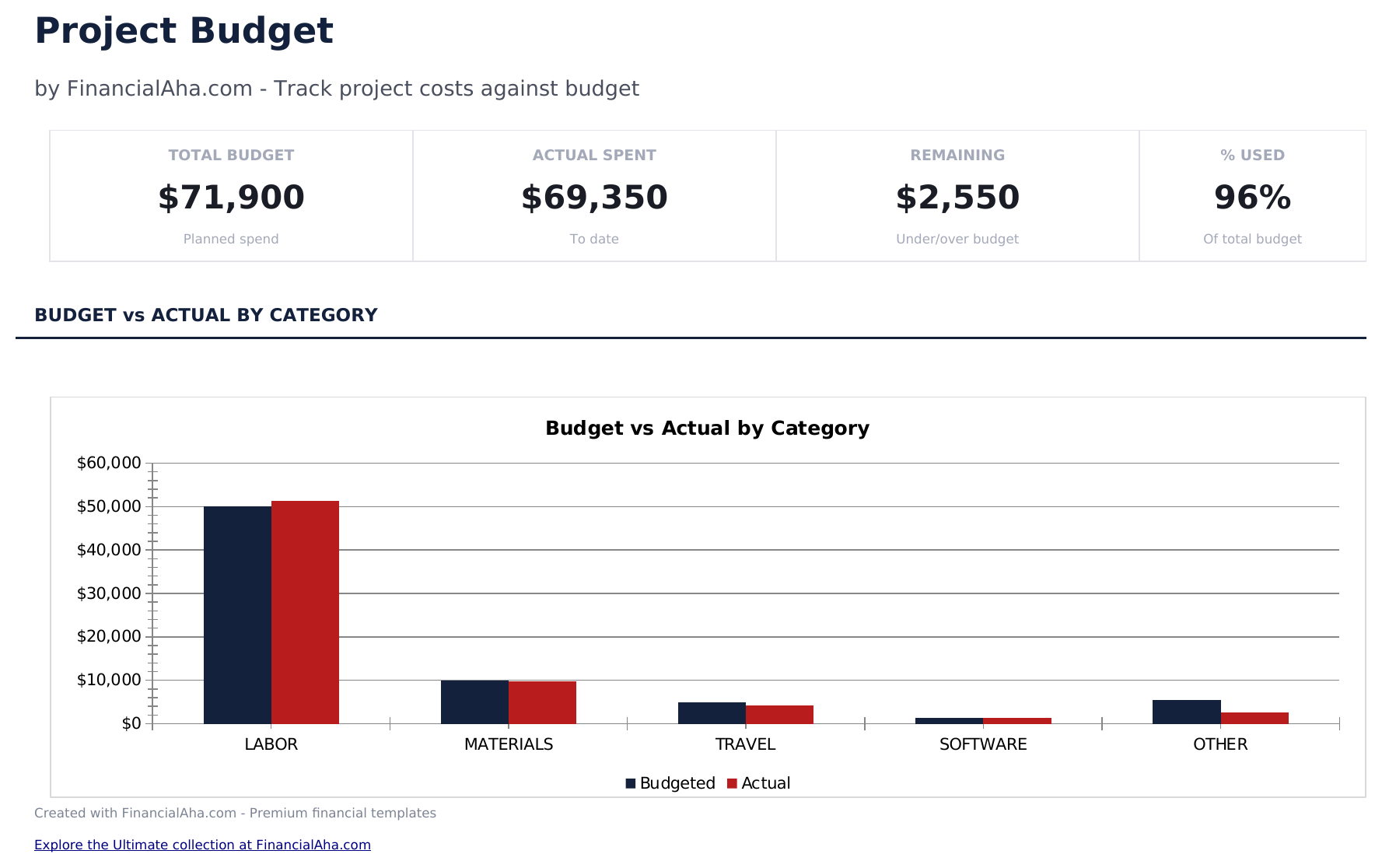
- Dashboard with project budget overview showing total planned cost, actual spent, variance, and remaining budget
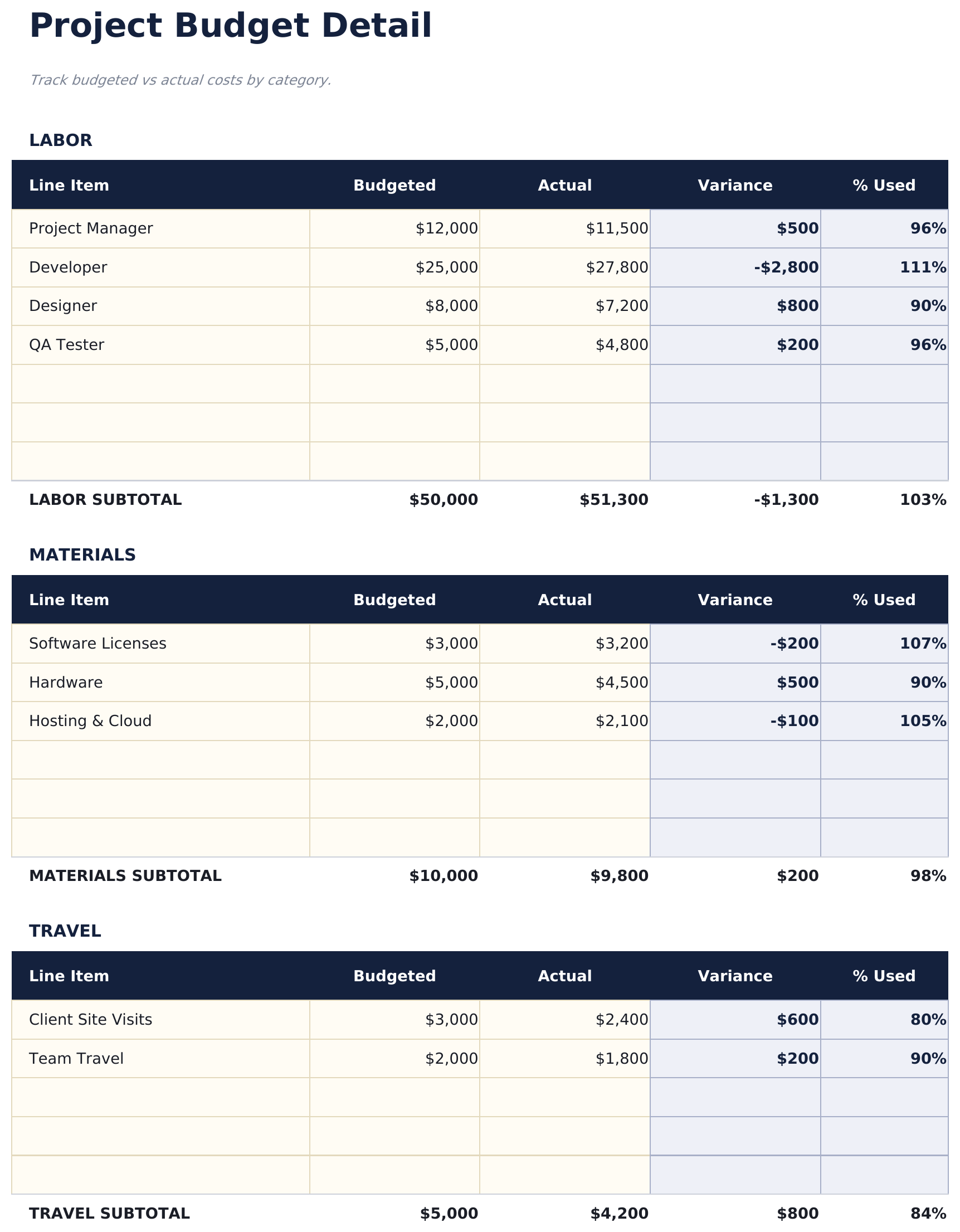
- Budget detail sheet organized by task or phase with planned amount, actual amount, and variance per line item
- Planned vs. actual cost tracking with automatic variance calculations that flag over-budget line items
- Percentage complete column so you can track budget consumption alongside project progress milestones
- Remaining budget display with color-coded variance indicators (green for under, red for over budget)
- Works in Microsoft Excel, Google Sheets, and LibreOffice Calc with no setup required
Pré-visualização
Veja o que tem dentro desta planilha


Como Usar Esta Planilha de Project Budget
Define budget line items
List each task, phase, or cost category with the planned budget amount on the budget detail sheet.
Enter actual costs
As expenses occur, enter actual amounts alongside the planned figures. The variance calculates automatically.
Track completion
Update the percentage complete column for each line item. This shows budget consumption relative to project progress.
Review the dashboard
The dashboard shows total planned, total actual, overall variance, and remaining budget for the entire project.
Criadas com Claude AI. Aperfeiçoadas por nós.
Usamos Claude AI para criar cada planilha, após uma pesquisa aprofundada. Depois, nossa equipe entra em ação. Refinamos o layout, testamos exaustivamente cada fórmula, corrigimos casos extremos e polimos o design até que pareça algo que nós mesmos usaríamos. A IA nos leva 80% do caminho. Os últimos 20% são puro julgamento humano.
Perguntas Frequentes
Can I organize by phase?
Yes. Group line items under phase headers or add a phase column. The template totals work for any organizational structure.
What does the variance show?
Variance is planned amount minus actual amount. Positive means under budget, negative means over budget. Color coding makes overages easy to spot.
How do I handle scope changes?
Update the planned amount for affected line items or add new rows for additional scope. The total planned budget and variance adjust automatically.
Can I track time alongside costs?
The template focuses on budget amounts. Add columns for estimated and actual hours if you want to track labor time for each task.
Como abrir no Google Sheets?
Envie o arquivo .xlsx para o Google Drive e abra com o Google Sheets. Todas as fórmulas e formatações serão preservadas.
Mais modelos Essentials de Business Finance
Cash Flow Statement
Prepare a cash flow statement with operating, investing, and financing activities. Track cash inflows and outflows to see net cash position.
$12Profit and Loss Projection
Project revenue, costs, and profit over a specified period. Useful for business planning, forecasting, and evaluating financial scenarios.
$12Sales Forecast
Project future sales by product, service, or channel. Build revenue forecasts with growth assumptions and seasonal adjustments.
$12Startup Costs
Estimate one-time and recurring costs for launching a new business. Categorize expenses and calculate total funding needed.
$12Procurando planilhas premium?
Nossas planilhas pagas incluem painéis avançados com várias abas, gráficos nativos do Excel e atualizações contínuas.