Project Budget Essentials-Vorlage
Plan and track costs for a specific project. Break down the budget by task, phase, or category with actual vs. planned comparisons.
Was enthalten ist
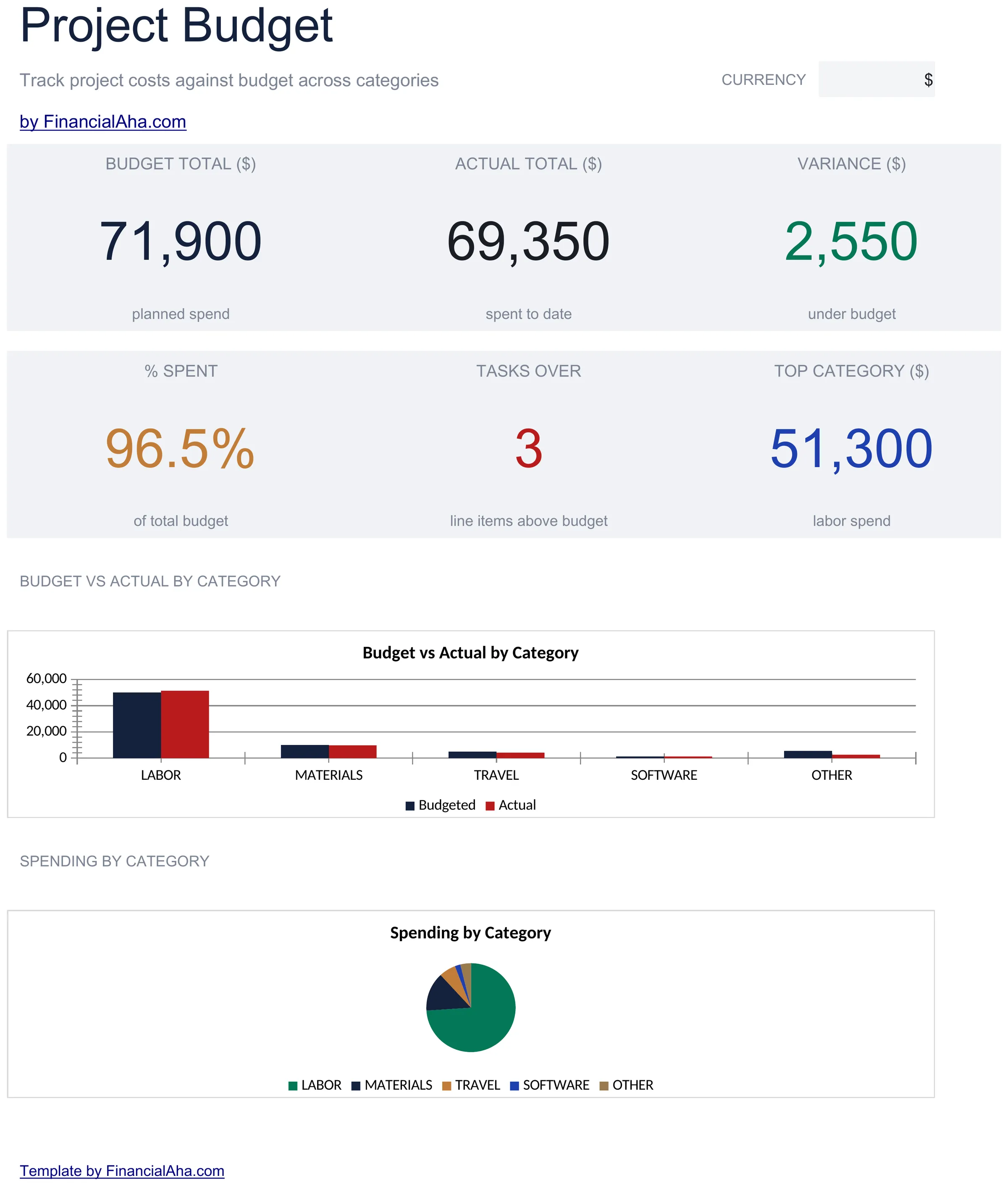
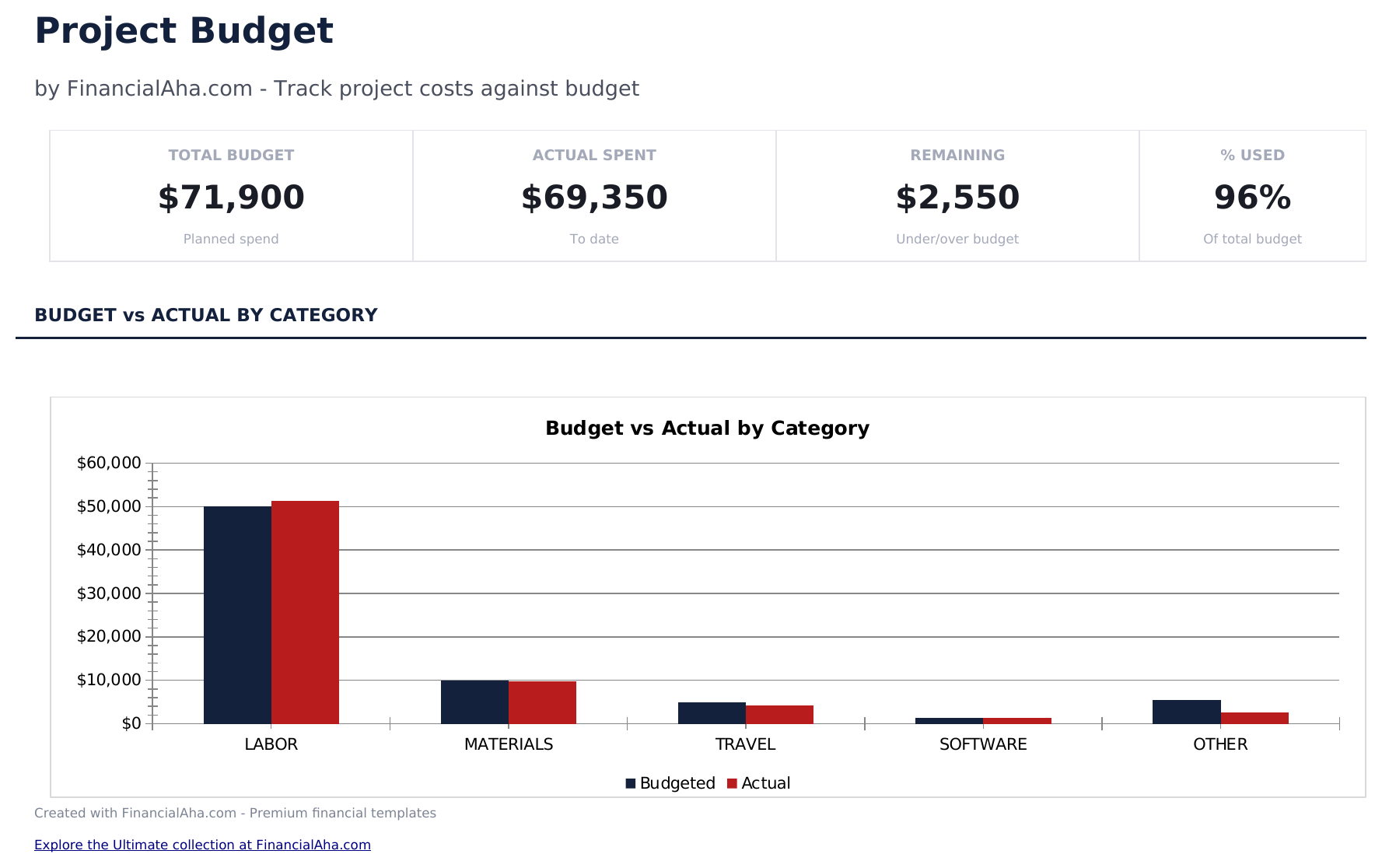
- Dashboard with project budget overview showing total planned cost, actual spent, variance, and remaining budget
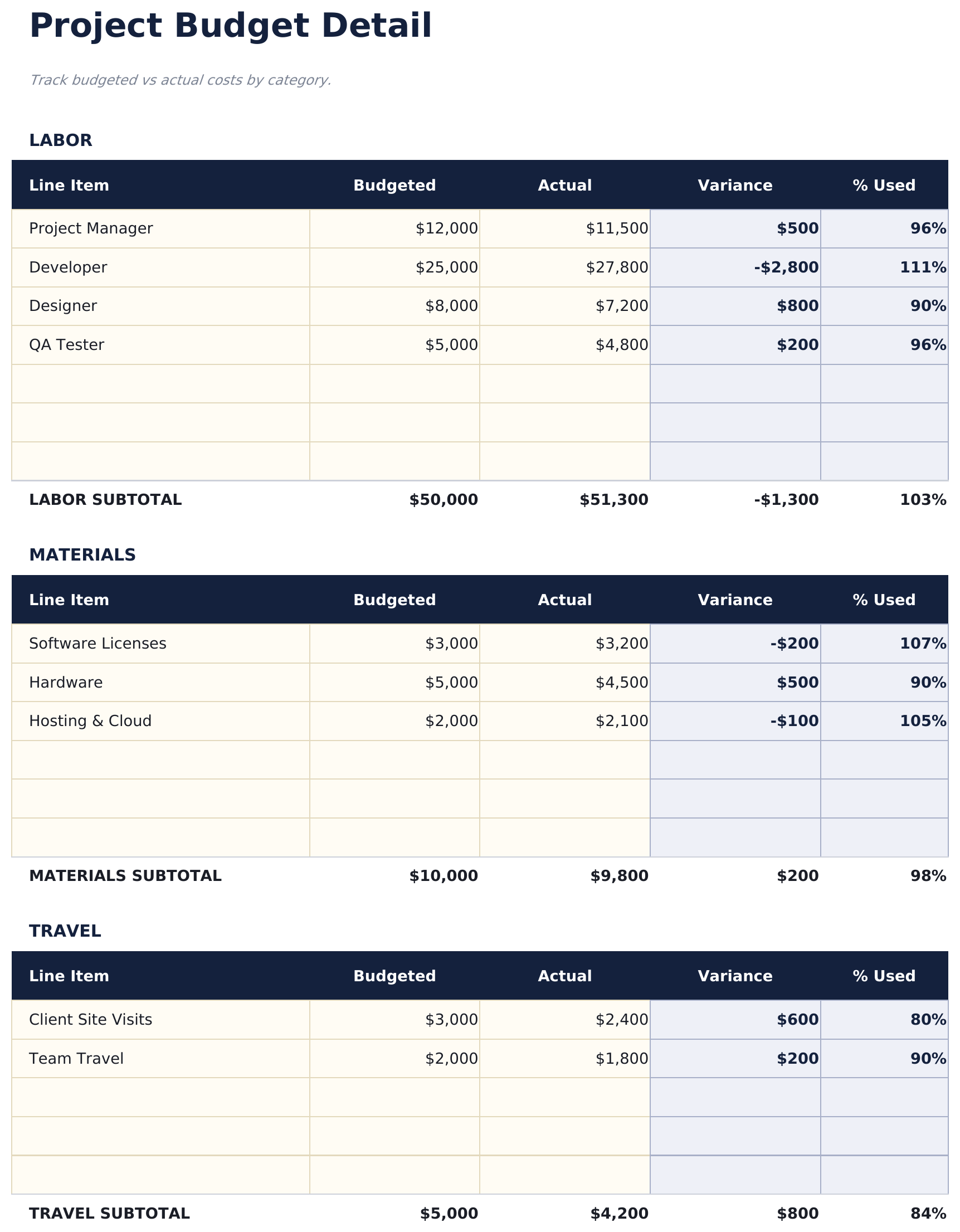
- Budget detail sheet organized by task or phase with planned amount, actual amount, and variance per line item
- Planned vs. actual cost tracking with automatic variance calculations that flag over-budget line items
- Percentage complete column so you can track budget consumption alongside project progress milestones
- Remaining budget display with color-coded variance indicators (green for under, red for over budget)
- Works in Microsoft Excel, Google Sheets, and LibreOffice Calc with no setup required
Vorschau
Sehen Sie, was in dieser Vorlage enthalten ist


So verwenden Sie diese Project Budget-Vorlage
Define budget line items
List each task, phase, or cost category with the planned budget amount on the budget detail sheet.
Enter actual costs
As expenses occur, enter actual amounts alongside the planned figures. The variance calculates automatically.
Track completion
Update the percentage complete column for each line item. This shows budget consumption relative to project progress.
Review the dashboard
The dashboard shows total planned, total actual, overall variance, and remaining budget for the entire project.
Erstellt von Claude AI. Verfeinert von uns.
Wir verwenden Claude AI, um jede Vorlage nach gründlicher Recherche zu entwerfen. Dann greift unser Team ein. Wir verfeinern das Layout, testen jede Formel auf Herz und Nieren, beheben Grenzfälle und polieren das Design, bis es sich anfühlt wie etwas, das wir selbst verwenden würden. Die KI bringt uns 80 % ans Ziel. Die letzten 20 % sind rein menschliches Urteilsvermögen.
Häufig gestellte Fragen
Can I organize by phase?
Yes. Group line items under phase headers or add a phase column. The template totals work for any organizational structure.
What does the variance show?
Variance is planned amount minus actual amount. Positive means under budget, negative means over budget. Color coding makes overages easy to spot.
How do I handle scope changes?
Update the planned amount for affected line items or add new rows for additional scope. The total planned budget and variance adjust automatically.
Can I track time alongside costs?
The template focuses on budget amounts. Add columns for estimated and actual hours if you want to track labor time for each task.
Wie öffne ich diese Vorlage in Google Sheets?
Laden Sie die .xlsx-Datei auf Google Drive hoch und öffnen Sie sie mit Google Sheets. Alle Formeln und Formatierungen bleiben erhalten.
Weitere Essentials-Vorlagen: Business Finance
Cash Flow Statement
Prepare a cash flow statement with operating, investing, and financing activities. Track cash inflows and outflows to see net cash position.
$12Profit and Loss Projection
Project revenue, costs, and profit over a specified period. Useful for business planning, forecasting, and evaluating financial scenarios.
$12Sales Forecast
Project future sales by product, service, or channel. Build revenue forecasts with growth assumptions and seasonal adjustments.
$12Startup Costs
Estimate one-time and recurring costs for launching a new business. Categorize expenses and calculate total funding needed.
$12Auf der Suche nach Premium-Tabellenvorlagen?
Unsere kostenpflichtigen Vorlagen umfassen erweiterte mehrseitige Dashboards, native Excel-Diagramme und laufende Aktualisierungen.