Essentials Retirement Calculator Spreadsheet template for Google Sheets
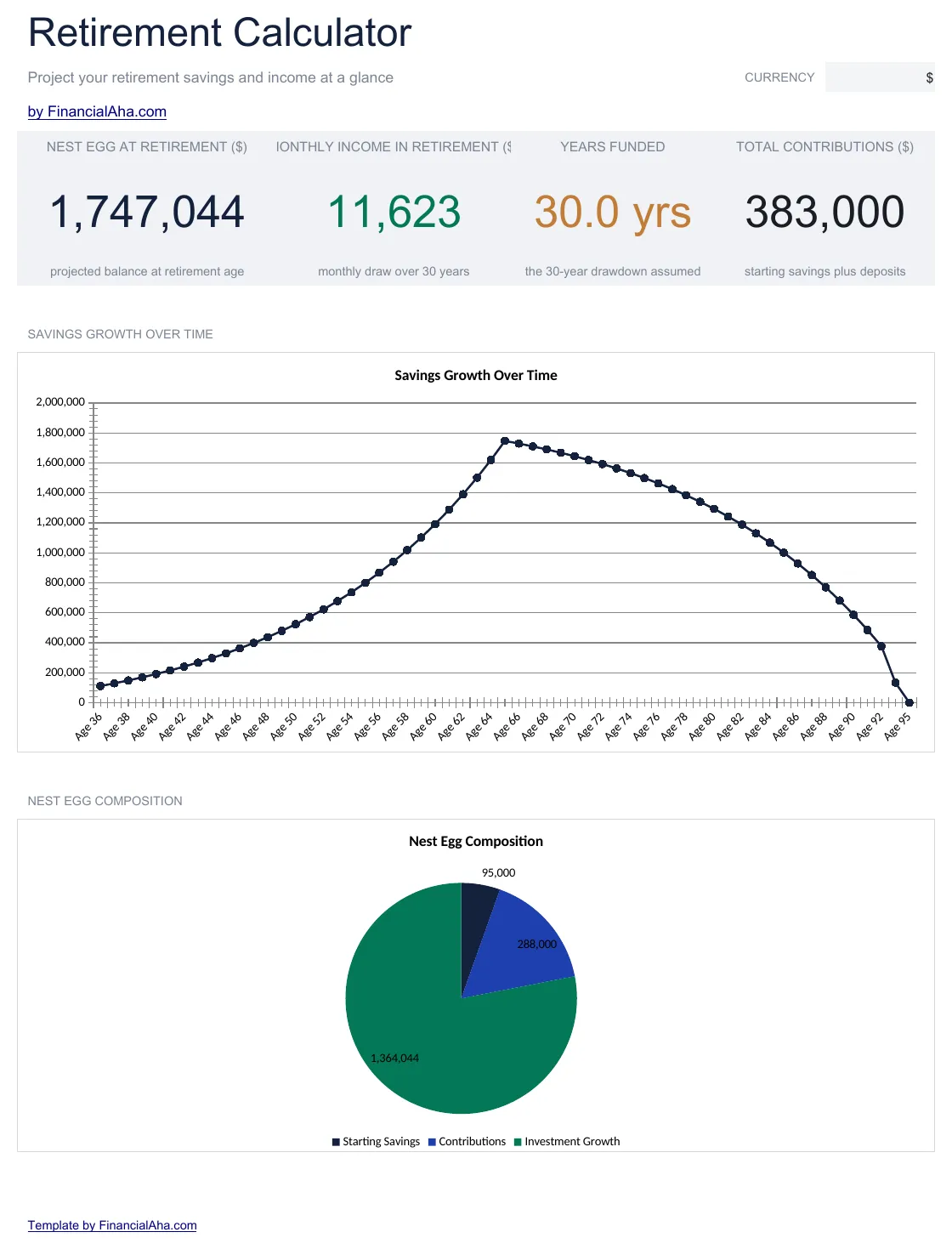
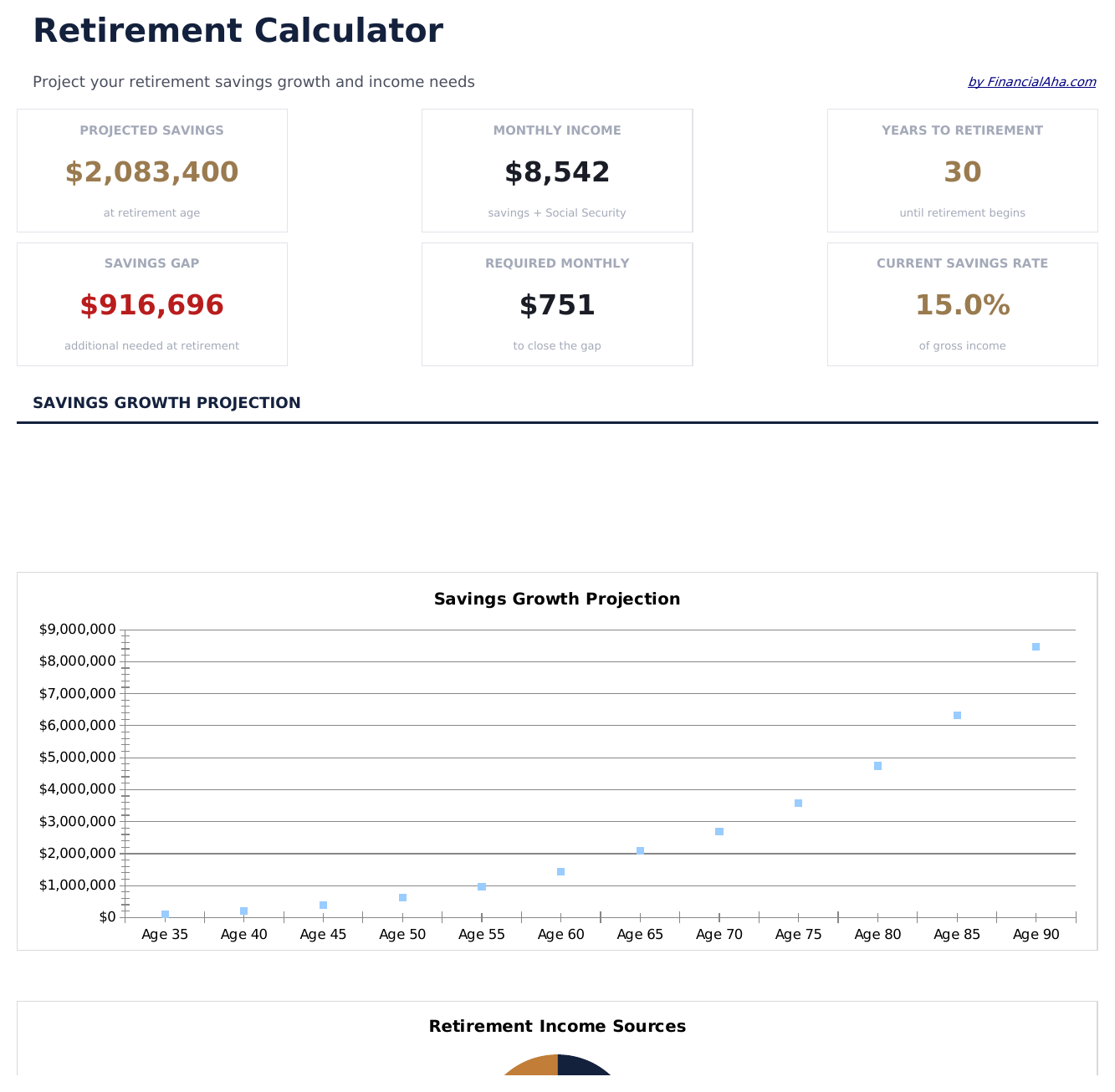
Upload the Essentials Retirement Calculator Spreadsheet Template to Drive, right-click it, and choose "Open with Google Sheets". This Essentials Retirement Calculator Google Sheets template needs no conversion step and both charts survive the trip intact - the projection recalculates exactly as it does in Excel. The currency dropdown on the Dashboard relabels every money column across all three sheets at once.
Essentials Retirement Calculator Google Sheets template setup
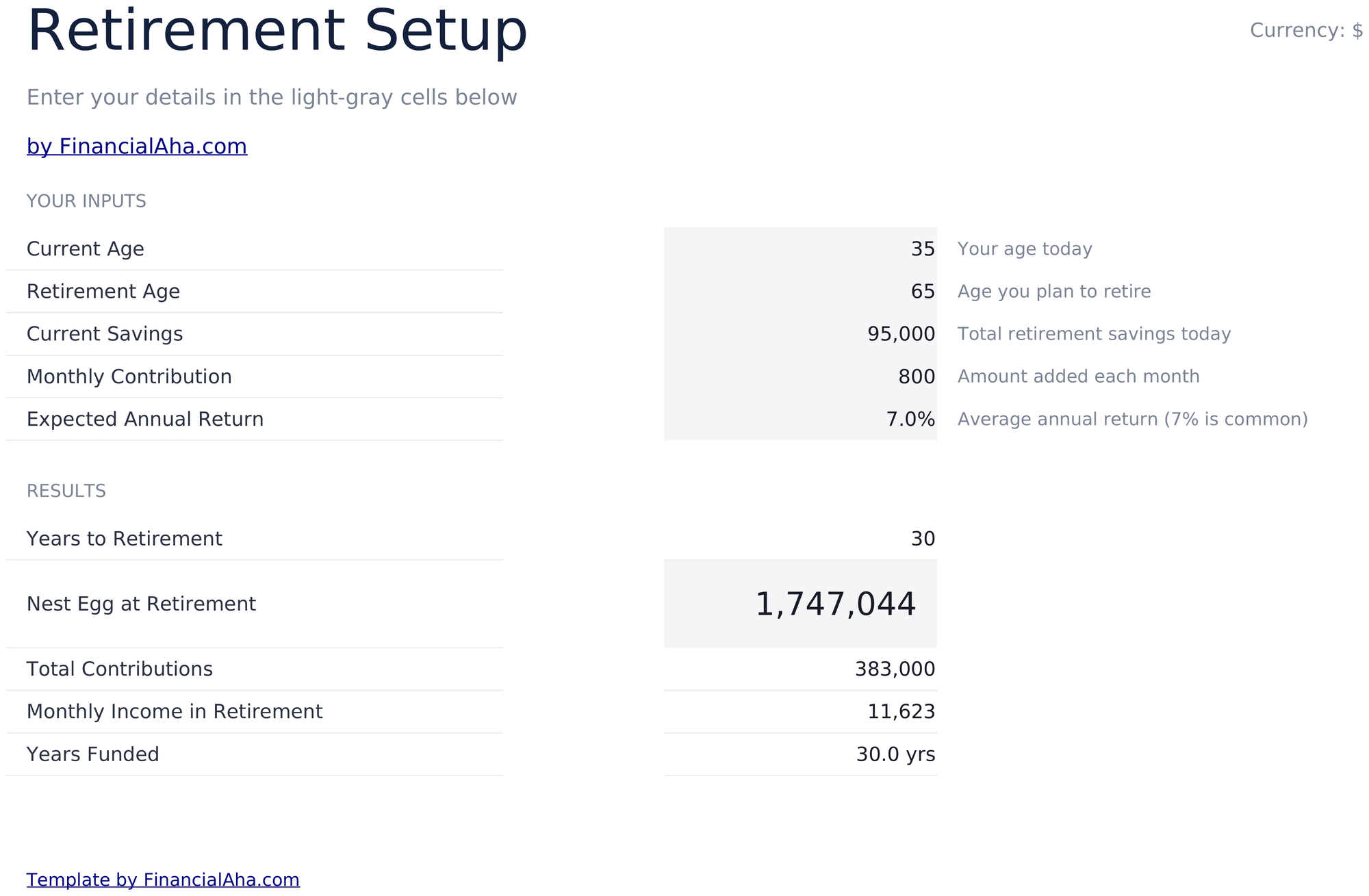
A shared copy of the Essentials Retirement Calculator Google Sheets template suits two people planning one retirement, and because every input sits in a single place, an assumption changed in a shared file is one visible edit. Sheets version history covers a figure typed over.
Sharing the Essentials Retirement Calculator Google Sheet
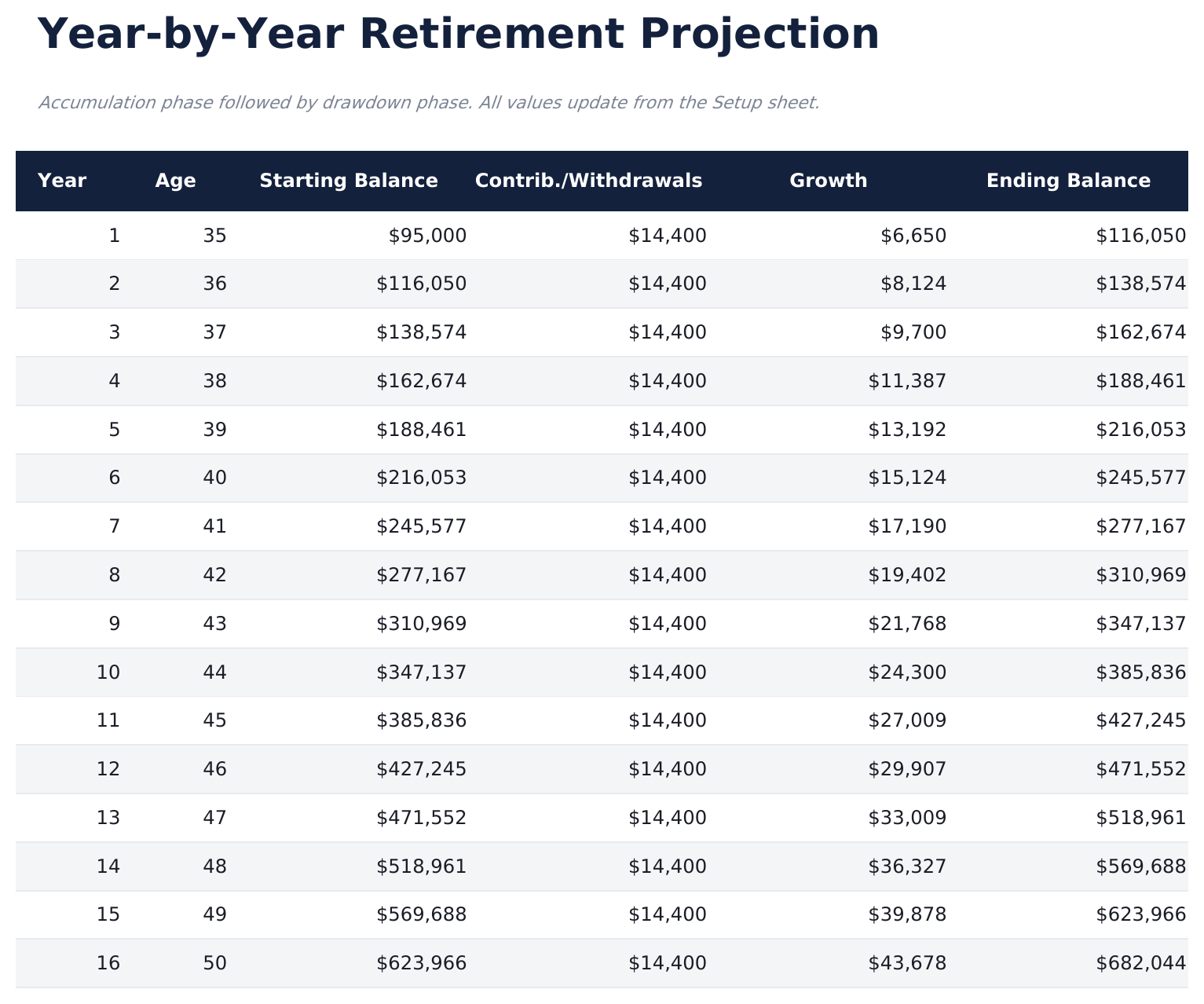
The Essentials Retirement Calculator Google Sheet is built for sittings rather than a routine: set the five inputs, read the dashboard, then move the retirement age or the contribution and watch the years-funded figure shift. The Projection Table is where a surprising result gets traced back year by year.
Also available as: