أفضل قيمة حزمة التخطيط المالي الشاملة
✓ التخطيط المالي✓ متتبع صافي الثروة✓ الميزانية الشهرية✓ مخطط ميزانية السفر✓ مخطط الميزانية السنوية✓ متتبع النفقات الشهرية✓ مخطط الضرائب السنوي✓ تخطيط التقاعد
عرض الحزمة →
احترافي النسخة الاحترافية متوفرة - متتبع الفواتير Ultimate
قالب احترافي - Excel و Google Sheets

Bill Tracker قالب Essentials

Keep track of recurring bills, due dates, and payment status. Useful for staying on top of monthly obligations and avoiding missed payments.

عرض نسخة Ultimate ←
Bill Tracker preview

ماذا يتضمن

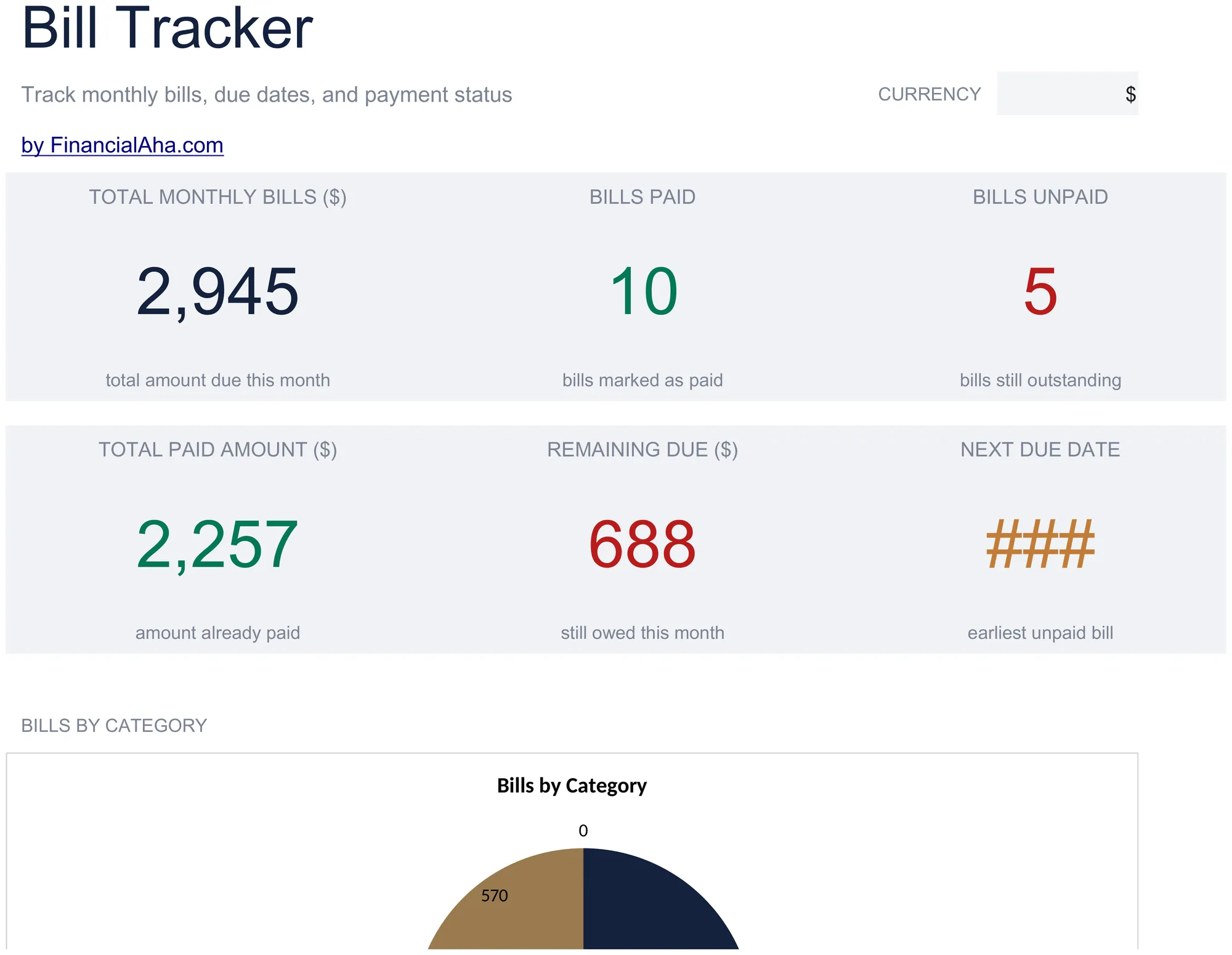
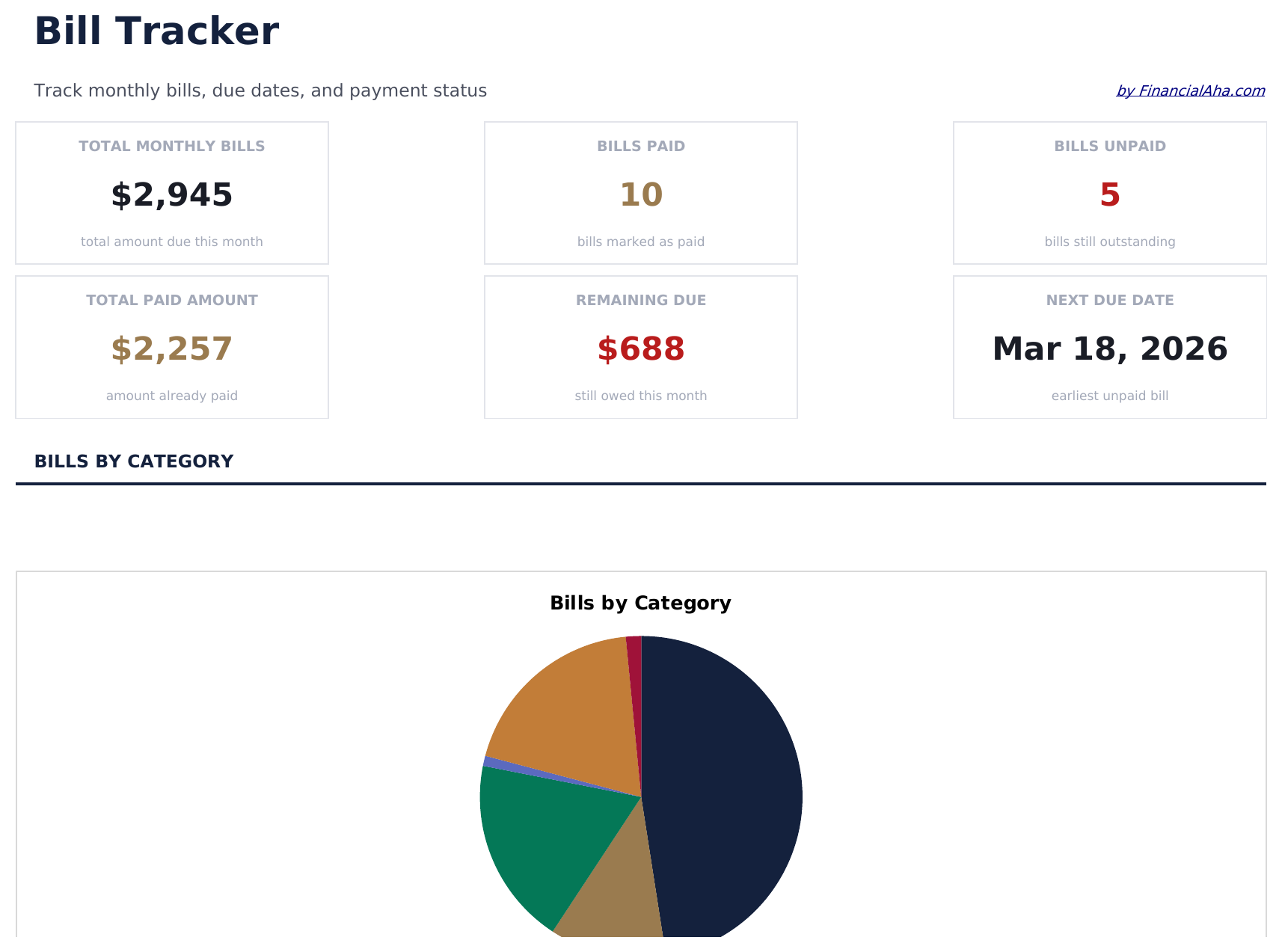
  • Dashboard with bill payment overview showing total due, total paid, and number of upcoming bills
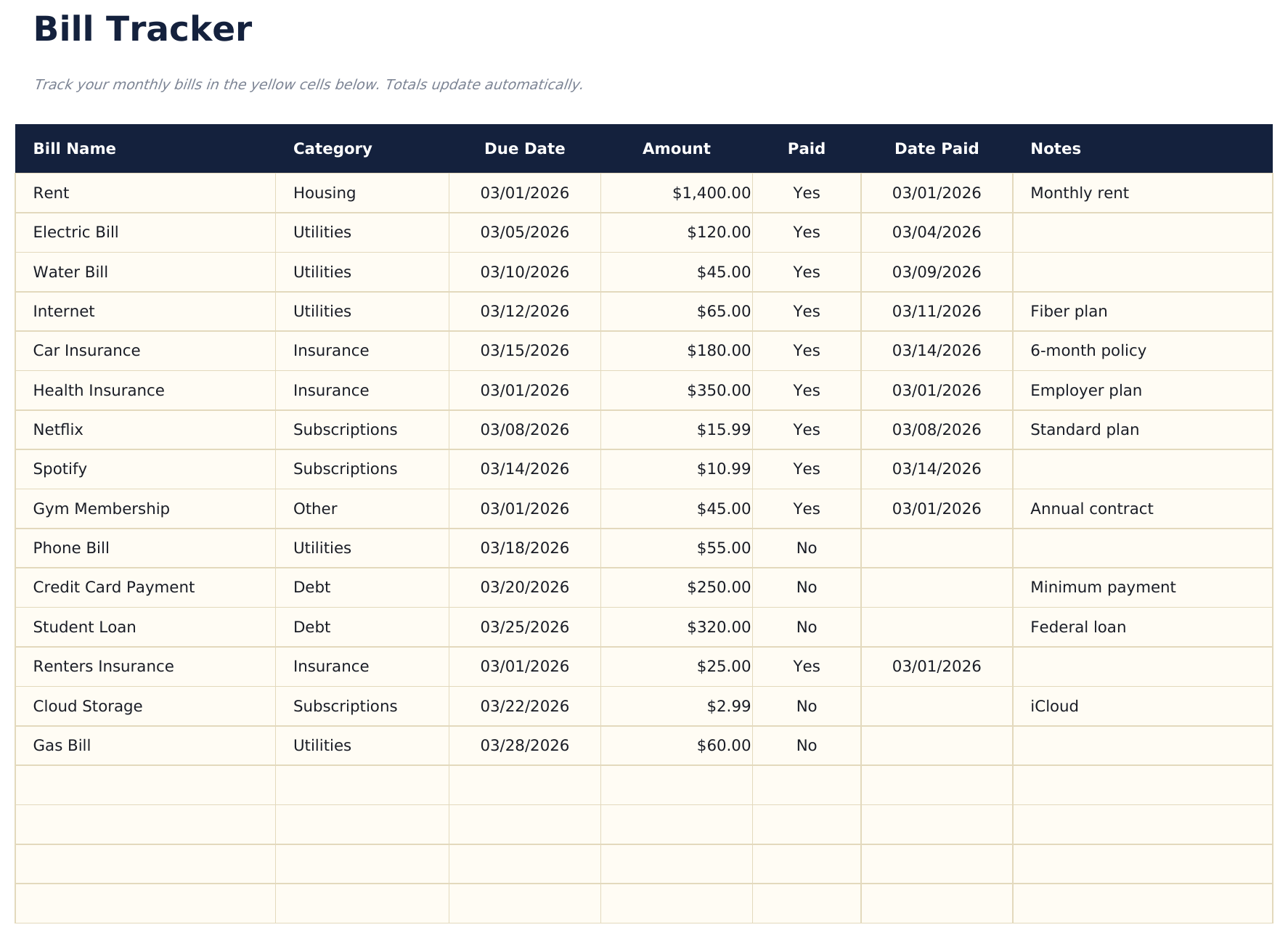
  • Bill tracker with due dates, amounts, and payment frequency columns for every recurring obligation
  • Payment status tracking with checkboxes or status fields to mark each bill as paid or pending
  • Recurring bill management supporting monthly, quarterly, and annual billing cycles in one view
  • Color-coded status indicators and formatted payment fields for quick visual scanning of due bills
  • Works in Microsoft Excel, Google Sheets, and LibreOffice Calc with no setup required
Ultimate Version Available

Need more from this template?

The Essentials version covers everyday tracking. Ultimate goes further with multi-entity support, scenario analysis, and ultimate-grade reporting.

Essentials - $12
  • Dashboard with bill payment overview showing total due, total paid, and number of upcoming bills
  • Bill tracker with due dates, amounts, and payment frequency columns for every recurring obligation
  • Payment status tracking with checkboxes or status fields to mark each bill as paid or pending
  • Recurring bill management supporting monthly, quarterly, and annual billing cycles in one view
Ultimate - $19
  • تتبع حتى 40 فاتورة مع الاسم والفئة وتاريخ الاستحقاق والمبلغ وطريقة الدفع وحالة الدفع التلقائي والملاحظات
  • لوحة معلومات مع 6 بطاقات KPI: إجمالي الفواتير الشهرية، الفواتير المستحقة هذا الأسبوع، الفواتير غير المدفوعة، إجمالي المدفوع هذا الشهر، عدد الدفع التلقائي، ومتوسط مبلغ الفاتورة
  • عرض 12 شهراً يعرض حالة دفع كل فاتورة (مدفوعة، غير مدفوعة، متخطاة) لكل شهر من السنة في شبكة واحدة
  • ورقة سجل الدفع تسجل كل دفعة مع تاريخ الدفع والمبلغ المدفوع وحالة الدفع في الوقت وطريقة الدفع لسجل تدقيق كامل
  • ورقة الملخص السنوي تحسب إجمالي المدفوع وإجمالي المستحق ومعدل الدفع وأكبر فاتورة لكل فئة عبر السنة كاملة
See what's in the Ultimate version One-time purchase. No subscription.

كيفية استخدام قالب Bill Tracker هذا

1

Add your bills

Enter each recurring bill with its name, amount, due date, and payment frequency. Include everything from rent to streaming services.

2

Update payment status

Mark each bill as paid or pending as you make payments throughout the month. The dashboard count updates automatically.

3

Monitor upcoming bills

Check due dates to see which bills are coming up next. The tracker keeps all obligations visible in one list.

4

Review monthly totals

The dashboard shows total due, total paid, and remaining amount so you know exactly how much is still outstanding.

صُممت بواسطة Claude AI. أتقنّاها نحن.

نستخدم Claude AI لصياغة كل قالب بعد بحث معمّق. ثم يتدخل فريقنا. نحسّن التصميم، ونختبر كل صيغة، ونعالج الحالات الاستثنائية، وننقّح التصميم حتى يصبح شيئاً نستخدمه نحن فعلاً. الذكاء الاصطناعي يوصلنا إلى 80%. الـ 20% المتبقية هي حكم بشري بالكامل.

عرض نسخة Ultimate ←

الأسئلة الشائعة

Can I track quarterly and annual bills?

Yes. The frequency column supports monthly, quarterly, and annual billing cycles. All bill types appear in one unified tracker.

How do I handle auto-pay bills?

Add them to the tracker like any other bill. Mark them as paid on their auto-pay date so your totals stay accurate.

Does it send reminders?

No. The spreadsheet does not send notifications. However, seeing all due dates in one list makes it easier to set your own reminders or calendar alerts.

Can I track bills for multiple accounts?

Yes. Add a column for the payment account or source if you pay bills from different bank accounts. The template is flexible enough to accommodate extra columns.

كيف أفتح هذا في Google Sheets؟

ارفع ملف .xlsx إلى Google Drive، ثم افتحه باستخدام Google Sheets. جميع الصيغ والتنسيقات ستبقى محفوظة.

المزيد من قوالب Essentials في Personal Budgeting

تبحث عن قوالب جداول بيانات احترافية؟

القوالب المدفوعة تشمل لوحات معلومات متعددة الأوراق متقدمة، ورسوم بيانية أصلية في Excel، وتحديثات مستمرة.

خاص وآمن

بياناتك المالية تبقى على جهازك. نحن لا نراها أبداً.

تعرف على المزيد →

هل تحتاج مساعدة؟

راجع أدلتنا أو تواصل معنا لأي أسئلة.

عرض الأسئلة الشائعة →