Beste waarde All-in-One Financieel Planningspakket
✓ Financiële Planning✓ Vermogenstracker✓ Maandelijks Budgetteren✓ Reisbudget Planner✓ Jaarlijkse Budgetplanner✓ Maandelijkse Uitgaventracker✓ Jaarlijkse Belastingplanner✓ Pensioenplanning
Bekijk bundel →
Ultimate Ultimate-versie beschikbaar - Maandbudget Ultimate
Essentials-sjabloon - Excel & Google Sheets

Monthly Budget Essentials-sjabloon

Track monthly income and expenses across categories. A straightforward starting point for anyone looking to get a clear picture of where money goes each month.

Bekijk de Ultimate-versie →
Monthly Budget preview

Wat zit erin

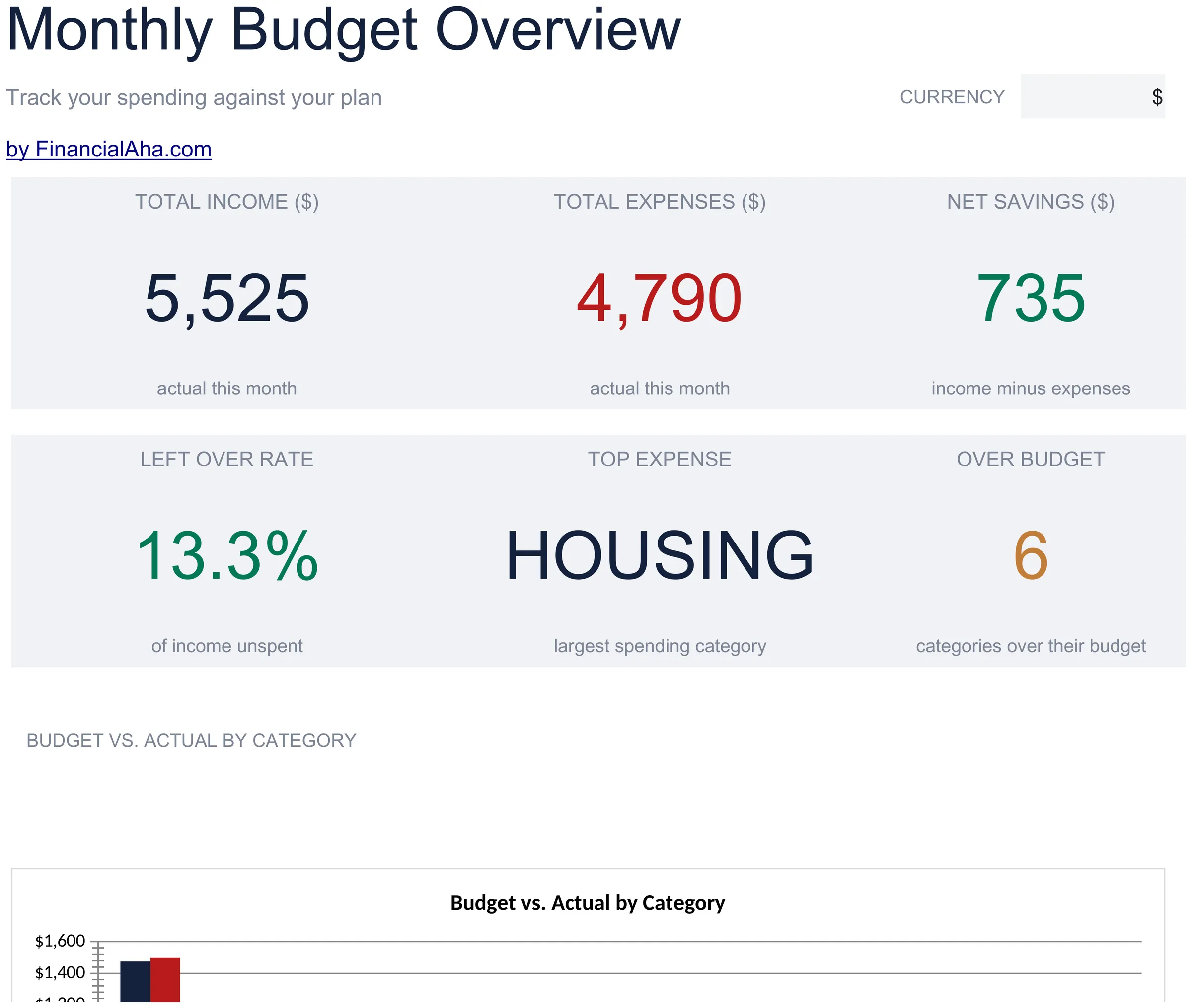
  • Interactive dashboard with KPI cards showing total income, total expenses, remaining balance, and budget status
  • Pre-built expense categories including housing, food, transportation, utilities, entertainment, and more
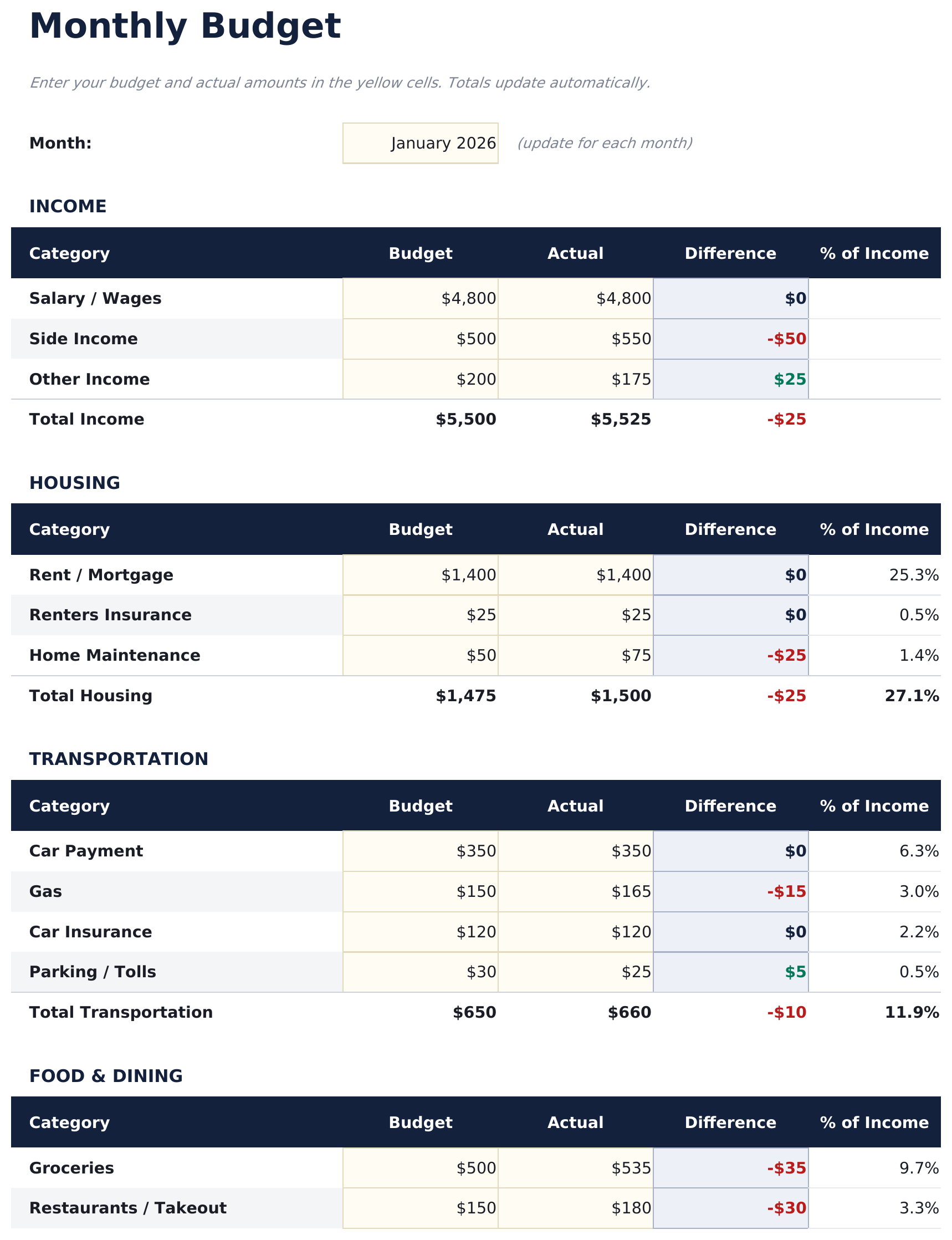
  • Monthly budget worksheet with automatic formulas - enter amounts and totals update instantly
  • Income vs. expense comparison with automatic surplus or deficit calculation
  • Color-coded input cells (yellow) and result cells (blue) so you know exactly where to type
  • Works in Microsoft Excel, Google Sheets, and LibreOffice Calc with no setup required
Ultimate Version Available

Need more from this template?

The Essentials version covers everyday tracking. Ultimate goes further with multi-entity support, scenario analysis, and ultimate-grade reporting.

Essentials - $12
  • Interactive dashboard with KPI cards showing total income, total expenses, remaining balance, and budget status
  • Pre-built expense categories including housing, food, transportation, utilities, entertainment, and more
  • Monthly budget worksheet with automatic formulas - enter amounts and totals update instantly
  • Income vs. expense comparison with automatic surplus or deficit calculation
Ultimate - $19
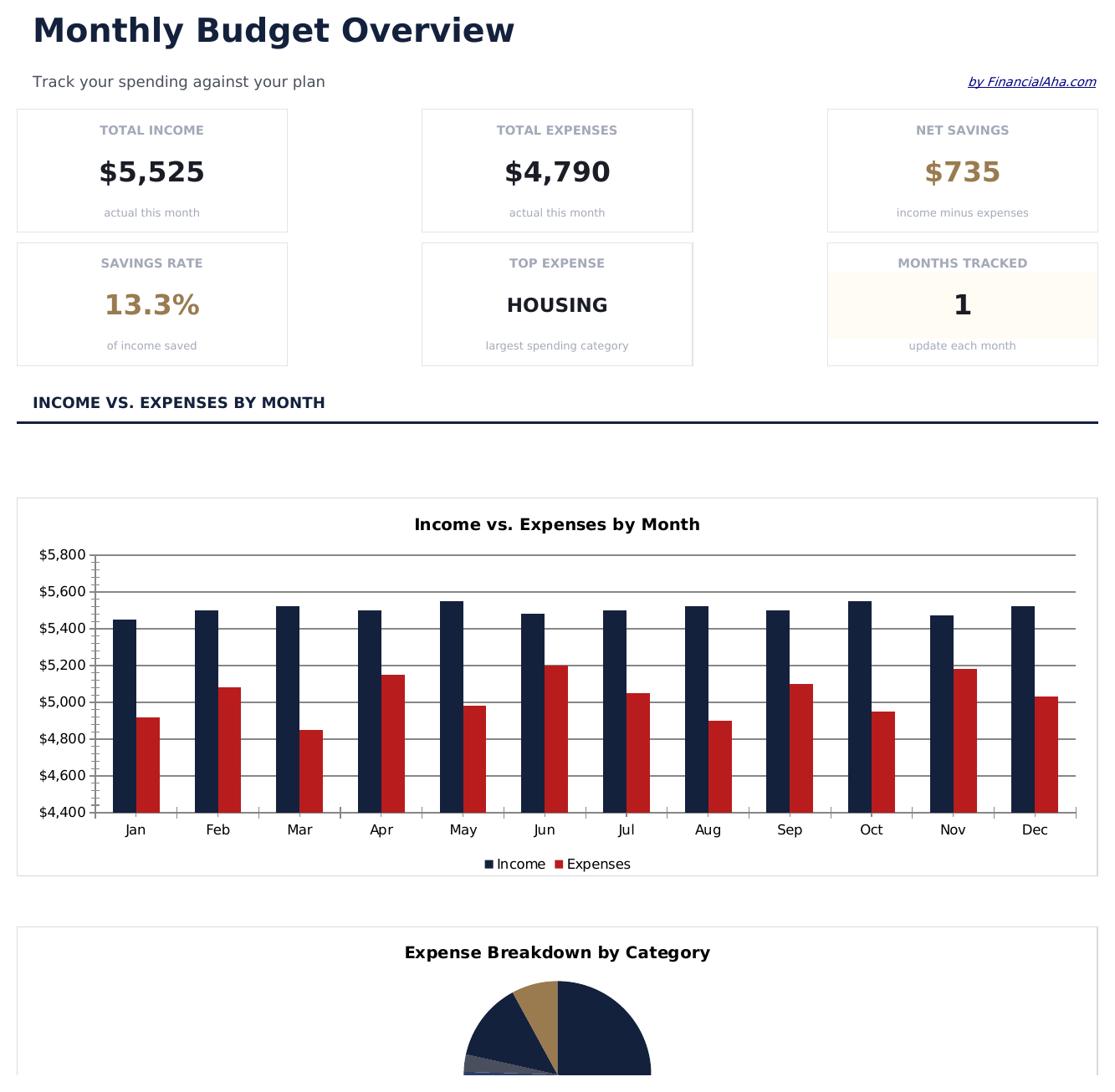
  • Dashboard met 6 KPI-kaarten: totaal inkomen, totale uitgaven, netto besparing, spaarpercentage, budgetafwijking en bijgehouden maanden
  • Werkblad Budgetinstellingen met inkomens- en uitgavencategorieën, maandelijkse doelen en jaarlijkse budgettotalen
  • Werkblad Maandelijkse Tracking voor het registreren van werkelijk inkomen en uitgaven over alle categorieën voor een bepaalde maand
  • Werkblad Budget versus Werkelijk dat doelen vergelijkt met werkelijke uitgaven per categorie met over/onder afwijking en kleurcodering
  • Werkblad Jaar-op-Jaar met inkomen, uitgaven en besparingen per maand over 2 jaar met procentuele veranderingen
See what's in the Ultimate version One-time purchase. No subscription.

Hoe gebruik je dit Monthly Budget sjabloon

1

Enter your income

List all income sources in the income section - salary, side income, freelance earnings, or any other money coming in.

2

Add your expenses

Fill in each expense category with your budgeted and actual amounts. The template includes common categories like housing, food, and transportation.

3

Review the dashboard

The Dashboard sheet shows your total income vs expenses, savings rate, top spending category, and a monthly trend chart.

4

Adjust monthly

Update amounts each month. The formulas recalculate automatically, helping you spot trends and adjust spending over time.

Gebouwd door Claude AI. Verfijnd door ons.

We gebruiken Claude AI om elk sjabloon te ontwerpen, na uitgebreid onderzoek. Daarna neemt ons team het over. We verfijnen de indeling, testen elke formule grondig, lossen randgevallen op en polijsten het ontwerp totdat het iets is dat we zelf ook echt zouden gebruiken. De AI brengt ons 80% van de weg. De laatste 20% is puur menselijk oordeel.

Bekijk de Ultimate-versie →

Veelgestelde vragen

What expense categories are included?

The template includes housing, food and dining, transportation, utilities, entertainment, shopping, health, personal care, subscriptions, savings, and miscellaneous. You can rename any category to match your spending.

Can I add more expense categories?

Yes. There are extra blank rows for additional categories. Insert new rows above the totals row and the SUM formulas will adjust automatically.

How does the savings rate calculate?

The savings rate formula divides your net savings (income minus expenses) by your total income. It updates automatically as you enter your numbers.

Can I track multiple months in one file?

This template is designed for a single month. For multi-month tracking with trends and comparisons, consider our premium Monthly Budget Template.

Hoe open ik dit in Google Sheets?

Upload het .xlsx-bestand naar Google Drive en open het vervolgens met Google Sheets. Alle formules en opmaak blijven behouden.

Meer Essentials-sjablonen voor Personal Budgeting

Op zoek naar premium spreadsheet-sjablonen?

Onze betaalde sjablonen bevatten geavanceerde dashboards met meerdere werkbladen, ingebouwde Excel-grafieken en doorlopende updates.

Privé & veilig

Uw financiële gegevens blijven op uw apparaat. Wij zien ze nooit.

Meer informatie →

Hulp nodig?

Bekijk onze handleidingen of neem contact op met vragen.

Bekijk FAQ →