Miglior valore Pacchetto Completo di Pianificazione Finanziaria
✓ Pianificazione Finanziaria✓ Tracker Patrimonio Netto✓ Budget Mensile✓ Pianificatore Budget Viaggio✓ Pianificatore Budget Annuale✓ Tracker Spese Mensili✓ Pianificatore Fiscale Annuale✓ Pianificazione Pensione
Vedi pacchetto →
Ultimate Versione Ultimate disponibile - Budget Evento Ultimate
Modello Essentials - Excel e Google Sheets

Event Budget Modello Essentials

Plan and track expenses for events like parties, fundraisers, or conferences. Organize costs by category with budget vs. actual tracking.

Vedi la versione Ultimate →
Event Budget preview

Cosa include

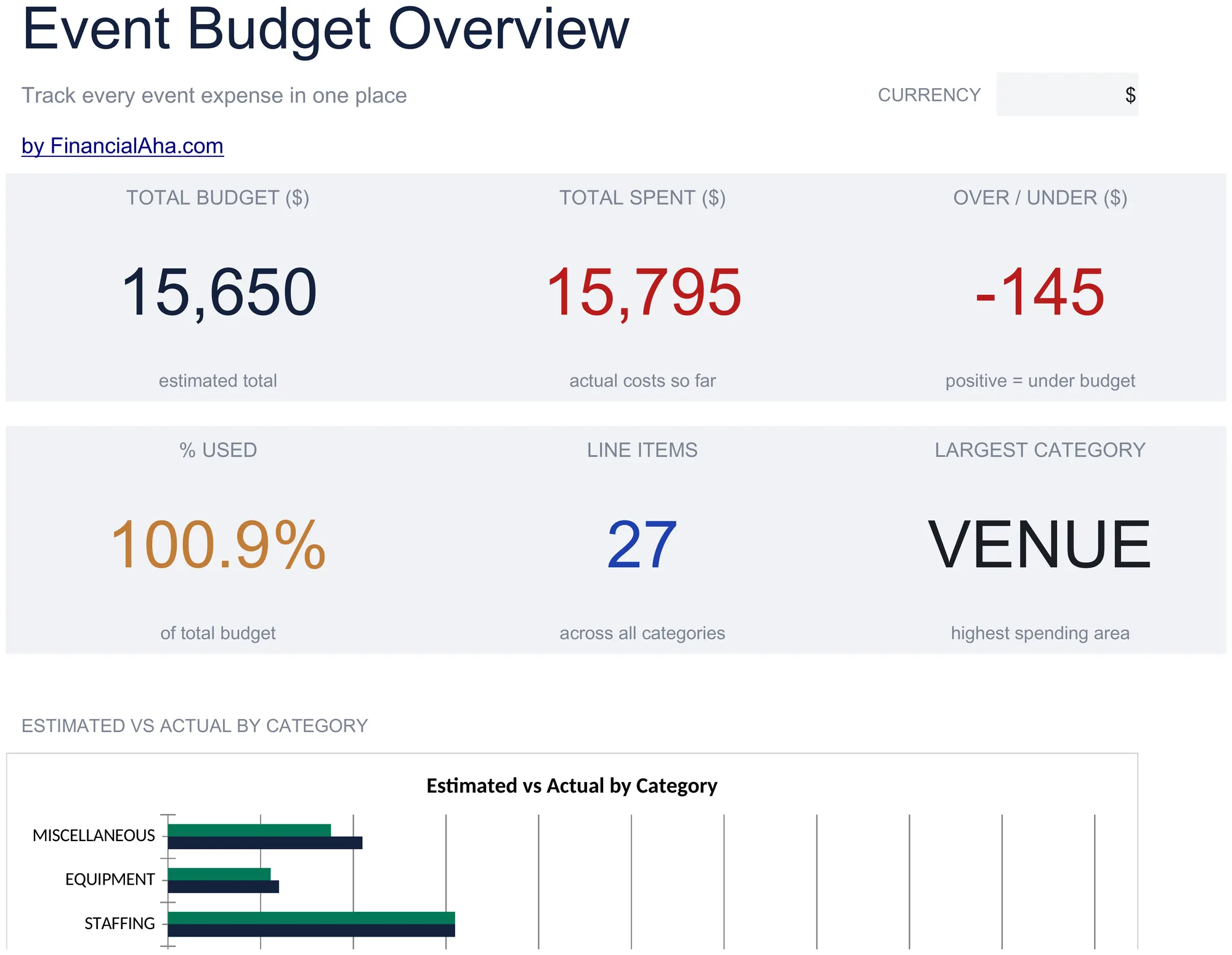
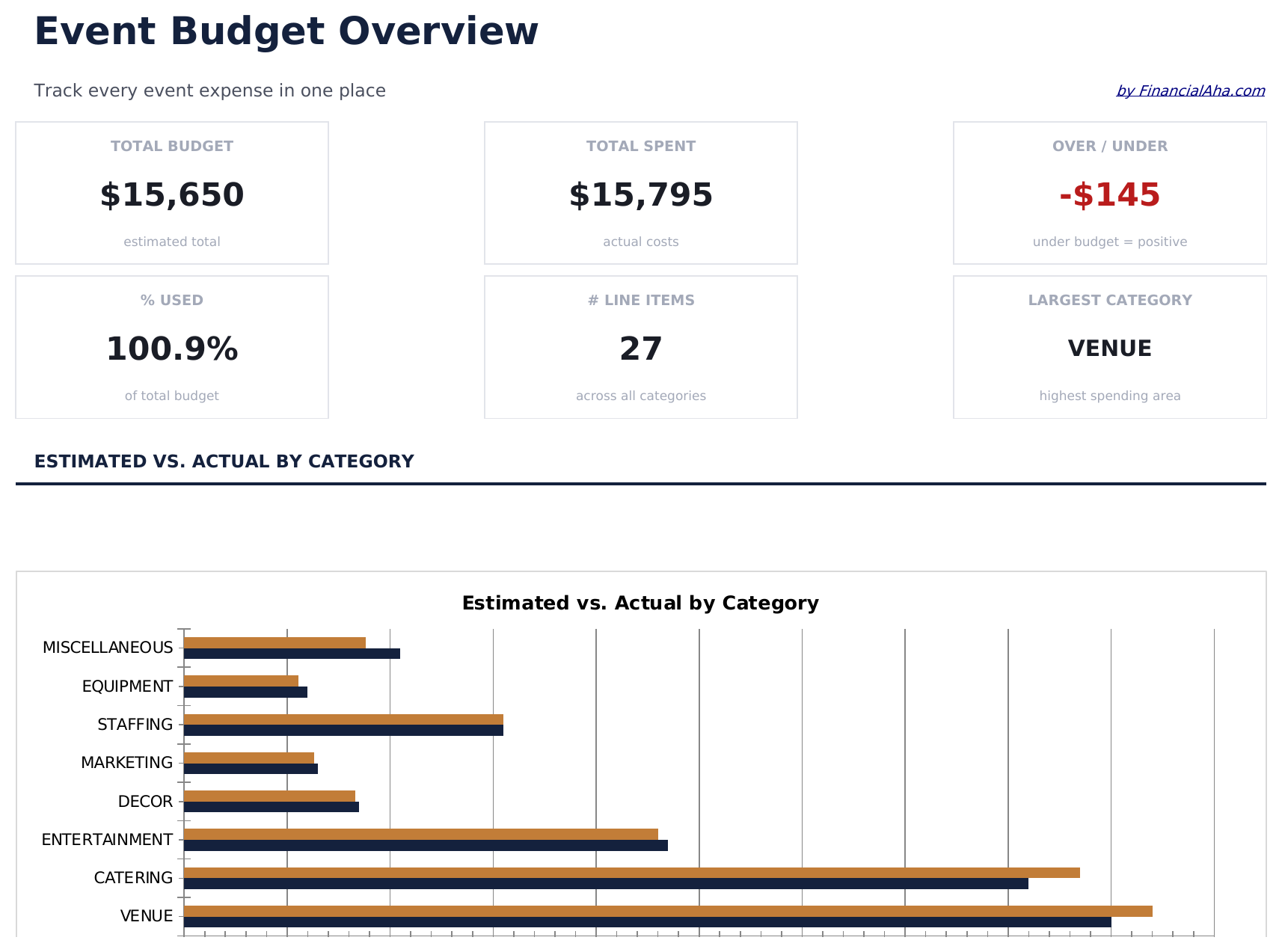
  • Dashboard with event budget overview showing total planned cost, actual spent, remaining budget, and variance
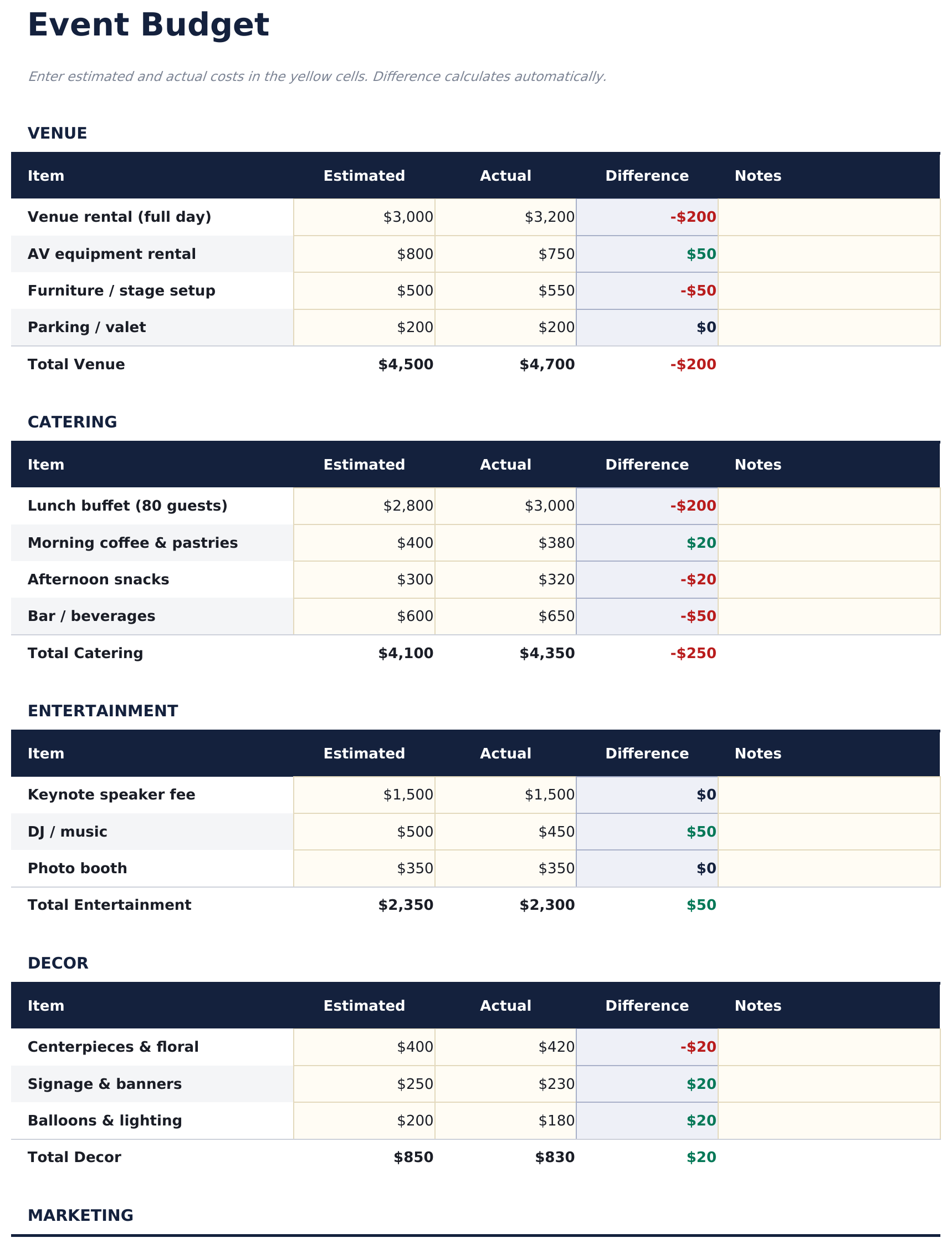
  • Event budget by expense category including venue, catering, decorations, entertainment, printing, and supplies
  • Vendor and cost tracking with columns for vendor name, quoted price, actual price, deposit paid, and balance due
  • Budget vs. actual comparison per category with automatic variance calculations for each line item
  • Color-coded variance indicators and auto-calculated totals for organized event financial management
  • Works in Microsoft Excel, Google Sheets, and LibreOffice Calc with no setup required
Ultimate Version Available

Need more from this template?

The Essentials version covers everyday tracking. Ultimate goes further with multi-entity support, scenario analysis, and ultimate-grade reporting.

Essentials - $12
  • Dashboard with event budget overview showing total planned cost, actual spent, remaining budget, and variance
  • Event budget by expense category including venue, catering, decorations, entertainment, printing, and supplies
  • Vendor and cost tracking with columns for vendor name, quoted price, actual price, deposit paid, and balance due
  • Budget vs. actual comparison per category with automatic variance calculations for each line item
Ultimate - $19
  • Foglio Configurazione Evento con nome evento, data, sede, partecipanti previsti e reali, prezzo biglietto e obiettivo di budget
  • Dettaglio Budget con categorie di costo: sede, catering, intrattenimento, decorazioni, marketing, personale, AV e varie - ciascuna con colonne stimato e consuntivo
  • Dashboard con 6 schede KPI: budget totale, totale speso, surplus o deficit netto, ricavi, costo per partecipante e percentuale budget utilizzato
  • Foglio Gestione Fornitori che monitora ogni fornitore con contatto, importo contratto, acconto versato, saldo dovuto, stato e data scadenza pagamento
  • Analisi Partecipanti che calcola i costi pro-capite per categoria di budget e confronta il costo per partecipante a diversi scenari di partecipazione
See what's in the Ultimate version One-time purchase. No subscription.

Come usare questo modello Event Budget

1

Set the event budget

Enter the total budget for the event. Then list each expense category with its planned amount.

2

Add vendor details

For each expense, enter the vendor name, quoted price, and deposit paid. The balance due calculates automatically.

3

Track actual spending

Update actual costs as they are confirmed or paid. The variance columns show where you are over or under plan.

4

Review the dashboard

The dashboard shows total planned, total actual, remaining budget, and overall variance for the entire event.

Creati da Claude AI. Perfezionati da noi.

Utilizziamo Claude AI per creare ogni modello, dopo una ricerca approfondita. Poi interviene il nostro team. Miglioriamo il layout, testiamo ogni formula, correggiamo i casi limite e rifiniamo il design fino a ottenere qualcosa che useremmo noi stessi. L'AI ci porta all'80%. L'ultimo 20% è tutto giudizio umano.

Vedi la versione Ultimate →

Domande frequenti

What event types does this work for?

It works for parties, fundraisers, conferences, corporate events, or any occasion with multiple expense categories and vendors.

Can I track deposits and final payments?

Yes. Each vendor row has fields for quoted price, deposit paid, and balance due. Update the paid amount as payments are made.

How do I handle cost changes?

Update the planned or actual amount when costs change. The variance recalculates automatically to reflect the new figures.

Can I share this with my event team?

Yes. Upload to Google Sheets for real-time collaboration, or share the Excel file via email or cloud storage.

Come posso aprirlo in Google Sheets?

Carica il file .xlsx su Google Drive, poi aprilo con Google Sheets. Tutte le formule e la formattazione saranno conservate.

Altri modelli Essentials Special Purpose

Cerchi modelli di fogli di calcolo premium?

I nostri modelli a pagamento includono dashboard multi-foglio avanzate, grafici nativi Excel e aggiornamenti continui.

Privato e sicuro

I tuoi dati finanziari restano sul tuo dispositivo. Non li vediamo mai.

Scopri di piu →

Hai bisogno di aiuto?

Consulta le nostre guide o contattaci per domande.

Vedi FAQ →