Bester Wert All-in-One Finanzplanungs-Bundle
✓ Finanzplanung✓ Vermögens-Tracker✓ Monatliches Budget✓ Reisebudget-Planer✓ Jahresbudget-Planer✓ Monatlicher Ausgaben-Tracker✓ Jährlicher Steuerplaner✓ Altersvorsorgeplanung
Bundle ansehen →
Ultimate Ultimate-Version verfügbar - Veranstaltungsbudget Ultimate
Essentials-Vorlage - Excel & Google Sheets

Event Budget Essentials-Vorlage

Plan and track expenses for events like parties, fundraisers, or conferences. Organize costs by category with budget vs. actual tracking.

Event Budget preview

Was enthalten ist

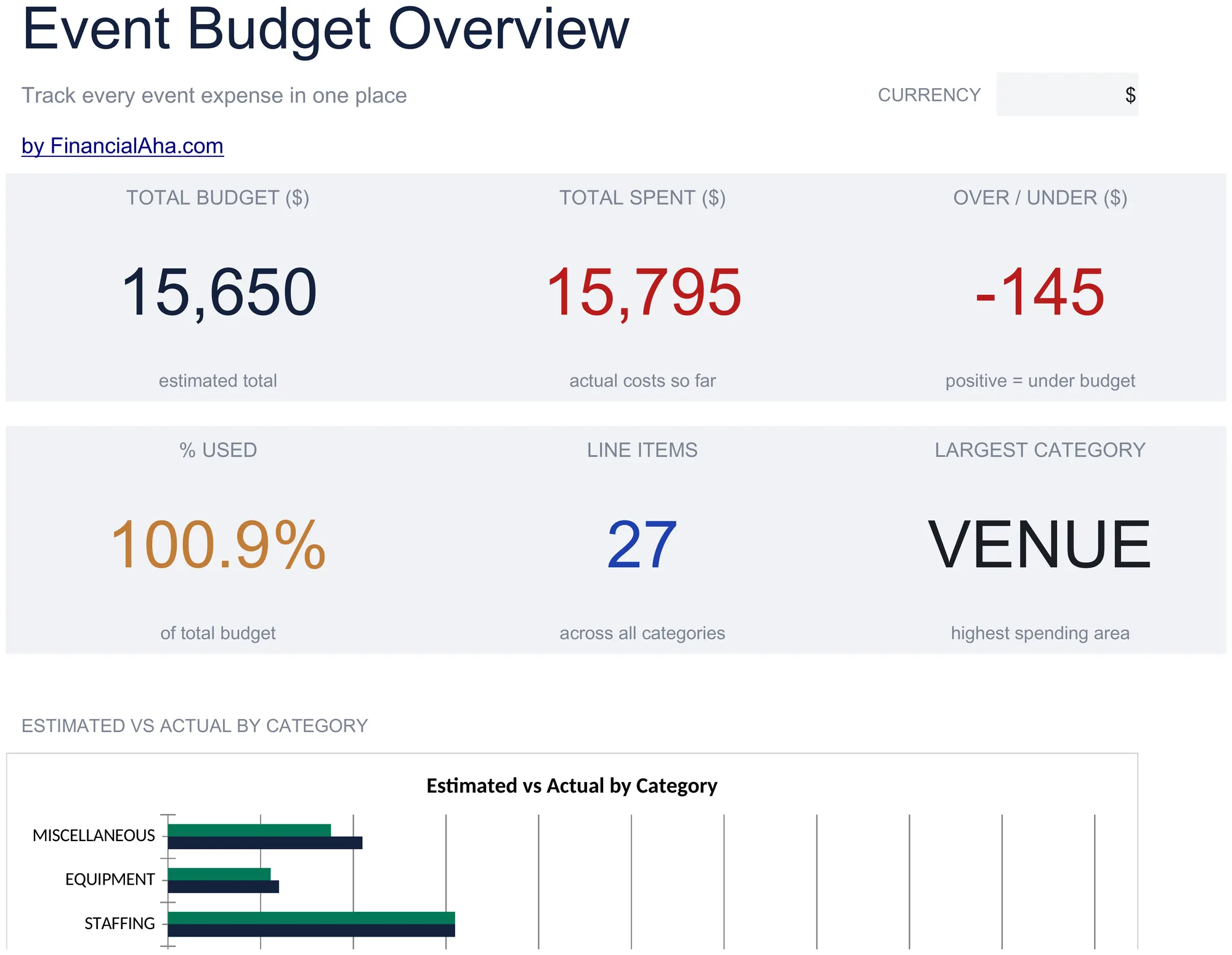
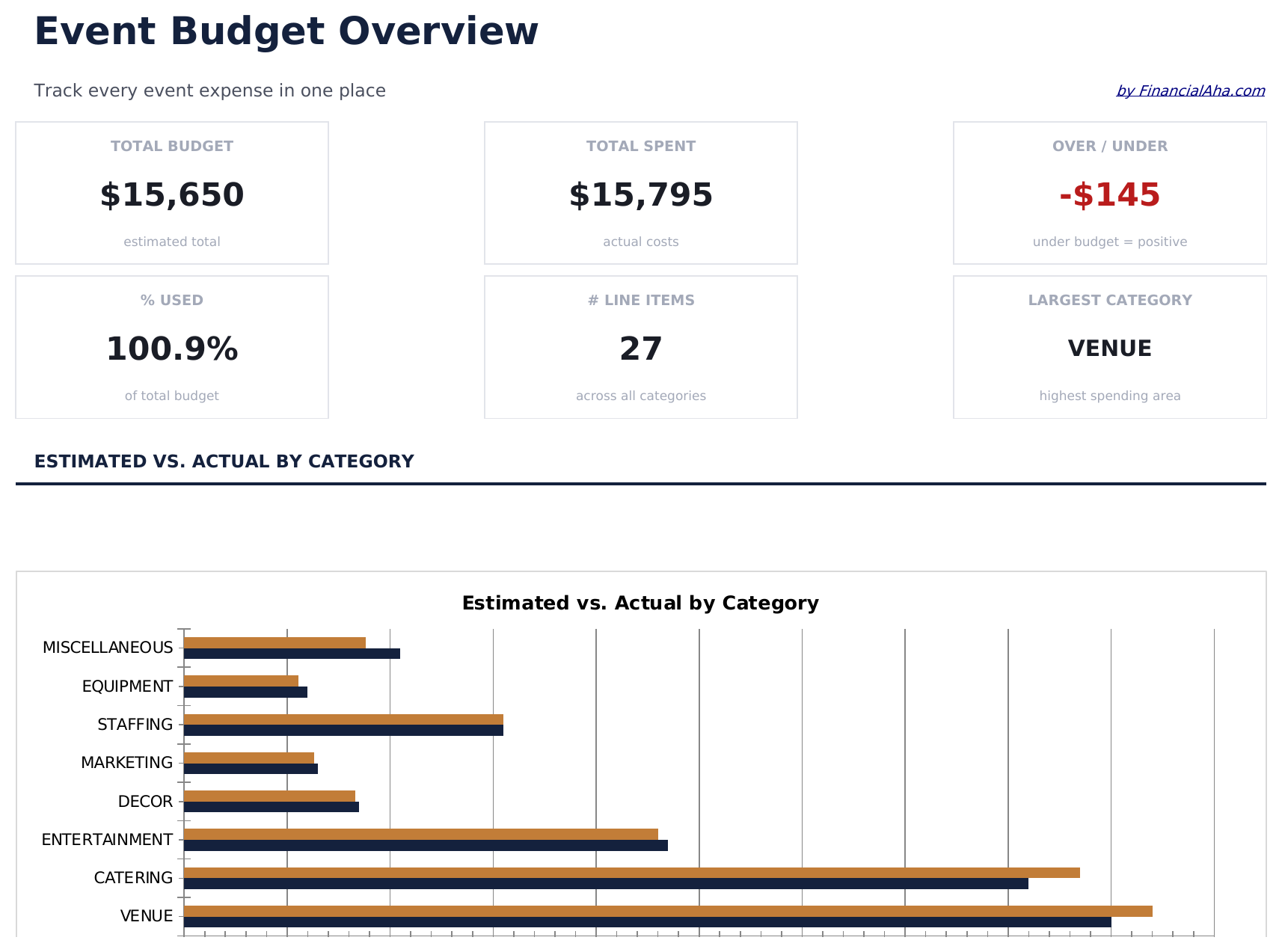
  • Dashboard with event budget overview showing total planned cost, actual spent, remaining budget, and variance
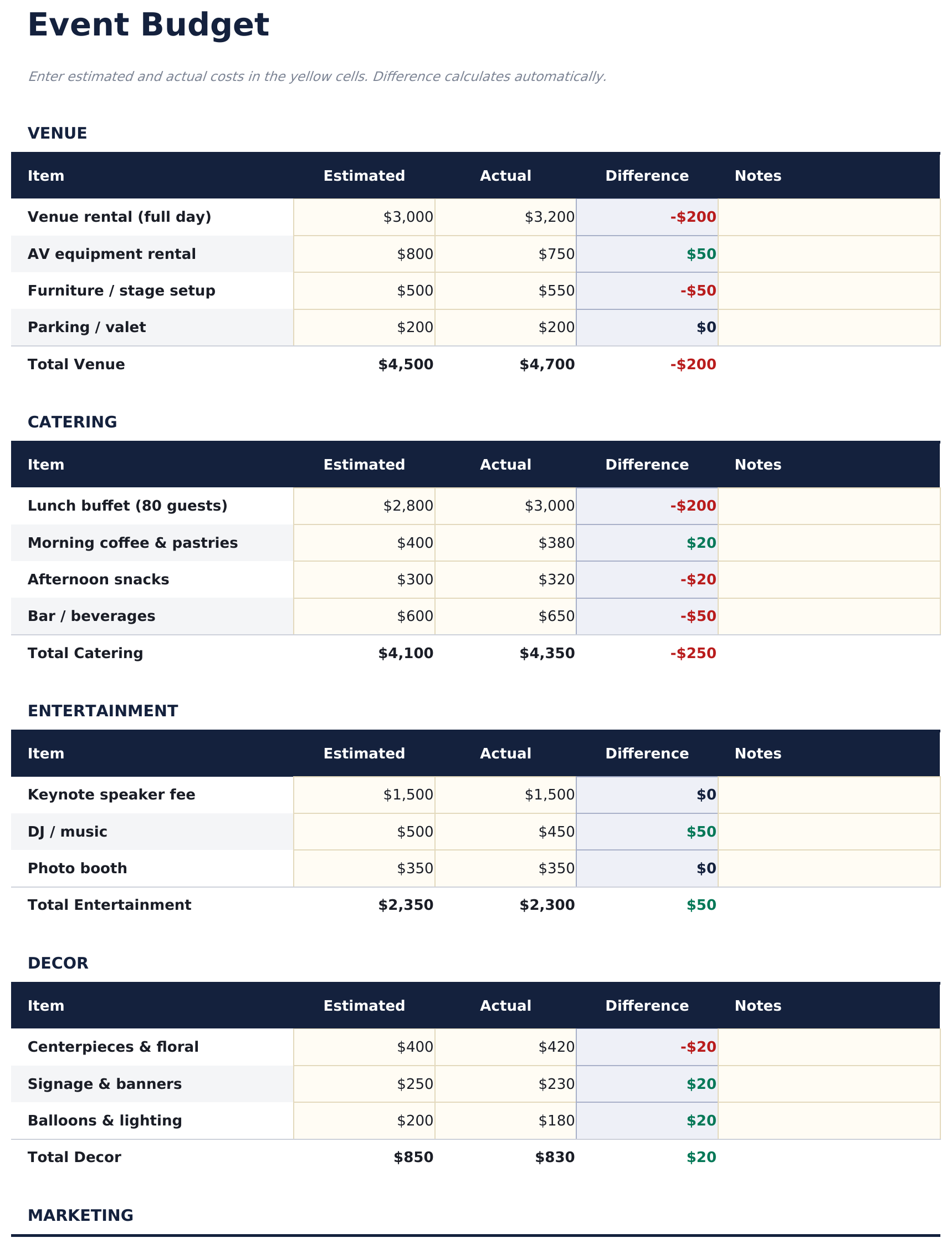
  • Event budget by expense category including venue, catering, decorations, entertainment, printing, and supplies
  • Vendor and cost tracking with columns for vendor name, quoted price, actual price, deposit paid, and balance due
  • Budget vs. actual comparison per category with automatic variance calculations for each line item
  • Color-coded variance indicators and auto-calculated totals for organized event financial management
  • Works in Microsoft Excel, Google Sheets, and LibreOffice Calc with no setup required
Ultimate Version Available

Need more from this template?

The Essentials version covers everyday tracking. Ultimate goes further with multi-entity support, scenario analysis, and ultimate-grade reporting.

Essentials - $12
  • Dashboard with event budget overview showing total planned cost, actual spent, remaining budget, and variance
  • Event budget by expense category including venue, catering, decorations, entertainment, printing, and supplies
  • Vendor and cost tracking with columns for vendor name, quoted price, actual price, deposit paid, and balance due
  • Budget vs. actual comparison per category with automatic variance calculations for each line item
Ultimate - $19
  • Veranstaltungseinrichtungsblatt mit Veranstaltungsname, Datum, Veranstaltungsort, erwarteter und tatsächlicher Teilnehmerzahl, Ticketpreis und Budgetziel
  • Budgetaufschlüsselung mit Kostenkategorien: Veranstaltungsort, Catering, Unterhaltung, Dekoration, Marketing, Personal, AV und Sonstiges - jeweils mit geschätzten und tatsächlichen Spalten
  • Dashboard mit 6 KPI-Karten: Gesamtbudget, Gesamtausgaben, Netto-Überschuss oder -Defizit, Einnahmen, Kosten pro Teilnehmer und Prozent des genutzten Budgets
  • Lieferantenverwaltungsblatt verfolgt jeden Lieferanten mit Kontakt, Vertragssumme, gezahlter Anzahlung, Restbetrag, Status und Zahlungsfälligkeitsdatum
  • Teilnehmeranalyse berechnet Ultimate-Kopf-Kosten nach Budgetkategorie und vergleicht Kosten pro Teilnehmer bei verschiedenen Teilnehmerszenarien
See what's in the Ultimate version One-time purchase. No subscription.

So verwenden Sie diese Event Budget-Vorlage

1

Set the event budget

Enter the total budget for the event. Then list each expense category with its planned amount.

2

Add vendor details

For each expense, enter the vendor name, quoted price, and deposit paid. The balance due calculates automatically.

3

Track actual spending

Update actual costs as they are confirmed or paid. The variance columns show where you are over or under plan.

4

Review the dashboard

The dashboard shows total planned, total actual, remaining budget, and overall variance for the entire event.

Erstellt von Claude AI. Verfeinert von uns.

Wir verwenden Claude AI, um jede Vorlage nach gründlicher Recherche zu entwerfen. Dann greift unser Team ein. Wir verfeinern das Layout, testen jede Formel auf Herz und Nieren, beheben Grenzfälle und polieren das Design, bis es sich anfühlt wie etwas, das wir selbst verwenden würden. Die KI bringt uns 80 % ans Ziel. Die letzten 20 % sind rein menschliches Urteilsvermögen.

Häufig gestellte Fragen

What event types does this work for?

It works for parties, fundraisers, conferences, corporate events, or any occasion with multiple expense categories and vendors.

Can I track deposits and final payments?

Yes. Each vendor row has fields for quoted price, deposit paid, and balance due. Update the paid amount as payments are made.

How do I handle cost changes?

Update the planned or actual amount when costs change. The variance recalculates automatically to reflect the new figures.

Can I share this with my event team?

Yes. Upload to Google Sheets for real-time collaboration, or share the Excel file via email or cloud storage.

Wie öffne ich diese Vorlage in Google Sheets?

Laden Sie die .xlsx-Datei auf Google Drive hoch und öffnen Sie sie mit Google Sheets. Alle Formeln und Formatierungen bleiben erhalten.

Weitere Essentials-Vorlagen: Special Purpose

Auf der Suche nach Premium-Tabellenvorlagen?

Unsere kostenpflichtigen Vorlagen umfassen erweiterte mehrseitige Dashboards, native Excel-Diagramme und laufende Aktualisierungen.

Privat & sicher

Ihre Finanzdaten bleiben auf Ihrem Gerät. Wir sehen sie nie.

Mehr erfahren →

Brauchen Sie Hilfe?

Schauen Sie in unsere Anleitungen oder kontaktieren Sie uns.

FAQ ansehen →