Essentials Special Purpose Templates
8 special purpose spreadsheet templates in their fuller Essentials builds, with more worked out for you rather than typed. One-time $19 per template.
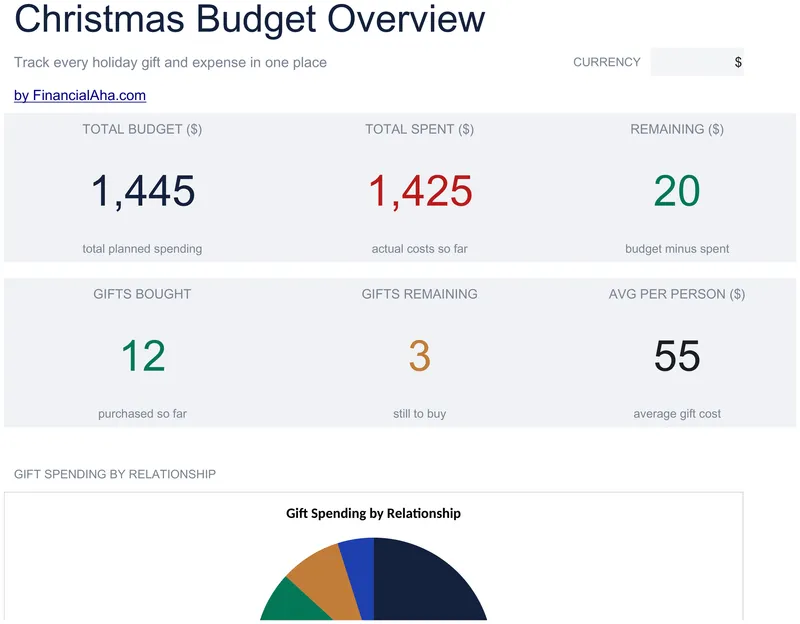
Christmas Budget
A row per person on the gift list, with the relationship beside the name, a column for what you are giving or still considering, a budget and an actual, and a purchased flag - which is the only question that matters two weeks out. The Essentials Christmas Budget spreadsheet template keeps decorations and other holiday costs in blocks of their own. Twenty rows, three working sheets. Google Sheets and Excel. No macros, no VBA.
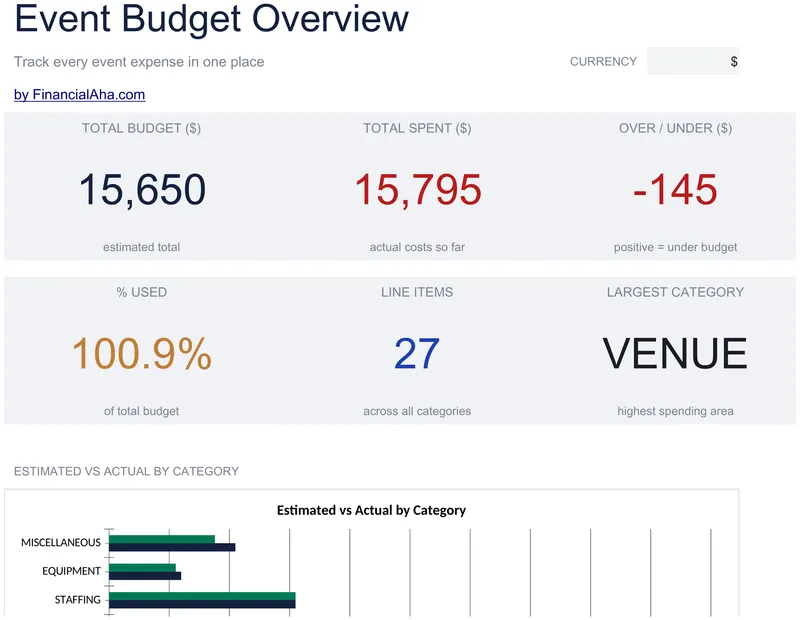
Event Budget
Venue, catering, entertainment, decor and marketing each get their own line items with a subtotal at the foot, and a notes column takes vendor names and due dates. The Essentials Event Budget spreadsheet template derives the difference on every line and reports total budget, total spent, over or under, and the share used on a dashboard, so a category that is drifting shows up early. Two working sheets and two charts, Google Sheets and Excel. No macros, no VBA.
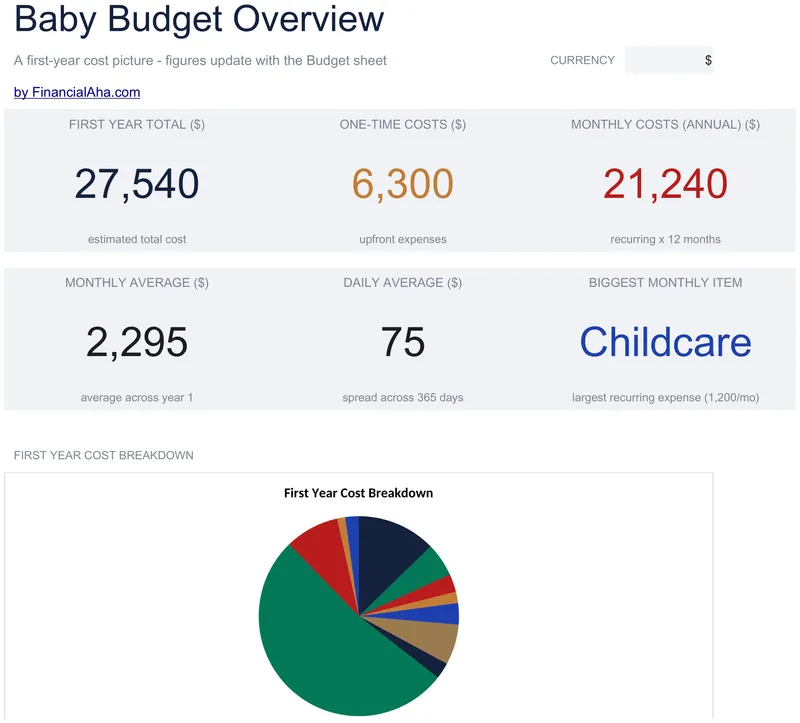
Baby Budget Planner
One-time purchases and monthly costs sit in blocks of their own, each totalling itself, with every recurring item converted to its annual figure so the two can be added honestly. The Essentials Baby Budget Planner spreadsheet template puts a share-of-first-year column on every line and gives the estimated total a monthly and a daily average - the numbers that make a year of costs legible. Three working sheets. Google Sheets and Excel. No macros, no VBA.
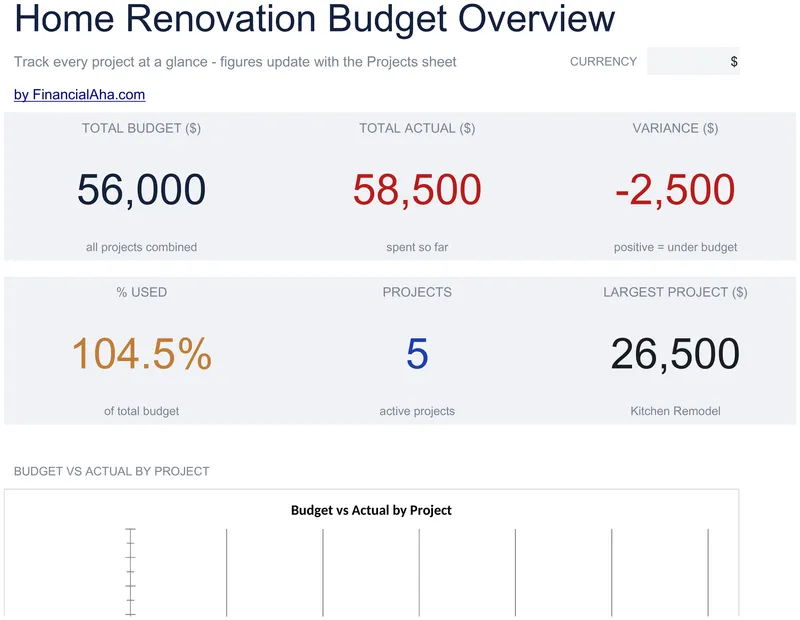
Home Renovation Budget
Eight projects, each named to match your renovation, and each budget split three ways - labour, materials and permits - so an overrun can be traced to what caused it. The Essentials Home Renovation Budget spreadsheet template derives the total from those three columns, sets actual spend and variance against it per project, and leaves a notes column for vendors, dates or a change of scope. Dashboard on its own tab. Google Sheets and Excel, one file. No macros, no VBA.
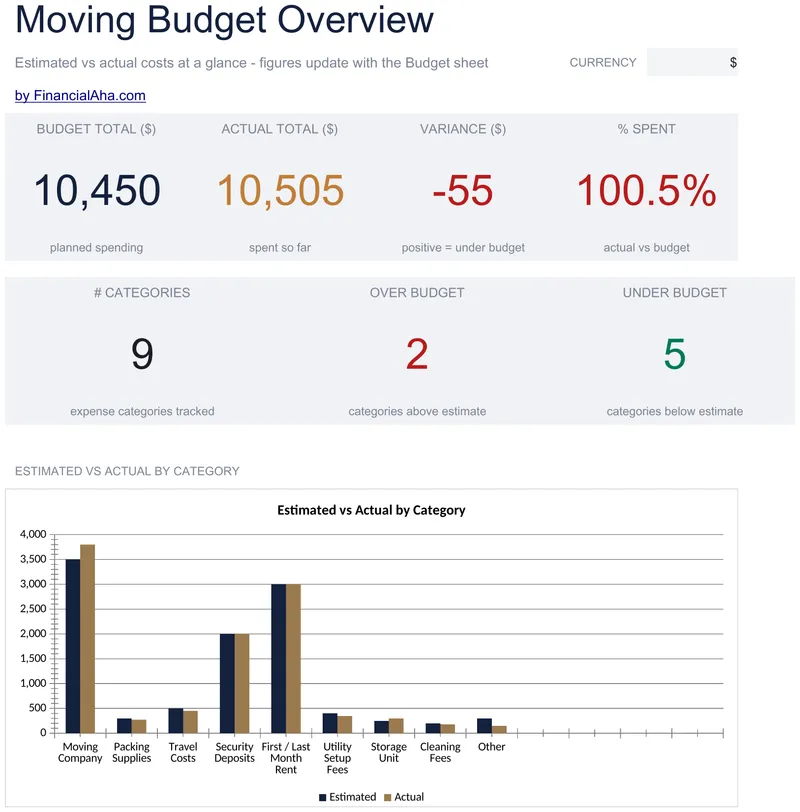
Moving Budget Planner
Thirteen named categories covering a full move, each with an estimate beside an actual, the variance between them, and what share of the estimate has been spent. The Essentials Moving Budget Planner spreadsheet template adds a notes column for the qualifications that matter later, such as which deposits are refundable, and a dashboard over the top. Two working sheets and a chart, Google Sheets and Excel. No macros, no VBA.
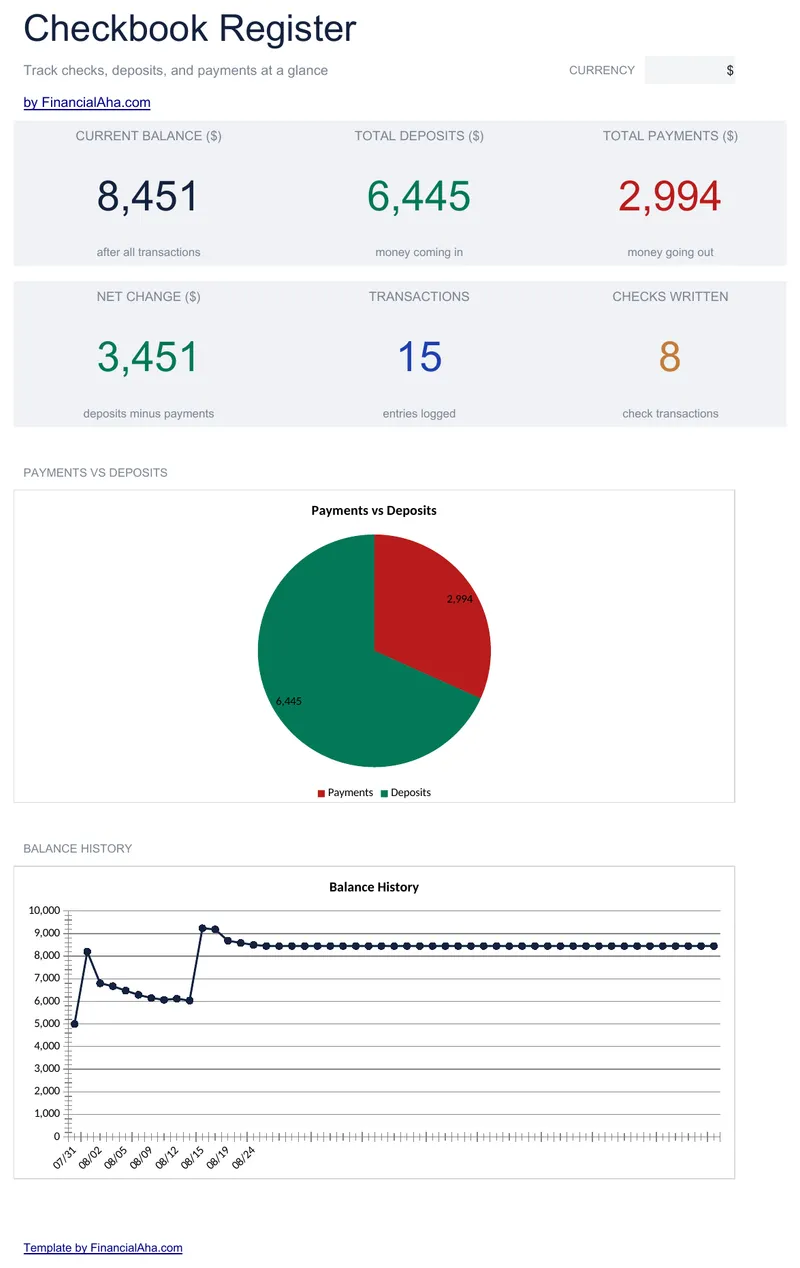
Checkbook Register
Fifty entries, each with a date, a check number, a payee and a description, and a balance that carries down and stops where your entries do. The Essentials Checkbook Register spreadsheet template adds a Cleared column and a second balance built only from the entries you have marked cleared - the figure to set against the bank, rather than the one that includes what has not landed yet. Google Sheets and Excel. No macros, no VBA.
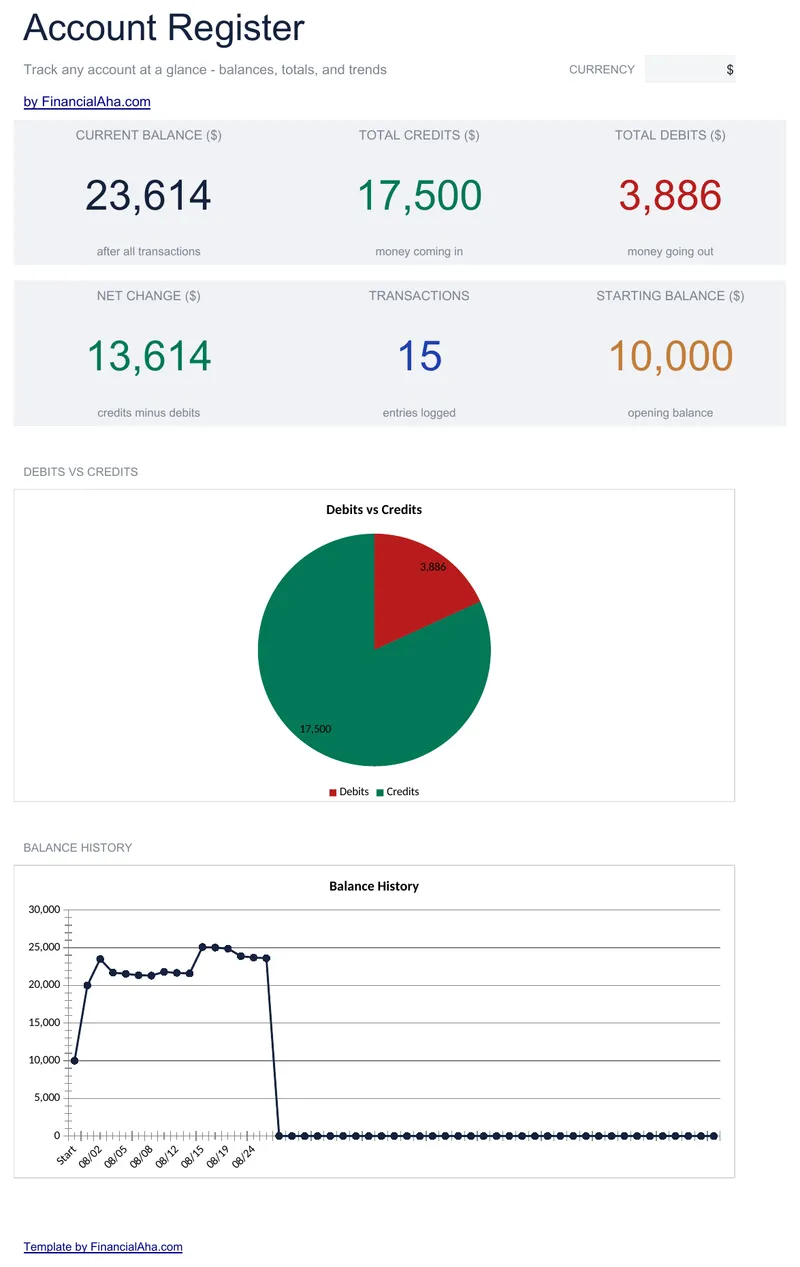
Account Register
A starting balance sits in a labelled cell outside the transaction range, and fifty rows run beneath it with blanks to carry on into. The Essentials Account Register spreadsheet template holds a reference column for cheque and transaction numbers, leaves the running balance empty on any row with neither a debit nor a credit, and totals both columns at the foot with the balance restated as a check. A dashboard reports where the account stands. Google Sheets and Excel. No macros, no VBA.
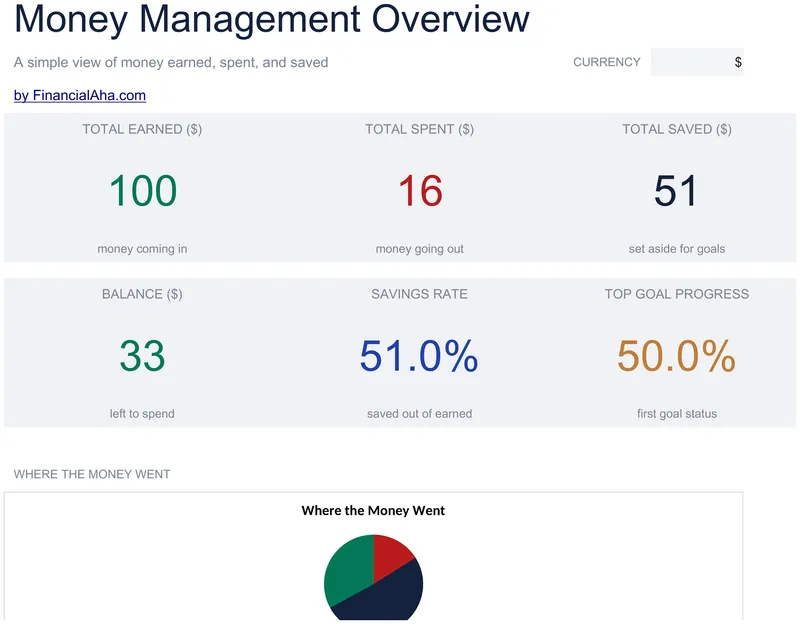
Money Management for Kids
Thirty dated entries, each described in plain words, with earned, spent and saved in columns of their own and a balance running down the sheet. The Essentials Money Management for Kids spreadsheet template leaves room for five savings goals, each with a target and the progress against it, and puts a dashboard over the log. Three sheets, Google Sheets and Excel. No macros, no VBA.
Not sure which to pick?
Try the free version of any special purpose template first. When you're ready for the dashboard and extra capacity, upgrade to Essentials - a one-time $19 purchase.