Essentials Personal Budgeting Templates
21 personal budgeting spreadsheet templates in their fuller Essentials builds, with more worked out for you rather than typed. One-time $19 per template.
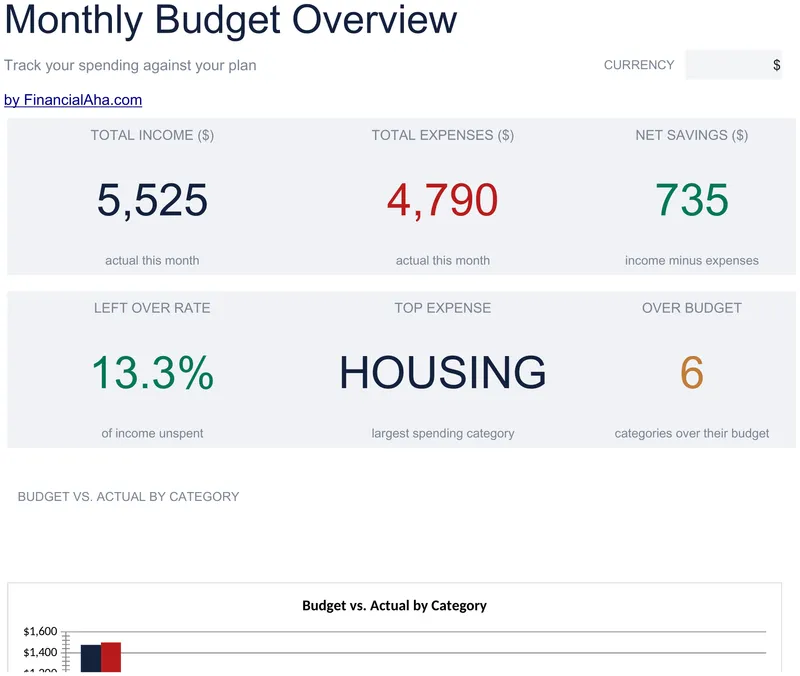
Monthly Budget
Categories grouped into sections - income, housing, transport, food, utilities, insurance and more - each subtotalling itself, so areas of spending compare directly. The Essentials Monthly Budget spreadsheet template puts budget, actual and the difference on every line, adds a share-of-income column that stays comparable between a good month and a lean one, and reports a savings rate on the Dashboard. Google Sheets and Excel, one file. No macros, no VBA.
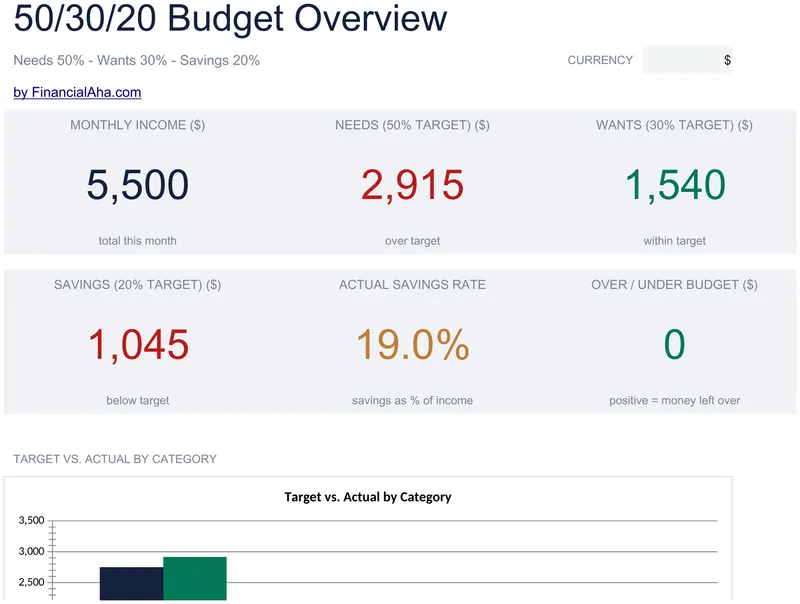
50/30/20 Budget
Enter your income once and the three targets follow from the total. The Essentials 50/30/20 Budget spreadsheet template gives needs, wants and savings a section each, ten lines to fill, and a status on every one calling it on track or over - then reads the month back in six figures on a dashboard: income, the three targets, the savings rate you actually achieved, and whether you finished over or under. Two charts, three working sheets. Google Sheets and Excel. No macros, no VBA.
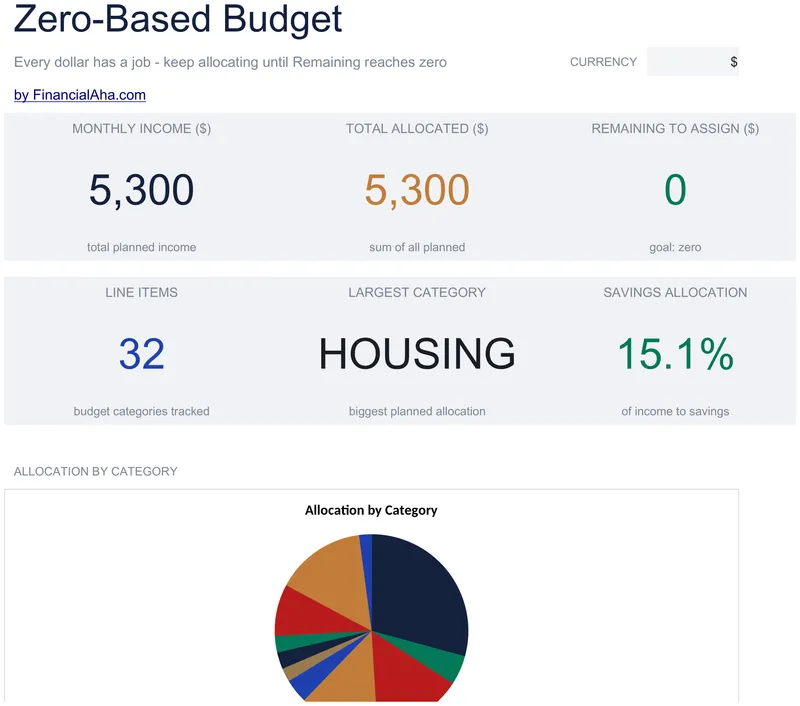
Zero-Based Budget
Income goes in at the top and every allocation is measured against it, with a remaining-to-assign figure whose goal is zero - the number the method turns on. The Essentials Zero-Based Budget spreadsheet template groups categories into sections rather than one long list, puts planned against actual on every line, and reports income, total allocated and what is still unassigned on a Dashboard. Three tabs, Google Sheets or Excel. No macros, no VBA.
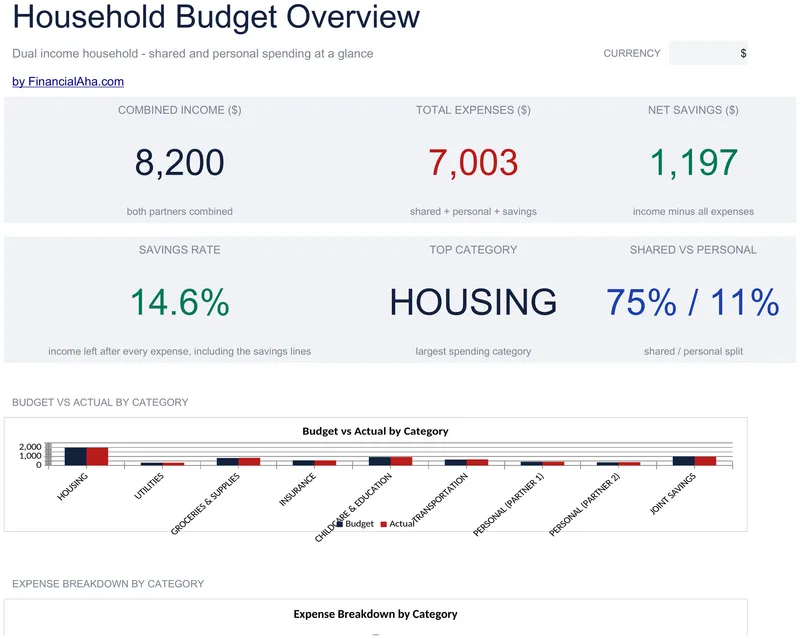
Household Budget
Each partner gets an income section of their own and the two combine automatically, with personal spending kept apart from the grouped shared costs. The Essentials Household Budget spreadsheet template runs planned against actual on every line, derives the difference, adds a share-of-income column per category, and closes on a dashboard with combined income, total expenses, net savings and the savings rate. Google Sheets and Excel, one file. No macros, no VBA.
Weekly Budget
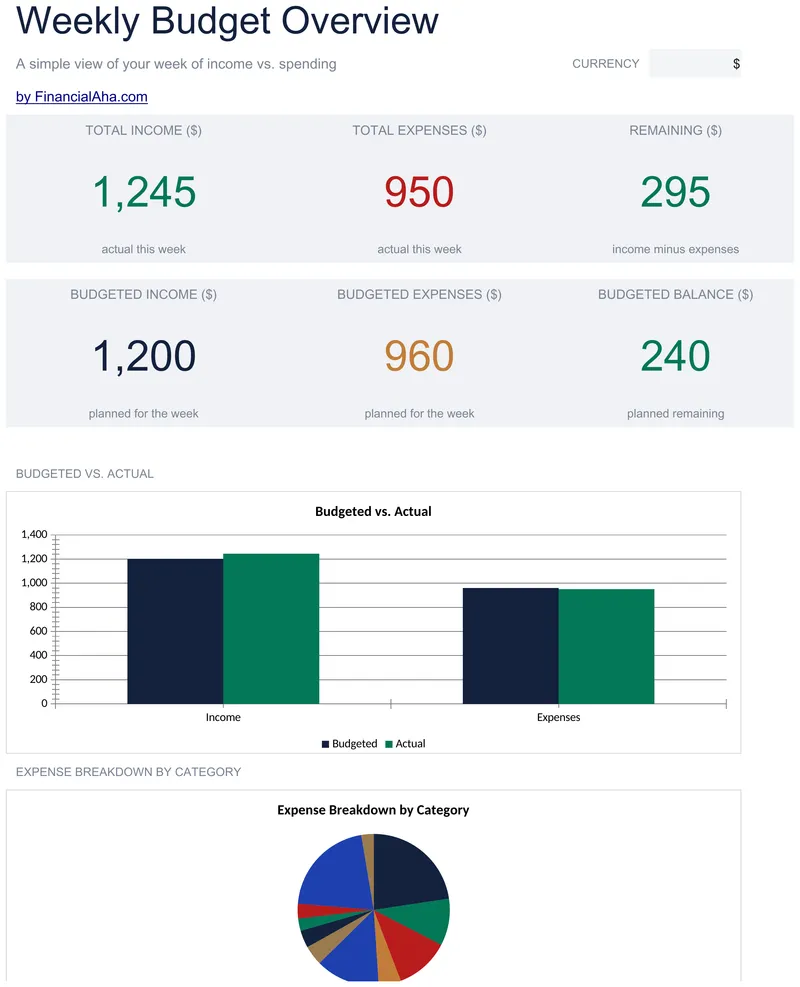
Income sources at the top, expense categories beneath, each in a section of its own with plan against reality on both sides. The Essentials Weekly Budget spreadsheet template orients the difference column so positive is the favourable direction on each side, closes the week on a single remaining balance, and carries income, expenses and remaining twice on the dashboard - as budgeted and as actual. Google Sheets and Excel, one file. No macros, no VBA.
Paycheck Budget
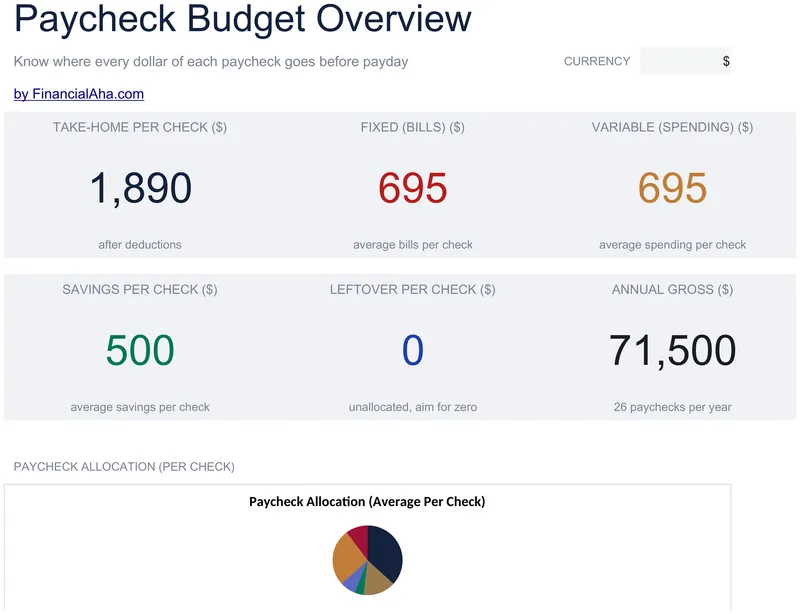
Gross pay in, deductions off in a block you match to your own pay stub, and what actually lands comes out the other end. The Essentials Paycheck Budget spreadsheet template then assigns the bills across two paychecks, each with its own spending, savings and an unallocated line showing what has not been given a job. Pay frequency is a setting, so the year divides correctly. Dashboard, budget sheet, How to Use. Google Sheets and Excel. No macros, no VBA.
Annual Budget Planner
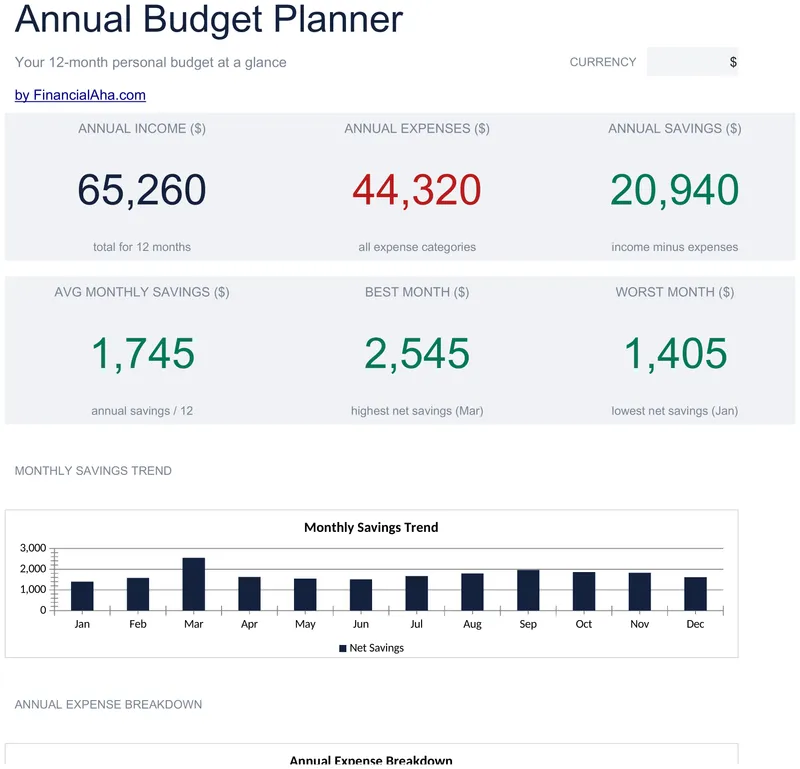
The same year spread across twelve monthly columns, with income and expenses in blocks of their own and each block carrying its own total. The Essentials Annual Budget Planner spreadsheet template works net savings out month by month, and puts an annual total and a monthly average on every line - the figure that tells you what a category really costs once a quiet month and an expensive one are averaged together. Thirteen lines, three working sheets. Google Sheets and Excel. No macros, no VBA.
Student Budget
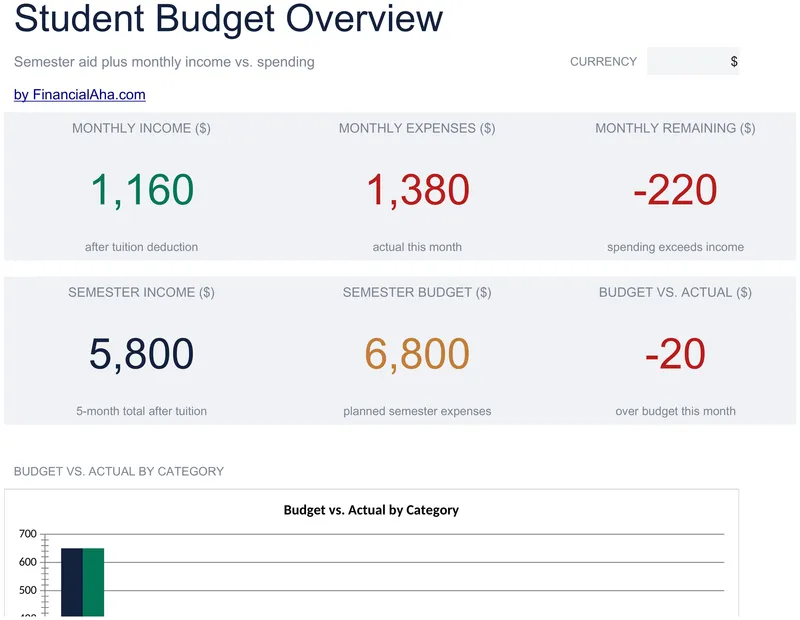
Built around a semester: a lump sum of aid with the tuition taken out first, and the remainder divided across however many months your term runs, since terms differ. The Essentials Student Budget spreadsheet template builds monthly income from that figure plus a part-time wage and family support, then runs budget, actual and the difference on every expense category. Dashboard on its own tab. Google Sheets and Excel, one file. No macros, no VBA.
Envelope Budget
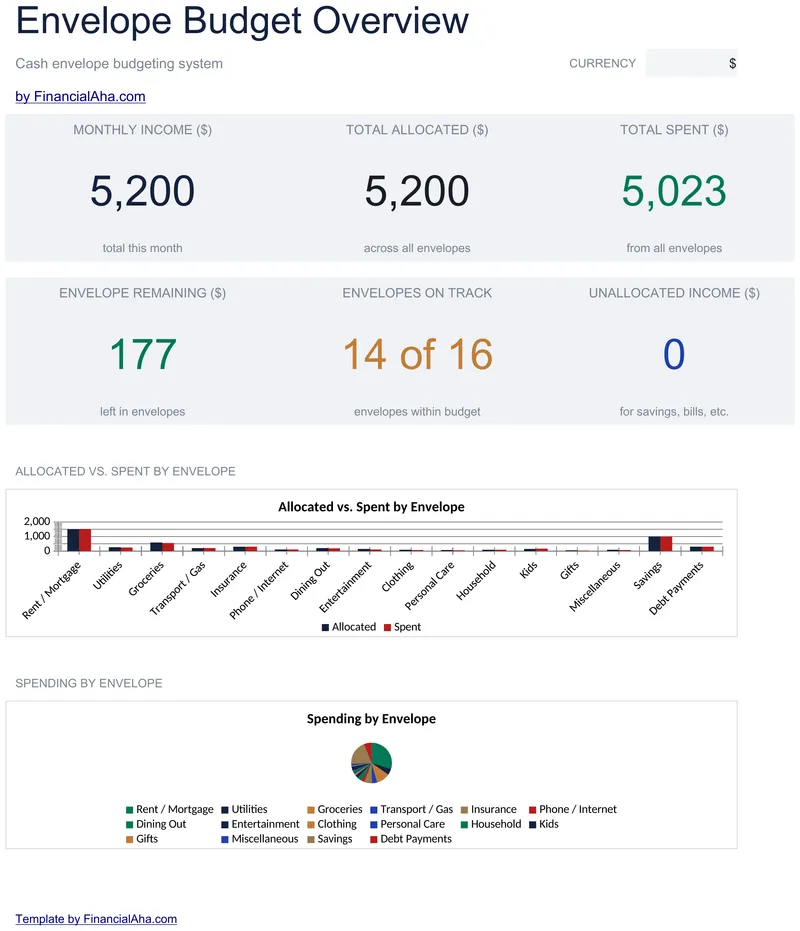
Income goes in once at the top and every envelope is funded from it, each carrying a remaining balance and a status reading on track or over. The Essentials Envelope Budget spreadsheet template holds 18 envelopes on its tracker and reports six figures on a dashboard: income, allocated, spent, remaining, envelopes on track, and the unallocated income the month has not accounted for. Google Sheets and Excel, one file. No macros, no VBA.
Simple Budget Worksheet
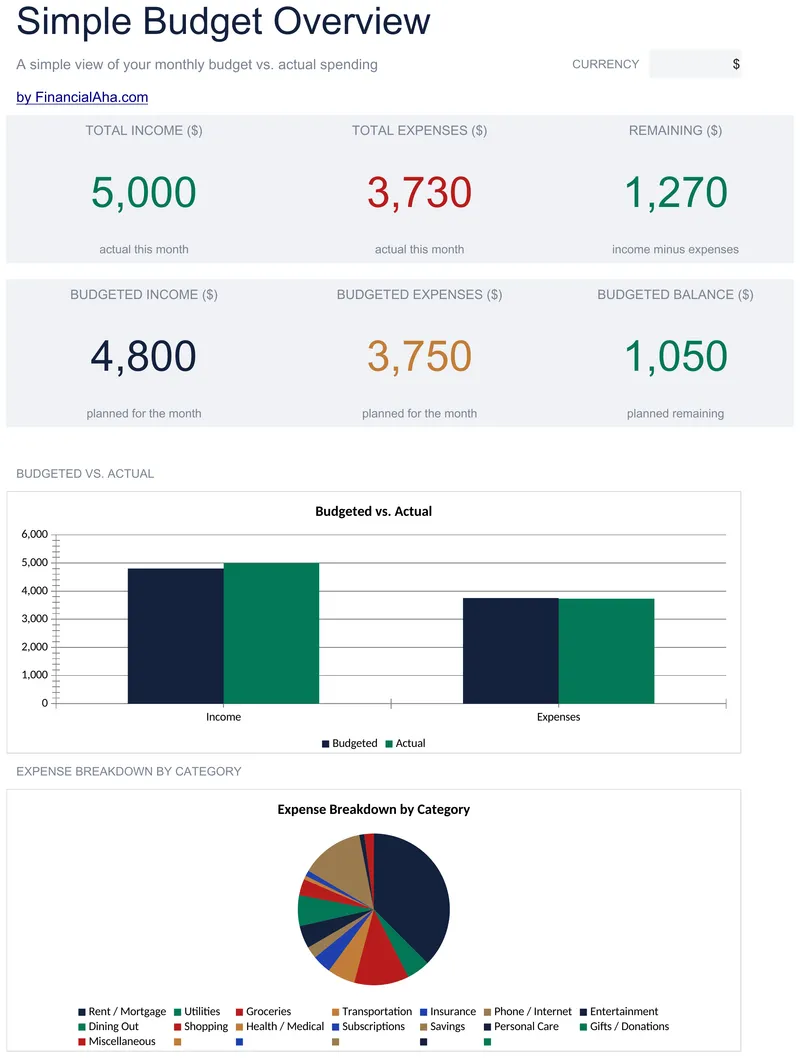
Income sources and spending categories sit in sections of their own, most already labelled, each section carrying its own total. The Essentials Simple Budget Worksheet template takes every amount as a positive number and lets the sections do the arithmetic, reads the difference on each line in the favourable direction for its section, and ends on a remaining balance with planned and actual side by side. Twenty rows and a Dashboard. Google Sheets and Excel, one file.
60/20/20 Budget
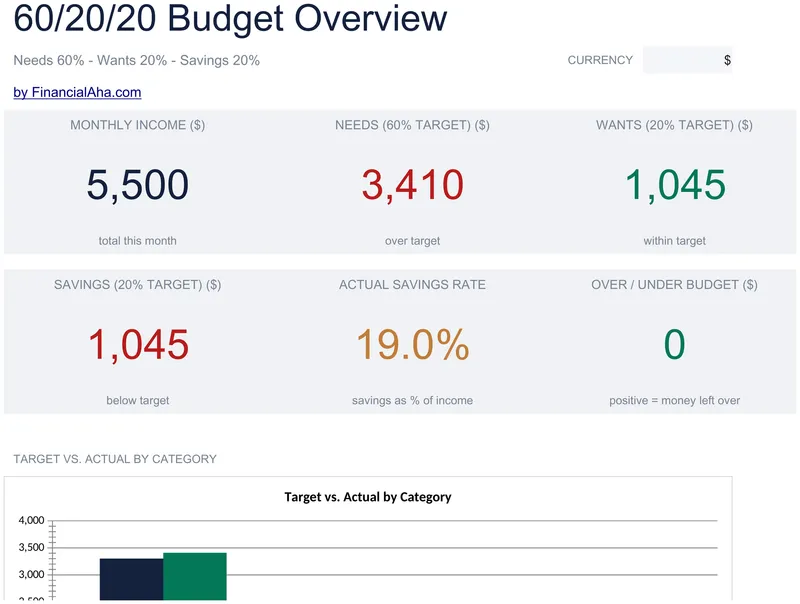
Three income lines total up, the three bucket targets come off that total, and each bucket gets a section of its own with twelve lines to spend across. The Essentials 60/20/20 Budget spreadsheet template puts target, actual and difference on every bucket, a status on every line, and a dashboard over the top of all three. Three working sheets. Google Sheets and Excel, from the same download. No macros, no VBA.
70/20/10 Budget
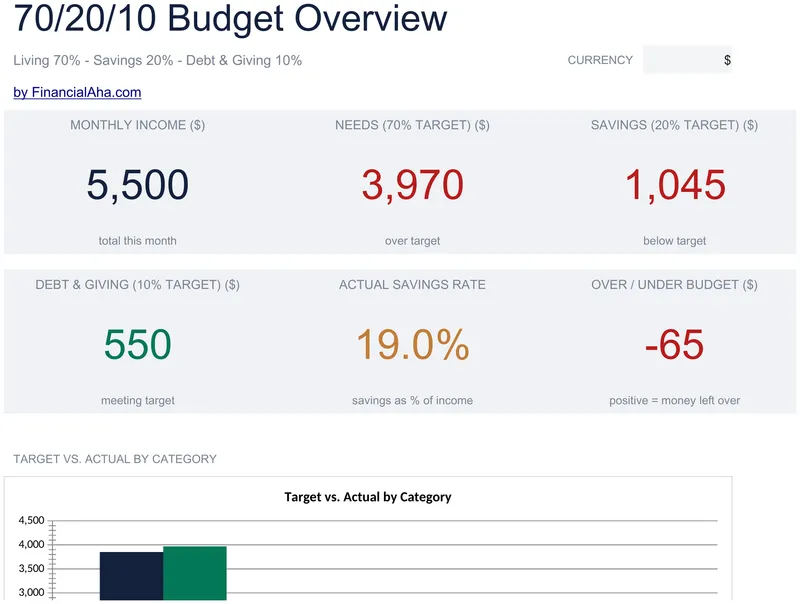
Income from several sources works out the three targets, then living, savings, and debt and giving each take a section of their own - thirty-four lines in all, every one carrying a target, an actual, the difference and a status that calls it rather than leaving you to compare. The Essentials 70/20/10 Budget spreadsheet template reads the month back on a dashboard with two charts that draw from the tracker rather than holding numbers of their own. Google Sheets and Excel. No macros, no VBA.
80/20 Budget
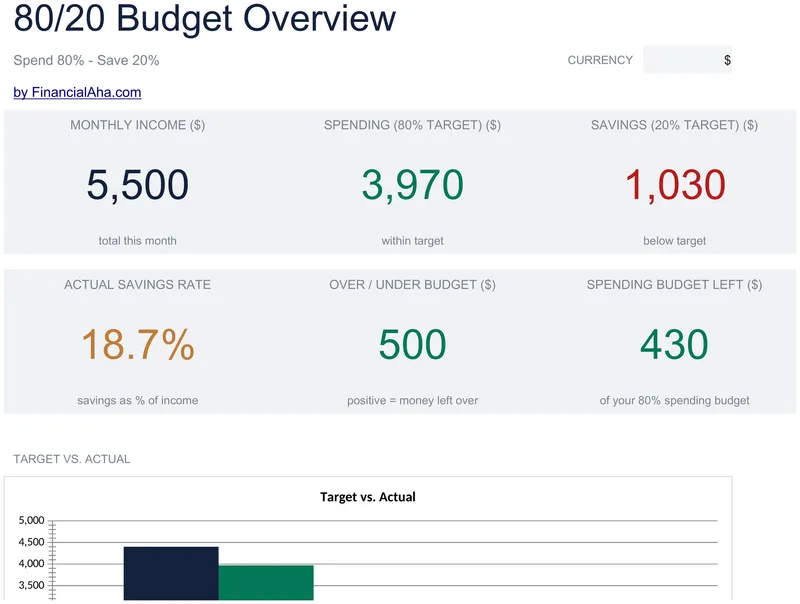
Income goes in once and both targets follow from it. The Essentials 80/20 Budget spreadsheet template gives you seventeen spending lines, each with a target, an actual, the difference and a status column that calls the line rather than leaving you to compare, then reads the month back in headline figures on a dashboard. Two working sheets plus a How to Use tab, and two charts that draw from the tracker. Google Sheets and Excel. No macros, no VBA.
Monthly Budget Calendar
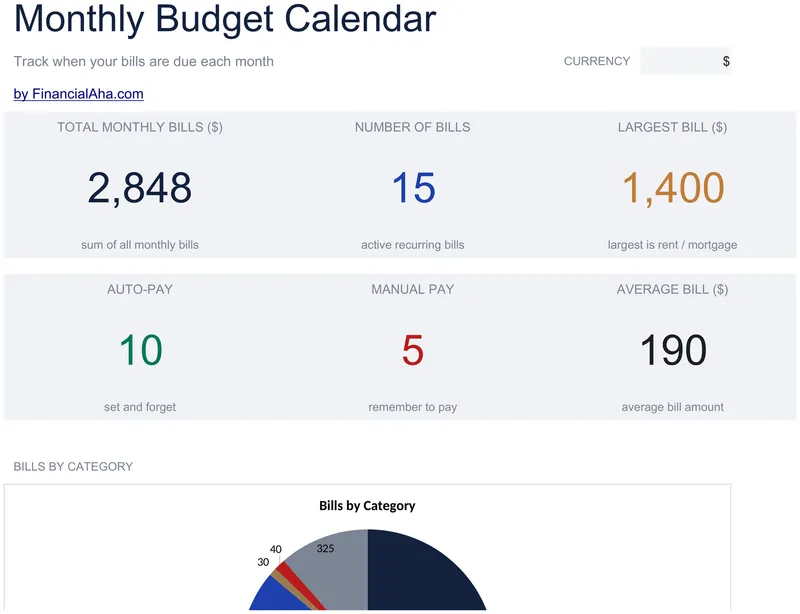
A calendar grid laid out Sunday through Saturday, a cell per day showing what falls due and what the day comes to. The Essentials Monthly Budget Calendar spreadsheet template feeds that grid from a 25-row bill list, records the due day as a number so the calendar repeats every month, and counts the auto-pay bills on a dashboard. Four sheets. Google Sheets and Excel, one file. No macros, no VBA.
Expense Tracker
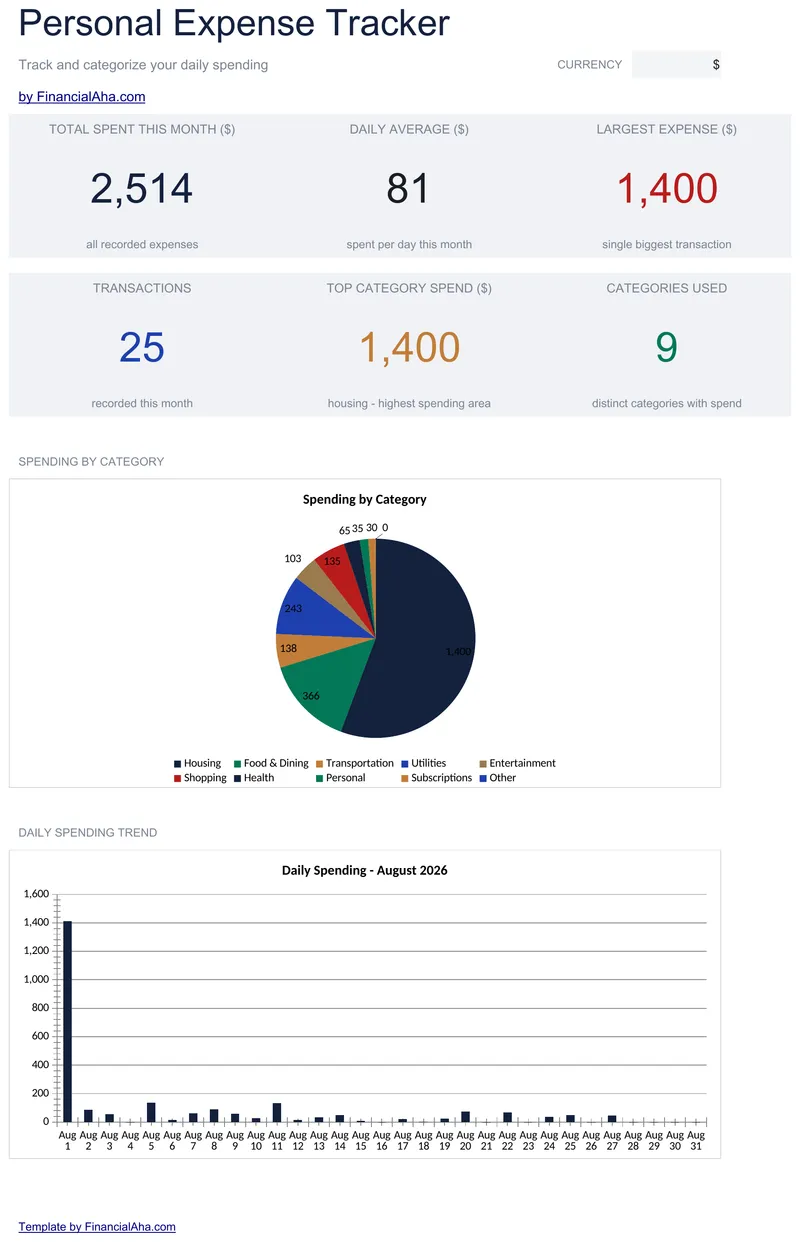
Categories and payment methods come from dropdowns rather than typing, which is what lets the summary be trusted. The Essentials Expense Tracker spreadsheet template logs fifty expenses with a notes column on every row, and works out each category's total, transaction count, average per transaction and share of the whole. Four tabs: dashboard, log, monthly summary and a How to Use guide. Google Sheets and Excel, one file. No macros, no VBA.
Income & Expense Worksheet
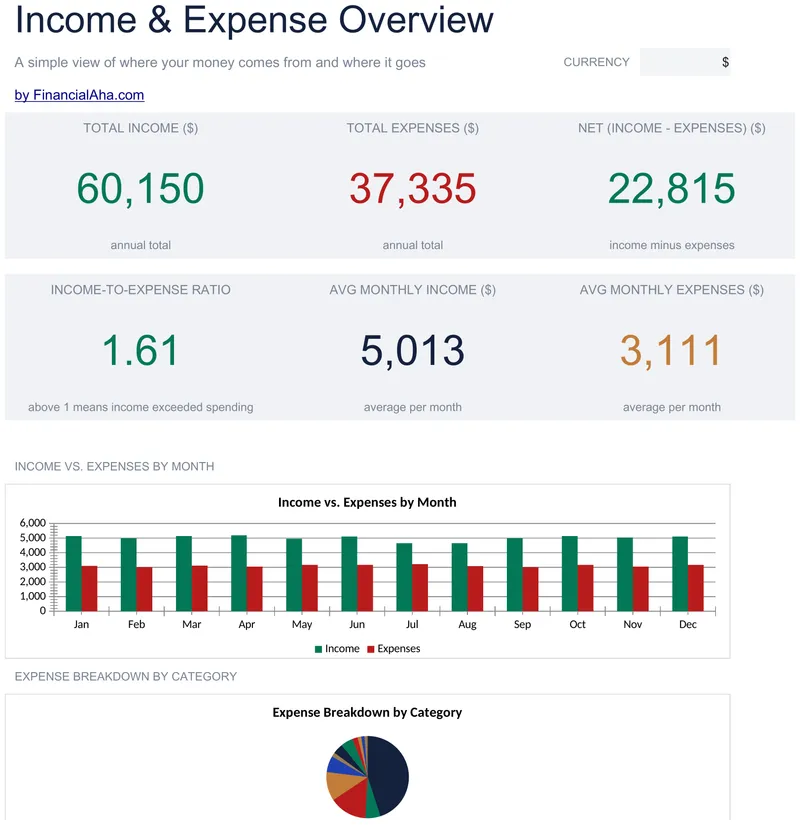
Twelve months across the page, income and expenses in sections that total independently, and a net figure under every month rather than only at the year. The Essentials Income & Expense Worksheet template closes each of its twenty-one income and expense lines with a total column and reports an income-to-expense ratio, which compares across years in a way a net figure does not. A dashboard sits over the grid. Google Sheets and Excel. No macros, no VBA.
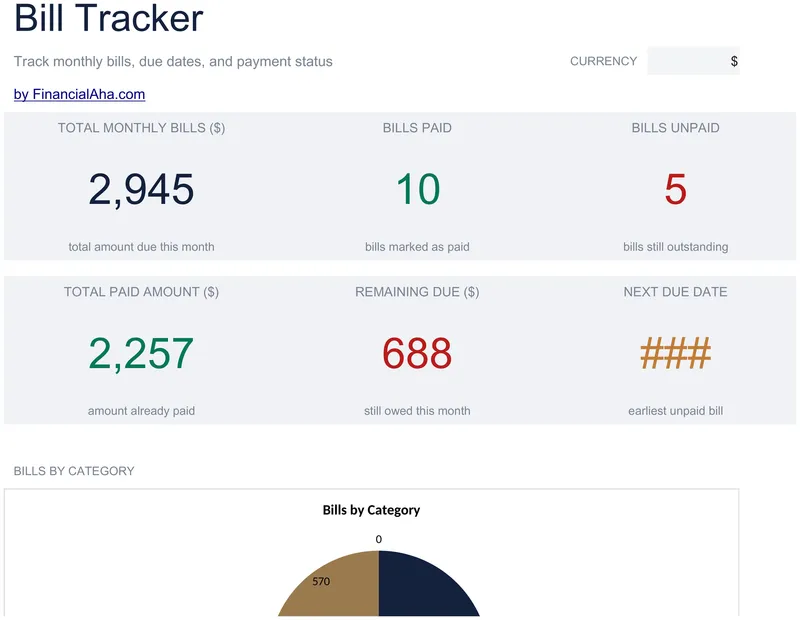
Bill Tracker
Twenty bills, each with a real due date and a date-paid column beside it - the pair that actually shows whether a bill went out on time. The Essentials Bill Tracker spreadsheet template takes categories from a dropdown rather than free text, so the counts can be trusted, marks paid yes or no, and leaves a notes column for an account number or the reason a payment ran late. Three working sheets and a dashboard. Google Sheets and Excel. No macros, no VBA.
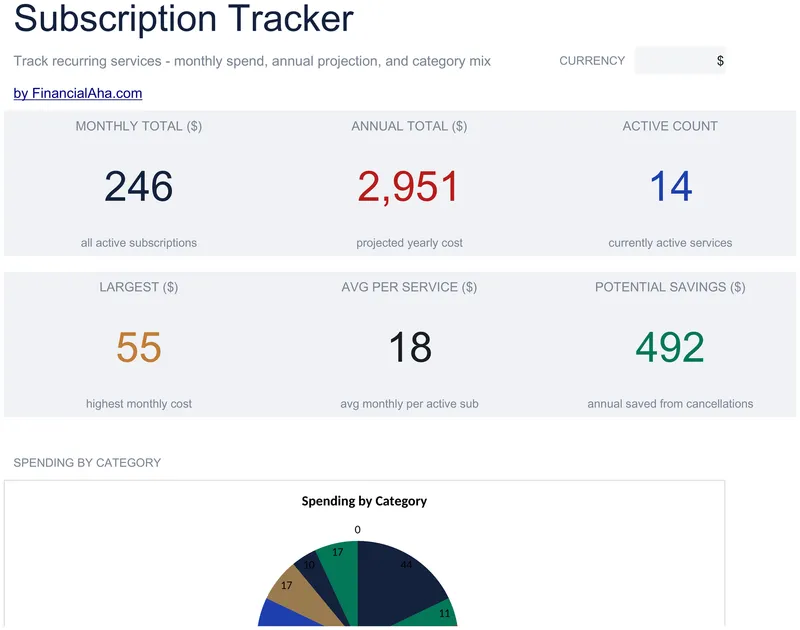
Subscription Tracker
A status column marks each service active, cancelled or on trial, and the totals count only what is still active. The Essentials Subscription Tracker spreadsheet template puts a category, a renewal date and notes on every line, derives the annual figure from the monthly one, and reports the running picture on a dashboard. Three sheets, Google Sheets and Excel. No macros, no VBA.
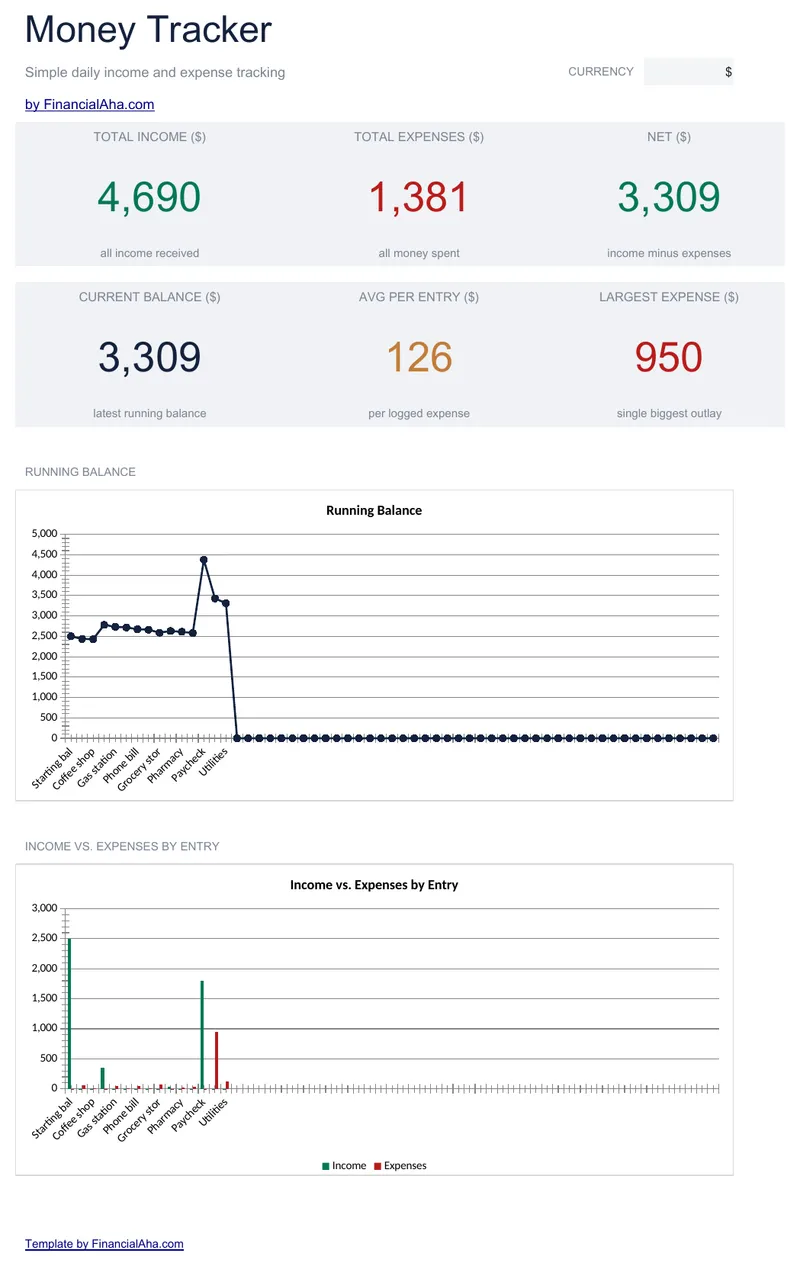
Money Tracker
A running balance carries forward on every row, starting from a starting-balance row you set, and it keeps carrying through blank rows rather than dropping to zero at the first empty one. The Essentials Money Tracker spreadsheet template logs 60 movements, totals both money columns and states the net, then reports where that balance stands now on a Dashboard. Three tabs, Google Sheets or Excel. No macros, no VBA.
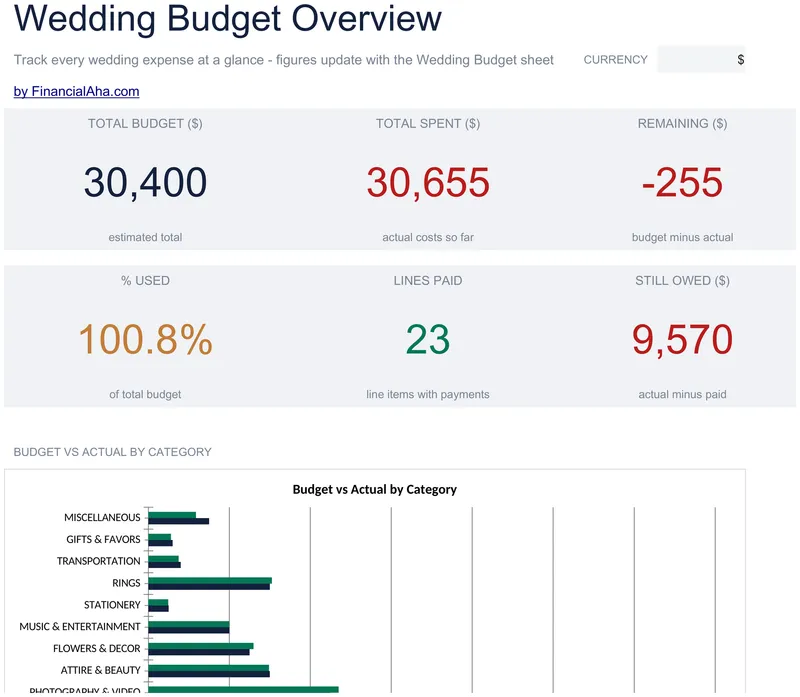
Wedding Budget
Items grouped into sections, each section carrying its own subtotal, with estimated and actual side by side on every item. The Essentials Wedding Budget spreadsheet template also records how much of an item has actually been paid and works out what is still owing on it, and leaves a notes column for the context behind a price. A dashboard reads the sections back. Google Sheets and Excel, one file. No macros, no VBA.
Travel Budget
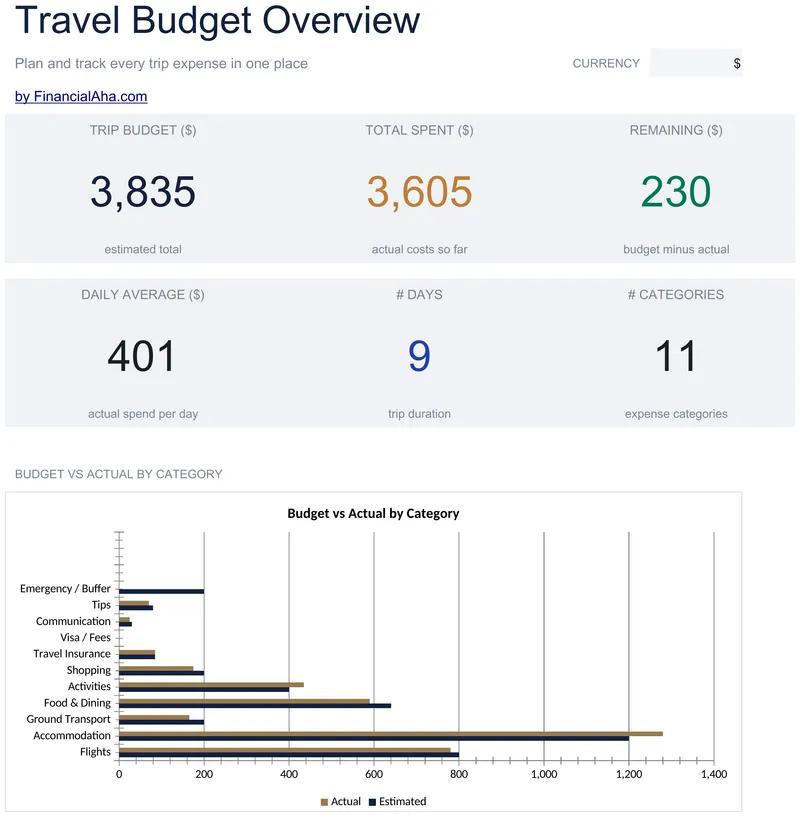
Destination, start and end dates go in at the top and the day count works itself out from them, alongside a traveller count. The Essentials Travel Budget spreadsheet template holds fourteen named categories - visas, communication, tips and a buffer among them - each with an estimate, an actual, a variance and a note, plus a forty-entry daily log with a payment method on every line. Three working sheets and two charts, Google Sheets and Excel. No macros, no VBA.
Not sure which to pick?
Try the free version of any personal budgeting template first. When you're ready for the dashboard and extra capacity, upgrade to Essentials - a one-time $19 purchase.