Google Sheets Templates for Financial Coaches
Give your coaching clients hands-on budgeting and goal-tracking tools they can use between sessions. Google Sheets templates they actually understand - no complicated software to learn.
In Depth
Coaching Is About Habits - Tools Support the Process
Financial coaching differs from financial advising in a fundamental way: coaching focuses on building habits and changing behavior rather than optimizing portfolios or tax strategies. This distinction matters when choosing tools. Coaching clients need something they will interact with daily or weekly - not a sophisticated platform they open once a quarter. The simplicity of a well-structured spreadsheet aligns with this practical, habit-building approach.
The gap between coaching sessions is where the real work happens. A client who leaves a session motivated but has no tool to translate that motivation into daily action often loses momentum within days. A shared spreadsheet bridges that gap by giving clients a concrete activity - log spending, review categories, check progress - that maintains engagement between conversations. When the coach can see the same data, the next session starts with facts rather than feelings.
Group coaching programs present a particular challenge because each participant needs individual privacy while the coach needs oversight of everyone. Separate spreadsheet copies solve this naturally. Each participant has their own file with their own data, shared only with the coach. Patterns and insights from the group can be discussed without exposing individual numbers. This structure scales from one-on-one coaching to groups of any size without additional cost.
Why Financial Coaches Need Client-Ready Tools
Common Challenges
Coaching tools often feel too corporate
Most financial planning software is built for advisors managing portfolios, not coaches helping people build healthy money habits. The vocabulary, complexity, and features don't match how coaching conversations actually go. Simpler tools that focus on budgeting and goal-setting tend to resonate more with coaching clients.
Clients lose momentum between sessions
The gap between coaching sessions is where habits form - or fall apart. Without a tangible tool to use daily or weekly, clients often drift back to old patterns. A shared spreadsheet gives them something concrete to interact with, and gives you visibility into their progress.
Free templates lack structure
There are countless free budget templates online, but most are either too basic to be useful or too complex for someone just starting out. Clients end up with a confusing spreadsheet they abandon after two weeks. Templates designed with clear structure and automatic calculations remove that friction.
Per-client costs limit your pricing flexibility
When your tools charge per client, it creates a floor for what you can charge for coaching. That makes it harder to offer accessible pricing tiers or group programs. A one-time purchase removes the variable cost from your client equation.
See The Templates
What's inside the bundle
8 professional templates covering budgeting, net worth, tax planning, retirement projections, and more.
- Financial planning dashboard
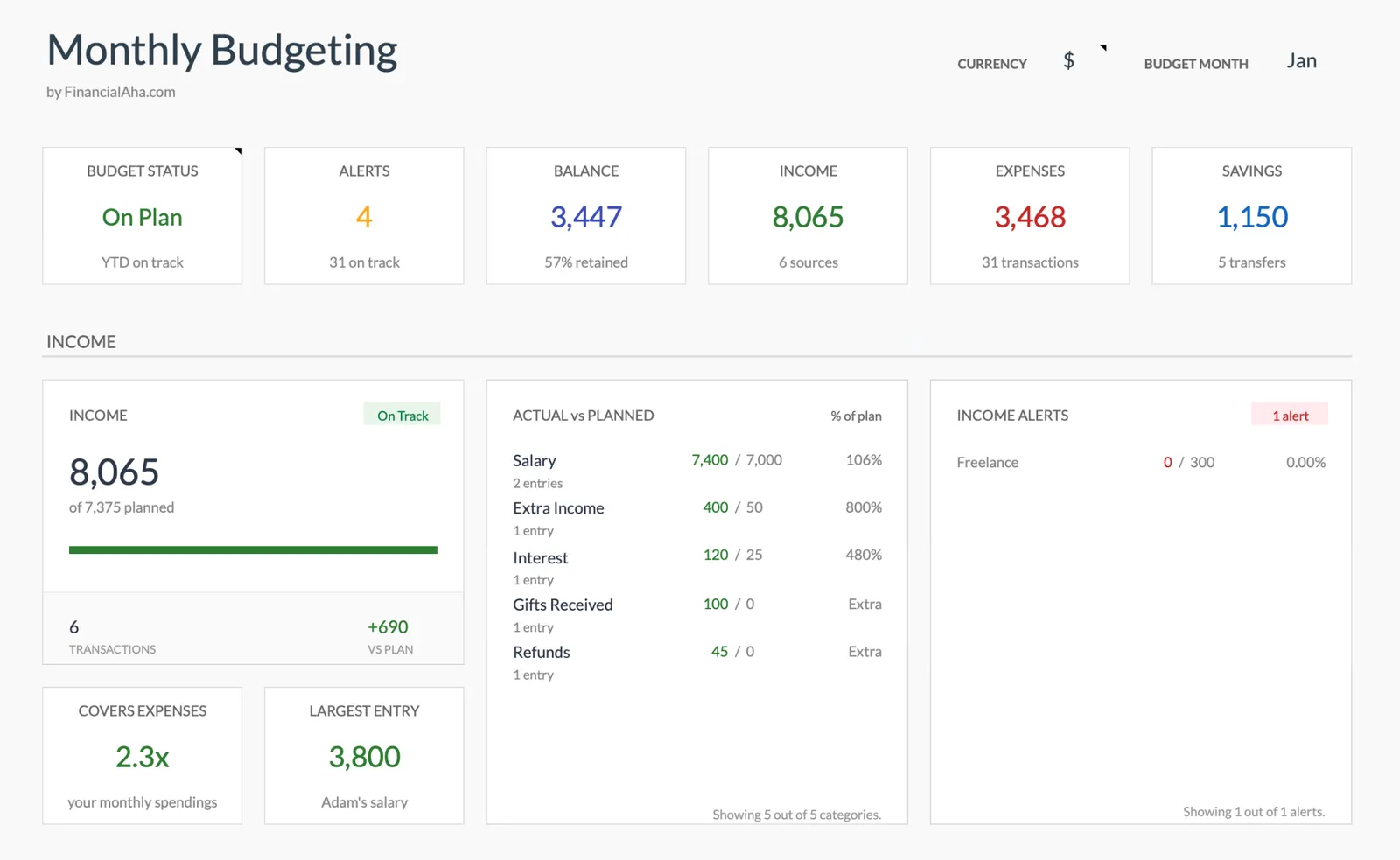
- Monthly and annual budgets
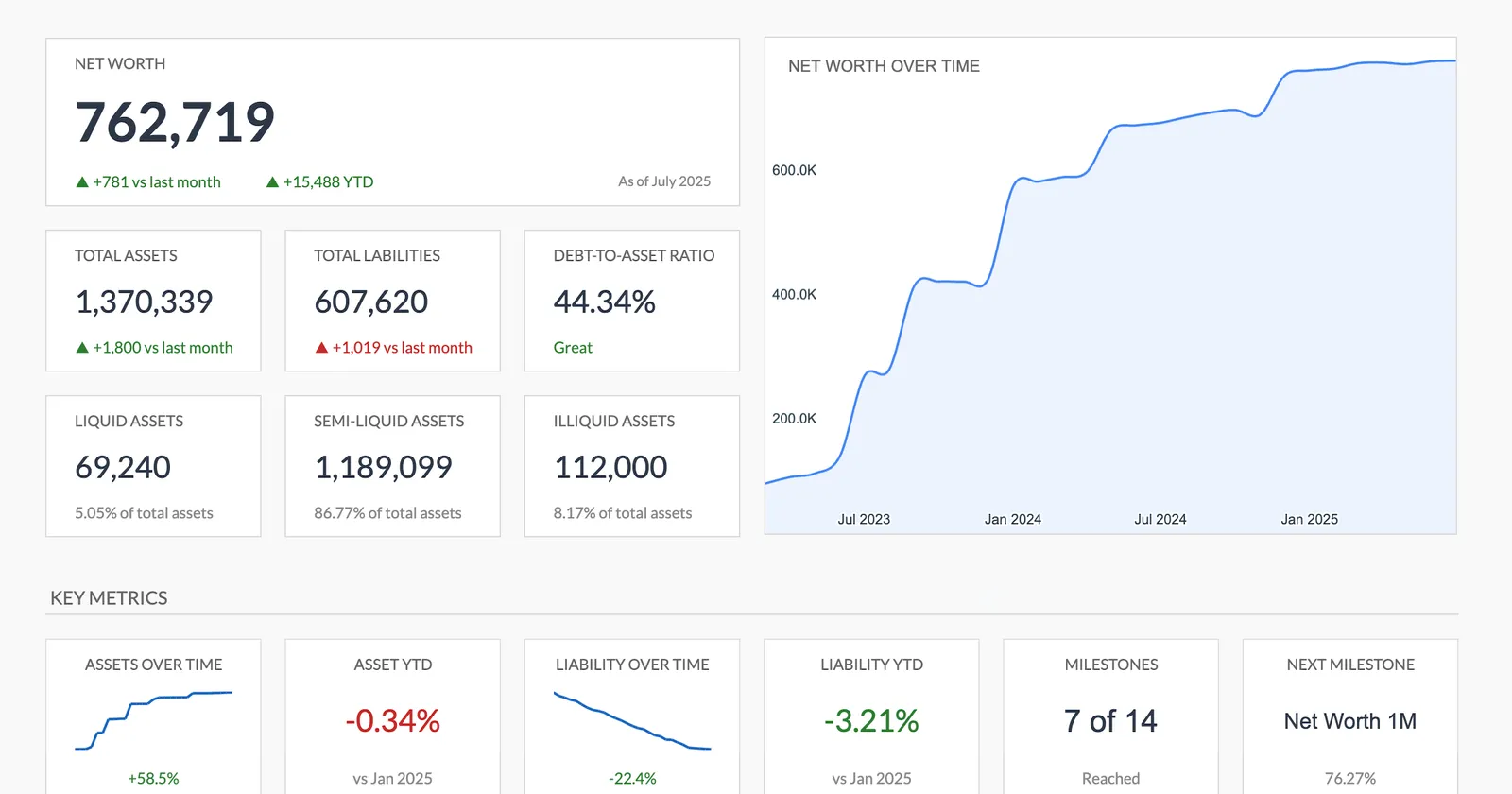
- Net worth tracking over time
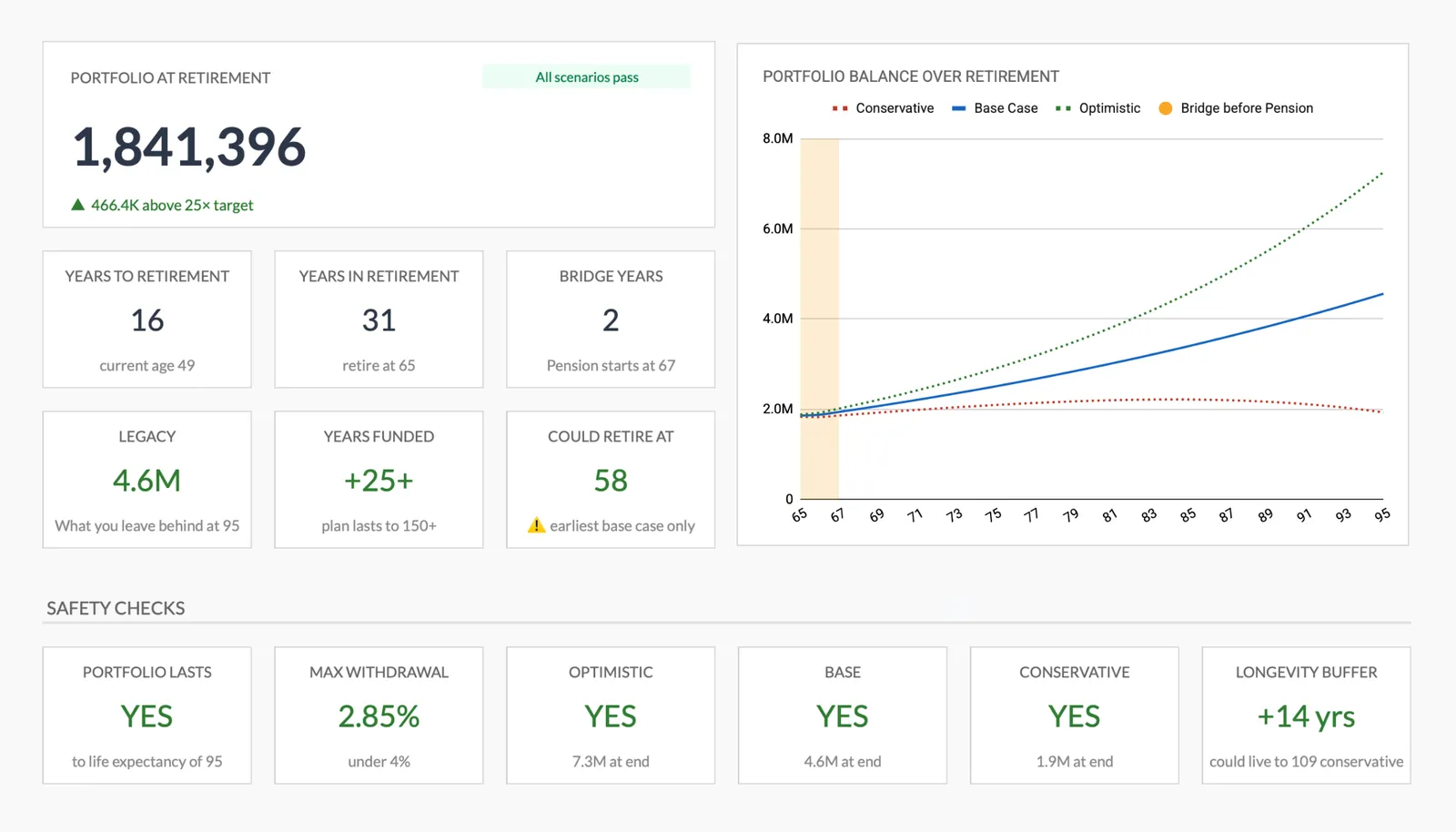
- Retirement projections
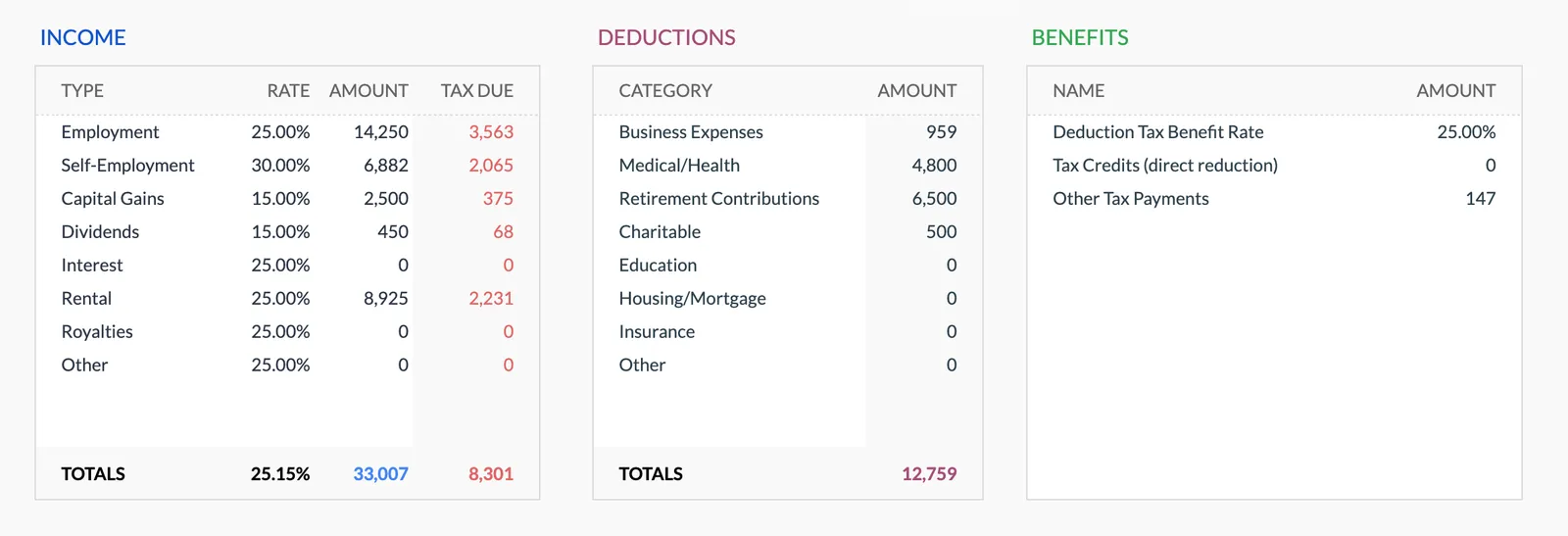
- Tax planning worksheet
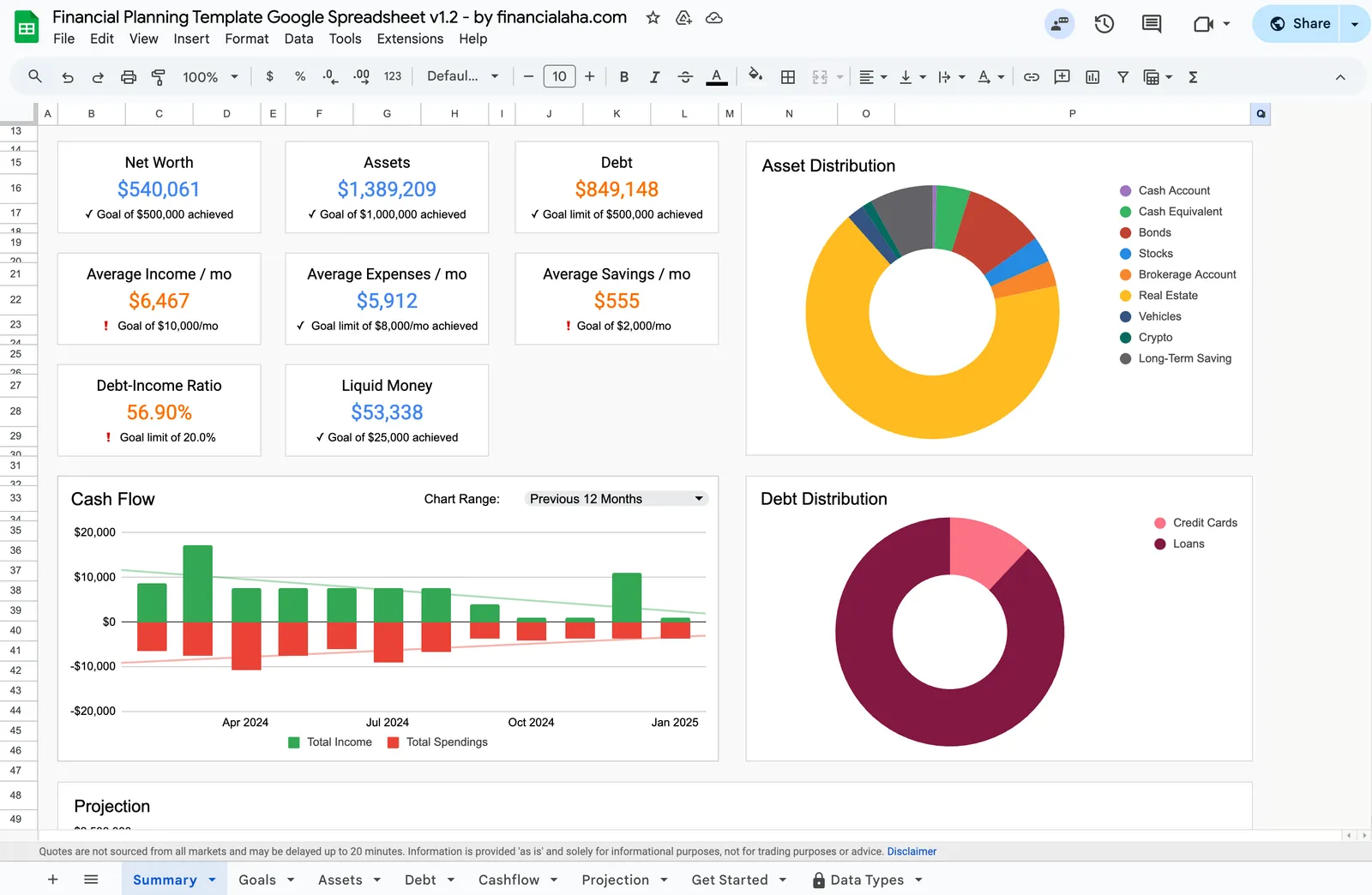
Financial Planning
Net Worth Tracker
Monthly Budgeting
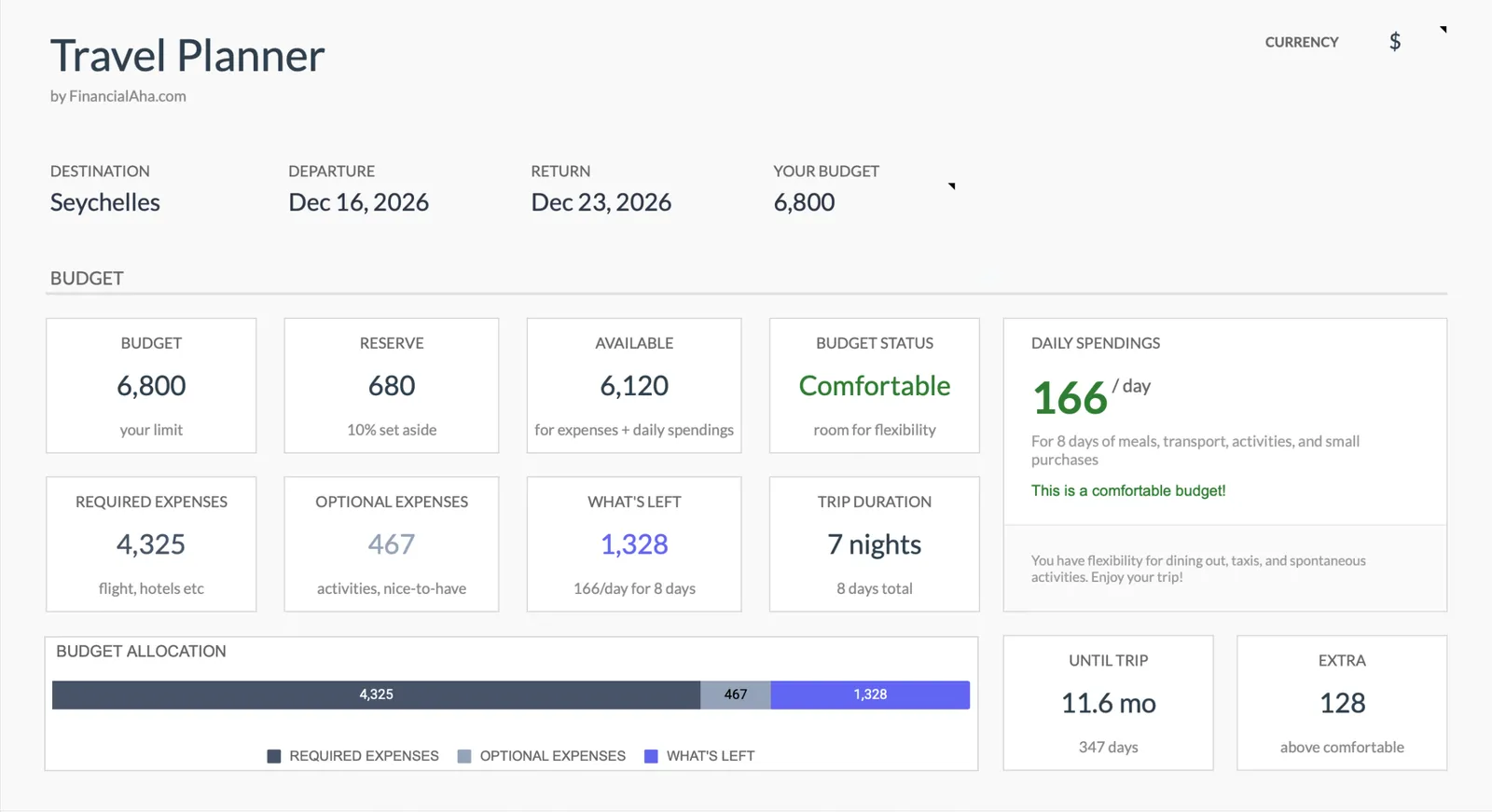
Travel Budget Planner
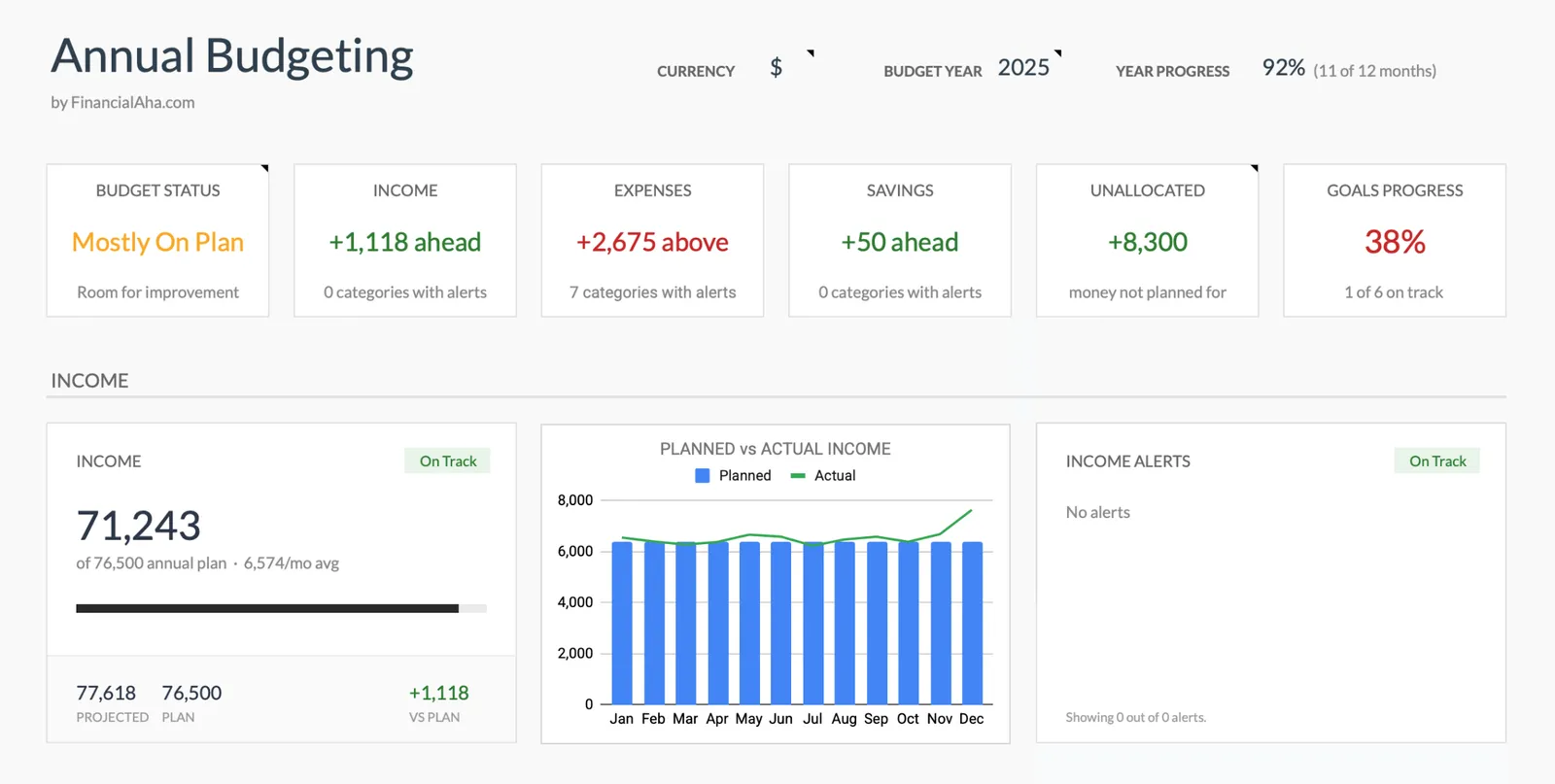
Annual Budgeting Planner
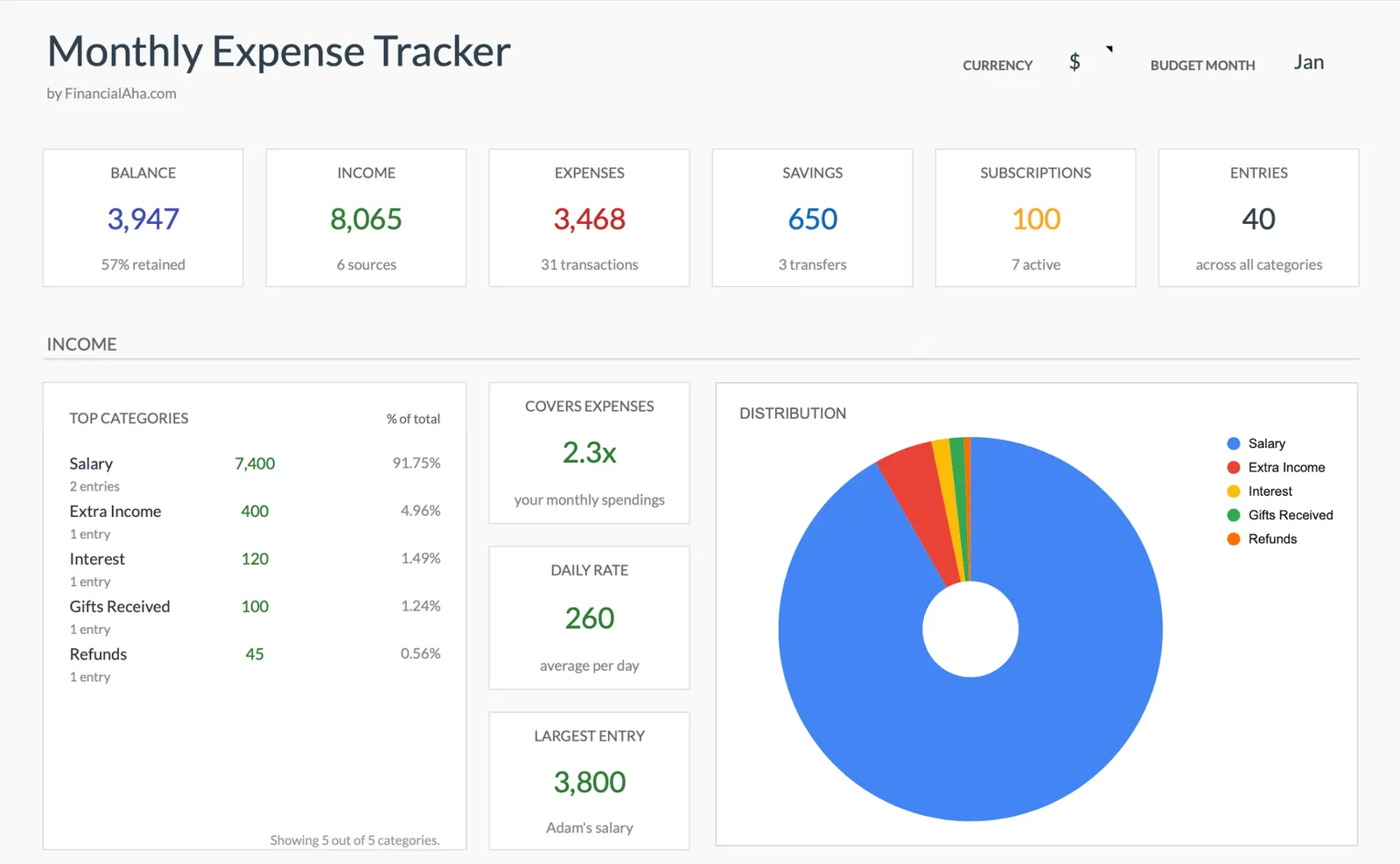
Monthly Expense Tracker
Annual Tax Planner
Retirement Planning
What's Included
Template Features
Monthly budget template
The core tool for most coaching engagements. Clients track income and expenses, set category targets, and see where their money actually goes.
Expense tracking with categories
Simple transaction logging that auto-categorizes spending. Clients can see patterns in their behavior - often the first step toward changing those patterns.
Financial goals dashboard
Visual progress tracking for savings goals, debt payoff milestones, or any financial target. Seeing progress in a chart can be a powerful motivator during coaching.
Net worth baseline
Establish where clients are starting from. The net worth tracker creates a clear snapshot and makes future progress measurable.
Annual planning view
Help clients see the bigger picture with a 12-month budget view. Useful for mapping out seasonal expenses, planning for annual bills, and setting year-long goals.
No learning curve for clients
Google Sheets is familiar to most people. No app downloads, no account creation, no tutorials needed. Clients can start entering data immediately.
Getting Started
How to Use These Templates With Your Clients
Choose the right starting template
For new coaching clients, the monthly expense tracker or monthly budget template is usually the right starting point. The expense tracker is simpler - just tracking. The budget adds planning with targets.
Set up the initial session around the template
Walk through the template together during your first session. Help the client enter their income, identify their fixed expenses, and set initial category targets.
Assign between-session tasks
Ask clients to log their spending daily or weekly. When they return for the next session, you'll have real data to discuss rather than vague recollections.
Review data together
Use the dashboard and summaries during coaching conversations. The visual charts make spending patterns obvious and create natural conversation starters.
Graduate to more comprehensive tools
As clients build confidence, introduce the financial planning dashboard or net worth tracker. The bundle gives you the flexibility to match the tool to the client's readiness.
All Templates
8 Templates in the Bundle
Complete financial planning template for managing your personal finances.
View templateMonitor your assets and liabilities to track your net worth over time.
View templateTrack and manage your monthly income and expenses effectively.
View templatePlan your trip expenses, bookings, and packing list in one place.
View templatePlan and track your entire year's finances with monthly breakdowns and goal tracking.
View templateTrack income, expenses, savings, and subscriptions. See where your money goes each month.
View templateTrack income, deductions, and quarterly payments. Multi-currency support and document checklist included.
View templateDetailed projections for your retirement income and expenses.
View templateCommon Questions
FAQ for Financial Coaches
What's the difference between this and individual templates?
The advisor bundle includes all templates with a professional license for unlimited client use. Individual templates are licensed for personal use only. With the bundle, you can create copies for every coaching client.
Can I use this for group coaching programs?
Yes. Create a copy of the relevant template for each participant. Each person gets their own private spreadsheet in their own Google account. You can review individually or discuss patterns as a group.
Do I need to be a certified financial advisor?
No certification is required to purchase or use these templates. They are tools for tracking and planning - not investment or tax advice platforms. Financial coaches, money mentors, and accountability partners all use them.
Can clients see each other's data?
No. Each client gets their own copy of the template in their own Google account. Sharing is controlled by standard Google Sheets permissions. One client's data is completely separate from another's.
What if my clients aren't tech-savvy?
The templates work in Google Sheets, which most people have used before. The layout is clean and the calculations are automatic - clients just type in numbers. No formulas to write, no complex features to learn.
Can't find the answer you're looking for? Contact our team
One-time purchase
8 templates included:
Start Using These Templates With Your Clients
One purchase. All 8 templates. Unlimited clients. No monthly fees, ever.