Melhor valor Pacote Completo de Planejamento Financeiro
✓ Planejamento Financeiro✓ Rastreador de Patrimonio Liquido✓ Orcamento Mensal✓ Planejador de Orcamento de Viagem✓ Planejador de Orcamento Anual✓ Rastreador de Despesas Mensais✓ Planejador Anual de Impostos✓ Planejamento de Aposentadoria
Ver pacote →
Ultimate Versão Ultimate disponível - Planilha de Horas Semanal Ultimate
Planilha Essentials - Excel e Google Sheets

Timesheet - Weekly Modelo Essentials

Track employee hours worked on a weekly basis. Log daily start and end times with automatic total hour calculations.

Ver versão Ultimate →
Timesheet - Weekly preview

O Que Está Incluído

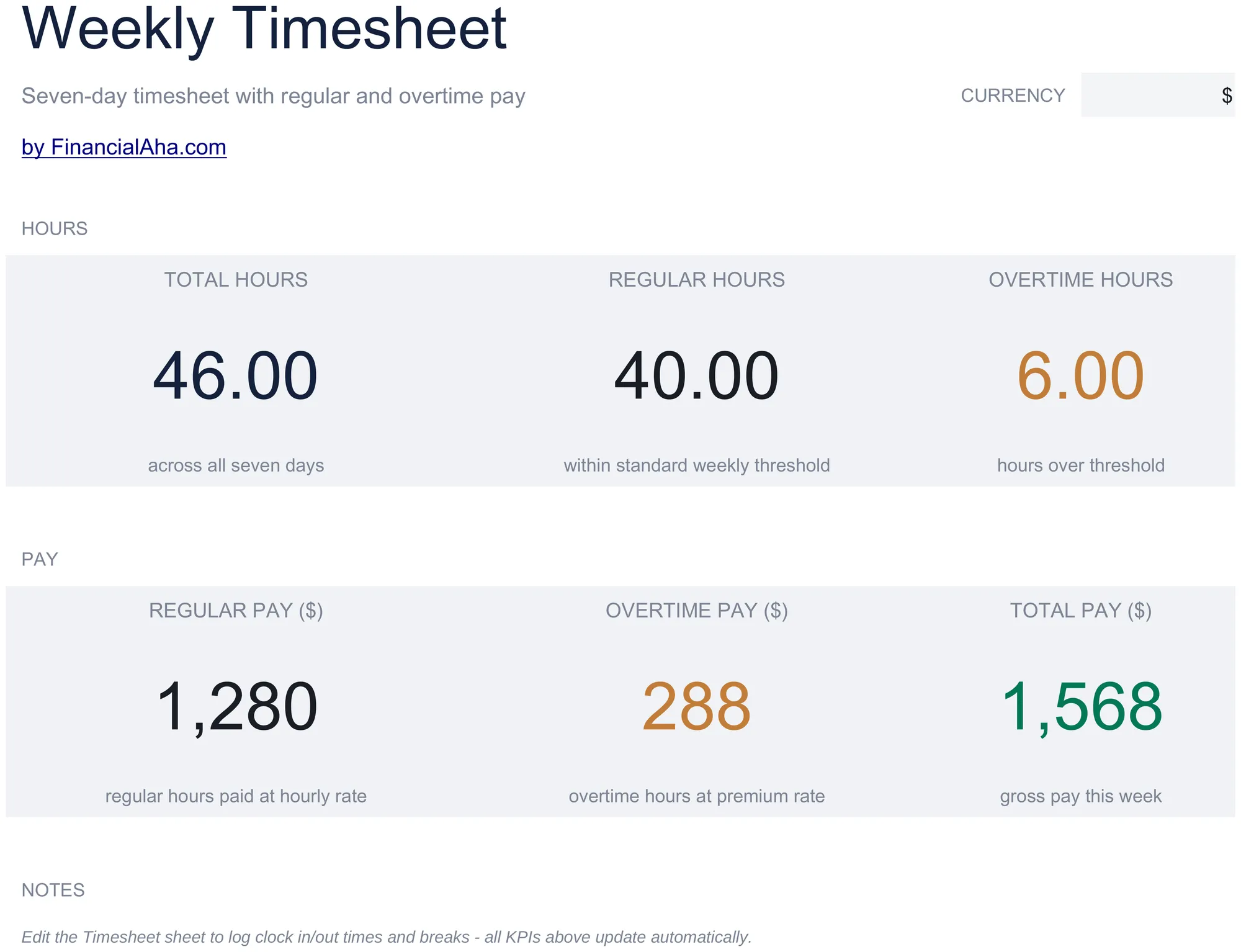
  • Dashboard with weekly hours summary showing total regular hours, overtime hours, and total hours per employee
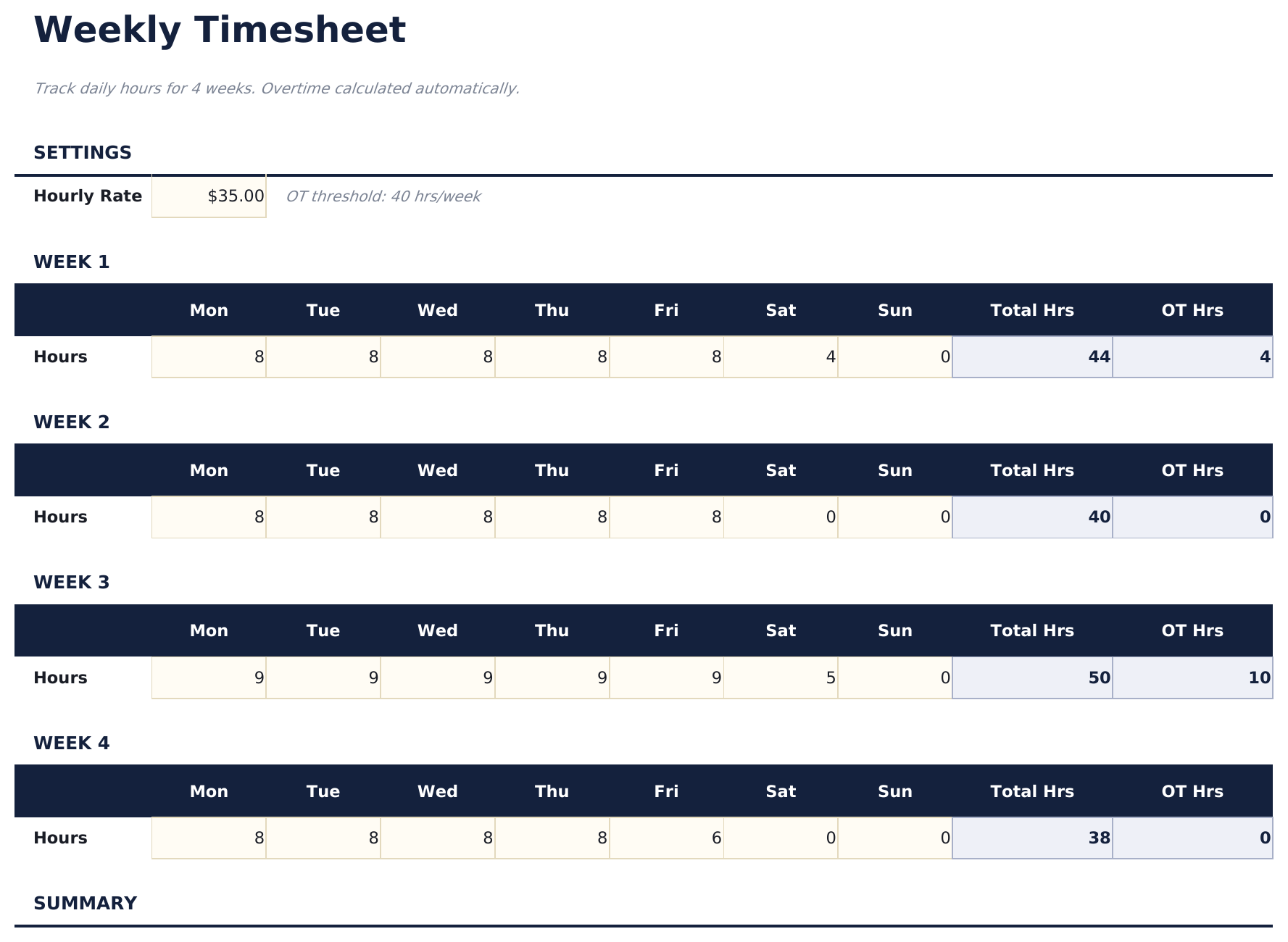
  • Weekly timesheet with daily rows for Monday through Sunday including start time, end time, and break duration
  • Start and end time fields with automatic daily hour calculations that subtract breaks from total worked time
  • Overtime tracking that flags hours exceeding 40 per week or 8 per day depending on your tracking preference
  • Color-coded input cells (yellow) and auto-calculated hour totals (blue) with supervisor approval section
  • Works in Microsoft Excel, Google Sheets, and LibreOffice Calc with no setup required
Ultimate Version Available

Need more from this template?

The Essentials version covers everyday tracking. Ultimate goes further with multi-entity support, scenario analysis, and ultimate-grade reporting.

Essentials - $12
  • Dashboard with weekly hours summary showing total regular hours, overtime hours, and total hours per employee
  • Weekly timesheet with daily rows for Monday through Sunday including start time, end time, and break duration
  • Start and end time fields with automatic daily hour calculations that subtract breaks from total worked time
  • Overtime tracking that flags hours exceeding 40 per week or 8 per day depending on your tracking preference
Ultimate - $19
  • Acompanhe horas semanais para até 15 funcionários com entradas diárias de horas, códigos de projeto e observações por dia
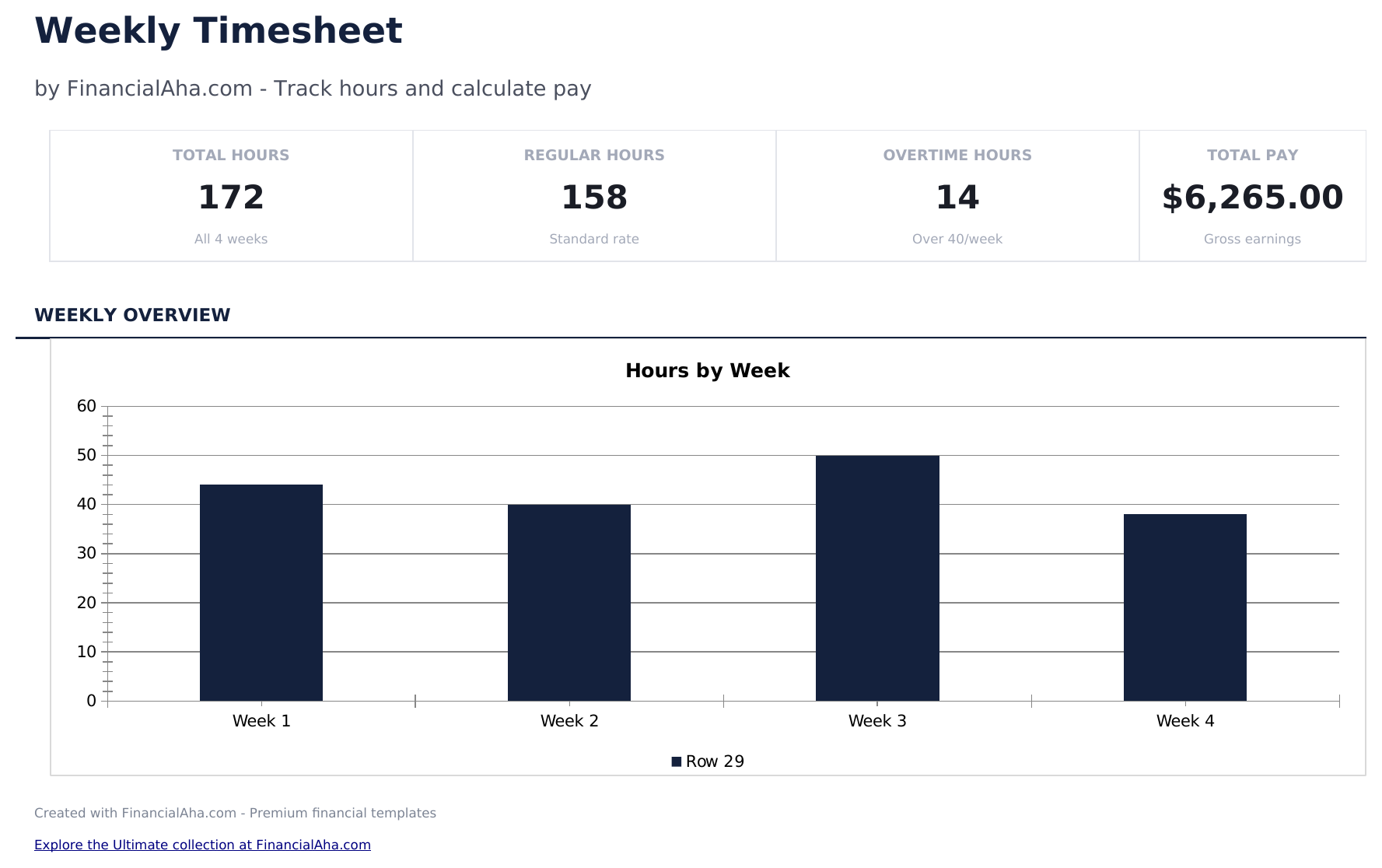
  • Painel com 6 cartões de KPI: total de horas esta semana, total de funcionários, horas extras, horas faturáveis, custo total da folha e média de horas por funcionário
  • Planilha de Alocação por Projeto mostrando horas registradas por funcionário por projeto com cálculos de custo baseados no valor hora
  • Consolidação Mensal agregando dados semanais em totais mensais por funcionário: horas regulares, horas extras, total de horas e pagamento bruto
  • Análise de Horas Extras sinalizando funcionários com mais de 40 horas por semana, mostrando horas extras e custo adicional a 1,5x
See what's in the Ultimate version One-time purchase. No subscription.

Como Usar Esta Planilha de Timesheet - Weekly

1

Enter employee details

Fill in the employee name, department, and the week start date at the top of the timesheet.

2

Log daily hours

For each day, enter the start time, end time, and break duration. Daily hours calculate automatically.

3

Review weekly total

The template sums all daily hours and separates regular hours from overtime based on the weekly threshold.

4

Submit for approval

The dashboard shows the weekly summary. Print and submit with a supervisor signature for payroll processing.

Criadas com Claude AI. Aperfeiçoadas por nós.

Usamos Claude AI para criar cada planilha, após uma pesquisa aprofundada. Depois, nossa equipe entra em ação. Refinamos o layout, testamos exaustivamente cada fórmula, corrigimos casos extremos e polimos o design até que pareça algo que nós mesmos usaríamos. A IA nos leva 80% do caminho. Os últimos 20% são puro julgamento humano.

Ver versão Ultimate →

Perguntas Frequentes

How is overtime calculated?

Hours exceeding 40 per week (or 8 per day) are flagged as overtime. You can adjust the threshold based on your company policy.

Does it handle break time?

Yes. Enter break duration for each day and the template subtracts it from the total time between start and end.

Can I use it for multiple employees?

Each sheet covers one employee per week. Duplicate the sheet for each team member and update the employee name.

Does it calculate pay?

The template focuses on hours. For pay calculations, combine the weekly hours with the Employee Payroll or Time Card Calculator template.

Como abrir no Google Sheets?

Envie o arquivo .xlsx para o Google Drive e abra com o Google Sheets. Todas as fórmulas e formatações serão preservadas.

Mais modelos Essentials de Payroll & HR

Procurando planilhas premium?

Nossas planilhas pagas incluem painéis avançados com várias abas, gráficos nativos do Excel e atualizações contínuas.

Privado e seguro

Seus dados financeiros ficam no seu dispositivo. Nos nunca os vemos.

Saiba mais →

Precisa de ajuda?

Consulte nossos guias ou entre em contato com perguntas.

Ver FAQ →