Mejor valor Paquete Todo-en-Uno de Planificación Financiera
✓ Planificación Financiera✓ Rastreador de Patrimonio Neto✓ Presupuesto Mensual✓ Planificador de Presupuesto de Viaje✓ Planificador de Presupuesto Anual✓ Rastreador de Gastos Mensuales✓ Planificador de Impuestos Anual✓ Planificación de Jubilación
Ver paquete →
Ultimate Versión Ultimate disponible - Control de Horas Semanal Ultimate
Plantilla Essentials - Excel y Google Sheets

Timesheet - Weekly Plantilla Essentials

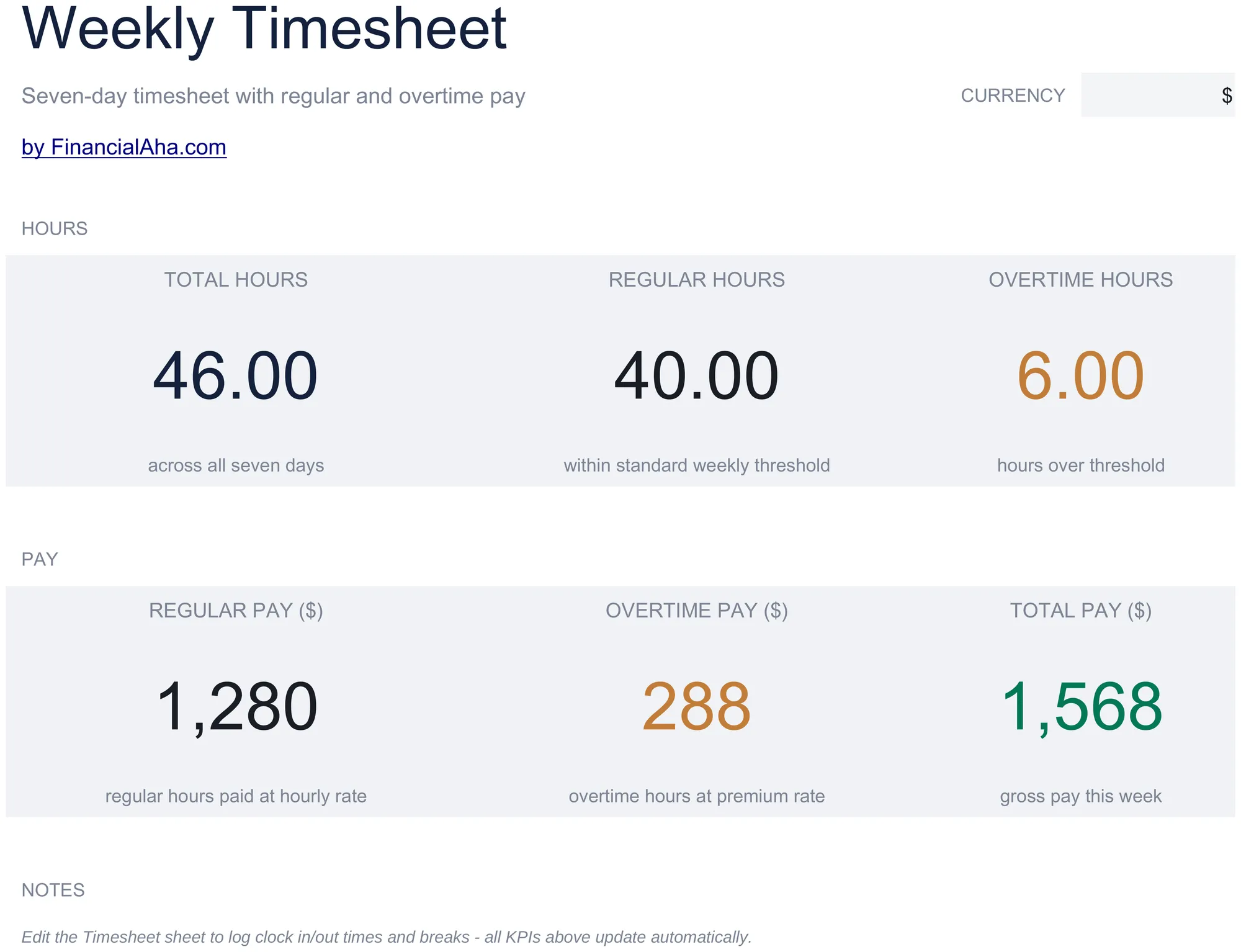
Track employee hours worked on a weekly basis. Log daily start and end times with automatic total hour calculations.

Ver versión Ultimate →
Timesheet - Weekly preview

Qué incluye

  • Dashboard with weekly hours summary showing total regular hours, overtime hours, and total hours per employee
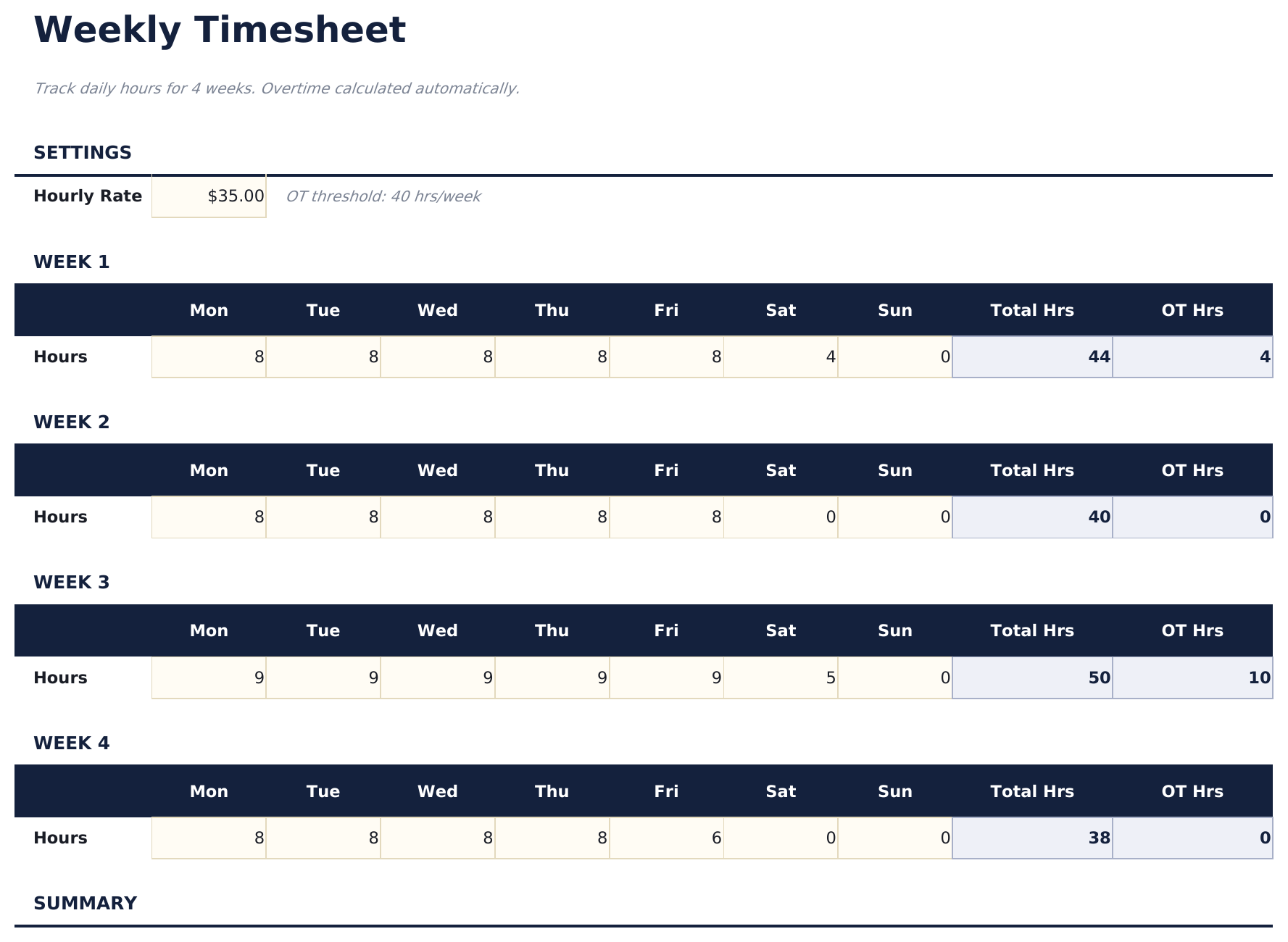
  • Weekly timesheet with daily rows for Monday through Sunday including start time, end time, and break duration
  • Start and end time fields with automatic daily hour calculations that subtract breaks from total worked time
  • Overtime tracking that flags hours exceeding 40 per week or 8 per day depending on your tracking preference
  • Color-coded input cells (yellow) and auto-calculated hour totals (blue) with supervisor approval section
  • Works in Microsoft Excel, Google Sheets, and LibreOffice Calc with no setup required
Ultimate Version Available

Need more from this template?

The Essentials version covers everyday tracking. Ultimate goes further with multi-entity support, scenario analysis, and ultimate-grade reporting.

Essentials - $12
  • Dashboard with weekly hours summary showing total regular hours, overtime hours, and total hours per employee
  • Weekly timesheet with daily rows for Monday through Sunday including start time, end time, and break duration
  • Start and end time fields with automatic daily hour calculations that subtract breaks from total worked time
  • Overtime tracking that flags hours exceeding 40 per week or 8 per day depending on your tracking preference
Ultimate - $19
  • Seguimiento de horas semanales para hasta 15 empleados con registro de horas diarias, códigos de proyecto y notas por día
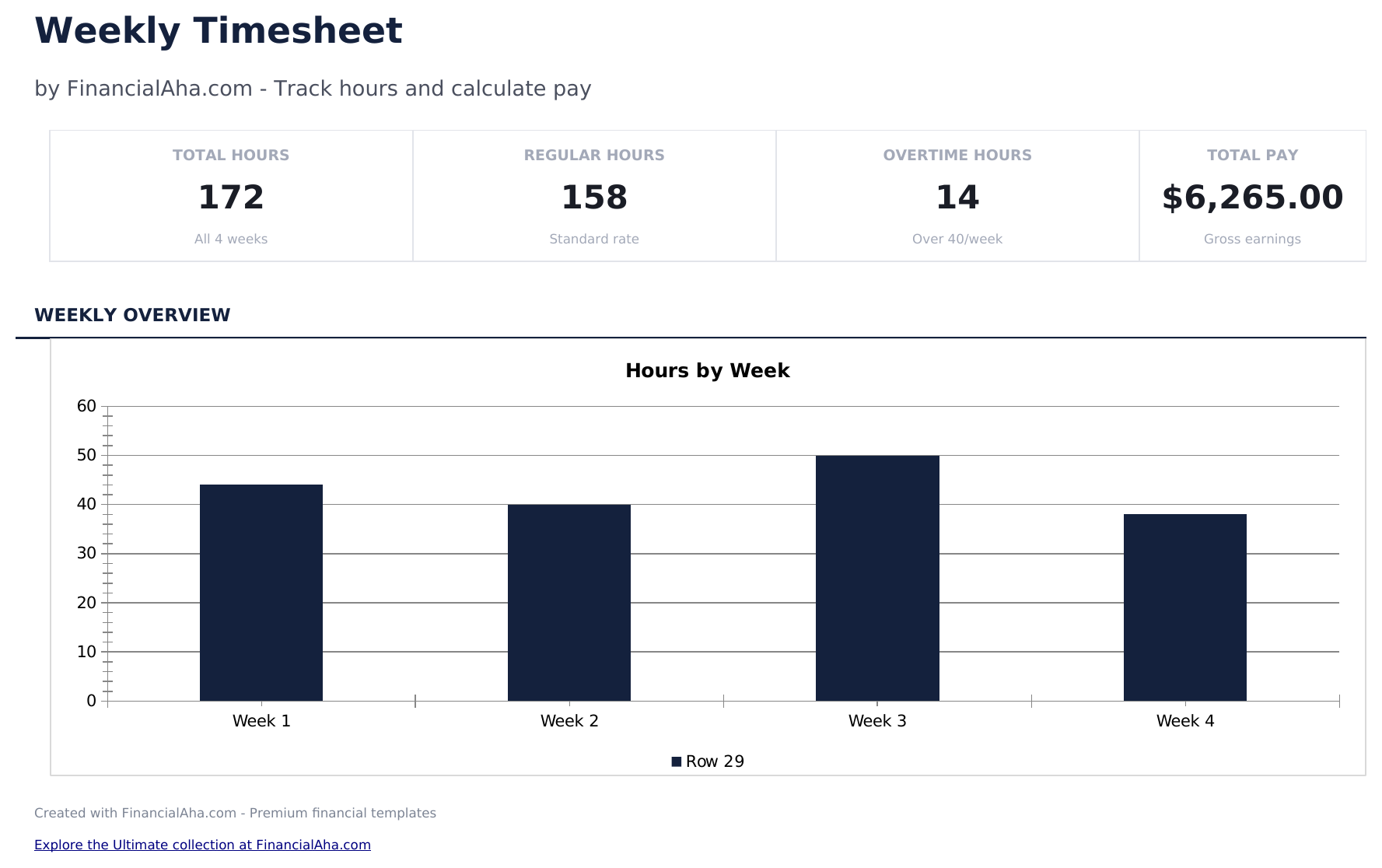
  • Panel con 6 tarjetas de KPI: total de horas esta semana, total de empleados, horas extra, horas facturables, costo total de nómina y promedio de horas por empleado
  • Hoja de Asignación por Proyecto que muestra horas registradas por empleado por proyecto con cálculos de costo basados en tarifa por hora
  • Acumulado Mensual que agrega los datos del control de horas semanal en totales mensuales por empleado: horas regulares, horas extra, total de horas y pago bruto
  • Análisis de Horas Extra que señala empleados con más de 40 horas por semana, mostrando horas extra y costo adicional a tarifa de 1.5x
See what's in the Ultimate version One-time purchase. No subscription.

Cómo usar esta plantilla de Timesheet - Weekly

1

Enter employee details

Fill in the employee name, department, and the week start date at the top of the timesheet.

2

Log daily hours

For each day, enter the start time, end time, and break duration. Daily hours calculate automatically.

3

Review weekly total

The template sums all daily hours and separates regular hours from overtime based on the weekly threshold.

4

Submit for approval

The dashboard shows the weekly summary. Print and submit with a supervisor signature for payroll processing.

Creadas por Claude AI. Perfeccionadas por nosotros.

Usamos Claude AI para crear el borrador de cada plantilla, después de una investigación profunda. Luego nuestro equipo interviene. Refinamos el diseño, probamos cada fórmula a fondo, corregimos casos especiales y pulimos el diseño hasta que se siente como algo que realmente usaríamos nosotros mismos. La IA nos lleva al 80%. El último 20% es criterio humano.

Ver versión Ultimate →

Preguntas frecuentes

How is overtime calculated?

Hours exceeding 40 per week (or 8 per day) are flagged as overtime. You can adjust the threshold based on your company policy.

Does it handle break time?

Yes. Enter break duration for each day and the template subtracts it from the total time between start and end.

Can I use it for multiple employees?

Each sheet covers one employee per week. Duplicate the sheet for each team member and update the employee name.

Does it calculate pay?

The template focuses on hours. For pay calculations, combine the weekly hours with the Employee Payroll or Time Card Calculator template.

¿Cómo abro esto en Google Sheets?

Sube el archivo .xlsx a Google Drive y luego ábrelo con Google Sheets. Todas las fórmulas y el formato se conservarán.

Más plantillas Essentials de Payroll & HR

¿Buscas plantillas premium?

Nuestras plantillas de pago incluyen paneles avanzados con múltiples hojas, gráficos nativos de Excel y actualizaciones continuas.

Privado y seguro

Sus datos financieros permanecen en su dispositivo. Nunca los vemos.

Saber más →

¿Necesita ayuda?

Consulte nuestras guías o contáctenos con preguntas.

Ver FAQ →