Beste waarde All-in-One Financieel Planningspakket
✓ Financiële Planning✓ Vermogenstracker✓ Maandelijks Budgetteren✓ Reisbudget Planner✓ Jaarlijkse Budgetplanner✓ Maandelijkse Uitgaventracker✓ Jaarlijkse Belastingplanner✓ Pensioenplanning
Bekijk bundel →
Ultimate Ultimate-versie beschikbaar - Financieel Doelplanner Ultimate
Essentials-sjabloon - Excel & Google Sheets

Financial Goal Planner Essentials-sjabloon

Set and track multiple financial goals with target dates and contribution plans. Monitor progress toward each goal from a single dashboard.

Bekijk de Ultimate-versie →
Financial Goal Planner preview

Wat zit erin

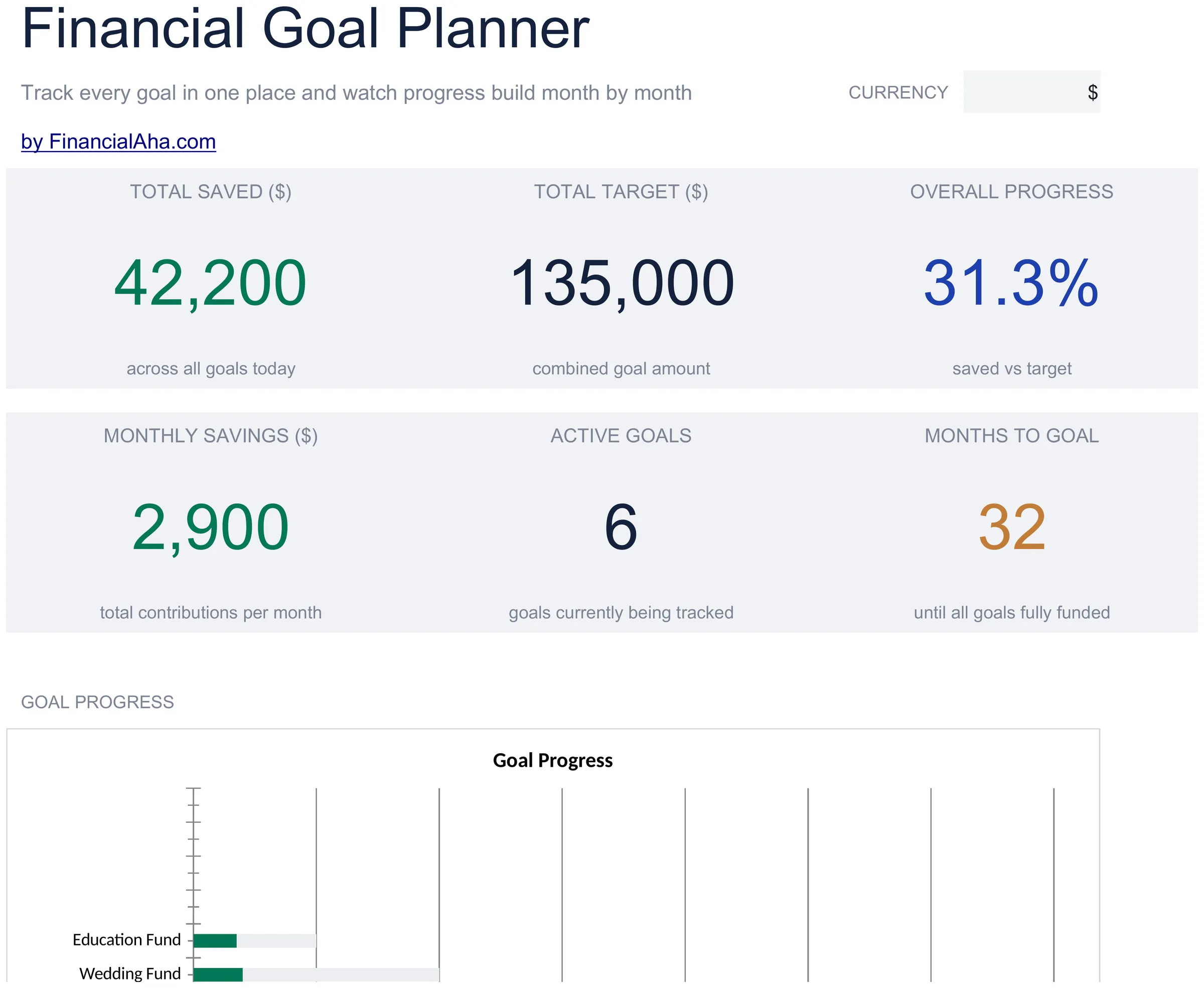
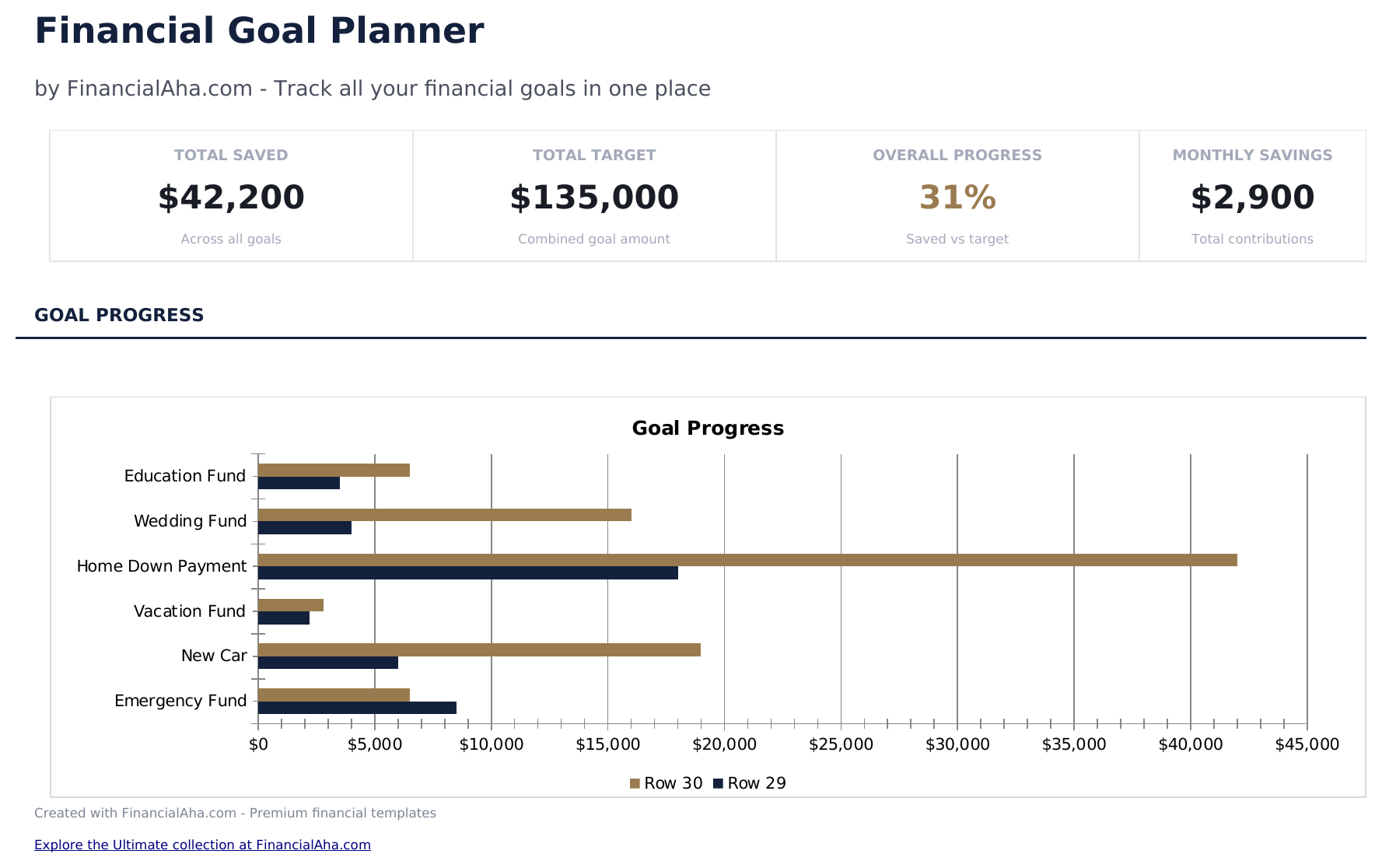
  • Dashboard with multi-goal progress displaying each goal name, target, current amount, and completion percentage
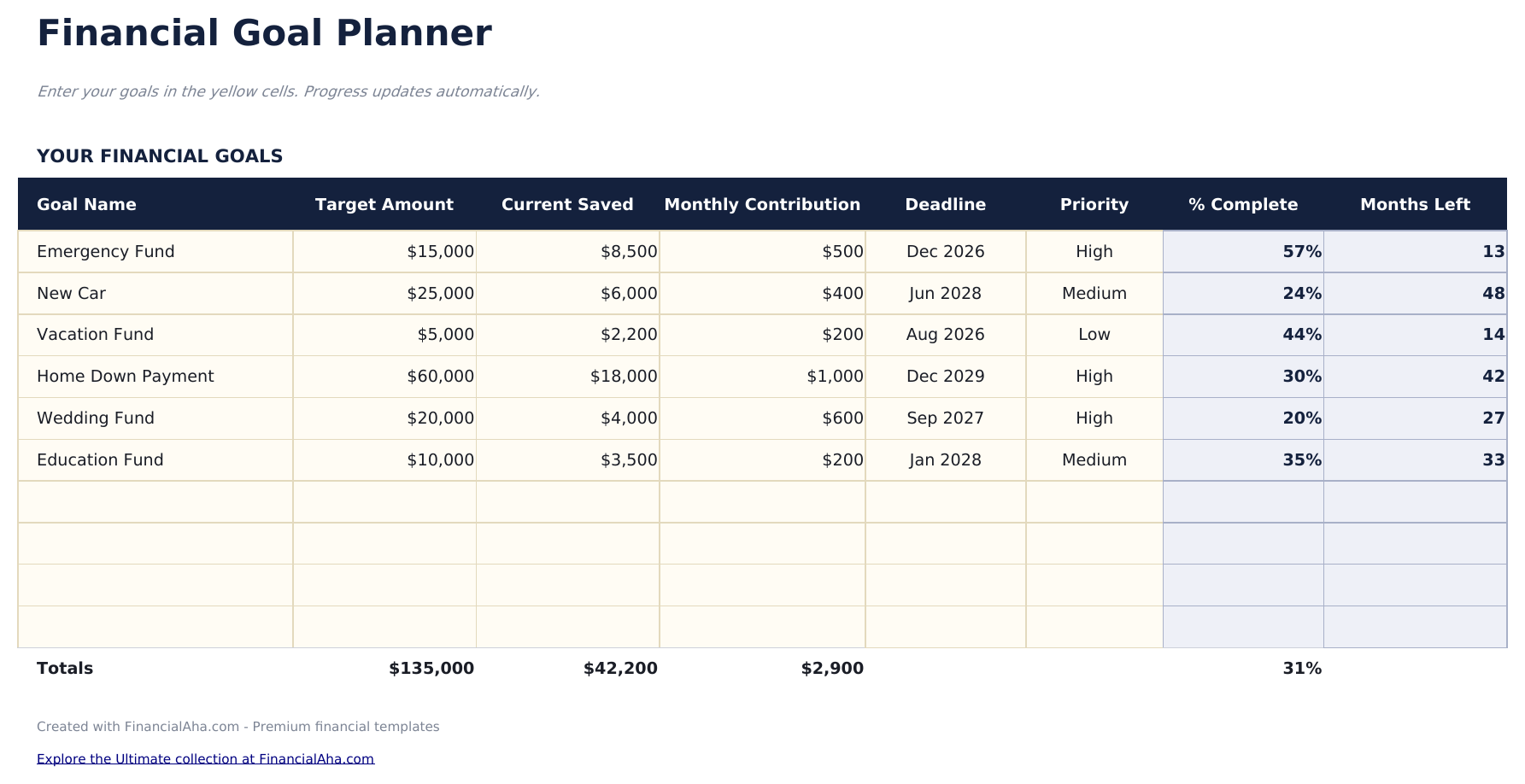
  • Goal setup sheet with target amount, target date, monthly contribution, and priority level for each goal
  • Monthly contribution tracking with a log for recording deposits toward each individual savings goal
  • Progress percentage calculations that automatically update as contributions bring each goal closer to target
  • Priority ranking for goals with color-coded input cells to help organize short-term and long-term targets
  • Works in Microsoft Excel, Google Sheets, and LibreOffice Calc with no setup required
Ultimate Version Available

Need more from this template?

The Essentials version covers everyday tracking. Ultimate goes further with multi-entity support, scenario analysis, and ultimate-grade reporting.

Essentials - $12
  • Dashboard with multi-goal progress displaying each goal name, target, current amount, and completion percentage
  • Goal setup sheet with target amount, target date, monthly contribution, and priority level for each goal
  • Monthly contribution tracking with a log for recording deposits toward each individual savings goal
  • Progress percentage calculations that automatically update as contributions bring each goal closer to target
Ultimate - $19
  • Volg tot 12 financiële doelen met naam, categorie, doelbedrag, huidig bedrag, streefdatum en prioriteitsniveau
  • Dashboard met 6 KPI-kaarten: doelen op schema, totaal doelbedrag, totaal gespaard, algehele voortgang, dichtstbijzijnde deadline en doel met hoogste prioriteit
  • Werkblad actieplan met ruimte voor tot 5 concrete stappen per doel, toegewezen verantwoordelijke, vervaldatum en voltooiingsstatus
  • Werkblad maandelijkse voortgang om gespaarde bedragen per doel per maand te registreren met lopende totalen en maand-op-maand verandering
  • Prioriteitenmatrix die elk doel plot op urgentie en belang met kwadrantlabels om focus te sturen
See what's in the Ultimate version One-time purchase. No subscription.

Hoe gebruik je dit Financial Goal Planner sjabloon

1

Set up your goals

Enter each financial goal with a name, target amount, target date, monthly contribution, and priority level.

2

Log monthly contributions

Record deposits toward each goal in the tracking section. Progress percentages update automatically as funds accumulate.

3

Review the dashboard

See all goals at once with their current progress, remaining amounts, and estimated completion dates in one view.

4

Prioritize and adjust

Use the priority ranking to decide which goals get extra contributions. Adjust amounts as your financial situation changes.

Gebouwd door Claude AI. Verfijnd door ons.

We gebruiken Claude AI om elk sjabloon te ontwerpen, na uitgebreid onderzoek. Daarna neemt ons team het over. We verfijnen de indeling, testen elke formule grondig, lossen randgevallen op en polijsten het ontwerp totdat het iets is dat we zelf ook echt zouden gebruiken. De AI brengt ons 80% van de weg. De laatste 20% is puur menselijk oordeel.

Bekijk de Ultimate-versie →

Veelgestelde vragen

How many goals can I track?

The template supports multiple goals at once. Add rows for short-term targets like vacations and long-term ones like a home down payment.

How is the completion date estimated?

The template divides the remaining amount by your monthly contribution to estimate how many months until the target is reached.

Can I change goal priorities?

Yes. Update the priority field at any time. Use priority to guide where extra contributions go when you have money beyond regular amounts.

What happens when a goal is reached?

The progress percentage shows 100% when the saved amount meets or exceeds the target. You can remove it or keep it for records.

Hoe open ik dit in Google Sheets?

Upload het .xlsx-bestand naar Google Drive en open het vervolgens met Google Sheets. Alle formules en opmaak blijven behouden.

Meer Essentials-sjablonen voor Net Worth & Financial Planning

Op zoek naar premium spreadsheet-sjablonen?

Onze betaalde sjablonen bevatten geavanceerde dashboards met meerdere werkbladen, ingebouwde Excel-grafieken en doorlopende updates.

Privé & veilig

Uw financiële gegevens blijven op uw apparaat. Wij zien ze nooit.

Meer informatie →

Hulp nodig?

Bekijk onze handleidingen of neem contact op met vragen.

Bekijk FAQ →