أفضل قيمة حزمة التخطيط المالي الشاملة
✓ التخطيط المالي✓ متتبع صافي الثروة✓ الميزانية الشهرية✓ مخطط ميزانية السفر✓ مخطط الميزانية السنوية✓ متتبع النفقات الشهرية✓ مخطط الضرائب السنوي✓ تخطيط التقاعد
عرض الحزمة →
احترافي النسخة الاحترافية متوفرة - مخطط الأهداف المالية Ultimate
قالب احترافي - Excel و Google Sheets

Financial Goal Planner قالب Essentials

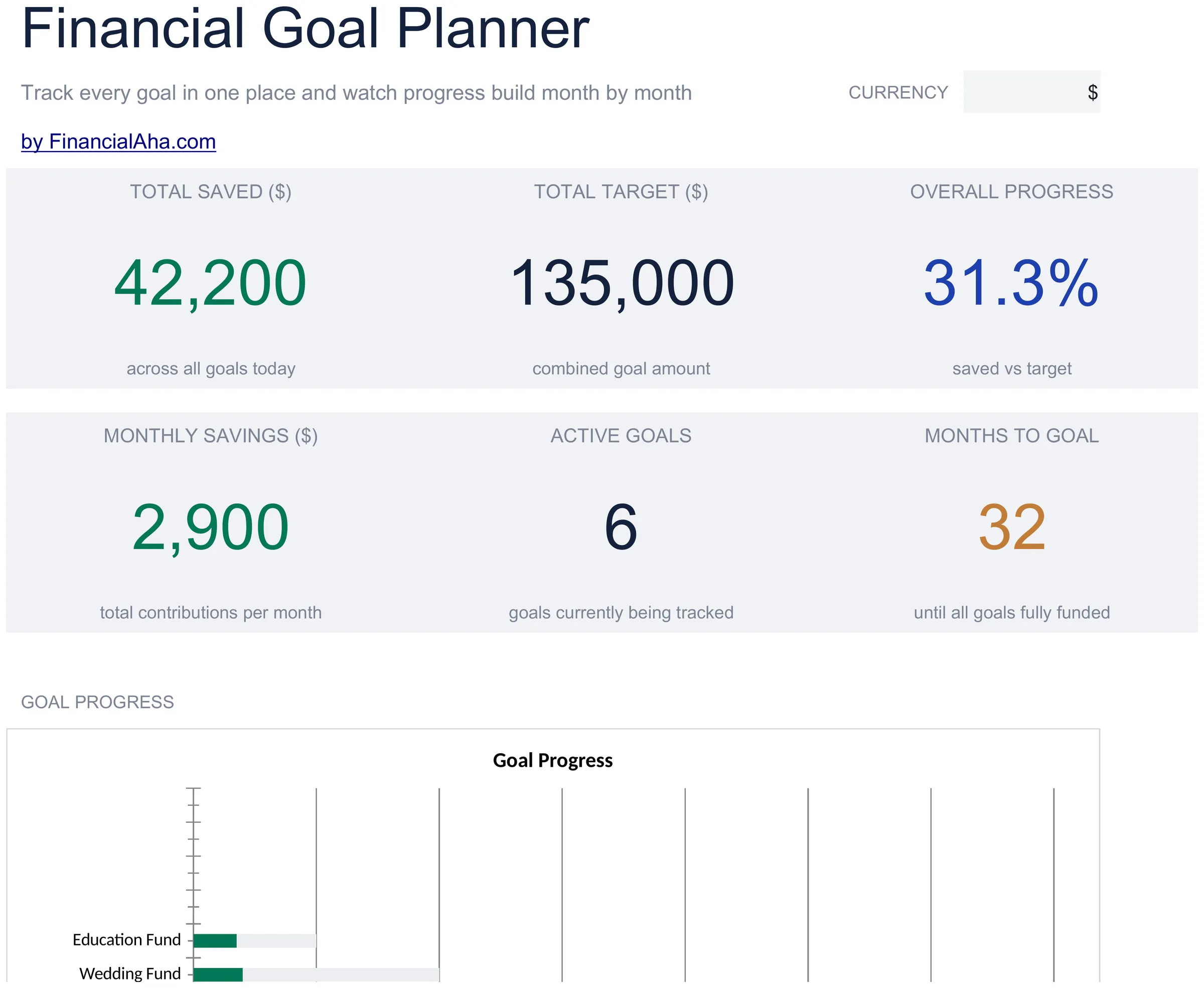
Set and track multiple financial goals with target dates and contribution plans. Monitor progress toward each goal from a single dashboard.

عرض نسخة Ultimate ←
Financial Goal Planner preview

ماذا يتضمن

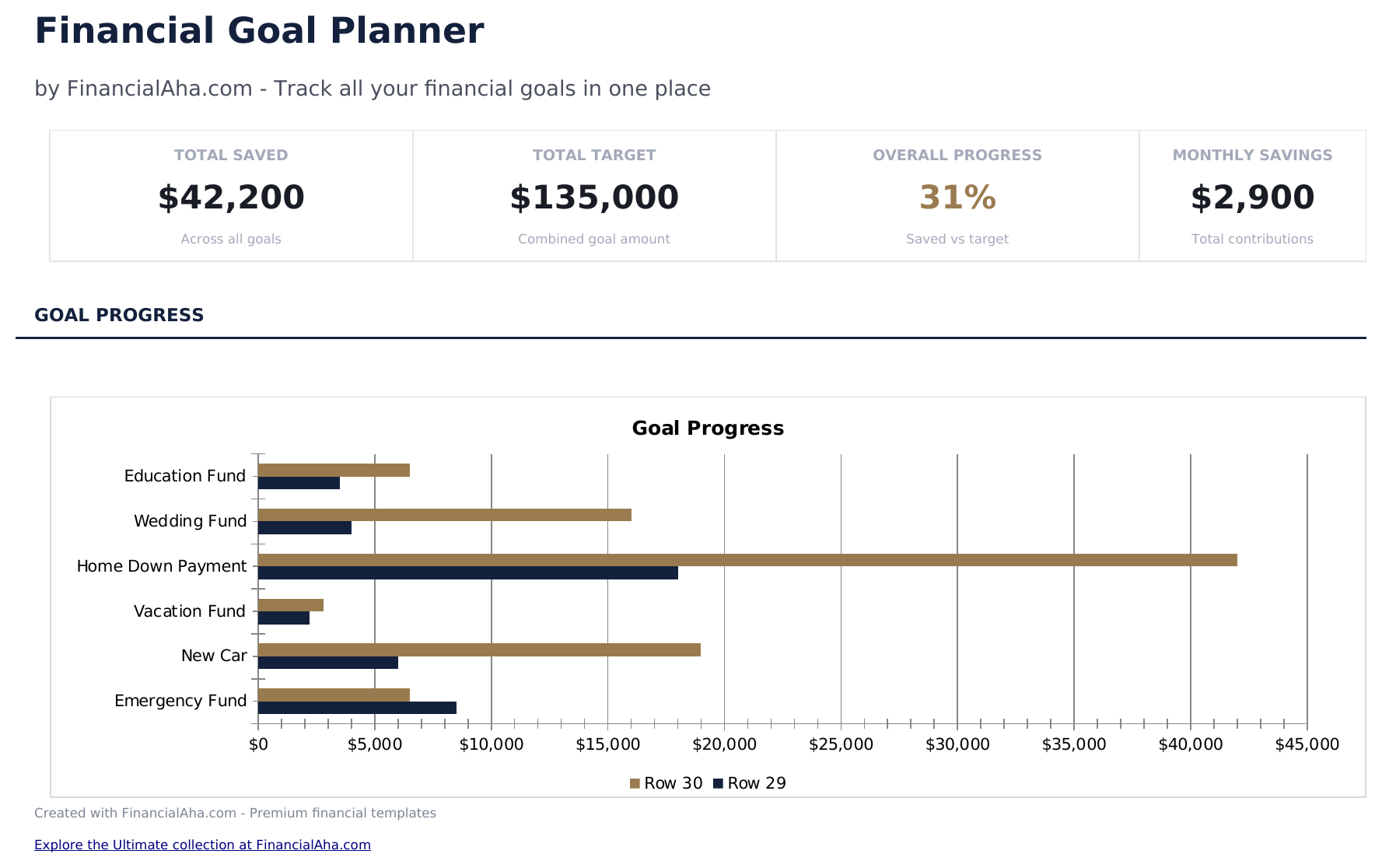
  • Dashboard with multi-goal progress displaying each goal name, target, current amount, and completion percentage
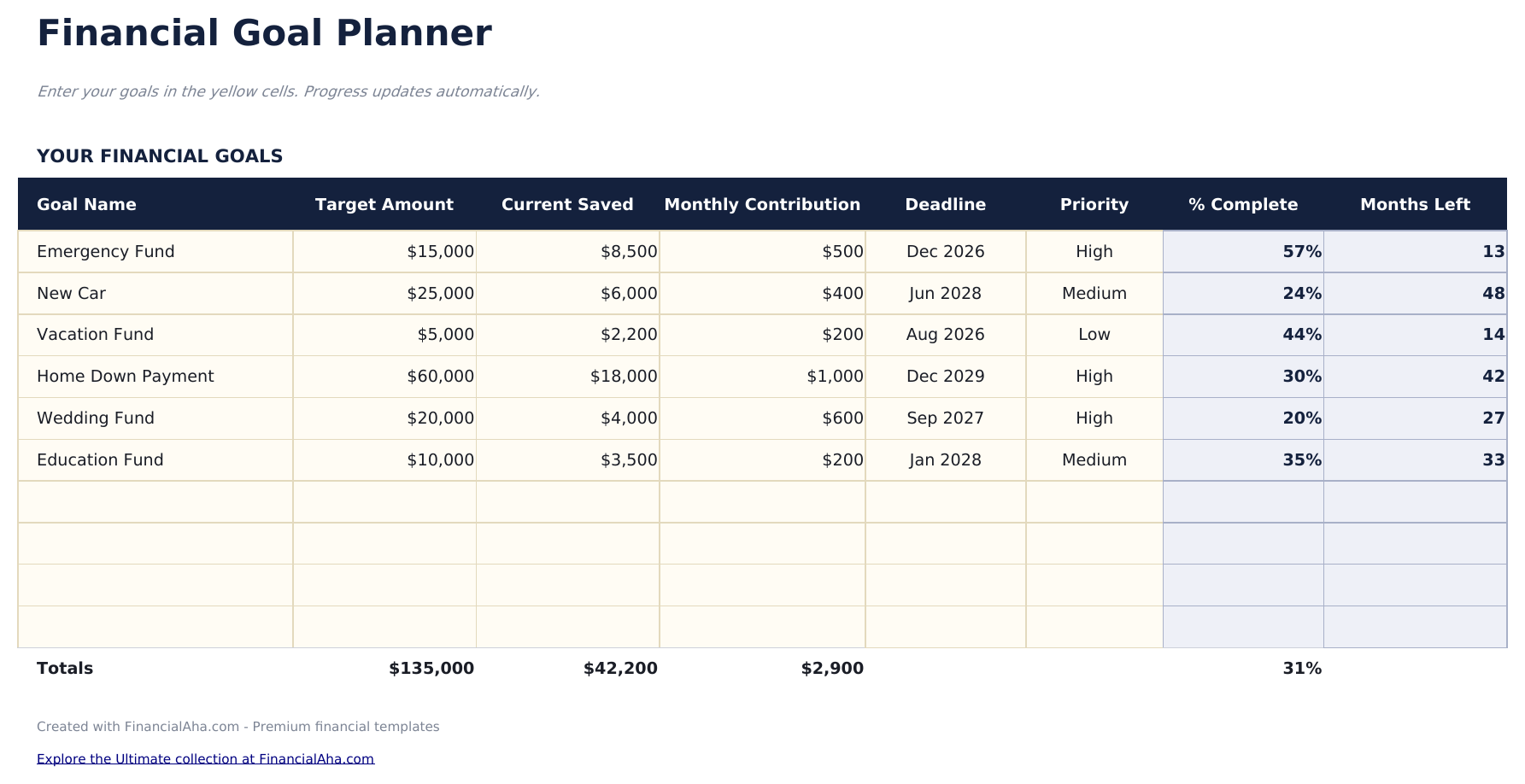
  • Goal setup sheet with target amount, target date, monthly contribution, and priority level for each goal
  • Monthly contribution tracking with a log for recording deposits toward each individual savings goal
  • Progress percentage calculations that automatically update as contributions bring each goal closer to target
  • Priority ranking for goals with color-coded input cells to help organize short-term and long-term targets
  • Works in Microsoft Excel, Google Sheets, and LibreOffice Calc with no setup required
Ultimate Version Available

Need more from this template?

The Essentials version covers everyday tracking. Ultimate goes further with multi-entity support, scenario analysis, and ultimate-grade reporting.

Essentials - $12
  • Dashboard with multi-goal progress displaying each goal name, target, current amount, and completion percentage
  • Goal setup sheet with target amount, target date, monthly contribution, and priority level for each goal
  • Monthly contribution tracking with a log for recording deposits toward each individual savings goal
  • Progress percentage calculations that automatically update as contributions bring each goal closer to target
Ultimate - $19
  • تتبع حتى 12 هدفاً مالياً مع الاسم والفئة والمبلغ المستهدف والمبلغ الحالي والتاريخ المستهدف ومستوى الأولوية
  • لوحة معلومات مع 6 بطاقات KPI: الأهداف على المسار، إجمالي المستهدف، إجمالي المدخر، التقدم الإجمالي، أقرب موعد نهائي والهدف الأعلى أولوية
  • ورقة خطة العمل مع مساحة لحتى 5 خطوات محددة لكل هدف مع المسؤول وتاريخ الاستحقاق وحالة الإنجاز
  • ورقة التقدم الشهري لتسجيل المبالغ المدخرة لكل هدف شهرياً مع إجماليات جارية وتغير شهري
  • مصفوفة الأولويات ترتب كل هدف حسب الإلحاح والأهمية مع تسميات الأرباع لتوجيه التركيز
See what's in the Ultimate version One-time purchase. No subscription.

كيفية استخدام قالب Financial Goal Planner هذا

1

Set up your goals

Enter each financial goal with a name, target amount, target date, monthly contribution, and priority level.

2

Log monthly contributions

Record deposits toward each goal in the tracking section. Progress percentages update automatically as funds accumulate.

3

Review the dashboard

See all goals at once with their current progress, remaining amounts, and estimated completion dates in one view.

4

Prioritize and adjust

Use the priority ranking to decide which goals get extra contributions. Adjust amounts as your financial situation changes.

صُممت بواسطة Claude AI. أتقنّاها نحن.

نستخدم Claude AI لصياغة كل قالب بعد بحث معمّق. ثم يتدخل فريقنا. نحسّن التصميم، ونختبر كل صيغة، ونعالج الحالات الاستثنائية، وننقّح التصميم حتى يصبح شيئاً نستخدمه نحن فعلاً. الذكاء الاصطناعي يوصلنا إلى 80%. الـ 20% المتبقية هي حكم بشري بالكامل.

عرض نسخة Ultimate ←

الأسئلة الشائعة

How many goals can I track?

The template supports multiple goals at once. Add rows for short-term targets like vacations and long-term ones like a home down payment.

How is the completion date estimated?

The template divides the remaining amount by your monthly contribution to estimate how many months until the target is reached.

Can I change goal priorities?

Yes. Update the priority field at any time. Use priority to guide where extra contributions go when you have money beyond regular amounts.

What happens when a goal is reached?

The progress percentage shows 100% when the saved amount meets or exceeds the target. You can remove it or keep it for records.

كيف أفتح هذا في Google Sheets؟

ارفع ملف .xlsx إلى Google Drive، ثم افتحه باستخدام Google Sheets. جميع الصيغ والتنسيقات ستبقى محفوظة.

المزيد من قوالب Essentials في Net Worth & Financial Planning

تبحث عن قوالب جداول بيانات احترافية؟

القوالب المدفوعة تشمل لوحات معلومات متعددة الأوراق متقدمة، ورسوم بيانية أصلية في Excel، وتحديثات مستمرة.

خاص وآمن

بياناتك المالية تبقى على جهازك. نحن لا نراها أبداً.

تعرف على المزيد →

هل تحتاج مساعدة؟

راجع أدلتنا أو تواصل معنا لأي أسئلة.

عرض الأسئلة الشائعة →