أفضل قيمة حزمة التخطيط المالي الشاملة
✓ التخطيط المالي✓ متتبع صافي الثروة✓ الميزانية الشهرية✓ مخطط ميزانية السفر✓ مخطط الميزانية السنوية✓ متتبع النفقات الشهرية✓ مخطط الضرائب السنوي✓ تخطيط التقاعد
عرض الحزمة →
قالب احترافي - Excel و Google Sheets

Cost Comparison Template قالب Essentials

Compare costs across different options - insurance plans, services, products, or providers. Lay out features and pricing side by side.

Cost Comparison Template preview

ماذا يتضمن

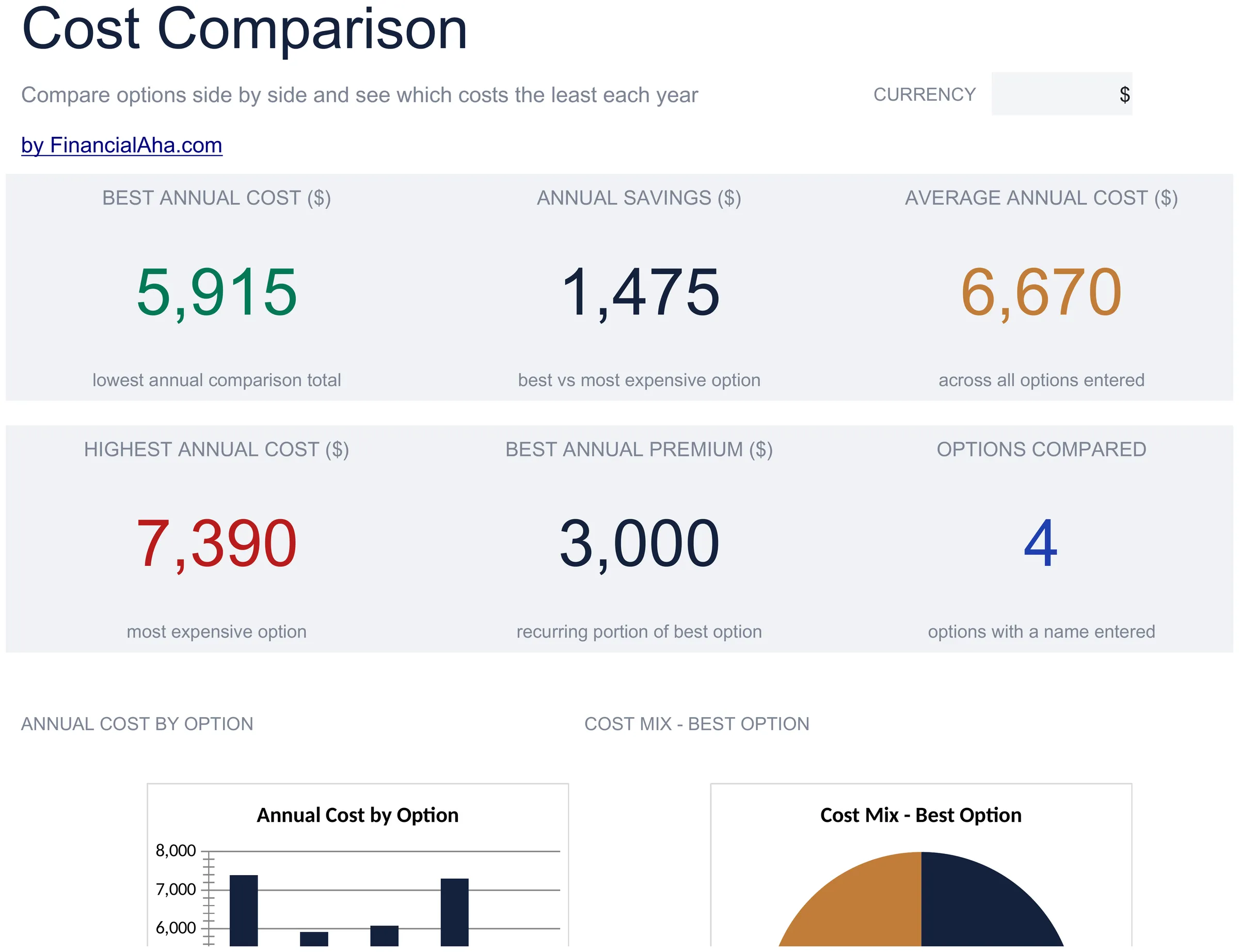
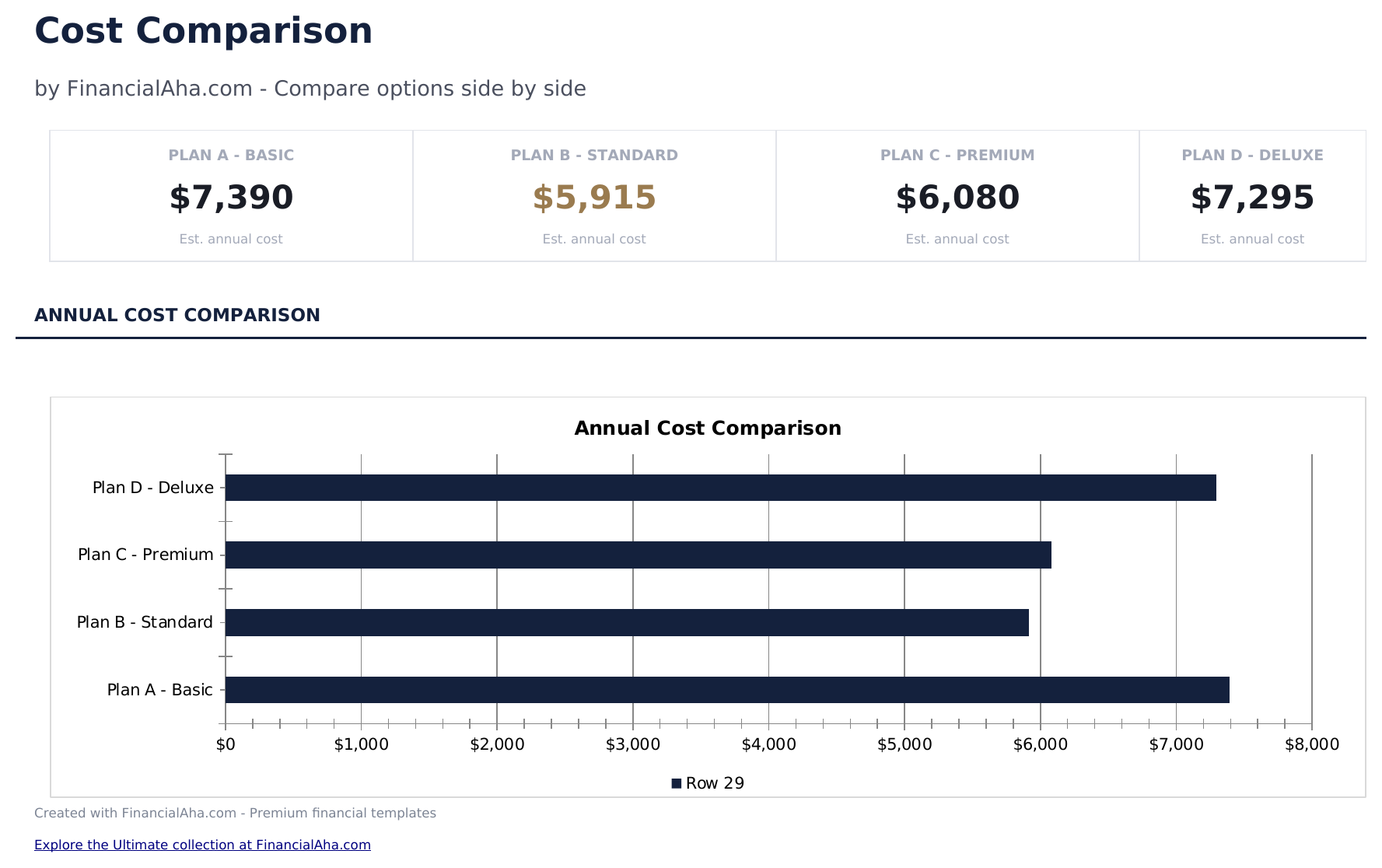
  • Dashboard with comparison summary highlighting the lowest-cost option and total price differences
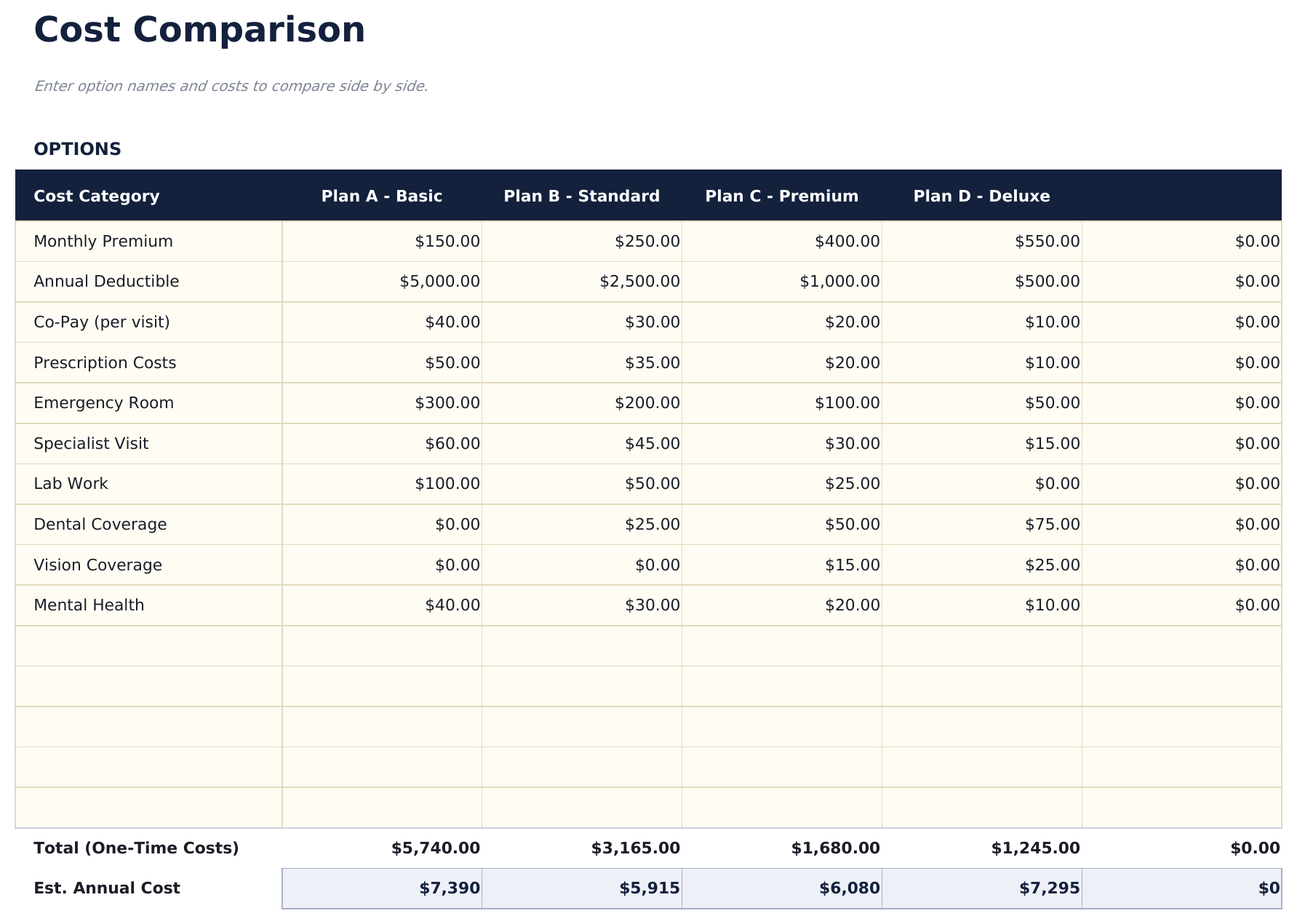
  • Side-by-side comparison layout with columns for up to four options and rows for each cost component
  • Cost breakdown by feature or category including monthly fees, annual costs, setup charges, and extras
  • Total cost calculations per option with automatic summation and difference from the cheapest alternative
  • Weighted scoring option and color-coded cells for ranking options beyond just price considerations
  • Works in Microsoft Excel, Google Sheets, and LibreOffice Calc with no setup required

كيفية استخدام قالب Cost Comparison Template هذا

1

Enter options to compare

Name up to four options across the columns - insurance plans, services, products, or any items you are evaluating.

2

Add cost components

List each cost factor as a row - monthly fee, annual cost, setup charge, and any extras. Enter the price for each option.

3

Review totals

The template sums all cost components per option and highlights the lowest total cost automatically.

4

Factor in non-price criteria

Use the weighted scoring section to rank options on features, quality, and other factors beyond just price.

صُممت بواسطة Claude AI. أتقنّاها نحن.

نستخدم Claude AI لصياغة كل قالب بعد بحث معمّق. ثم يتدخل فريقنا. نحسّن التصميم، ونختبر كل صيغة، ونعالج الحالات الاستثنائية، وننقّح التصميم حتى يصبح شيئاً نستخدمه نحن فعلاً. الذكاء الاصطناعي يوصلنا إلى 80%. الـ 20% المتبقية هي حكم بشري بالكامل.

الأسئلة الشائعة

How many options can I compare?

The template supports up to four options side by side. For more options, add additional columns following the same format.

Can I compare services instead of products?

Yes. The template works for anything with costs - insurance plans, software subscriptions, service providers, or physical products.

How does weighted scoring work?

Assign weights to criteria like price, quality, and features. Each option receives a score per criterion, and the weighted total ranks them beyond just cost.

Does it handle monthly vs annual pricing?

Add rows for both monthly and annual costs. The totals will sum all rows, so you can see combined costs over any time period you enter.

كيف أفتح هذا في Google Sheets؟

ارفع ملف .xlsx إلى Google Drive، ثم افتحه باستخدام Google Sheets. جميع الصيغ والتنسيقات ستبقى محفوظة.

المزيد من قوالب Essentials في Net Worth & Financial Planning

تبحث عن قوالب جداول بيانات احترافية؟

القوالب المدفوعة تشمل لوحات معلومات متعددة الأوراق متقدمة، ورسوم بيانية أصلية في Excel، وتحديثات مستمرة.

خاص وآمن

بياناتك المالية تبقى على جهازك. نحن لا نراها أبداً.

تعرف على المزيد →

هل تحتاج مساعدة؟

راجع أدلتنا أو تواصل معنا لأي أسئلة.

عرض الأسئلة الشائعة →