Beste waarde All-in-One Financieel Planningspakket
✓ Financiële Planning✓ Vermogenstracker✓ Maandelijks Budgetteren✓ Reisbudget Planner✓ Jaarlijkse Budgetplanner✓ Maandelijkse Uitgaventracker✓ Jaarlijkse Belastingplanner✓ Pensioenplanning
Bekijk bundel →
Ultimate Ultimate-versie beschikbaar - Zakelijk Budget Ultimate
Essentials-sjabloon - Excel & Google Sheets

Business Budget Essentials-sjabloon

Plan and track business income and expenses on a monthly basis. Covers operating costs, revenue, and departmental budgets.

Bekijk de Ultimate-versie →
Business Budget preview

Wat zit erin

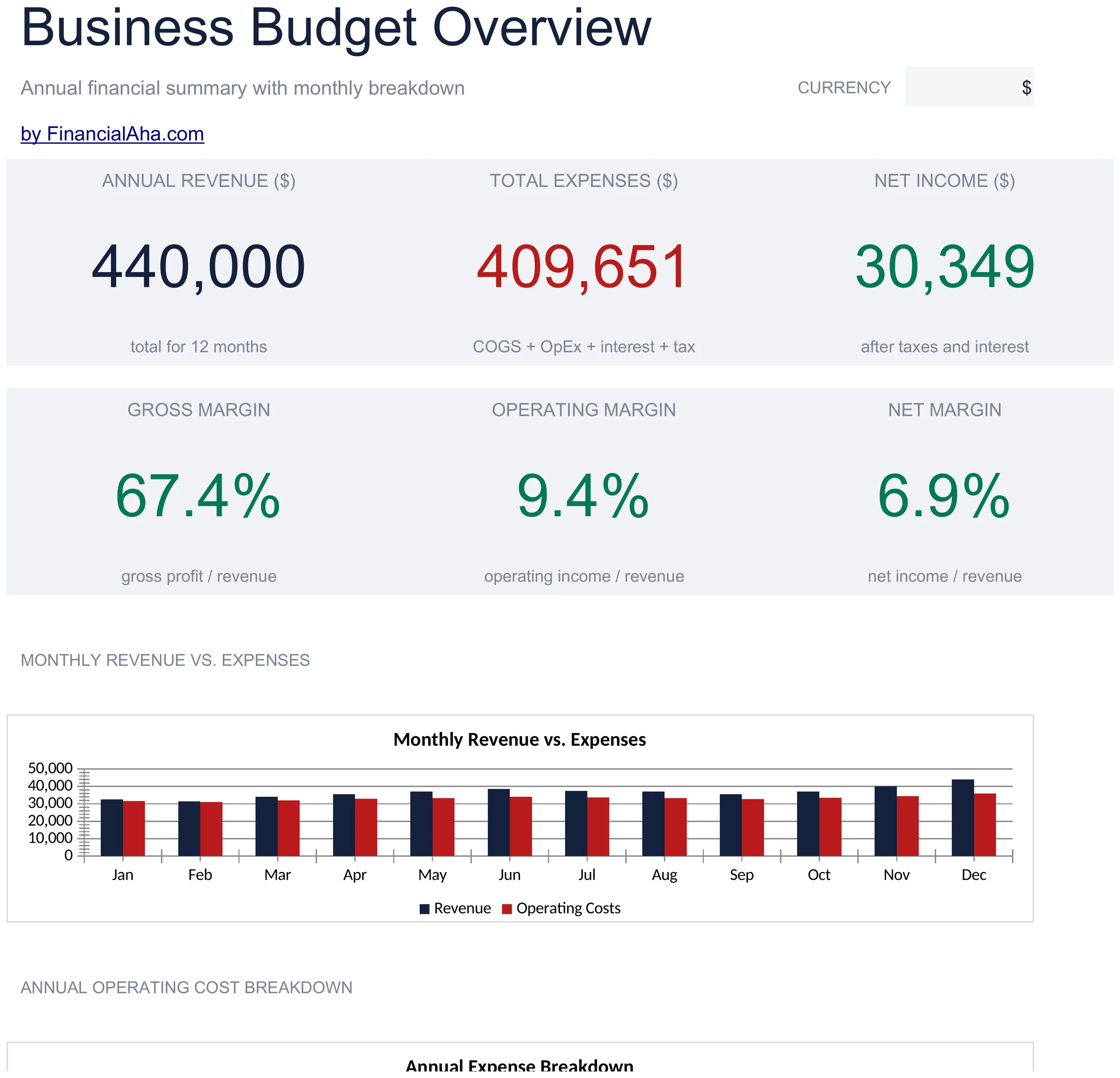
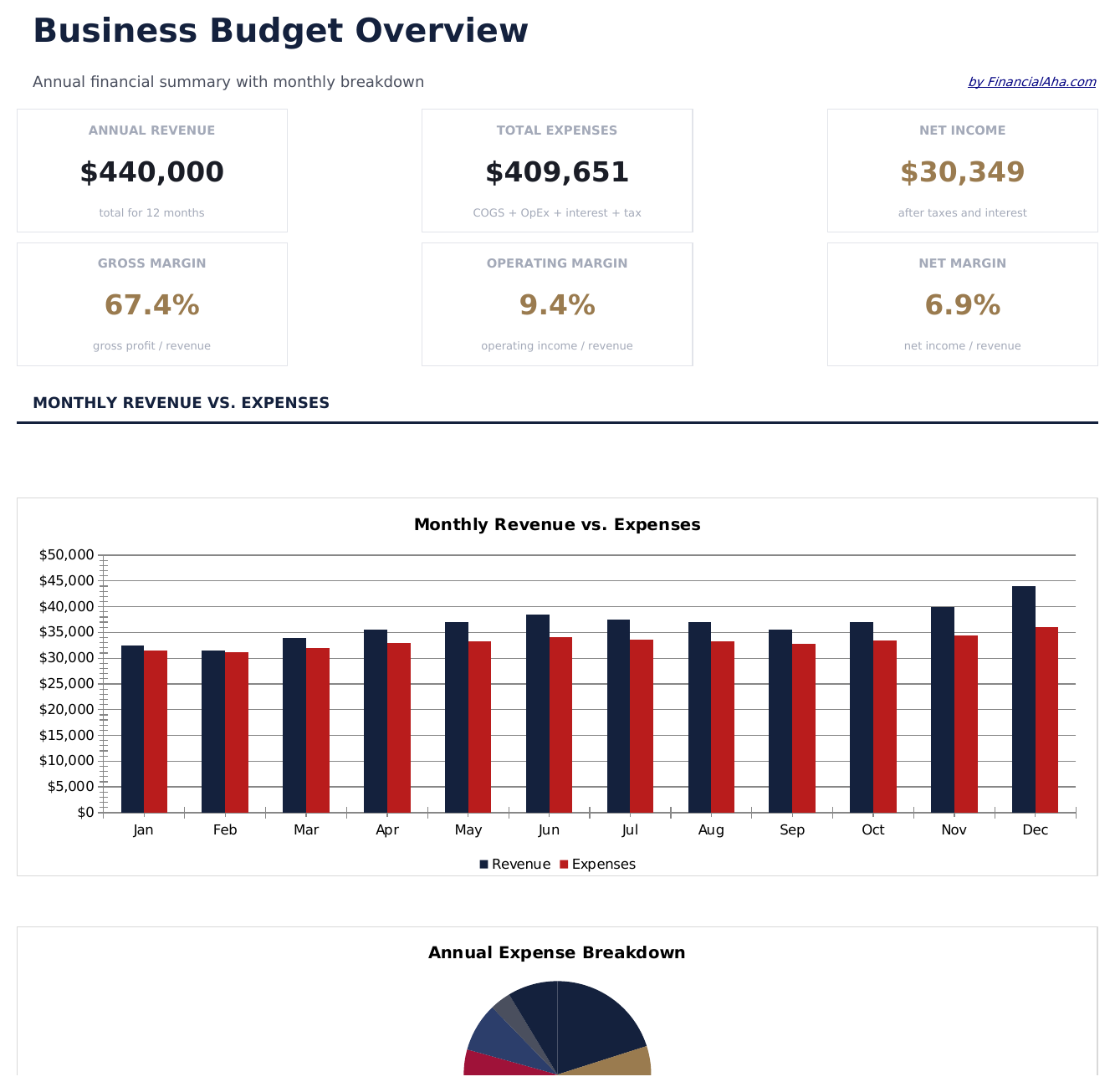
  • Dashboard with business budget overview showing total revenue, total expenses, net income, and budget utilization
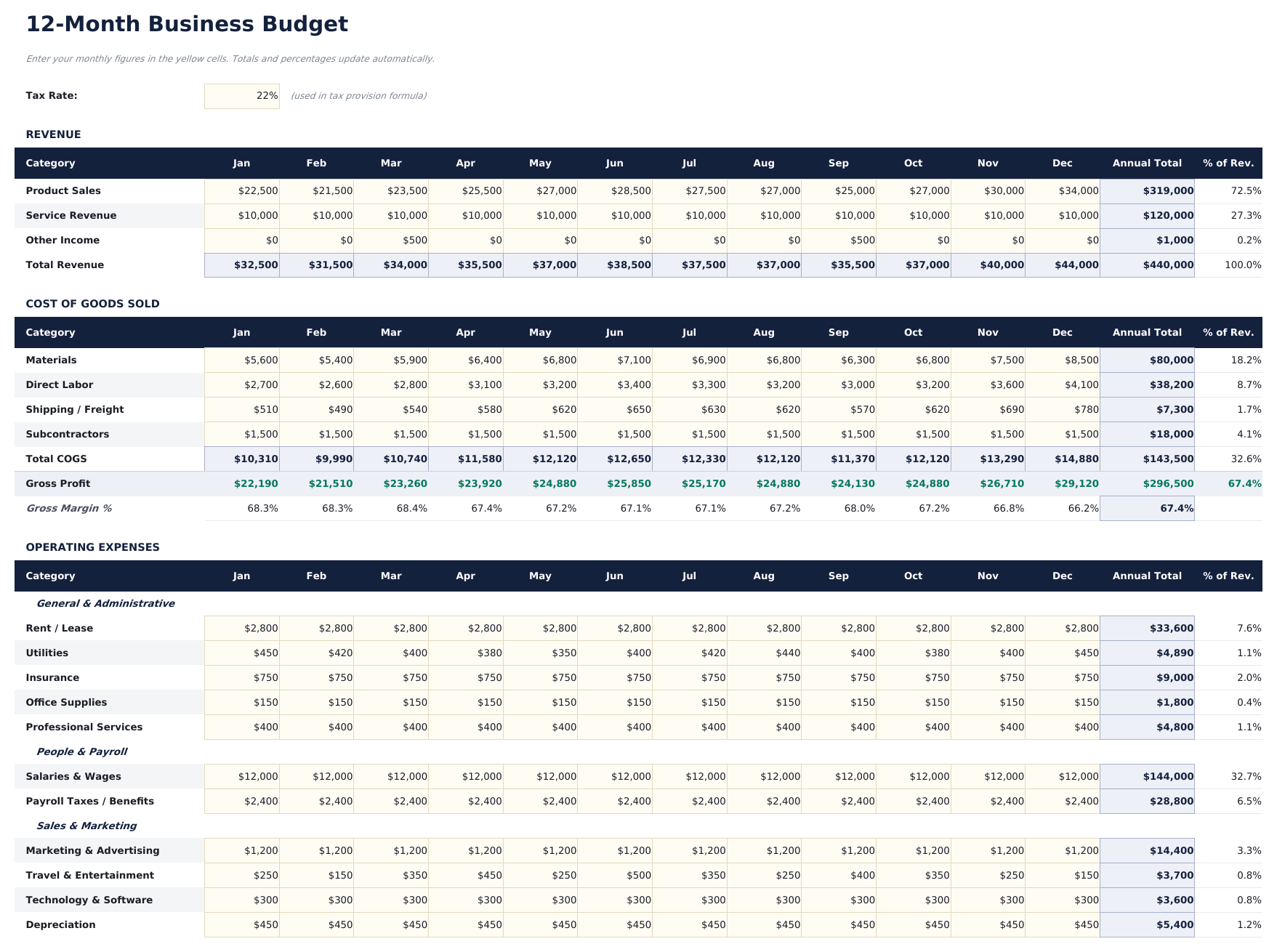
  • Monthly budget with revenue categories and expense line items for payroll, rent, marketing, utilities, and supplies
  • Department or category breakdowns allowing separate budget tracking for sales, operations, admin, and other teams
  • Budget vs. actual comparison columns with automatic variance calculations for every revenue and expense line
  • Color-coded variance indicators highlighting favorable and unfavorable variances with auto-calculated percentages
  • Works in Microsoft Excel, Google Sheets, and LibreOffice Calc with no setup required
Ultimate Version Available

Need more from this template?

The Essentials version covers everyday tracking. Ultimate goes further with multi-entity support, scenario analysis, and ultimate-grade reporting.

Essentials - $12
  • Dashboard with business budget overview showing total revenue, total expenses, net income, and budget utilization
  • Monthly budget with revenue categories and expense line items for payroll, rent, marketing, utilities, and supplies
  • Department or category breakdowns allowing separate budget tracking for sales, operations, admin, and other teams
  • Budget vs. actual comparison columns with automatic variance calculations for every revenue and expense line
Ultimate - $19
  • Werkblad Omzetbudget met tot 10 omzetstromen, maandelijkse doelen en jaartotalen met bewerkbare groeiaannames
  • Werkblad Kostenbudget met tot 15 uitgavencategorieën over 12 maanden met maandelijkse en jaarlijkse totalen
  • Werkblad Afdelingsbudgetten dat budget toewijst over tot 6 afdelingen met personeelsbezetting, salaris en bedrijfskostenuitsplitsingen
  • Dashboard met 6 KPI-kaarten: gebudgetteerde omzet, gebudgetteerde kosten, nettobudget, grootste uitgavencategorie, omzetgroeipercentage en operationele marge
  • Werkblad Kwartaalbeoordeling dat Q1 tot en met Q4 gebudgetteerd versus werkelijke omzet, kosten en netto-inkomen vergelijkt met afwijkingsanalyse
See what's in the Ultimate version One-time purchase. No subscription.

Hoe gebruik je dit Business Budget sjabloon

1

Enter revenue categories

List each revenue source with budgeted monthly amounts - product sales, service fees, subscriptions, or other income streams.

2

Add expense line items

Fill in operating expenses by category - payroll, rent, marketing, utilities, supplies, and insurance with monthly budgets.

3

Enter actual amounts

As the month progresses, record actual revenue and expenses. The variance columns show where you are over or under budget.

4

Review the dashboard

The dashboard summarizes total revenue, total expenses, net income, and overall budget utilization with variance highlights.

Gebouwd door Claude AI. Verfijnd door ons.

We gebruiken Claude AI om elk sjabloon te ontwerpen, na uitgebreid onderzoek. Daarna neemt ons team het over. We verfijnen de indeling, testen elke formule grondig, lossen randgevallen op en polijsten het ontwerp totdat het iets is dat we zelf ook echt zouden gebruiken. De AI brengt ons 80% van de weg. De laatste 20% is puur menselijk oordeel.

Bekijk de Ultimate-versie →

Veelgestelde vragen

Can I budget by department?

Yes. Organize expense categories by department - sales, marketing, operations, admin. Add department subtotals for departmental budget tracking.

How does variance tracking work?

The template calculates the difference between budgeted and actual amounts for each line. Favorable variances (under budget) and unfavorable ones (over budget) are color-coded.

Can I extend it to a full year?

Yes. Add columns for each month through 12 months. The template format supports monthly tracking across the full fiscal year.

Is this for small or large businesses?

It works for any size. Small businesses use fewer categories while larger ones add more line items and departmental breakdowns.

Hoe open ik dit in Google Sheets?

Upload het .xlsx-bestand naar Google Drive en open het vervolgens met Google Sheets. Alle formules en opmaak blijven behouden.

Meer Essentials-sjablonen voor Business Finance

Op zoek naar premium spreadsheet-sjablonen?

Onze betaalde sjablonen bevatten geavanceerde dashboards met meerdere werkbladen, ingebouwde Excel-grafieken en doorlopende updates.

Privé & veilig

Uw financiële gegevens blijven op uw apparaat. Wij zien ze nooit.

Meer informatie →

Hulp nodig?

Bekijk onze handleidingen of neem contact op met vragen.

Bekijk FAQ →